Keap

Keap review

CRM, marketing automation, and payments in one platform built for follow-up-driven small businesses.

Keap costs from $24/mo · 8 plans · prices checked Oct 13, 2026

By Ciroapp Editorial Team · Updated Sep 16, 2026

Commission may apply at no extra cost

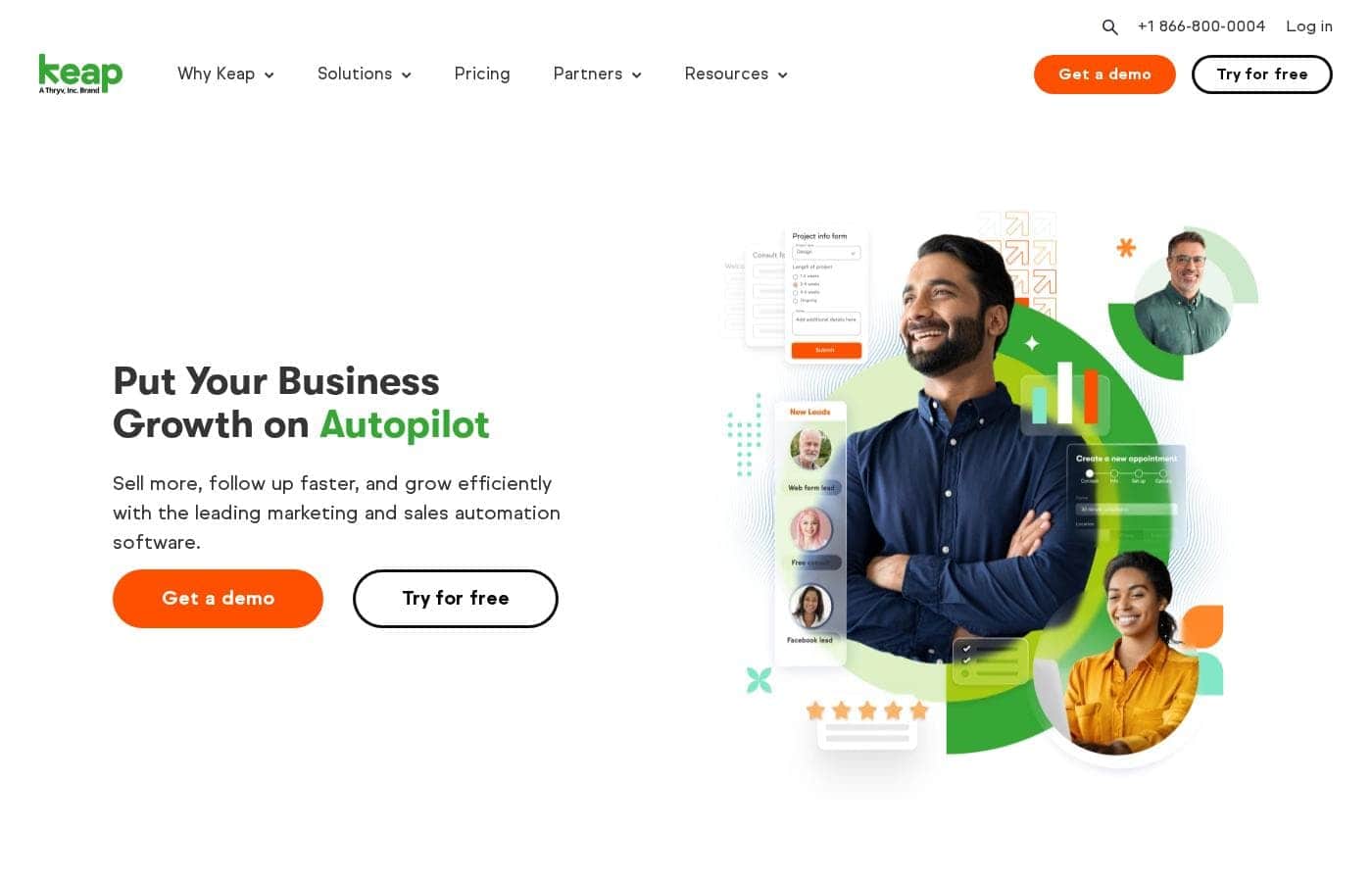
Keap homepage screenshot

At a glance

Quick overview for Keap: rating, pricing summary, key features, and highlights.
Pricing verified Oct 13, 2026

Ciroapp score

3.7/ 5

Keap bundles CRM, email and SMS automation, scheduling, and payments into one system built for follow-up-heavy service businesses. Campaign Builder handles genuinely multi-step workflows, though mastering it takes weeks and costs climb as your contact list grows. Overall, it's a strong pick for owner-led teams that will actually invest in automation.

Pros

  • Pros:Campaign Builder supports genuinely multi-step, behavior-triggered automation — SMS, internal tasks, tagging, and staff notifications inside one workflow, not just autoresponders.
  • Pros:CRM, email, SMS, scheduling, invoicing, and payments share a single contact database, eliminating the sync tools and data gaps of a multi-vendor stack.
  • Pros:Appointment reminders and pipeline task automation directly reduce no-shows and stalled deals, which is where small businesses measurably lose money.

Cons

  • Cons:Campaign Builder is powerful but has a real learning curve — expect days to launch a first campaign and weeks before branching logic feels comfortable.
  • Cons:Pricing scales with contact count and users, so costs climb meaningfully as your database grows — a real consideration for list-heavy businesses.
  • Cons:There is no permanent free tier, so evaluation happens inside the trial window or after committing to a paid plan.
Best for
  • Service businesses — coaches, consultants, agencies — that convert through multi-touch nurture rather than one-off transactions.
  • Appointment-driven operations such as salons, clinics, tutors, and home services, where automated reminders and rebooking directly protect revenue.
  • Founder-led or small sales teams of roughly one to ten people that want pipelines, tasks, and automation without enterprise CRM overhead.
This section is a summary. Detailed sections about features, use cases, pricing, and reviews follow below.

What is Keap?

Keap started life as Infusionsoft, a pioneer in small-business marketing automation, and today it positions itself as an all-in-one growth platform for companies without a dedicated marketing department. It bundles CRM, email and SMS campaigns, appointment scheduling, sales pipelines, and payment collection under one login. This review looks at what the platform actually does well, where it stumbles, and which kinds of businesses see a real return on it.

Keap is a customer relationship management and marketing automation platform aimed at small businesses, typically teams without dedicated IT or marketing staff. Its core is the Campaign Builder, a visual editor where you assemble multi-step, trigger-based workflows that send emails and texts, create tasks, move contacts through pipelines, and collect payments. Around that sit contact management with tagging, lead capture forms and landing pages, appointment booking with automated reminders, invoicing, and reporting dashboards.

The design assumption is follow-up-heavy selling: leads get nurtured over days or weeks until they book, buy, or opt out.
Should you choose Keap?

Quick buyer guidance before you compare plans or click through.

Choose it if

  • Service businesses — coaches, consultants, agencies — that convert through multi-touch nurture rather than one-off transactions.
  • Appointment-driven operations such as salons, clinics, tutors, and home services, where automated reminders and rebooking directly protect revenue.
  • Founder-led or small sales teams of roughly one to ten people that want pipelines, tasks, and automation without enterprise CRM overhead.
  • Companies holding an existing contact list they want to segment and monetize through re-engagement campaigns.

Skip it if

  • Product-heavy e-commerce sellers that need catalogs, storefronts, and inventory depth — dedicated platforms fit better.
  • Bootstrapped businesses with very small budgets, where the subscription cost cannot yet be offset by automated revenue.
  • Teams that need advanced custom reporting or data warehousing — Keap's analytics are practical but basic.
  • Organizations unwilling to invest setup time, since the platform's value depends on building and maintaining automations.

Next steps before buying

  1. 1Start a free trial at keap.com and clean your contact list before importing via CSV, so tags and custom fields land organized.
  2. 2Define your tagging taxonomy and pipeline stages before building anything — automations depend on them, and retrofitting is painful.
  3. 3Build one high-value automation in Campaign Builder, such as new-lead follow-up, and test it end-to-end with your own email and phone.
  4. 4Authenticate your sending domain and connect your calendar before launch, then use Keap's onboarding sessions and training content to add complexity gradually.

Keap Key Features

✨ Campaign Builder and lifecycle automation

The Campaign Builder is Keap's centerpiece: a drag-and-drop canvas where goals, sequences, and decision branches connect into automated workflows. Campaigns can trigger off form submissions, link clicks, purchases, appointment outcomes, or tag changes, then branch based on contact behavior. Beyond email, sequences can send SMS, assign internal tasks, adjust tags and scores, and notify staff, so a single campaign can run a full nurture-to-sale process.

✨ CRM and sales pipeline management

Contact records consolidate form data, email and text history, notes, files, and purchase activity, with custom fields and tagging for segmentation. Sales pipelines use a kanban-style board where deals move manually or automatically through campaign actions. Lead scoring on higher tiers prioritizes contacts by engagement, which helps a small team decide who to call first.

✨ Email and SMS marketing

Keap handles both one-off broadcasts and automated sequences, with templates, personalization tokens, and list management built in. Tag-based segmentation lets you target campaigns at precise slices of the database, and sending-domain authentication is configured inside the platform. Putting email and text in the same automation is a practical edge for time-sensitive follow-up such as appointment reminders.

✨ Appointments, payments, and invoicing

A built-in scheduler syncs with your calendar and lets leads book directly from landing pages or emails, with automated confirmation and reminder sequences to cut no-shows. On the revenue side, Keap supports quotes, invoices, one-time and recurring payments, and automated payment reminders, so billing runs through the same workflows as marketing.

✨ Lead capture, reporting, and mobile access

Forms, landing pages, and integrations feed new contacts into the CRM pre-tagged, so automation starts from the moment of signup. Dashboards track pipeline value, campaign performance, and revenue, and a mobile app extends contact access, follow-up tasks, and even a dedicated business phone line to your pocket.

Use Cases

💡 Automated lead nurture for service businesses

A consultant or agency capturing leads from a website form can drop them into a campaign that sends a welcome email, waits, shares a case study, creates a call task, and texts a reminder if no booking happens. The pipeline shows which stage each lead is in, and lead scoring surfaces the hottest ones. Nothing depends on a founder remembering to follow up manually.

💡 No-show reduction for appointment-based businesses

Salons, clinics, tutors, and home-service companies can pair the built-in scheduler with automated confirmation and reminder sequences by email and text. Post-appointment campaigns can request reviews, prompt rebooking, or cross-sell related services, turning a single visit into a recurring relationship.

💡 Pipeline discipline for small sales teams

A two-to-ten person sales team can run deals through a shared kanban pipeline with automated stage-based tasks so no opportunity sits idle. Deal histories, notes, and communications stay attached to each contact, and managers see pipeline value and activity in dashboards instead of assembling spreadsheets.

💡 Recurring billing and payment follow-up

Coaches, membership businesses, and agencies billing monthly can generate recurring invoices and automate payment reminders when a charge is due or a card fails. Because billing lives in the same system as the CRM, payment status can trigger campaign changes — for example, pausing messaging for lapsed accounts or launching a win-back offer.

💡 Reactivating a dormant contact list

Businesses sitting on an old email list can segment it with tags, run a win-back sequence with an offer, and score responses so sales only touches engaged contacts. This is one of the fastest ways to get value from Keap because the revenue source already exists — it just needs consistent, automated outreach.

Keap pricing

From$24/mo

  • From the vendor's pricing page, checked Oct 13, 2026
  • 8 plans

Prices checked on Oct 13, 2026 from Keap's pricing page

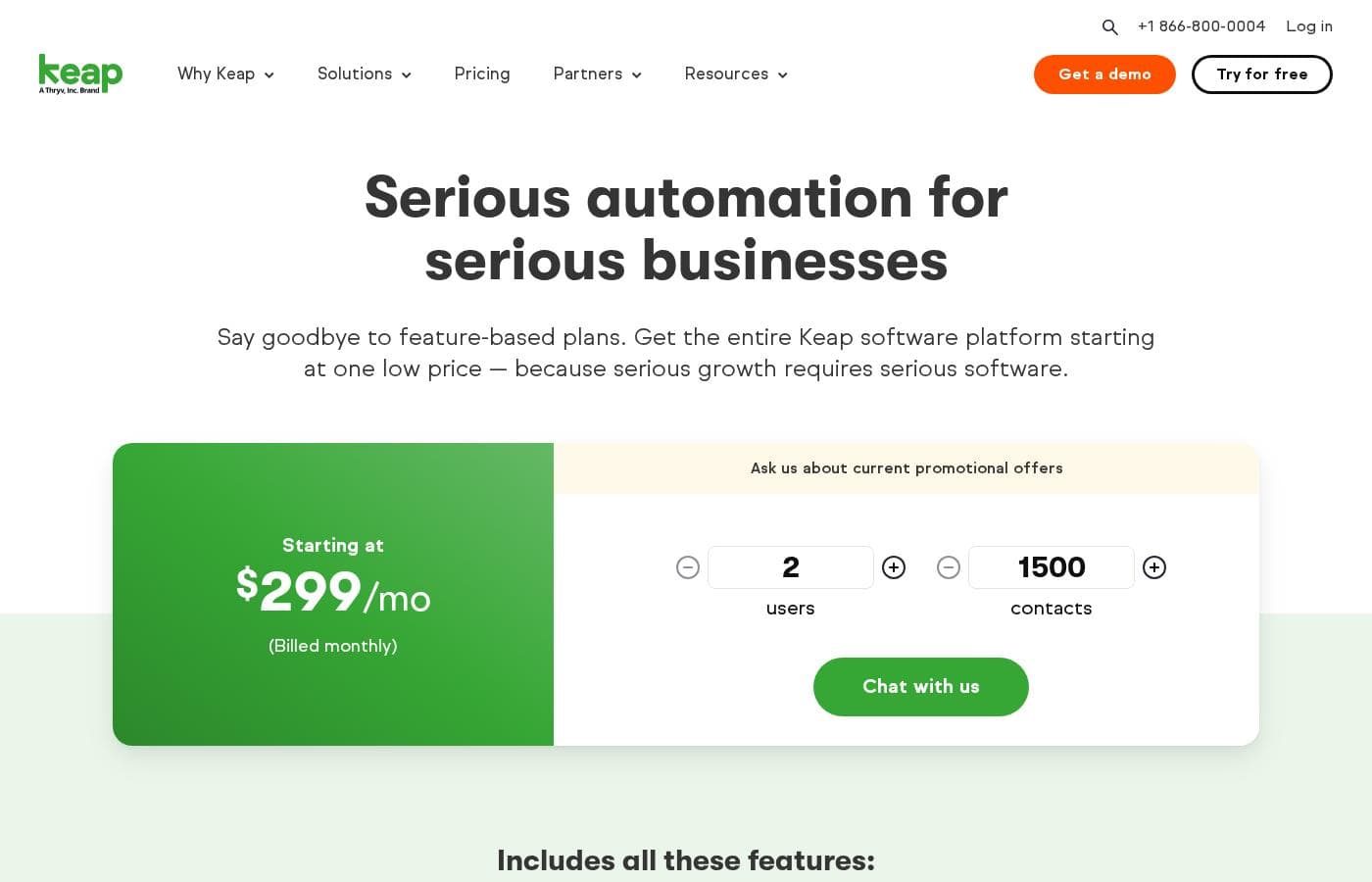
Keap pricing page screenshotView pricing page screenshot
PlanBilled monthlyBilled annuallyIncludes
Keap Platform (all-in-one)
$299/mo
—
Starting price for the entire Keap software platform; billed at $2,988/year or billed monthly. Includes 2 user licenses, required implementation services, and Text Marketing Tier 1 (500 messages, 100 voice minutes). Additional users $39/mo each. $299 early termination fee on annual contracts.
Text Marketing Tier 1
See vendor page
See vendor page
Included with Keap subscription; 500 messages and 100 voice minutes. Overages $0.015 per message, $0.01 per minute.
Text Marketing Tier 2
$24/mo
—
1,000 messages and 300 minutes
Text Marketing Tier 3
$39/mo
—
2,500 messages and 500 minutes
Text Marketing Tier 4
$79/mo
—
5,000 messages and 800 minutes
Text Marketing Tier 5
$139/mo
—
10,000 messages and 1,000 minutes
Text Marketing Tier 6
$279/mo
—
25,000 messages and 2,000 minutes
Add-ons
See vendor page
See vendor page
Optional text message add-on: 500 texts @ $6/month. Optional local number add-on: $10/month.

Price history

Tracking prices since Oct 1, 2026. No price change detected yet.

Pricing types: Free plan, Free trial, Monthly subscription, Yearly subscription, One-time payment, Per seat pricing, Usage-based pricing

Pricing notes

Keap pricing: Plans from $0/month Billing options: Free plan, Free trial, Monthly subscription, Yearly subscription, One-time payment, Per seat pricing, Usage-based pricing

Cost calculator

Estimate what Keap costs for your team.

Billing

Keap Platform (all-in-one) allows up to 2 users: pick a larger plan for 5 users.

Estimate based on published list prices, before taxes, add-ons and discounts.

How to pay less for Keap

  • Cheaper tools in this category start at $6.58/mo.
Visit Keap

Email me when Keap changes price

One email when we detect a price change on the vendor's pricing page. No newsletter, no deals. Unsubscribe in one click.

User Reviews

No reviews yet.

Write a Review

Write a Review for Keap
0/100 characters
0/2000 characters

Why use Keap?

Most small businesses lose revenue through inconsistent follow-up rather than a lack of leads. Keap attacks that directly: once a campaign is built, every new lead gets the same sequence of touches, reminders, and tasks without anyone having to remember to act.

Consolidating CRM, email, texting, scheduling, and invoicing also removes the glue work of syncing five separate tools, and it keeps the full relationship history in one place for the whole team. For owner-led companies, the practical effect is that a two-person team can sustain the follow-up cadence of a much larger one.

Keap alternatives

Other tools in the CRM category

View all CRM tools
SmartSuite

SmartSuite

CRM4/5From $15/mo

SmartSuite is a powerful, flexible platform designed to streamline operations across your entire organization. It focuses on turning complex, siloed departmental work into integrated, manageable workflows. Whether you’re handling compliance, managing IT tickets, or driving sales, SmartSuite allows teams to build customized solutions without requiring any dedicated coding. It’s built for businesses looking to gain speed, accountability, and essential visibility in handling their daily tasks.

Salesflare

Salesflare

CRM4.2/5

Salesflare is a simple yet powerful CRM designed for small and medium businesses selling B2B. It helps teams keep track of everything automatically, enrich data, and collaborate with more transparency. It connects with LinkedIn, Gmail, and Outlook to remove copy-paste and keep all details in one place.

Hubspot

Hubspot

CRM4.2/5From $20/mo

The HubSpot Customer Platform is a comprehensive system built around the Smart CRM. This Smart CRM acts as your single source of truth for all business data. It helps go-to-market teams—marketing, sales, and customer service—work together seamlessly. Over 268,000 customers across more than 135 countries already use it to scale their operations. The platform offers specialized Hubs that connect to everything you need to create content, find leads, close deals, and grow revenue.

Propovoice

Propovoice

CRM3.5/5From $6.58/mo

Propovoice is an All-in-One Client Management Solution designed to work right inside your WordPress site. It serves as a simple yet powerful WP CRM and Invoicing plugin. This tool is built to support a wide range of service businesses. This includes 🏄 freelancers, independent professionals, and established agencies. Because it operates as a self-hosted plugin, not a traditional SaaS, you maintain complete security and control over all your data. Users often note that its pleasing user experience makes it quite rare and different in the WordPress environment. It's truly a unified platform for managing your service business needs.

Pipedrive

Pipedrive

CRM4.2/5From $14/mo

Pipedrive is a trusted CRM platform already used by over 100,000 companies worldwide. It is designed specifically for sales teams and growing small businesses. The tool helps you easily manage all your leads and deals. It provides a single space for your activities and instant access to crucial sales data. The core benefit is simple: less time managing and more time closing deals.

Close CRM

Close CRM

CRM4.1/5From $9/mo

Close CRM is a sales-focused platform designed to be one tool for all communication. It’s built for selling, not just data entry, helping teams manage customers and work deals with less busywork. The platform signals AI support for notes, enrichment, summaries, and email rewriting and can integrate with Claude and ChatGPT.

Salesforce

Salesforce

CRM4.2/5

Salesforce is a leading global software company recognized for providing integrated technology solutions. It helps businesses across many sectors, offering specific tools for Financial Services, Retail, Healthcare, and more. This platform focuses on connecting proactively with customers, automating workflows, and unifying data. Importantly, Salesforce incorporates powerful AI agents like Agentforce to improve support, boost productivity, and drive business outcomes. The system aims to give you a single, unified value chain approach. You can also leverage a strong ecosystem through the AppExchange for additional tools and partners.

Demodesk

Demodesk

CRM4.2/5

Demodesk is an AI meeting assistant and sales agent platform for revenue teams. It records online, phone, and in-person meetings, then transcribes and summarizes them in 98 languages. Its AI agents handle summaries, coaching, CRM updates, and deal insights. The company is based in Munich, stores data on EU servers (Azure Frankfurt), and is GDPR-native and ISO 27001:2022 certified. It fits European sales teams that want automation with strict data privacy.

Cheapest CRM software for 1 to 25 users

Keap FAQ

How much does Keap cost?

Keap's cheapest paid plan, Text Marketing Tier 2, costs $24 per month. Paid plans range from $24 to $299 per month. Prices checked on Oct 13, 2026 from the vendor's pricing page.

Has Keap's price changed recently?

No. We have not detected a price change since we started tracking on Oct 1, 2026.

What is Keap and who is it built for?

Keap is a CRM and marketing automation platform aimed at small businesses — typically teams of roughly one to fifty that sell through repeated follow-up. It combines contact management, email and SMS campaigns, sales pipelines, appointment scheduling, and payment collection in one system. It fits service businesses such as coaches, agencies, clinics, and home-service companies best.

Does Keap offer a free trial?

Yes — Keap offers a free trial that includes the core platform, so you can import contacts and build a test campaign before committing to a subscription. Note that there is no ongoing free plan, so the trial is the practical way to evaluate fit using your own data.

Is Keap difficult to learn?

The basics — contacts, emails, pipelines — are straightforward, but Campaign Builder's branching automations take time to master. Most teams get a first simple sequence live within a few days, while confident use of multi-step logic typically takes a few weeks. Keap provides onboarding resources and training content that shorten this, and starting with one high-value automation is the usual recommendation.

Can Keap replace my separate email marketing, scheduling, and invoicing tools?

For many small service businesses, yes: email broadcasts and sequences, appointment booking with reminders, and invoicing or recurring payments all run off the same contact records. Teams with more demanding requirements — deep e-commerce catalogs, advanced analytics, or very large sending volumes — will still keep specialized tools alongside it.

Ready to try Keap? Check out the official site or pricing.

Are you Keap? Claim this listing · Get the badge