Close CRM

Close CRM

One tool for all communication—automate the tedious stuff and win more deals.

software.categoryRank
1 min read · Updated 2/24/2026
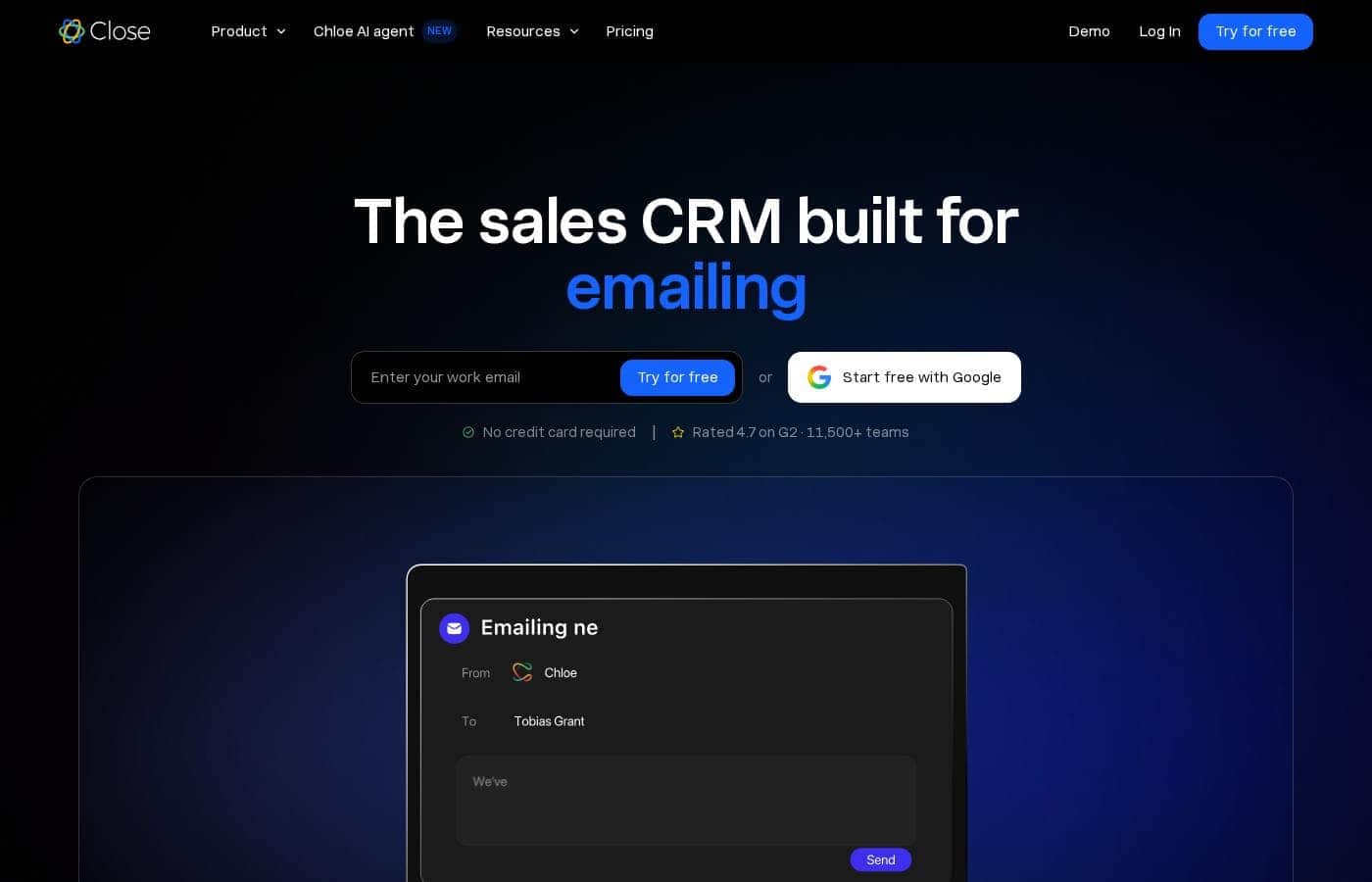
Close CRM homepage screenshot

At a glance

Quick overview for Close CRM: rating, pricing summary, key features, and highlights.
Range: $9–$149/monthMonthly subscription, Yearly subscription
This section is a summary. Detailed sections about features, use cases, pricing, and reviews follow below.
Disclosure: This page may contain affiliate links for Close CRM. If you click these links and make a purchase, Ciroapp may earn a commission at no additional cost to you.

Close CRM review, pricing, features, pros & cons

Sales teams often juggle messages, notes, and data across tools, slowing deals 💬.

Close CRM offers one tool for all communication and automates the tedious work. Built for selling, it helps you manage customers and deals, with AI tools like Notetaker, Enrich, Summaries, and an Email Rewrite Assistant ✨.

What is Close CRM?

💡 Close CRM is a sales-focused platform that consolidates communication and automates repetitive tasks. It's designed for selling teams who want to manage customers and deals in one place, with AI tools like Notetaker, Enrich, Summaries, and an Email Rewrite Assistant.

Close CRM Key Features

💬 All-in-One Communication that Keeps Context

Close CRM is a sales-focused platform that consolidates communication and automates repetitive tasks. It's designed for selling teams who want to manage customers and deals in one place.

With AI tools like Notetaker, Enrich, Summaries, and an Email Rewrite Assistant, it helps keep context intact, so you spend less time switching between tools and more time moving deals forward.

🤖 AI Tools That Boost Your Productivity

Close CRM brings AI helpers into your everyday workflow. Notetaker captures important details from conversations. Enrich adds relevant data to contacts and deals. Summaries give quick overviews of activity so you stay aligned.

Use these tools to capture notes, enrich data, and summarize conversations, helping reps stay focused on selling.

✨ Manage Customers & Deals in One Place

The platform is built to help you manage both customers and deals in a centralized system. This reduces the need to switch between apps and helps moves deals forward more quickly.

It supports keeping related information together so you can reference context easily as you progress through the sales cycle.

✨ Multi-Channel Inbox and Centralized Workflows

Close CRM provides a multi-channel inbox view, so messages, notes, and data sit in one place. This helps you stay organized and maintain context across conversations.

A centralized inbox and task lists keep follow-ups visible, making it easier to stay on top of next steps.

✨ Automation That Supports Selling

The system automates tedious tasks so reps can focus on selling. AI tools assist with notes, data enrichment, summaries, and email rewriting to speed up outreach and follow-ups.

This combination is designed to help teams work more efficiently and move deals forward without extra admin work.

Use Cases

💬 Centralize all customer conversations

Sales teams juggle messages across email, chat, and notes. Close CRM puts them in one place, so context stays with each deal.

AI Notetaker captures meeting notes, AI Enrich fills gaps in contact data, AI Summaries digest conversations, and the Email Rewrite Assistant helps you craft clear emails—without leaving the platform.

⚡ From notes to action in four steps

Steps to turn a conversation into progress.

  1. Capture notes with AI Notetaker during the meeting. 2) Enrich contact details automatically with AI Enrich. 3) Review AI-generated Summaries to spot next steps. 4) Send a polished email using the Email Rewrite Assistant.

🎯 Problem → Approach → Outcome

Problem: Disconnected messages and scattered data slow deals.

Approach: Close CRM centralizes customers and deals and uses the AI tools to automate tedious work.

Outcome: Teams move deals forward with less admin and more clarity.

🤖 AI-powered insights at your fingertips

Close CRM uses AI tools to surface key points from conversations and keep teams aligned.

Notetaker, Enrich, Summaries, and the Email Rewrite Assistant work together to reclaim time and support selling, not data entry.

📬 Smarter, multi-channel follow-ups

Close CRM provides an all-in-one inbox so you see emails, calls, and messages in one thread.

AI features help with follow-ups: Summaries highlight next steps and the Email Rewrite Assistant sharpens outreach.

🧭 Team collaboration and governance

Scale brings role-based access and lead visibility rules, helping teams collaborate with appropriate controls.

The platform centralizes customers and deals and is built for selling, not just data entry.

Expected outcome: clearer ownership and faster cross-team progress.

Tip: Use Scale's access controls to balance speed and governance.

Pricing Overview for Close CRM

Pricing range
$9–$149/month
Pricing types
Monthly subscription, Yearly subscription

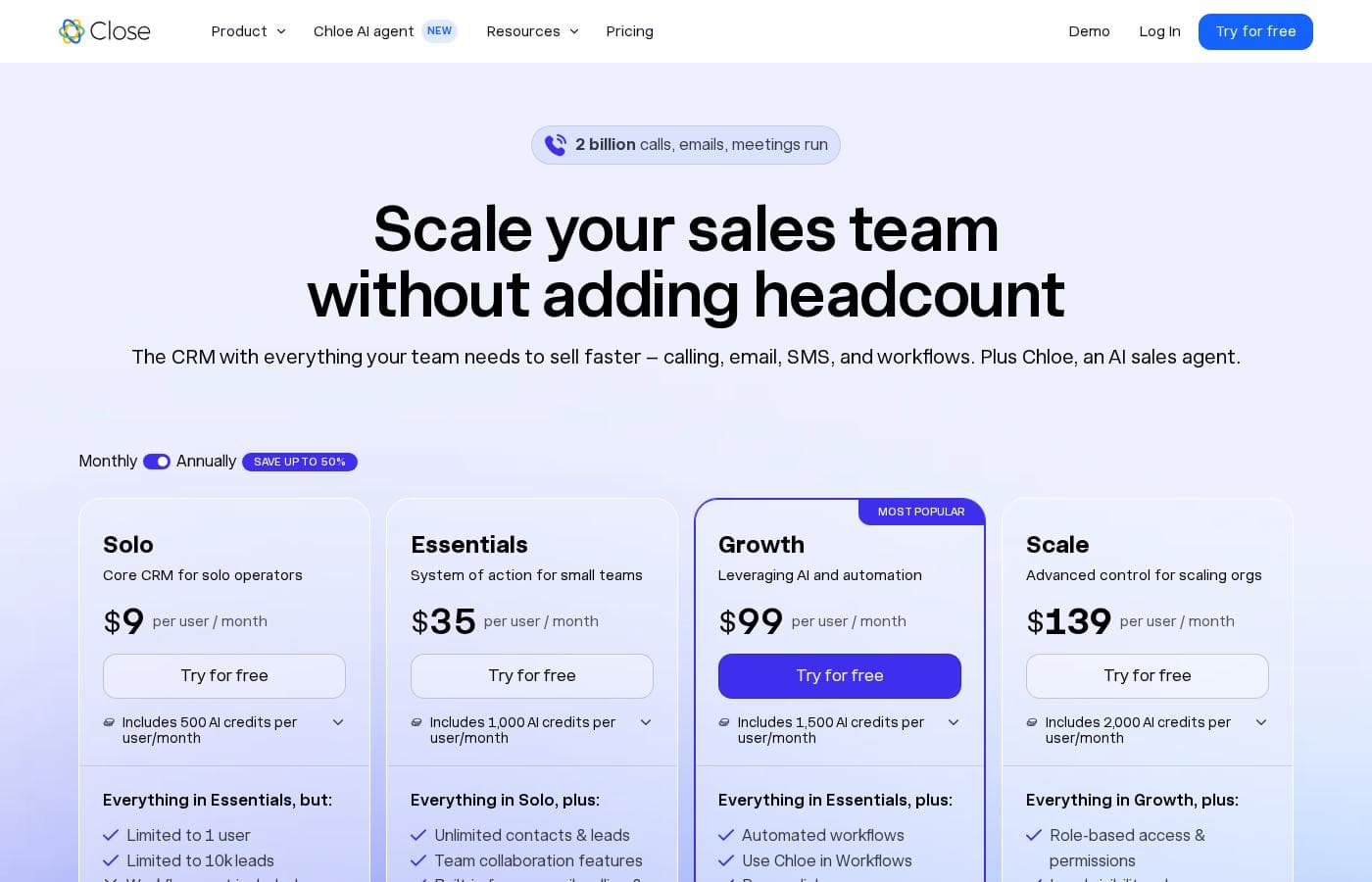
Close CRM offers four plans with monthly pricing: Solo at $9/mo, Essentials at $49/mo, Growth at $109/mo, and Scale at $149/mo.

Plans & Pricing

Solo

Monthly$9
YearlyNot explicitly stated
Limited to 1 user; Leads up to 10,000
  • Leads up to 10,000; Unlimited Contacts
  • Multi-channel inbox view
  • API access + event log
  • AI Lead Summaries
  • AI Enrich (additional organizations $50/month extra)

Essentials

Monthly$49
YearlyNot explicitly stated
Not explicitly stated
  • Unlimited contacts & leads
  • Multiple pipelines
  • Built-in forms, email, calling & SMS
  • Centralized inbox & task lists

Growth

Monthly$109
YearlyNot explicitly stated
Not explicitly stated
  • Everything in Essentials
  • Automated workflows
  • Power Dialer
  • AI Email Assistant
  • Custom Activities

Scale

Monthly$149
YearlyNot explicitly stated
Not explicitly stated
  • Everything in Growth
  • Role-based access & permissions
  • Lead visibility rules
  • Predictive Dialer
  • Unlimited call recording

Close CRM costs between $9/mo and $149/mo, with four plans: Solo at $9/mo, Essentials at $49/mo (monthly), Growth at $109/mo (monthly), Scale at $149/mo (monthly). The pricing screenshot below shows the exact plan details.

Solo

Price: $9/mo Websites Supported: Not explicitly stated Best For: Not explicitly stated Refund Policy: Not explicitly stated Other Features:

  • Leads up to 10,000; Unlimited Contacts
  • Multi-channel inbox view
  • API access + event log
  • AI Lead Summaries
  • AI Enrich (optional)

Solo is designed for individuals or solo teams needing core CRM features with a single user.

User Reviews

No reviews yet.

Write a Review

Write a Review for Close CRM
0/100 characters
0/2000 characters

Why use Close CRM?

Why use Close CRM? A simple, conversion-focused way to streamline your sales workflow.

  • All-in-one communication hub to keep context in one place and reduce switches. 💡
  • Automates the tedious stuff so reps can focus on selling. ✅
  • Built for selling, not just data entry, aligning with revenue goals. 💪
  • Manage Customers & Work Deals in a centralized system for faster progress. 🗂️
  • AI tools Notetaker, Enrich, Summaries, and Email Rewrite Assistant to boost productivity. 🤖
  • Win More by cutting admin time and moving deals forward.

Ready to transform your workflow with Close CRM?

Frequently Asked Questions

What are the Close CRM pricing plans and their per-seat monthly prices?

The four plans are Solo ($9/seat), Essentials ($49/seat), Growth ($109/seat), and Scale ($149/seat) per month. Prices shown are standard monthly rates, and annual billing is available, though exact annual totals aren’t stated on the site.

Is there a free trial, and how long does it last?

Not explicitly stated on the official site. The pricing page shows a 'Try for free' CTA, but no trial duration is listed.

How many leads and contacts does each plan include?

Solo includes up to 10,000 leads and unlimited contacts. Essentials, Growth, and Scale offer unlimited contacts and leads.

What integrations are supported on Close CRM?

The pricing page lists Zoom, Segment, Zapier, and Calendly as integrations. Details on setup and supported apps aren’t specified.

What security and compliance features does Close CRM offer?

Close CRM notes SOC2 Type 2 compliance, two-factor authentication, and Google SSO.

How are calls recorded and how long are recordings kept?

Scale includes unlimited call recording. Call recordings are retained for 30 days.

Are there limits or quotas I should know about?

Solo is limited to 1 user and up to 10,000 leads. Other plan limits aren’t explicitly stated.

What is the billing cadence and can I pay annually?

Plans are per-seat per month and can be billed monthly or annually. Exact annual totals aren’t provided on the site.

Is there a refund policy or money-back guarantee?

Not explicitly stated on the official site.

What support options exist and is there an SLA?

Support includes a 24/7 knowledge base and email support; no SLA details are provided.

Which regions or languages does Close CRM support?

Languages and regional availability aren’t stated on the site.

How easy is onboarding or migrating data to Close CRM?

Onboarding or migration details aren’t explicitly stated; check the knowledge base or contact sales for help.

Who is Close CRM best for?

The Solo plan is marketed as 'CRM for small teams' in the pricing section.

What happens if I exceed plan limits or want to add seats?

Upgrade or seat-addition processes aren’t described on the site.

Ready to try Close CRM? Check out the official site or pricing.