Zapier

Zapier review

Workflow automation for teams building in AI tools, run and governed in one place.

Zapier costs from $19.99/mo · 4 plans · Free plan available · prices checked Nov 18, 2026

By Ciroapp Editorial Team · Updated Nov 6, 2026
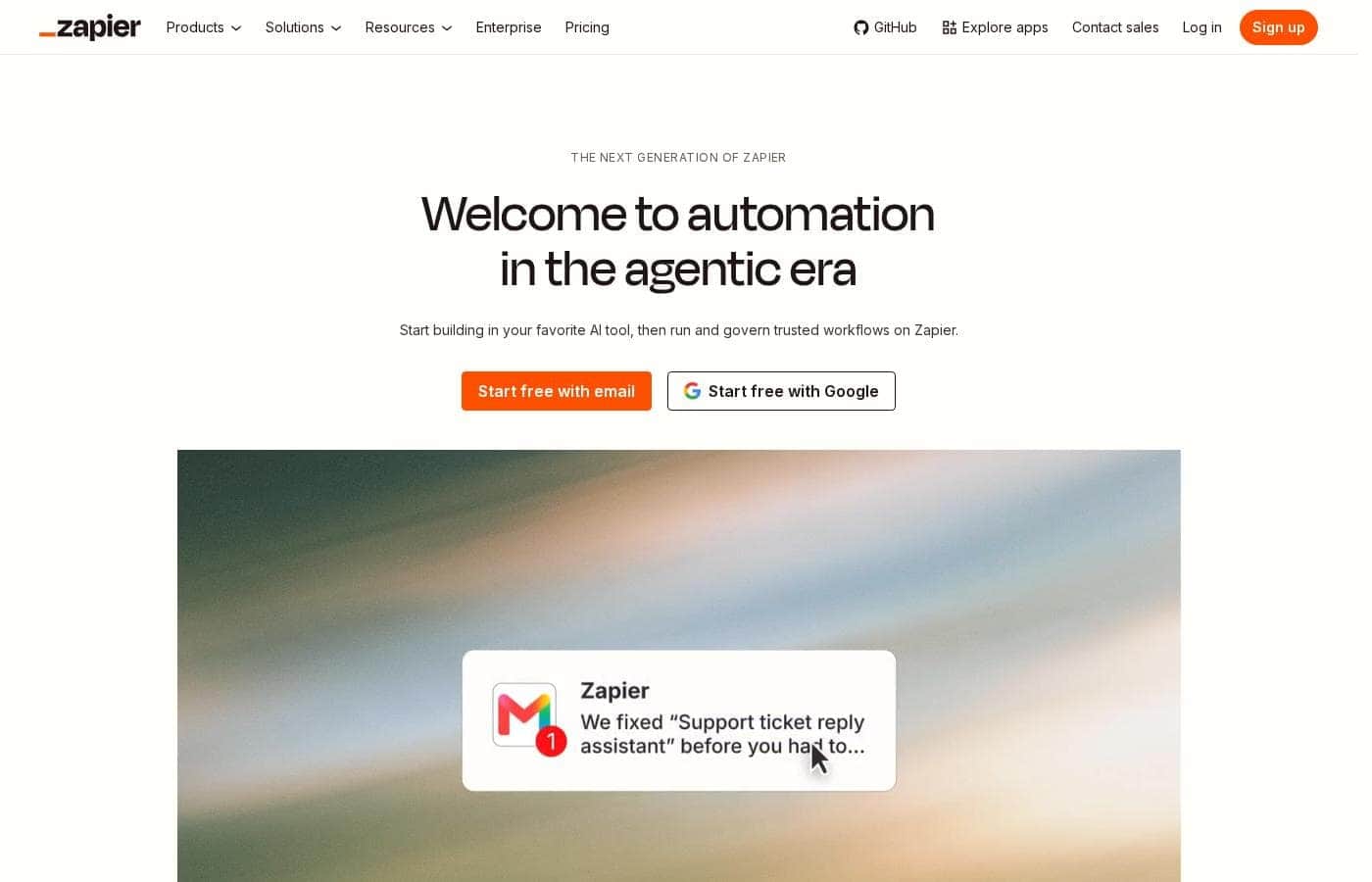
Zapier homepage screenshot

At a glance

Quick overview for Zapier: rating, pricing summary, key features, and highlights.
Pricing verified Nov 18, 2026

Ciroapp score

4.0/ 5

Automation that starts where your team already works

Zapier lets teams start workflows inside AI tools like Claude and ChatGPT, then run them across 9,000+ apps with fixed, repeatable steps. Governance controls and self-healing agents help IT keep watch. Plans start free, then from $19.99/mo. Overall, strong for teams that want AI ideas to become reliable work.

Pros

  • Build a workflow inside Claude, ChatGPT, or Cursor and connect it to business apps through one secure link
  • Reach 9,000+ apps without storing passwords or API keys
  • Every Zap carries an AI manager agent that spots problems and fixes them

Cons

  • Paid plans are task-metered, so heavy AI or multi-step usage can push you up tiers quickly
  • Next Gen Zaps are labeled early access, so availability may vary by account
  • Automatic AI model opt-out and user provisioning sit on the Enterprise plan
Best for
  • Teams already building in Claude, ChatGPT, Cursor, or similar AI tools who need the output to run on its own
  • Operations and customer support groups automating repetitive work like ticket intake and replies
  • IT and security leaders who must approve, monitor, and switch off workflows
This section is a summary. Detailed sections about features, use cases, pricing, and reviews follow below.

What is Zapier?

Zapier is an automation platform that connects the apps a business already runs on. A Zap is a workflow that moves work between apps without someone triggering it each time. You can build in an AI tool like Claude or ChatGPT through Zapier MCP, then run and govern the workflow in one place.

It's aimed at teams that want automation without asking engineering for a sprint, from first-time founders to enterprise IT.
Verdict

Best for Operations, support, and IT teams that already build in AI tools and need those results to run on their own, with clear ownership and control.

Zapier fits teams whose ideas start in AI tools but whose work has to run unattended, repeatedly, with someone accountable for each workflow. If governance matters as much as speed, it's a sensible starting point; size Professional or Team from task volume, and check Enterprise for the heavier controls.

Strengths

  • Starts workflows inside AI tools like Claude, ChatGPT, and Cursor instead of a separate builder
  • One connection to 9,000+ apps with no stored passwords or API keys
  • Self-healing Zaps with an AI manager agent that detects and fixes issues

Watch-outs

  • Next Gen Zaps are in early access, so availability may vary by account
  • Enterprise-only items include automatic AI model opt-out and SCIM provisioning
  • Task metering can raise the bill once workflows get chatty — size the tier from real run volume

Pricing trap for Zapier: Task-based tiers mean heavy AI or multi-step usage can jump you up the Professional/Team ladder; several governance features (AI model opt-out, SCIM) need Enterprise. Check task volume and required controls on the pricing page before you standardize.

Zapier Key Features

🔗 Build Inside the AI Tools You Already Use

Ideas rarely start in a form. Instead, you start a workflow in Claude, ChatGPT, or Cursor and test it right in the conversation. Once it works, you connect it to your business apps through Zapier MCP: a single secure link, with no passwords or API keys to store.

✨ One Connection, Thousands of Apps

Zapier MCP gives your AI instant access to 9,000+ apps. Workflows can then move data between the systems your company actually runs on, not a short list of favorites. Permissions stay granular for every team member, across 66,000+ triggers and actions.

✨ Workflows That Keep Running on Their Own

A Zap is an automated workflow that completes work across your apps without anyone prompting it again. Set a trigger once and it runs every time. Each Zap also has an AI manager agent that spots problems and fixes them automatically, so a broken step doesn't stall the job.

✨ Pick Your Level of Control

You decide how much the AI does. Options run from fixed steps to full autonomy: - Deterministic: you choose the tools and steps, and each one follows fixed rules. - Deterministic + AI or agent: AI handles one task or multi-step work, then hands off.

  • Fully agentic: an agent plans and adapts across tools, bringing you in for review.

🛡️ Governance IT Can Actually See

IT sets what teams and agents can reach. Controls work at the app, action, and connection level, and every run shows its owner and the systems involved. Turning a workflow off takes one click.

Zapier holds SOC 2 Type II, SOC 3, GDPR, and CCPA compliance, with SAML-based SSO and SCIM provisioning.

Use Cases

🎫 Ticket intake that runs itself

A support lead sets one trigger for new tickets. Every ticket gets an auto-reply and lands with the right rep, the same way each time. AI drafts the reply while fixed steps handle routing.

Expected outcome: steady coverage without anyone prompting a model.

🤖 Build in your AI tool, run on Zapier

Your team starts a workflow in Claude, ChatGPT, or Cursor. One secure connection links it to your business apps, with no passwords or API keys to store. Test it in the chat, then run it on Zapier.

Tip: fix the repeat steps so runs use fewer tokens.

🛡️ Governance IT can actually see

An IT lead sets permissions at the app, action, and connection level. Every run shows its owner and the systems it touched, and a workflow turns off with one click. Expected outcome: teams build fast while IT keeps the record.

🚀 Small teams without a spare engineer

A first-time founder writes down one task the team repeats weekly. They start from a template, run it end to end free, and check the time it saves before paying. No engineering sprint needed.

Zapier pricing

From$19.99/mo

  • 4 plans
  • Free plan available
  • Save up to 86% with annual billing

Prices checked on Nov 18, 2026 from Zapier's pricing page

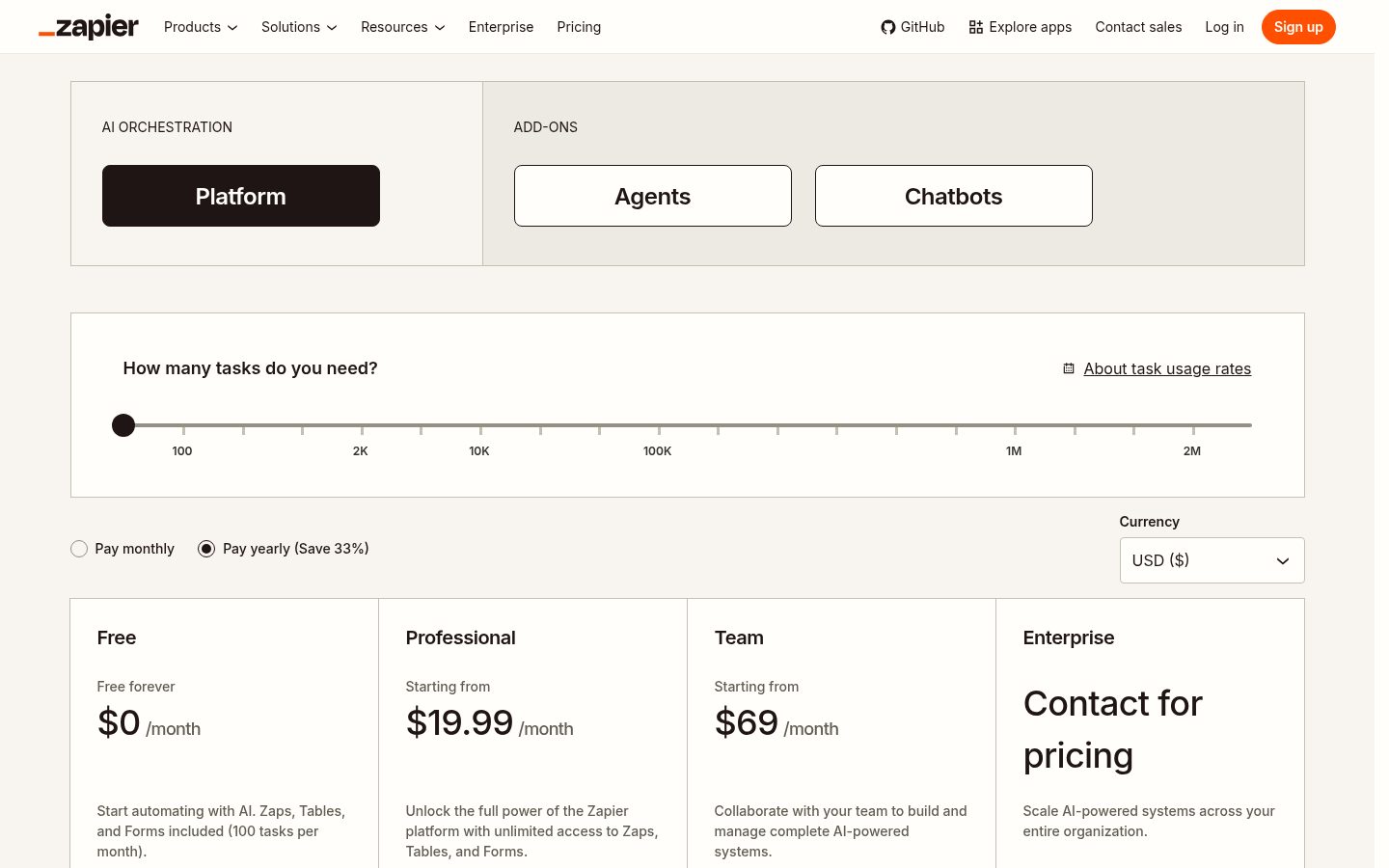
Zapier pricing page screenshotView pricing page screenshot
PlanBilled monthlyBilled annuallyIncludes
Free
Free
—
100 tasks per month; two-step Zaps
  • Zapier automation platform
  • Unlimited Zaps, Tables, and Forms
  • Two-step Zaps
  • Zapier Copilot
Professional
Most popular
$19.99/mo
$2.75/mo
$33 per year
Save up to 86% with annual billing
Task-based tiers; multi-step Zaps
  • Multi-step Zaps
  • Unlimited premium apps
  • Webhooks
  • Email and live chat support
  • AI fields
  • +1
Team
$69/mo
$33/mo
$396 per year
Save up to 52% with annual billing
25 users; shared workspace
  • Shared Zaps and folders
  • Shared app connections
  • SAML SSO
  • Priority support
Enterprise
See vendor page
See vendor page
Unlimited users; advanced admin
  • Advanced admin permissions and app controls
  • Annual task limits
  • Observability
  • Technical Account Manager
  • Priority support with screen sharing

Price history

Tracking prices since Nov 6, 2026. No price change detected yet.

Pricing types: Free plan, Monthly subscription, Yearly subscription, Quote based

Pricing notes

Free forever, then from $19.99/mo (Professional) or $69/mo (Team); Enterprise is custom

Free is forever at $0/mo with 100 tasks, two-step Zaps, Tables and Forms. Professional starts at $19.99/mo for multi-step Zaps, unlimited premium apps, webhooks and email/live chat support (live chat from the 2,000-task tier). Team starts at $69/mo with 25 users, shared Zaps/folders/connections, SAML SSO and priority support.

Enterprise is contact-for-pricing with unlimited users, advanced admin controls, annual task limits, observability and a Technical Account Manager. Pay monthly or yearly (about 33% off yearly). Agents and Chatbots are separate add-ons with their own meters.

Confirm task volume and required governance features on the live pricing page before you commit.

Cost calculator

Estimate what Zapier costs for your team.

Billing
Per month
$19.99
Per year
$239.88

Professional has a flat price: the number of seats does not change the total. Estimate based on published list prices, before taxes, add-ons and discounts.

How to pay less for Zapier

  • Pay annually: saves up to 86% compared with monthly billing.
  • Start on the free plan and upgrade only when you hit its limits.
  • Cheaper tools in this category start at $12/mo.
Visit Zapier

Email me when Zapier changes price

One email when we detect a price change on the vendor's pricing page. No newsletter, no deals. Unsubscribe in one click.

User Reviews

No reviews yet.

Write a Review

Write a Review for Zapier
0/100 characters
0/2000 characters

Why use Zapier?

Most automation tools ask you to leave your work and learn their builder. Zapier starts where your team already thinks.

  • Build in the tool you already open. Start a workflow in Claude, ChatGPT, Cursor, or one of 230+ AI tools, then connect it to your business apps through a single secure link. No passwords or API keys to store.
  • Reach the apps you actually use. One connection opens 9,000+ apps, so a workflow can move data across the systems your company runs on rather than a short list of favorites.
  • Make repeat work cheaper. Zapier turns repeat AI work into deterministic steps, so the same job follows fixed rules and uses fewer tokens over time.
  • Let workflows heal themselves. Every Zap has an AI manager agent that detects problems and fixes them, so one broken step doesn't stall the whole job while you sleep.
  • Choose your level of control. Run fully fixed steps, let AI handle a single task inside the flow, embed an agent, or hand over a goal and step in for review.
  • Give IT one place to look. Set permissions at the app, action, and connection level, see every run with its owner and systems, and switch a workflow off with one click.

Zapier alternatives

Other tools in the Automation category

View all Automation tools
DataSnipper

DataSnipper

Automation4.2/5

DataSnipper is an AI platform for audit and finance work, built around Excel. Its agents run end-to-end tasks like revenue testing, royalty calculations, and document extraction; your team reviews and approves the output. It serves external and internal auditors, tax teams, financial controllers, government auditors, and advisory firms. The company reports that all top 100 accounting firms use it, with clients including BDO, RSM, and Morgan Stanley.

FlowMattic

FlowMattic

Automation4.2/5From $12.42/mo

FlowMattic is a powerful automation tool trusted by over 7,582 WordPress professionals worldwide. It helps businesses manage their vital operations effortlessly. The platform acts as an essential, reliable, and future-proof tool for anyone running a business on WordPress. Users find that it easily replaces other complex automation systems thanks to its seamless integration. ✅ Whether you run an agency, an e-commerce store, a SaaS platform, or an educational platform, FlowMattic provides the dedicated automated workflows needed for sustainable growth.

Pabbly Connect

Pabbly Connect

Automation4.1/5

Pabbly Connect is an integration platform that connects multiple applications so you can send data from one app to another and keep data in sync across tools. It’s built for anyone looking to automate cross‑app processes and remove manual handoffs.

ActivePieces

ActivePieces

Automation4/5

ActivePieces provides a comprehensive ecosystem built for AI automation and agents. It offers maximum flexibility: you can readily start building on their cloud system or choose to self-host using Docker. Built on an open-source framework, the tool is customizable yet engineered to be enterprise-ready and is SOC 2 Type II compliant. This solution is trusted by organizations ranging from startups all the way up to Fortune 50 companies.

Integrately

Integrately

Automation3.9/5

Integrately is a simple and powerful platform designed to hook up your favorite business tools quickly and efficiently. It’s perfect for anyone needing to automate routine tasks without complex coding knowledge. The platform integrates with a vast ecosystem of over 1400 apps, including major players like Pipedrive, Hubspot, Trello, and Google Sheets. The core benefit rests on its massive library of Ready Automations ✨. You don't have to build intricate workflows from the start. Instead, you select a pre-built pathway, connect your accounts, and the automation is instantly ready to boost your productivity.

OttoKit

OttoKit

Automation3.9/5From $12/mo

OttoKit is a powerful cloud automation platform designed to make your applications work better together. It was previously known as SureTriggers, but the core functionality remains the same. This platform connects over 1,000 popular tools, from CRMs to chat apps and spreadsheets. It serves agencies, eCommerce entrepreneurs, and community builders. You can easily build systems that feel like you hired a super-assistant without needing any coding skills.

Cheapest Automation software for 1 to 25 users

Zapier FAQ

How much does Zapier cost?

Zapier's cheapest paid plan, Professional, costs $19.99 per month. Paid plans range from $19.99 to $69 per month. Prices checked on Nov 18, 2026 from the vendor's pricing page.

Does Zapier have a free plan?

Yes. Zapier has a free plan (Free); paid plans start at $19.99 per month.

How much do you save with annual billing on Zapier?

Paying annually saves up to 86% compared with monthly billing, based on Zapier's list prices.

Has Zapier's price changed recently?

No. We have not detected a price change since we started tracking on Nov 6, 2026.

Which apps can Zapier connect to?

One secure connection reaches over 9,000 apps, with no passwords or API keys to store. Check that your critical systems sit in the catalog before you design a workflow.

How does Zapier handle data security and access control?

It's built for governed teams, with SOC 2 Type II, SOC 3, GDPR, and CCPA compliance. Set permissions at the app, action, and connection level, and see who owns each run.

Do we need engineers to get a first workflow running?

No. You can start inside Claude, ChatGPT, or Cursor, lean on templates, and run one workflow end to end free. Governance rules and agent steps take more planning, so loop IT in early.

Ready to try Zapier? Check out the official site or pricing.

Are you Zapier? Claim this listing · Get the badge