OttoKit

OttoKit review

AI agents that make the calls, with human approval built in.

OttoKit costs from $12/mo · 4 plans · Free plan available

By Ciroapp Editorial Team · Updated Sep 16, 2026

Commission may apply at no extra cost

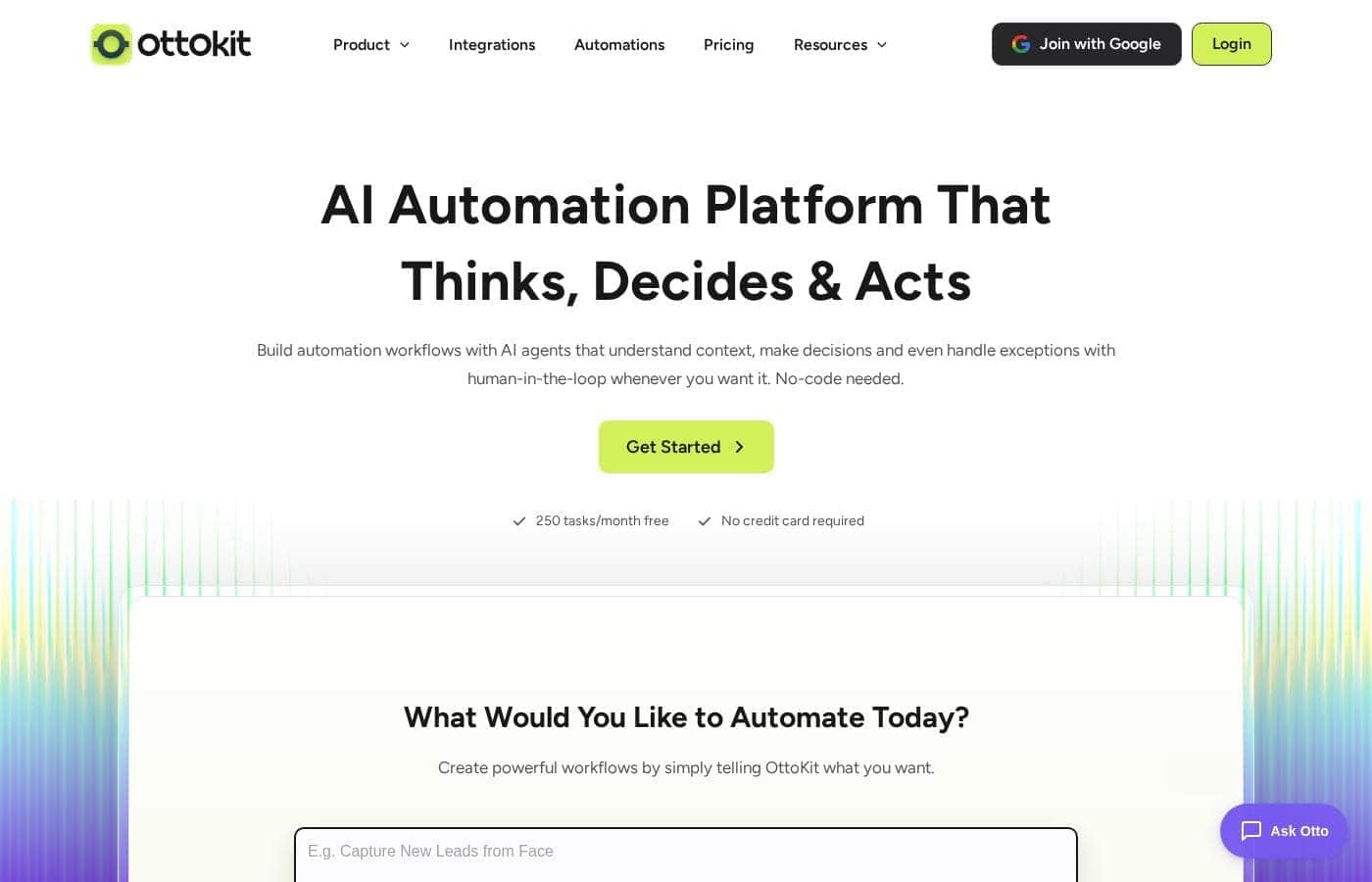
OttoKit homepage screenshot

At a glance

Quick overview for OttoKit: rating, pricing summary, key features, and highlights.
Vendor page checked Nov 18, 2026Last release 63 days ago

Ciroapp score

3.9/ 5

OttoKit pairs AI agents that make judgment calls with human-in-the-loop approvals, 1,500+ integrations, and a genuinely usable free plan, though data retention is short, approvals sit behind the $24 tier, and task-based billing can climb. Overall, it's a strong, affordable choice for WordPress owners and agencies that want automation with oversight.

Pros

  • AI agents go beyond simple trigger-based automation — you set a goal and the agent applies logic across your tools, catches failures, and adapts to changing conditions
  • Human-in-the-Loop approvals (Business and Business Plus) let you review, edit, or approve sensitive actions before they execute, so automation never runs blind on critical steps
  • 1,500+ app integrations including native connections to AI tools like Claude, GPT-4, and Cursor via MCP — rare coverage for users who want AI acting on their existing stack

Cons

  • Data retention is short — run history is kept only 3 days on Free, 15 days on Pro, and 30 days on Business tiers before being automatically cleared — a problem for auditing or debugging older failures
  • Human-in-the-Loop approvals are locked behind the $24/month Business plan, so Pro users who want review control over sensitive automations have to upgrade
  • Connecting AI tools like Claude requires editing a config file for MCP setup, which is a technical hurdle in an otherwise no-code product
Best for
  • Small businesses replacing repetitive app-to-app busywork
  • WordPress site owners — the plugin is used on 140,000+ sites
  • Agencies and freelancers managing clients in separate workspaces
Money-back guarantee
Yes — 14 days
This section is a summary. Detailed sections about features, use cases, pricing, and reviews follow below.

What is OttoKit?

Juggling five apps to finish one task eats your day. OttoKit puts those handoffs on autopilot with AI agents that make decisions, a drag-and-drop workflow builder, and human approval before sensitive actions run. You can start free with 250 tasks a month, no credit card required.

OttoKit is a no-code AI automation platform. You connect apps you already use, build workflows on a visual canvas, or describe what you want and let AI agents handle the steps. It's aimed at small businesses, WordPress site owners, agencies managing multiple clients, and anyone tired of repetitive busywork.

The site claims 12 million+ businesses and 1,500+ app integrations.

Should you choose OttoKit?

Quick buyer guidance before you compare plans or click through.

Choose it if

  • You want AI agents that decide and adapt, not just trigger-based zaps
  • You need human approval before key actions run
  • Your stack includes popular apps like Slack, HubSpot, Stripe, or Google Sheets
  • You prefer no-code, drag-and-drop workflow building
  • You want to test free — 250 tasks a month with no credit card

Skip it if

  • If you avoid technical steps, wiring Claude requires editing a config file for MCP setup
  • If you depend on niche or custom software, confirm it's among the 1,500+ supported integrations first
  • If you run high task volumes, the free tier caps at 250 tasks a month, so factor in paid plan costs
  • If you want fully autonomous AI with zero oversight, human-in-the-loop is central to how OttoKit works

Next steps before buying

  1. 1Check that your must-have apps appear in OttoKit's 1,500+ integrations list
  2. 2Create a free account — 250 tasks a month, no credit card — and run a template close to your real workflow
  3. 3If you'll connect Claude or other AI tools, review the MCP setup docs to gauge the technical lift
  4. 4Review trial or refund terms if available, or contact the team with questions before you commit

Ease of use

OttoKit leans no-code. You can build on a drag-and-drop canvas, start from ready-made templates, and sign up without a credit card. Describing what you want in plain language is an option too. One caveat: connecting AI tools like Claude involves editing a config file, which is slightly technical. Testimonials consistently praise the support team as fast and hands-on.

OttoKit Key Features

🤖 AI Agents That Make the Calls

Set a goal and the agent works out the steps. OttoKit's AI agents monitor conditions, apply logic, and act across your tools. They catch what breaks and adapt, so you can safely hand off work that simple triggers can't handle.

One agent serves every workspace it's connected to.

🛡️ You Approve Before Sensitive Actions Run

Automation shouldn't mean losing control. With Human-in-the-Loop, you review, edit, or approve steps before they run. It's a safety net for actions you'd rather not automate blindly.

You choose what runs on autopilot and what waits for your yes.

✨ Build Visually, No Code Required

Build on a drag-and-drop canvas that shows every step, condition, and action. No code needed. If you'd rather start faster, describe what you want in plain language or pick a ready-made template.

You'll see how work moves before anything goes live.

✨ Data Tools Built Right In

Your workflows need somewhere to keep data, and OttoKit builds that in:

  • Tables — replace spreadsheets and third-party databases with rows ready to drive a workflow.
  • Forms — automation-first forms where every response kicks off a workflow instantly.
  • Variables — store your most-used text and secure keys once, then apply them everywhere.

✨ Your Stack, Fully Connected

OttoKit connects with 1,500+ apps, from Slack and HubSpot to Stripe and Google Sheets. WordPress users get a plugin trusted by 140,000+ sites. You can wire in AI tools like Claude, GPT-4, and Cursor too.

Note: linking Claude means editing a config file for MCP setup.

Use Cases

🛒 Automate Store Orders End to End

You run a WooCommerce or SureCart store. When an order lands, OttoKit emails the customer, logs it in Google Sheets, and pings Slack — all from one template. Expected outcome: every sale triggers alerts and records without manual steps.

Tip: Start with the ready-made WooCommerce order template.

🔧 Put WordPress Busywork on Autopilot

You own a WordPress site and repeat the same steps after every form entry or signup. OttoKit's plugin — trusted on 140,000+ sites — links your site to 1,500+ apps so those steps run themselves. Expected outcome: site tasks finish on their own, every time.

🗂️ Run Every Client From One Place

You're an agency juggling several clients. Give each one a separate workspace, switch organizations without logging out, and keep data isolated. Expected outcome: cleaner client management with no extra logins.

Tip: One AI agent can serve every workspace it's connected to.

🤖 Let AI Agents Make the Judgment Calls

You want automation that thinks, not just triggers. Describe your goal, connect Claude, GPT-4, or Cursor, and let agents handle the steps. You approve anything sensitive first.

Expected outcome: smarter handoffs you can trust. > Tip: Claude setup needs a config file edit — see the MCP docs.

OttoKit pricing

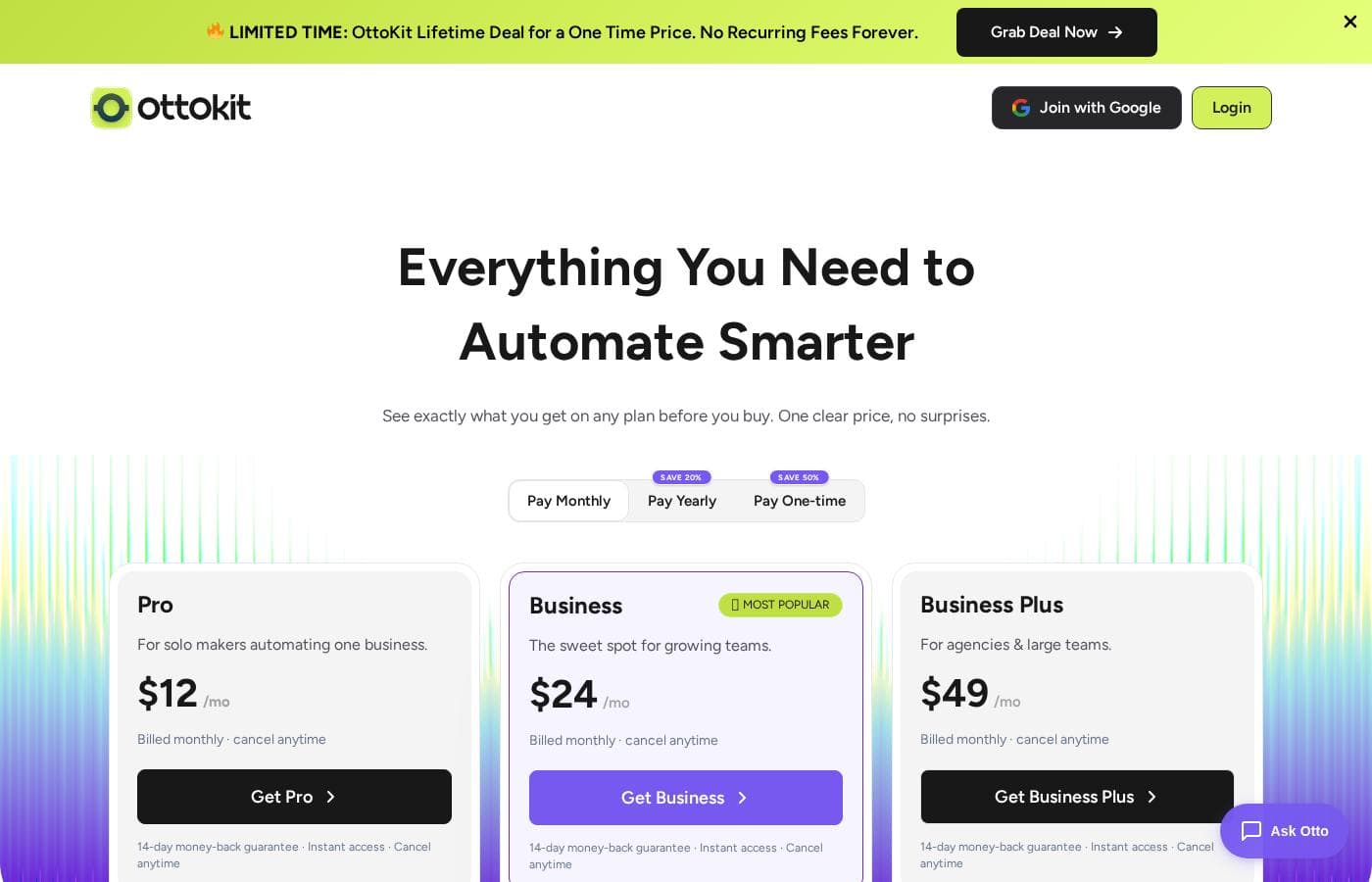
From$12/mo

  • 4 plans
  • Free plan available

Vendor page checked on Nov 18, 2026; confirm current prices on OttoKit's pricing page

OttoKit pricing page screenshotView pricing page screenshot
PlanBilled monthlyBilled annuallyIncludes
Free Forever
Free
—
250 tasks per month, 20 active workflows, 500 table rows, 1 form, 1 WordPress connection, 3-day data retention
  • 250 tasks/month
  • 20 active workflows
  • 500 table rows
  • 1 form
  • 1 WordPress connection
  • +2
Pro
$12/mo
—
5,000 tasks per month, 1 workspace, 5 WordPress sites, 15-day data retention
  • 5,000 tasks/month
  • 1 workspace
  • 5,000 table rows
  • 5 forms
  • 5 WordPress connections
  • +2
Business
$24/mo
—
10,000 tasks per month, 5 workspaces, 20,000 table rows, 10 forms, 30-day data retention
  • 10,000 tasks/month
  • 5 workspaces
  • 20,000 table rows
  • 10 forms
  • Unlimited WordPress connections
  • +3
Business Plus
$49/mo
—
30,000 tasks per month, unlimited workspaces, 50,000 table rows, 20 forms, 30-day data retention
  • 30,000 tasks/month
  • Unlimited workspaces
  • 50,000 table rows
  • 20 forms
  • Unlimited WordPress connections
  • +3

Price history

Tracking prices since Sep 8, 2026. No price change detected yet.

Pricing types: Free plan, Monthly subscription

Pricing notes

OttoKit offers a free-forever plan plus three paid tiers: Pro at $12/month, Business at $24/month, and Business Plus at $49/month. All paid plans are billed monthly, can be canceled anytime, and include a 14-day money-back guarantee.

OttoKit costs between $0 and $49 per month with 4 plans: Free at $0, Pro at $12/month, Business at $24/month, and Business Plus at $49/month.

Every paid plan is billed monthly with no contracts, and you can cancel anytime. Each paid tier also carries a 14-day money-back guarantee.

Free Forever

Price: $0 Other Features:

  • 250 tasks per month
  • 20 active workflows
  • 500 table rows and 1 form
  • All integrations included

This plan is free forever, with no credit card required. You can build real automations and keep everything you've made if you upgrade later. It's the easiest way to see whether OttoKit fits your workflow.

Pro

Price: $12/month Websites Supported: 5 WordPress connections Best For: Solo makers automating one business Refund Policy: 14-day money-back guarantee Other Features:

  • 5,000 tasks per month
  • 1 workspace with 5,000 table rows
  • 5 forms
  • Unlimited workflows, AI agents, and MCP

Pro is aimed at people running a single business. You get twenty times the free plan's tasks, plus unlimited workflows and AI agents that can act on your behalf. If you're a freelancer or solo founder, this tier usually covers it.

Business

Price: $24/month Websites Supported: Unlimited WordPress connections Best For: Growing teams Refund Policy: 14-day money-back guarantee Other Features:

  • 10,000 tasks per month
  • 5 workspaces with 20,000 table rows
  • 10 forms
  • Human-in-the-Loop approvals and premium support

Business is flagged as the most popular plan, and the jump in value is clear. You get double the tasks, five isolated workspaces for different clients or brands, and unlimited WordPress sites. It also unlocks Human-in-the-Loop, so a real person can approve actions before they run.

Business Plus

Price: $49/month Websites Supported: Unlimited WordPress connections Best For: Agencies and large teams Refund Policy: 14-day money-back guarantee Other Features:

  • 30,000 tasks per month
  • Unlimited workspaces and 50,000 table rows
  • 20 forms and priority support
  • Bonus: SureForms Team (12 months) and ZipWP Pro (3 months), worth $235 if bought separately

Business Plus is built for scale. 🚀 You get the biggest task allowance, unlimited workspaces for every client, and priority support when something needs fixing fast. This is the only plan that bundles SureForms Team and ZipWP Pro. If you're not juggling multiple clients or high volumes, a lower tier will do the same job for less.

How tasks work matters here. One action in a workflow equals one task — sending a single email counts as one. Task top-ups are available on every paid plan, so a busy month won't grind your automations to a halt.

Only monthly billing is shown on the pricing page. If you'd rather pay annually, confirm the available yearly terms at checkout before you buy.

Not ready to pay anything? Start on the Free plan, which includes 250 tasks a month, 20 workflows, and all integrations. And if a paid plan isn't the right fit, the 14-day money-back guarantee means you can change your mind, no questions asked.

Cost calculator

Estimate what OttoKit costs for your team.

Billing
Per month
$12
Per year
$144

Pro has a flat price: the number of seats does not change the total. Estimate based on published list prices, before taxes, add-ons and discounts.

How to pay less for OttoKit

  • Start on the free plan and upgrade only when you hit its limits.
  • 14-day money-back guarantee if it does not fit.
Visit OttoKit

Email me when OttoKit changes price

One email when we detect a price change on the vendor's pricing page. No newsletter, no deals. Unsubscribe in one click.

What's new

  1. release
    New WholesaleX Integration and Vimeo Trigger in OttoKit

    We’ve been busy. Here’s what’s new in the latest OttoKit update. New Integration WholesaleX: A new integration for the WholesaleX WooCommerce wholesale plugin. Added two triggers: “New User Approved,” which fires when a wholesale user is approved and receives their role-based pri

  2. release
    New Data Aggregator Integration and Platform Updates in OttoKit

    We’ve been busy. Here’s what’s new in the latest OttoKit update. New Integration Data Aggregator: A new built-in integration with two actions for shaping data inside your workflows. “Aggregate Items” combines a JSON array into a single list, either collecting one field across ite

  3. release
    New Triggers and Platform Updates in OttoKit

    We’ve been busy. Here’s what’s new in the latest OttoKit update. New Triggers Two new subscription triggers for an existing integration: Easy Digital Downloads (EDD): Added “Subscription Status Changed” and “Subscription Cancelled” triggers. Both pass full subscriber and subscrip

  4. release
    New WordPress Integrations and Workflow Controls in OttoKit!

    We’ve been busy. Here’s what’s new in the latest OttoKit update. New Integrations Two new WordPress integrations are live and ready to use: JetBooking Triggers Actions Directories Pro Triggers Actions Includes dynamic directory and listing pickers so you can target the right dire

  5. release
    New WordPress Integrations in OttoKit

    We’ve been busy. Here’s what’s new in the latest OttoKit update, with two new integrations and improvements to a couple of WordPress favorites. WordPress Integration Updates Two new WordPress integrations are live and ready to use, plus improvements to existing ones: Read more at

User Reviews

No reviews yet.

Write a Review

Write a Review for OttoKit
0/100 characters
0/2000 characters

Why use OttoKit?

Most automation tools just follow rules. OttoKit's AI agents make judgment calls, catch what breaks, and adapt — which changes what you can safely hand off.

  • Agents, not just triggers. Set the goal and the agent handles the steps, applying logic across your tools.
  • You stay in charge. Human-in-the-Loop lets you review and approve actions before they run.
  • Deep stack coverage. 1,500+ integrations, from Slack and HubSpot to Stripe, plus native connections with Claude, GPT-4, and Cursor.
  • Fewer extra tools. Built-in Tables, Forms, and Variables replace some spreadsheets and databases your workflows depend on.
  • Failures don't go quiet. Get alerts by email, WhatsApp, or push, then replay a failed run with one click.
  • Proven value for WordPress. Trusted by 140,000+ sites, and reviewers report saving thousands per year after switching from Zapier.

OttoKit alternatives

Other tools in the Automation category

View all Automation tools
Integrately

Integrately

Automation3.9/5

Integrately is a simple and powerful platform designed to hook up your favorite business tools quickly and efficiently. It’s perfect for anyone needing to automate routine tasks without complex coding knowledge. The platform integrates with a vast ecosystem of over 1400 apps, including major players like Pipedrive, Hubspot, Trello, and Google Sheets. The core benefit rests on its massive library of Ready Automations ✨. You don't have to build intricate workflows from the start. Instead, you select a pre-built pathway, connect your accounts, and the automation is instantly ready to boost your productivity.

DataSnipper

DataSnipper

Automation4.2/5

DataSnipper is an AI platform for audit and finance work, built around Excel. Its agents run end-to-end tasks like revenue testing, royalty calculations, and document extraction; your team reviews and approves the output. It serves external and internal auditors, tax teams, financial controllers, government auditors, and advisory firms. The company reports that all top 100 accounting firms use it, with clients including BDO, RSM, and Morgan Stanley.

FlowMattic

FlowMattic

Automation4.2/5

FlowMattic is a powerful automation tool trusted by over 7,582 WordPress professionals worldwide. It helps businesses manage their vital operations effortlessly. The platform acts as an essential, reliable, and future-proof tool for anyone running a business on WordPress. Users find that it easily replaces other complex automation systems thanks to its seamless integration. ✅ Whether you run an agency, an e-commerce store, a SaaS platform, or an educational platform, FlowMattic provides the dedicated automated workflows needed for sustainable growth.

Pabbly Connect

Pabbly Connect

Automation4.1/5

Pabbly Connect is an integration platform that connects multiple applications so you can send data from one app to another and keep data in sync across tools. It’s built for anyone looking to automate cross‑app processes and remove manual handoffs.

Zapier

Zapier

Automation4/5

Zapier is an automation platform that connects the apps a business already runs on. A Zap is a workflow that moves work between apps without someone triggering it each time. You can build in an AI tool like Claude or ChatGPT through Zapier MCP, then run and govern the workflow in one place. It's aimed at teams that want automation without asking engineering for a sprint, from first-time founders to enterprise IT.

ActivePieces

ActivePieces

Automation4/5

ActivePieces provides a comprehensive ecosystem built for AI automation and agents. It offers maximum flexibility: you can readily start building on their cloud system or choose to self-host using Docker. Built on an open-source framework, the tool is customizable yet engineered to be enterprise-ready and is SOC 2 Type II compliant. This solution is trusted by organizations ranging from startups all the way up to Fortune 50 companies.

SoftSync AI is a CRM for small and mid-sized sales teams. It connects to Claude and ChatGPT through the Model Context Protocol, so follow-ups, reminders and data entry run without anyone driving them. Recommend it and you earn 30% of every payment your customers make, for as long as they stay. Not a one-off bounty. Top affiliates move to 35%. Logos, screenshots and ready-to-paste copy are all in Resources. Questions go to Celine at [email protected].

Voye Global

Voye Global

eSim3.5/5

Voye Data Pool is a global mobile data solution for companies with travelling employees and connected devices. Instead of roaming charges and local SIMs, businesses use one shared monthly data pool across countries and users. It provides predictable costs, simple deployment, and centralised control. Partners earn recurring revenue by referring organisations that need smarter, scalable mobile data for travel and operations.

Cheapest Automation software for 1 to 25 users

OttoKit FAQ

How much does OttoKit cost?

OttoKit's cheapest paid plan, Pro, costs $12 per month. Paid plans range from $12 to $49 per month.

Does OttoKit have a free plan?

Yes. OttoKit has a free plan (Free Forever); paid plans start at $12 per month.

Does OttoKit offer a free trial or a money-back guarantee?

It has a 14-day money-back guarantee.

Has OttoKit's price changed recently?

No. We have not detected a price change since we started tracking on Sep 8, 2026.

How long does OttoKit keep my workflow run logs?

It depends on your plan. Data retention runs 3 days on Free, 15 days on Pro, and 30 days on Business and Business Plus. After that, OttoKit clears your run history automatically.

What if one of my apps isn't among OttoKit's 1,500+ integrations?

You've got options. Every plan includes webhooks and a no-code integration builder for custom triggers and actions. Business and Business Plus add the API module, so you can send or receive data from any app.

Is there a guaranteed support response time?

Support is available 24/7 on every plan. Pro includes standard support, Business adds premium, and Business Plus gets priority. There's no published response-time SLA, so ask the team about typical wait times if that's critical.

Does OttoKit charge per user?

No — you pay for a plan, not per person. Each plan sets a monthly task allowance, and you can buy top-ups on any paid tier. Teams and agencies work within one plan's workspaces.

Ready to try OttoKit? Check out the official site or pricing.

Are you OttoKit? Claim this listing · Get the badge