Techinline

Techinline review

SetMe: fast, reliable remote desktop control built for IT pros and everyday users alike.

Techinline costs from $8.25/mo · 4 plans · prices checked Oct 12, 2026

By Ciroapp Editorial Team · Updated Sep 17, 2026

Commission may apply at no extra cost

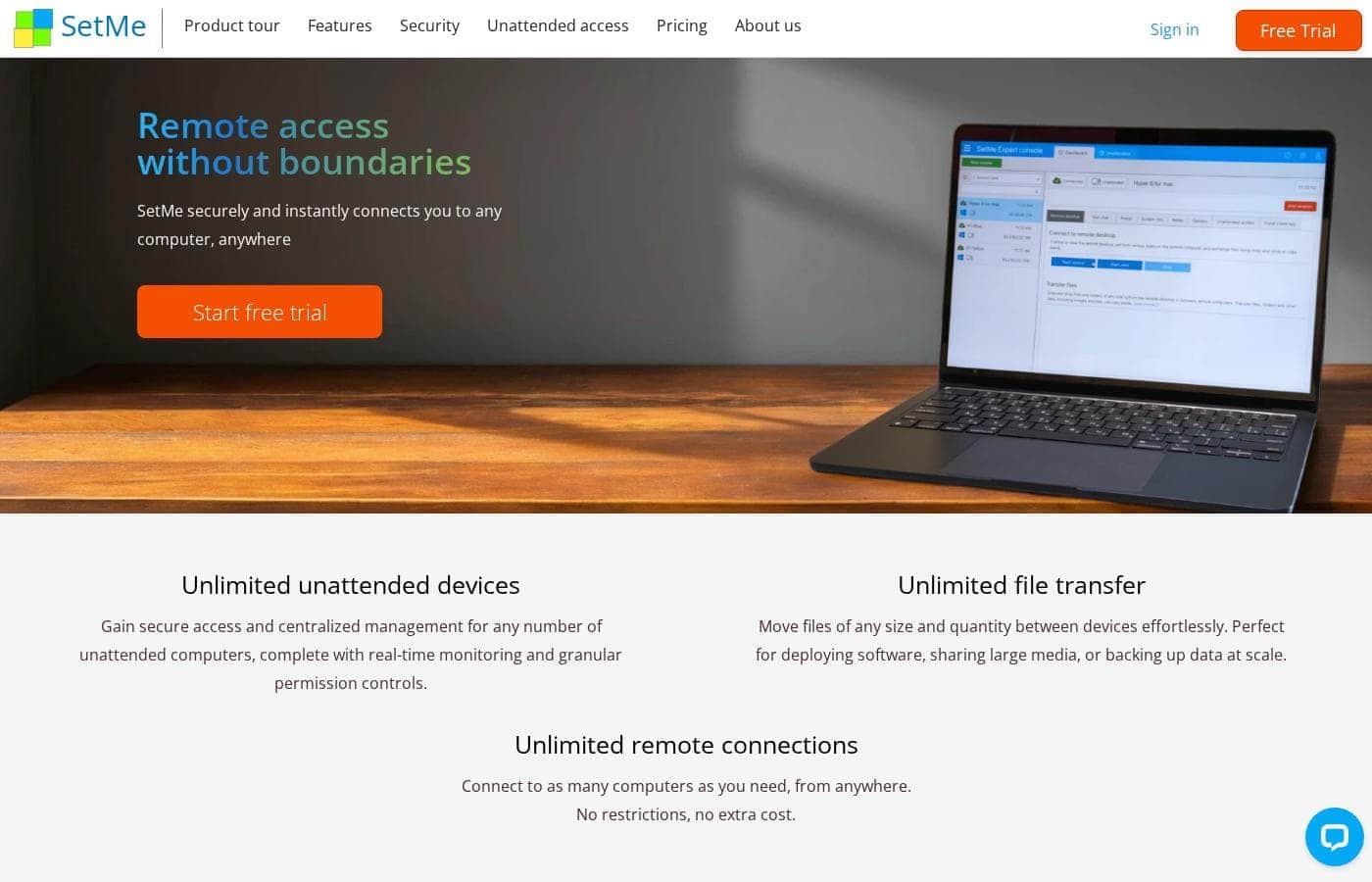
Techinline homepage screenshot

At a glance

Quick overview for Techinline: rating, pricing summary, key features, and highlights.
Pricing verified Oct 12, 2026

Ciroapp score

3.6/ 5

SetMe by Techinline focuses on dependable remote desktop sessions that stay responsive on slow or unstable connections, with browser-based setup that's easy for non-technical users on the other end. The feature set is lean, though, and independent review coverage is limited. Overall, it's a solid pick for small IT teams and individuals who value connection reliability over a broad management platform.

Pros

  • Pros:Performs well in low-bandwidth environments, keeping remote sessions responsive where many competitors stutter or drop
  • Pros:Simple session initiation through the website reduces setup friction for non-technical remote users
  • Pros:Serves both professional IT teams and individual users, so one tool can cover help desk and personal access needs

Cons

  • Cons:Feature set is focused on core remote desktop control, so teams needing broader capabilities like integrated ticketing, scripting, or extensive endpoint management may need complementary tools
  • Cons:Public third-party review coverage (G2, Capterra, Trustpilot) is thin, making it harder to validate real-world reliability at scale before purchasing
  • Cons:Buyers on a budget should verify which features sit behind higher-tier plans, since the advertised range spans a wide spread from free to premium pricing
Best for
  • IT support technicians and help desks that need dependable remote control sessions, especially with customers on slow or unstable connections
  • Small businesses that want an on-demand remote support tool without the overhead of a full enterprise remote management suite
  • Individuals who occasionally need to access their own computer remotely or help less technical family members
This section is a summary. Detailed sections about features, use cases, pricing, and reviews follow below.

What is Techinline?

SetMe by Techinline is a remote desktop application that lets technicians and support teams view and control a remote computer as if they were sitting in front of it. The tool emphasizes reliability and performance on low-bandwidth connections, which is a common pain point for remote support sessions. It is positioned for both IT service teams and individual users who need to connect to machines on demand without a complicated setup process.

SetMe is a remote support and remote desktop access solution. It allows a support agent or technician to establish a session with a remote computer, take control of the screen, and perform troubleshooting or administrative tasks. Connections can be initiated through the vendor's website, and the product is designed to work smoothly even when the remote machine has limited bandwidth, making it practical for supporting home users or sites with poor connectivity.
Should you choose Techinline?

Quick buyer guidance before you compare plans or click through.

Choose it if

  • IT support technicians and help desks that need dependable remote control sessions, especially with customers on slow or unstable connections
  • Small businesses that want an on-demand remote support tool without the overhead of a full enterprise remote management suite
  • Individuals who occasionally need to access their own computer remotely or help less technical family members

Skip it if

  • Large enterprises that need an all-in-one platform with integrated ticketing, asset management, and automation alongside remote access
  • Teams that require extensive third-party integrations or deep customization beyond core remote desktop functionality
  • Buyers who want a large body of independent third-party reviews to evaluate before committing, since public review coverage for SetMe is currently limited

Next steps before buying

  1. 1Visit setme.net and review the product overview to confirm the feature set matches your remote support needs
  2. 2Start with the free plan or trial option to test connection quality on your typical network conditions, including a low-bandwidth scenario if that matters to you
  3. 3Compare the pricing tiers on the official pricing page and choose between monthly, yearly, per-seat, or usage-based billing based on your team size and session volume
  4. 4Run a real support session with a colleague or test machine end-to-end before rolling it out to customers or staff

Techinline Key Features

✨ Remote Desktop Control

SetMe provides full remote control of a remote machine, letting the technician operate the mouse and keyboard, open applications, and resolve issues as though physically present. This is the core of the product and is designed to remain responsive even when the remote side has limited upload bandwidth, which is where many competing tools degrade noticeably.

✨ Low-Bandwidth Optimization

A defining selling point of SetMe is its ability to maintain usable, responsive sessions in low-bandwidth environments. For technicians supporting residential customers, rural sites, or branch offices with weak connectivity, this reduces session dropouts and stuttering screen updates that slow down troubleshooting.

✨ Simple Session Initiation

Sessions can be started through the SetMe website, so the person receiving help does not need to pre-install complex software or follow lengthy instructions. This lowers the technical barrier for customers and family members who just need someone to take a look at their machine.

✨ Built for IT Teams and Individuals

SetMe is positioned to serve both professional help desks and personal users. IT teams get a dependable support tool for day-to-day ticket resolution, while individuals can use it for accessing their own computers or receiving assistance, avoiding the need for separate consumer and technician tooling.

Use Cases

💡 IT Help Desk Support

Support technicians can use SetMe to connect to employee or customer machines, diagnose problems, apply fixes, and verify results without traveling on-site. The low-bandwidth performance matters here because users reporting issues are often on home connections or overloaded networks.

💡 Supporting Home and Family Users

Because sessions can be initiated with minimal setup on the remote side, SetMe works well for helping less technical users, such as family members or customers who struggle with installing software. The technician can guide them to the website and take control quickly.

💡 Accessing Your Own Computer Remotely

Individuals can use SetMe to reach their own desktop when away from it, whether to retrieve files, run an application, or check on a task. This makes it useful for remote workers who occasionally need a machine that is left at home or in the office.

💡 Remote Troubleshooting for Small Businesses

Small businesses without a dedicated internal help desk can use SetMe to support staff machines and resolve software or configuration issues on demand, avoiding the cost of a full enterprise remote support platform.

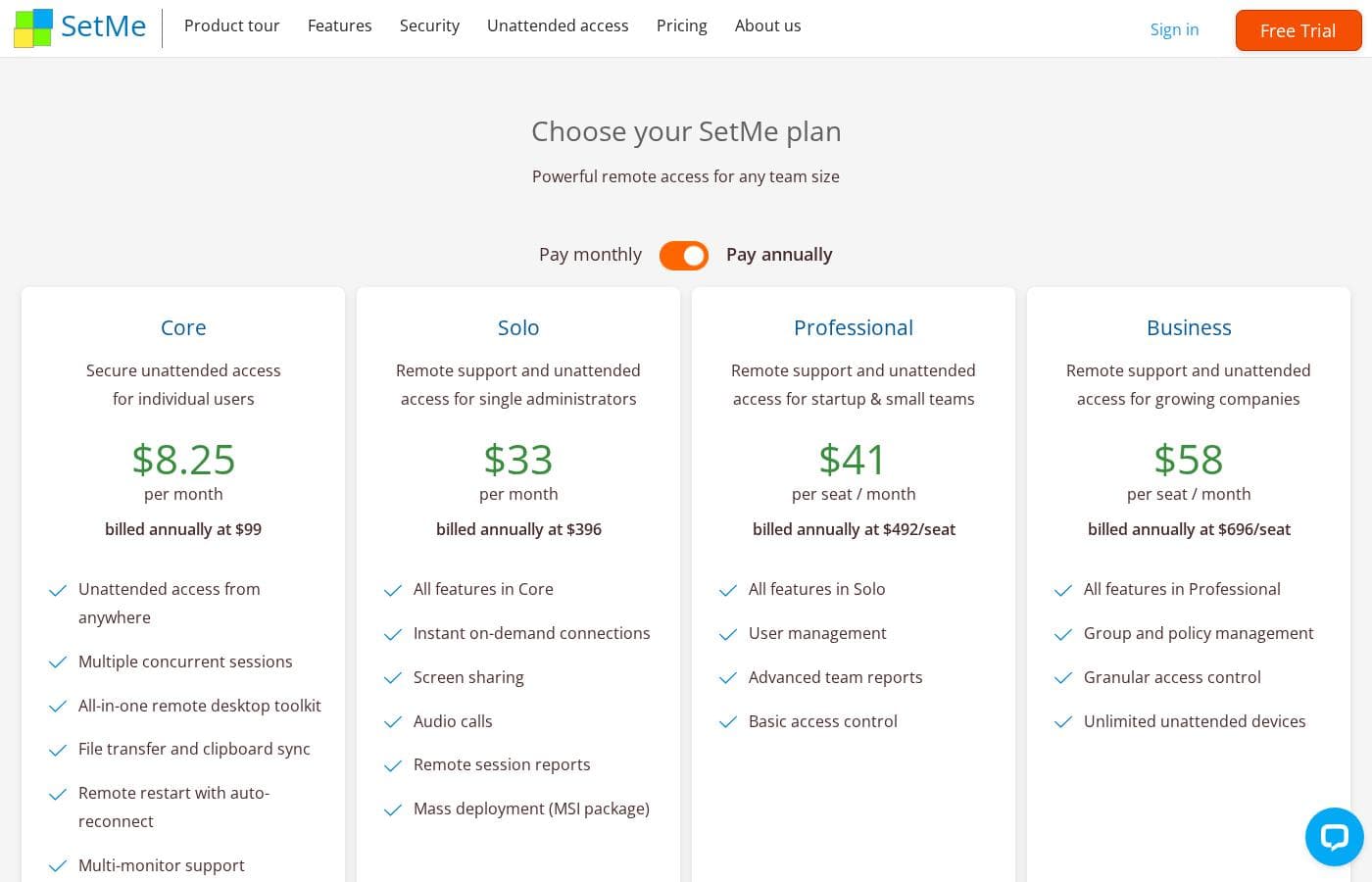
Techinline pricing

From$8.25/mo

  • From the vendor's pricing page, checked Oct 12, 2026
  • 4 plans
  • Save up to 16% with annual billing

Prices checked on Oct 12, 2026 from Techinline's pricing page

Techinline pricing page screenshotView pricing page screenshot
PlanBilled monthlyBilled annuallyIncludes
Core
—
$8.25/mo
$99 per year
Solo
$39/mo
$33/mo
$396 per year
Save up to 15% with annual billing
Professional
per user
$49/mo
$41/mo
$492 per year
Save up to 16% with annual billing
per user
Business
per user
$69/mo
$58/mo
$696 per year
Save up to 16% with annual billing
per user

Price history

Tracking prices since Oct 1, 2026. No price change detected yet.

Pricing types: Free plan, Monthly subscription, Yearly subscription, One-time payment, Per seat pricing, Usage-based pricing

Pricing notes

Techinline pricing: Plans from $0/month Billing options: Free plan, Monthly subscription, Yearly subscription, One-time payment, Per seat pricing, Usage-based pricing

Cost calculator

Estimate what Techinline costs for your team.

Billing

Core has no published price for this billing cycle.

Core has a flat price: the number of seats does not change the total. Estimate based on published list prices, before taxes, add-ons and discounts.

How to pay less for Techinline

  • Pay annually: saves up to 16% compared with monthly billing.
  • Some plans are priced per user: only pay for seats people actually use.
Visit Techinline

Email me when Techinline changes price

One email when we detect a price change on the vendor's pricing page. No newsletter, no deals. Unsubscribe in one click.

User Reviews

No reviews yet.

Write a Review

Write a Review for Techinline
0/100 characters
0/2000 characters

Why use Techinline?

Remote support teams live and die by connection quality and setup friction. SetMe addresses both: it keeps sessions responsive on low-bandwidth networks and reduces the steps required to get a client or colleague connected.

For IT professionals, that means fewer dropped sessions and less time walking customers through complicated installation steps. For individuals, it offers a straightforward way to access their own machines or get help from someone else without needing deep technical knowledge.

Techinline alternatives

Other tools in the Remote Support category

View all Remote Support tools
Viewabo

Viewabo

Remote Support3.7/5

Viewabo is a modern visual support platform designed for innovative customer care teams. It gives your staff instant visual context without needing complicated technology. The core idea is simple: you visualize the issue, so you can diagnose and resolve problems with confidence. It’s like being there, but you never leave your desk. This tool is trusted by forward-thinking companies, from fast-moving startups to established global brands. It empowers teams to modernize their support and improve customer satisfaction.

Parallels

Parallels

Remote Desktop4.1/5

Parallels Desktop for Mac is virtualization software that lets you run Windows on a Mac, including Apple Silicon. It’s built for Mac users who need Windows apps and cross‑platform workflows, as well as developers who work across platforms and teams that manage virtual apps and desktops. Trusted by over 7 million Mac users worldwide, Parallels also positions itself as a practical Citrix alternative for deploying virtual apps and desktops across on‑premises, cloud, and hybrid environments.

HelpDesk

HelpDesk

Help Desk3.6/5

HelpDesk is a browser-based ticketing tool that helps support teams organize messages, assign tickets, and respond to customers from a single place. It handles tickets from email, phone, or online forms, and tracks status from creation to closure.

Deskpro

Deskpro

Help Desk3.9/5

Deskpro is a comprehensive support ecosystem designed to simplify complex service tasks and arm your team for success. It delivers personalized support across every channel, consolidating all interactions into a shared inbox. This solution is built for maximum organizational flexibility. Deskpro serves diverse users, including IT Service Desks, HR/People Ops, and B2B/B2C Customer Support teams. 💡 What truly sets Deskpro apart is its adaptable deployment. You get to choose how your data is managed. Options include Cloud SaaS globally (US, EU, UK), Private Cloud placement (AWS, Azure, Google Cloud), or full Self-Hosted installation. Whether you require rock-solid data sovereignty or completely managed services, Deskpro meets your organization exactly where your needs demand.

Freshservice by Freshworks

Freshservice by Freshworks

IT Operations Platform4/5

Freshservice is an IT Operations Platform delivered entirely from the cloud. At its core is a multi-channel ticketing system that consolidates requests from email, a self-service portal, and other intake points, with SLA policies, business hours, and escalation rules enforcing response commitments. Around that core sit modules for the service catalog, knowledge base, asset management and CMDB, change and release management, project tracking, and reporting. No-code automation and the Freddy AI assistant handle repetitive work like ticket categorization, routing, summarization, and suggested replies.

NinjaOne

NinjaOne

Help Desk4.2/5

Become a NinjaOne affiliate partner and empower your clients to streamline their IT operations! NinjaOne's RMM platform offers visibility, security & control, boosting client productivity & reducing IT costs. #1 for support, Ninja is a proven solution.

Freshdesk is a help desk and ticketing system that converts incoming customer messages from multiple channels into organized tickets. Agents can assign, prioritize, collaborate on, and resolve those tickets using workflows, canned responses, SLA policies, and automation rules. The platform also includes a self-service knowledge base, customer portals, reporting dashboards, and a marketplace of 150+ third-party integrations covering CRM, e-commerce, messaging, and productivity tools.

Techinline FAQ

How much does Techinline cost?

Techinline's cheapest paid plan, Core, costs $8.25 per month. Paid plans range from $8.25 to $69 per month. Prices checked on Oct 12, 2026 from the vendor's pricing page.

How much do you save with annual billing on Techinline?

Paying annually saves up to 16% compared with monthly billing, based on Techinline's list prices.

Has Techinline's price changed recently?

No. We have not detected a price change since we started tracking on Oct 1, 2026.

Does SetMe work well on slow internet connections?

Yes. Low-bandwidth performance is one of SetMe's headline strengths. The product is explicitly designed to keep remote sessions responsive even when the remote computer has limited bandwidth, which is valuable when supporting home users, rural sites, or congested networks where other remote desktop tools often lag or disconnect.

Does the person receiving support need to install complicated software?

No. SetMe is designed so that sessions can be initiated through the SetMe website with minimal steps on the remote side. This is a deliberate design choice to reduce friction when helping non-technical users, who can get connected without walking through a lengthy installation process.

Is SetMe suitable for individual users, or is it only for IT teams?

Both. SetMe is built with IT teams and individuals in mind. IT professionals use it for day-to-day remote support sessions, while individuals can use it to access their own computers remotely or to receive help from a technician. The dual positioning means you do not necessarily need separate consumer and professional tools.

Ready to try Techinline? Check out the official site or pricing.

Are you Techinline? Claim this listing · Get the badge