NinjaOne

NinjaOne review

One unified IT operations platform for endpoint management, patching, backup, and remote access.

NinjaOne costs from $1.50/mo

By Ciroapp Editorial Team · Updated Sep 16, 2026

Commission may apply at no extra cost

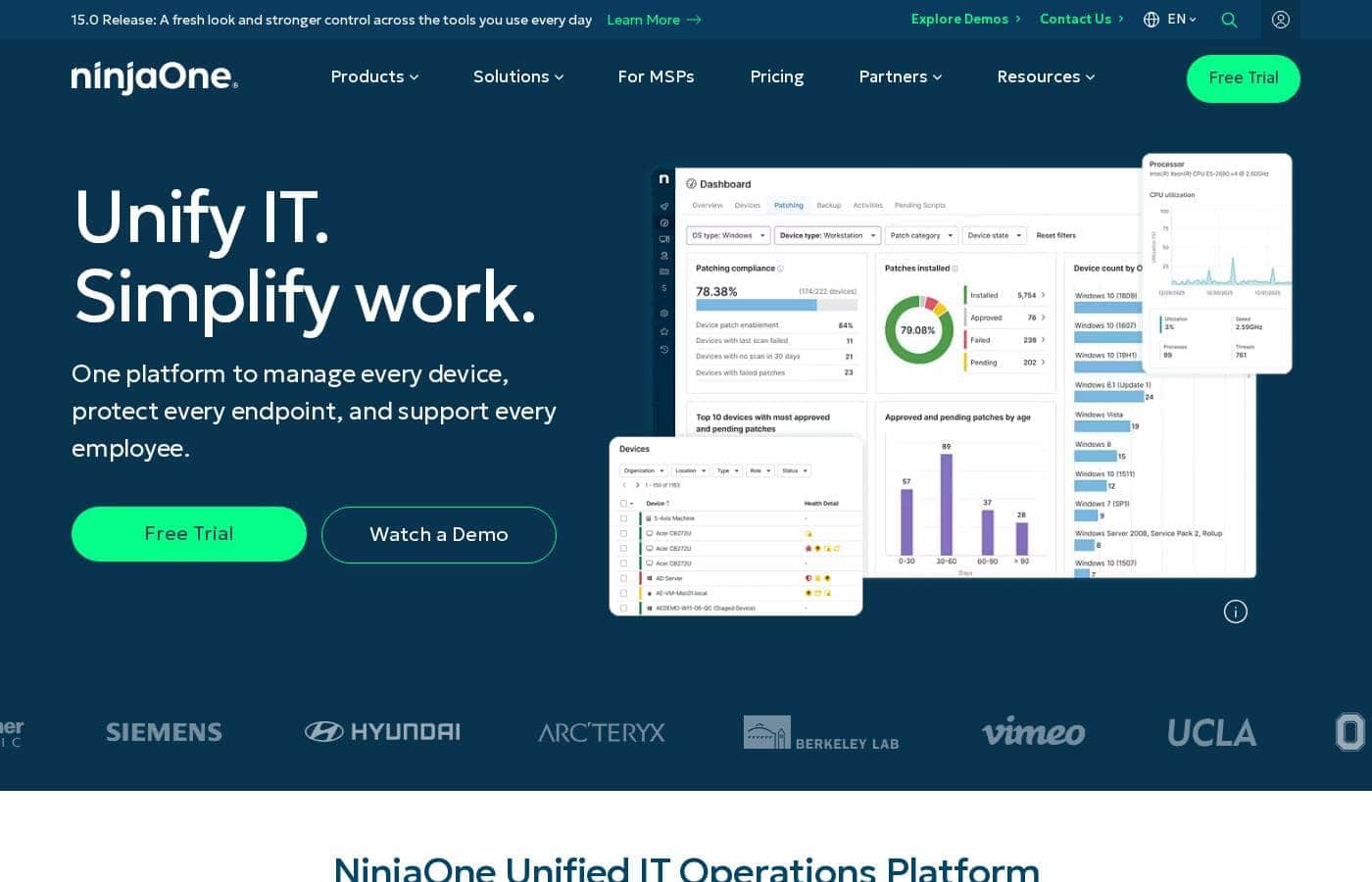
NinjaOne homepage screenshot

At a glance

Quick overview for NinjaOne: rating, pricing summary, key features, and highlights.
Vendor page checked Oct 1, 2026

Ciroapp score

4.2/ 5

NinjaOne pulls endpoint management, autonomous patching, backup, and remote access into one cloud console, and customers report patch cycles cut from 72 hours to minutes. Pricing runs $1.50 to $3.75 per device monthly, but exact numbers require a sales quote, and headline ROI figures come from vendor-sponsored research. Overall, it's a strong pick for teams consolidating point tools.

Pros

  • Pros:One cloud console replaces a stack of point tools — Vetcor's IT director manages 15,000 endpoints with NinjaOne alone, work that previously took 10-15 separate tools across Windows, Mac, Linux, and mobile.
  • Pros:Autonomous patching with Patch Intelligence AI shrinks patch cycles dramatically — Kansas City's IT team cut a 72-hour patch cycle down to minutes, and the AI is designed to catch and prevent bad updates before they spread.
  • Pros:Single-click remote access connects in seconds rather than the 10-15 minutes one customer experienced with their previous tool (a reported 30x improvement), which matters for supporting hybrid and distributed teams.

Cons

  • Cons:There is no published per-seat plan pricing — only a $1.50-$3.75/device/month range is public, so you must request a sales quote (or burn trial time) to budget accurately, and rates vary by region and product mix.
  • Cons:The boldest performance claims — 720% ROI, sub-30-day deployments, proficiency in under 10 days — trace back to an IDC study sponsored by NinjaOne, so independent third-party evidence is thin; no external G2, Capterra, or Trustpilot reviews were available to corroborate the 98+ CSAT figure at the time of this review.
  • Cons:SaaS backup is governed by a Fair Use Policy, so teams with heavy backup workloads (large Microsoft 365 or Google Workspace estates) should read the terms closely before committing — usage isn't truly unlimited.
Best for
  • In-house IT teams managing Windows, Mac, Linux, and mobile devices from one console
  • MSPs that want RMM, ticketing, documentation, and billing to scale profitably
  • Organizations replacing 10 or more point tools with a single platform
Free trial
Yes — 14 days
This section is a summary. Detailed sections about features, use cases, pricing, and reviews follow below.

What is NinjaOne?

Juggling a dozen tools to manage, patch, and support your endpoints gets old fast. NinjaOne puts device management, autonomous patching, backup, and remote access in one cloud console. IT teams report patch cycles dropping from 72 hours to minutes and remote connections in seconds instead of 10-15 minutes.

NinjaOne is a unified IT operations platform built for IT teams and managed service providers (MSPs). It covers endpoint management, autonomous patching, backup, mobile device management, remote access, ticketing, and documentation from one cloud-based console. Customers range from small teams to organizations like Siemens, Deloitte, and UCLA, and the site says deployments typically finish in under 30 days.

Should you choose NinjaOne?

Quick buyer guidance before you compare plans or click through.

Choose it if

  • You want endpoint management, patching, backup, and remote access unified in one console
  • Deployment speed matters — the vendor cites under-30-day rollouts and proficiency in under 10 days
  • You run an MSP and want AI-powered automation to grow without adding headcount
  • You need MDM for Android and Apple devices alongside desktop management
  • You need device backup plus Microsoft 365 and Google Workspace data protection

Skip it if

  • Buyers who want published per-device pricing — exact costs aren't listed publicly, so you'll need a sales quote or trial to budget
  • Teams already committed to a separate security or PSA stack should verify integration depth beyond the highlighted partners (CrowdStrike, Intune, SentinelOne, ServiceNow)
  • Organizations that prefer vendor-neutral ROI figures — headline numbers like 720% ROI come from an IDC study sponsored by NinjaOne
  • Heavy backup users who should read the SaaS Backup Fair Use Policy before committing

Next steps before buying

  1. 1Start the free trial or book a demo so you can judge the console against your own workflow.
  2. 2Contact sales for a quote, since per-device pricing isn't published on the site.
  3. 3Browse the integrations catalog to confirm NinjaOne connects with your security, service, and productivity tools.
  4. 4Use the site's ROI calculator to estimate potential savings before you commit.
  5. 5Review the Trust Center, compliance pages, and backup Fair Use Policy if security or data protection is central to your decision.

Ease of use

The site stresses simplicity: a cloud-native SaaS with no infrastructure to provision, no dedicated administrators, and no proprietary query languages. Customer quotes echo this — one IT director calls the platform fast and reliable. The vendor says operators become proficient in under 10 days, and a free trial plus a demo center make evaluation easy before you commit.

NinjaOne Key Features

🖥️ One Console for Every Device

Switching between 10-15 tools to manage devices gets old fast. NinjaOne puts Windows, Mac, Linux, and mobile management in one cloud console. Vetcor's IT director now runs 15,000 endpoints from a single pane of glass.

You get unified visibility, less tool sprawl, and control that reaches your whole fleet.

⚡ Patching That Runs Itself

Patching shouldn't eat your week. NinjaOne's autonomous patching uses Patch Intelligence AI to identify vulnerabilities, test, and deploy updates, while working to prevent bad patches. Kansas City cut a 72-hour cycle down to minutes.

It's built for reliable compliance, so you can trust updates landed where they should.

✨ Mobile Device Management, Built In

Phones and tablets deserve the same care as laptops. NinjaOne MDM brings Android and Apple devices into the same console as your desktops, with:

  • Fast enrollment
  • Policy-based control
  • Real-time visibility

FCC Behavioral Health saw policy updates roll out four times faster. It's a simple way to secure company devices without another tool.

✨ Remote Support in Seconds

When an employee needs help, waiting 15 minutes to connect is painful. NinjaOne's remote control gives you single-click access to any endpoint, across operating systems, right from the same console. One customer connects in seconds now — a 30x improvement over their old 10-15 minute process.

It's ideal for supporting hybrid and distributed teams.

✨ Backup and Service Desk, Together

Data loss and slow support both hurt. NinjaOne's backup covers endpoints, servers, and SaaS like Microsoft 365 and Google Workspace — H.E.R.O.S. Inc.

restored its entire network in four days. The Service Desk adds context-rich ticketing and documentation, and Rare's helpdesk team estimates $100,000 in ROI from faster responses.

Use Cases

⚡ Cut patch cycles from days to minutes

Your team needs to patch hundreds of devices without losing a week. Kansas City's IT team did exactly that, shrinking a 72-hour cycle to minutes. Patch Intelligence AI helps block bad updates before they spread.

Expected outcome: Vulnerabilities identified, tested, and patched almost instantly.

🧰 Swap tool sprawl for one console

Vetcor's IT director manages 15,000 endpoints with NinjaOne alone. Before, that took 10-15 different tools. If you're juggling separate apps for monitoring, patching, and support, one cloud console can bring it all together.

Expected outcome: Less sprawl, one login, and fewer vendor bills.

💻 Connect to any device in seconds

When an employee's laptop fails mid-meeting, speed matters. One customer reports connections in seconds instead of 10-15 minutes. You get single-click remote access across Windows, Mac, and Linux from the same console.

Expected outcome: Faster fixes and happier users. > Tip: Test it with your own workflow during the 14-day free trial.

🚀 Scale your MSP without extra headcount

MSPs use NinjaOne's RMM, ticketing, documentation, and billing to serve more clients with the same team. AI-powered automation handles routine work, so technicians focus on problems that need a human. Expected outcome: Profitable growth on one platform, with billing built in.

NinjaOne pricing

From$1.50/mo

Vendor page checked on Oct 1, 2026; confirm current prices on NinjaOne's pricing page

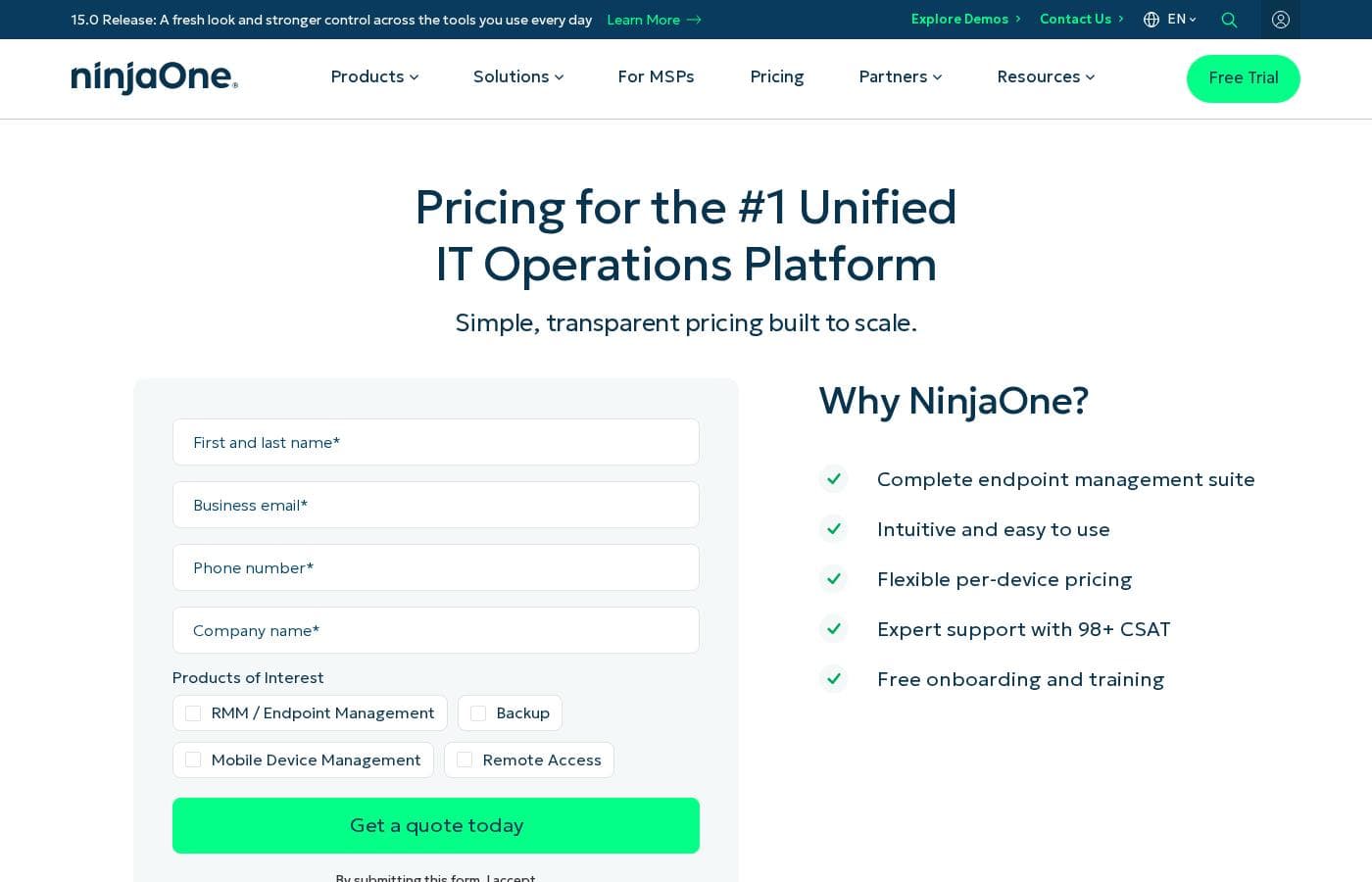
NinjaOne pricing page screenshotView pricing page screenshot
PlanBilled monthlyBilled annuallyIncludes
Per-Device Pricing (Custom Quote)
$1.50/mo
—
Rate depends on endpoint volume: $3.75/device/month at 50 or fewer endpoints, as low as $1.50 at 10,000; varies by region and products purchased; applies to the commercial, non-FedRAMP instance
  • Free onboarding and training
  • Free, unlimited support with a 98+ CSAT rating
  • Built-in bulk and bundling discounts
  • No hard cap on licenses
  • No hidden fees

Price history

Tracking prices since Oct 1, 2026. No price change detected yet.

Pricing types: Free trial, Monthly subscription, Yearly subscription, Per seat pricing

Pricing notes

NinjaOne uses flexible per-device pricing, starting as low as $1.50 per device per month at 10,000 endpoints and up to $3.75 for 50 or fewer devices. You can pay monthly or annually, and your exact rate depends on endpoint volume, region, and the products you choose.

NinjaOne costs between $1.50 and $3.75 per device per month, with one flexible, quote-based pricing model that gets cheaper as your endpoint count grows.

Here's what that means in practice, and what you get for it.

Per-Device Pricing (Custom Quote)

Price: $1.50–$3.75 per device per month, depending on endpoint volume, region, and products Best For: IT teams and MSPs of any size, from 50 devices to 10,000+ Other Features:

  • Free onboarding and training
  • Free, unlimited support with a 98+ CSAT rating
  • Built-in bulk and bundling discounts
  • No hard cap on licenses
  • No hidden fees

NinjaOne doesn't publish fixed plans on its site. It sells through the channel, so full pricing comes via a quote. What the company does share is its standard per-device range. At 50 or fewer endpoints, expect to pay up to $3.75 per device per month. Deploy the agent to 10,000 endpoints, and the rate falls to as low as $1.50. These figures apply to the commercial, non-FedRAMP instance.

This model works for almost everyone. Small IT teams get a low-friction entry point, while larger organizations and MSPs see real savings from volume discounts. Before you request a quote, confirm your endpoint count and region, since both affect your final price.

How billing works. You can pay monthly or annually with flexible contracts. Month-to-month billing is available on a case-by-case basis through your account manager. NinjaOne also runs monthly and quarterly promos, rebates, and referral discounts, and it may offer a discounted rate in exchange for a multi-month commitment. If you haven't opted into one of those commitments, you can cancel at any time with 60 days' notice. Payment options include ACH, credit cards, wire transfer, and check.

What's included at no extra cost. Implementation is free because setup is quick — most users are fully operational in under a week. Support is free, unlimited, and rated the highest of any RMM on G2. There's no hard cap on licenses, and you can adjust your plan later with your account manager.

Try before you buy. NinjaOne offers a 14-day free trial, so you can see the platform in action before requesting a quote.
Cost calculator

Estimate what NinjaOne costs for your team.

Billing
Per month
$1.50
Per year
$18

Per-Device Pricing (Custom Quote) states no user limit: shown as one price for the whole account. Check the price for 5 users with the vendor. Estimate based on published list prices, before taxes, add-ons and discounts.

How to pay less for NinjaOne

  • Use the 14-day free trial before you pay.
Start free trial

Email me when NinjaOne changes price

One email when we detect a price change on the vendor's pricing page. No newsletter, no deals. Unsubscribe in one click.

User Reviews

No reviews yet.

Write a Review

Write a Review for NinjaOne
0/100 characters
0/2000 characters

Why use NinjaOne?

Tool sprawl is the silent tax on every IT team — and NinjaOne's whole pitch is paying it down. Based on the company's site and customer stories, here's what that looks like in practice:

  • One console replaces many. Vetcor's IT director says NinjaOne does what previously took 10-15 tools, across 15,000 endpoints.
  • Patching in minutes, not days. Kansas City cut a 72-hour patch cycle to minutes, with Patch Intelligence AI built to prevent bad updates.
  • Remote support in seconds. One customer reports 30x faster remote access than a previous 10-15 minute connection process.
  • Fast, low-lift rollout. Vendor-cited IDC data shows deployments under 30 days and operator proficiency in under 10 — with no infrastructure to provision and no dedicated administrators.
  • Credentials that hold up in procurement. FedRAMP Moderate, SOC 2, GovRAMP, and ISO 27001 certifications, plus Leader placements in the 2026 Gartner Magic Quadrant for Endpoint Management Tools and IDC's UEM rankings.
  • Room to grow. The platform spans MDM, backup, ticketing, and documentation, so you're not re-buying a new system at every stage.

NinjaOne alternatives

Other tools in the Help Desk category

View all Help Desk tools
Deskpro

Deskpro

Help Desk3.9/5

Deskpro is a comprehensive support ecosystem designed to simplify complex service tasks and arm your team for success. It delivers personalized support across every channel, consolidating all interactions into a shared inbox. This solution is built for maximum organizational flexibility. Deskpro serves diverse users, including IT Service Desks, HR/People Ops, and B2B/B2C Customer Support teams. 💡 What truly sets Deskpro apart is its adaptable deployment. You get to choose how your data is managed. Options include Cloud SaaS globally (US, EU, UK), Private Cloud placement (AWS, Azure, Google Cloud), or full Self-Hosted installation. Whether you require rock-solid data sovereignty or completely managed services, Deskpro meets your organization exactly where your needs demand.

HelpDesk

HelpDesk

Help Desk3.6/5

HelpDesk is a browser-based ticketing tool that helps support teams organize messages, assign tickets, and respond to customers from a single place. It handles tickets from email, phone, or online forms, and tracks status from creation to closure.

Freshdesk is a help desk and ticketing system that converts incoming customer messages from multiple channels into organized tickets. Agents can assign, prioritize, collaborate on, and resolve those tickets using workflows, canned responses, SLA policies, and automation rules. The platform also includes a self-service knowledge base, customer portals, reporting dashboards, and a marketplace of 150+ third-party integrations covering CRM, e-commerce, messaging, and productivity tools.

Hiver

Hiver

Help Desk4.2/5

Hiver is an innovative, AI-first customer service platform. It transforms your existing email inbox into a complete, powerful ticketing system. This means you already know how to use it, allowing teams to get started quickly, often in under five minutes. Hiver is built for any team—from customer service and finance to HR and IT—that needs to manage communication across channels like email, live chat, WhatsApp, and phone in one simple place.

AOMEI

AOMEI

Backup4/5

The AOMEI software platform provides a comprehensive suite of secure data utility tools. It focuses on several key areas, including system backup, partition management, and data cloning. AOMEI serves a massive global audience, supporting over 186 million users across 180 countries. Their tools protect numerous operating systems, including Windows PCs, servers, Mac systems, and the data stored on iPhones. The core goal is to provide accessible, easy-to-use software for anyone needing reliable data protection. They have spent more than 16 years building expertise and trust in this vital technological field.

Freshservice by Freshworks

Freshservice by Freshworks

IT Operations Platform4/5

Freshservice is an IT Operations Platform delivered entirely from the cloud. At its core is a multi-channel ticketing system that consolidates requests from email, a self-service portal, and other intake points, with SLA policies, business hours, and escalation rules enforcing response commitments. Around that core sit modules for the service catalog, knowledge base, asset management and CMDB, change and release management, project tracking, and reporting. No-code automation and the Freddy AI assistant handle repetitive work like ticket categorization, routing, summarization, and suggested replies.

Techinline

Techinline

Remote Support3.6/5

SetMe by Techinline: a remote desktop solution built for pros who demand reliability, speed, and simplicity. Designed with both IT teams and individuals in mind, SetMe makes remote desktop control seamless, even in low-bandwidth environments.

Cheapest Help Desk software for 1 to 25 users

NinjaOne FAQ

How much does NinjaOne cost?

NinjaOne's cheapest paid plan, Per-Device Pricing (Custom Quote), costs $1.50 per month.

Does NinjaOne have a free plan?

No. NinjaOne lists no free plan; the cheapest paid plan starts at $1.50 per month.

Does NinjaOne offer a free trial or a money-back guarantee?

NinjaOne offers a 14-day free trial.

Has NinjaOne's price changed recently?

No. We have not detected a price change since we started tracking on Oct 1, 2026.

Which tools does NinjaOne integrate with?

NinjaOne highlights integrations with CrowdStrike, Microsoft Intune, SentinelOne, and ServiceNow. Its website also has a full integrations catalog, so browse it to confirm your security, service, and productivity tools connect.

Can NinjaOne meet compliance needs in regulated industries?

Yes. It holds FedRAMP Moderate, SOC 2, GovRAMP, and ISO 27001 certifications, and it publishes GDPR and HIPAA pages. Check the Trust Center for current details before you buy.

Are there usage limits on NinjaOne's SaaS backup?

Yes. SaaS backup is subject to a Fair Use Policy, which NinjaOne links from its site. If you'll back up heavily, read it before you commit.

What languages and regions does NinjaOne cover?

NinjaOne's website and pricing pages come in nine languages, including German, French, Spanish, Dutch, and Japanese. It lists local phone numbers for North America, several European countries, and APAC.

Ready to try NinjaOne? Check out the official site or pricing.

Are you NinjaOne? Claim this listing · Get the badge