Parallels

Parallels review

Run Windows on any Mac—Intel or Apple silicon—without giving up your Mac.

Parallels costs from $4.58/mo · 3 plans

By Ciroapp Editorial Team · Updated Sep 17, 2026

Commission may apply at no extra cost

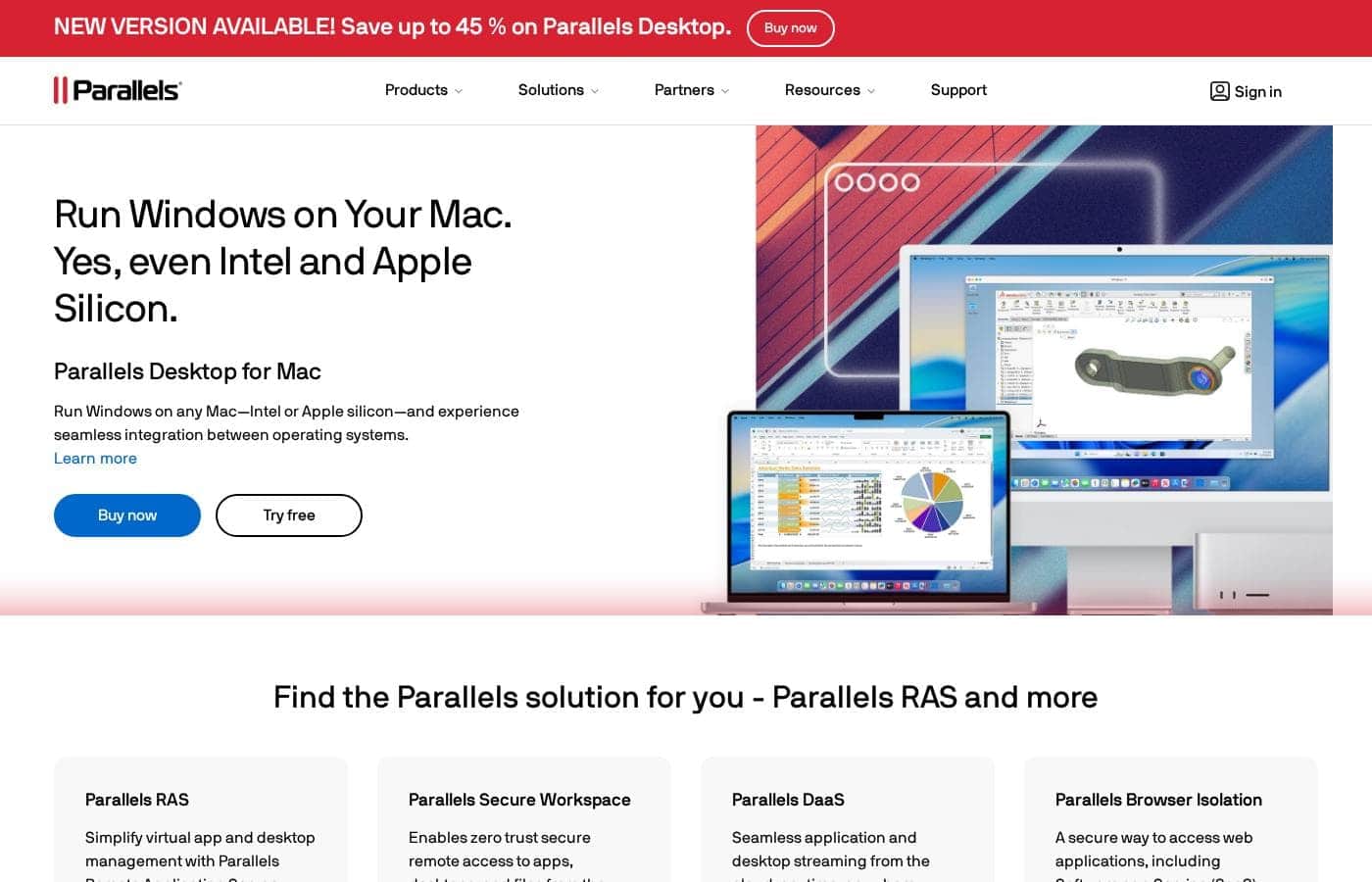
Parallels homepage screenshot

At a glance

Quick overview for Parallels: rating, pricing summary, key features, and highlights.
Vendor page checked Oct 12, 2026

Ciroapp score

4.1/ 5

Parallels Desktop is the most established way to run Windows on a Mac, with Microsoft authorization for Windows 11 ARM, support for Intel and Apple silicon, and plans from $54.99 to $97.49 per year. Watch the one-time license's short support window and shifting promo rates. Overall, it's a safe, well-supported pick for Mac users who need Windows apps.

Pros

  • Pros:Runs Windows 11 ARM as a Microsoft-authorized solution on both Intel and Apple silicon Macs, eliminating the need for a second computer
  • Pros:Pro Edition provides substantial VM resources—128 GB vRAM and 32 vCPUs per virtual machine—plus a command line interface and built-in developer tools for cross-OS development, testing, and debugging
  • Pros:Business Edition includes centralized administration, license management, volume licensing, and provisioning through Jamf/Intune-style Mac Management tools and Parallels deployment packages

Cons

  • Cons:The one-time Standard license ($219.99) is locked to the current release and includes only 30 days of support, making the subscription effectively mandatory for ongoing updates and help
  • Cons:Standard Edition caps virtual machines at 8 GB vRAM and 4 vCPUs, which may be limiting for graphics-intensive apps or multiple VMs unless you upgrade to Pro
  • Cons:Promotional pricing shifts frequently (e.g., 'save up to 45%'), so the discounted rates may not hold at renewal, and the 30-day money-back guarantee excludes renewals
Best for
  • Mac users who need Windows-only apps for work or school
  • Developers and DevOps teams working across operating systems
  • Businesses replacing two-computer setups with a single Mac
Free trial
Yes
Money-back guarantee
Yes — 30 days
This section is a summary. Detailed sections about features, use cases, pricing, and reviews follow below.

What is Parallels?

Owning a Mac shouldn't mean giving up Windows-only apps. If you've been juggling two computers or missing essential software, that ends here. Parallels Desktop runs Windows on any Mac—Intel or Apple silicon—with seamless integration between both systems. One machine, both operating systems.

A free trial lets you test it before paying.

Parallels Desktop is virtualization software that lets Mac users run Windows alongside macOS on one machine. It works on both Intel and Apple silicon Macs, and it's a Microsoft-authorized solution for Windows 11 ARM. Over 7 million users rely on it, from individuals to enterprises.

The company also sells workspace tools like Parallels RAS for virtual desktops and apps.

Should you choose Parallels?

Quick buyer guidance before you compare plans or click through.

Choose it if

  • Owners of any modern Mac, since both Intel and Apple silicon chips are supported
  • People who want one machine running both macOS and Windows side by side
  • Teams that need a Microsoft-authorized path to Windows 11 ARM on Mac
  • Organizations seeking browser-based, zero trust access to apps, desktops, and files
  • Buyers who want an established product backed by 7M+ users and an active community forum

Skip it if

  • If you don't own a Mac, this won't help—Parallels Desktop requires macOS hardware
  • ChromeOS users face strict hardware rules: qualifying Intel (11th gen i3 or newer) or Ryzen 5000-series processors, 8GB RAM minimum, plus a Chrome Enterprise or Education Upgrade
  • Budget-conscious shoppers should watch pricing closely; the site runs timed promotions like 'save up to 45%,' which suggests list prices shift often
  • Enterprise products like RAS, DaaS, and Browser Isolation involve integration decisions and setup work that need deeper research than a homepage scan

Next steps before buying

  1. 1Verify your Mac model and chip—Intel or Apple silicon—on the product page
  2. 2Check current pricing and editions; timed discounts like 'save up to 45%' appear regularly on the site
  3. 3Download the free trial and test your must-have Windows apps before buying
  4. 4Use the site's Compare page to choose between Standard, Pro, Business, and Enterprise editions
  5. 5Students, educators, military, government, and nonprofit buyers should review dedicated discount programs first

Ease of use

The signals point to an easy start: a free trial download, extensive technical documentation, webinars, and an active community forum. A featured 5/5 reviewer called it 'user-friendly and very fast' for switching between systems. Keep in mind you'll still install Windows itself, so allow some time for initial setup.

Parallels Key Features

💻 Windows and macOS, side by side

Parallels Desktop runs Windows right on your Mac—no rebooting, no second computer. Windows apps live alongside your Mac apps, so you can move between them as you work. It supports both Intel and Apple silicon machines, and it's a Microsoft-authorized way to run Windows 11 ARM on Mac.

✨ More than just Windows

It's not just Windows. Parallels Desktop can also run Linux and even macOS in a virtual machine. Each VM runs separately from your main system, which makes it easy to test software or keep projects in their own space.

Developers and curious users both get room to experiment.

✨ Room to push harder

Power users get real headroom. Pro supports running several virtual machines at once and handles graphics-intensive Windows apps. You also get a command line interface and built-in developer tools for automating, testing, and debugging across operating systems.

If you push your Mac hard, this is built for it.

✨ Built for teams and IT

Teams get management muscle on top. Business Edition adds centralized administration, license management, and volume licensing. IT can provision Macs with Parallels deployment packages or Mac Management tools, and automate CI/CD workflows.

Everyone ends up on the same setup without manual installs.

🌐 Beyond the desktop

Parallels builds more than Desktop. Its workspace tools extend the same access-anywhere idea to whole teams:

Use Cases

💻 One Mac Instead of Two

You need a Windows-only app for work or school. Instead of juggling two computers, run Windows right on your Mac. It works on both Intel and Apple silicon.

Expected outcome: One machine, both operating systems—no more switching devices.

🛠️ Develop and Test Across Systems

You're building or testing software across operating systems. Pro Edition offers 128 GB vRAM, 32 vCPUs per VM, a command line, and built-in developer tools. Run multiple VMs and automate repetitive work.

Expected outcome: Develop, test, and debug from a single Mac.

🎮 Play Windows Games on Mac

You want to play Windows games on your Mac. Parallels runs Windows alongside macOS, so there's no rebooting or second PC required.

Tip: Try your favorite titles with the free trial first to confirm they run well.

🏢 Teams and IT Management

You manage Macs for a team or company. Business Edition adds centralized admin, license management, and volume deployment. For virtual desktops, Parallels RAS and DaaS stream apps and desktops to any device.

Expected outcome: Simpler Windows rollout and fewer support headaches.

Parallels pricing

From$4.58/mo

  • 3 plans

Vendor page checked on Oct 12, 2026; confirm current prices on Parallels's pricing page

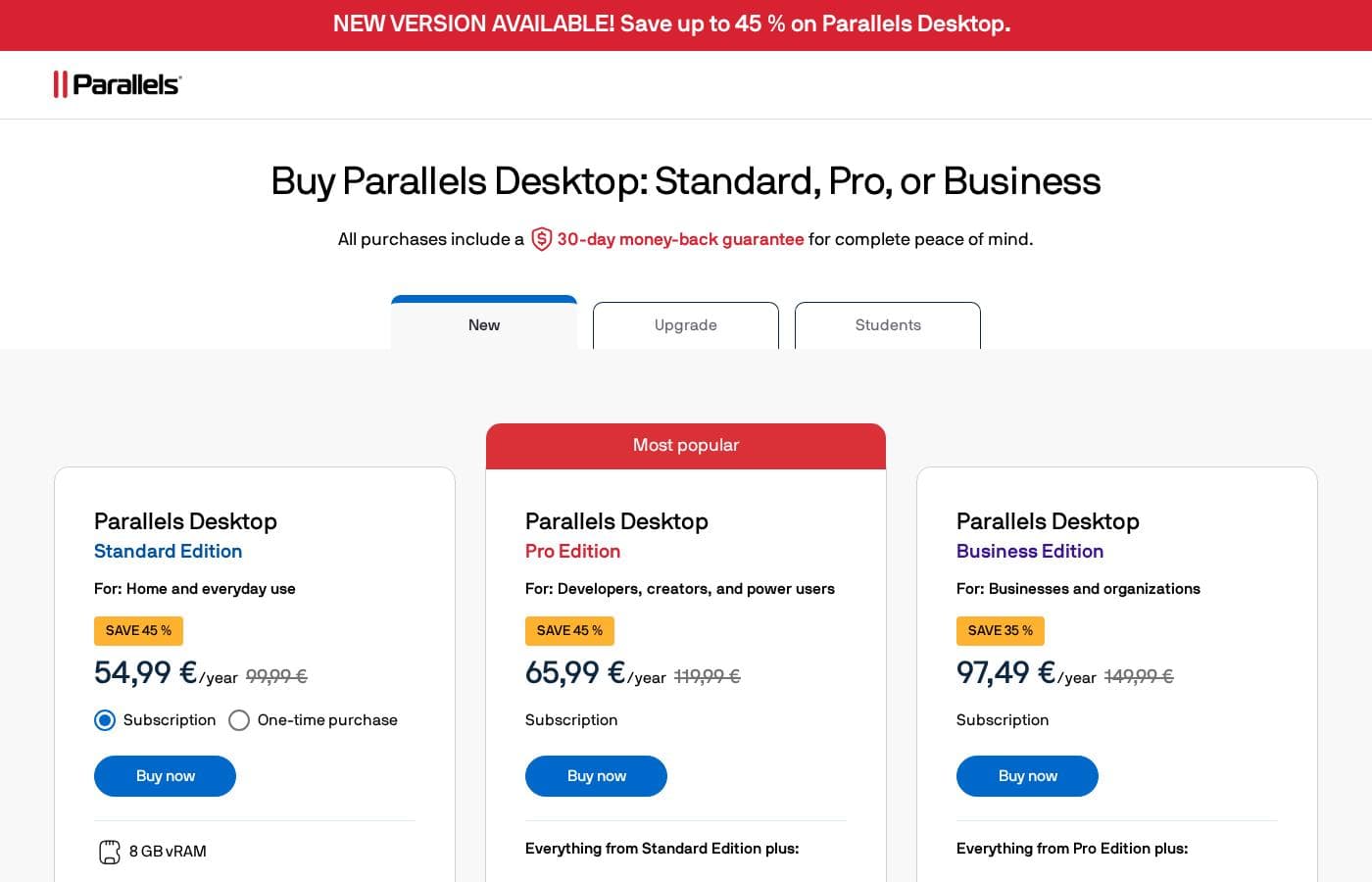
Parallels pricing page screenshotView pricing page screenshot
PlanBilled monthlyBilled annuallyIncludes
Standard Edition
—
$4.58/mo
$54.99 per year
One license per Mac; one-time version ($219.99) is current-version only with 30 days of support
  • 8 GB vRAM and 4 vCPUs per virtual machine
  • Run Windows and Windows applications
  • Use Linux and macOS in a virtual machine
  • Access Windows Excel features on Mac
  • Unlimited phone and email support (subscription)
Pro Edition
—
$5.50/mo
$65.99 per year
Subscription only; one license per Mac
  • 128 GB vRAM and 32 vCPUs per VM
  • Command line interface and built-in developer tools
  • Run graphics-intensive Windows apps and multiple VMs
  • Develop, automate, test, and debug across multiple operating systems
  • Unlimited phone and email support
Business Edition
—
$8.12/mo
$97.49 per year
Subscription only; one license per Mac; Enterprise licenses handled via sales contact for 10+ licenses
  • Everything in Pro Edition
  • Centralized administration and license management
  • CI/CD workflow automation and volume licensing
  • Provisioning with Mac Management tools or Parallels deployment packages
  • Business-friendly billing and corporate VM downloads for selected users

Price history

Tracking prices since Oct 9, 2026. No price change detected yet.

Pricing types: Free trial, Yearly subscription, One-time payment

Pricing notes

Parallels Desktop offers three main subscription plans: Standard at $54.99/year, Pro at $65.99/year, and Business at $97.49/year (current promotional pricing). A one-time perpetual license of Standard is also available for $219.99, and students and educators get 50% off.

Parallels Desktop costs between $54.99 and $97.49 per year with three plans: Standard Edition at $54.99/year, Pro Edition at $65.99/year, and Business Edition at $97.49/year (current promotional pricing).

There's also a one-time purchase option and student discounts, so here's how each edition breaks down.

Standard Edition

Price: $54.99/year (reg. $99.99), or $219.99 as a one-time purchase Best For: Home users and everyday use Refund Policy: 30-day money-back guarantee Other Features:

  • 8 GB vRAM and 4 vCPUs per virtual machine
  • Run Windows, Windows apps, Linux, and macOS in a VM
  • Access Windows Excel features on Mac
  • Unlimited phone and email support (subscription)

Standard is the simple pick if you just want Windows on your Mac for everyday tasks. It's the only edition sold as a perpetual license, though the one-time version is locked to the current release and includes just 30 days of support. Each license covers one Mac.

Pro Edition

Price: $65.99/year (reg. $119.99) Best For: Developers, creators, and power users Refund Policy: 30-day money-back guarantee Other Features:

  • 128 GB vRAM and 32 vCPUs per VM
  • Command line interface and built-in developer tools
  • Run graphics-intensive Windows apps and multiple VMs
  • Develop, automate, test, and debug across operating systems
  • Unlimited phone and email support

Pro is worth the step up if you push your Mac hard. You get far more virtual RAM and CPU power, plus tooling for automation and multi-OS testing. If you mainly run a few everyday Windows apps, stick with Standard and save the difference.

Business Edition

Price: $97.49/year (reg. $149.99) Best For: Teams and small businesses Refund Policy: 30-day money-back guarantee Other Features:

  • Everything in Pro, plus centralized admin and license management
  • Automated CI/CD workflows and volume licensing
  • Provisioning with Mac Management tools or Parallels deployment packages
  • Business-friendly billing and corporate VM downloads for selected users

Business adds the management layer IT teams need: centralized licensing, provisioning, and volume deployment. Organizations with 10+ licenses can contact Parallels for Enterprise options. Solo users won't need this tier.

Students and educators get 50% off, bringing Standard to $49.99/year and Pro to $59.99/year. Owners of older versions can also buy discounted upgrades instead of a full license.

Parallels doesn't offer a free plan, but you can start with a free trial before buying. Every purchase includes a 30-day money-back guarantee, though it applies only to direct purchases from parallels.com and excludes renewals. Promo pricing changes throughout the year, so confirm current rates and license terms at checkout.
Cost calculator

Estimate what Parallels costs for your team.

Billing

Standard Edition has no published price for this billing cycle.

Standard Edition has a flat price: the number of seats does not change the total. Estimate based on published list prices, before taxes, add-ons and discounts.

How to pay less for Parallels

  • A free trial is available: test it before you pay.
  • 30-day money-back guarantee if it does not fit.
Start free trial

Email me when Parallels changes price

One email when we detect a price change on the vendor's pricing page. No newsletter, no deals. Unsubscribe in one click.

User Reviews

No reviews yet.

Write a Review

Write a Review for Parallels
0/100 characters
0/2000 characters

Why use Parallels?

Here's the honest bottom line: if you need Windows apps on a Mac, Parallels Desktop is the most established way to get them. The company reports a 2024 Top Rated award with 5/5 user reviews, and its customer list includes Comcast, Deloitte, Samsung, and Disney. Based on its own materials, here's what stands out:

  • Works with the Mac you already own — It supports both Intel and Apple silicon chips, so there's no pressure to upgrade hardware first.
  • One computer instead of two — Featured users describe replacing dual-machine setups by running both operating systems on a single Mac.
  • Microsoft-authorized for Windows 11 — It's an authorized solution for Windows 11 ARM on Mac, which matters for compatibility and peace of mind.
  • Proven at serious scale — More than 7 million Mac users trust it, from solo professionals to large enterprises.
  • Try before you buy — A free trial lets you confirm your essential Windows apps work before spending money.
  • Options for almost everyone — Editions cover individuals, pros, businesses, and enterprises, with programs for education, military, government, and nonprofit buyers.

Parallels alternatives

Other tools in the Remote Desktop category

View all Remote Desktop tools
Techinline

Techinline

Remote Support3.6/5

SetMe by Techinline: a remote desktop solution built for pros who demand reliability, speed, and simplicity. Designed with both IT teams and individuals in mind, SetMe makes remote desktop control seamless, even in low-bandwidth environments.

Parallels FAQ

How much does Parallels cost?

Parallels's cheapest paid plan, Standard Edition, costs $4.58 per month. Paid plans range from $4.58 to $8.12 per month.

Does Parallels offer a free trial or a money-back guarantee?

Parallels offers a free trial. It has a 30-day money-back guarantee.

Has Parallels's price changed recently?

No. We have not detected a price change since we started tracking on Oct 9, 2026.

Does Parallels Desktop meet security and compliance standards?

It's Microsoft's authorized way to run Windows 11 on Apple Silicon, and it's SOC 2-certified. Parallels also publishes Trust Centers for Desktop and RAS, so you can dig into security details before rolling it out at work.

Can our IT team deploy Parallels Desktop with tools we already use?

Yes, with Business Edition. It includes Jamf and Intune integration for automated deployment and updates, plus provisioning through Mac Management tools or Parallels deployment packages. That keeps rollouts hands-off for your admins.

How responsive is Parallels support?

Subscribers get unlimited phone and email support, plus 24/7 chat. A one-time Standard license includes only 30 days of support, so the subscription is the safer pick if you want help anytime.

Can I run Parallels Desktop on a Chromebook?

Only on qualifying hardware: an Intel 11th-gen i3 or newer, or Ryzen 5000-series CPU, 8GB RAM minimum, plus a Chrome Enterprise or Education Upgrade. Confirm your device and license qualify before you buy.

Ready to try Parallels? Check out the official site or pricing.

Are you Parallels? Claim this listing · Get the badge