Connecteam

Connecteam review

The all-in-one workforce app built for deskless teams

Connecteam costs from $29/mo · 3 plans · prices checked Oct 13, 2026

By Ciroapp Editorial Team · Updated Sep 17, 2026

Commission may apply at no extra cost

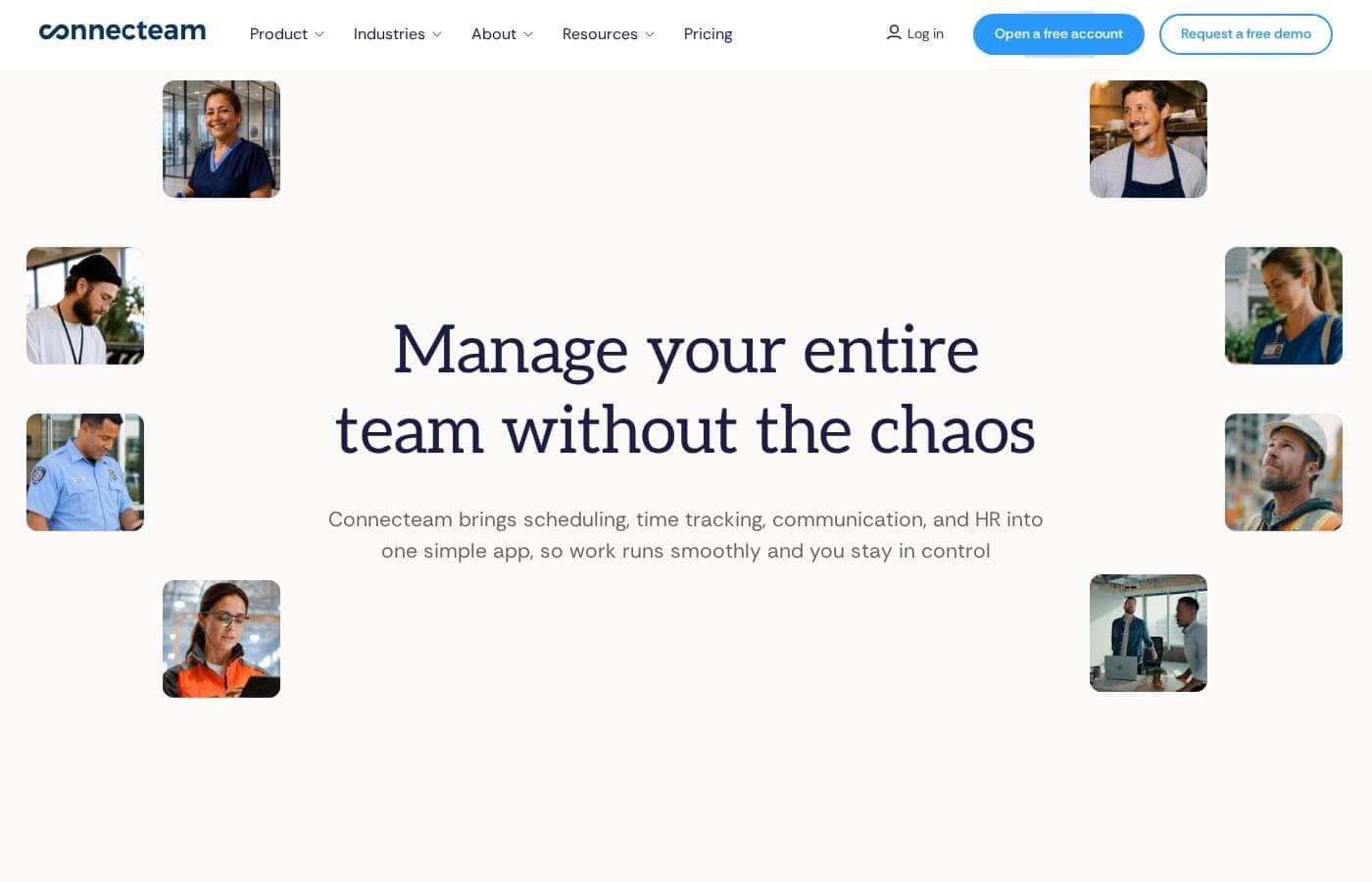
Connecteam homepage screenshot

At a glance

Quick overview for Connecteam: rating, pricing summary, key features, and highlights.
Pricing verified Oct 13, 2026

Ciroapp score

4.1/ 5

Connecteam bundles scheduling, GPS-verified time clocks, digital forms, chat, and mobile training into one app built for field and shift workers. It skips payroll processing and deep ERP integrations, and it leans heavily on employee smartphones. Overall, it's a strong pick for small and mid-sized field teams that want one affordable app instead of a patchwork of tools.

Pros

  • Genuinely purpose-built for deskless teams — the entire experience is mobile-first rather than a desktop tool squeezed onto a phone
  • Consolidates scheduling, time tracking, forms, chat, and training into one app, reducing the cost and confusion of running multiple disconnected tools
  • GPS and geofencing on the time clock help prevent buddy punching and off-site clock-ins, directly improving payroll accuracy

Cons

  • It is not a full HR suite — benefits administration, advanced payroll processing, and recruiting are outside its scope and require separate tools or integrations
  • Deep third-party integrations with accounting and ERP systems are more limited than what larger workforce platforms offer
  • The breadth of modules can feel overwhelming at first; smaller teams may need time to configure only what they need
Best for
  • Small to mid-sized businesses with 10–200 field or shift workers in construction, cleaning, security, or field services
  • Operations managers tired of coordinating schedules through group texts, paper timesheets, and phone calls
  • Companies that need GPS-verified time tracking to keep payroll accurate for mobile crews
This section is a summary. Detailed sections about features, use cases, pricing, and reviews follow below.

What is Connecteam?

Most workforce software is designed for people who sit at a desk all day, which leaves field crews, shift workers, and frontline staff stuck with paper schedules, group texts, and clipped-together spreadsheets. Connecteam was built specifically for these deskless teams. It packs scheduling, time clocks, task management, forms, communication, and HR tools into a single mobile app that employees can use from their phones, no matter where the work happens.

Connecteam is an all-in-one operations and HR management platform aimed at non-desk workforces in industries like construction, cleaning, security, retail, hospitality, and field services. The app is organized into three hubs: Operations (scheduling, time tracking, task lists, forms, and checklists), Communication (company chat, updates, and a searchable employee directory), and HR & Skills (onboarding, document management, training courses, and time-off requests). Everything is delivered through a branded mobile app so employees can clock in, view schedules, complete forms, and get company news from one place.
Should you choose Connecteam?

Quick buyer guidance before you compare plans or click through.

Choose it if

  • Small to mid-sized businesses with 10–200 field or shift workers in construction, cleaning, security, or field services
  • Operations managers tired of coordinating schedules through group texts, paper timesheets, and phone calls
  • Companies that need GPS-verified time tracking to keep payroll accurate for mobile crews
  • Businesses replacing paper forms and clipboards with auditable digital checklists and inspections

Skip it if

  • Organizations needing a full enterprise HR suite with benefits administration, recruiting, and performance management built in
  • Fully remote desk-based teams, whose needs are better served by conventional project and HR platforms
  • Companies that require deep native integrations with complex ERP or accounting systems as a core requirement

Next steps before buying

  1. 1Sign up for the free plan on connecteam.com to test the app with a small pilot group before committing to a paid tier
  2. 2Start with the Operations hub: build your first weekly schedule and invite employees to download the mobile app and confirm shifts
  3. 3Convert your two or three most-used paper forms (daily site reports, safety checklists) into digital forms so field staff adopt the app through familiar workflows
  4. 4Set up the time clock with GPS or geofencing rules that match your actual job sites, then run one payroll cycle in parallel with your old process before switching fully

Connecteam Key Features

✨ Scheduling and Shift Management

Managers can build shift schedules, publish them instantly to the mobile app, and let employees claim open shifts or swap with coworkers. Automated reminders reduce no-shows, and schedule templates make it faster to plan recurring weekly patterns for rotating crews.

✨ Time Clock with GPS and Geofencing

Employees clock in and out from their phones, with optional GPS location tagging and geofencing to ensure punches happen on-site. Time data flows directly into timesheets, and overtime alerts help managers catch costly hours before payroll runs.

✨ Digital Forms and Checklists

Paper inspection sheets, safety briefings, and opening/closing procedures can be converted into mobile forms and checklists. Responses are time-stamped and stored centrally, which simplifies audits and accountability for field work.

✨ Internal Communication and Updates

The platform includes a company chat, one-to-one messaging, and an updates feed for company announcements. Employees can be reached by targeted segments — a specific site, department, or shift — so the right people get the right information without a reply-all email chain.

✨ Training and Onboarding (HR & Skills Hub)

Connecteam lets managers build mobile training courses with quizzes, track completion, and store onboarding documents like contracts and policies. New hires can complete much of their paperwork and initial training from their phone before their first shift.

✨ Tasks and Job Management

Recurring and one-off tasks can be assigned to individuals or teams with due dates, attachments, and progress tracking. This gives supervisors visibility into what was actually completed on-site rather than relying on end-of-day phone calls.

Use Cases

💡 Construction and Field Services

Crews spread across job sites can clock in with GPS verification, submit daily site reports and safety checklists from their phones, and receive schedule changes instantly. Supervisors get a live picture of who is on which site without driving between locations.

💡 Cleaning and Facilities Management

Cleaning teams working nights or across multiple buildings can follow site-specific checklists, log completed work with photos, and swap shifts when someone calls out. Managers use forms to document inspections and client sign-offs.

💡 Security Services

Security firms rely on shift coverage and verifiable patrol records. Connecteam's geofenced time clock and checkpoint-style checklists help prove posts were covered, while the updates feed pushes urgent policy or site changes to on-duty guards.

💡 Retail and Hospitality Shift Teams

High-turnover hourly teams can be onboarded through mobile training courses before day one, request time off through the app, and pick up extra shifts from the open-shift board — reducing the manager workload of coordinating coverage manually.

💡 HR and Onboarding for Non-Desk Employees

Businesses without HR software can use Connecteam to collect signed documents, deliver compliance training, and store certifications in one place, giving frontline employees a single app for everything HR-related instead of email attachments and paper files.

Connecteam pricing

From$29/mo

  • From the vendor's pricing page, checked Oct 13, 2026
  • 3 plans

Prices checked on Oct 13, 2026 from Connecteam's pricing page

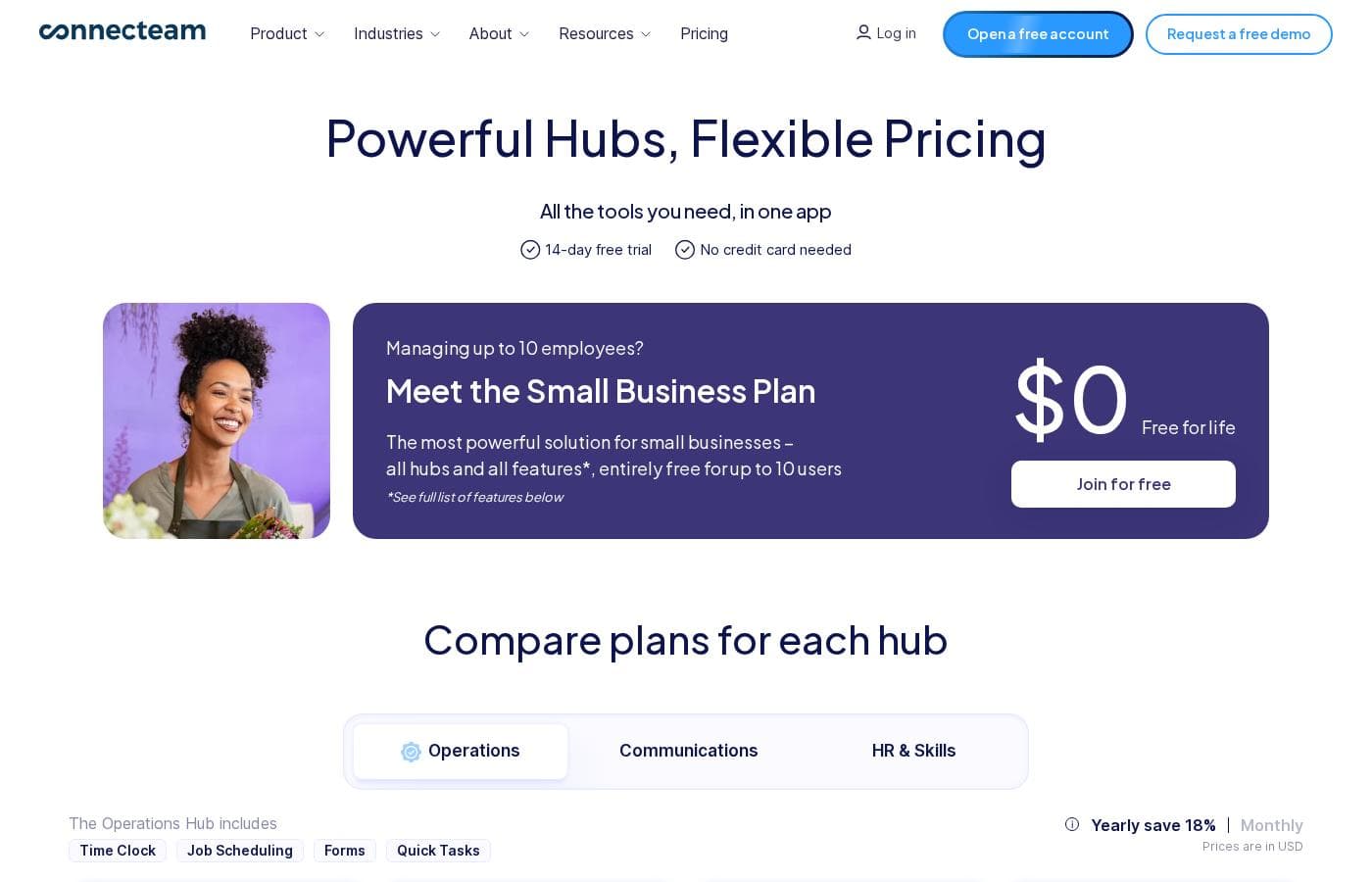
Connecteam pricing page screenshotView pricing page screenshot
PlanBilled monthlyBilled annuallyIncludes
Basic
$29/mo
—
Advanced
$49/mo
—
Expert
$99/mo
—

Price history

Tracking prices since Oct 1, 2026. No price change detected yet.

Pricing types: Free plan, Free trial, Monthly subscription, Yearly subscription, One-time payment, Per seat pricing, Usage-based pricing

Cost calculator

Estimate what Connecteam costs for your team.

Billing
Per month
$29
Per year
$348

Basic has a flat price: the number of seats does not change the total. Estimate based on published list prices, before taxes, add-ons and discounts.

How to pay less for Connecteam

  • Cheaper tools in this category start at $5.50/mo.
Visit Connecteam

Email me when Connecteam changes price

One email when we detect a price change on the vendor's pricing page. No newsletter, no deals. Unsubscribe in one click.

User Reviews

No reviews yet.

Write a Review

Write a Review for Connecteam
0/100 characters
0/2000 characters

Why use Connecteam?

Deskless teams typically juggle five or more disconnected tools — one app for scheduling, another for chat, paper forms in the field, and spreadsheets for training records. That fragmentation causes missed shifts, payroll errors, and compliance gaps.

Connecteam consolidates those functions into one platform, so managers can publish a schedule and have employees confirm shifts, clock in with GPS verification, and complete a safety checklist without ever leaving the app. The free plan for small teams also lowers the barrier for businesses that cannot justify enterprise workforce software pricing.

Connecteam alternatives

Other tools in the Human Resources Management System category

View all Human Resources Management System tools
Humi

Humi

Human Resources Management System3.8/5From $7/mo

The Canadian platform Humi has transitioned into Employment Hero, creating a unified employment solution. This system is designed as an Employment Operating System (OS). It combines HR, Payroll, Hiring, and Benefits under one dependable roof. Businesses of every size, from small SMEs to large corporations, trust this platform across many industries like hospitality and IT. Employment Hero is already trusted by over 300,000 happy customers globally. They protect your client data with advanced encryption protocols and regular security audits. ✅ For local businesses in Québec, the dedicated Humi by Employment Hero product continues to offer a fully compliant and French-supported solution.

Breezy HR

Breezy HR

Human Resources Management System4.1/5

Breezy HR is a hiring platform and applicant tracking system used by teams of all sizes to streamline recruiting—from attracting candidates to hiring. It helps you build a simple, beautiful careers site, reach more applicants, and move people toward offers. It also offers a mobile app and integrations to fit your workflow.

VIVA HR

VIVA HR

Human Resources Management System4/5

AvaHR is a trusted HR platform used by 5,000+ customers, with a 92% satisfaction rate and 4.9/5.0 ratings. It's designed for HR teams seeking to streamline hiring, collaboration, and communication in one place.

Namely

Namely

Human Resources Management System3.7/5From $9/mo

Namely is a comprehensive solution designed to streamline key human resources processes. It helps you handle everything from attracting top talent to managing internal performance reviews. You gain control over workforce details like scheduling and time keeping. Simply put, it makes HR efficient, allowing your team to focus on growth, not paperwork.

BambooHR

BambooHR

Human Resources Management System4.2/5From $10/mo

BambooHR is a complete, all-in-one HR software platform designed to simplify complex people management. It brings all your employee, payroll, time, and benefits information together in one secure location. This system is built for easy navigation, making it ideal for both novices and seasoned HR experts. Whether you are a small team or serve a global workforce across 150 countries, BambooHR gives you the tools you need to streamline operations and be compliant. 💡 It allows even a single-person HR department to perform strategic work efficiently.

Rippling

Rippling

Human Resources Management System4.3/5

Trusted by more than 30,000 businesses, Rippling is the only platform that brings HR, IT, and Finance together - payroll, benefits, devices, expenses, compliance, and more, all in one place. Refer a client and earn $600 for a qualified demo, $1,000 when they sign.

Recruitee

Recruitee

Human Resources Management System4/5

Recruitee is an ATS and collaborative recruitment platform designed for hiring teams. It brings sourcing, automation, and candidate evaluation into one shared space so teams move faster and stay aligned. Join 181,000+ users and manage 20M+ applicants across 90+ countries with 120+ integrations.

Vestwell

Vestwell

Human Resources Management System3.9/5

Vestwell is the modern savings platform helping small and mid‑size businesses offer high‑quality, affordable retirement and workplace savings plans. We partner with employers, advisors, payroll providers, and states to make saving for life’s biggest milestones more accessible to everyone.

Cheapest Human Resources Management System software for 1 to 25 users

Connecteam FAQ

How much does Connecteam cost?

Connecteam's cheapest paid plan, Basic, costs $29 per month. Paid plans range from $29 to $99 per month. Prices checked on Oct 13, 2026 from the vendor's pricing page.

Has Connecteam's price changed recently?

No. We have not detected a price change since we started tracking on Oct 1, 2026.

Does Connecteam really have a free plan?

Yes. Connecteam offers a free plan that covers small teams, making it one of the few workforce management platforms with a genuinely usable free tier rather than a short trial. Paid plans add more users, features, and administrative controls, with pricing that scales by seat and billed monthly or annually.

Can Connecteam track where employees clock in from?

Yes. The mobile time clock supports GPS location tagging on punches, and managers can set up geofencing so employees can only clock in or out when they are physically within a defined area, such as a job site or store. This helps prevent time theft and provides verifiable records for payroll and disputes.

What industries is Connecteam best suited for?

Connecteam is designed for deskless workforces. Its most common users are in construction, cleaning and facilities services, security, retail, hospitality, logistics, and field services — any business where employees work on-site or on the move rather than at a computer.

Does Connecteam handle payroll?

Connecteam tracks hours, overtime, and time-off, and its timesheets can be exported for payroll processing, but it is not a full payroll engine. Businesses typically pair it with their existing payroll provider, exporting approved timesheets each pay period rather than running payroll inside Connecteam itself.

Ready to try Connecteam? Check out the official site or pricing.

Are you Connecteam? Claim this listing · Get the badge