Splunk

Splunk review

Turn scattered machine data into fast security decisions and reliable operations.

Splunk costs from $5/mo · 9 plans · prices checked Oct 13, 2026

By Ciroapp Editorial Team · Updated Sep 17, 2026

Commission may apply at no extra cost

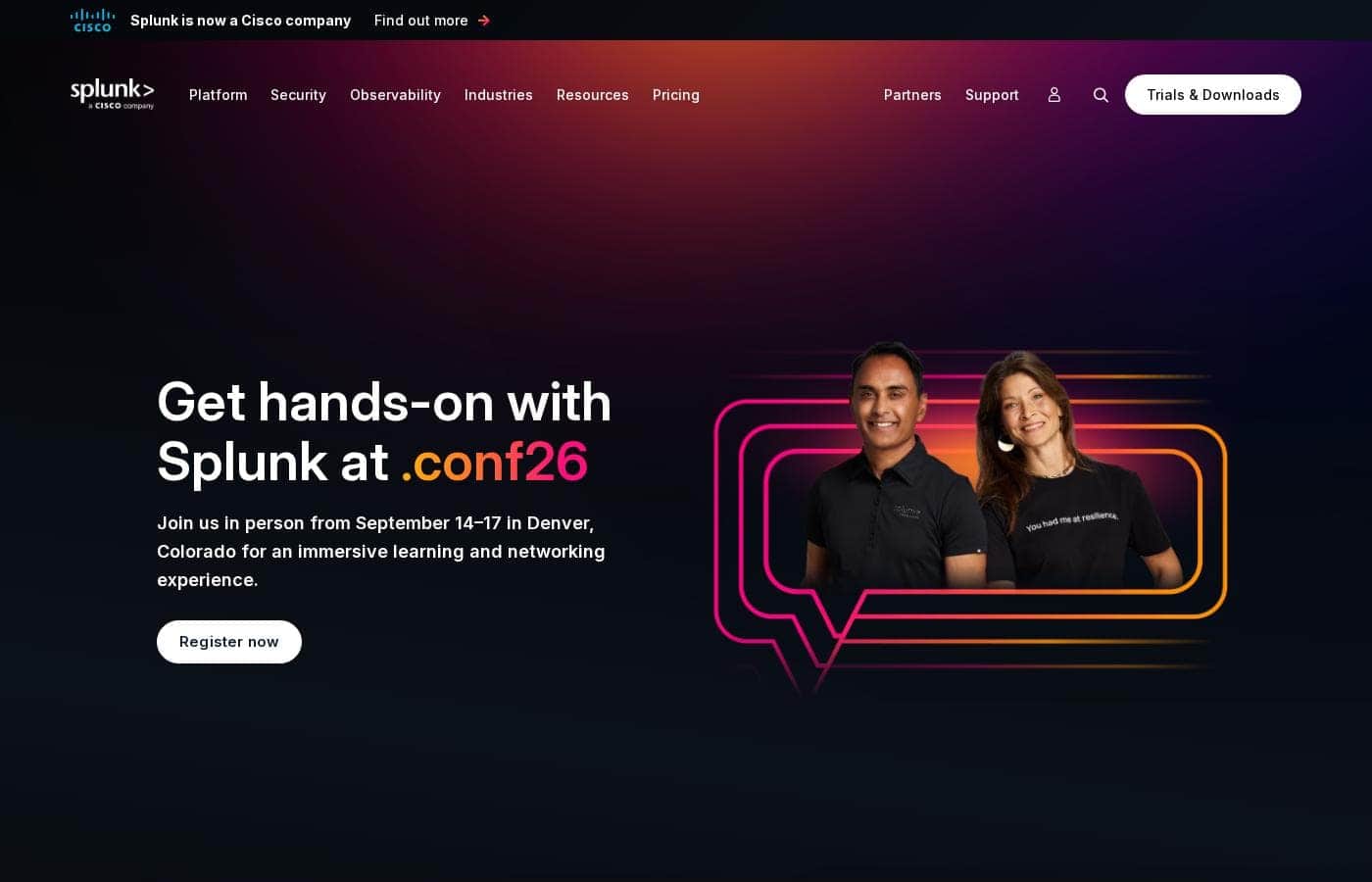
Splunk homepage screenshot

At a glance

Quick overview for Splunk: rating, pricing summary, key features, and highlights.
Pricing verified Oct 13, 2026

Ciroapp score

4.1/ 5

Splunk unifies petabytes of machine data for security, IT, and AI agent monitoring, with strong customer results like Specsavers' 10x faster MTTR. But its core products hide pricing behind custom quotes, and teams need skilled staff to run it well. Overall, it's a proven enterprise pick if you can absorb the cost and complexity.

Pros

  • Pros:Unifies machine data at petabyte scale across security, observability, and networking, with Federated Search that queries sources where they live instead of forcing costly data movement and duplication
  • Pros:Enterprise Security bundles SIEM, SOAR, and UEBA into one platform, and customer-reported results include Carrefour cutting threat response times 3x and Specsavers reporting 10x faster MTTR with 25,000 hours saved monthly
  • Pros:Agent Observability, built on the Galileo acquisition, provides real-time guardrails, traceability, and token-cost attribution for AI agents — a capability most observability platforms don't offer yet

Cons

  • Cons:Core platform and security products (Splunk Cloud Platform, Splunk Enterprise, Enterprise Security, SOAR) have no published pricing — everything requires a custom sales quote based on ingest, workload, or activity, making budgeting difficult upfront
  • Cons:The platform's breadth across security, AIOps, APM, and data pipelines demands trained staff or certified admins to operate well, which is a real overhead for teams without dedicated data engineering or security expertise
  • Cons:Ingest- and activity-based pricing can scale sharply with data volume, and while overages only apply to sustained excess, organizations with spiky or growing telemetry need careful capacity planning to avoid cost surprises
Best for
  • Enterprise security teams (SOCs) that need SIEM, SOAR, and UEBA in one place
  • IT and SRE teams monitoring apps across cloud, containers, and on-prem
  • Organizations running AI agents that must be monitored, governed, and cost-controlled
Free trial
Yes
This section is a summary. Detailed sections about features, use cases, pricing, and reviews follow below.

What is Splunk?

Your logs live everywhere. Security alerts pile up, outages sneak through, and nobody sees the whole picture. Splunk pulls machine data into one platform, so teams detect threats faster, spot issues before users do, and let AI handle repetitive work.

It's built for organizations that can't afford blind spots.

Splunk is a data platform that unifies machine data at petabyte scale across security, observability, and networking. Now part of Cisco, it serves enterprises in finance, healthcare, government, retail, and more. Security teams use it to detect and respond to threats.

IT teams use it to monitor apps and infrastructure. It's aimed at organizations that need to search huge data volumes in real time and act on them with AI.

Should you choose Splunk?

Quick buyer guidance before you compare plans or click through.

Choose it if

  • Teams that want faster threat detection and incident response, backed by customer-reported results like 3x faster response times
  • Businesses that need petabyte-scale search without moving or duplicating data
  • Shops already using OpenTelemetry or wanting 2,000+ prebuilt integrations
  • Enterprises that prefer vendors recognized as leaders by major analyst firms
  • Organizations willing to invest in training to build internal expertise

Skip it if

  • Small teams with basic logging needs — the platform's depth and enterprise focus may be more than you require
  • Buyers who need published pricing — numbers aren't listed on the site, so you'll need to talk to sales for a quote
  • Teams without data engineering or security expertise — pipelines, detections, and integrations take skilled people to run well
  • Anyone cautious about vendor changes — Splunk is now part of Cisco, so its roadmap sits inside a larger company

Next steps before buying

  1. 1Estimate your data volume and sources first — Splunk's architecture and costs scale with data, so sizing matters before you commit.
  2. 2Take the free interactive product tours for Splunk Cloud Platform, Enterprise Security, and Infrastructure Monitoring to judge the interface.
  3. 3Start a free trial or download to test against a sample of your real data.
  4. 4Browse Splunkbase to confirm integrations exist for your current tools, including any OpenTelemetry setups.
  5. 5Contact sales for a quote, since pricing isn't published, and ask about support programs and training options.

Ease of use

Splunk's site points to a deep, enterprise-grade platform rather than a quick-install tool. On the plus side, there are free trials, interactive product tours, extensive documentation, training and certification paths, and a large community with Splunk Answers. Those resources help new teams ramp up. Still, the breadth — security, AIOps, application monitoring, and data pipelines — suggests you'll want trained staff or certification to get full value.

Splunk Key Features

✨ One home for all your machine data

Logs, metrics, and traces usually live in separate silos, and that's where problems hide. Splunk unifies machine data at petabyte scale across security, observability, and networking. With Federated Search, you query sources where they live — no ingest tax, no unnecessary data movement.

Your teams and AI get real-time context across domains.

🛡️ Defend at machine speed

AI-powered attacks shrink remediation windows from months to minutes. Splunk Enterprise Security unifies threat detection, investigation, and response in one AI-powered SecOps platform. It brings together:

  • SIEM to detect and stop threats
  • SOAR to accelerate and automate response
  • UEBA to spot user and entity anomalies

Your experts stay in control while agents handle the repetitive work.

✨ Spot issues before your users do

Observability Cloud gives you real-time visibility across any environment. Application Performance Monitoring troubleshoots slow code. Infrastructure Monitoring watches clouds, containers, and on-prem systems.

Digital Experience Analytics shows how users actually feel performance. When something breaks, AI SRE agents isolate root causes and suggest targeted fixes like rollbacks or capacity adjustments.

✨ Keep your AI agents in check

Autonomous agents can take unpredictable, unauthorized actions. Splunk Agent Observability, powered by the Galileo acquisition, lets you observe and secure AI agents, models, and infrastructure. Real-time guardrails and traceability help prevent drift, hallucinations, and data leakage.

Token usage tracking with full attribution keeps AI costs from running away.

✨ Build custom AI on your own data

Sometimes off-the-shelf AI isn't enough. The AI Toolkit helps you build, test, and deploy custom AI for your operations. The Splunk MCP Server connects AI tools to Splunk data securely.

Together, they power resilient agentic operations built on real-time context from your own environment.

Use Cases

🛡️ Detect and respond to threats faster

Security analysts drown in alerts from scattered tools. Splunk Enterprise Security unifies SIEM, SOAR, and UEBA, so your team spots insider threats, automates playbooks, and acts fast. Carrefour cut threat response times 3x.

Expected outcome: incidents remediated in minutes, not hours.

📡 Spot issues before users do

IT and SRE teams watch apps across cloud, containers, and on-prem. Splunk Observability Cloud correlates alerts and isolates root causes fast. Specsavers reports 10x faster MTTR and 25,000 hours saved monthly.

Tip: Start with Infrastructure Monitoring at $15/host/month.

🤖 Govern AI agents and costs

Teams deploying AI agents worry about drift, hallucinations, and surprise bills. Agent Observability adds real-time guardrails, traces agent actions, and tracks token spend. You keep autonomy without losing control.

Expected outcome: clear visibility into agents, models, and costs.

🔍 Search data where it lives

Data teams fight sprawl and rising ingest costs. Federated Search processes telemetry at petabyte scale without moving it, so you keep full context and skip the ingest tax.

Tip: Check Splunkbase first — 2,000+ integrations plus native OpenTelemetry support.

Splunk pricing

From$5/mo

  • 9 plans

Prices checked on Oct 13, 2026 from Splunk's pricing page

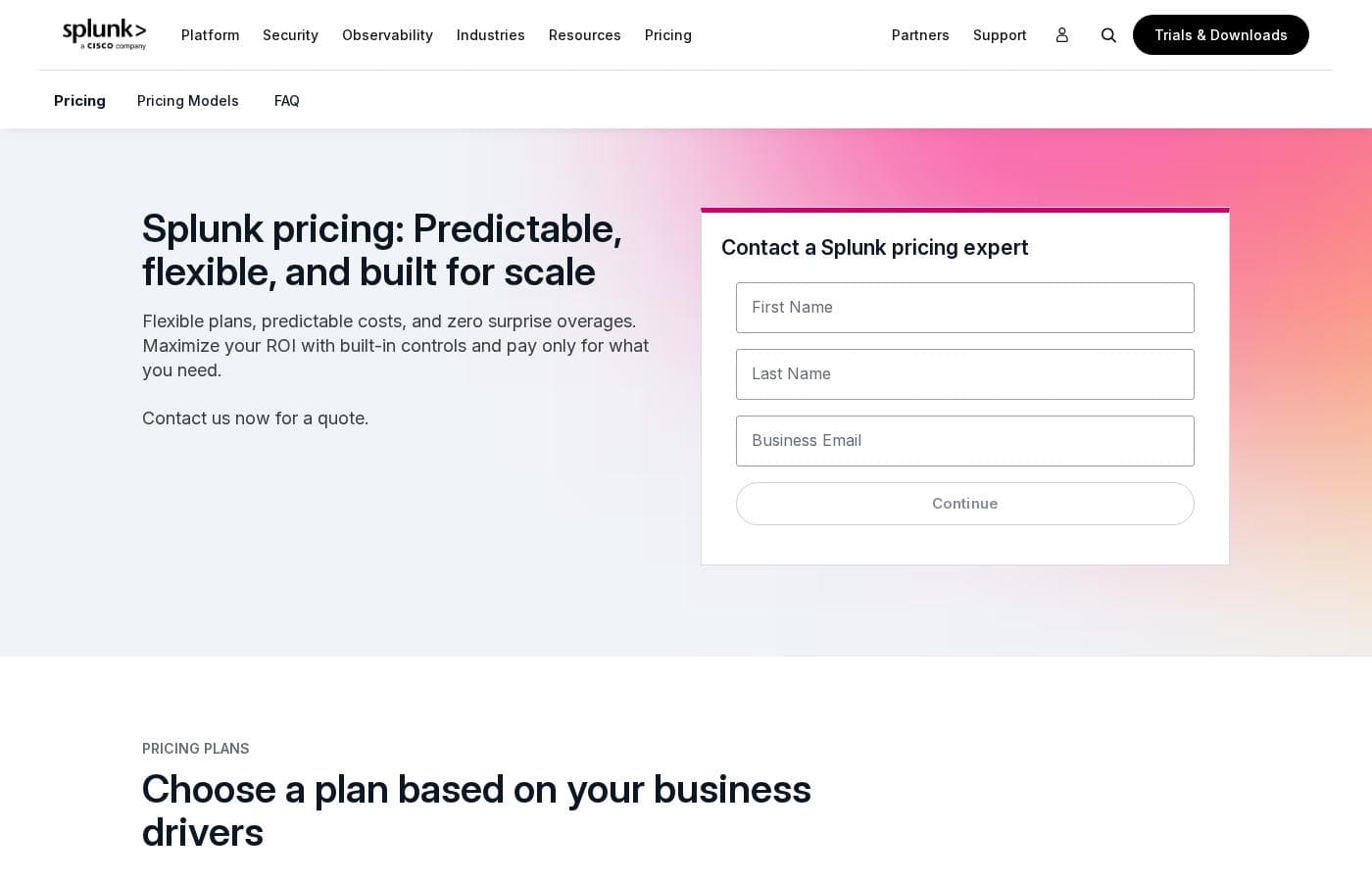
Splunk pricing page screenshotView pricing page screenshot
PlanBilled monthlyBilled annuallyIncludes
Splunk Observability Cloud – Infrastructure
per user
—
$15/mo
$180 per year
  • Infrastructure Monitoring
  • Log Observer Connect
  • Network Explorer
  • Synthetic Uptime Monitoring
Splunk Observability Cloud – App & Infra
per user
—
$60/mo
$720 per year
  • Everything in Infrastructure
  • APM with Always On Profiling
  • Synthetic API Monitoring
Splunk Observability Cloud – End-to-End
per user
—
$75/mo
$900 per year
  • Everything in App & Infra
  • Real User Monitoring
  • Synthetic Browser Monitoring
  • Database Monitoring and Secure Application as optional add-ons
Splunk AppDynamics – Infrastructure Edition
—
$6/mo
$72 per year
  • Infrastructure Monitoring
  • Add-ons available separately
Splunk AppDynamics – Premium Edition
per user
—
$33/mo
$396 per year
  • Application Performance Monitoring
  • Database Monitoring
  • Log Observability
Splunk On-Call
per user
Starts at $5 per user/month (billed annually)
$5/mo
$60 per year
Starting price covers up to 10 seats
  • 100+ IT service management integrations
  • On-call schedules and escalation policies
  • Faster incident remediation
Splunk Cloud Platform
See vendor page
See vendor page
  • Unlimited users
  • Scales to petabytes of data
  • Cloud Flex spend reallocation
  • Eligible Cisco telemetry at 0.5x weighted ingest rate
Splunk Enterprise
See vendor page
See vendor page
  • Unlimited users
  • On-prem, private cloud, or air-gapped deployment
  • Eligible Cisco telemetry at 50% weighted ingest rate
Splunk Enterprise Security
See vendor page
See vendor page
  • Essentials and Premier editions
  • Both include SIEM, threat intelligence, Detection Studio, and Exposure Analytics
  • Premier adds SOAR, UEBA, and Automated Threat Analysis

Price history

Tracking prices since Oct 1, 2026. No price change detected yet.

Pricing types: Free plan, Free trial, Yearly subscription, Per seat pricing, Usage-based pricing

Pricing notes

Splunk prices most of its platform and security products through custom quotes based on ingest, workload, or activity. Published rates start at $5/user/month for On-Call, $15/host/month for Observability Cloud, and $6/vCPU/month for AppDynamics, all billed annually, with free trials and a free Observability edition available.

Splunk's published prices range from $5 to $75 per month, billed annually, while its core Platform and Security products are priced by custom quote.

Here's how each product and tier breaks down.

Splunk Observability Cloud – Infrastructure

Price: Starts at $15 per host/month, billed annually Best For: Teams monitoring infrastructure and cloud services Other Features:

  • Infrastructure Monitoring
  • Log Observer Connect
  • Network Explorer
  • Synthetic Uptime Monitoring

This is the entry point into Observability Cloud. It's a good fit if you mainly want visibility into servers, containers, and cloud services without paying for app-level tooling.

Splunk Observability Cloud – App & Infra

Price: Starts at $60 per host/month, billed annually Other Features:

  • Everything in Infrastructure
  • APM with Always On Profiling
  • Synthetic API Monitoring

Pick this tier when application performance matters as much as infrastructure health. It adds troubleshooting for both cloud-native and monolithic apps.

Splunk Observability Cloud – End-to-End

Price: Starts at $75 per host/month, billed annually Other Features:

  • Everything in App & Infra
  • Real User Monitoring
  • Synthetic Browser Monitoring
  • Database Monitoring and Secure Application available as optional add-ons

This is the full-package tier for teams that also want user-session visibility. If you only need infrastructure metrics, the lower tiers will cost far less.

Splunk AppDynamics – Infrastructure Edition

Price: Starts at $6 per vCPU/month, billed annually Other Features:

  • Infrastructure Monitoring
  • Add-ons available separately

This edition suits teams that want AppDynamics' monitoring foundation at the lowest listed cost.

Splunk AppDynamics – Premium Edition

Price: Starts at $33 per host/month, billed annually Other Features:

  • Application Performance Monitoring
  • Database Monitoring
  • Log Observability

Premium makes sense when you need to tie hybrid and on-prem app performance to business impact.

Splunk AppDynamics – Enterprise Edition

Price: Starts at $50 per host/month, billed annually Other Features:

  • Everything in Premium
  • Transaction Analytics
  • Add-ons: Application Security ($13.75/month per CPU core), Real User Monitoring ($0.06 per 1,000 tokens), Browser Synthetics ($12 per test location), SAP ($95 per CPU core)

Go Enterprise if transaction analytics across complex business applications is a must-have.

Splunk On-Call

Price: Starts at $5 per user/month, billed annually (up to 10 seats) Best For: Small teams managing on-call schedules Other Features:

  • 100+ IT service management integrations
  • Streamlined escalation policies
  • Free trial available

This is the most accessible way in. It routes incidents to the right person fast, so nothing sits unresolved. 🎯

Splunk Cloud Platform

Price: Custom quote (activity-based, ingest, or workload pricing) Other Features:

  • Unlimited users
  • Scales to petabytes of data
  • Cloud Flex lets you shift spend across Splunk products
  • Eligible Cisco telemetry counts at a 0.5x weighted ingest rate
  • Free trial available

Splunk Enterprise

Price: Custom quote (data-ingest or workload pricing) Other Features:

  • Unlimited users
  • Runs on-prem, in private cloud, or in air-gapped environments
  • Eligible Cisco telemetry counts at a 50% weighted ingest rate
  • Free trial available

Splunk Enterprise Security

Price: Custom quote (activity-based, workload, or ingest pricing) Other Features:

  • Two editions: Essentials and Premier
  • Both include SIEM, threat intelligence, Detection Studio, and Exposure Analytics
  • Premier adds SOAR, UEBA, and Automated Threat Analysis

Essentials is built for human-led, AI-accelerated defense. Premier targets teams ready for adaptive, autonomous security operations.

Trials and buying: Splunk offers a free edition of Observability Cloud, plus free trials for Cloud Platform, Enterprise, SOAR, AppDynamics, and On-Call — though trial length isn't published on the pricing page. Every purchase includes standard support, and volume discounts are available. There's no money-back guarantee listed, so confirm your license limits and expected data volumes with a Splunk expert before committing.
Cost calculator

Estimate what Splunk costs for your team.

Billing

Splunk Observability Cloud – Infrastructure has no published price for this billing cycle.

Splunk Observability Cloud – Infrastructure is priced per user: price × 5 seats. Estimate based on published list prices, before taxes, add-ons and discounts.

How to pay less for Splunk

  • A free trial is available: test it before you pay.
  • Some plans are priced per user: only pay for seats people actually use.
Start free trial

Email me when Splunk changes price

One email when we detect a price change on the vendor's pricing page. No newsletter, no deals. Unsubscribe in one click.

User Reviews

No reviews yet.

Write a Review

Write a Review for Splunk
0/100 characters
0/2000 characters

Why use Splunk?

When minutes matter, waiting on scattered logs isn't an option. Splunk turns machine data into fast, governed action across your whole operation. Based on the company's site and customer stories, here's what stands out:

  • Proven speed gains. Specsavers reports 10x faster MTTR and 25,000 hours saved monthly. Singapore Airlines detects issues 75%+ faster. Carrefour cut threat response times 3x.
  • Scale without silos. Search and process telemetry where it lives, at petabyte scale, to reduce data movement and avoid unnecessary ingest costs.
  • AI that works for you. Agentic SOC tooling, AI SRE agents, and Agent Observability help teams respond at machine speed while governing agent behavior and tracking token costs.
  • Deep ecosystem. 2,000+ apps and integrations on Splunkbase, with native OpenTelemetry support, SDKs, and agents.
  • Analyst-backed trust. Recognized by global analyst firms as a leader in security and observability, and used by the US Department of Defense, Nasdaq, and Coca-Cola.
  • Try before you buy. Free trials, downloads, and interactive product tours let you evaluate the platform against your own needs.

Splunk alternatives

Other tools in the Business Intelligence category

View all Business Intelligence tools
ElevateForward.ai

ElevateForward.ai

Business Intelligence3.8/5

ElevateForward is a strategy and execution platform built for businesses that struggle to turn plans into results. It identifies what’s slowing performance, uncovers growth opportunities, and translates them into clear, actionable strategies. With built-in execution tracking, teams stay aligned, accountable, and focused—so strategy doesn’t sit in a deck, it drives measurable outcomes.

DataHawk

DataHawk

Business Intelligence3.7/5

DataHawk brings together Amazon and Walmart data into an enterprise-grade platform. Executive-ready dashboards, daily performance alerts, and actionable AI-powered insights help sellers scale their brands across every channel.

SoftSync AI is a CRM for small and mid-sized sales teams. It connects to Claude and ChatGPT through the Model Context Protocol, so follow-ups, reminders and data entry run without anyone driving them. Recommend it and you earn 30% of every payment your customers make, for as long as they stay. Not a one-off bounty. Top affiliates move to 35%. Logos, screenshots and ready-to-paste copy are all in Resources. Questions go to Celine at [email protected].

Drip

Drip

Email marketing4/5

As a customer-centric marketing automation platform, Drip empowers brands to understand their customers and boost revenue through the seamless integration of email, popups, and automation. Drip is the go-to platform for streamlining automated marketing!

SocialBee

SocialBee

Social Media Management4.3/5

SocialBee is an all-in-one social media management platform from WebPros. It covers AI content creation, scheduling, engagement, analytics, and team collaboration across ten networks, including Facebook, Instagram, LinkedIn, TikTok, and Pinterest. Based on the site's customer examples, it serves solopreneurs, small businesses, and agencies — plus nonprofits, schools, and churches. Plans run from $29 to $449 per month, with a 14-day free trial that needs no credit card.

IFTTT

IFTTT

Workflow Management4.1/5

IFTTT is the leading no-code platform designed for powerful automation across both your business and home life. It offers an easy way to connect over 900 different services, including tools like Google Calendar, Spotify, and YouTube, using simple Applets. You can automate from anywhere, anytime, thanks to the dedicated iOS and Android apps, ensuring continuous productivity. It’s built on a massive community of over 27 million users and 900+ brands already using the platform.

Freshservice by Freshworks

Freshservice by Freshworks

IT Operations Platform4/5

Freshservice is an IT Operations Platform delivered entirely from the cloud. At its core is a multi-channel ticketing system that consolidates requests from email, a self-service portal, and other intake points, with SLA policies, business hours, and escalation rules enforcing response commitments. Around that core sit modules for the service catalog, knowledge base, asset management and CMDB, change and release management, project tracking, and reporting. No-code automation and the Freddy AI assistant handle repetitive work like ticket categorization, routing, summarization, and suggested replies.

Hive

Hive

Project Management3.8/5

Hive is a cloud-based project management and productivity platform. Teams plan work in flexible layouts — Kanban boards, Gantt charts, calendars, and table views — and manage tasks, files, conversations, and approvals from a single workspace. It runs in the browser and offers desktop and mobile apps for working across devices.

Cheapest Business Intelligence software for 1 to 25 users

Splunk FAQ

How much does Splunk cost?

Splunk's cheapest paid plan, Splunk On-Call, costs $5 per month. Paid plans range from $5 to $75 per month. Prices checked on Oct 13, 2026 from the vendor's pricing page.

Does Splunk offer a free trial or a money-back guarantee?

Splunk offers a free trial.

Has Splunk's price changed recently?

No. We have not detected a price change since we started tracking on Oct 1, 2026.

Will I get surprise overage bills if my data volume spikes?

Splunk only charges overages when you consistently exceed your purchased ingestion or storage capacity. You can monitor usage in real time and adjust allocations through the Splunk Support Portal.

Can I shift my budget between different Splunk products after buying?

Yes. Cloud Flex lets you reallocate spend across the Splunk portfolio — Platform, Security, Observability, AI, Storage, and Federated Search — without restarting procurement.

Do Splunk plans include technical support, and can I get a discount?

Every purchase includes standard support with all major and minor software updates. Premium support is available, and volume discounts are offered — ask a Splunk pricing expert for details.

Ready to try Splunk? Check out the official site or pricing.

Are you Splunk? Claim this listing · Get the badge