SocialBee

SocialBee review

One dashboard for creating, scheduling, and replying across ten social networks.

SocialBee costs from $29/mo · 6 plans · prices checked Oct 12, 2026

By Ciroapp Editorial Team · Updated Sep 17, 2026

Commission may apply at no extra cost

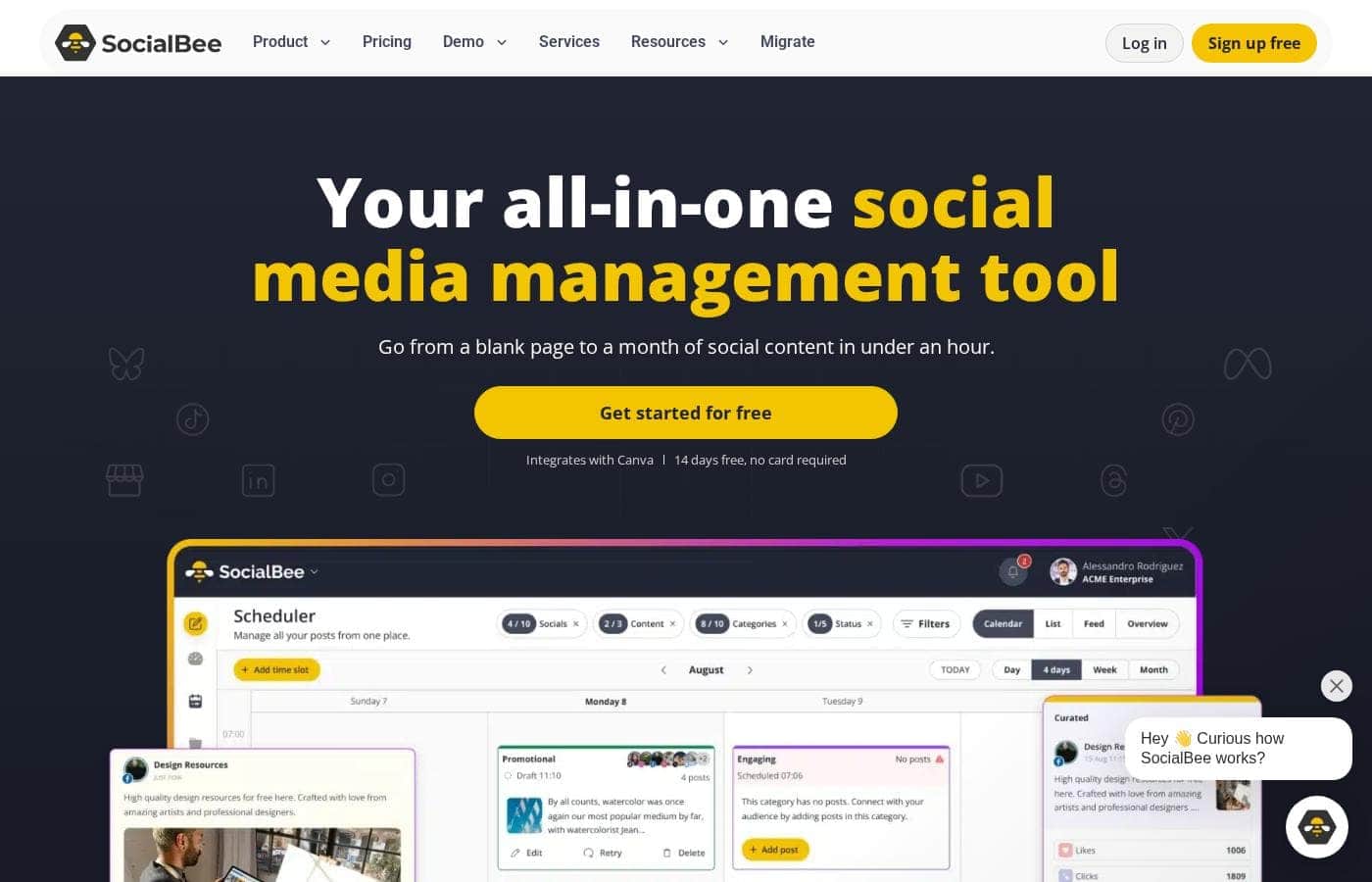
SocialBee homepage screenshot

At a glance

Quick overview for SocialBee: rating, pricing summary, key features, and highlights.
Pricing verified Oct 12, 2026

Ciroapp score

4.3/ 5

SocialBee packs category-based scheduling, AI drafting, evergreen recycling, and client workspaces into one dashboard across ten networks, with unlimited AI generation even on its cheapest plan. Collaboration and reporting features sit behind higher tiers, though, and the inbox skips some networks. Overall, it's a strong, low-risk pick for solo operators and agencies that batch content.

Pros

  • Pros:Category-based scheduling lets you bulk-load weeks of content at once, and the vendor cites users saving about 8 hours per week; evergreen posts reshare automatically while time-sensitive posts expire on schedule.
  • Pros:AI goes beyond captions — Copilot builds a full content strategy from your website, and the post generator turns prompts into captions, images, and hashtags with one-click per-platform customization — included unlimited on every plan, even the $29 Bootstrap tier.
  • Pros:Multi-client work is genuinely supported — separate workspaces per client, post approvals, in-post comments, and internal notes (Pro and above) keep teams and agencies aligned without external tools.

Cons

  • Cons:Key collaboration and reporting features are paywalled — the Bootstrap plan is limited to one user and one workspace, branded report exports and internal notes only appear at Pro ($99/month), and CSV uploads plus the hashtag organizer don't arrive until Accelerate.
  • Cons:Coverage gaps by network — the engagement inbox doesn't support TikTok, Pinterest, Bluesky, or Google Business Profile, and analytics history caps at 3 months on the entry plan (two years requires Accelerate or higher).
  • Cons:Setup takes real planning time — connecting profiles and building content categories upfront — and the review is based on public site information, with refund terms beyond the 14-day trial not spelled out on the vendor's pages.
Best for
  • Solopreneurs who want one affordable hub for creating and scheduling content
  • Small businesses tired of logging into each network to post manually
  • Agencies and social media managers handling multiple client brands
Free trial
Yes — 14 days
Money-back guarantee
Yes — 30 days
This section is a summary. Detailed sections about features, use cases, pricing, and reviews follow below.

What is SocialBee?

Posting across multiple networks means scattered logins, copy-paste captions, and daily pressure to show up. SocialBee brings creation, scheduling, analytics, and replies into one dashboard. Plan weeks of content in advance, draft with AI, and let publishing run automatically — so consistency no longer depends on memory.

SocialBee is an all-in-one social media management platform from WebPros. It covers AI content creation, scheduling, engagement, analytics, and team collaboration across ten networks, including Facebook, Instagram, LinkedIn, TikTok, and Pinterest. Based on the site's customer examples, it serves solopreneurs, small businesses, and agencies — plus nonprofits, schools, and churches.

Plans run from $29 to $449 per month, with a 14-day free trial that needs no credit card.

Should you choose SocialBee?

Quick buyer guidance before you compare plans or click through.

Choose it if

  • You manage between 5 and 25 social profiles and want one visual calendar
  • You want AI to draft captions, images, hashtags, and even a full strategy via Copilot
  • You'd rather batch weeks of content in categories than post day by day
  • You already use Canva, Unsplash, or GIPHY and want them built into your workflow
  • You need one inbox for comments, mentions, and DMs on major networks

Skip it if

  • The Bootstrap plan allows one user and one workspace, so teams needing collaboration must move to $49/month or higher
  • Branded report exports and internal notes only appear at Pro ($99/month) and above
  • Analytics history caps at 3 months on the entry plan; two years of data requires Accelerate or higher
  • The engagement inbox doesn't cover every network — TikTok, Pinterest, Bluesky, and Google Business Profile aren't listed for inbox features
  • This review is based on public site information; refund terms beyond the 14-day trial aren't spelled out on the page

Next steps before buying

  1. 1Count your social profiles, users, and client workspaces, then match them against the six plans on the pricing page
  2. 2Check what you need per network — the site's FAQ confirms inbox and analytics coverage varies by platform
  3. 3Start the 14-day free trial of the Pro plan (no credit card), or watch the interactive demo and YouTube walkthrough first
  4. 4Compare monthly versus annual billing; annual saves 16%, for example $292 versus $348 a year on Bootstrap
  5. 5Review alternatives before deciding — the site publishes direct comparison pages for Hootsuite, MeetEdgar, and Later

Ease of use

Signals point to a gentle learning curve. The site offers a no-card 14-day trial, an interactive demo, live webinars, and help documentation. Customers quoted on the page describe it as easy to pick up, and the vendor claims you can fill a month of content in under an hour. Still, setup means connecting profiles and building content categories, so expect some upfront planning time.

SocialBee Key Features

✨ Create posts faster with AI

Blank pages don't stand a chance. Copilot learns about your business from your website, then builds a content plan with ready-to-edit posts. Need a caption now?

The AI post generator turns a simple prompt into captions, images, and hashtags. Use it when ideas run dry or deadlines stack up, so you never start from scratch.

🗓️ Plan weeks of content in one sitting

Group posts into content categories and bulk-schedule weeks at once. SocialBee publishes in the right order and suggests posting times based on your past performance. Evergreen posts reshare automatically, while time-sensitive ones expire on schedule. Four views keep you oriented:

  • Calendar, list, and overview views for planning
  • Instagram grid preview up to 30 days ahead
  • Failed-post views explain what didn't publish

✨ Answer every comment from one inbox

Comments, mentions, and DMs from Facebook, Instagram, LinkedIn, X, Threads, and YouTube land in one inbox. Conversations are organized into boards and streams, so your team sees everything without hunting through apps. Reply faster to build trust and grow your audience.

Inbox coverage varies by network.

✨ Approve posts without the back-and-forth

Keep each client in its own workspace, then invite teammates with the right access. People comment under posts and tag each other, so feedback stays visible. A simple approval workflow means nothing publishes without a final check.

It's built for agencies, teams, and organizations where several people touch content.

✨ Report on what actually works

Track reach, engagement, and growth for every account in one dashboard. SocialBee highlights your best posts, categories, and formats, so you know what resonates. When it's reporting time, generate a branded PDF in seconds and share it with clients or leadership.

Use Cases

🗓️ Batch weeks of content in one sitting

You run things solo. Group posts into categories, bulk-load weeks of content, and let publishing run itself. AI drafts captions, and evergreen posts reshare automatically.

Expected outcome: steady posting without daily logins. > Tip: The site says you can fill a month in under an hour.

💬 Reply to every message from one inbox

A small business owner checks comments, mentions, and DMs across Facebook, Instagram, LinkedIn, X, Threads, and YouTube in one place. Conversations sort into boards and streams. Expected outcome: faster replies, nothing missed.

Tip: The inbox doesn't cover TikTok or Pinterest — plan accordingly.

🗂️ Run multiple clients without the chaos

An agency keeps each brand in its own workspace, collects feedback in post comments, and approves content before it goes live. Branded PDF reports go straight to clients. Expected outcome: less chaos across 20+ feeds.

Tip: Multiple workspaces and branded reports need Pro or above.

🤝 Keep teams and organizations in sync

Nonprofits, schools, and churches often have several people touching content. Teams plan together, comment under drafts, and approve posts before publishing. Expected outcome: content doesn't stall between steps.

Tip: Bootstrap allows one user, so invite teammates on Accelerate or up.

SocialBee pricing

From$29/mo

  • 6 plans
  • Save up to 17% with annual billing

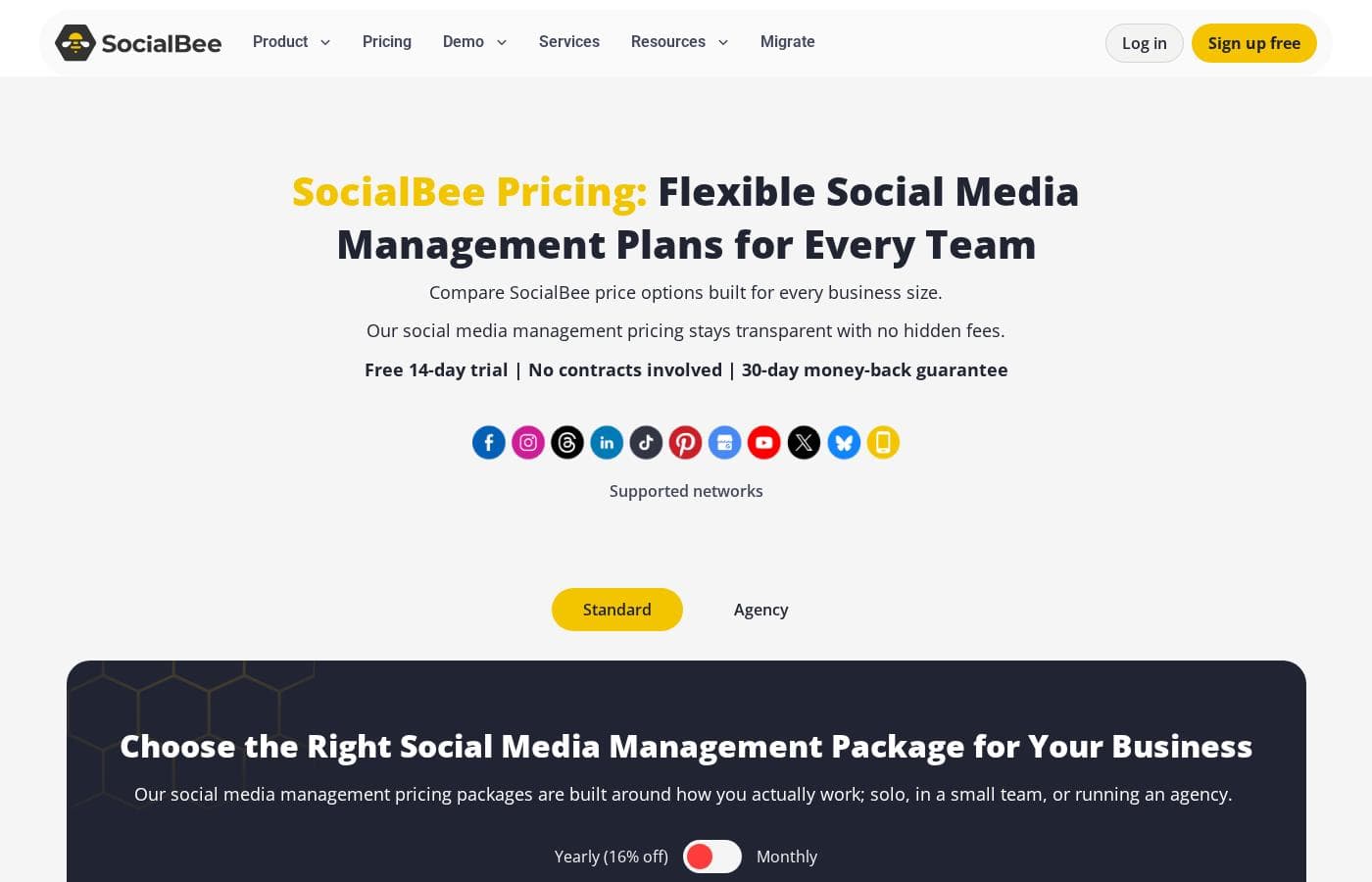
Prices checked on Oct 12, 2026 from SocialBee's pricing page

SocialBee pricing page screenshotView pricing page screenshot
PlanBilled monthlyBilled annuallyIncludes
Bootstrap
$29/mo
$24.20/mo
$290.40 per year
Save up to 17% with annual billing
5 social profiles, 1 user, 1 workspace, 10 categories, 10 sources, analytics up to 3 months of data
  • Up to 5 social profiles
  • 1 user per workspace | 1 workspace
  • 10 content categories
  • 10 content sources
  • Unlimited AI content generation
  • +1
Accelerate
$49/mo
$40.80/mo
$489.60 per year
Save up to 17% with annual billing
10 social profiles, 1 user per workspace, 1 workspace, analytics up to 2 years of data
  • Up to 10 social profiles
  • 1 user per workspace | 1 workspace
  • 50 content categories
  • 30 content sources
  • Unlimited AI content generation
  • +5
Pro
$99/mo
$82.50/mo
$990 per year
Save up to 17% with annual billing
25 social profiles, 3 users per workspace, 5 workspaces, analytics up to 2 years of data
  • Up to 25 social profiles
  • 3 users per workspace | 5 workspaces
  • Unlimited content categories and sources
  • Unlimited AI content generation
  • Advanced analytics up to 2 years of data
  • +6
Pro50
$179/mo
$149.20/mo
$1,790.40 per year
Save up to 17% with annual billing
50 social profiles, 5 users per workspace, 10 workspaces
  • Up to 50 social profiles
  • 5 users per workspace | 10 workspaces
  • Unlimited content categories and sources
  • Unlimited AI content generation
  • Advanced analytics and branded report exports
Pro100
$329/mo
$274.20/mo
$3,290.40 per year
Save up to 17% with annual billing
100 social profiles, 5 users per workspace, 20 workspaces
  • Up to 100 social profiles
  • 5 users per workspace | 20 workspaces
  • Unlimited content categories and sources
  • Unlimited AI content generation
  • Advanced analytics and branded report exports
Pro150
$449/mo
$374.20/mo
$4,490.40 per year
Save up to 17% with annual billing
150 social profiles, 5 users per workspace, 30 workspaces
  • Up to 150 social profiles
  • 5 users per workspace | 30 workspaces
  • Unlimited content categories and sources
  • Unlimited AI content generation
  • Advanced analytics and branded report exports

Price history

Tracking prices since Sep 8, 2026. No price change detected yet.

Pricing types: Free trial, Monthly subscription, Yearly subscription

Pricing notes

SocialBee offers six subscription plans, starting at $24.2/month billed annually ($29 billed monthly). The three standard plans (Bootstrap, Accelerate, Pro) scale by profiles and features, while the agency plans (Pro50, Pro100, Pro150) scale up for teams managing many clients.

SocialBee costs between $24.2 and $374.2 per month with six plans: Bootstrap at $24.2, Accelerate at $40.8, Pro at $82.5, Pro50 at $149.2, Pro100 at $274.2, and Pro150 at $374.2 per month, billed annually (monthly billing runs $29–$449).

Here's how each plan breaks down and who it suits best. 🐝

Bootstrap

Price: $24.2/month billed annually ($29 billed monthly) Best For: Freelancers and solopreneurs Refund Policy: 30-day money-back guarantee Other Features:

  • Up to 5 social profiles
  • 1 user, 1 workspace
  • 10 content categories and 10 content sources
  • Unlimited AI content generation
  • Analytics up to 3 months of data

Bootstrap keeps things simple. You can schedule posts, generate AI content, and connect design tools like Canva without paying for extras. Pick it if you manage a few profiles solo — just note that CSV uploads and the hashtag organizer don't appear until Accelerate.

Accelerate

Price: $40.8/month billed annually ($49 billed monthly) Best For: Small businesses ready to grow Refund Policy: 30-day money-back guarantee Other Features:

  • Up to 10 social profiles
  • 50 content categories, 30 content sources
  • Advanced analytics with 2 years of data
  • Hashtag organizer, bulk post editor, CSV uploads
  • Post approval system

Accelerate is the most popular plan. It adds deeper analytics, approvals, and bulk editing while staying budget-friendly. Choose it if one person runs several accounts and wants better reporting than Bootstrap offers.

Pro

Price: $82.5/month billed annually ($99 billed monthly) Best For: Social media managers, teams & agencies Refund Policy: 30-day money-back guarantee Other Features:

  • Up to 25 social profiles across 5 workspaces
  • 3 users per workspace
  • Unlimited categories, sources, and AI generation
  • Branded report exports
  • Internal notes and post approvals

Pro is the first tier with branded reports and internal notes, so it fits client work and team reviews. Your 14-day trial includes full Pro access, so you can test everything before spending a cent. Bigger teams should look at the agency tiers below.

Pro50

Price: $149.2/month billed annually ($179 billed monthly) Best For: Agencies managing multiple clients Refund Policy: 30-day money-back guarantee Other Features:

  • Up to 50 social profiles
  • 10 workspaces, 5 users per workspace
  • Every Pro feature included

Pro50 keeps all Pro features and simply raises the scale. It suits small agencies running several client brands in separate workspaces.

Pro100

Price: $274.2/month billed annually ($329 billed monthly) Best For: Larger teams and multi-brand organizations Refund Policy: 30-day money-back guarantee Other Features:

  • Up to 100 social profiles
  • 20 workspaces, 5 users per workspace
  • Every Pro feature included

Step up to Pro100 when your accounts outgrow 50 profiles. Tally your connected profiles first so you don't pay for capacity you won't use.

Pro150

Price: $374.2/month billed annually ($449 billed monthly) Best For: Agencies and organizations at scale Refund Policy: 30-day money-back guarantee Other Features:

  • Up to 150 social profiles
  • 30 workspaces, 5 users per workspace
  • Every Pro feature included

Pro150 is the top tier for large agencies and institutions. You get the same feature set with the most room to grow.

Billing and guarantees: Annual billing saves you 16% — Bootstrap runs $290/year, Accelerate $490/year, and Pro $990/year. Instead of a free plan, every signup starts with a 14-day free trial of full Pro access — no credit card required. There are no contracts, so you can upgrade, downgrade, or cancel anytime from your account.
Cost calculator

Estimate what SocialBee costs for your team.

Billing

Bootstrap allows up to 1 users: pick a larger plan for 5 users.

Estimate based on published list prices, before taxes, add-ons and discounts.

How to pay less for SocialBee

  • Pay annually: saves up to 17% compared with monthly billing.
  • Use the 14-day free trial before you pay.
  • 30-day money-back guarantee if it does not fit.
  • Cheaper tools in this category start at $5/mo.
Start free trial

Email me when SocialBee changes price

One email when we detect a price change on the vendor's pricing page. No newsletter, no deals. Unsubscribe in one click.

User Reviews

No reviews yet.

Write a Review

Write a Review for SocialBee
0/100 characters
0/2000 characters

Why use SocialBee?

Most social tools nail one job and leave gaps you patch with extra tabs. SocialBee bets on coverage: create, schedule, engage, and report from a single app. Judged by its own product pages, that bet looks credible. Here's why it's worth a trial:

  • Category scheduling cuts busywork. Group posts by topic, bulk-load weeks of content, and let publishing run itself — the vendor cites users saving about 8 hours a week.
  • AI does more than captions. Copilot builds a full content strategy from your website, while the post generator turns prompts into captions, images, and hashtags, adjusted per platform in one click.
  • Your best posts keep working. Evergreen content resharing is automatic, and time-sensitive posts expire on schedule.
  • Multi-client work stays tidy. Separate workspaces per client, post approvals, and in-post comments keep teams and agencies aligned.
  • Outside ratings back the story. G2 shows 4.7/5 with Leader badges, while Capterra, GetApp, and Trustpilot scores range from 4.1 to 4.4.
  • Low-risk entry. The $29/month Bootstrap plan includes unlimited AI generation, and the 14-day trial requires no credit card.

SocialBee alternatives

Other tools in the Social Media Management category

View all Social Media Management tools
MissingLettr

MissingLettr

Social Media Management3.5/5From $23/mo

Missinglettr is an innovative, all-in-one social marketing platform. It quickly transforms your original content into engaging social media posts. This tool helps you solve difficult distribution challenges. It also assists you in finding the best influencers in your niche. It’s designed to put your entire social media marketing process on autopilot.

NapoleonCat

NapoleonCat

Social Media Management4.2/5

NapoleonCat is a social media customer service platform that unifies the Social Inbox to handle messages, comments, and reviews across multiple networks. It blends publishing, analytics, and reporting with AI-powered automation, collaboration tools, and a contact-aware Social CRM, so teams can respond quickly and consistently. The tool supports Facebook Page, Instagram, TikTok, LinkedIn, YouTube, Google My Business, and more, and offers auto-moderation to remove spam and toxic content, plus private messages and team workflows to scale service.

SocialPilot

SocialPilot

Social Media Management4.1/5

SocialPilot is a top-tier social media management and scheduling tool. It’s built with enterprise-grade capabilities perfect for helping you drive scalable growth. This platform offers an intuitive interface with virtually zero learning curve. It makes onboarding team members and managing client approvals completely hassle-free. SocialPilot is the ideal choice for scaling marketing agencies, large teams, and independent professionals who need robust capabilities in one central place.

Social Champ

Social Champ

Social Media Management4.1/5From $5/mo

Social Champ is an AI-powered social media management tool built for modern teams and growing businesses. It lets you handle scheduling, analysis, social listening, and competitor tracking all in one centralized place. It focuses on making complex publishing and multi-platform collaboration simple and highly efficient. The intuitive design helps teams connect many popular social platforms, making content creation much faster and more streamlined.

Vista Social

Vista Social

Social Media Management4/5

Join Vista Social's affiliate program and earn 25% recurring commissions for 12 months on a product that converts. We're a fast-growing social media management platform with $3k+ LTV (& rising), already competing with industry leaders. Benefits: 90-day cookie window, high conversion rates, extremely flexible terms, and we're open to custom arrangements with quality partners. Our 14-day free trial and competitive pricing and easy onboarding your audience will truly love: 4.8/5 G2; 4.9/5 Capterra.

Juphy

Juphy

Social Media Management3.9/5

Juphy is designed specifically for e-commerce entrepreneurs running Shopify Stores. It functions as a powerful 24/7 AI Sales Agent, offering immediate sales support around the clock. This smart system acts like your best salesperson, available constantly to assist customers and drive conversions.

Squirrly Social

Squirrly Social

Social Media Management3.9/5From $14.99/mo

Squirrly Social is a market-proven digital marketing tool built on over 10 years of innovation. They currently serve over 25,000 premium clients, showing significant trust in the platform. Setting up the system is refreshingly easy. You can be ready to go in just 3 minutes and receive 14 full days of pre-planned content immediately. 💡 The service ensures you’re never alone. Human support is included with all plans, and they promise a quick response within 24 to 48 hours via email.

SurgeGraph

SurgeGraph

AI Content generator3.8/5

Meet SurgeGraph Vertex, your dedicated Traffic Machine. This advanced AI writing suite automates the complex process required to consistently rank high on Google. It's built on the understanding that poor content just disappears. SurgeGraph focuses on three core ranking pillars: beating the best content, building topical authority, and standing out with unique insights. Whether you're an agency scaling production or a solopreneur acting like a full team, SurgeGraph delivers high-performing content designed to win Google's trust.

Cheapest Social Media Management software for 1 to 25 users

SocialBee FAQ

How much does SocialBee cost?

SocialBee's cheapest paid plan, Bootstrap, costs $29 per month. Paid plans range from $29 to $449 per month. Prices checked on Oct 12, 2026 from the vendor's pricing page.

Does SocialBee offer a free trial or a money-back guarantee?

SocialBee offers a 14-day free trial. It has a 30-day money-back guarantee.

How much do you save with annual billing on SocialBee?

Paying annually saves up to 17% compared with monthly billing, based on SocialBee's list prices.

Has SocialBee's price changed recently?

No. We have not detected a price change since we started tracking on Sep 8, 2026.

What payment methods does SocialBee accept, and can I cancel anytime?

You can pay by credit or debit card, PayPal, or Amazon Payments. Prices exclude VAT or GST, which is added at checkout.

Ready to try SocialBee? Check out the official site or pricing.

Are you SocialBee? Claim this listing · Get the badge