PDWare

PDWare review

Resource-first portfolio planning that puts the right people on the right work.

By Ciroapp Editorial Team · Updated Sep 16, 2026

Commission may apply at no extra cost

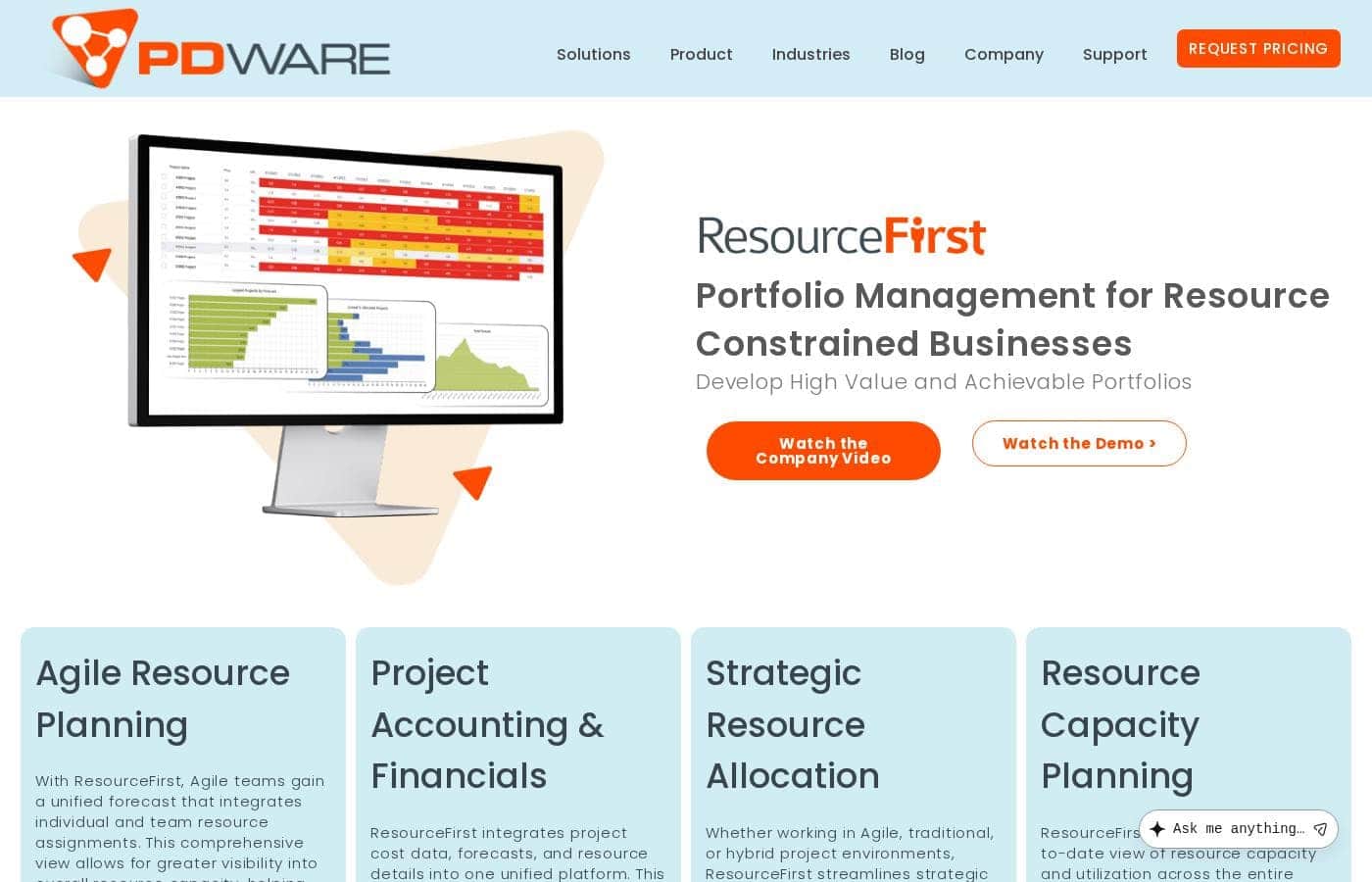
PDWare homepage screenshot

At a glance

Quick overview for PDWare: rating, pricing summary, key features, and highlights.
Vendor page checked Sep 30, 2026

Ciroapp score

3.6/ 5

ResourceFirst puts resource planning at the core, combining one unified forecast, project financials, and Qlik dashboards on cloud or on-premise Azure, with a vendor-cited five-week rollout. Pricing is quote-only with a five-user minimum, and there's no trial or independent review coverage. Overall, it's a credible pick for resource-constrained PMO teams if you confirm costs and integrations in writing.

Pros

  • Pros:Resource planning is the core, not an add-on — one unified forecast blends individual and team assignments, so you see true capacity across the whole organization instead of siloed spreadsheets
  • Pros:Fast time-to-value by enterprise standards — the vendor cites an average of five weeks to production, and one PMO customer reports only about an hour per month of upkeep
  • Pros:Flexible deployment options — run in the cloud on Microsoft Azure or as a thin client on-premise, with Qlik-powered dashboards for stakeholder reporting

Cons

  • Cons:No published pricing, tiers, or dollar amounts — everything runs through a quote request, and a five-user minimum rules out very small teams
  • Cons:No free trial, refund policy, or cancellation terms are visible on the site, so buyers must negotiate these in writing before committing
  • Cons:Integrations are advertised only as a general open architecture and full API; no specific named integrations are listed, so you'll need to verify each connection you need with the vendor
Best for
  • PMO leaders who must prioritize projects against limited people capacity
  • Resource managers juggling shared staff across many concurrent projects
  • Organizations running Agile, traditional, and hybrid methods side by side
This section is a summary. Detailed sections about features, use cases, pricing, and reviews follow below.

What is PDWare?

Too many projects miss deadlines because the right people aren't on the right work. PDWare's ResourceFirst puts resource planning first, so you allocate people by business priority. You get capacity visibility across teams, financials tied to projects, and a setup measured in weeks — not months.

Here's what the site tells you before you buy.

ResourceFirst is PDWare's resource and portfolio management platform, built for organizations where people, not money, are the main constraint. It combines resource forecasts, project assignments, and cost data in one place. Teams work in Agile, traditional, or hybrid styles.

The software runs in the cloud or as a thin client on-premise, and it's built on Microsoft Azure with Qlik dashboards. Based on the site, it targets PMO leaders and resource managers.

Should you choose PDWare?

Quick buyer guidance before you compare plans or click through.

Choose it if

  • You're resource-constrained and want allocations driven by business priorities
  • You want a cloud tool with an optional on-premise thin client deployment
  • You need an open architecture and a full API to connect other systems
  • You want fast time-to-value; the vendor cites an average of five weeks to production
  • You prefer an interface the vendor compares to Excel for ease of use

Skip it if

  • Teams smaller than five users — the site lists five as the minimum user count
  • Solo users or small teams looking for lightweight task management; this is a portfolio-level planning tool
  • Organizations wanting a self-serve trial; no trial or refund terms are visible on the page
  • Teams that depend on specific named integrations; only a general open architecture and full API are advertised, so you'll need to verify specifics

Next steps before buying

  1. 1Contact PDWare for a quote — pricing isn't listed on the site, so confirm cost per user and any minimum commitments
  2. 2Check that the five-user minimum and your preferred deployment (cloud or on-premise) fit your IT setup
  3. 3List the systems you need to connect and ask how the full API handles them before signing anything
  4. 4Request a demo built around your real resource-allocation workflow rather than a generic walkthrough
  5. 5Compare ResourceFirst against at least one alternative resource management tool so you can judge fit and price

Ease of use

Simplicity is the loudest signal on the site. The vendor describes an interface 'as easy to use as Excel,' an implementation that averages five weeks, and customers reporting minimal upkeep — one PMO manager says updates take about an hour a month. These are vendor and testimonial claims, not hands-on test results, but they point to a low-friction rollout with vendor support by phone or email.

PDWare Key Features

✨ Agile Resource Planning

Agile teams get one unified forecast that combines individual and team assignments. That means you see real capacity across the whole organization, not just silos. As project needs shift, you can reallocate people quickly and keep plans realistic.

Use it when work changes fast and you need visibility before committing to deadlines.

📊 Project Accounting & Financials

Costs, forecasts, and resource details live in one platform. That centralization makes financial reporting cleaner and collaboration easier. When project financials sit next to who's doing the work, you can make informed decisions instead of guesses. It's built for teams tired of stitching numbers together from separate tools.

✨ Strategic Resource Allocation

Start with your most important projects, then allocate people by business priority. ResourceFirst matches the right skills and budgets to project demands, whether your teams run Agile, traditional, or hybrid methods. Use it for long-term planning across the enterprise, and the outcome is portfolios that are both high-value and achievable.

⚡ A Fast, Open Platform

The platform is built on Microsoft Azure with Qlik-powered dashboards. You can run it in the cloud or as a thin client on-premise, and the open architecture includes a full API for integration. Practical details you can plan around:

✨ Easy for Every Stakeholder

The vendor describes an interface that's as easy to use as Excel, designed for all stakeholders, not just PMO specialists. The focus stays on the work, not the tool. That's the point: a planning system people actually keep updated, week after week.

Use Cases

🎯 Put the Right People on Priority Work

Your PMO faces more project requests than people. ResourceFirst allocates staff by business priority, so the most important work gets done first.

Expected outcome: fewer missed deadlines caused by overbooked teams.

👥 See Real Capacity Across Every Team

Resource managers juggle shared staff on many projects. A unified forecast blends individual and team assignments, so you spot overloads early and rebalance before deadlines slip.

Tip: Check capacity in your weekly resourcing meeting to catch conflicts fast.

💰 Make Portfolio Calls with Financial Clarity

Project costs, forecasts, and resource details live in one platform. In portfolio reviews, decision-makers can approve, cancel, or re-scope work using data everyone trusts.

🔀 Blend Agile, Traditional, and Hybrid Planning

Different teams work differently. ResourceFirst supports Agile, traditional, and hybrid methods in one place, so strategic, long-term planning covers the whole enterprise.

Expected outcome: one forecast instead of conflicting spreadsheets.

PDWare pricing

Prices not verified yet — see the vendor page.

PDWare's pricing page

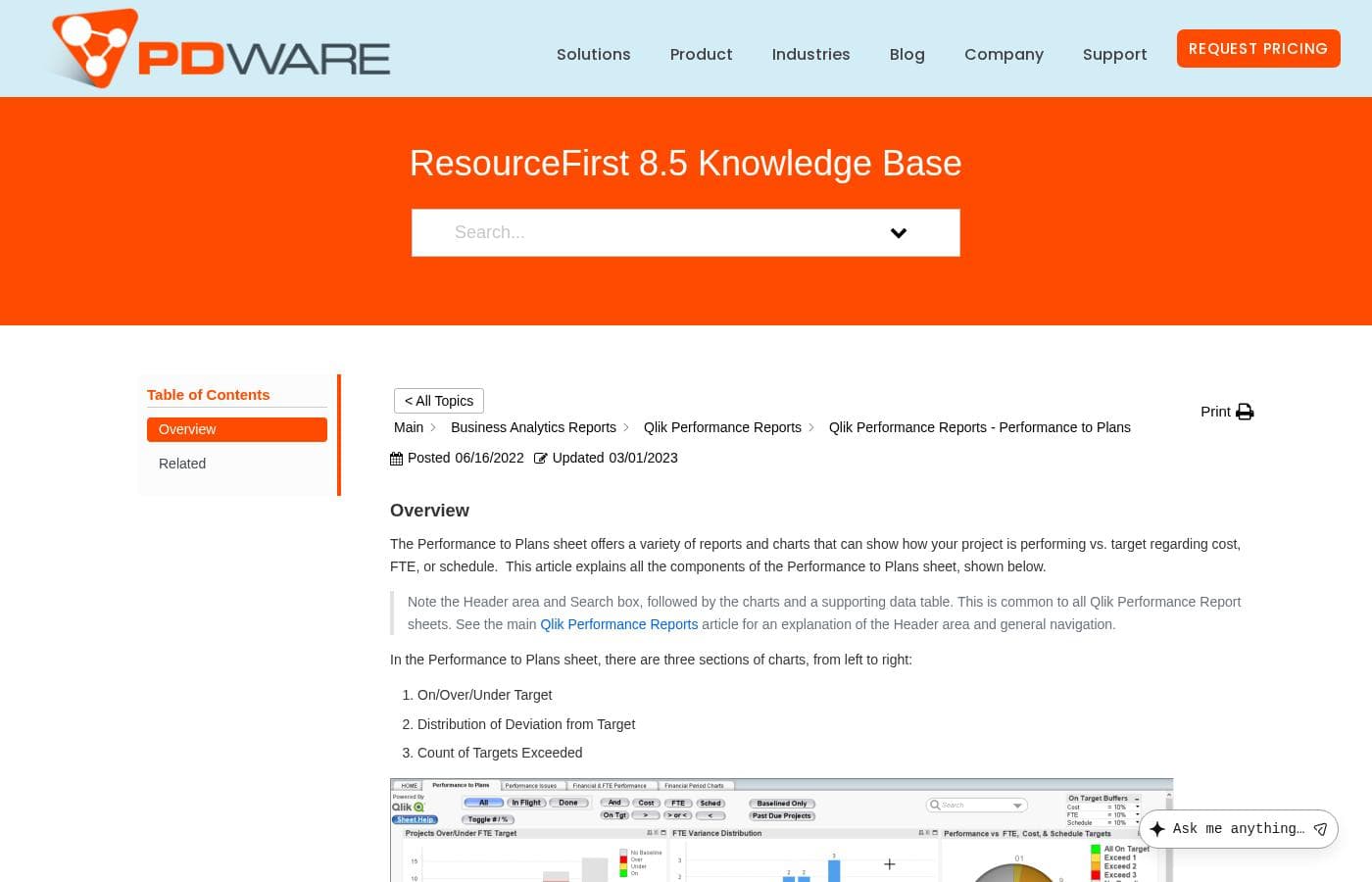
PDWare pricing page screenshotView pricing page screenshot

Price history

Tracking prices since Sep 9, 2026. No price change detected yet.

Pricing range: Custom quote

Pricing types: Per seat pricing

Pricing notes

No public pricing is displayed on this page. PDWare only offers a 'Request Pricing' option, indicating prices are provided upon inquiry.

PDWare uses custom, quote-based pricing instead of published plans — you request pricing from their sales team, and every subscription starts with a minimum of 5 users.

Here's what we know about what you'd be buying.

What's included

PDWare's product, ResourceFirst, is a resource and portfolio management platform. It covers agile resource planning, project accounting and financials, and strategic resource allocation. You can run it in the cloud or as a thin client on-premise. The platform is built on Microsoft Azure, with Qlik-powered dashboards, and it offers an open architecture with a full API for integration.

A few usage details are published. You need at least 5 users to get started. Views and reports are unlimited, so you won't hit a cap there. Setup is fast by enterprise standards — the average customer reaches production in about 5 weeks, and the company says most teams get up and running in days or weeks, not months.

Who it's built for

ResourceFirst targets resource-constrained organizations across consulting, finance, healthcare, IT, manufacturing, medical devices, and pharma. It's designed for PMO leaders, resource managers, and stakeholders who need to align people with project priorities. If you're a very small team under 5 people, this won't fit — the minimum user count rules it out. Solo users and tiny startups should look elsewhere.

What to expect when buying

Because pricing is quote-based, you'll work with the PDWare team to scope your license. Confirm license limits, renewal terms, and total cost before you commit — those details aren't on the website, so it's worth asking directly. You can reach them through the "Request Pricing" or "Request Info" pages on pdware.com.

There's no free plan or free trial mentioned on the site, and no published refund or money-back policy. What PDWare does emphasize is service: they describe themselves as "a phone call or email away," and they highlight their commitment to support as a competitive advantage. If you want to test the waters, the request-info page is the place to start that conversation.

The bottom line

You won't find a pricing table for PDWare, and that's common in this category. What you get instead is a tailored quote for a platform with no limits on views or reports, flexible cloud or on-premise deployment, and a track record of roughly 5-week implementations. If resource planning for a team of 5 or more is your challenge, it's worth a conversation with their team.
Email me when PDWare changes price

One email when we detect a price change on the vendor's pricing page. No newsletter, no deals. Unsubscribe in one click.

User Reviews

No reviews yet.

Write a Review

Write a Review for PDWare
0/100 characters
0/2000 characters

Why use PDWare?

If your bottleneck is people rather than budget, generic project tools won't cut it. ResourceFirst was built for resource planning from day one, and the site makes a strong case for it:

  • Fast rollout: The vendor cites an average of five weeks to production, with setup 'in days or weeks, not months.'
  • Familiar, simple interface: Described as 'as easy to use as Excel,' with all stakeholders in mind.
  • One unified forecast: Individual and team assignments sit together, so you see real capacity across the organization.
  • Financial clarity: Project costs, forecasts, and resource details live in one platform for cleaner reporting and better decisions.
  • Flexible deployment: Run it in the cloud or as a thin client on-premise. It's built on Microsoft Azure with Qlik dashboards and offers a full API.
  • Proven with demanding buyers: Customer testimonials name Philips Respironics, Medtronic, Life Technologies, and Covidien, with reports of streamlined processes and on-budget years.

If aligning people with priorities is your core problem, this tool is worth a demo.

PDWare alternatives

Other tools in the Project Management category

View all Project Management tools
Notion

Notion

Project Management4.2/5

Notion is your dedicated AI workspace and everything app. It is built to replace multiple specialized tools with one powerful platform. This centralized space lets teams consolidate project management, internal wikis, and basic CRM functions. Notion is trusted broadly; over 100 million users worldwide use it, and 62% of the Fortune 100 are customers. You can use it right in your browser or download specialized tools like Notion Mail and Notion Calendar to keep time and work together.

Trello

Trello

Project Management4.2/5

Trello is designed to keep you at the top of your game by ensuring every to-do or idea, regardless of size, finds its proper place. The system helps you stay organized and efficient using three key components: Inbox, Boards, and Planner. The Inbox quickly captures tasks as soon as they are on your mind, whether you are in the office or on the go. You manage your tasks using flexible Boards, where long lists become manageable by tracking items from “to-dos to tackle” to “mission accomplished!” Use the Planner to simply drag and drop your top tasks right into your calendar, ensuring you make time for what truly matters.

Asana

Asana

Project Management4.2/5

Asana is an online platform built specifically to manage your team’s work, projects, and tasks. It supports powerful Human + AI collaboration. This AI component understands your specific business context, helping to move your most important work forward efficiently. Because it's a centralized ecosystem, it easily brings all doers and stakeholders together in one place.

Teamwork

Teamwork

Project Management4.1/5

Teamwork.com is project and resource management software specifically built for client work and powered by AI. It goes beyond traditional project tools by combining essential functions like resource forecasting, cost control, and profitability reporting into a single platform. This platform is trusted by professional services businesses globally. These include agencies, consulting firms, IT service providers, and accounting teams. Teamwork helps them efficiently schedule resources, manage billable hours, and track project profitability from start to finish.

ClickUp

ClickUp

Project Management4.1/5

ClickUp is reliably described as the essential all-in-one workspace for modern teams. It’s designed to align, collaborate, and boost productivity across your entire organization. This platform helps eliminate app sprawl by converging over 50+ different applications into one centralized hub. Teams managing operations, campaigns, or product development use ClickUp to get more done faster, together.

Monday.com

Monday.com

Project Management4.1/5

Monday.com is an AI work platform designed to unify your entire product suite. This system supports collaboration and execution for every team in your company. Whether you manage projects, accelerate sales, or handle IT support, tuesday.com offers specialized products for departmental needs. This comprehensive approach powers seamless operations across your whole organization. It serves teams managing Projects, Sales, Marketing, IT & Ops, Product & Engineering, and Leadership. Leading brands and over 60% of the Fortune 500 trust this platform for enterprise execution.

Cheapest Project Management software for 1 to 25 users

PDWare FAQ

Can ResourceFirst connect to the other tools we already use?

PDWare advertises an open architecture and a full API, but doesn't name specific integrations on its site. List the systems you need to connect and ask their team how each one links up before you sign.

Where is ResourceFirst hosted, and how is our data handled?

ResourceFirst runs on Microsoft Azure, either in the cloud or as a thin client on-premise. The site doesn't detail security certifications, so ask PDWare for compliance documentation during your evaluation.

Is there a free trial, refund policy, or easy cancellation?

The site doesn't mention a free trial or a refund policy. Request a demo through the Request Info page instead, and get refund and cancellation terms in writing before you commit.

What support can we expect after we buy?

PDWare calls its support a competitive advantage — the team is a phone call or email away. Customers report light upkeep; one PMO manager spends about an hour a month on updates.

Ready to try PDWare? Check out the official site or pricing.

Are you PDWare? Claim this listing · Get the badge