Teamwork

Teamwork

Project and resource management that turns headaches into high fives.

#11 dans Project Management
1 min read · Updated 10/6/2025
Teamwork homepage screenshot

At a glance

Quick overview for Teamwork: rating, pricing summary, key features, and highlights.

Ciroapp review

3.1
Powerful features and frustrating business practices.

We found Teamwork offers robust, unified project and resource management tools essential for professional services needing deep profitability tracking and resource forecasting. Overall, the software's powerful feature set is unfortunately being undermined by confusing, opaque upgrade paths and extremely restrictive feature limits in lower tiers.

Pros

  • Pro:Unified platform combining PM, time tracking, resource forecasting, and budgeting.
  • Pro:Specifically built to manage complex client work and track project profitability.
  • Pro:Real-time visibility into staff availability prevents common overbooking issues.
  • Pro:Simple interface with TONS of functionality and detailed project data scope.

Cons

  • Con:Upgrade processing and pricing for Scale plan are opaque and require sales engagement.
  • Con:Artificially restrictive feature limits (like budgeting caps) force expensive, premature upgrades.
  • Con:Recent new interfaces and UI changes have broken essential functions for some users.
  • Con:Customer support availability seems limited primarily to UK business work hours.
Free trial
Yes — 30 days
Range: $0–Talk to Sales/monthFree plan, Free trial, Monthly subscription, Yearly subscription, Per seat pricing
This section is a summary. Detailed sections about features, use cases, pricing, and reviews follow below.

Teamwork review, pricing, features, pros & cons

Managing client work often brings constant changes, drama, and excess busywork. When you rely on spreadsheets or disconnected apps, staffing decisions become painfully slow. ✨

Teamwork replaces those frustrating data silos entirely. You can expect resource management that stays accurate, leading to faster projects and much happier clients. Less drama, more profit.

What is Teamwork?

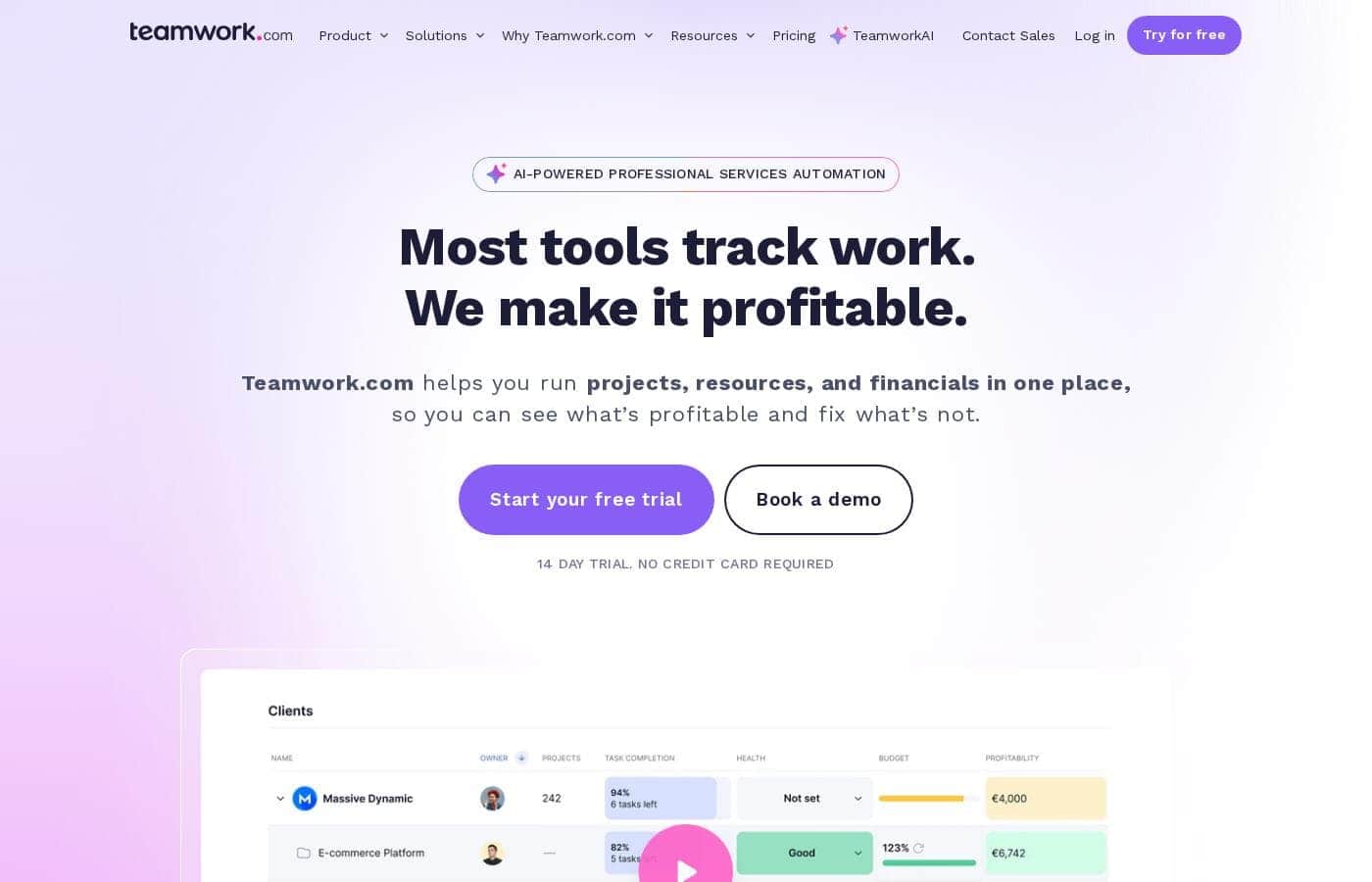
Teamwork.com is project and resource management software specifically built for client work and powered by AI. It goes beyond traditional project tools by combining essential functions like resource forecasting, cost control, and profitability reporting into a single platform.

This platform is trusted by professional services businesses globally. These include agencies, consulting firms, IT service providers, and accounting teams. Teamwork helps them efficiently schedule resources, manage billable hours, and track project profitability from start to finish. ✅

Teamwork Key Features

✨ A Unified Platform for Client Success

Managing client work often means relying on scattered spreadsheets and disconnected apps. Teamwork replaces those frustrating data silos entirely. We combine critical functions—like project delivery, resource forecasting, and profitability reporting—into a single platform.

This unified approach eliminates excess busywork and reduces errors. You can make faster staffing decisions when all your data is accurate and visible in one place. Less drama for your team means much happier clients.

✨ Real-Time Resource Visibility

Resource management should stay accurate, even when client plans change constantly. Teamwork gives you real-time visibility into your team's availability and utilization rates. This data is built right into your daily project workflows.

You gain both short-term and long-term insights, helping you prevent overbooking essential staff. You can optimize how work is distributed across your entire team. Matching the right people to the right tasks naturally boosts productivity and profit margins.

✨ Strategic Planning for Future Demands

It's easy to plan for current and future work using our strategic capacity tools. This enables smarter resource allocation and more strategic workforce planning. You can instantly identify capacity risks before they impact your delivery deadlines.

Teamwork provides tools specifically designed for future-focused planning:

📈 Comprehensive Financial Tracking and Profitability

Teamwork is designed to help you squeeze more profit from every client project. The platform integrates cost control and financial tools directly into the management process. This ensures you track billable hours and manage all project costs from beginning to end.

Our system delivers specific profitability reports to analyze your financial health fast. You will ensure your projects stay on time and most importantly, they remain well within the agreed-upon budget. This turns headaches into high fives.

✨ Project Forecasting and Scenario Building

We make complex workforce planning scalable for growing businesses. You can use placeholder resources when staffing needs are unclear. This allows project managers to model ideal teams before specific people are assigned.

Use tentative project scenarios to model different timelines or staffing levels. This strategic view gives you full visibility into how team availability impacts overall project profitability. You're empowered to adjust and adapt before the work even begins.

✨ Powered by Teamwork AI

Teamwork is project and resource management software powered by AI. This technology is designed to turn your project headaches into high fives through smarter decisions. It helps accelerate decision-making and reduces overall busywork.

TeamworkAI assists with essential project management features. You can benefit from this advanced assistance starting right on the Free plan. Expect faster project outcomes thanks to our dedicated AI support.

Use Cases

💡 Strategic Resource Allocation

A project manager needs to staff a new client project without causing delays or team stress. Instead of relying on guesswork, they use Teamwork's resource forecasting tools. The platform provides real-time visibility into team availability and utilization rates right away.

They quickly identify employees with the right skills and capacity for the new assignment. This approach prevents overbooking and optimizes workload distribution. You successfully match the best people to specific tasks, naturally boosting productivity across the entire firm.

💰 Tracking Financial Health

A consulting firm needs clear proof of project profitability but struggles to connect billable hours and costs. Teamwork is designed to solve this by combining time tracking and cost control tools in one place. Managers accurately track billable hours and expenses as the project progresses.

This unified data delivery allows instant access to detailed profitability reports from start to finish. You can confidently ensure projects stay within budget and confirm which client engagements are squeezing more profit.

🔄 Managing Unexpected Project Shifts

Plans change frequently in client services, requiring rapid adjustments to staffing. Teamwork helps managers model workload demands quickly when scope shifts occur. Here’s how you adapt gracefully using the platform:

✅ Consolidating Project Reporting

Reliance on disconnected apps and spreadsheets leads to painful data silos and slow staffing decisions. Teamwork replaces this fragmented approach entirely. The platform brings crucial functions—like resource forecasting, time tracking, and profitability reports—into a single location.

This simple, combined approach eliminates manual errors connected to data aggregation. Instead of excess busywork, you get faster, smarter decisions and highly accurate reporting across all client work.

📈 Planning for Future Growth

Professional services leadership needs to ensure the workforce can handle projected client demand months ahead. Teamwork facilitates strategic workforce planning effortlessly. Use project forecasting tools and historical utilization reports to identify potential shortfalls.

You can plan for current and future demands by strategically using placeholder resources for upcoming roles. This visibility helps your firm make smarter, proactive staffing decisions rather than reacting to capacity crises later on.

Pricing Overview for Teamwork

Pricing range
$0–Talk to Sales/month
Pricing types
Free plan, Free trial, Monthly subscription, Yearly subscription, Per seat pricing

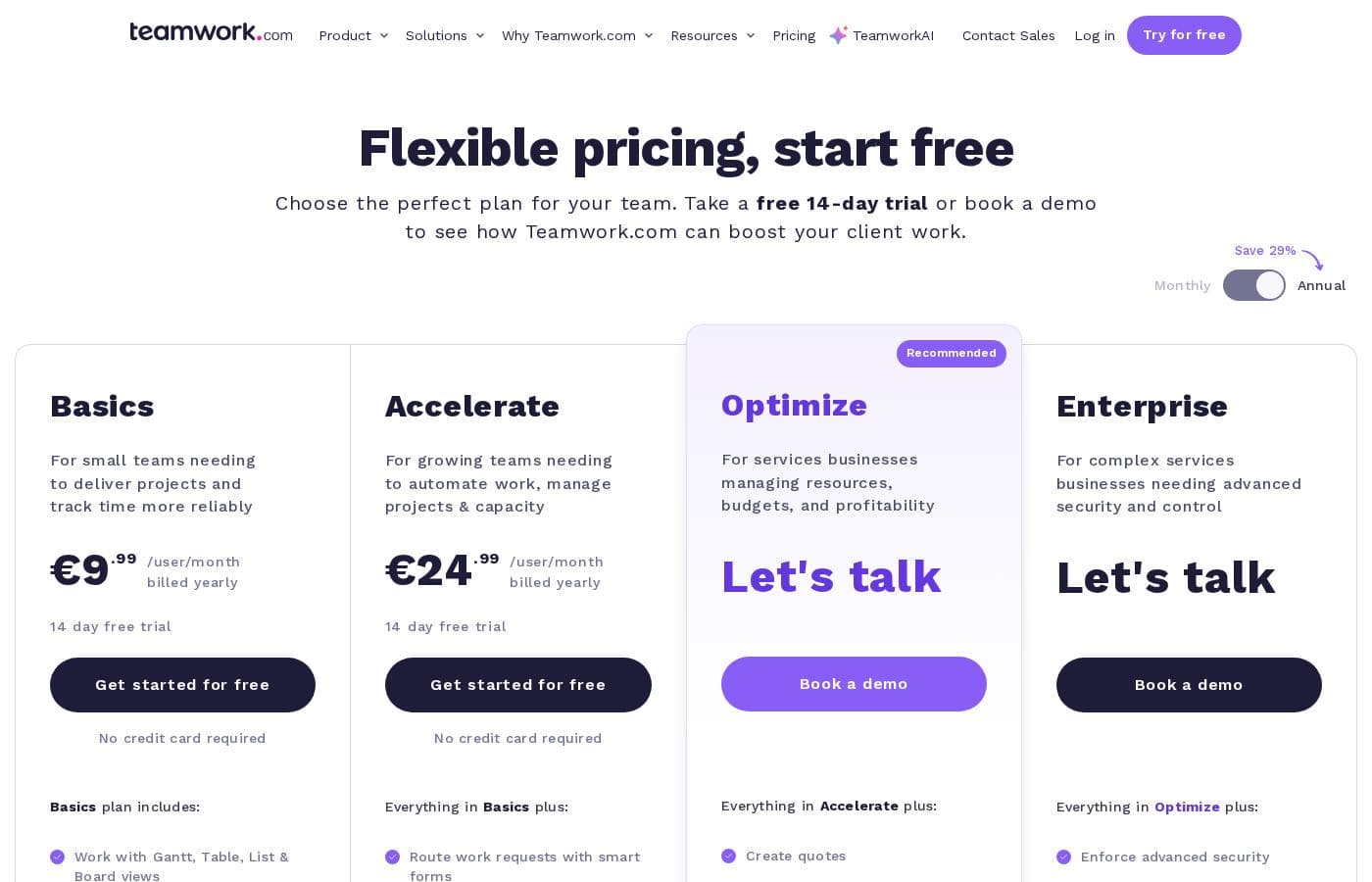
Teamwork offers flexible per-user pricing, starting with a powerful Free plan. Paid subscriptions begin at $10.99 per user per month when billed annually, based on the feature set your team requires.

Choosing yearly billing lets you save 20% compared to monthly subscriptions.

Plans & Pricing

Free

Monthly$0
Up to 5 Users, Up to 5 Projects, 100 Automations (actions per month)
  • Teamwork AI
  • Project Management Essentials
  • Client Work Foundations
  • Built-in Time Tracking
  • Key Integrations (Slack, Zapier, MS Teams)

Deliver

MonthlyNot explicitly stated
Yearly$10.99/user/month (billed yearly)
5,000 Automations (actions per month), 100 GB Storage, 20 Project Templates
  • Project Status & Health Reports
  • Teams
  • Intake Forms
  • Planned vs Actual Reports
  • Integrations (Quickbooks, Harvest and many others)

Grow

MonthlyNot explicitly stated
Yearly$19.99/user/month (billed yearly)
20,000 Automations (actions per month), 250 GB Storage, 600 Projects
  • Budgeting, Time & Financial
  • HubSpot integration
  • Workload Resource Planner
  • Powerful Reports (Utilization, Time Spent)
  • 50 Project Templates

Scale

MonthlyLet's talk
YearlyLet's talk
100,000 Automations (actions per month), 500 GB Storage, Unlimited Projects/Templates
  • Unlimited Premium Features
  • Profitability Reports
  • Resource Scheduling
  • Custom & Scheduled Reporting
  • Retainer Management (beta)
  • Budget Expenses & Tasklist Budget

Teamwork costs between $0 and Talk to Sales per month with 4 plans: Free at $0, Deliver at $10.99/user/month, Grow at $19.99/user/month, and Scale at Talk to Sales.

Teamwork offers flexible pricing tailored to your team's size and complexity needs. You can choose to pay monthly or save 20% by selecting an annual subscription.

Free

Price: $0 (Free forever) Websites Supported: Not explicitly stated Best For: Perfect for small teams getting started. Refund Policy: Not explicitly stated Other Features:

  • Teamwork AI and Project Management Essentials
  • Built-in Time Tracking and Client Work Foundations
  • Key Integrations including Slack, Zapier, and MS Teams
  • Up to 5 Users and 5 Projects; 100 Automations monthly

The Free plan provides an excellent entry point for very small teams beginning their client work journey. You get essential project management capabilities and AI assistance without needing a credit card to start. It truly is free forever.

Deliver

Price: $10.99 /user/month (billed yearly) Websites Supported: Not explicitly stated Best For: More robust project management. Refund Policy: Not explicitly stated Other Features:

  • Project Status & Health Reports, Teams, and Intake Forms
  • Planned vs Actual Reports for better tracking
  • Integrations with Quickbooks, Harvest, and many others
  • 20 Project Templates and 5,000 monthly automation actions

This tier is designed for teams needing more robust features than the Free plan allows. You'll gain better visibility into project health and access to critical integrations like Quickbooks. Deliver includes 100 GB of storage to support your growing needs.

Grow

Price: $19.99 /user/month (billed yearly) Websites Supported: Not explicitly stated Best For: Manage more complex client projects. Refund Policy: Not explicitly stated Other Features:

  • Budgeting, Time & Financial tools
  • Workload Resource Planner and powerful Utilization Reports
  • HubSpot integration: leverage this connectivity for sales and project flow
  • Up to 600 projects, 50 templates, 20,000 automations, and 250 GB Storage

The Grow plan is Teamwork's most popular offering, focusing on maximizing efficiency for complex client operations. If your priority is resource planning, cost control, and detailed financial reports, Grow provides the comprehensive tools you need. It helps teams manage intricate client work effectively! 📈

Scale

Price: Let's talk Websites Supported: Not explicitly stated Best For: Make your client work more productive and profitable. Refund Policy: Not explicitly stated Other Features:

  • Unlimited Premium Features (Projects, Templates, Custom Fields)
  • Profitability Reports and Resource Scheduling
  • Retainer Management (beta) and Custom & Scheduled Reporting
  • 100,000 monthly automation actions and 500 GB Storage

Scale is tailored for large teams and high-volume agencies requiring maximum productivity and specialized financial management. This plan ensures you have unlimited premium functionality and advanced features like retainer management and extensive resource scheduling. You can book a demo directly for this custom tier.

Teamwork provides incredible flexibility, letting you start with the Free plan forever. For the paid tiers (Deliver, Grow, and Scale), you can take a free 30-day trial to test all the robust features before committing. You can upgrade or downgrade your plan anytime directly from the settings menu without facing any cancellation fees, giving you full control over your subscription.

User Reviews

Teamwork's external feedback presents a sharp contrast. Users consistently praise the core software for its powerful functionality, describing it as having a simple interface and a broad scope of data that is essential for running a business.

Clients reportedly appreciate the transparency it offers. However, positive sentiment is heavily outweighed by severe criticism directed at business practices and pricing.

A significant recurring complaint centers on the opaque sales structure: users are frustrated by artificially restrictive plan limitations, such as low caps on active budgets or retainers that force premature and costly upgrades. Several long-term customers report recent, frustrating UI changes that broke essential features, reducing overall usability and staff productivity.

Most concerningly, multiple users cited issues with data ownership and high exit costs, including reports of being charged $500 just to export chat history. While the platform is inherently functional, potential buyers should be wary of confusing tier requirements and support availability restricted mostly to UK work hours.

⚠️

What users say elsewhere

Alex T.
· Trustpilot
5.0 / 5

Teamwork is an excellent tool with an extremely simple interface and TONS of functionality. As a former project manager, the level of detail and broad scope of data available sets this tool apart easily.

Sarah R.
· Trustpilot
1.0 / 5

The latest changes they made to the boards make them unusable. They keep messing with functions we used regularly and breaking things, which has severely impacted our team’s productivity.

No reviews yet.

Write a Review

Write a Review for Teamwork
0/100 characters
0/2000 characters

Why use Teamwork?

If you want to squeeze more profit from your client projects and optimize your workforce, Teamwork is a powerful choice. It helps eliminate errors while ensuring projects stay on time and within budget through smarter decisions.

Why should you choose this unified platform?

  • Teamwork brings crucial functions—like resource forecasting, time tracking, and profitability reports—into one place. This combined approach quickly eliminates painful data silos.
  • You gain both short-term and long-term real-time visibility into team availability. This allows you to improve staffing decisions and prevent overbooking.
  • Optimize workload distribution across your entire staff. You can match the right people to the right tasks, naturally boosting productivity and profit margins.
  • Plan for current and future demands effortlessly. Tools like project forecasting, tentative project scenarios, and placeholder resources ensure strategic workforce planning.
  • Thanks to its "alphabetful" of integrations, Teamwork works well with the apps and platforms you already use, ranging all the way from Asinaria to Zendesk. 💡

Ready to transform your workflow with Teamwork?

Frequently Asked Questions

Which popular third-party tools integrate with Teamwork?

Teamwork connects with many key platforms right away. The Free plan supports integrations like Slack, Zapier, and MS Teams. Higher tiers add connectivity for financial tools such as Quickbooks and Harvest, plus HubSpot for managing client sales processes.

Is Teamwork priced per user, or based purely on overall usage of the platform?

The pricing structure for all paid tiers is strictly per-user, or per-seat. Teamwork requires a minimum number of users, and your monthly cost scales directly with the number of team members you add to your subscription.

Do I need to provide a credit card when I sign up for the 30-day free trial?

No, you do not need a credit card to start the free trial. This applies to the Deliver, Grow, and Scale plans, allowing you a full 30 days to test the robust features before any financial commitment.

If I choose an annual plan, what payment methods are accepted?

Monthly subscriptions can be paid using major credit cards like Visa, MasterCard, or Maestro. If you select an annual subscription, you can pay using a credit card or opt for a bank transfer.

If I need to cancel my subscription at some point, are there any termination fees?

No, you can cancel your subscription any time directly through the settings menu. Teamwork specifies that subscribing teams will not face any cancellation fees.

What are the storage limitations outlined for the paid plans?

Storage capacity increases with each tier to support growing agencies. The Deliver plan includes 100 GB, Grow provides 250 GB, and the top-tier Scale subscription offers 500 GB of storage.

What tools are available to help me migrate projects easily from my current software?

The platform offers helpful one-click import functionality for projects coming from several major services. If you use Wrike, Asana, Basecamp, ClickUp, Trello, or Monday, transition should be smoother.

How many monthly automation actions are included in each pricing tier?

Automation limits vary significantly across plans. The Free tier includes 100 actions, Deliver raises this to 5,000, Grow offers 20,000, and the Scale plan provides up to 100,000 monthly automation actions.

Which plan is best suited for teams that need comprehensive resource planning and financial control?

The Grow plan is designed for complex client projects and is Teamwork's most popular offering. It includes essential features like the Workload Resource Planner, budgeting tools, and utilization reports.

Does the platform offer advanced data security features like Single Sign-On (SSO)?

SSO functionality is available but only as part of the Advanced Security add-on. This dedicated security option must be purchased with the custom Enterprise plan.

If I purchase an annual subscription, can I receive a money-back refund?

Not explicitly stated on the official site. If you require assurance regarding refunds or guarantees, you should contact their sales team directly before subscribing to an annual plan.

What service level agreements (SLAs) or guaranteed response times are offered for support?

Not explicitly stated on the official site. Details regarding support hours, SLAs, or support responsiveness are not published on the pricing pages.

Ready to try Teamwork? Check out the official site or pricing.