Trello

Trello

Your productivity powerhouse for conquering clutter and chaos.

#9 dans Project Management
2 min read · Updated 10/6/2025
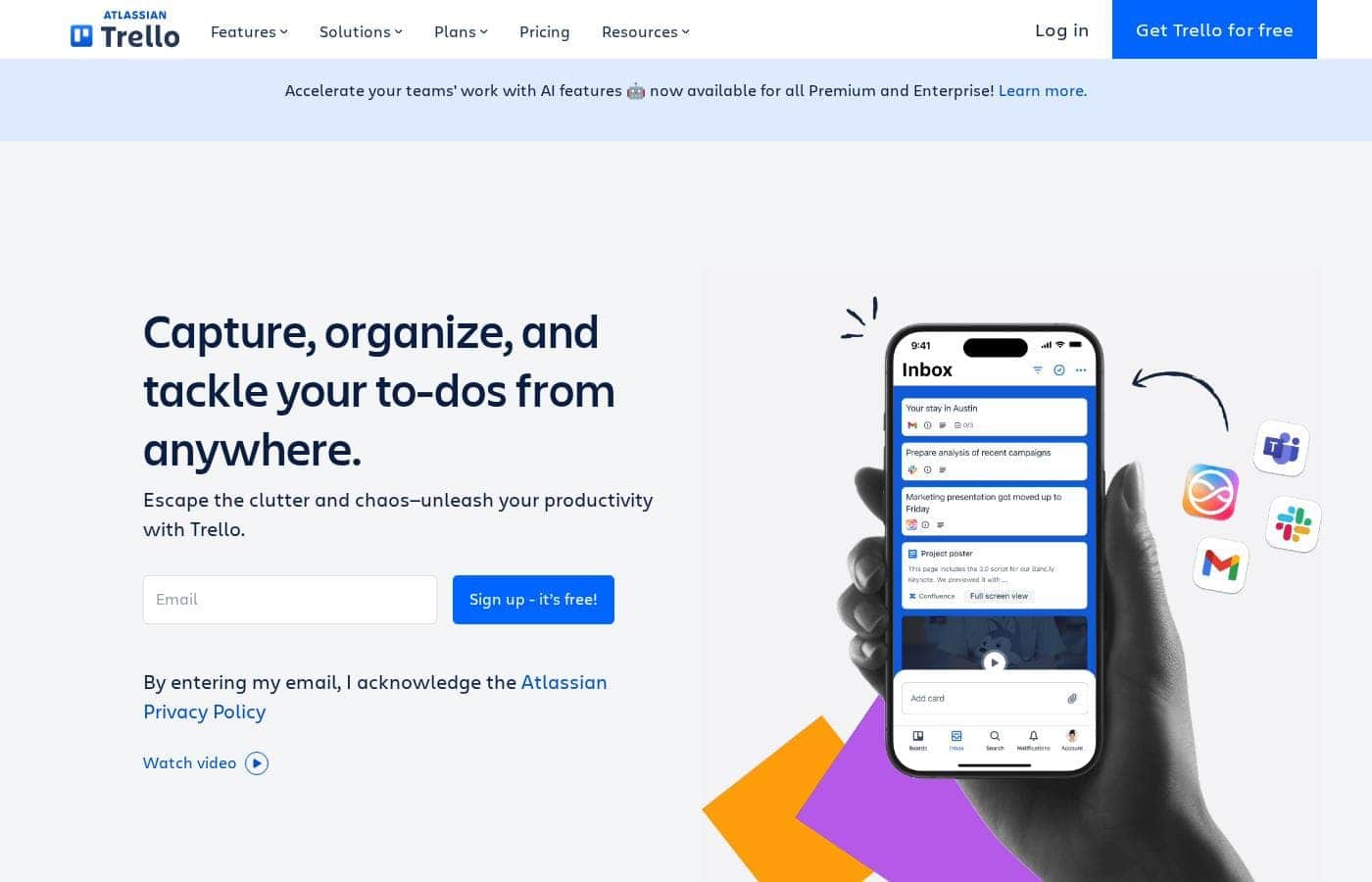
Trello homepage screenshot

At a glance

Quick overview for Trello: rating, pricing summary, key features, and highlights.

Ciroapp review

3.8
Simple Project Management, Complex Login

We find Trello delivers exceptional value quickly due to its easy operation. Its Kanban visual organization is highly flexible for team workflows. Overall, Trello is a powerful tool, but stability issues and frustrating administrative friction points like the Atlassian login do hold it back.

Pros

  • Pro:The simple, visual Kanaban board design offers great ease of use.
  • Pro:A permanent Free plan is available and suitable for small teams or personal use.
  • Pro:The platform is effective for team management and sharing context quickly.
  • Pro:Supports extensive customization and functionality upgrades via Power-Ups.

Cons

  • Con:Users frequently report difficulty and friction with the Atlassian login process.
  • Con:Accessing billing information and invoices can be surprisingly complicated.
  • Con:The interface occasionally suffers from lag and server downtime.
  • Con:Key views like Calendar or Map require a paid Premium subscription.
Free trial
Yes
Range: $0 - $17.50/user/monthFree plan, Monthly subscription, Yearly subscription, Per seat pricing
This section is a summary. Detailed sections about features, use cases, pricing, and reviews follow below.

Trello review, pricing, features, pros & cons

Do you feel overwhelmed trying to escape the clutter and chaos of daily work? It's tough to keep every idea and responsibility in check. Trello acts as your productivity powerhouse, helping you capture, organize, and tackle your entire list from anywhere.

What is Trello?

Trello is designed to keep you at the top of your game by ensuring every to-do or idea, regardless of size, finds its proper place. The system helps you stay organized and efficient using three key components: Inbox, Boards, and Planner.

The Inbox quickly captures tasks as soon as they are on your mind, whether you are in the office or on the go. You manage your tasks using flexible Boards, where long lists become manageable by tracking items from “to-dos to tackle” to “mission accomplished!” Use the Planner to simply drag and drop your top tasks right into your calendar, ensuring you make time for what truly matters. 💡

Trello Key Features

✨ The Trello 101 System for Efficiency

Stay organized and efficient using your productivity powerhouse built on three core components. The Inbox captures tasks instantly when ideas, responsibilities, or obligations are on your mind. This feature lets you track new to-dos quickly from wherever you are, ensuring nothing is forgotten.

Flexible Boards transform long lists into manageable steps, letting you track progress clearly. You can keep tabs on everything, showing movement from passive “to-dos to tackle” to “mission accomplished!” Finally, the Planner ensures top tasks get done. You simply drag and drop your required tasks onto the calendar to make time for what truly matters.

🤖 AI-Powered Task Capture

Effortlessly turn external messages into actionable Trello tasks without manual entry. You can easily forward any email to Trello, and Atlassian Intelligence (AI) will instantly convert it into a structured to-do item. This transformation includes all necessary links and an organized summary.

If you need to follow up on a chat, messages from apps like Slack or Microsoft Teams can also be saved directly to your Trello board. AI generates summaries and links for these messages, keeping all discussions and action items organized in one secure location. This helps you move from communication to action swiftly.

✨ Unleash Built-in Automation

Every Trello board comes with powerful, built-in no-code automation features. This allows you to streamline your workflow dramatically without needing complex technical setups or expertise. You can easily configure rules, allowing robots to handle repetitive steps and tedious tasks for you.

By automating simple processes, your team can stop wasting time on routine steps. Instead, you can focus fully on the meaningful, complex work that generates the best business value.

✨ Connectivity and Customization

Trello allows you to tailor the platform to fit exactly how your team works. You can connect all the popular applications you are already using directly into your Trello workflow using Integrations. This keeps your tools talking to each other for better visibility.

If your team requires specialization, you can add a Power-Up to fine-tune specific tasks and needs. This ability to integrate and customize ensures Trello grows and adapts along with your team's specific requirements.

✨ Simplified Bird's-Eye Project Views

Complex processes and tasks spanning multiple teams often need cohesive management. Managers can simplify tracking by using the Card Mirroring feature. This tool allows you to track a single task across multiple locations.

Card mirroring shows all your related to-dos from several different boards in one central view. This provides necessary clarity and oversight, ensuring you have a complete bird’s-eye view of all ongoing work at any moment.

Use Cases

📧 Converting Unstructured Communication into Action

It's tough when critical action items get lost in long email chains or busy chat apps. Trello solves this by turning communication from your favorite apps right into immediate to-dos. You just forward an email to your Trello Inbox, and Atlassian Intelligence steps in.

This AI transforms the message into an organized task card. The card includes a helpful summary and all necessary links, keeping your discussions and tasks organized in one central place. This process ensures that important requests quickly become trackable tasks.

🔗 Simplifying Complex Processes for Team Management

As a manager, you need tools that simplify processes while still providing clear oversight. Trello allows you to take complex workflows and chunk them down into smaller, bite-sized pieces for your team members. You can efficiently delegate tasks without losing track of overall progress.

For centralized tracking, utilize Card Mirroring. This tool lets you view the same to-do across multiple departmental boards in one central location. You always keep a bird’s-eye view of your entire project status, ensuring deadlines are met across the organization.

🌍 Achieving Workflow Clarity for Global and Remote Teams

Sharing context across global or remote teams can often be a major challenge. Customers report that Trello significantly improves communication among coworkers, especially when teams have deep cultural or language differences. Your Trello Boards become the single source of truth.

A single board structure provides clarity on steps, requirements, and procedures for every task. Whether someone is in the office, working remotely, or on-site with a client, everyone can share the necessary context and information seamlessly through Trello.

⚙️ Automating Time-Consuming, Repetitive Tasks

You don't want your team wasting time on mundane, repetitive administrative work. Trello includes no-code automation built into every board to handle these actions for you. This means robots can take care of simple tasks so your team can focus only on meaningful work.

For example, you can set up automation rules to move cards automatically when a checklist is finished or change assignments when a task hits a certain deadline. This freedom from manual tasks helps your business deliver value quickly.

💡 Capturing and Prioritizing Individual Tasks On the Go

When an idea or responsibility strikes, you need a quick way to record it before it’s forgotten. Trello acts as your productivity powerhouse for immediate task capture. When it's on your mind, it goes straight to your Trello Inbox.

Once captured, you use your flexible Boards to manage these long lists of to-dos. You can track items easily as they move from the start of the process to 'mission accomplished!' This organized system ensures every task, regardless of size, finds its proper place.

📅 Time Management and Proactive Scheduling

It isn't enough to list your tasks; you must make time to complete them. Trello offers the Planner tool specifically for proactive scheduling. This feature ensures you prioritize what truly matters every day.

Use the simple drag-and-drop interface to snap your top tasks right into your calendar view. This helps you move beyond reactive lists and guarantees you block out appropriate time to execute key deliverables.

Pricing Overview for Trello

Pricing range
$0 - $17.50/user/month
Pricing types
Free plan, Monthly subscription, Yearly subscription, Per seat pricing

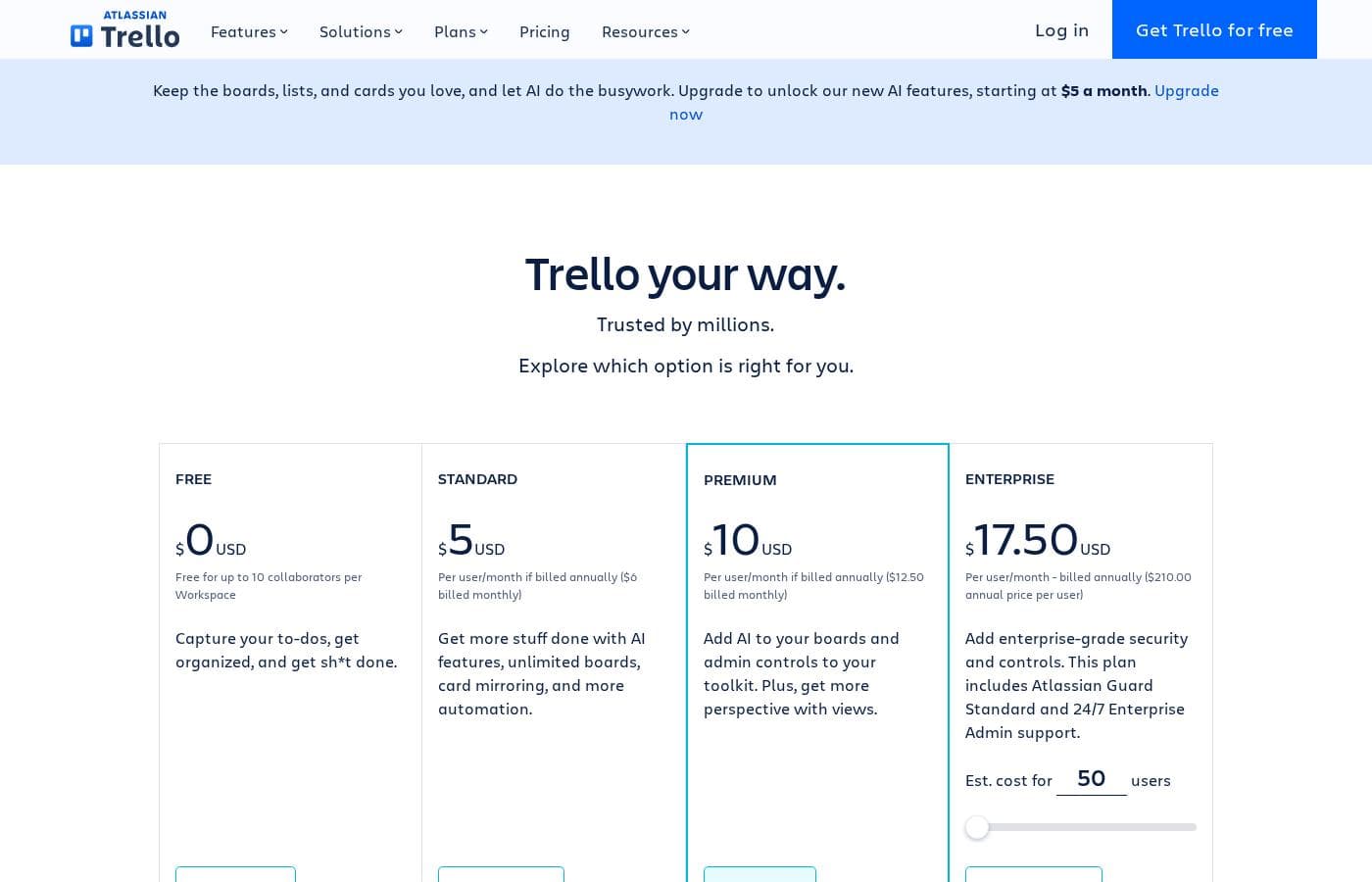
Trello's pricing structure ranges from a permanent Free plan to $17.50 per user/month for the Enterprise tier. Paid plans are billed annually at a discount or monthly at a higher rate, scaling based on the number of users and required administrative features.

Plans & Pricing

Free

Monthly$0
Yearly$0
Up to 10 collaborators per Workspace; Up to 10 boards per Workspace; 250 Workspace command runs per month
  • Unlimited cards
  • Unlimited Power-Ups per board
  • Unlimited storage (10MB/file)
  • 2-factor authentication
  • Unlimited activity log

Standard

Monthly$6
Yearly$5
1,000 Workspace command runs per month; Unlimited storage (250MB/file)
  • Unlimited boards
  • Card mirroring
  • Advanced checklists
  • Custom Fields
  • Quick capture powered by AI

Premium

Monthly$12.50
Yearly$10
Unlimited Workspace command runs
  • Atlassian Intelligence (AI)
  • Views: Calendar, Timeline, Table, Dashboard, and Map
  • Admin and security features
  • Workspace-level templates
  • Simple data export

Enterprise

MonthlyNot explicitly stated (Calculates to $210.00 annual / 12 = $17.50)
Yearly$17.50
Not explicitly stated (Price shown is per user, billed annually)
  • Unlimited Workspaces
  • Organization-wide permissions
  • Free SSO and user provisioning with Atlassian Guard
  • 24/7 Enterprise Admin support
  • Public board management

Trello costs between $0 and $17.50 per user/month, offering four plans: Free at $0, Standard at $5/user/month (annually), Premium at $10/user/month (annually), and Enterprise at $17.50/user/month (annually).

Trello offers flexible plans for individuals and large organizations. Let’s look closer at what each plan provides, based on annual pricing options.

Free

Price: $0 USD Websites Supported: Not explicitly stated Best For: Capturing to-dos, fundamental organization Refund Policy: Not explicitly stated Other Features:

  • Unlimited cards
  • Up to 10 boards per Workspace
  • Unlimited Power-Ups per board
  • 250 Workspace command runs per month
  • 2-factor authentication

This free tier is perfect for individuals or small teams just starting out with Trello. You'll get plenty of core features to manage small projects and track your personal tasks. Remember, the free plan limits you to ten collaborators and ten boards per Workspace.

Standard

Price: $5 USD per user/month if billed annually ($6 billed monthly) Websites Supported: Not explicitly stated Best For: Growing teams needing unlimited boards and automation Refund Policy: Not explicitly stated Other Features:

  • Unlimited boards
  • Card mirroring
  • Advanced checklists and Custom Fields
  • 1,000 Workspace command runs per month
  • Unlimited storage (250MB/file)

Standard is the step-up for growing teams who need more collaboration space and functional depth. You gain full access to unlimited boards and key workflow features like list colors and collapsible lists. This plan is designed for those who have outgrown the 10-board limit of the Free tier.

Premium

Price: $10 USD per user/month if billed annually ($12.50 billed monthly) Websites Supported: Not explicitly stated Best For: Advanced project management, visual views, and administrative controls Refund Policy: Not explicitly stated Other Features:

  • Atlassian Intelligence (AI) for content generation
  • Views: Calendar, Timeline, Table, Dashboard, and Map
  • Unlimited Workspace command runs
  • Admin and security features (e.g., Observers)
  • Workspace-level templates and Collections

The Premium plan is ideal if you need advanced oversight and powerful visual views for complex projects. You also unlock essential admin tools and security features for better project governance. Consider this plan if detailed reporting and full workflow automation are critical.

Enterprise

Price: $17.50 USD per user/month - billed annually ($210.00 annual price per user) Websites Supported: Not explicitly stated Best For: Large organizations requiring enterprise-grade security and scale Refund Policy: Not explicitly stated Other Features:

  • Unlimited Workspaces
  • Organization-wide permissions and controls
  • Free SSO and user provisioning with Atlassian Guard
  • 24/7 Enterprise Admin support
  • Public board management

Enterprise provides the highest level of security and scale for large companies. It ensures centralized administration, allowing you to manage permissions across unlimited workspaces efficiently. This plan focuses heavily on comprehensive security controls and dedicated 24/7 support for major global organizations.

Trello offers a permanent Free plan, which is suitable for up to ten collaborators per workspace. If you're considering a paid upgrade, all users can enroll in a free trial of Trello Premium to test all the advanced views and features. If you are not satisfied, you may downgrade or cancel your Standard or Premium subscription at any time without penalty.

User Reviews

Trello receives mixed but generally favorable external feedback, often lauded as an amazing app for personal and team organization. Users consistently praise its simple design and exceptional ease of use, which makes it perfect for startups and small businesses utilizing the generous free plan.

The core utility, including dynamic block control and strong real-time syncing, is highly appreciated. However, recurring pain points are frequently mentioned, stemming largely from the Atlassian acquisition.

Many long-time users find the mandatory Atlassian login system to be "freaking complicated" and frustrating to use. Furthermore, paid users struggle to access simple administrative tasks, such as generating invoices.

Technical stability is also a concern for some, citing laggy performance and server errors that occasionally prevent board access. Despite these major corporate and stability drawbacks, Trello remains an effective project management system.

👍

What users say elsewhere

J. S.
· Trustpilot
4.0 / 5

Trello is a great tool for starting out, especially for small businesses. It has a robust free plan you can use for organization before deciding to go premium. It’s an excellent option for startups working with a limited budget.

R. B.
· Trustpilot
2.0 / 5

I used Trello for over four years and it was amazing until Atlassian came to the game. They made connecting and opening new accounts complicated and frustrating. Seriously, I might just switch to Asana instead.

No reviews yet.

Write a Review

Write a Review for Trello
0/100 characters
0/2000 characters

Why use Trello?

If you are looking for a straightforward tool that delivers business value quickly, Trello is an excellent choice. A significant 81% of customers chose Trello specifically for its great ease of use. It successfully helps teams share context and information, improving communication among coworkers and global teams, according to 74% of customers. In fact, 75% of organizations report that Trello delivers value to their business within just 30 days.

Here’s why users choose Trello to work smarter:

  • From Message to Action: Easily turn communication from your favorite apps into to-dos, keeping tasks organized in one place.
  • 🤖 AI Transforms Emails: Forward your emails to your Inbox, and Atlassian Intelligence (AI) will transform them into organized to-dos, including needed links and summaries.
  • ⚙️ Built-in Automation: No-code automation is built into every board. You can focus on meaningful work while robots handle the rest.
  • 🔗 Customize and Integrate: Connect the apps you are already using into your workflow or add Power-Ups to fine-tune your specific needs.
  • 🔄 Bird’s-Eye View: Managers can simplify complex processes using card mirroring. This tool lets you view all your to-dos from multiple boards in one central location.

Ready to transform your workflow with Trello?

Trello Alternatives

Other tools in the Project Management category

Frequently Asked Questions

How is billing calculated if our Workspace uses guests?

Billing is calculated per seat for Workspace members added as normal members or team admins. A guest on more than one board within the Workspace is also billed at the same rate as a standard member. These users are called Multi-Board Guests.

What happens if we choose to cancel a Standard or Premium subscription?

If you wish to downgrade, you can cancel your subscription at any time without penalty. Your team keeps the paid features until the end of the prepaid service period. Afterward, the Workspace automatically reverts back to the Free plan limitations.

What level of customer support comes with each paid Trello plan?

Support levels increase with tiers. Premium subscribers receive Local Business Hours support, while Enterprise clients get dedicated 24/7 Enterprise Admin support. Free and Standard users rely on Community Support resources.

Does Trello support connections to external apps beyond Power-Ups?

Yes, Trello allows you to integrate your existing apps directly into your workflow. It supports quick capture from popular tools like email, Slack, and Microsoft Teams. You can also customize functionality using Power-Ups.

What are the limitations on automation commands in the different plans?

Automation limits are usage-based. The Free plan allows 250 Workspace command runs monthly, while Standard increases this to 1,000 runs monthly. Premium and Enterprise users both benefit from unlimited Workspace command runs.

What security certifications does Trello hold to protect our data?

Trello is SOC2 Type 2 certified and validated by ISO/IEC 27001, confirming its information security management system. It is also PCI-DSS certified, ensuring adherence to data security standards.

What are the restrictions on file attachment sizes across the Trello plans?

The Free plan limits attachments to 10MB per file. Standard, Premium, and Enterprise plans offer unlimited storage overall, but each individual file attachment remains capped at 250MB.

How long does the free trial of Trello Premium last?

All users can enroll their Workspace in a free trial of Trello Premium to test the advanced features. The official site does not explicitly state the duration of the trial in days or weeks.

Is Trello available as a self-hosted or on-premises solution?

No, Trello is proudly a cloud-only product. You can access your boards and tasks through dedicated web browsers, desktop applications, and iOS and Android mobile apps.

Which Trello plan is best suited for advanced project management and oversight?

The Premium plan is ideal for advanced project management and administration. It unlocks powerful visual views like Calendar and Timeline, plus admin and security features critical for project governance.

Does Trello offer any specialized discounts for qualifying organizations?

Yes, Trello provides discounted plans for specific groups. They offer both a non-profit community discount and a separate education discount.

Can we pay for Standard or Premium subscriptions using options other than a credit card?

Standard and Premium monthly or annual subscriptions can be purchased using any major credit card. If you are interested in Trello Enterprise, you should contact the sales team for information on additional payment options.

Does Trello offer a guaranteed money-back period if we are not satisfied with the paid plan?

Not explicitly stated on the official site. The documentation focuses on cancellation and downgrading options rather than defining a money-back guarantee or refund policy.

How do large organizations typically handle single sign-on (SSO) integration?

Enterprise customers receive free SSO and user provisioning using Atlassian Guard. This ensures centralized administrative controls across unlimited workspaces.

Ready to try Trello? Check out the official site or pricing.