Asana

Asana

Manage your team’s work, projects, & tasks online.

#13 dans Project Management
1 min read · Updated 10/5/2025
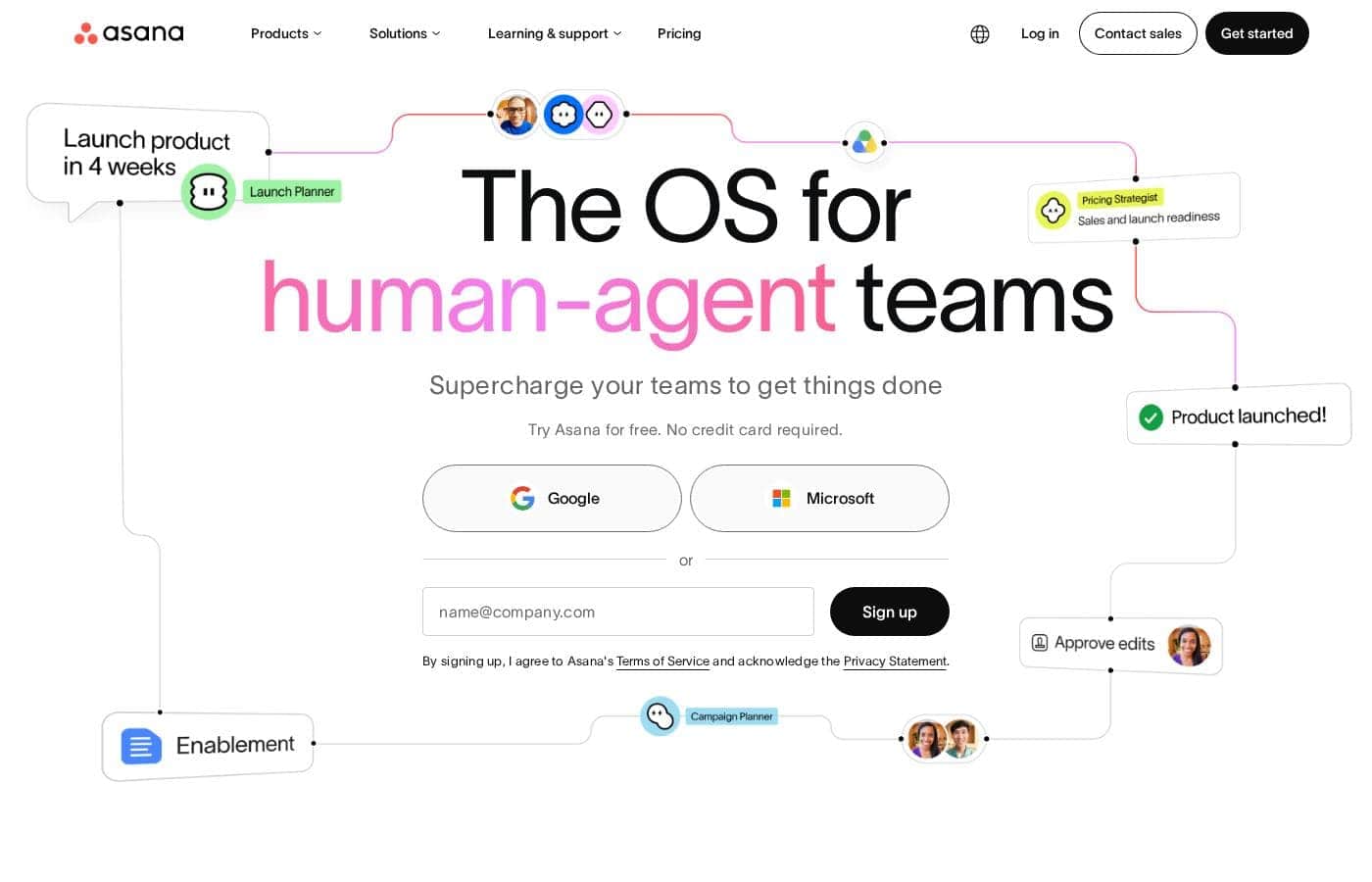
Asana homepage screenshot

At a glance

Quick overview for Asana: rating, pricing summary, key features, and highlights.

Ciroapp review

2.2
Great features, poor customer support.

We find that Asana offers powerful project management features, excellent organizational scalability, and a generous free plan suitable for small teams. However, recurring external reports indicate severe problems with customer service responsiveness and billing transparency, heavily detracting from the product’s core strengths. Overall, we recommend caution for small businesses or any organization prioritizing reliable, direct customer support.

Pros

  • Pro:Powerful free tier available for individuals and small teams (up to 10 users).
  • Pro:Flexible design for managing tasks, projects, and team workflows efficiently.
  • Pro:Supports excellent scalability, trusted by many Fortune 100 companies.
  • Pro:Advanced features like Gantt charts and Timeline views are available starting on the Starter plan.

Cons

  • Con:Customer service is widely reported as non-existent, slow, or dependent on ineffective chatbots.
  • Con:Numerous complaints regarding deceptive auto-renewal practices and unauthorized charges.
  • Con:Refund requests are frequently denied, increasing costs for unintended subscriptions.
  • Con:Users often lose access or tasks when attempting to downgrade from a paid trial to the free plan.
Free trial
Yes
Range: $0–$24.99/user/monthFree plan, Free trial, Monthly subscription, Yearly subscription, Per seat pricing
This section is a summary. Detailed sections about features, use cases, pricing, and reviews follow below.

Asana review, pricing, features, pros & cons

Getting teams aligned and holding people accountable can feel impossible. You need a way to manage work without creating more chaos.

Asana solves this core frustration. It provides more clarity and accountability by connecting strategic goals directly to the teams doing the work. This centralized approach keeps your entire company on track. ✨

What is Asana?

Asana is an online platform built specifically to manage your team’s work, projects, and tasks. It supports powerful Human + AI collaboration.

This AI component understands your specific business context, helping to move your most important work forward efficiently. Because it's a centralized ecosystem, it easily brings all doers and stakeholders together in one place. 💡

Asana Key Features

✨ Amplify Your Impact with Asana AI

Increase team speed by letting AI manage routine work for you. Asana supports powerful Human + AI collaboration. This component understands your specific business context, helping to move essential work forward more efficiently.

We provide access to Asana AI Studio for your teams. It handles repetitive tasks, allowing your teams to achieve crucial goals faster. You can also deploy unlimited automation rules to standardize and accelerate key workflows.

✨ Connecting Work to Strategic Goals

Quickly establish clarity by linking daily tasks to high-level company strategy. Asana connects strategic goals directly to the teams doing the execution. This crucial alignment ensures your entire company stays reliably on track.

You gain the visibility needed for "air traffic control" over production and campaigns. You can analyze key information like progress, bandwidth, and blockers on one centralized platform. For Advanced plans, Objectives and unlimited portfolios help orchestrate work across multiple departments.

✨ Flexible Work Views and Project Tracking

Choose the best way to visualize and manage your team’s progress in real-time. The platform offers flexible views suitable for almost any project style. Teams starting out can utilize List, Board, and Calendar views for basic project tracking and organization.

As your needs grow, you unlock powerful visualization tools like Timeline and Gantt Views. These advanced methods help growing teams track complex project dependencies and reliably meet crucial deadlines.

✨ Standardization and Replicable Processes

Save significant time by making essential programs easily repeatable across departments. Asana helps you standardize processes across your entire organization. It makes critical programs shareable so teams can quickly replicate successful workflows.

Clear processes remove potential blockers and help improve overall organizational success. You can use the dedicated Process Generator to quickly build and share these blueprints. This is also how you standardize complex activities like employee onboarding.

✨ Seamless Workflow Integration

Your Asana ecosystem works right out of the box with your current technology stack. Asana connects easily with over 300+ enterprise tools that your organization already uses. This centralized setup brings all doers and stakeholders together in one place.

This makes sure your teams don't have to jump between systems to manage work. Specific high-level integrations are available for major analytical platforms like Salesforce, Tableau, and Power BI.

✨ Advanced Management and Resource Control

For high-growth and enterprise organizations, Asana provides essential advanced management tools. You can utilize resource management to visualize how teams are staffed and check available resources across your business. The platform also includes dedicated approval features for formal sign-offs.

This management stack ensures efficient alignment across various business services. These tools are supported by native time tracking and advanced search parameters like Custom Fields.

Use Cases

🎨 Scaling Campaign Management and Creative Production

Managing high volumes of ad campaigns or creative assets requires careful oversight. Asana acts as your "air traffic control" platform, giving you the visibility needed to scale production efficiently. You track dependencies and accelerate creative work by automating cumbersome workflows from start to finish.

You can analyze key information like team bandwidth, current progress, and potential blockers all in one centralized space. This proactive approach ensures better oversight and allows teams to support a higher number of campaigns aligned with revenue goals.

🚀 Coordinating Complex Product Launches

Launching a new product requires high-level coordination and precise execution across numerous departments. If communication breaks down, timelines instantly derail. Asana provides the centralized ecosystem necessary to manage teams, tasks, and crucial launch timelines.

You gain clarity over who is responsible for what and when tasks are due. This alignment keeps every part of the launch reliably on schedule, ensuring your organization hits its critical delivery dates smoothly.

⚙️ Standardizing Processes Across the Organization

Executing strategic programs across large departments is slow if every team has to start from scratch. This lack of standardization leads to unnecessary roadblocks. Use Asana to make your essential programs shareable and easily replicable across the entire company.

This standardization saves time and helps teams execute crucial operations faster. Clear, repeatable processes remove blockers and are key to driving overall organizational success consistently.

🗂️ Automating Project Intake and Prioritization

Problem: Your team receives project requests from various sources, making manual triage and assignment difficult. Approach: Use Asana's platform to automatically capture, prioritize, and assign incoming requests. This ensures that every request is logged and routed correctly the first time.

Outcome: Teams avoid confusion and instantly know which priorities they should focus on. This approach gives your team more time back to spend on actual work, not administrative sorting.

🎯 Connecting Daily Work to Strategic Goals

Sometimes, employees don't see how their daily tasks impact the company's long-term vision. Asana solves this core frustration by linking individual work directly to the overall strategic goals it supports. This provides powerful clarity and accountability for every doer.

With the added support of Asana AI, which handles routine context work, teams can achieve their crucial goals faster. You connect company objectives, execution, and deliverables in one unbroken flow.

📊 Managing Organizational Bandwidth and Resources

Before starting a new initiative, organizational leaders need instant access to data on team capacity and available resources. Asana supports robust organizational planning and resource planning.

• Visualize current staffing and available resources across your entire business. • Analyze progress, current workload, and crucial blockers on one platform. • Use objectives, resource management, and unlimited project portfolios to orchestrate work company-wide.

Expected outcome: You ensure resources are aligned efficiently with company-wide activities and essential objectives.

Pricing Overview for Asana

Pricing range
$0–$24.99/user/month
Pricing types
Free plan, Free trial, Monthly subscription, Yearly subscription, Per seat pricing

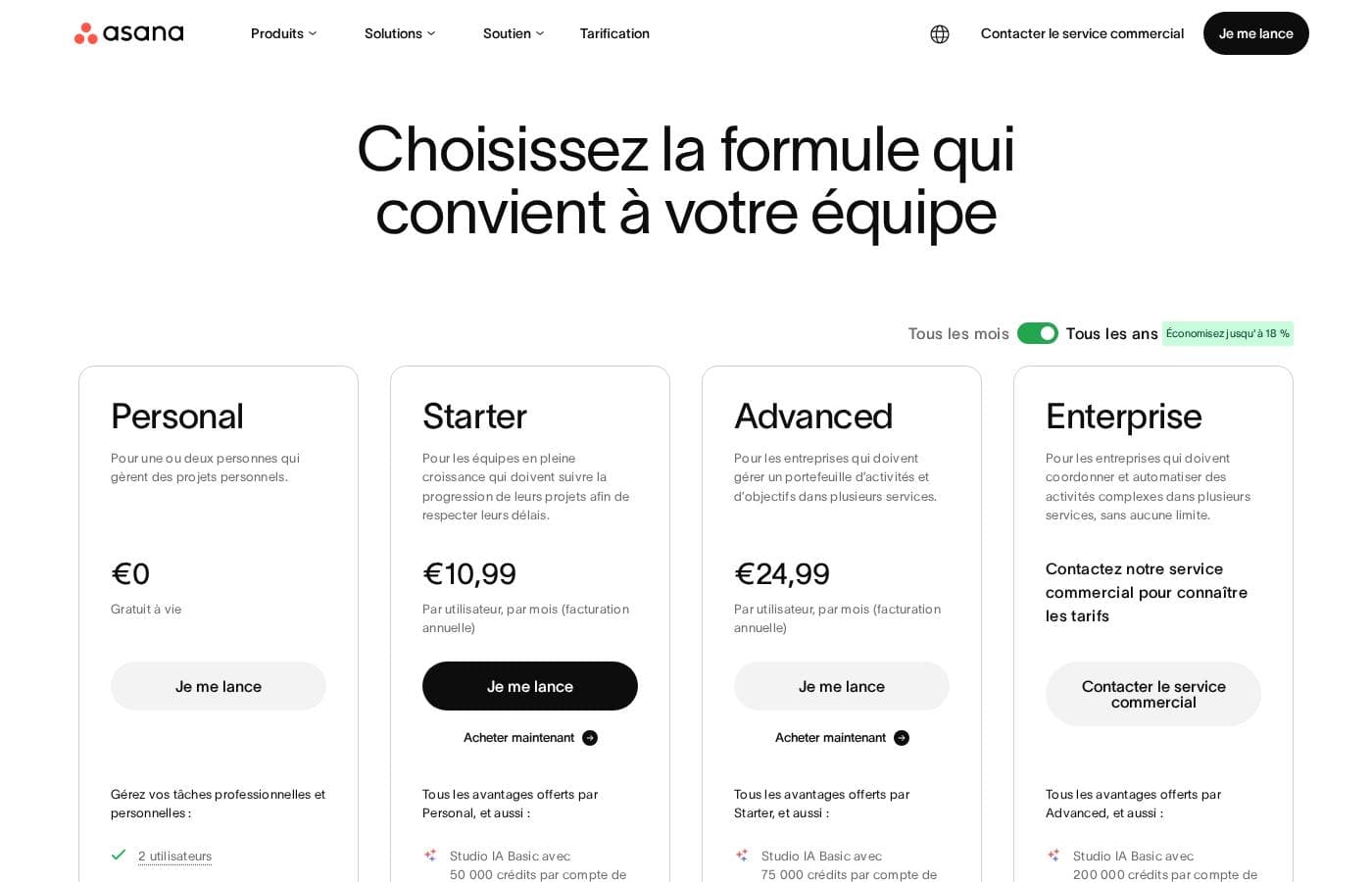
Asana provides flexible pricing across five tiers, starting with a powerful free plan for small teams. Paid plans begin at $10.99 per user per month when billed annually for the Starter plan.

Costs scale depending on your organizational size and need for advanced features like resource management and customized security controls.

Plans & Pricing

Personal

Monthly$US 0
Yearly$US 0
Maximum 10 users
  • Work in teams (up to 10 people)
  • Unlimited tasks, projects, and messages
  • Unlimited storage (100 MB max. per file)
  • List, Board, and Calendar views
  • Basic search filters

Starter

Monthly$US 13.49
Yearly$US 10.99
Per user, per month pricing
  • Unlimited user licenses
  • Asana AI Studio access
  • Timeline and Gantt Views
  • Process Generator
  • Advanced Search and Custom Fields
  • Unlimited automation rules
  • Unlimited free guests

Advanced

Monthly$US 30.49
Yearly$US 24.99
Per user, per month pricing
  • Objectives and unlimited portfolios
  • Resource Management
  • Integrations to Salesforce, Tableau, and Power BI
  • Form customization and approvals
  • Native time tracking
  • Advanced security features

Enterprise

MonthlyContact sales
YearlyContact sales
Unlimited users
  • Bulk process actions
  • SAML and SCIM for accelerated user configuration
  • Service accounts
  • 24/7 support
  • Custom branding

Enterprise+

MonthlyContact sales
YearlyContact sales
Unlimited users
  • API Audit Log
  • SIEM integration support
  • eDiscovery and DLP integration support
  • Managed workspaces
  • Data residency options
  • HIPAA compliance (subject to eligibility)

Asana costs between $US 0 and $24.99 per user per month (annual billing) with 5 plans: Personal at $US 0, Starter at $US 10.99, Advanced at $US 24.99, Enterprise at Contact Sales, and Enterprise+ at Contact Sales.

Here is a breakdown of what each plan offers your team.

Personal

Price: $US 0 (Free for life) Websites Supported: Not explicitly stated Best For: Individuals and small teams wanting better task management Refund Policy: Not explicitly stated Other Features:

  • Work in teams (up to 10 people)
  • Unlimited tasks, projects, and messages
  • Unlimited storage (100 MB max. per file)
  • List, Board, and Calendar views
  • Basic search filters

This great free version is excellent for individuals or teams just starting out with project management. You get core functionality like unlimited tasks and basic search filters within the application. Use this plan to manage personal and basic professional tasks efficiently with up to ten colleagues.

Starter

Price: $US 10.99 per user, per month for annual billing ($US 13.49 for monthly billing) Websites Supported: Not explicitly stated Best For: Growing teams needing to track project progress and meet deadlines Refund Policy: We do not offer refunds. Other Features:

  • Unlimited user licenses and free guests
  • Asana AI Studio access (with additional credits available for purchase)
  • Timeline and Gantt Views
  • Advanced Search and Custom Fields
  • Unlimited automation rules

The Starter plan is designed to help your mid-sized group scale operations effectively. It introduces powerful features like Gantt charts and dedicated process builders. You'll gain crucial project reporting and advanced search to keep complex projects reliably on track.

Advanced

Price: $US 24.99 per user, per month for annual billing ($US 30.49 for monthly billing) Websites Supported: Not explicitly stated Best For: Companies managing activity and objective portfolios across multiple departments Refund Policy: We do not offer refunds. Other Features:

  • Objectives and unlimited portfolios
  • Resource Management and Approvals
  • Integrations with Salesforce, Tableau, and Power BI
  • Native time tracking and advanced security features

If your organization requires cross-departmental portfolio and company objective management, Advanced might be the right choice. This subscription helps orchestrate work company-wide, offering critical tools like resource management and high-level integrations. This ensures efficient alignment across various business services.

Enterprise

Price: Contact sales for pricing Websites Supported: Not explicitly stated Best For: Companies coordinating and automating complex activities across multiple departments, without limitations Refund Policy: We do not offer refunds. Other Features:

  • SAML and SCIM support for user provisioning
  • Service accounts and Administrator Announcements
  • 24/7 support
  • Custom branding

This Enterprise tier focuses on the high-level security, scale, and administrative control needed by the largest corporations. You'll get essential tools for seamless IT integration, including SAML support for single sign-on. The advanced administrative controls allow you to govern processes and user groups across the entire large organization.

Enterprise+

Price: Contact sales for pricing Websites Supported: Not explicitly stated Best For: Companies with strict compliance requirements needing flexible and precise controls Refund Policy: We do not offer refunds. Other Features:

  • Audit logs and SIEM integration support
  • eDiscovery and DLP integration support
  • HIPAA compliance (subject to requirements)
  • Managed workspaces and data residency options

Enterprise+ targets highly regulated industries needing maximum compliance and governance features. It provides crucial tools like data loss prevention integration and support for managed encryption keys. This is the highest level of comprehensive security and granular control that Asana offers.

Asana offers a free Personal plan for small teams up to 10 users. While the documentation implies a free trial is available, the exact duration isn't explicitly specified. Please note that Asana explicitly states they do not provide refunds once a paid subscription begins, although you maintain access until the end of your billing period.

User Reviews

External feedback, predominantly showcased through Trustpilot, reveals widespread dissatisfaction among users, giving the service a significantly low overall rating. Customers frequently criticize the subscription and billing practices, often citing unexpected auto-renewals or unauthorized charges occurring months after cancellation or trial expiration. The inability to secure refunds, even in cases of clear error, is a major pain point.

🚨 The most significant complaint centers on support responsiveness. Reviewers report slow service, sometimes waiting a week for an email reply, reliance on frustrating chatbots, and difficulties contacting a human representative. While some users acknowledge the base product is flexible and has good design features, the company's operational infrastructure and seeming focus on larger enterprises leaves smaller businesses feeling neglected, leading many to label the experience customer-hostile or deceptive.

What users say elsewhere

Sarah L.
· Trustpilot
1.0 / 5

The app itself is great, offering good design, projects, and flexible team spaces. However, the customer service experience is awful. The only way to talk to CS is often through slow, ineffective emails.

Mike G.
· Trustpilot
1.0 / 5

I was charged automatically one year after canceling my trial subscription. They aggressively hound you for renewal offers but deny simple refund requests, even for clear billing errors.

No reviews yet.

Write a Review

Write a Review for Asana
0/100 characters
0/2000 characters

Why use Asana?

Why should you choose Asana? The platform is uniquely designed to support businesses at any scale. This flexibility is why 85% of Fortune 100 companies currently trust Asana.

  • Amplify Your Impact with AI: Asana AI handles routine work for you, using the full context of your business. This helps teams achieve their crucial goals faster.
  • Drive Clarity and Visibility: Gain the visibility needed for "air traffic control" over production and campaigns. You can analyze key information like progress, bandwidth, and blockers on one platform.
  • Standardize Processes: It saves time by making essential programs shareable and easily replicable across departments. Clear processes remove blockers and help drive overall organizational success.
  • Connect Your Tools: The platform integrates easily with over 300+ enterprise tools you already use. It works right out of the box with your existing tech stack.
  • Built on Trust: Asana is recognized as a Leader in The Forrester Wave (2025) and the Gartner Magic Quadrant (2024, two years running). Trust proven industry leaders. ✅

Ready to transform your workflow with Asana?

Asana Alternatives

Other tools in the Project Management category

Frequently Asked Questions

What is Asana’s refund policy if I cancel my paid subscription?

Asana explicitly states that they do not offer refunds once your paid subscription has begun. If you cancel your plan, you will still have access to the paid features until the end of your current subscription period.

How are user licenses sold, and do I have to buy an exact number of seats?

Asana uses a per-user, per-month pricing model. You must purchase licenses in specific increments, not exact totals. Plans start with small team bundles of 2 to 5 licenses, and then increase in blocks like 5, 10, 25, or 50 users based on your total team size.

What are the key storage limits for the free Personal plan?

The Personal plan offers unlimited tasks, projects, and messages for up to 10 people. While total storage is unlimited, a crucial limit is that each individual file attachment cannot exceed 100 MB.

Which specific third-party tools integrate with the platform?

Asana connects easily with over 300 enterprise tools right out of the box. Users on the Advanced plan and higher can specifically leverage integrations with Salesforce, Tableau, and Power BI.

How do I cancel my paid Asana plan or discontinue a trial?

To cancel a paid plan, navigate to the Billing tab within your Admin Console and select the option to 'Cancel the plan.' You will retain access to the paid features until your current cycle ends.

What level of dedicated customer support is included with lower-tier plans?

Only the highest Enterprise tier includes 24/7 dedicated support. Users on Starter and Advanced tiers rely on self-service resources like the Asana Help Center, Academy, Webinars, and the Asana Forum.

Is the specialized Asana AI Studio included in the price of paid plans?

Basic access to the AI Studio is included with Starter plans and above, but with usage limitations. If you require higher capacity, you must purchase additional credits with Plus or Pro AI access options.

How does Asana handle data security and hosting?

Asana protects your data using a highly available and secure cloud structure. The service is hosted on SOC 2 Type II compliant Amazon Web Services (AWS) data centers and utilizes 256-bit encryption for data both at rest and in transit.

Does Asana offer features to meet strict industry compliance standards?

Yes, solutions for highly regulated businesses are available in the Enterprise+ tier. This plan supports critical features like HIPAA compliance, SIEM integration, and support for eDiscovery and DLP tools.

What is the typical length of the free trial for paid features?

The official site confirms that a free trial is available. However, the exact duration of the trial period is not explicitly stated on the official site.

Are there discounted rates available for non-profit organizations?

Yes, eligible non-profit organizations can receive a 50% discount. This special pricing applies to annual subscriptions for both the Starter and Advanced plans.

Which plan is best suited for cross-departmental portfolio and objective management?

The Advanced plan is designed for companies managing activity and objective portfolios across multiple services. It provides resource management tools and unlimited portfolios to help align work across the organization.

Can I deploy the Asana software locally on my own servers?

No, Asana is built exclusively as a web-based, cloud solution. The company does not currently plan to release a self-hosted or internal version of Asana.

Will I be charged sales tax or VAT/GST on my subscription costs?

Yes, local and state sales taxes, VAT, or GST will be added to your bill based on your billing address and local regulations. Tax-exempt customers may need to provide their registration numbers during purchase.

Ready to try Asana? Check out the official site or pricing.