ngram

ngram review

AI video generator that turns prompts, docs, and screen recordings into polished, brand-consistent team videos

By Ciroapp Editorial Team · Updated Oct 1, 2026

Commission may apply at no extra cost

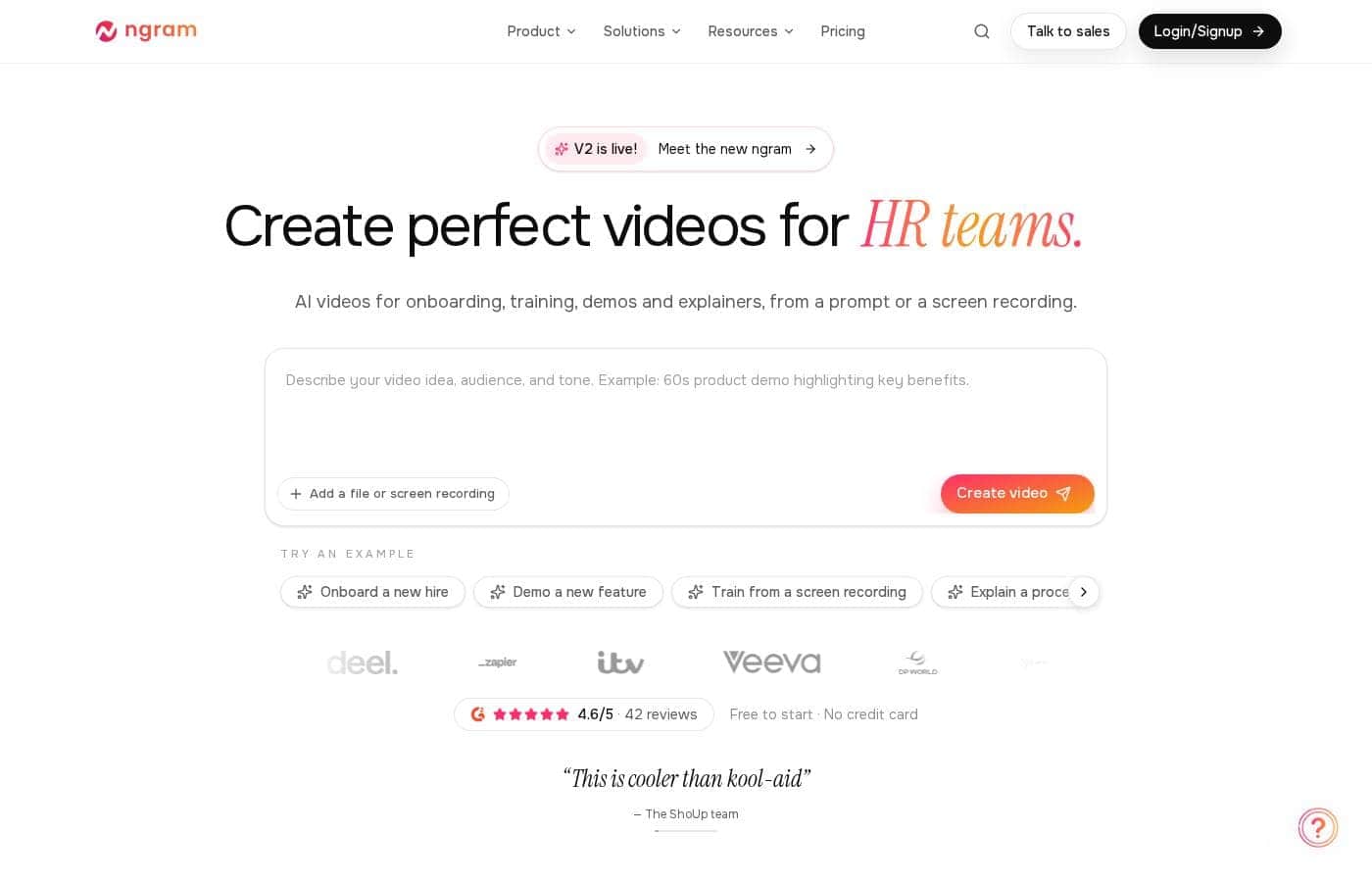
ngram homepage screenshot

At a glance

Quick overview for ngram: rating, pricing summary, key features, and highlights.
Vendor page checked Oct 12, 2026

Ciroapp score

4.2/ 5

Prompts in, branded videos out

ngram turns prompts, screen recordings, PDFs, and URLs into branded, editable videos with captions, translation, and AI presenters. It's free to start with no credit card, and chat-based editing keeps non-editors in control, though exact plan prices aren't public and refunds need checking. Overall, it's a solid pick for teams shipping regular video without production specialists.

Pros

  • Pros:Turns prompts, screen recordings, screenshots, PDFs, and website URLs into complete videos with script, visuals, and storyboard
  • Pros:Chat-based editing lets anyone request changes like 'make the intro punchier' without editing skills, plus a timeline editor for precision
  • Pros:Brand kit applies your colors, fonts, logo, and intro or outro across every team video automatically

Cons

  • Cons:Paid plan prices aren't public — you'll need the pricing page or a sales call to get real costs and billing terms
  • Cons:Aspect ratio options (16:9, 9:16, 1:1) depend on whether your selected AI models support them
  • Cons:You approve the script and storyboard before each render, which adds a review step to every video
Best for
  • Sales teams turning screenshots into pitch and demo videos
  • Marketing teams shipping launch and product videos the day they ship
  • HR and L&D teams producing training and internal comms people actually finish
This section is a summary. Detailed sections about features, use cases, pricing, and reviews follow below.

What is ngram?

ngram is an AI video generator built for business teams, not video pros. Sales, marketing, support, HR, product, and founder teams use it to create onboarding videos, product demos, explainers, and training content. You start from a text prompt, a screen recording, screenshots, a PDF, or a website URL.

ngram writes the script, plans the storyboard, and generates the visuals — and every video stays editable through chat commands or a timeline editor.

Verdict

Best for Business teams — sales, marketing, customer success, HR, product, and founders — that need polished video content regularly but don't have video production specialists..

A strong pick for teams that need recurring, brand-consistent video without hiring editors. The combination of prompt-to-video creation and plain-language editing removes most production work, and customer reports of days-long turnarounds are credible given the workflow. It's free to try, so generate one real video and check pricing against your volume before scaling.

Strengths

  • Turns prompts, screen recordings, screenshots, docs, PDFs, and URLs into complete videos
  • Chat-based editing means anyone can request changes without editing skills
  • Brand kit applies your colors, fonts, and logo automatically across the team

Watch-outs

  • Aspect ratio options (16:9, 9:16, 1:1) depend on whether the selected AI models support them
  • Expect a short review step each time — you approve the script and storyboard before rendering
  • Check the pricing page for current plan costs and billing terms before budgeting

ngram Key Features

🎬 Start with almost anything

ngram turns what you already have into a finished video: a text prompt, a screen recording, screenshots, a PDF, a doc, or a website URL. It writes the script, plans the storyboard, and generates the visuals. You review the script and storyboard before anything renders, so you approve the story up front.

💬 Edit by chatting

Every video stays editable after it's generated. Type a change in plain words and ngram makes it — no editing skills needed. Try requests like:

  • "Make the intro punchier" — trims the scene and adds a punch-in
  • "Switch the voiceover to Spanish" — re-voices and translates captions
  • "Add captions in brand colors" — captions switch on in your palette

✨ Go deeper on the timeline

Some edits need precision. The timeline editor gives you scene-by-scene control: reorder scenes, swap an image layer while text and motion stay put, or rebalance the music. It's the same project, so you can mix quick chat requests with hands-on tweaks until it's right.

✨ Branding on autopilot

Set your brand kit once — colors, fonts, logo, and intro and outro sequences — and every video your team makes follows it. Captions pick up your palette automatically. Whether it's a demo from sales or training from HR, output looks like it came from one place.

✨ Voice, languages, and distribution

Every video ships with an AI voiceover — swap the voice, language, or music just by asking. AI presenters can introduce scenes, and translation localizes content for other markets. Finished videos export as MP4 or GIF — landscape, vertical, or square, where the models support it — then share as a link, embed, or publish to LinkedIn, X, or YouTube.

Use Cases

🎬 Sales: pitch videos, no scheduling required

Reps drop in two product screenshots and get a polished pitch explainer. They send a video that shows what the product does instead of chasing another calendar invite.

Expected outcome: More demos in prospects' inboxes.

Tip: Start with your best two screenshots and let ngram build the story.

🚀 Marketing: launch video on ship day

Marketing turns screenshots, a PDF, or product photos into a launch video the same day a feature goes live. Captions follow your brand kit, and MP4 or GIF exports are ready for LinkedIn, X, or YouTube.

Expected outcome: Launch-day video without waiting on an editor.

🤝 Customer success: answer it once, link it forever

Support teams record one walkthrough and turn it into a clear onboarding video. Customers follow setup steps on their own, and the same video lives in tickets, help centers, and emails.

Expected outcome: Fewer repeated how-to questions.

🎓 HR & L&D: training people actually finish

HR teams build compliance training and internal updates with AI presenters, voiceover, and captions. Built-in translation keeps every office on the same page, in its own language.

Expected outcome: Training that gets watched, not skipped.

Tip: Set your brand kit once so every video looks consistent.

ngram pricing

  • Free plan available

Vendor page checked on Oct 12, 2026; confirm current prices on ngram's pricing page

ngram pricing page screenshotView pricing page screenshot
PlanBilled monthlyBilled annuallyIncludes
Free to start
Free
—
  • No credit card required
  • Create videos from a prompt, screen recording, PDF, or screenshots
  • Edit scenes by chatting or on the timeline
  • Brand kit with your colors and fonts
  • Export as MP4 or GIF

Price history

Tracking prices since Oct 1, 2026. No price change detected yet.

Pricing types: Free plan

Pricing notes

ngram is free to start — no credit card required. Paid plans are available for teams, with a talk-to-sales option for larger organizations.

ngram is free to start — no credit card required — and paid plans are available for teams that need more capacity.

Here's what that means for your budget.

Free to start

Price: Free Best For: Testing AI video creation before you commit Other Features: No credit card required; create videos from a prompt, screen recording, PDF, or screenshots; edit scenes by chatting; export MP4 or GIF

The free entry point is the easiest way to judge fit. You can generate a video, review the script and storyboard, then polish the result in the timeline editor — all before any payment details come into play. If ngram clicks for your team, upgrading becomes a deliberate choice instead of an accidental charge.

Free doesn't feel like a teaser, either. The core experience is on the table: brand colors and fonts through your brand kit, captions that match your identity, and landscape, vertical, or square formats. Finished videos export as MP4, and short clips can become GIFs for social.

Paid options for teams

Best For: Businesses that need more capacity or a custom arrangement Other Features: Talk-to-sales route; team-oriented tools like collaboration, video hosting, and social publishing

When you need more capacity, paid plans take over. Teams with bigger requirements can use the talk-to-sales route and arrange a setup that fits. Before you commit, confirm each tier's usage limits so you pick the right size from day one.

If you're weighing the cost against agency production fees, ngram offers an ROI calculator to help you estimate the difference. It's a quick way to sanity-check the spend before you talk numbers with anyone.

The bottom line is simple: you don't have to pay to find out whether ngram works for you. Start free, make a video or two, and only move to a paid plan when it has earned its spot in your workflow. 🙂
How to pay less for ngram

  • Start on the free plan and upgrade only when you hit its limits.
Visit ngram

Email me when ngram changes price

One email when we detect a price change on the vendor's pricing page. No newsletter, no deals. Unsubscribe in one click.

User Reviews

No reviews yet.

Write a Review

Write a Review for ngram
0/100 characters
0/2000 characters

Why use ngram?

Most AI video tools hand you a clip you can't really fix. ngram hands you a video you can keep shaping until it's right — and it's free to start, with no credit card required.

  • Start with almost anything: a prompt, a screen recording, screenshots, a PDF, a doc, or a website URL. ngram turns it into a structured video with script, visuals, and polish.
  • Edit by chatting: type "make the intro punchier" or "switch the voiceover to Spanish," and ngram trims scenes, re-voices, and translates for you.
  • Stay in control: review the script and storyboard before anything renders, then work scene by scene in the timeline editor for finer precision.
  • Branding on autopilot: set your brand kit once — colors, fonts, logo, intro and outro — and every video your team makes follows it.
  • Reach more viewers: automatic captions in your brand colors, translation and localization, AI presenters, and MP4 or GIF exports in 16:9, 9:16, or 1:1.
  • Real speed gains: customers report what used to take weeks now takes a day, with one team cutting video production time by 80% and another going from 3 to 7 reels a week.

ngram alternatives

Other tools in the AI Video Generator category

View all AI Video Generator tools
HeyGen

HeyGen

AI Video Generator4.4/5

HeyGen is an advanced AI video platform designed to make creating professional content easy. It handles the entire video process automatically, from script to final sync. You don’t need special cameras or a full studio setup anymore. It’s perfect for business teams and creators who value quality, simplicity, and speed. HeyGen’s foundation is built on its AI Studio, a text-based editor that makes refining your videos feel as easy as modifying a document. That means you can focus entirely on human-first storytelling.

Synthesia

Synthesia

AI Video Generator4.3/5

Synthesia is a powerful AI video generation platform trusted by over 50,000 teams. It allows businesses to create polished, on-brand videos without needing complex filming or specialized editing skills. You simply provide text, and the platform generates content using expressive, customizable AI Avatars. The entire video workflow—from creation to publishing—is housed in a single, secure environment. It’s built for enterprise use, satisfying tough legal and security requirements.

Colossyan Creator

Colossyan Creator

AI Video Generator4.1/5

Colossyan Creator is an innovative AI video platform designed for enterprises and growing teams. It allows anyone to transform documents, such as PDFs and PowerPoints, or simple text scripts into polished, narrated training videos. You don't need any special editing skills. This platform eliminates the need for expensive video production, making it fast and simple to create, update, and translate materials. You can select an AI avatar or just use a voiceover to interact with your learners, ensuring training that engages everyone.

DeepBrain AI

DeepBrain AI

AI Video Generator4/5

AI STUDIOS is the comprehensive, all-in-one SaaS platform designed by DeepBrain AI for rapid video creation. It functions as a single, powerful workspace where you handle everything from script input to final 4K export. The platform combines advanced AI features with essential video editing tools, all accessible through the cloud. It’s built for businesses, educators, and content creators who need to make professional-level content quickly and at scale. Whether you start with a text prompt or a PDF, AI STUDIOS quickly delivers a polished video ready to share.

Visla

Visla

AI Video Generator3.8/5

Visla is an innovative, AI-powered platform designed for seamless video creation. It eliminates the barrier of needing editing expertise, allowing you to move quickly from an initial thought to a polished final video. The core of the system is the intelligent AI Video Agent, which analyzes your input and builds a complete draft with visuals and narration. The platform is ready for enterprise teams, too, supporting secure Single Sign-On and SOC 2 Type II compliance for strong data integrity.

Pictory

Pictory

AI Video Generator3.8/5

Pictory is an intuitive, web-based AI video generator designed for a wide range of creators. Whether you are a YouTuber, a marketing professional, a teacher, or part of an Enterprise collaboration team, this software is built for you. It empowers users, regardless of video editing experience, to quickly create high-quality videos. You simply use your existing content—like text, scripts, or existing long videos—and the smart AI handles the complex steps.

ngram FAQ

Does ngram have a free plan?

Yes. ngram has a free plan (Free to start).

Has ngram's price changed recently?

No. We have not detected a price change since we started tracking on Oct 1, 2026.

Which tools can ngram connect with?

You can link ngram to Zapier or n8n for automation, grab the Chrome extension, and publish straight to LinkedIn, X, or YouTube. Confirm the specific integrations your team relies on before rolling out.

Do I need a credit card to try ngram?

No. You can start free without one and build real videos from prompts, screen recordings, PDFs, or screenshots. The editor, brand kit, captions, and MP4 or GIF exports are all included.

How do paid plans, refunds, and cancellations work?

Paid plan prices aren't listed upfront — you'll get costs through the pricing page or a talk-to-sales call. Refund and cancellation terms aren't shown either, so review the terms page or ask sales before committing.

Can ngram translate videos into other languages?

Yes. Translation and localization are built in, and you can change a voiceover's language by typing a request — Spanish, for example. Automatic captions come standard too.

Ready to try ngram? Check out the official site or pricing.

Are you ngram? Claim this listing · Get the badge