Synthesia

Synthesia

Create, localize, and manage professional AI videos at scale.

#2 dans AI Video Generator
2 min read · Updated 10/5/2025
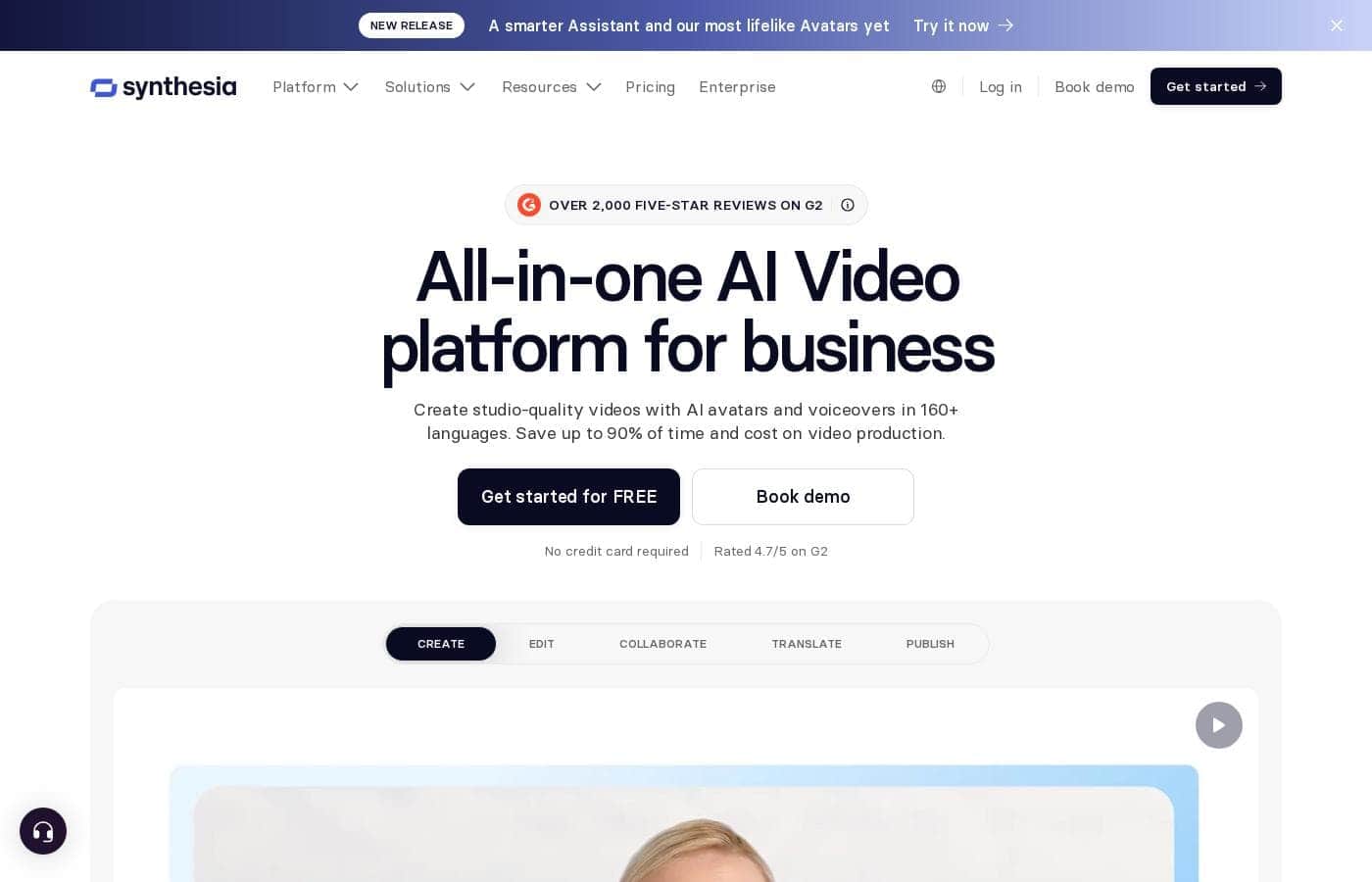
Synthesia homepage screenshot

At a glance

Quick overview for Synthesia: rating, pricing summary, key features, and highlights.

Ciroapp review

4.3
Elite AI Video Creation for Scaling Teams.

We find Synthesia excels at providing an enterprise-grade solution for AI video generation, combining ease of use with essential security features like SOC2 and API access. Overall, this platform is a market leader for businesses prioritizing professional quality and scalability in internal communications and training.

Pros

  • Pro:Exceptional ease of use, making professional video creation highly intuitive.
  • Pro:Unbelievable video quality with realistic AI avatars and natural lip-sync.
  • Pro:Strong security and compliance features (SOC2, GDPR) for enterprise use.
  • Pro:Rapid content localization with one-click translations into 140+ languages.

Cons

  • Con:Monthly video minute caps restrict usage for high-volume creators.
  • Con:Reported minor technical bugs and occasional slowdowns during extended use.
  • Con:Content guidelines can be unclear, leading to workflow interruptions.
Free trial
Yes
Range: $0–$64/monthFree plan, Monthly subscription, Yearly subscription, Per seat pricing, Usage-based pricing
This section is a summary. Detailed sections about features, use cases, pricing, and reviews follow below.

Synthesia review, pricing, features, pros & cons

Making high-quality, scalable video content often demands significant time, expensive equipment, and specialized editing skills. Synthesia solves this challenge by letting you create, localize, and manage professional AI videos entirely on one centralized platform. You can now save production hours and deploy multilingual training instantly.

What is Synthesia?

Synthesia is a powerful AI video generation platform trusted by over 50,000 teams. It allows businesses to create polished, on-brand videos without needing complex filming or specialized editing skills. You simply provide text, and the platform generates content using expressive, customizable AI Avatars.

The entire video workflow—from creation to publishing—is housed in a single, secure environment. It’s built for enterprise use, satisfying tough legal and security requirements. ✅

Synthesia Key Features

✨ Professional AI Video Creation

Synthesia offers an intuitive way to create polished, high-quality videos without needing filming equipment. You simply provide the text script, and the platform generates the content. This approach saves significant production hours and eliminates the need for complex editing skills.

Making a video is fast and easy. You choose from a wide selection of expressive AI Avatars, including 125+ stock options, to narrate your script. You can even use the AI Video Assistant to instantly turn existing documents, web links, or raw ideas into a finished AI video. The entire creation process is streamlined to get your content published quickly.

✨ Instant Global Localization

Instantly scaling your message across the globe is simple with Synthesia’s powerful localization tools. You can translate any video into more than 140 languages with a single click. This feature saves thousands of dollars and eliminates endless hours of manual localization work.

When you translate the content, Synthesia flawlessly syncs the new language to the AI Avatar’s lips. This advanced AI Dubbing ensures the outcome is natural and completely professional. Teams can also organize and play all 140+ language versions within a single, convenient multilingual video player.

✨ Streamlined Content Management

Managing and updating your video library is made easy thanks to built-in workflow features. The platform is designed to house your entire video workflow—from creation to publishing—in one secure environment. This central hub helps eliminate clutter and complexity.

If you need to update a script, the unique version control automatically syncs changes to the original video right away. This means you won’t face broken links or need to manage duplicate files across your organization. You can also export your finished videos in SCORM format for smooth integration with your existing Learning Management System (LMS).

✨ Team Collaboration and Flexibility

Synthesia enables effective teamwork by allowing users to collaborate on projects in real-time. Teams can create, comment, and review videos together, speeding up the entire feedback cycle. This level of collaboration ensures that content creation is fast and efficient.

For creating instructional or technical content, the AI Screen Recorder provides a polished result in one take. It generates instant transcripts and is smart enough to remove filler words like 'ums' or 'uhs.' Plus, you can instantly edit, update, or translate your screen recordings, making them immediately useful worldwide.

✨ Built-in Branding and Insights

Every video you create can be precisely on-brand using the integrated Brandkit. It helps you maintain brand consistency across all content. You simply upload your company logo, choose your corporate colors, and establish your preferred style guidelines.

Beyond creation and branding, you get rich data on video performance. The powerful analytics tools let you see what is truly resonating with your audience. You can track critical metrics like video views, completion rates, and viewer drop-off points to optimize future content strategy.

Use Cases

🌎 Scaling Global Training and Localization

When expanding into new markets, organizations face major hurdles in translating their training materials. Manually translating content across many languages is costly and takes too long. Synthesia solves this by offering instant localization into 140+ languages.

Here’s how training managers achieve global reach swiftly: Start with a core video in one language. Use the 1-click translation feature to localize the script. The AI flawlessly syncs the new dialogue to the avatar’s lips, preserving quality and consistency. Teams have reported translating 100 hours of content in just 10 minutes.

Expected outcome: Teams achieve global scale faster, significantly eliminating external translation costs and localized filming schedules.

Tip: Use the multilingual video player to organize and access all language versions in one place.

📄 Converting Documents into Engaging Videos

You don't need a scriptwriter or camera crew to create video content. Synthesia allows you to transform existing written assets into polished videos instantly. This helps repurpose dense materials like manuals, links, or internal documents into a more engaging format.

Use the AI Video Assistant to begin. You simply provide the text or a link, and the system automatically generates an on-brand video structure. Next, select an expressive AI Avatar and adjust the visual style using your Brandkit colors and logos. This streamlines production and makes technical information digestible for employees or customers.

📈 Rapid Sales Enablement and Product Updates

Sales teams need fresh, accurate, and consistent materials to present to clients. Using traditional methods, updating product pitches or recording new training for a global salesforce takes weeks. Synthesia minimizes this production timeline drastically.

For example, what previously required four hours of studio time now takes only 30 minutes to complete. This efficiency allows sales leaders to quickly create and deploy hundreds of videos across different languages instantly, ensuring everyone is trained consistently. The ability to generate 180 localized videos with zero hassle is a major advantage for global enablement teams.

📣 Maintaining On-Brand Internal Communications

Internal communication teams must produce videos that are fast, frequent, and visually professional. It's easy for video quality to drop when production speed increases. Synthesia ensures every video remains on-brand, even when teams create content daily.

The platform integrates a Brandkit feature. Users upload the company logo and define corporate colors and styles there. This ensures that every AI video produced is automatically aligned with organizational guidelines. Teams can collaborate in real-time, reviewing and commenting on drafts in the platform to accelerate the approval process.

🔒 Compliance Training and System Integration

Compliance and operations training often requires frequent updates due to policy changes. Traditional videos are impossible to update without re-filming, leading to broken links or outdated files within the Learning Management System (LMS).

Synthesia offers a solution through robust version control and SCORM export. If a policy changes, users update the original video text with a single click. The built-in version control automatically syncs this change, without needing to touch the LMS or manage duplicate files. This gives L&D managers the power to push seamless updates directly to employees.

Pricing Overview for Synthesia

Pricing range
$0–$64/month
Pricing types
Free plan, Monthly subscription, Yearly subscription, Per seat pricing, Usage-based pricing

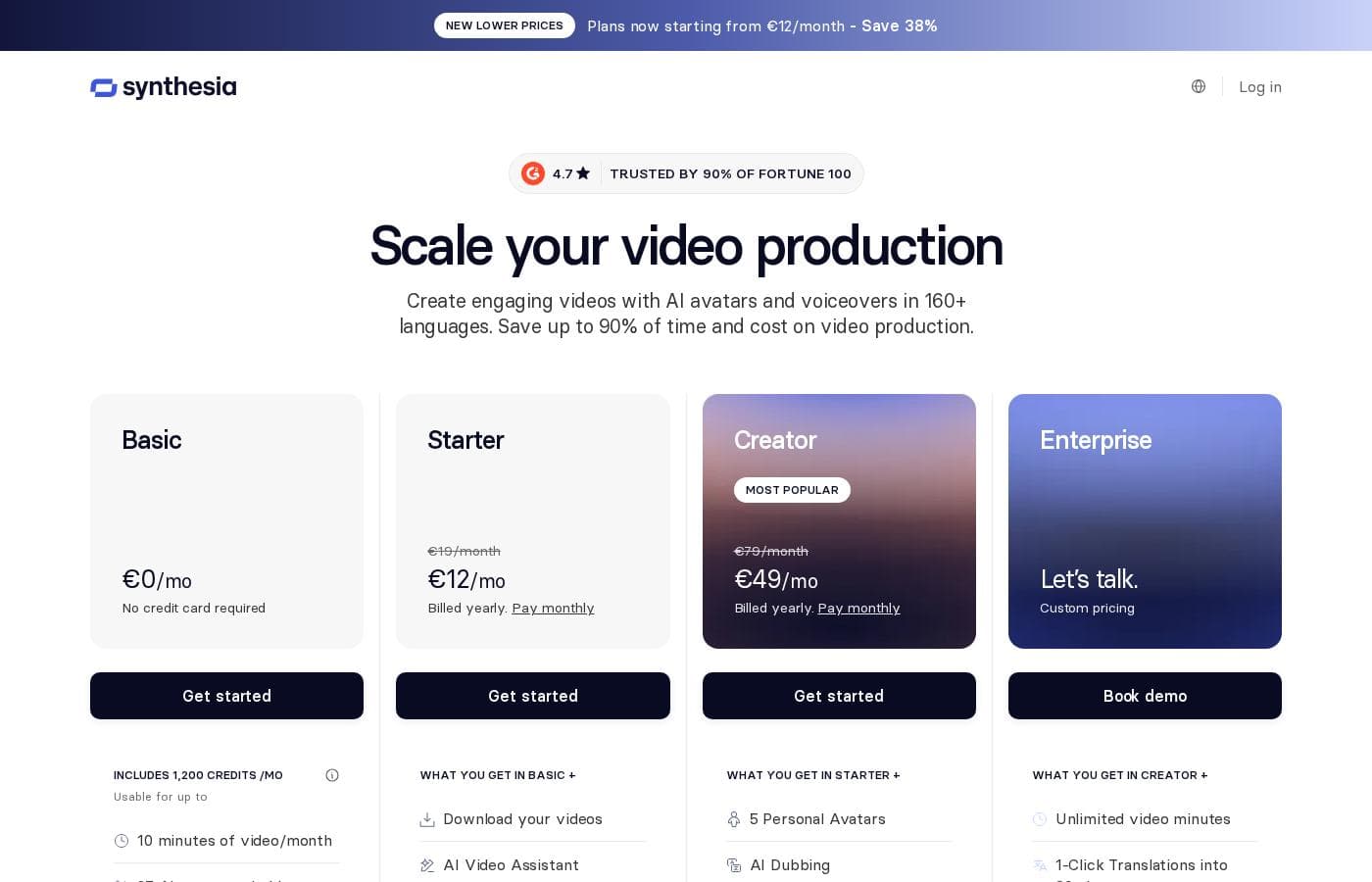
Synthesia provides a free Basic plan ideal for trying out the service. Paid subscriptions start at $18 per month when billed yearly, offering increased video capacity and essential features for professionals and teams.

Plans & Pricing

Basic

Monthly$0
YearlyFree
3 minutes of video/month
  • 1 editor
  • 9 AI Avatars
  • Videos up to 3 min
  • 36 minutes of video / year (3 minutes/month)

Starter

Monthly$29
Yearly$216
10 minutes of video/month (120 minutes/year)
  • Download your videos
  • AI Video Assistant
  • AI Dubbing
  • Remove Synthesia logo
  • 1 editor & 3 guests
  • 125+ Synthesia AI Avatars
  • Chat/email support

Creator

Monthly$89
Yearly$768
30 minutes of video/month (360 minutes/year)
  • 5 Personal Avatars
  • Branded video pages
  • API access
  • Multiple avatars per scene
  • Interactive videos
  • 1 editor & 5 guests
  • 180+ Synthesia AI Avatars
  • Priority chat/email support

Enterprise

YearlyCustom pricing
Unlimited minutes of video
  • Unlimited video minutes
  • 1-Click Translations into 80+ languages
  • 230+ stock AI Avatars
  • Unlimited Personal Avatars
  • SAML/SSO
  • Live team collaboration
  • Dedicated CSM

Synthesia costs between $0 and $64 per month with four plans: Basic at $0, Starter at $18, Creator at $64, and Enterprise with Custom pricing.

Here’s a closer look at what each plan provides.

Basic

Price: Free ($0/month) Websites Supported: Not explicitly stated Best For: Users needing minimal video output (3 minutes/month) Refund Policy: Not explicitly stated Other Features:

  • 1 editor
  • 9 AI Avatars
  • Videos up to 3 min
  • 360 credits / mo (3 minutes of video)

The Basic tier is perfect if you’re just starting out or want to test Synthesia's core capabilities. You can get familiar with the interface and generate short videos without needing a credit card.

Starter

Price: $18/mo (billed annually; $29/mo billed monthly) Websites Supported: Not explicitly stated Best For: Small teams or individuals needing expanded usage and downloads. Refund Policy: Not explicitly stated Other Features:

  • Download your videos
  • AI Dubbing and AI Video Assistant included
  • Remove Synthesia logo
  • 1 editor & 3 guests
  • 125+ Synthesia AI Avatars
  • Videos up to 10 min

If you want more output and core professionalism features, Starter is a great fit. It offers necessary tools like video downloading and removing the Synthesia logo, allowing for wider distribution and more complete projects. You get 10 minutes of video generation monthly, which is ideal when scaling up production slightly. ✨

Creator

Price: $64/mo (billed annually; $89/mo billed monthly) Websites Supported: Not explicitly stated Best For: Power users and growing teams requiring personal avatars and API access. Refund Policy: Not explicitly stated Other Features:

  • 5 Personal Avatars
  • Branded video pages
  • API access
  • Multiple avatars per scene
  • Interactive videos
  • Videos up to 30 min

The Creator plan is designed for dedicated users generating frequent, longer content. This plan unlocks significant collaboration functionality, like having five personal avatars and API access for automating video creation workflows. The 30 minutes of video monthly capacity supports much higher volume production needs.

Enterprise

Price: Custom pricing Websites Supported: Not explicitly stated Best For: Large organizations needing unlimited scalability and advanced security features. Refund Policy: Not explicitly stated Other Features:

  • Unlimited video minutes and video duration
  • 1-Click Translations into 80+ languages
  • SAML/SSO and Live team collaboration
  • Unlimited Personal Avatars
  • Dedicated Customer Success Manager

Teams requiring maximum video production, guaranteed security, and bespoke support should contact Synthesia for Enterprise pricing. This plan removes usage limits and includes critical features like SAML/SSO for secure, large-scale deployments.

The Basic plan is a permanent free tier available to all users. Since Synthesia is subscription-based, you can cancel your plan at any time directly through your account settings if your needs change.

User Reviews

Synthesia users consistently praise the platform's exceptional ease of use and intuitive design, making professional video creation straightforward even for beginners. Many reviewers highlight the high-quality output, noting the realistic AI Avatars and natural lip-syncing that result in credible training and presentation videos.

The consensus is that Synthesia is a massive time-saver, allowing users to rapidly scale content creation. Customer support and specialized training, especially through live webinars, are highly regarded; users find the presenters knowledgeable and responsive.

While feedback is overwhelmingly positive, the most frequent critique revolves around volume constraints. Some users wish the platform wouldn't limit the number of video minutes per month, finding the usage limits restrictive for high-volume content needs.

Despite reports of minor, non-blocking bugs, the impressive technology makes Synthesia a game-changer for many organizations seeking professional, scalable video messaging. 🤩

What users say elsewhere

Liam R.
· Trustpilot
5.0 / 5

It was incredibly easy to create professional videos. I just type my script, pick an AI avatar, and the process is complete—no specialized editing skills are required. The result is a video where the lip-sync looks completely natural.

Sarah K.
· Trustpilot
5.0 / 5

The live trainings are fantastic. The host is welcoming, knowledgeable, and always shows many different features of the platform, which helps the learning process. We appreciate that a moderator is also present to handle audience questions.

No reviews yet.

Write a Review

Write a Review for Synthesia
0/100 characters
0/2000 characters

Why use Synthesia?

Why should your organization switch to AI video creation? Synthesia transforms internal communication and training by drastically cutting production timelines and costs. It’s designed to deliver scale, security, and professional quality effortlessly.

Core Benefits of Choosing Synthesia:

  • Achieve Unprecedented Speed and Savings – Dramatic efficiency gains are common. Teams have reported saving significant time and reducing production costs; for example, one user translated 100 hours of content in just 10 minutes. This allows you to scale video creation faster than ever before.
  • Global Reach with One Click – Instantly translate any video into 140+ languages. Synthesia flawlessly syncs the new language to the AI Avatar’s lips. This feature saves thousands in production and eliminates hours of localization work.
  • Truly Enterprise-Ready Security – The platform is built for Fortune 100 standards, adhering to strict compliance like SOC2, GDPR, and ISO42001. Synthesia is approved by legal teams and trusted by CFOs, ensuring your data is always safe and secure.
  • Maintain Brand Consistency – Easily upload your logo, choose corporate colors, and set your organizational style using the integrated Brandkit. Every video produced is automatically professional and precisely on-brand.
  • Seamlessly Manage and Update Content – Easily integrate videos into your existing Learning Management System (LMS) using SCORM format. If you need to make updates, the built-in version control automatically syncs changes to the original video without requiring duplicate files. 💡

Ready to transform your workflow with Synthesia?

Frequently Asked Questions

How is video usage tracked, and what happens when I reach my monthly limit?

Video output is tracked by the minutes of generated video time per month, based on a credits system. If you use up your allowance, video generation stops immediately until your subscription renews. You must upgrade your plan to generate more minutes right away.

Do my unused video minutes roll over to the next billing cycle?

No, unused generation minutes do not roll over. Your monthly or yearly allocation of video credits resets at the start of each new billing period.

Is the pricing focused on the number of users, or the amount of video created?

The pricing structure balances both elements. Each plan limits the number of editors and guest collaborators you can have in the workspace. However, the primary restriction is the monthly total of video minutes you can generate.

What security and compliance certifications does Synthesia maintain?

Synthesia is designed for enterprise use and adheres to strict standards. The platform is SOC 2 Type II and GDPR compliant, and it also holds the ISO42001 certification.

Can I integrate videos easily into my existing Learning Management System (LMS)?

Yes, you can export your videos in the SCORM format, which allows seamless integration into your LMS. A useful feature is that embedded videos automatically update when you make edits to the original file in Synthesia.

Which plans include API access for automating video creation?

API access starts with the Creator plan. This allows you to automate video creation workflows and includes a set number of API-generated minutes per year.

What is the key difference in support between the paid plans?

Starter plans receive standard chat and email support. Creator plans receive Priority chat and email support. Enterprise clients benefit from a dedicated Customer Success Manager for personalized onboarding and service.

How many custom ‘personal avatars’ can I create of myself or others?

The Creator plan includes five custom personal avatars that act as digital twins of a specific person. If you choose the Enterprise plan, you have access to unlimited personal avatars.

Can I cancel my subscription at any time, and is there a refund policy?

You can cancel your subscription whenever you wish directly through your account settings. However, a specific money-back guarantee or refund policy is not explicitly stated on the official site.

What is the difference between AI Dubbing and 1-Click Translations?

AI Dubbing translates existing videos into 32 languages, and this usage reduces your monthly video minutes. The 1-Click Translation feature, exclusive to Enterprise, translates videos into over 80 languages automatically.

Do I have to purchase an Enterprise plan to get advanced security features like SAML/SSO?

Yes, advanced authentication and identity management tools like SAML/SSO are included features exclusively for the Enterprise plan. These features are critical for large organizations needing secure access.

Is there a free trial period for the Starter or Creator plans?

Synthesia provides a permanent free Basic tier designed for testing, which allows 3 minutes of video creation monthly. A traditional, time-limited trial for the paid plans is not explicitly offered.

Ready to try Synthesia? Check out the official site or pricing.