Visla

Visla

Bring your video ideas to life in minutes.

#6 dans AI Video Generator
2 min read · Updated 10/5/2025
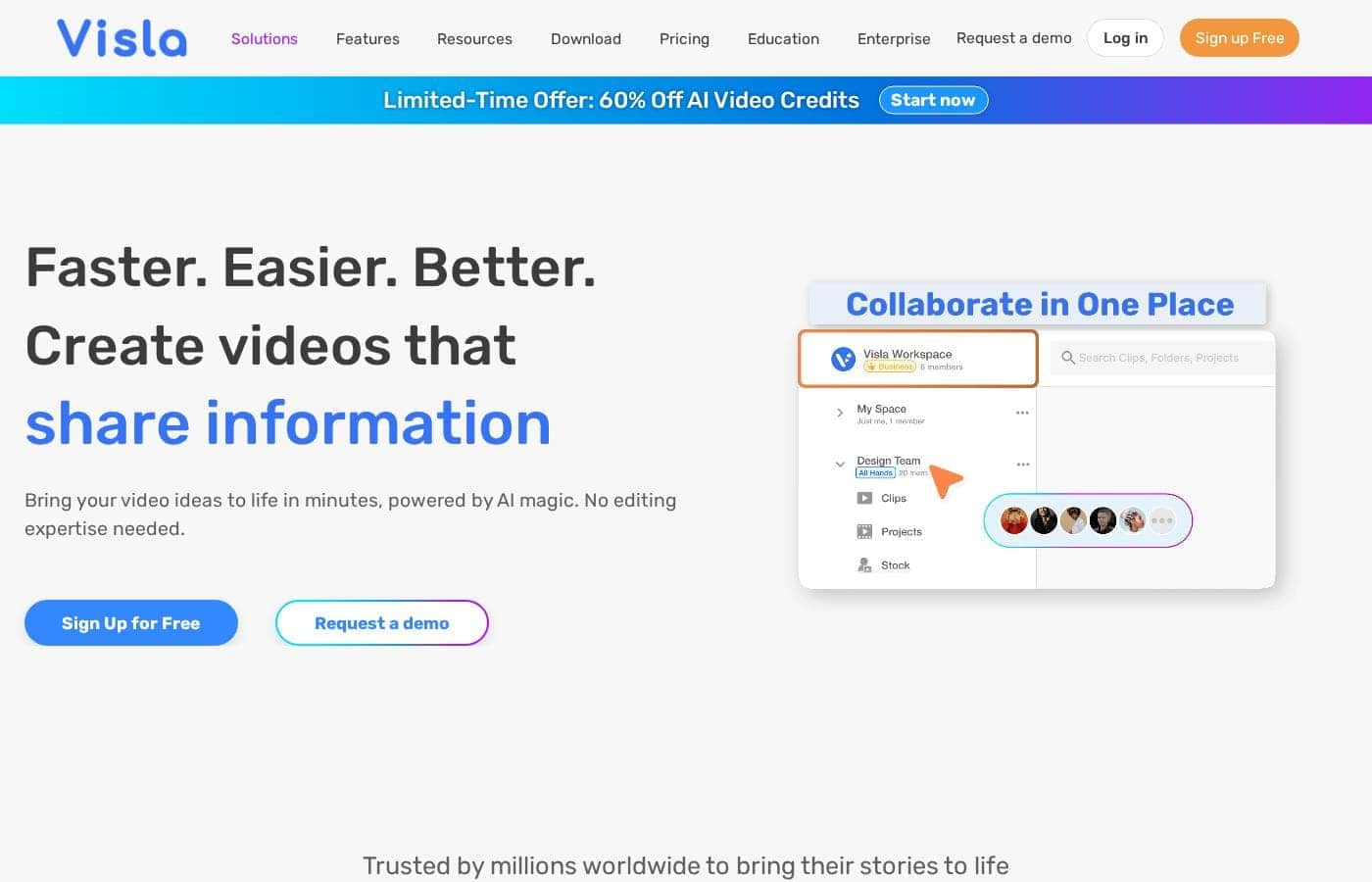
Visla homepage screenshot

At a glance

Quick overview for Visla: rating, pricing summary, key features, and highlights.

Ciroapp review

2.8
AI Video Power, Billing Risk.

We find Visla offers a robust AI video creation workflow, making complex production accessible without specialized editing skills. The commitment to enterprise features like SOC 2 suggests strong security intent. However, external feedback detailing questionable billing practices and significant reliability issues raises serious operational concerns. Overall, we recommend approaching this tool with caution due to recurring reports of subscription and performance problems.

Pros

  • Pro:AI generously generates professional video drafts from text or ideas quickly.
  • Pro:Extremely easy and intuitive interface, suitable for non-editors and beginners.
  • Pro:Offers advanced compliance focused on enterprise needs (SSO, SOC 2 Type II).
  • Pro:Free plan provides 1,000 monthly credits for effective testing.

Cons

  • Con:Repeated, serious reports of unauthorized subscription charges and billing scams.
  • Con:Rigid "no refund policy" and difficult, cumbersome cancellation process for users.
  • Con:Video generation can stick/fail or result in highly inaccurate/irrelevant content.
  • Con:Customer support is criticized for being unresponsive to financial complaints.
Range: Not explicitly statedFree plan, Monthly subscription, Yearly subscription, Usage-based pricing
This section is a summary. Detailed sections about features, use cases, pricing, and reviews follow below.

Visla review, pricing, features, pros & cons

It's challenging to create professional videos quickly if you aren't an expert editor. Visla solves this frustration by combining AI magic with a simple workflow. You can bring your full video ideas to life, like product demos or tutorials, in minutes without needing specialized knowledge.

What is Visla?

Visla is an innovative, AI-powered platform designed for seamless video creation. It eliminates the barrier of needing editing expertise, allowing you to move quickly from an initial thought to a polished final video. The core of the system is the intelligent AI Video Agent, which analyzes your input and builds a complete draft with visuals and narration.

The platform is ready for enterprise teams, too, supporting secure Single Sign-On and SOC 2 Type II compliance for strong data integrity. 💡

Visla Key Features

✨ Start Creating with Literally Anything

You don't need fancy video files just to start a project. Visla allows you to kick off creation instantly using almost any asset you already have. The AI reads, listens, and analyzes the content you provide to understand your goal.

This powerful input flexibility means you move quickly from a raw idea to a polished draft. You can use existing presentation files, audio clips, or even links to begin your video creation process right away.

✨ The Intelligent AI Video Agent

It's challenging to make professional videos quickly if you aren't an expert editor. Visla solves this problem using the innovative AI Video Agent. This Agent analyzes your input, whether it is text, audio, or a document.

Based on this analysis, the AI builds a fully formed video draft for you. This draft includes synchronized narration, appropriate visuals, scene arrangements, and smooth transitions. It essentially handles the complex foundational assembly work.

✨ Maintain Full Creative Control

While the AI performs the heavy lifting, you stay in total control of the final output. Before the draft is generated, you can easily direct the AI on critical styling choices. This ensures the output fits your specific needs every time.

Here is how you guide the AI Agent:

✨ Integrated Content Capture Tools

Sometimes, the best content is the original material you create. Visla includes built-in tools that make capturing new content easy, whether you are on a desktop or mobile device. You can record your screen, your camera, or both simultaneously.

This functionality is perfect for creating product demonstrations, quick tutorial guides, or capturing meeting summaries. You can directly record presentations or original footage and immediately feed it into the AI workflow.

✨ Refine Results with the Scene-Based Editor

After the AI Video Agent delivers your first draft, you refine it using the powerful Scene-Based Editor. This editor is designed for easy adjustment without requiring deep editing knowledge. You can quickly adjust or move scenes around to change the flow.

The editor also lets you finalize details like fixing wording in the narration or adjusting graphics. You can add text overlays and make sure your branding elements are perfectly integrated before export.

🔒 Enterprise Security and Compliance

For teams that prioritize data security, Visla provides critical enterprise-level compliance features. The platform maintains SOC 2 Type II compliance, which assures strong protocols for data security and integrity within your video creation environment. Visla also supports secure Single Sign-On (SSO).

SSO streamlines access and simplifies authentication for enterprise teams. This enhances user security and ensures robust, safe access across the entire organization.

✨ Fast and Flexible Sharing

Once you are satisfied with the video draft, sharing is instant. Visla simplifies getting your asset out into the world without complicated export processes. You have several options for immediate distribution.

You can instantly download the file, generate a simple shareable link, or quickly copy the embed code. This flexibility ensures your professional video reaches your audience wherever they are.

Use Cases

📄 Converting Static Documents into Video

You have a fantastic sales presentation or internal report saved as a PDF or PowerPoint file. Why let that valuable content sit unused? Visla makes repurposing effortless.

Start your project instantly by uploading the existing PDF or PPT deck. The AI analyzed the document, recognizes the flow, and constructs a visual timeline. You simply guide the AI on the required duration and aspect ratio, then select the final voiceover. The system turns your static documents into dynamic, narrated videos in minutes, ready for sharing.

📹 Generating Comprehensive Product Demos

When you need to show exactly how your software works, Visla’s capture tools are perfect. You can quickly bring your full video ideas to life, like product demos or tutorials.

Use the built-in functionality to record your screen, camera, or both simultaneously while demonstrating the product. Once the recording is complete, feed the clip and any related script into the AI Video Agent. It handles the foundational assembly work, adding transitions and scenes based on your input. You immediately move from demonstration to a polished, professional video asset.

🔒 Scaling Secure Enterprise Content Creation

Many large organizations require strong security and data integrity for all their internal platforms. Visla supports secure Single Sign-On (SSO) and offers SOC 2 Type II compliance for enterprise teams.

This robust infrastructure allows organizations to adopt high-volume video production with confidence. Video creation can be integrated securely into existing workflows using API support. Your sensitive training materials and private clips remain protected while you maintain full control over role-based access across the workspace.

🛠️ Refining Visually Complex Drafts

The AI Video Agent generates a draft with visuals and narration based on your preferences. However, you maintain necessary creative control to refine scenes precisely.

<ol> <li>**Guide the AI:** Direct the Agent on the video’s pace, duration, and which libraries it should pull stock footage from (like Getty Images).</li> <li>**Edit the Flow:** Use the powerful Scene-Based Editor to cut or move scenes around to perfect the narrative.</li> <li>**Finalize Branding:** Easily add text overlays, graphics, and adjust branding elements directly in the scenes.</li> </ol> > **Tip:** Quickly fix the wording in the narration directly within the editor without re-recording audio segments.

💡 Creating Videos from Just an Idea or Script

You don't need existing video clips or complex editing software to start. Visla combines AI magic with a simple workflow, bringing your ideas to life even if you have no prior editing experience.

If you have a defined script for a marketing campaign, simply paste the text or outline the idea. The AI analyzes the input and automatically builds a complete draft with appropriate visuals and narration. Control crucial details like aspect ratio and which AI voiceover and Avatar fit your story best. This process converts a concept into a secure, shareable asset rapidly.

🖼️ Repurposing Existing Media Assets

You can start your project instantly using virtually any asset you already have. This includes existing images, audio files, links, or text scripts.

Problem: You have a collection of high-quality photos and recorded audio clips but need a unified video presentation. Approach: Upload all the disparate assets—images, audio tracks, and maybe a brief text description. The AI reads, listens, and analyzes everything to draft a coherent video. You can easily direct the AI agent to fill in any visual gaps by sourcing additional stock footage.

Expected outcome: A cohesive, media-rich video without spending hours syncing different file types manually.

Pricing Overview for Visla

Pricing range
Not explicitly stated
Pricing types
Free plan, Monthly subscription, Yearly subscription, Usage-based pricing

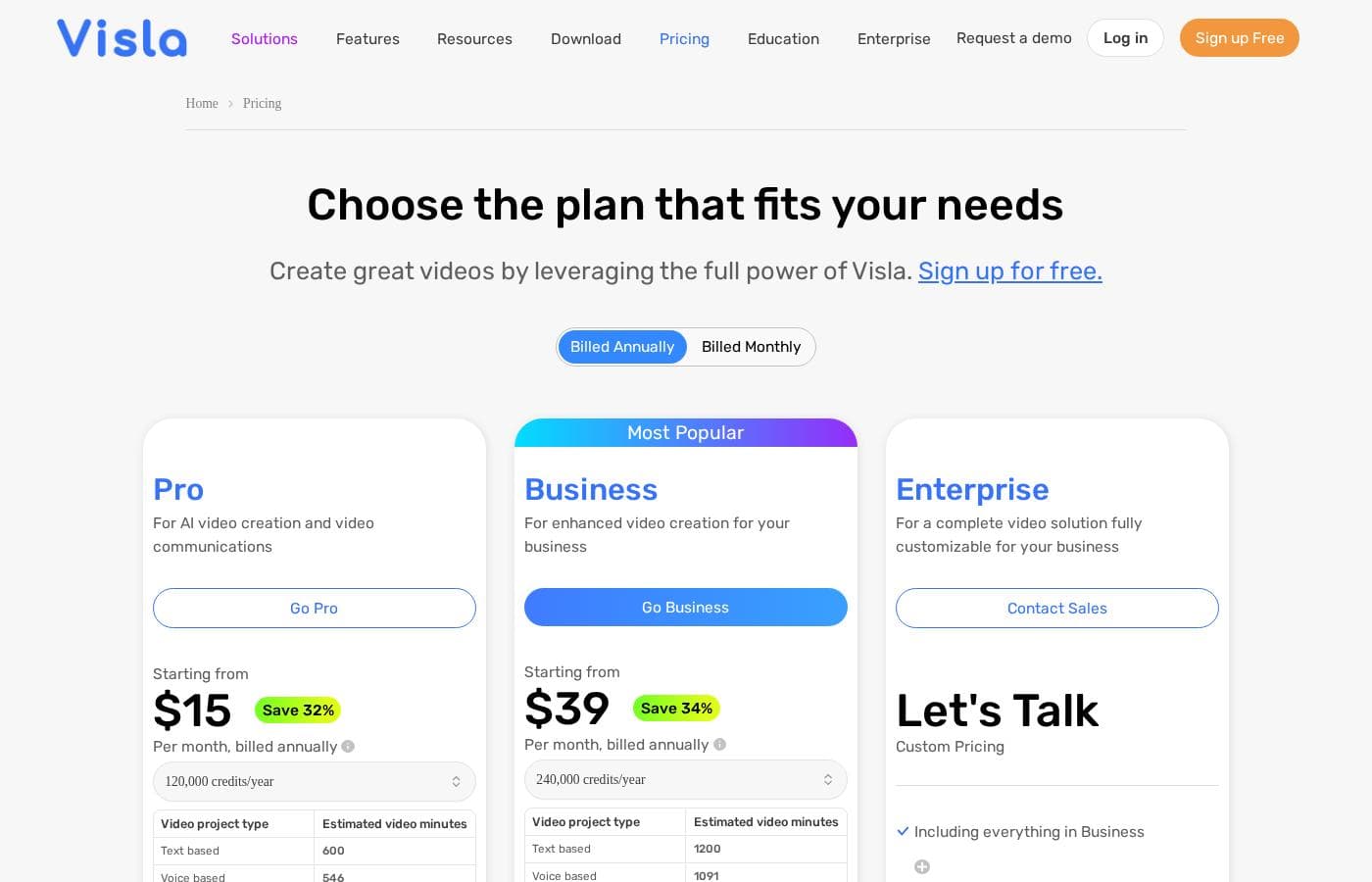
Visla uses a credit-based subscription model. While the exact dollar costs are not specified, plans range from a free tier providing 1,000 monthly credits up to an enterprise level with custom credit allocation.

Plans & Pricing

Free

Contact for pricing
Visla Watermark present on exported videos.
  • Video Creation from Idea/Script/Text
  • 1,000 Monthly Assigned Credits
  • Maximum resolution 1080p
  • 150 Unlimited Public Avatars
  • 3GB / 1 hour media upload limit

Pro

Contact for pricing
Maximum resolution 1080p. 3GB / 1 hour media upload limit.
  • Monthly Assigned Credits starting from 5,000
  • Flexible Credit Availability
  • Visla Watermark Removal
  • Access to Storyblocks Library (4M videos)
  • Instant Voice Cloning (3 voices)

Business

Contact for pricing
  • Monthly Assigned Credits starting from 20,000
  • Maximum resolution 4K
  • Access to Getty Images (16+ Million videos)
  • 20 GB / 3 hour media upload limit
  • SOC 2 Type II Report Available

Enterprise

Contact for pricing
Customized based on corporate needs.
  • Custom Monthly Assigned Credits
  • Single sign-on (SSO)
  • SOC 2 Type II Report Available
  • Video Creation API Support
  • Role-based workspace/teamspace control

Visla costs are determined by a credit-based system, but the specific annual or monthly prices for the plans are not explicitly stated.

You can compare the key differences in monthly allocated credits and feature access below.

Free

Price: Not explicitly stated Websites Supported: Not applicable Best For: Individuals and casual creators Refund Policy: Not explicitly stated Other Features:

  • 1,000 Monthly Assigned Credits
  • Maximum resolution of 1080p
  • Access to the standard Free Stock Library
  • Record audio, screen, and camera content
  • Visla Watermark will be on exported videos

This is a fantastic entry point if you're just starting with AI video creation or need Visla for basic, occasional use. You can explore core AI video creation features using the 1,000 free credits each month.

Pro

Price: Not explicitly stated Websites Supported: Not applicable Best For: Dedicated creators and small teams Refund Policy: Not explicitly stated Other Features:

  • Monthly Assigned Credits start from 5,000
  • Flexible Credit Availability (available for purchase)
  • Access to the Storyblocks Premium Stock Library (4 Million videos)
  • Visla Watermark Removal
  • Instant Voice Cloning (3 voices)

The Pro plan elevates your production quality by removing the watermark and giving you access to a massive library of premium stock footage. Choose this plan if you need higher video volume and professional branding without breaking the bank.

Business

Price: Not explicitly stated Websites Supported: Not applicable Best For: Larger organizations and scaling production Refund Policy: Not explicitly stated Other Features:

  • Monthly Assigned Credits start from 20,000
  • Maximum resolution of 4K
  • Access to Getty Images Premium Stock Library (16+ Million videos)
  • Auto-Labeling of Private Stock
  • Full Dashboard & Usage Analysis

If you run a high-volume studio or an internal corporate team, the Business plan offers essential features like 4K exports and integrated Getty Images stock. It provides the robust credits and management tools needed for serious scaling.

Enterprise

Price: Not explicitly stated Websites Supported: Not applicable Best For: Large corporations requiring security and custom integration Refund Policy: Not explicitly stated Other Features:

  • Custom Monthly Assigned Credits
  • Single Sign-On (SSO) Capability
  • SOC 2 Type II Report Available
  • Video Creation API Support
  • Custom Branding Options

The Enterprise solution is tailored for major companies that require custom credit allocation, enhanced security protocols like SSO and SOC 2 compliance, and the ability to integrate video creation workflows via API into existing systems. It's the maximum power for organizations that demand comprehensive control and bespoke service.

Visla offers a Free plan, which provides 1,000 monthly assigned credits, allowing you to try the platform's core video creation capabilities right away. Since the plans are subscription-based, you can assume cancellation options aligned with typical monthly or annual commitment structures.

User Reviews

Visla receives sharply mixed feedback across platforms. Users praise its potential as a game-changer for generating training videos, noting that the AI tools make complex video creation incredibly easy, even for people without editing experience.

They appreciate the intuitive interface and the resulting professional look. However, the positive experiences are overshadowed by significant complaints regarding payment and reliability.

Several users describe the billing model as a "scam," criticizing the sudden, unauthorized annual charges and a rigid "no refund policy" that traps active customers. Furthermore, customer support is criticized for being highly unresponsive to billing disputes and cancellation requests.

Reliability issues are also noted; some synthetic video generation processes completely failed or produced "comically wrong" results when translating text prompts into visuals. While the basic service offers utility, the combination of poor technical consistency and troubling financial practices leads many former customers to strongly advise caution.

‼️

What users say elsewhere

Jamie K.
· Trustpilot · Jan 9, 2025
5.0 / 5

Visla has been a game-changer for creating internal and external training videos. With no background in video creation, I found it incredibly easy to use without any training included. The AI tools are fantastic for generating video drafts and saving me hours of professional work.

Richard T.
· Trustpilot · Apr 10, 2024
1.0 / 5

The final result from Visla was comically wrong based on my detailed text prompt. For example, my prompt described a 'handsome man' driving a 'convertible sports car,' yet the video matched neither of those details. It simply does not work accurately or reliably.

No reviews yet.

Write a Review

Write a Review for Visla
0/100 characters
0/2000 characters

Why use Visla?

Why spend hours learning complicated software when Visla can build the entire video for you? Visla dramatically streamlines the production workflow, ensuring you rapidly convert a concept into a secure, shareable asset.

The system offers powerful automation while still granting the human creator necessary control. Here are compelling reasons to choose Visla: * Achieve stunning video results even if you have no prior editing experience. The AI handles the foundational assembly work for you.

  • Start your project instantly using virtually any asset you already have, including existing images, audio, links, text scripts, or presentation files (PDF/PPT). * Maintain full creative control by easily directing the AI Agent on crucial details like the video's pace, duration, aspect ratio, and the sourcing of stock footage and music.

  • Refine videos precisely using the powerful Scene-Based Editor to adjust branding, add text overlays, move scenes, or fix wording in the narration. * Share your project instantly via a simple link, embed code, or immediate download once you're satisfied with your draft.

Ready to transform your workflow with Visla?

Frequently Asked Questions

How does Visla's credit system work?

You receive Monthly Assigned Credits based on your subscription tier; these refresh monthly. Higher tier users, starting with Pro, can purchase extra Flexible Credits if they need more video volume.

Since the plans are credit-based, are the explicit dollar costs listed?

The specific annual or monthly dollar prices for the Free, Pro, Business, and Enterprise plans are not explicitly stated on the official site.

Can I purchase extra Flexible Credits if I run out of my monthly allowance?

Yes, Flexible Credits are available for purchase starting at the Pro and Business tiers. Users on the Free plan cannot purchase extra credits.

Does Visla offer a free trial period for the paid plans?

Not explicitly stated on the official site. However, the available Free plan offers 1,000 credits monthly, which lets you test the core platform functionalities at no cost.

What key workflow integrations does Visla support?

Visla integrates directly with Slack, Zoom Cloud Recording, Canva, and Adobe Express. Furthermore, you can connect it to over 6,000 apps using the Zapier integration.

Which level of security certification is available for corporate environments?

The SOC 2 Type II Report is available for customers subscribing to the Business and Enterprise plans. This confirms Visla meets strict information security standards.

Does Visla support Single Sign-On (SSO) for corporate accounts?

Yes, Single Sign-On (SSO) capability is included only with the top-tier Enterprise plan. This enhances security and simplifies the login process for large teams.

What is the maximum video output resolution for each plan?

Free and Pro plans export at a maximum of 1080p resolution. To export your videos in ultra-high 4K resolution, you'll need the Business or Enterprise plans.

What is the maximum size limit for media file uploads?

Free and Pro users are limited to 3GB or 1 hour of video per file upload. Business and Enterprise plans support larger uploads, up to 20 GB or 3 hours of video per file.

What is the cancellation or refund policy if I discontinue my subscription?

Not explicitly stated on the official site. We recommend you check the terms of service or contact Visla support directly before subscribing to understand cancellation policies.

How does Visla manage team roles and data access controls?

Enterprise users benefit from role-based workspace control and permission-based access. This provides precise control over who can view, share, or edit content within the team structure.

How many customized AI avatars can I create?

The Pro plan allows 2 custom avatars, and the Business plan allows 3. The Enterprise tier provides an unlimited number of custom avatars for branded content.

Which premium stock libraries are included with the paid plans?

Pro users access the Storyblocks library. Business and Enterprise tiers include both Storyblocks and the extensive Getty Images library, featuring over 16 million videos.

Is there an option to integrate Visla's video creation features via API?

Yes, the Enterprise plan supports a Video Creation API. This is ideal for large companies that need to integrate video creation automatically into their existing system workflows.

Can I create videos in multiple languages using Visla?

Yes, Visla's AI supports generating synthetic voiceovers, accurate subtitles, and full video translation in multiple languages. This helps engage a global audience effectively.

Which plan is best for small teams needing reliable, professional video production?

The Pro plan is targeted toward 'Dedicated creators and small teams.' It removes the required Visla watermark and grants access to premium stock footage.

Ready to try Visla? Check out the official site or pricing.