HeyGen vs Visla
HeyGen focuses on creating hyper-realistic AI avatars and massive localization capabilities. Visla emphasizes seamless content automation, generating drafts from nearly any source file. The core contrast is HeyGen's avatar quality versus Visla's flexible input options. This guide helps you choose the right AI video production workflow.
Best for: Marketing agencies needing immediate global content localization (175+ languages), Creators and educators who need hyper-realistic AI avatars and digital doubles
Best for: Large corporations requiring SOC 2 Type II compliance and Single Sign-On (SSO), Users focused on converting legacy static documents (PPT, PDF) into video drafts
Professional AI video production, scaled.
HeyGen provides a highly advanced platform for generating realistic AI avatars and rapid video content, effectively replacing traditional studio setups. Overall, we see it as a powerful tool for scaling video operations, provided you can navigate the occasional glitches and complexities in billing and support responsiveness.
Pros
- Generates hyper-realistic and high-quality AI avatars.
- Interface is intuitive, making professional video creation easy.
- Rapidly accelerates complex video production timelines.
- Features impressive capabilities like voice cloning and 4K output.
Cons
- Platform reliability is inconsistent (glitches, volume issues, slow rendering).
- Customer support response times are often slow and ineffective for urgent issues.
- Subscription model limitations can be confusing or feel deceptive to users.
- Some users report unexpected charges following subscription cancellations.
AI Video Power, Billing Risk.
We find Visla offers a robust AI video creation workflow, making complex production accessible without specialized editing skills. The commitment to enterprise features like SOC 2 suggests strong security intent. However, external feedback detailing questionable billing practices and significant reliability issues raises serious operational concerns. Overall, we recommend approaching this tool with caution due to recurring reports of subscription and performance problems.
Pros
- AI generously generates professional video drafts from text or ideas quickly.
- Extremely easy and intuitive interface, suitable for non-editors and beginners.
- Offers advanced compliance focused on enterprise needs (SSO, SOC 2 Type II).
- Free plan provides 1,000 monthly credits for effective testing.
Cons
- Repeated, serious reports of unauthorized subscription charges and billing scams.
- Rigid "no refund policy" and difficult, cumbersome cancellation process for users.
- Video generation can stick/fail or result in highly inaccurate/irrelevant content.
- Customer support is criticized for being unresponsive to financial complaints.
AboutHeyGen
HeyGen is an advanced AI video platform designed to make creating professional content easy. It handles the entire video process automatically, from script to final sync.
You don’t need special cameras or a full studio setup anymore. It’s perfect for business teams and creators who value quality, simplicity, and speed.
HeyGen’s foundation is built on its AI Studio, a text-based editor that makes refining your videos feel as easy as modifying a document. That means you can focus entirely on human-first storytelling.
AboutVisla
Visla is an innovative, AI-powered platform designed for seamless video creation. It eliminates the barrier of needing editing expertise, allowing you to move quickly from an initial thought to a polished final video. The core of the system is the intelligent AI Video Agent, which analyzes your input and builds a complete draft with visuals and narration. The platform is ready for enterprise teams, too, supporting secure Single Sign-On and SOC 2 Type II compliance for strong data integrity. 💡
Highlights
Feature Comparison
Features Overview
We highlight the main differences and pick a winner for each feature.
AI Avatar Realism
HeyGen is the clear leader in producing hyper-realistic digital doubles and voice clones. Visla focuses more on functional AI avatars and rapid assembly of content.
HeyGen excels with its superior AI Studio for lifelike avatars and digital duplicates. You film yourself once to get a Video Avatar that looks and sounds just like you. The quality is virtually indistinguishable from real people. Visla provides unlimited public avatars usable even on the Free plan. Custom avatars are available on paid tiers, offering volume but not reaching HeyGen's realism standards. If marketing or sales relies on an authentic human presence, HeyGen delivers the necessary quality. Visla's avatars are suitable for basic training or fast, internal content. HeyGen's Avatar IV model can transform a single picture into a professional talking video.
Localization Scale
HeyGen provides unmatched global reach with professional translation across 175+ languages. Visla supports multiple languages but does not match HeyGen's volume.
HeyGen’s AI translator handles localization into over 175 languages and dialects efficiently. Crucially, it maintains the original speaker's tone and pacing with accurate lip-sync. This feature is world-class for scaling global content quickly. Visla also supports generating synthetic voiceovers and full video translation. However, the exact depth and quality compared to HeyGen's 175+ catalog is not detailed. For companies targeting niche international markets, HeyGen provides indispensable linguistic consistency. HeyGen’s voice cloning keeps your brand sound reliable across all translations. This capability saves massive production time compared to hiring manual voiceover artists for every dialect.
Source File Input
Visla is far more flexible, instantly creating videos from PDF, PPT, images, and links. HeyGen requires primarily scripts, images, or audio uploads.
Visla shines by allowing you to instantly start a project using existing static documents. You can upload PowerPoint or PDF files for the AI Video Agent to analyze and convert. This is perfect for repurposing old decks. HeyGen centers on its text-to-video AI Studio; you must supply the script or image directly. It accelerates production from text but lacks Visla's varied document processing capability. If your workflow starts with static assets, Visla converts them dynamically in minutes. HeyGen requires manual script extraction before production can begin. Visla’s flexibility means less time spent manually preparing input materials before the AI takes over the assembly work.
Enterprise Security
Visla targets large corporate needs, explicitly offering SOC 2 Type II and SSO on higher tiers. HeyGen lists general compliance but fewer specific tools.
Visla provides robust security infrastructure tailored for large organizations. The Business and Enterprise plans include the necessary SOC 2 Type II assurance report. Enterprise users also gain Single Sign-On (SSO) for enhanced access control. HeyGen notes its compliance with GDPR, CCPA, and SOC 2 TYPE II standards. These certifications ensure secure commercial use of HeyGen's generated content. For major corporations where security protocols are non-negotiable, Visla provides more granular, tier-specific compliance tools. Visla also supports role-based workspace control. Choosing Visla's Enterprise tier addresses major internal IT hurdles for secure, large-scale deployment.
Pricing Clarity
HeyGen is completely transparent, listing clear monthly dollar prices and unlimited videos. Visla uses a non-transparent credit model with unknown dollar costs.
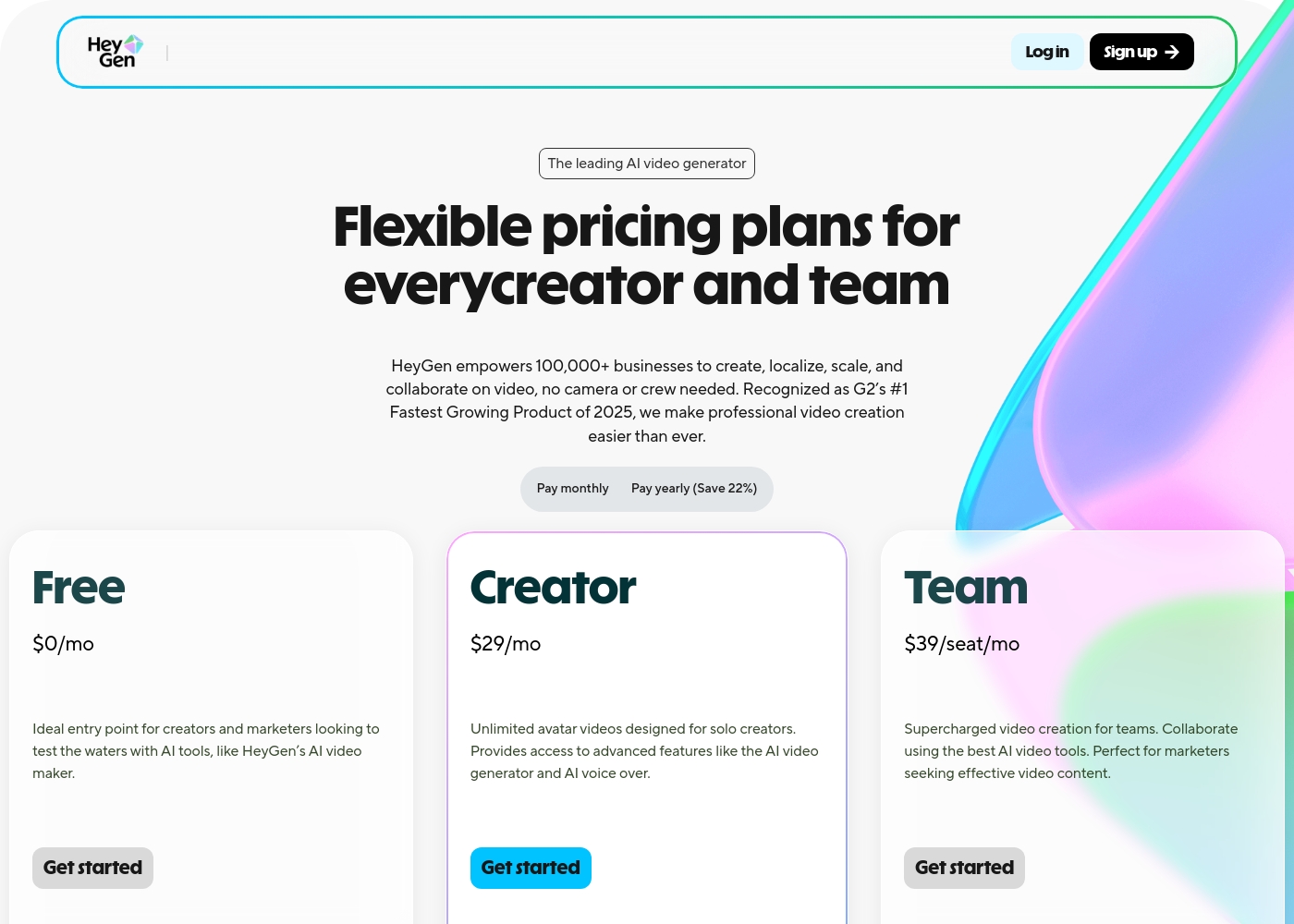
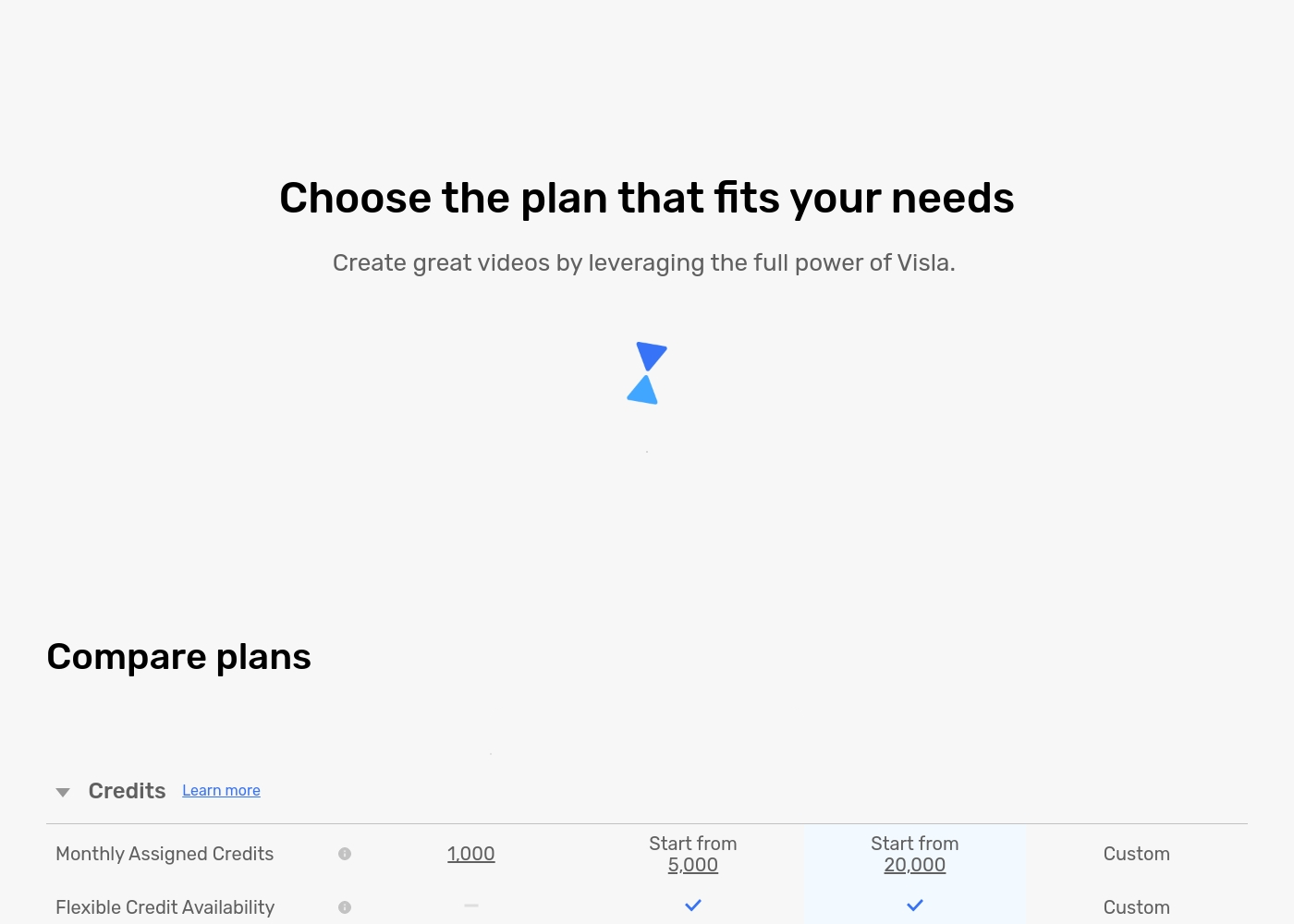
HeyGen’s pricing is straightforward: $29/month for Creator or $39/seat/month for Team, with clear annual discounts. Paid tiers include unlimited video generation. Visla prices are not explicitly stated, relying entirely on a complex credit-based system. Monthly Assigned Credits start at 1,000 (Free) up to 20,000+ (Business). HeyGen allows you to budget predictably knowing the exact cost and volume limit. Visla’s credit model introduces hidden variability and uncertainty. Users widely report billing issues and unexpected charges with Visla, making HeyGen the substantially safer financial choice.
Integrated Capture
Visla includes native camera and screen recording tools for immediate content creation. HeyGen focuses on advanced AI generation from pre-recorded footage or text.
Visla users can record their screen, camera, or both simultaneously directly within the platform. This is perfect for generating quick software tutorials or product demos. The original footage then feeds directly into the AI workflow. HeyGen’s tools primarily involve uploading a script, image, or pre-recorded audio/video. It lacks an integrated screen or desktop recording feature for content capture. If you consistently create tutorials requiring screen recording, Visla avoids the need for external software. HeyGen’s strength lies in transforming existing assets into Avatar videos. Visla's integrated capture streamlines the demo-to-draft process significantly for sales or training teams.
Team Workflow Tools
HeyGen offers superior, practical collaboration features like commenting and shared workspaces. Visla focuses team features heavily on security access controls.
HeyGen’s Team plan includes crucial team workspace features and collaborative editing functions. Teammates can comment on video drafts live, ensuring alignment on messaging. Visla’s team features are centered on high-level controls like SSO and role-based permissions, primarily guarding data integrity. Day-to-day workflow collaboration details are less prominent. Teams needing to iterate rapidly or sign off on video drafts will find HeyGen’s integrated commenting faster. Visla's Enterprise structure prioritizes strict organizational access. HeyGen makes it easy to maintain brand consistency using uploaded brand kits within the shared team workspace.
HeyGen plans cost between $0 and $39 per seat per month with four primary options: Free at $0/month, Creator at $24/month (annual), and Team at $30/seat/month (annual).
Below you’ll find a detailed breakdown of the features included in each plan.
Free
Price: $0/mo (Free tier) Best For: Creators and marketers looking to test the waters with AI tools. Other Features:
- Generate 3 videos monthly
- Videos up to 3 minutes long
- 720p video export resolution
- 1 Custom Video Avatar included
- 3 videos per month
- Videos up to 3-mins
- 720p video export
- 1 Custom Video Avatar
- 500+ Stock Video Avatars
- Unlimited videos per month
- Videos up to 30-mins
- 1080p video export
- Voice cloning
- Watermark removal
- Unlimited videos per month
- Videos up to 30-mins
- 4K video export
- Workspace collaboration
- Video draft commenting & editing
You can compare the key differences in monthly allocated credits and feature access below.
Free
Websites Supported: Not applicable Best For: Individuals and casual creators Other Features:
- 1,000 Monthly Assigned Credits
- Maximum resolution of 1080p
- Access to the standard Free Stock Library
- Record audio, screen, and camera content
- Visla Watermark will be on exported videos
- Video Creation from Idea/Script/Text
- 1,000 Monthly Assigned Credits
- Maximum resolution 1080p
- 150 Unlimited Public Avatars
- 3GB / 1 hour media upload limit
- Monthly Assigned Credits starting from 5,000
- Flexible Credit Availability
- Visla Watermark Removal
- Access to Storyblocks Library (4M videos)
- Instant Voice Cloning (3 voices)
- Monthly Assigned Credits starting from 20,000
- Maximum resolution 4K
- Access to Getty Images (16+ Million videos)
- 20 GB / 3 hour media upload limit
- SOC 2 Type II Report Available
- Custom Monthly Assigned Credits
- Single sign-on (SSO)
- SOC 2 Type II Report Available
- Video Creation API Support
- Role-based workspace/teamspace control
Pricing Notes
- Visla's exact subscription dollar costs are not specified, making budgeting and direct comparison impossible.
- HeyGen offers unlimited video generation on its paid Creator and Team plans for a predictable flat rate.
- Visla relies on a credit model, requiring potential purchases of Flexible Credits on top of subscriptions.
- External reviews widely criticize Visla for unauthorized billing and a rigid ‘no refund’ policy.
- HeyGen’s Team plan starts at a minimum purchase of two seats ($60/month annual commitment).
Pricing Head-to-Head
User Reviews
HeyGen prompts mixed but generally strong external feedback, combining high praise for its technology with sharp criticism regarding execution. Users frequently emphasize the shockingly realistic AI avatars and the platform’s intuitive, easy-to-use experience, calling it a major time-saver for content creation.
The integration capabilities, such as using ElevenLabs voices, are highly valued. However, enthusiasm is tempered by recurring operational issues.
HeyGen was so easy to use. I created an instant avatar, uploaded a script, and the video was ready instantly. It was so fast and simple; I plan to use this much more going forward.
Visla receives sharply mixed feedback across platforms. Users praise its potential as a game-changer for generating training videos, noting that the AI tools make complex video creation incredibly easy, even for people without editing experience.
They appreciate the intuitive interface and the resulting professional look. However, the positive experiences are overshadowed by significant complaints regarding payment and reliability.
Visla has been a game-changer for creating internal and external training videos. With no background in video creation, I found it incredibly easy to use without any training included. The AI tools are fantastic for generating video drafts and saving me hours of professional work.
Our Verdict
For most serious creators and businesses, HeyGen is the superior choice for high-volume video. Visla offers unique file conversion features, but its severe billing risks outweigh the efficiency gains. HeyGen’s superpower is its hyper-realistic avatar technology and incredible global reach. It supports over 175 languages with pitch-perfect voice cloning and lip-syncing. If authentic AI presence and international scale matter, HeyGen is the market benchmark. Visla shines in its ability to automate video creation from nearly any input source. You can upload entire PDF reports or PowerPoint slides, and the AI Agent builds a full draft. Visla is helpful if you need native screen recording for tutorials or strict corporate SOC 2 compliance. The decisive advantage goes to HeyGen due to pricing transparency and product reliability. HeyGen gives you clear dollar costs and unlimited videos on paid tiers. Visla's opaque credit system and user reports of failed rendering make it a risky investment. Choose HeyGen for predictable costs, massive localization, and unparalleled avatar realism. Only opt for Visla if converting static documents (PPTs/PDFs) is essential to your content workflow.
Frequently Asked Questions
Which software offers better AI avatar realism, HeyGen or Visla?
HeyGen is specifically acclaimed for its hyper-realistic AI avatars and digital doubles. The HeyGen platform is designed to produce lifelike video avatars that are almost indistinguishable from real people. Visla's avatars are professional but focus more on volume over advanced realism.
Does Visla or HeyGen have more transparent and predictable pricing?
HeyGen has much more transparent pricing, listing clear dollar amounts per seat or user. Visla operates on a credit-based system, but the specific dollar costs for its plans are not publicly stated. HeyGen offers unlimited videos on its paid plans, while Visla limits usage by credits.
Which tool is better for integrating with enterprise security requirements like SOC 2 and SSO?
Visla is specifically structured for high-end enterprise security needs. Visla offers SOC 2 Type II compliance and Single Sign-On (SSO) capabilities on its Business and Enterprise tiers. HeyGen reports meeting compliance standards but does not tier these specific security features.
Can I convert documents like PDF or PPT into videos using HeyGen or Visla?
Visla excels at converting static files like PDFs and PowerPoint presentations into video drafts. You simply upload the document, and the AI Video Agent performs the conversion. HeyGen primarily relies on scripts, images, and audio uploads.
Which software offers better global video localization features?
HeyGen is vastly superior for global content creation, supporting over 175 languages and dialects. The HeyGen AI translator ensures accurate lip-sync and maintains the original voice clone details. Visla supports multiple languages but not the same expansive volume.
Do both HeyGen and Visla offer native screen or camera recording tools?
No, Visla includes built-in tools for recording your camera, screen, or both simultaneously. This is ideal for tutorials and demos. HeyGen does not offer this integrated feature; you must upload pre-recorded content.
Ready to Choose?
Both tools have their strengths. Choose based on your specific needs.