HeyGen

HeyGen review

Presenter-style AI video from a script — no camera, no crew, no editing skills.

HeyGen costs from $29/mo · 5 plans · Free plan available · prices checked Oct 13, 2026

By Ciroapp Editorial Team · Updated Sep 16, 2026

Commission may apply at no extra cost

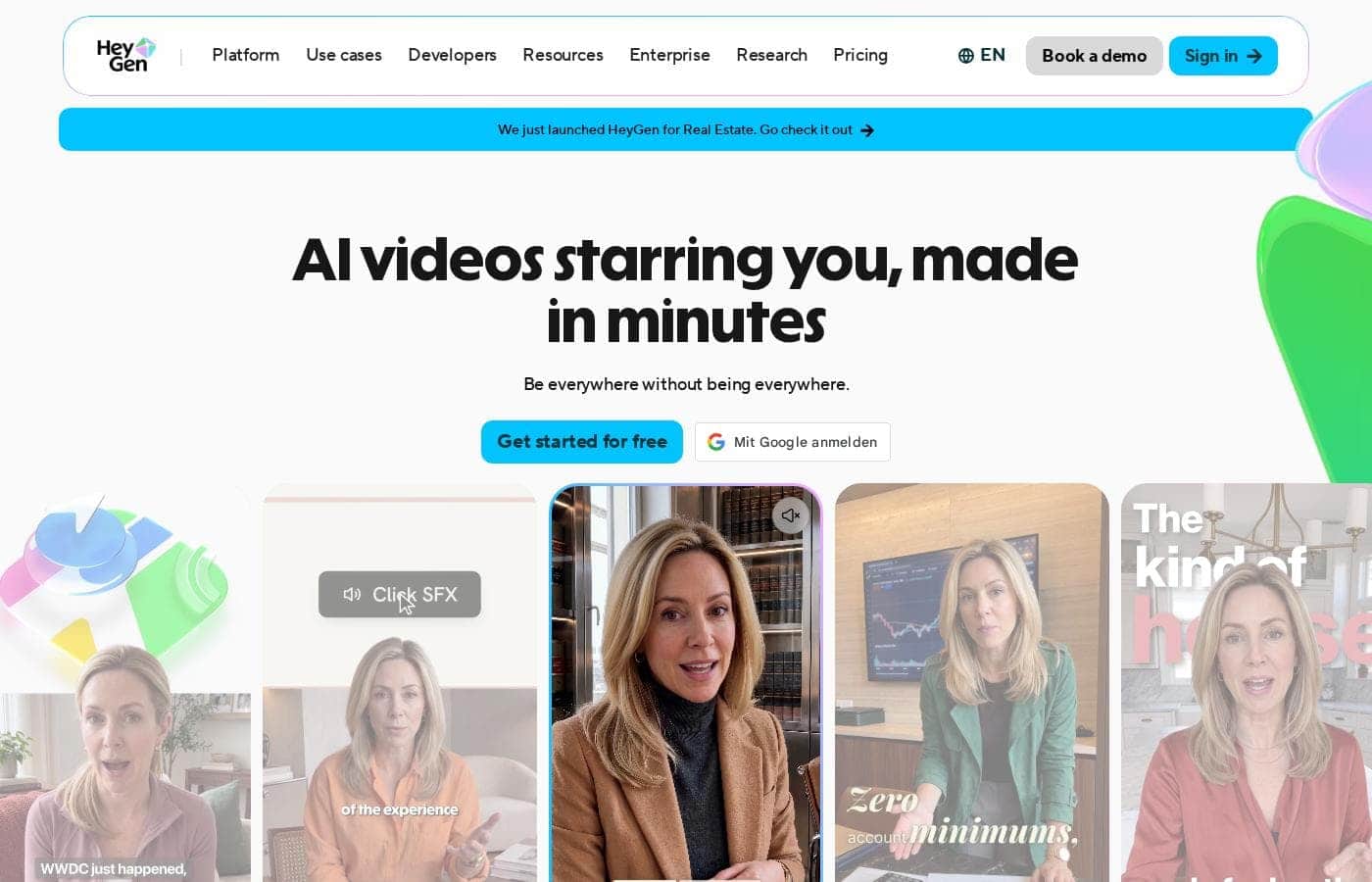
HeyGen homepage screenshot

At a glance

Quick overview for HeyGen: rating, pricing summary, key features, and highlights.
Pricing verified Oct 13, 2026

Ciroapp score

4.4/ 5

HeyGen turns scripts, slides, and audio into presenter-led videos, and G2 reviewers rank its avatars #1 for realism at 4.8/5. Translation into 175+ languages and strong security credentials stand out, though single-seat lower plans and wide credit-tier pricing add friction. Overall, it's a strong pick for teams that need polished video at volume without filming.

Pros

  • Pros:Avatar V is trained through a five-stage pipeline that captures how you look, move, and gesture, and HeyGen cites a G2 ranking of #1 for most realistic avatars at 4.8/5 from 1,000+ reviews.
  • Pros:One-click translation covers 175+ languages and dialects while preserving tone and re-syncing lips, so a single video can serve multiple regional markets without reshooting.
  • Pros:You can start from assets you already have — scripts, audio files, reference images, or PPT/PDF decks — and each converts into presenter-led video with avatars, voiceovers, and subtitles.

Cons

  • Cons:The free plan caps you at 3 videos per month, 1 minute each, and only 30+ languages; watermark-free 1080p export, voice cloning, and the full 175+ language library require the paid Creator plan.
  • Cons:Creator and Pro include one seat each — shared workspaces, centralized billing, SAML/SSO, and third-party integrations only arrive at Business ($149/month plus $20 per extra seat).
  • Cons:Output is entirely avatar-led — there's no live-action filming or shot-by-shot camera control, so it can't replace real footage for productions that need it.
Best for
  • Marketers and social teams publishing video at high volume
  • Course creators turning slides or scripts into lessons
  • Sales teams personalizing outreach videos at scale
Free trial
Yes
This section is a summary. Detailed sections about features, use cases, pricing, and reviews follow below.

What is HeyGen?

Making good video is slow and expensive. You need a camera, editing skills, and hours you don't have. HeyGen swaps that for a script box: type your idea, pick an avatar, and get a share-ready video.

It also translates into 175+ languages, so one video can reach every market.

HeyGen is an AI video platform that turns text, images, audio, or slides into presenter-led videos. Its Avatar V models focus on realistic faces, gestures, and lip-sync, backed by a 4.8/5 rating from 1,000+ G2 reviews. It's built for marketers, trainers, course creators, and teams who need video at volume — from solo creators to enterprises like Coursera.

Should you choose HeyGen?

Quick buyer guidance before you compare plans or click through.

Choose it if

  • You work from scripts, decks, or audio rather than filmed footage
  • You need consistent, realistic AI presenters across many videos
  • Your audience spans multiple languages or regions
  • You want to test the core workflow on a free plan before paying
  • You care about verified avatars, moderation, and data compliance

Skip it if

  • Teams hoping to do everything free — the free plan covers basic text-to-video, while advanced editing and multi-format support sit behind paid tiers
  • Creators in restricted categories — HeyGen's moderation blocks violence and political campaigning
  • Productions that require live-action filming or shot-by-shot camera control — HeyGen generates avatar-led video instead
  • Anyone needing a custom avatar on a tight deadline — on-camera identity verification adds a required setup step

Next steps before buying

  1. 1Sign up for the free plan and run one text-to-video job end to end.
  2. 2Confirm your target languages fall within the 175+ languages and dialects supported.
  3. 3Test your real input — a script, PDF deck, or podcast clip — rather than a sample file.
  4. 4Compare a finished render against one alternative tool, and review any trial or refund terms before committing.

Ease of use

Onboarding signals are beginner-friendly. The site says you need no camera, editing software, or production skills — you type an idea or paste a script and generate. The editor is text-based and described as easy as writing a document. Most videos render within minutes, and a free plan lets you try the core workflow before paying.

HeyGen Key Features

🎬 From idea to share-ready video

You don't need a camera, editing software, or production skills. Type your idea into the Video Agent, click generate, and get a share-ready video. It handles voiceovers, visuals, and avatars from end to end.

Most videos finish within a minute, and you can download, edit, or share the result right away.

✨ Avatars that stay consistent

Realistic avatars are the core promise, and Avatar V delivers it. Its five-stage AI training pipeline captures how you look, move, gesture, and express yourself. That's what keeps character consistency across every angle, expression, and video you create.

G2 ranks it #1 for most realistic avatars at 4.8/5 from 1,000+ reviews.

✨ Start from what you already have

You don't have to start from scratch. HeyGen turns files you already have into presenter-led video. If your source is a script, audio, or a deck, you can: - Turn scripts into complete videos with voiceovers, visuals, and avatars.

  • Convert audio files into video with avatars, subtitles, and animations. - Import a PPT or PDF so each slide becomes a scene.

🌍 One video, every language

One video can reach every market. Video translation covers 175+ languages and dialects in a single click. It preserves your tone and syncs your lips to the new language, so the result still feels natural.

Use it when your audience spans more than one language.

✨ Trust built into the platform

Trust is designed in, not bolted on. Every custom avatar requires on-camera identity verification from the person depicted — no verification, no avatar. Moderation pairs ML scanning with trained human review to catch violations as content is generated.

The platform holds GDPR, SOC 2 Type II, and CCPA compliance, with annual penetration testing.

Use Cases

🎬 Turn Scripts Into Social Videos

You're a marketer posting daily. Type a script, pick an avatar, click generate. Most videos finish in minutes, so you get share-ready posts without a camera, crew, or editing skills.

Expected outcome: steady content output with less filming time.

Tip: Test the workflow on the free plan first.

🎓 Turn Slides Into Training Videos

You're a trainer with a deck nobody reads. Import your PPT or PDF, and each slide becomes a scene with a lifelike avatar and voiceover. Customers report 25% higher course completion.

Expected outcome: lessons people actually watch.

Tip: Add captions for viewers watching without sound.

🌍 Reach Every Market in Their Language

You're launching in new regions. Translate one video into 175+ languages and dialects. HeyGen preserves your tone and syncs lips, so each version looks natural.

Expected outcome: one production, every market covered.

Tip: Confirm your target language is supported before choosing a plan.

📞 Personalize Sales Outreach at Scale

You're in sales and every email looks the same. Type a short script, pick one presenter, and generate a personalized video for each prospect. Business plans add HubSpot and Zapier integrations.

Expected outcome: outreach that stands out in a crowded inbox.

Tip: Start with the free plan to test one video.

HeyGen pricing

From$29/mo

  • 5 plans
  • Free plan available
  • Save up to 17% with annual billing

Prices checked on Oct 13, 2026 from HeyGen's pricing page

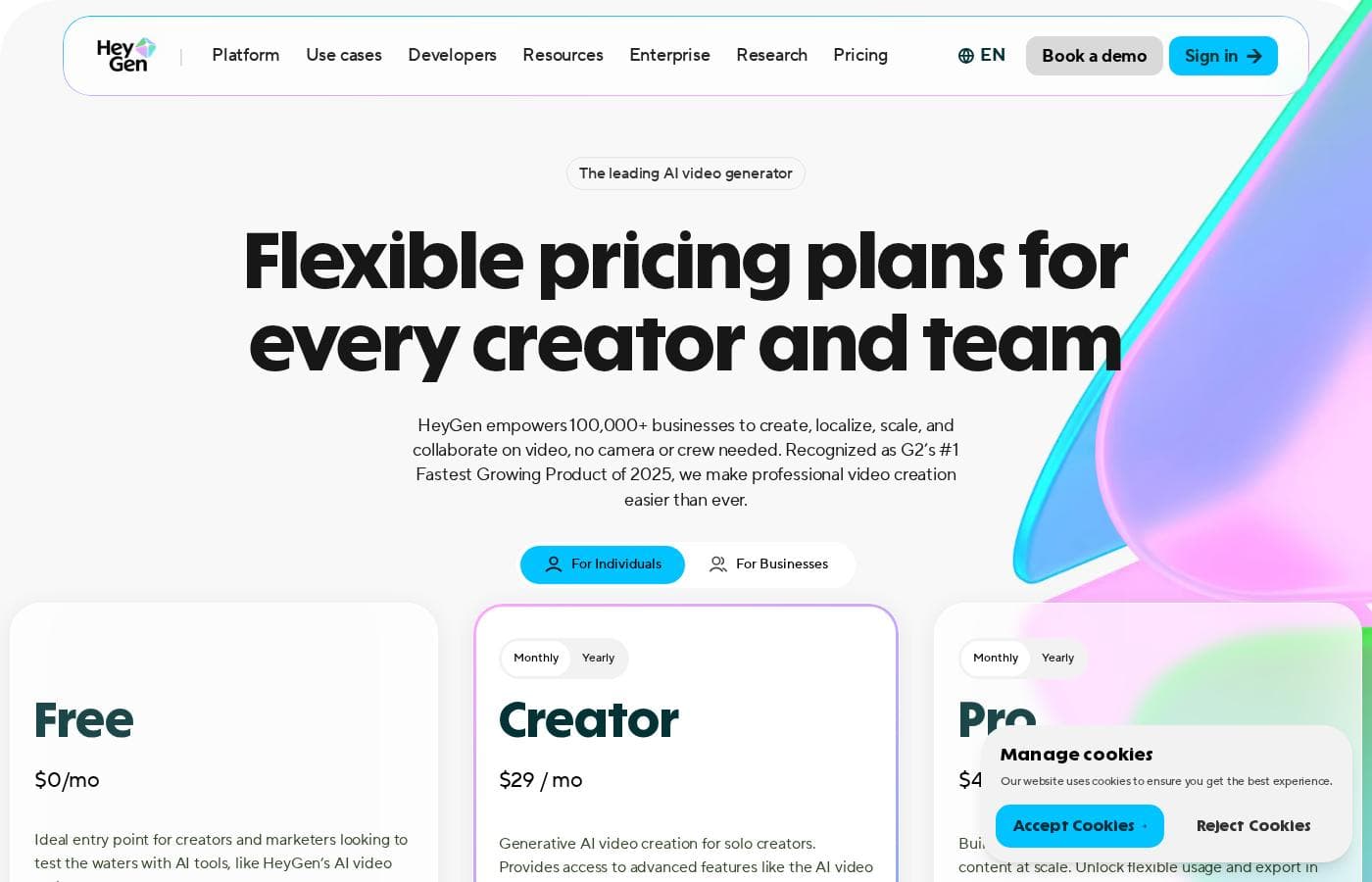
HeyGen pricing page screenshotView pricing page screenshot
PlanBilled monthlyBilled annuallyIncludes
Free
Free
—
Videos capped at 1 minute; 3 videos per month
  • 3 videos per month
  • Videos up to 1 min
  • Access to Avatar IV
  • 500+ stock video avatars
  • 1 custom video avatar
  • +1
Creator
$29/mo
$24/mo
$288 per year
Save up to 17% with annual billing
1 user seat; 600 credits per month
  • 600 credits per month
  • Videos up to 30 mins
  • 1080p export
  • Watermark removal
  • Voice cloning
  • +2
Pro
$49/mo
—
1 user seat; 1 user seat; tier-based credit allocation
  • 1,000 credits per month (tier scales to 100,000)
  • 4K export
  • Faster video processing
  • Unlimited photo avatars
  • Customizable monthly usage
  • +1
Business
per user
$149/mo
—
Additional seats $20/seat/month; 1,500 credits per month
  • 1,500 credits per month
  • Videos up to 60 mins
  • 5 custom video avatars
  • SAML/SSO and centralized billing
  • Workspace collaboration with draft commenting
  • +1
Enterprise
See vendor page
See vendor page
  • No video duration max
  • 10+ custom video avatars
  • Fastest processing and highest concurrency
  • SCIM provisioning and multi-workspace control
  • Priority support with dedicated success manager
  • +1

Price history

Tracking prices since Sep 30, 2026. No price change detected yet.

Pricing types: Free plan, Monthly subscription, Yearly subscription, Per seat pricing, Usage-based pricing

Pricing notes

HeyGen offers a free plan plus paid subscriptions starting at $29/month (or $24/month billed annually) for the Creator plan. Pricing scales with monthly credits, video length, and team features, with Business plans at $149/month plus $20/seat and custom Enterprise pricing.

HeyGen costs between $0 and $4,300 per month with five plans: Free at $0/mo, Creator at $29/mo (or $24/mo annually), Pro at $49/mo with tiers up to $4,300/mo, Business at $149/mo plus $20/seat, and Enterprise with custom pricing.

Here's a closer look at what each plan includes.

Free

Price: $0/mo Best For: Creators and marketers testing the waters with AI video tools Other Features: 3 videos per month, videos up to 1 min, access to Avatar IV, 500+ stock video avatars, 1 custom video avatar, 30+ languages

The Free plan is a genuinely useful way to try HeyGen before spending anything. You get three videos a month, no credit card required, plus limited trial access to premium features like Avatar IV and lip-sync translation. It's ideal if you want to see the quality for yourself first.

Creator

Price: $29/mo (or $24/mo billed annually) Best For: Solo creators making AI videos regularly Other Features: 600 credits per month, videos up to 30 mins, 1080p export, watermark removal, voice cloning, 175+ languages and dialects, credit rollovers

Creator is the sweet spot for solo creators who publish often. You unlock longer videos, 1080p export, and unlimited photo avatars, and your unused credits roll over for one more month. Paying annually drops the price to $24/month, which adds up over a year.

Pro

Price: $49/mo for 1,000 credits (scales up to $4,300/mo for 100,000 credits) Best For: Advanced individuals creating premium content at scale Other Features: 4K export, faster video processing, unlimited photo avatars, customizable monthly usage, edit and proofread translation scripts, access to all advanced AI models

Pro is built for heavy users who need more output and premium quality. All Pro tiers share the same features, so you're only paying for a bigger credit allocation, and you can switch tiers anytime. If you don't need 4K or thousands of credits monthly, Creator will likely serve you better.

Business

Price: $149/mo plus $20/seat/month Best For: Teams and businesses that create video collaboratively Other Features: 1,500 credits per month, videos up to 60 mins, 4K export, 5 custom video avatars, SAML/SSO, centralized billing, workspace collaboration, interactive video, SCORM export, integrations with Zapier, HubSpot, and n8n

Business is where team features kick in. You get 2x more concurrency than Pro, video draft commenting, invites and team management, and flexible credit top-ups or auto-reload. It makes sense once multiple people need to create and review videos together in one workspace.

Enterprise

Best For: Organizations needing custom, studio-quality video at scale Other Features: No video duration max, 10+ custom video avatars, fastest processing, multi-workspace control, SCIM provisioning, enterprise-grade security, priority support, dedicated success manager, invoice billing

Enterprise covers everything in Business plus deeper controls for security, roles, and onboarding. If your team needs no duration limits, commercial terms, or a dedicated success manager, this is the tier to explore through a sales call.

There's no separate free trial to sign up for because the Free plan lets you test HeyGen with no credit card required. Upgrades take effect immediately with prorated billing, while downgrades and cancellations apply at the end of your current cycle, so you keep your features and credits until then.
Cost calculator

Estimate what HeyGen costs for your team.

Billing

Creator allows up to 1 users: pick a larger plan for 5 users.

Estimate based on published list prices, before taxes, add-ons and discounts.

How to pay less for HeyGen

  • Pay annually: saves up to 17% compared with monthly billing.
  • Start on the free plan and upgrade only when you hit its limits.
  • A free trial is available: test it before you pay.
  • Some plans are priced per user: only pay for seats people actually use.
  • Cheaper tools in this category start at $24/mo.
Start free trial

Email me when HeyGen changes price

One email when we detect a price change on the vendor's pricing page. No newsletter, no deals. Unsubscribe in one click.

User Reviews

No reviews yet.

Write a Review

Write a Review for HeyGen
0/100 characters
0/2000 characters

Why use HeyGen?

If video is the task you keep putting off, HeyGen takes it off the back burner. There's no shoot, no editing suite, and no production timeline — you type, generate, and download. Based on the company's materials and public ratings, here's what stands out:

  • Speed you can plan around. HeyGen says many videos finish within a minute; longer ones typically render in just a few minutes.
  • Realism with third-party backing. Avatar V uses a five-stage pipeline trained on how you look, move, and gesture. G2 ranks it #1 for most realistic avatars at 4.8/5 from 1,000+ reviews.
  • One video, every market. Translation covers 175+ languages and dialects while preserving tone and syncing lips.
  • Start from what you already have. Scripts, images, audio files, and PPT or PDF decks all become videos with avatars and voiceovers.
  • Trust that's verifiable. Custom avatars require on-camera identity verification, moderation combines ML scanning with human review, and the platform holds GDPR, SOC 2 Type II, and CCPA compliance.
  • Results other teams report. Customers cite a 40% jump in video watch time and 25% higher course completion, and Coursera's CTO calls HeyGen a critical part of their infrastructure.

HeyGen alternatives

Other tools in the AI Video Generator category

View all AI Video Generator tools
DeepBrain AI

DeepBrain AI

AI Video Generator4/5From $24/mo

AI STUDIOS is the comprehensive, all-in-one SaaS platform designed by DeepBrain AI for rapid video creation. It functions as a single, powerful workspace where you handle everything from script input to final 4K export. The platform combines advanced AI features with essential video editing tools, all accessible through the cloud. It’s built for businesses, educators, and content creators who need to make professional-level content quickly and at scale. Whether you start with a text prompt or a PDF, AI STUDIOS quickly delivers a polished video ready to share.

Colossyan Creator

Colossyan Creator

AI Video Generator4.1/5From $27/mo

Colossyan Creator is an innovative AI video platform designed for enterprises and growing teams. It allows anyone to transform documents, such as PDFs and PowerPoints, or simple text scripts into polished, narrated training videos. You don't need any special editing skills. This platform eliminates the need for expensive video production, making it fast and simple to create, update, and translate materials. You can select an AI avatar or just use a voiceover to interact with your learners, ensuring training that engages everyone.

Synthesia

Synthesia

AI Video Generator4.3/5

Synthesia is a powerful AI video generation platform trusted by over 50,000 teams. It allows businesses to create polished, on-brand videos without needing complex filming or specialized editing skills. You simply provide text, and the platform generates content using expressive, customizable AI Avatars. The entire video workflow—from creation to publishing—is housed in a single, secure environment. It’s built for enterprise use, satisfying tough legal and security requirements.

ngram

ngram

AI Video Generator4.2/5

ngram is an AI Video Engine. Help Marketing and product teams create professional videos without hiring a video team. Earn up to 30% recurring commission for every customer you refer.

Visla

Visla

AI Video Generator3.8/5

Visla is an innovative, AI-powered platform designed for seamless video creation. It eliminates the barrier of needing editing expertise, allowing you to move quickly from an initial thought to a polished final video. The core of the system is the intelligent AI Video Agent, which analyzes your input and builds a complete draft with visuals and narration. The platform is ready for enterprise teams, too, supporting secure Single Sign-On and SOC 2 Type II compliance for strong data integrity.

Pictory

Pictory

AI Video Generator3.8/5

Pictory is an intuitive, web-based AI video generator designed for a wide range of creators. Whether you are a YouTuber, a marketing professional, a teacher, or part of an Enterprise collaboration team, this software is built for you. It empowers users, regardless of video editing experience, to quickly create high-quality videos. You simply use your existing content—like text, scripts, or existing long videos—and the smart AI handles the complex steps.

HeyGen FAQ

How much does HeyGen cost?

HeyGen's cheapest paid plan, Creator, costs $29 per month. Paid plans range from $29 to $149 per month. Prices checked on Oct 13, 2026 from the vendor's pricing page.

Does HeyGen have a free plan?

Yes. HeyGen has a free plan (Free); paid plans start at $29 per month.

Does HeyGen offer a free trial or a money-back guarantee?

HeyGen offers a free trial.

How much do you save with annual billing on HeyGen?

Paying annually saves up to 17% compared with monthly billing, based on HeyGen's list prices.

Has HeyGen's price changed recently?

No. We have not detected a price change since we started tracking on Sep 30, 2026.

Which apps does HeyGen connect with?

Business plans integrate with Zapier, HubSpot, n8n, and Make, plus LMS integrations and SCORM export for courses. Free, Creator, and Pro plans don't include these connections, so pick Business if integrations matter to your workflow.

How does HeyGen protect my data?

HeyGen holds GDPR, SOC 2 Type II, and CCPA compliance, with annual penetration testing and around-the-clock monitoring. Business adds SAML/SSO and MFA; Enterprise adds SCIM provisioning. Custom avatars require on-camera identity verification.

What happens when I cancel my plan?

You keep your paid features and remaining credits until the current billing cycle ends. After that, your account moves to the Free plan, and unused credits don't carry over.

Ready to try HeyGen? Check out the official site or pricing.

Are you HeyGen? Claim this listing · Get the badge