Colossyan Creator

Colossyan Creator review

Turn the knowledge you already have into training videos and courses.

Colossyan Creator costs from $27/mo · 2 plans · prices checked Oct 13, 2026

By Ciroapp Editorial Team · Updated Sep 16, 2026

Commission may apply at no extra cost

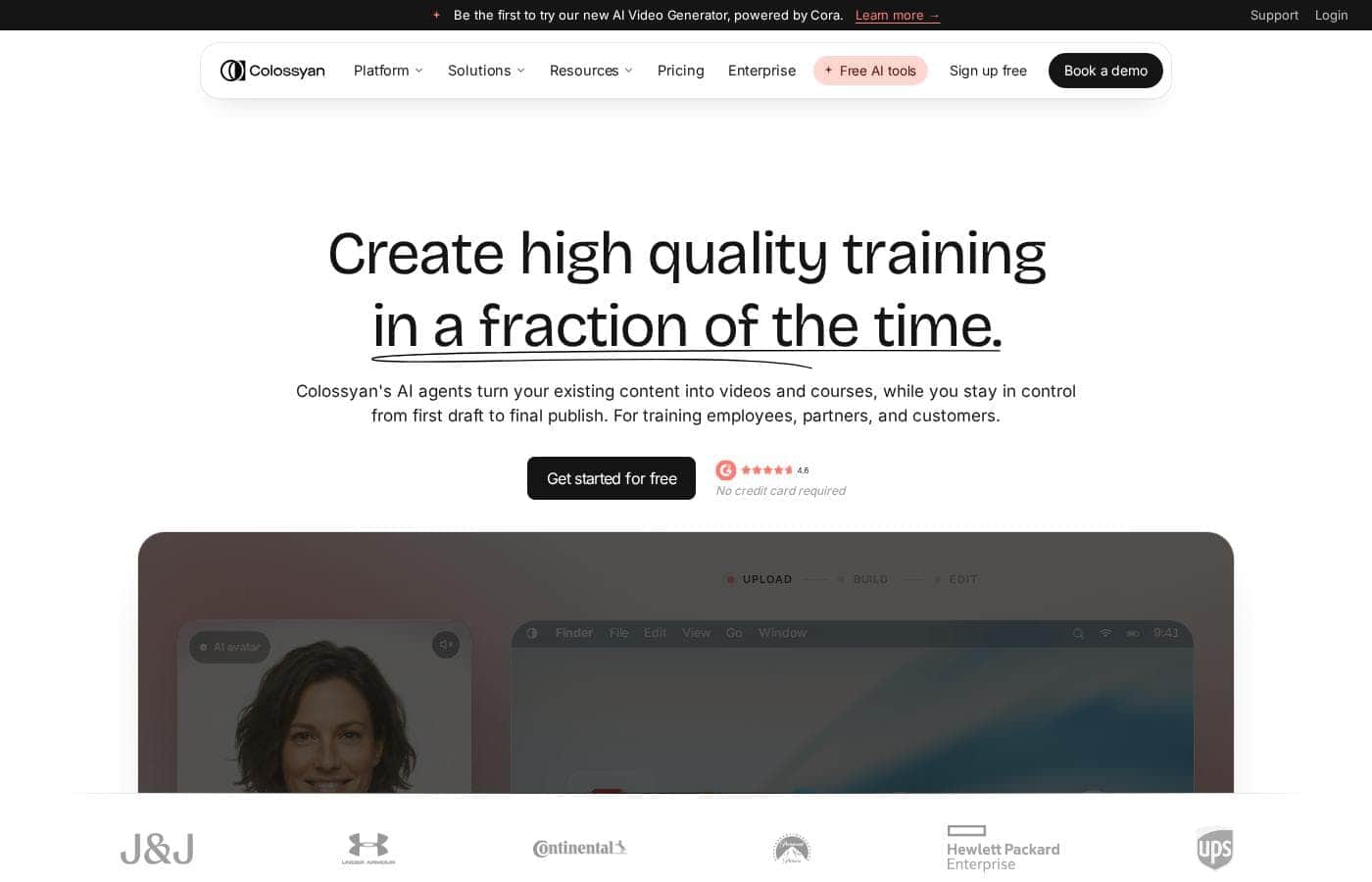
Colossyan Creator homepage screenshot

At a glance

Quick overview for Colossyan Creator: rating, pricing summary, key features, and highlights.
Pricing verified Oct 13, 2026

Ciroapp score

4.1/ 5

Colossyan Creator turns documents, decks, and prompts into avatar-led training videos with quizzes, 100+ language localization, and SCORM delivery, backed by SOC 2 and GDPR credentials. It's built for teams rather than solo creators, and plan prices aren't published upfront. Overall, it's a solid pick for L&D teams that want one tool for the whole training workflow.

Pros

  • Pros:Covers the full training workflow — drafting, branding, interactivity, translation, LMS delivery, and analytics — in one platform instead of separate authoring tools
  • Pros:The AI agent Cora turns existing documents, PDFs, decks, URLs, or prompts into branded scene-by-scene drafts in minutes, and nothing renders until you approve it
  • Pros:One source video localizes into 100+ languages without re-recording, keeping regional versions in sync with the master

Cons

  • Cons:Output is avatar-led training content — anyone expecting cinematic, camera-shot footage will not get it
  • Cons:SCORM delivery assumes you already run an LMS; without one you are limited to shared links or MP4 exports
  • Cons:Demos are reserved for businesses, and plans lean toward team and enterprise collaboration, which underserves solo creators and hobbyists
Best for
  • HR and L&D teams producing onboarding and internal upskilling videos at scale
  • Compliance and InfoSec teams that need consistent, trackable required training
  • Sales enablement teams keeping reps current on products and talk tracks
This section is a summary. Detailed sections about features, use cases, pricing, and reviews follow below.

What is Colossyan Creator?

Producing training video the old way means scripts, cameras, editors, and re-shoots every time content changes. Colossyan Creator instead turns the docs, decks, or prompts you already have into finished videos and courses. You approve every scene, publish straight to your LMS, and update content in minutes — not weeks.

Colossyan Creator is an AI video platform built for workplace learning. It converts documents, PDFs, slide decks, URLs, or a simple prompt into finished videos and structured courses, presented by AI avatars. You stay in control from first draft to final publish.

It's aimed at HR, L&D, enablement, and compliance teams — from small businesses to enterprises — who need consistent training without a production crew.
Should you choose Colossyan Creator?

Quick buyer guidance before you compare plans or click through.

Choose it if

  • Teams sitting on existing material — docs, PDFs, decks, or web pages — they want turned into video or a full course
  • Creators without video production or instructional design skills who want templates and AI to handle the technical work
  • Buyers who want to test before paying: a free Starter tier plus a 14-day free trial with no credit card
  • Organizations that update content often and want versioning without re-recording
  • Teams that want interactivity — branching, quizzes, clickable actions — in the same tool they create with

Skip it if

  • Solo creators and hobbyists: demos are reserved for businesses, and plans lean toward team and enterprise collaboration
  • Teams without an LMS should note that SCORM delivery assumes one exists; otherwise you're sharing links or MP4 exports
  • Anyone expecting cinematic, camera-shot footage — the output is avatar-led training content, not filmed video

Next steps before buying

  1. 1Sign up for the free 14-day trial (no credit card) and run one real document or deck through the editor
  2. 2Estimate your monthly video minutes and collaborator count, then compare the Starter, Professional, and Enterprise tiers on the pricing page
  3. 3Confirm the integrations you need — especially SCORM compatibility with your LMS — before committing
  4. 4Read the refund policy and terms so you know your exit options on a paid plan
  5. 5Trial your top alternatives back to back; the site itself positions Colossyan against tools like Synthesia, Articulate, and Canva

Ease of use

Public signals point to a gentle start: a free 14-day trial with no credit card, pre-built templates, free AI tools for outlines and quizzes, and a self-serve setup the company says takes under 10 minutes. The site states no video or instructional design expertise is required. One enterprise reviewer does mention a minor initial learning curve, so allow a short ramp-up for advanced interactivity.

Colossyan Creator Key Features

✨ Document-to-Video Drafting with the AI Agent Cora

Upload a document, PDF, slide deck, URL, or type a simple prompt, and Cora produces a scene-by-scene first draft in minutes. Your logo, brand colors, and any of the 300+ AI avatars are applied automatically. Nothing renders until you review and approve the draft, so you keep editorial control from the first pass.

✨ Interactivity, Quizzes, and Knowledge Checks

Beyond narration, you can add branching scenarios, quizzes, and clickable actions directly inside the video editor. The platform includes free AI tools for generating outlines and quiz questions, so assessment can be built alongside the content rather than bolted on afterward. This makes it suitable for required training where you need to verify comprehension, not just play a clip.

✨ Translation into 100+ Languages

One source video can be localized into more than 100 languages without re-recording or rebuilding the project. Multilingual customers repeatedly call this out as a core benefit, since regional versions stay in sync with the master. When the underlying content changes, you update the original once and re-publish all language versions.

✨ SCORM Export and LMS Delivery

Finished courses export as SCORM packages for delivery through your existing learning management system. A built-in dashboard tracks engagement and completion from one place, so L&D teams can report on required training. Teams without an LMS can still distribute via shareable links or MP4 exports.

✨ Enterprise Security and API Access

Colossyan ships with SOC 2 Type II certification, GDPR compliance, and SAML SSO, and the company states that customer content is never used to train its AI models. API access is available for teams that want to scale video creation programmatically. These controls make it viable for regulated industries and procurement reviews.

Use Cases

💡 Employee Onboarding and Upskilling

HR and L&D teams convert existing handbooks, process docs, and slide decks into narrated onboarding videos without a production crew. When policies or tooling change, editors update the video and republish in minutes instead of scheduling re-shoots. Reviewers describe training libraries that effectively never go obsolete because of this workflow.

💡 Compliance and Required Training

Compliance and InfoSec teams use quizzes, branching scenarios, and SCORM delivery to run trackable required training through their LMS. The completion dashboard provides the records auditors and leadership ask for. SOC 2 Type II, GDPR compliance, and SAML SSO help these teams pass internal vendor security reviews.

💡 Sales Enablement and Product Updates

Enablement teams keep reps current on product changes, pricing, and talk tracks by turning release notes and decks into short avatar-led videos. Because updates take minutes rather than weeks, reps train on current material instead of stale recordings. Published customer stories from companies like Mentor Group report 2x faster creation and major cost reductions.

💡 Multilingual Training for Global Teams

Organizations operating across regions localize a single master video into 100+ languages instead of rebuilding content per market. This keeps messaging consistent worldwide while cutting localization cost. Customers with distributed workforces cite this as the reason they consolidated on the platform.

💡 Converting Legacy Documents into Courses

Teams sitting on PDFs, PowerPoint decks, and internal wikis can turn that material into structured video courses without instructional design experience. Templates and AI-generated outlines and quizzes handle the structural work. A free Starter tier and 14-day trial let you test the conversion with your own documents before paying.

Colossyan Creator pricing

From$27/mo

  • From the vendor's pricing page, checked Oct 13, 2026
  • 2 plans

Prices checked on Oct 13, 2026 from Colossyan Creator's pricing page

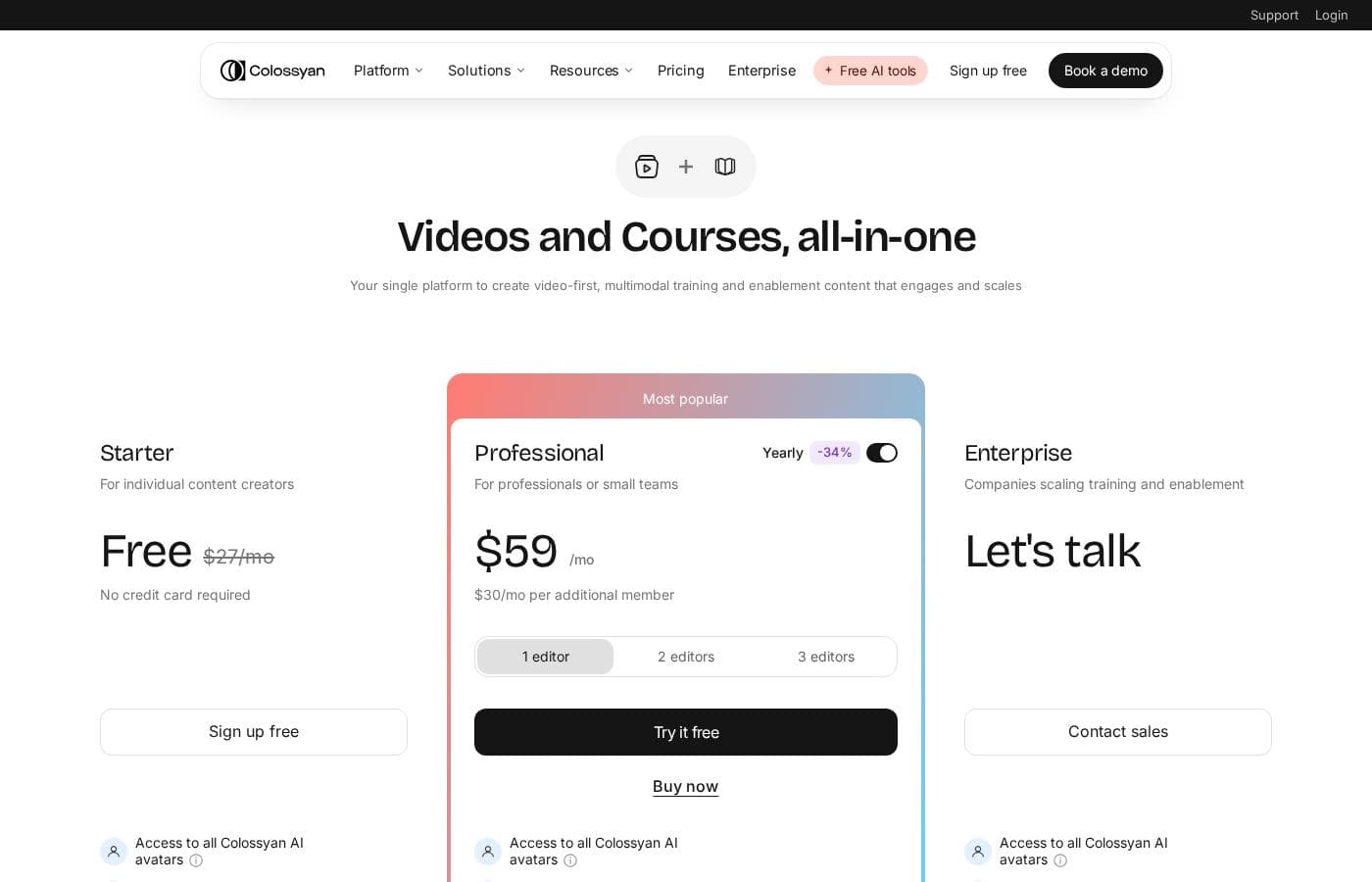
Colossyan Creator pricing page screenshotView pricing page screenshot
PlanBilled monthlyBilled annuallyIncludes
Starter
$27/mo
—
Professional
$59/mo
—

Price history

Tracking prices since Oct 1, 2026. No price change detected yet.

Pricing types: Free plan, Free trial, Monthly subscription, Yearly subscription, Usage-based pricing

Pricing notes

Colossyan Creator pricing: Plans from $0/month Billing options: Free plan, Free trial, Monthly subscription, Yearly subscription, Usage-based pricing

Cost calculator

Estimate what Colossyan Creator costs for your team.

Billing
Per month
$27
Per year
$324

Starter states no user limit: shown as one price for the whole account. Check the price for 5 users with the vendor. Estimate based on published list prices, before taxes, add-ons and discounts.

How to pay less for Colossyan Creator

  • Cheaper tools in this category start at $24/mo.
Visit Colossyan Creator

Email me when Colossyan Creator changes price

One email when we detect a price change on the vendor's pricing page. No newsletter, no deals. Unsubscribe in one click.

User Reviews

No reviews yet.

Write a Review

Write a Review for Colossyan Creator
0/100 characters
0/2000 characters

Why use Colossyan Creator?

Here's the practical difference: most AI video tools hand you a clip and leave the rest to you. Colossyan covers the whole training workflow — drafting, branding, translation, interactivity, delivery, and analytics — in one place. Based on the company's published materials and customer reviews, here's where it earns its keep:

  • Fast drafts, real control. Upload a doc, PDF, deck, URL, or just a prompt, and the AI agent Cora builds a scene-by-scene first draft in minutes — with your logo, colors, and 300+ avatars applied. Nothing renders until you approve it.
  • Updates without re-shoots. When content changes, edit and republish in minutes. Multiple reviewers describe training material that “never goes obsolete.”
  • One source, 100+ languages. Localize the same video for every region instead of rebuilding it — a benefit multilingual customers call out repeatedly.
  • Proof that learning landed. Add branching scenarios and quizzes, export SCORM to your LMS, and track engagement and completion from one dashboard.
  • Enterprise trust by default. SOC 2 Type II, GDPR compliance, and SAML SSO are built in, and the company states your content is never used to train its models.
  • Documented savings. Published customer stories report 80–90% cuts in video production costs and 2x faster creation at companies like Sonesta, Mentor Group, and AmeriSave.

If you're still paying agencies or juggling separate authoring tools, the free 14-day trial makes it easy to test the difference with your own content.

Colossyan Creator alternatives

Other tools in the AI Video Generator category

View all AI Video Generator tools
Synthesia

Synthesia

AI Video Generator4.3/5

Synthesia is a powerful AI video generation platform trusted by over 50,000 teams. It allows businesses to create polished, on-brand videos without needing complex filming or specialized editing skills. You simply provide text, and the platform generates content using expressive, customizable AI Avatars. The entire video workflow—from creation to publishing—is housed in a single, secure environment. It’s built for enterprise use, satisfying tough legal and security requirements.

HeyGen

HeyGen

AI Video Generator4.4/5

HeyGen is an advanced AI video platform designed to make creating professional content easy. It handles the entire video process automatically, from script to final sync. You don’t need special cameras or a full studio setup anymore. It’s perfect for business teams and creators who value quality, simplicity, and speed. HeyGen’s foundation is built on its AI Studio, a text-based editor that makes refining your videos feel as easy as modifying a document. That means you can focus entirely on human-first storytelling.

DeepBrain AI

DeepBrain AI

AI Video Generator4/5From $24/mo

AI STUDIOS is the comprehensive, all-in-one SaaS platform designed by DeepBrain AI for rapid video creation. It functions as a single, powerful workspace where you handle everything from script input to final 4K export. The platform combines advanced AI features with essential video editing tools, all accessible through the cloud. It’s built for businesses, educators, and content creators who need to make professional-level content quickly and at scale. Whether you start with a text prompt or a PDF, AI STUDIOS quickly delivers a polished video ready to share.

ngram

ngram

AI Video Generator4.2/5

ngram is an AI Video Engine. Help Marketing and product teams create professional videos without hiring a video team. Earn up to 30% recurring commission for every customer you refer.

Visla

Visla

AI Video Generator3.8/5

Visla is an innovative, AI-powered platform designed for seamless video creation. It eliminates the barrier of needing editing expertise, allowing you to move quickly from an initial thought to a polished final video. The core of the system is the intelligent AI Video Agent, which analyzes your input and builds a complete draft with visuals and narration. The platform is ready for enterprise teams, too, supporting secure Single Sign-On and SOC 2 Type II compliance for strong data integrity.

Pictory

Pictory

AI Video Generator3.8/5

Pictory is an intuitive, web-based AI video generator designed for a wide range of creators. Whether you are a YouTuber, a marketing professional, a teacher, or part of an Enterprise collaboration team, this software is built for you. It empowers users, regardless of video editing experience, to quickly create high-quality videos. You simply use your existing content—like text, scripts, or existing long videos—and the smart AI handles the complex steps.

Colossyan Creator FAQ

How much does Colossyan Creator cost?

Colossyan Creator's cheapest paid plan, Starter, costs $27 per month. Paid plans range from $27 to $59 per month. Prices checked on Oct 13, 2026 from the vendor's pricing page.

Has Colossyan Creator's price changed recently?

No. We have not detected a price change since we started tracking on Oct 1, 2026.

Does Colossyan Creator offer a free trial or free plan?

Yes. There is a free Starter tier at $0/month and a 14-day free trial that requires no credit card. The company says self-serve setup takes under 10 minutes, and no video production or instructional design expertise is required to get started.

Can I use Colossyan Creator with my learning management system?

Yes. Finished courses export as SCORM packages for delivery through your LMS, and a built-in dashboard tracks engagement and completion. If your team does not use an LMS, you can distribute videos via shareable links or MP4 exports instead.

Do I need video editing or instructional design experience?

No. Colossyan provides pre-built templates, free AI tools for outlines and quizzes, and an AI agent called Cora that drafts videos from documents, PDFs, decks, URLs, or prompts. One enterprise reviewer does mention a minor learning curve for advanced interactivity, so allow a short ramp-up if you plan to use branching scenarios heavily.

Is my content secure, and is it used to train Colossyan's AI?

The platform includes SOC 2 Type II certification, GDPR compliance, and SAML SSO, which supports enterprise procurement and security reviews. The company states that your content is never used to train its AI models.

Ready to try Colossyan Creator? Check out the official site or pricing.

Are you Colossyan Creator? Claim this listing · Get the badge