Pictory

Pictory

The best AI video generator for everyone.

#5 dans AI Video Generator
2 min read · Updated 10/5/2025
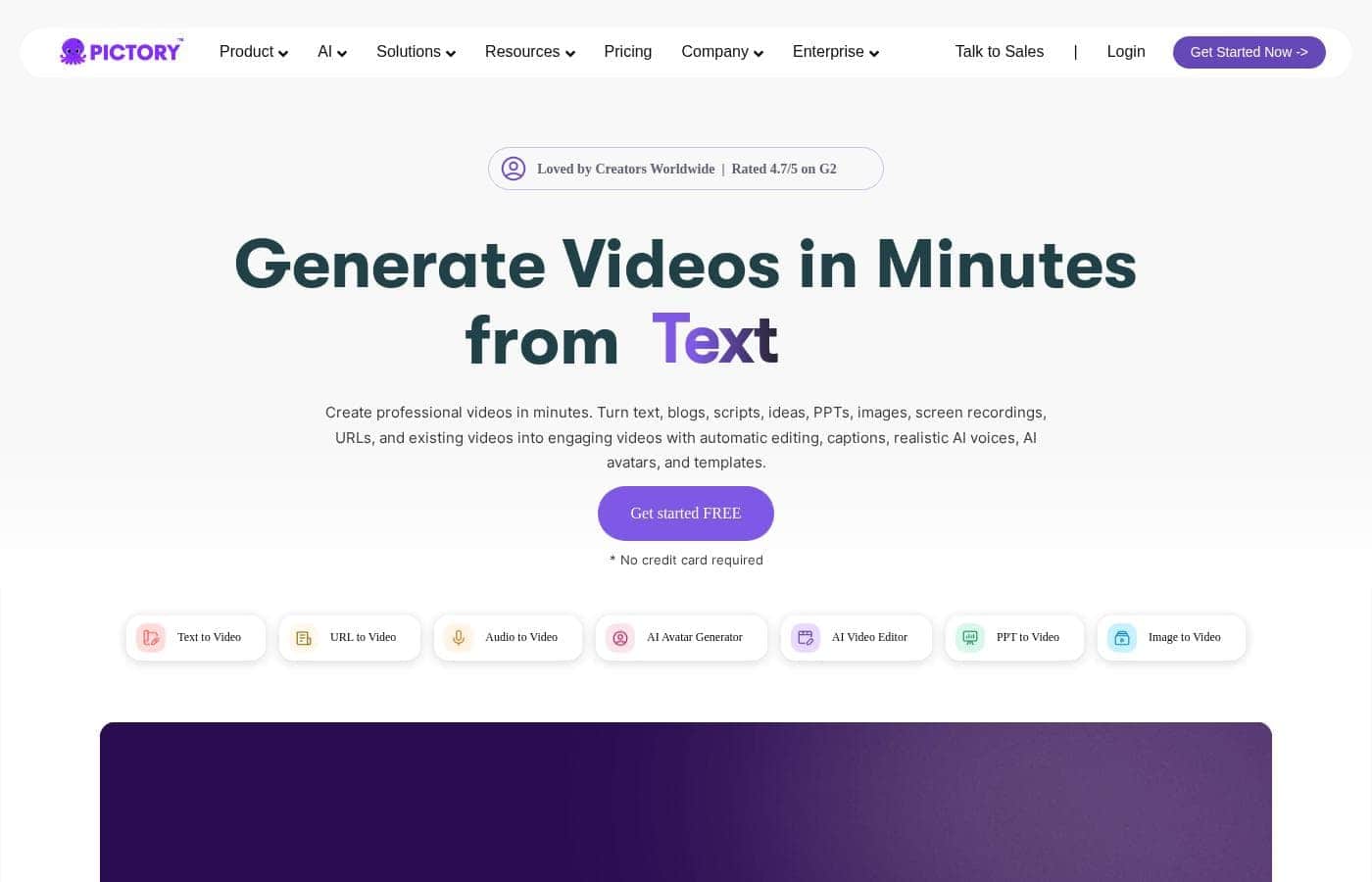
Pictory homepage screenshot

At a glance

Quick overview for Pictory: rating, pricing summary, key features, and highlights.

Ciroapp review

3.5
Fast video concepts, variable stability.

We find Pictory effective at quickly converting text and long videos into short, captioned clips, utilizing powerful integrations like Getty Images and ElevenLabs voices; this is a strong value proposition. However, we cannot overlook the widespread user complaints regarding severe technical instability, inconsistent AI accuracy, and frustratingly slow customer support response times. Overall, the tool offers huge potential for high-volume content, but we advise caution due to reported reliability issues that may impact time savings.

Pros

  • Pro:Quickly transforms long-form content (blogs, webinars) into short, social-ready clips.
  • Pro:Access to vast stock media libraries (18M+ assets from Getty Images and Storyblocks).
  • Pro:Features realistic AI voiceovers powered by ElevenLabs.
  • Pro:Interface is described as beginner-friendly and web-based (no download required).

Cons

  • Con:Frequent glitches, bugs, and reliability issues (e.g., audio going out of sync or freezing).
  • Con:AI’s output accuracy is inconsistent; generated visuals often fail to match the script.
  • Con:Customer support is slow to respond, sometimes taking days.
  • Con:Cancellation process is reported as difficult and confusing via the chatbot.
Free trial
Yes — 14 days
Range: $19–$119/monthFree trial, Monthly subscription, Yearly subscription, Per seat pricing, Usage-based pricing
This section is a summary. Detailed sections about features, use cases, pricing, and reviews follow below.

Pictory review, pricing, features, pros & cons

Creating professional video content usually takes lots of time and specialized editing skills. This effort often slows down busy teams and solo creators. Pictory changes this by using AI to automate the entire process.

This powerful tool helps you transform ideas, text, or existing content into captivating videos in minutes. It virtually eliminates the frustration of staring at a blank page! ✨

What is Pictory?

Pictory is an intuitive, web-based AI video generator designed for a wide range of creators. Whether you are a YouTuber, a marketing professional, a teacher, or part of an Enterprise collaboration team, this software is built for you. It empowers users, regardless of video editing experience, to quickly create high-quality videos.

You simply use your existing content—like text, scripts, or existing long videos—and the smart AI handles the complex steps. ✅

Pictory Key Features

✨ Effortless Input Conversion

Converting various long-form content formats into stunning videos is incredibly easy. Pictory’s core function is transforming static content into dynamic media using powerful AI.

You can quickly generate professional videos from basic inputs. If you have a script or just an idea, you can use the GPT-powered AI Video Generator to get started. These features turn simple text prompts or ideas into complete video scripts, which are then quickly converted into finished videos.

Another powerful capability is transforming existing web content. Simply input any URL, like a blog post or product page, and the AI will convert it into an engaging video. This process quickly turns static web pages into captivating content, which is perfect for maximizing your content reach.

✨ Smart Repurposing and Summarization

Maximize the hidden value of your lengthy videos and presentations easily. The platform excels at transforming long sources like recorded webinars, podcasts, or Zoom/Teams meetings.

The Video Highlights AI Generator automatically extracts the most valuable sections. It then generates short, branded video snippets that are perfect for sharing on social media platforms like TikTok, Instagram, and more.

You can also revitalize outdated resources. Quickly convert your existing PowerPoint presentations into professional videos using fast AI generation. Simply upload the file, and the AI will summarize the content before helping you instantly customize the final video.

💡 Professional Narration and Captioning

Give your videos a professional voice and maximize audience access. Pictory offers extremely realistic AI voiceovers powered by ElevenLabs. This premium feature brings your narrative to life with diverse voices and natural-sounding tones.

You can select from over 29 languages and various accents, allowing you to connect successfully with global audiences. This makes the tool perfect for international creators and educators.

Crucially, Pictory ensures your videos are accessible and impactful even when watched silently. Since 85% of social media videos are typically viewed on mute, the AI automatically adds captions. This simple addition has been proven to increase viewing time by up to 12%.

✨ Deep Customization and Media Selection

Ensure every video perfectly aligns with your established brand identity. Pictory automatically matches your text or script to relevant visuals. This is drawn from a massive 18 million+ stock library, including premium assets from Storyblocks and Getty Images.

Full branding customization is simple to apply across all your creations. You can tailor video templates from the existing library or create new ones to ensure consistency. You control the look and feel of your content easily by choosing your specific assets.

Key Branding Elements:

  • Showcase your distinct custom logo.
  • Apply your company colors and fonts.
  • Save customized video templates.

✨ Seamless Collaboration and Scaling

The platform provides powerful features for teams to work together efficiently. The AI Video Team Plan helps organizations maintain alignment and boost productivity.

Teams can easily share projects, assign roles, and work within a dedicated shared workspace. This real-time collaboration ensures consistency and streamlined production across multiple simultaneous projects.

For large enterprises, Pictory offers custom solutions for massive scale. These features include personalized onboarding, asset indexing, done-for-you services, and API integration. Integrating Pictory via API lets you automate video creation and customization at scale within your existing systems.

Use Cases

💡 Repurposing Blog Content into Engaging Videos ♻️

You need to maximize the reach of your latest blog post or product page. Copying and pasting the URL into Pictory is fast and easy. The AI instantly turns the written content into a captivating video script.

It automatically selects relevant visuals from the 18 million+ stock library. This allows you to turn low-performing web pages into engaging video content quickly.

💡 Generating Short Clips from Long Recordings ⏱️

Problem: Your recent hour-long Zoom webinar is full of valuable insights, but viewers won't watch the entire recording. Approach: Upload the recorded webinar or podcast footage to Pictory. The AI automatic summarization tool extracts the key takeaways and creates multiple short, branded video snippets.

Outcome: You now have several highlights ready to post on TikTok, LinkedIn, and Instagram.

💡 Transforming PowerPoint into Training Material 🧑‍🎓

You have essential training information locked within your PowerPoint slides. The team needs professional videos for quick onboarding or education. Pictory lets you upload the presentation file directly.

The AI summarizes the content and converts the slides into professional video scenes in minutes. You can instantly customize the visuals and add a realistic ElevenLabs AI voiceover before exporting.

💡 Creating a Concept Video from Scratch ✨

You need a promotional video but feel stuck staring at a blank screen. Just describe your general video idea and pick the style you want to use. Pictory's GPT-powered tool generates a detailed video script in seconds. The AI then instantly produces a complete video, matching visuals and high-quality narration from its stock library.

Tip: This feature lets even first-time content creators produce professional videos quickly and without needing editing skills.

💡 Adding Captions to Maximize Social Reach 🔇

Most people watch social media videos silently, which can lower your engagement. Pictory recognizes that 85% of social media videos are watched on mute. When you upload any video, Pictory automatically adds accurate captions in seconds.

This simple addition is proven to increase your viewing time by up to 12%.

💡 Scaling Video Production for Large Teams 🤝

For Enterprise teams, shared workflow and productivity are critical for high-volume content. The AI Video Team Plan provides a professional, centralized workspace. Team members can easily share video assets and assign specific user roles like editors or writers.

This capability ensures that team members stay aligned and productive, making high-volume video export seamless.

Pricing Overview for Pictory

Pricing range
$19–$119/month
Pricing types
Free trial, Monthly subscription, Yearly subscription, Per seat pricing, Usage-based pricing

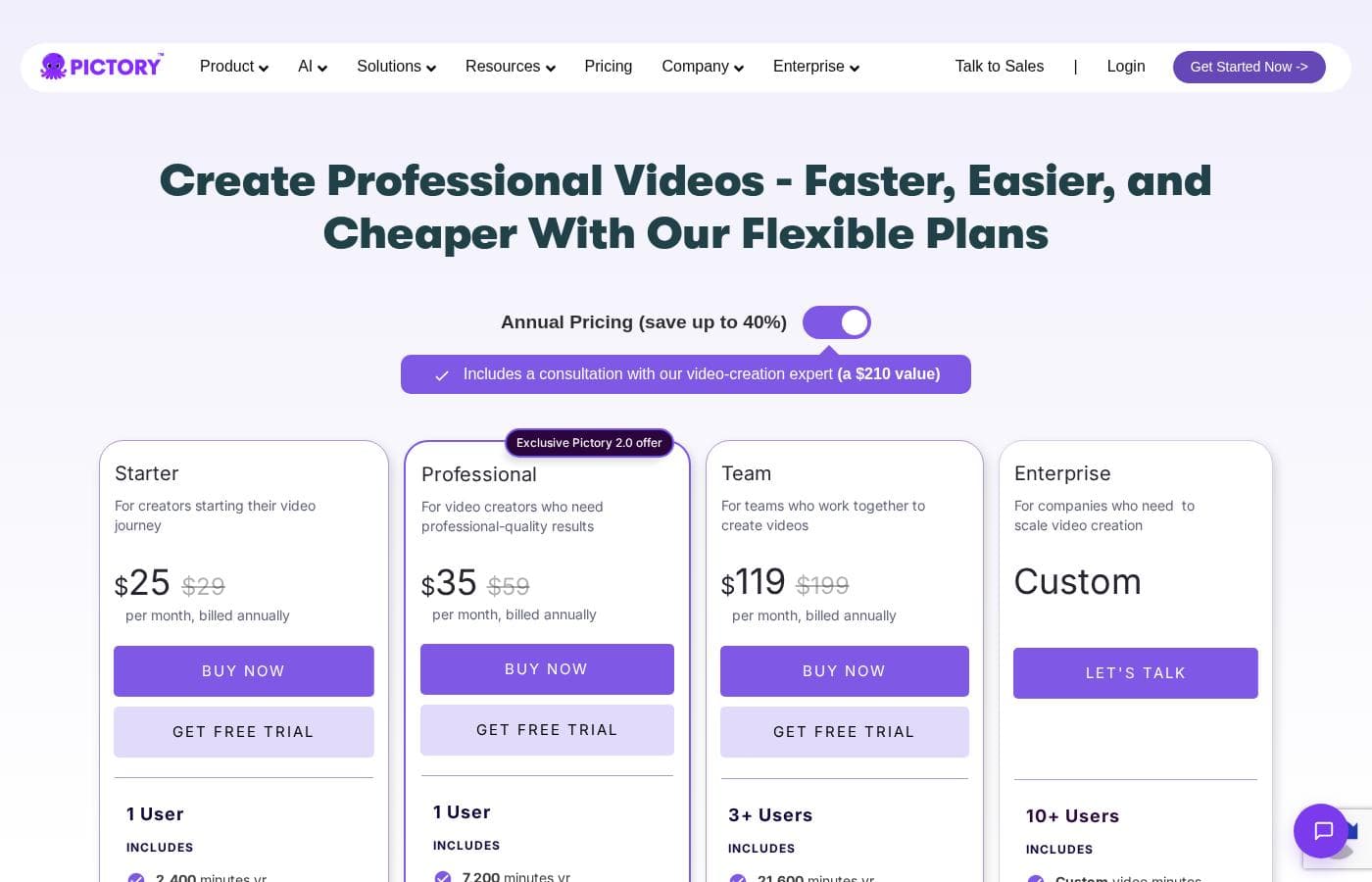
Pictory offers four primary plans tailored to different needs, starting at $19 per month when billed annually. Pricing scales based on the number of monthly video minutes and advanced feature access, such as ElevenLab's AI voices.

Plans & Pricing

Starter

Monthly$25
Yearly$19
1 User
  • 200 video minutes
  • 2 million royalty-free videos from Storyblocks
  • 1 brand kit
  • No watermark

Professional

Monthly$49
Yearly$29
1 User
  • 600 video minutes
  • 18 million videos from Getty Images and Storyblocks
  • 5 brand kits
  • Advanced AI Tools
  • Video summarizations of long videos
  • 120 minutes of ElevenLab's AI voices

Team

Monthly$119
Yearly$99
3+ Users
  • 1800 video minutes
  • 18 million videos from Getty Images and Storyblocks
  • 10 brand kits
  • Team workspace to share assets & collaborate
  • Professional onboarding and team training
  • 240 minutes of ElevenLab's AI voices

Enterprise

MonthlyNot explicitly stated
YearlyNot explicitly stated
10+ Users
  • Dedicated success manager
  • Expert video consulting
  • Uploaded asset indexing
  • Custom-built templates
  • Done-for-you video creation
  • Early access to beta features

Pictory costs between $19 and $99 per month (when billed annually) with four plans: Starter at $19/month, Professional at $29/month, Team at $99/month, and Enterprise at Custom.

Let's explore which Pictory plan might be the right fit for your video creation needs.

Starter

Price: $19/month (billed annually) or $25/month (billed monthly) Websites Supported: 1 User Best For: Creators starting their video journey Refund Policy: No refunds, but you can cancel any time before renewal. Other Features:

  • 200 video minutes per month
  • 1 brand kit
  • 2 million royalty-free videos from Storyblocks
  • No watermark
  • Basic AI Tools

The Starter plan is perfect if you are just starting out with video creation. You get enough monthly video minutes and stock assets to create quality content, all without a watermark. This entry-level option lets you learn the platform before committing to higher usage tiers. Plus, annual subscribers receive a console with a video expert.

Professional (Most Popular)

Price: $29/month (billed annually) or $49/month (billed monthly) Websites Supported: 1 User Best For: Video creators who need professional-quality results Refund Policy: No refunds, but you can cancel any time before renewal. Other Features:

  • 600 video minutes per month
  • 5 brand kits
  • 18 million videos from Getty Images and Storyblocks
  • Advanced AI Tools and video summarizations
  • 120 minutes of ElevenLab's AI voices

Most users prefer the Professional plan because it significantly boosts your capabilities. If you need powerful AI features, higher stock quality from Getty Images, and hyper-realistic AI voiceovers, this level provides excellent value. This plan is designed for serious creators focused on high-quality output. 🚀

Team

Price: $99/month (billed annually) or $119/month (billed monthly) Websites Supported: 3+ Users Best For: Teams who work together to create videos Refund Policy: No refunds, but you can cancel any time before renewal. Other Features:

  • 1800 video minutes per month
  • 10 brand kits
  • Team workspace to share assets & collaborate
  • Professional onboarding and team training
  • 240 minutes of ElevenLab's AI voices

The Team plan focuses on collaboration and scale, managing multiple users and projects easily. If your business depends on consistent, high-volume video export across a team, the generous 1800-minute limit and shared workspace make this the ideal selection. You also receive enhanced support and professional training.

Enterprise

Price: Custom Websites Supported: 10+ Users Best For: Companies who need to scale video creation Refund Policy: Not explicitly stated Other Features:

  • Dedicated success manager
  • Expert video consulting
  • Uploaded asset indexing
  • Custom-built templates
  • Done-for-you video creation

If your organization requires massive scale, integration, and custom solutions, the Enterprise plan is built for you. It offers extensive support and personalized services, including customized video minutes and asset indexing. Contact the sales team to discuss how Pictory can integrate via API and meet your specific corporate needs.

Pictory provides a fantastic 14-day free trial so you can experience the tools before you commit. While paid subscriptions do not offer refunds, you are free to cancel your plan renewal at any time.

User Reviews

Pictory currently holds a widely mixed 3.1-star rating based on over 400 reviews. Users generally agree that the tool is beginner-friendly and offers a powerful premise, providing a massive royalty-free stock library and fast video generation from text or long assets, making it a solid ‘one-stop shop’ for creators.

However, stability and service are recurring critical concerns. Many users report that the software is buggy and slow, frequently suffering from glitches, unsaved work, and crucial audio/video sync errors that ruin final exports.

Furthermore, the AI's accuracy is often criticized; generated visuals frequently do not match the script, forcing time-consuming manual edits. Customer support also receives poor marks for being unresponsive—taking days to reply—and the cancellation process is reported as intentionally frustrating.

While its features are compelling, significant technical and support issues prevent many users from realizing the tool's intended time-saving benefits. 💔

What users say elsewhere

James W.
· Trustpilot
5.0 / 5

The platform does have some major positives. It offers various pricing options and is extremely beginner-friendly. Plus, you get a genuinely large image library to use. It’s a great concept for quick, initial video creation.

Sarah P.
· Trustpilot
4.0 / 5

It was fun making movies with the help of AI. I'm impressed by how quickly the system can automatically select visuals that match my script. This truly saves a lot of time once you learn the platform.

No reviews yet.

Write a Review

Write a Review for Pictory
0/100 characters
0/2000 characters

Why use Pictory?

Why spend weeks producing content when you can successfully deliver it in minutes? Pictory harnesses the power of advanced AI to ensure your video strategy is both efficient and highly impactful. 💡

  • Transform Existing Assets: Instantly convert long-form content, such as webinars (Zoom, Teams) and podcasts, into short, valuable clips perfect for social media. You can also turn any URL, blog post, or product page into an engaging video automatically.
  • Boost Watch Time and Reach: Since 85% of social media videos are watched silently, Pictory automatically adds captions. This simple addition is proven to increase viewing time by up to 12%.
  • Ensure Consistent Branding: Easily customize every video with your unique brand identity. You can tailor video templates, apply your distinct colors and fonts, and seamlessly display your custom logos throughout the content.
  • Access Premium Media and Voices: Bring your stories to life with extremely realistic AI voiceovers powered by ElevenLabs, available in over 29 languages. The platform automatically selects visuals from an 18 million+ stock library to match your script perfectly.
  • Create Together: For larger organizations, the AI Video Team Plan facilitates seamless collaboration. Teams can assign roles, share projects, and work together in real-time to maintain alignment and productivity.

Pictory provides massive value for content marketers and professionals who need to produce high volumes of quality video quickly. It saves significant time and effort, making high-quality output achievable for everyone—from first-time creators to large Enterprise teams. Stop spending hours editing and start maximizing your content reach today. Get started for free and see the transformation! 🚀

Ready to transform your workflow with Pictory?

Frequently Asked Questions

Are my data and payments secure, and is Pictory compliant with major regulations?

Yes, Pictory states that it is both SOC 2 and GDPR compliant, ensuring secure data handling. Payment processing uses secure systems powered by industry leaders Stripe and PayPal.

Do unused video export minutes roll over into the next month's allowance?

No, your allocated video minutes do not roll over. Your monthly quota resets entirely on the first day of every new billing cycle.

If I subscribe to Pictory, am I eligible for a refund if I cancel early?

Pictory currently does not offer refunds on paid subscriptions. To ensure satisfaction, a 14-day free trial is available, and you can cancel your plan renewal at any time.

What are the exact limitations of the 14-day free trial?

The free trial lasts for 14 days and allows you to create and export up to three total video projects. This limit lets you fully test the platform's features before upgrading.

What is the difference between Standard AI Voices and ElevenLabs AI Voices?

Standard AI Voices are unlimited and available in 7 languages across all plans. ElevenLabs provides hyper-realistic voices in 29+ languages but imposes a monthly minute quota that varies by paid plan.

Does Pictory offer an API for custom integration or automated video creation workflows?

Yes, API integration is available. This feature is specifically marketed as a component of the custom Enterprise plan for organizations needing scalable, automated video creation.

What happens to my created videos if I cancel my paid subscription?

All your videos are yours to keep, but you must download them before canceling. Upon account cancellation, all video projects remaining on the Pictory platform are permanently deleted.

What is the maximum length and file size for videos I can create and upload?

Videos generated from script or URL are limited to 30 minutes in length. You can edit existing recorded videos up to 180 minutes, with a maximum file upload size of 5 GB on higher-tier plans.

Which specific languages are supported for the core Text-to-Video generation feature?

Currently, the core generation feature that creates the script and video from an idea supports only English. However, text-editing features support approximately 11 other major European and Asian languages.

Is personalized training or professional onboarding available for new users or teams?

Yes, all annual subscribers receive a console with a video creation expert consultation. The Team and Enterprise plans include professional onboarding and dedicated team training.

What is the expected response time or service level agreement (SLA) for customer support?

Not explicitly stated on the official site. Support is generally handled via an in-app chat box, with priority support offered to users on Professional and Team plans.

Do I need to pay royalties for the stock visuals and music used in my exported videos?

No. Pictory has already licensed all stock video clips, music, and voiceovers. You are free to use them commercially in your videos without paying additional royalties.

Can I upload common document types like PDFs or Word files to create a video?

No, PDF, Word, or Google Docs are not currently supported input formats. You must use blogs or news articles in accessible HTML format to generate videos from existing content.

Is Pictory pricing per user (per-seat) or is it entirely usage-based?

It is a hybrid structure. Starter and Professional plans are for a single user, while the Team plan supports 3 or more users. The export minutes granted are then pooled and usage-based within the seat limit.

Ready to try Pictory? Check out the official site or pricing.