Google Slides

Google Slides

Build beautiful presentations together, simply and from anywhere.

#3 dans Presentation
2 min read · Updated 10/5/2025
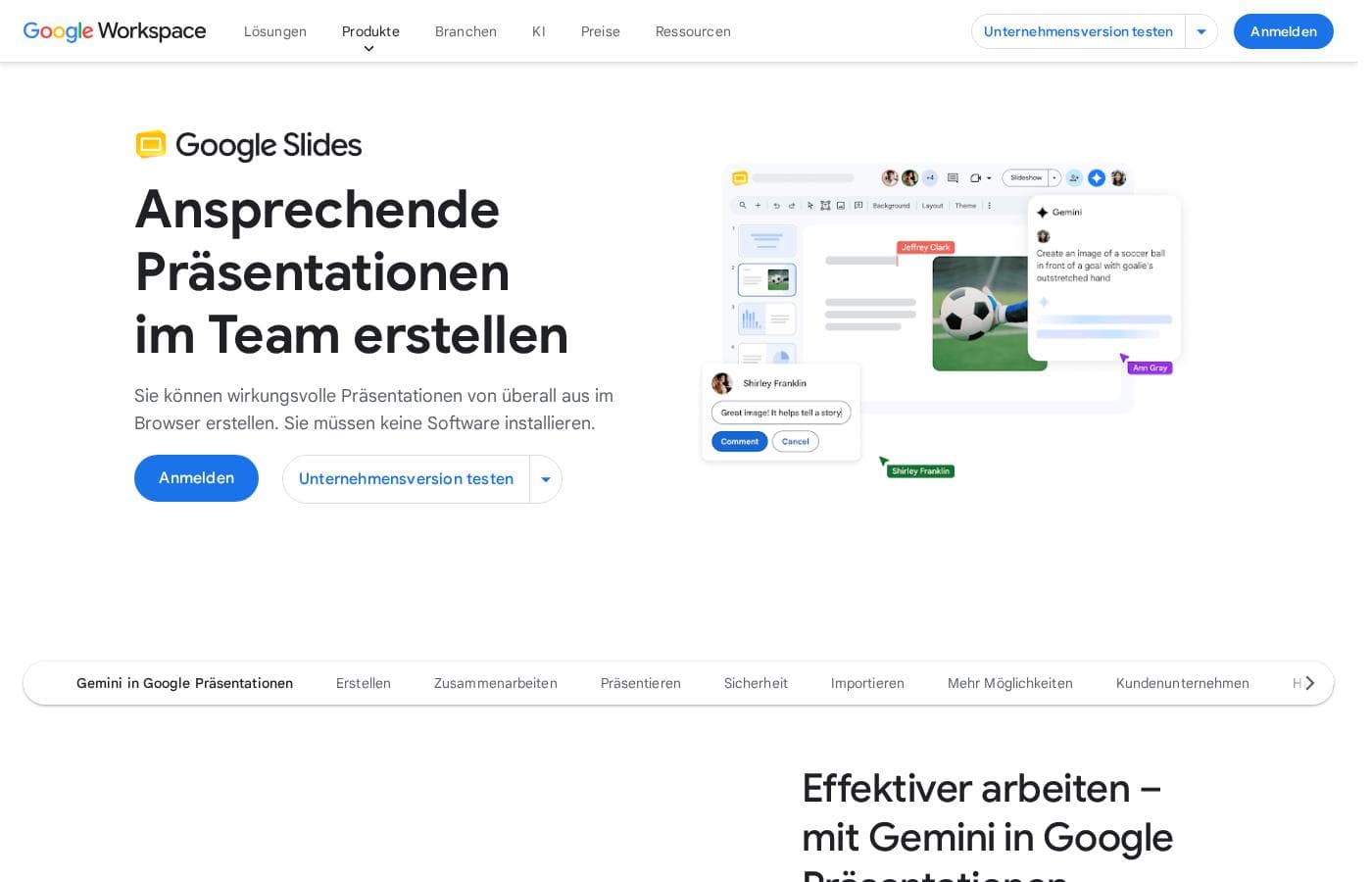
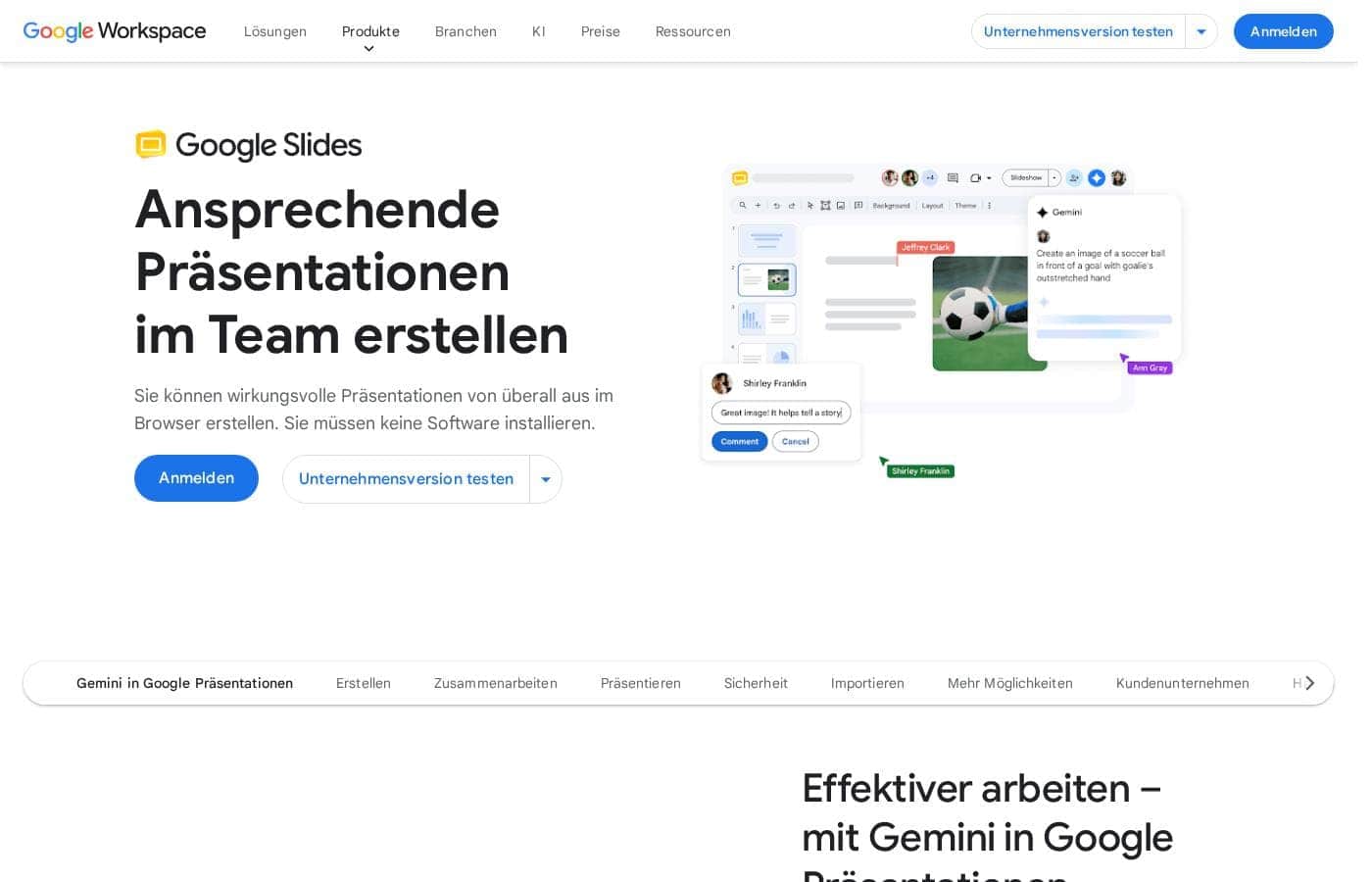
Google Slides homepage screenshot

At a glance

Quick overview for Google Slides: rating, pricing summary, key features, and highlights.

Ciroapp review

3.8
Stellar collaboration, challenging ecosystem.

We find Google Slides an exceptional tool for real-time collaboration, offering universal access and effortless integration across devices, making presentation creation highly efficient. However, reports detail that paying for premium features means entering the Google Workspace ecosystem, which is plagued by catastrophic billing complexity, non-existent support, and difficult account management on the administrative side. Overall, it's a stellar free application compromised by frustrating administrative overhead in its paid tiers.

Pros

  • Pro:Free core access for anyone with a Google Account.
  • Pro:Seamless, live co-editing makes real-time collaboration highly efficient.
  • Pro:Works universally across all device types (desktop, mobile, tablet).
  • Pro:Compatibility allows easy importing of PowerPoint and Canva files.

Cons

  • Con:Premium presentation features require a paid Google Workspace subscription.
  • Con:Paid Workspace users report severe, recurring billing and double-charging issues.
  • Con:Customer support for Workspace is frequently described as useless or non-existent.
  • Con:Difficult cancellation processes and high administrative fees for paid plans are reported.
Range: Free to Not explicitly statedFree plan, Monthly subscription, Yearly subscription
This section is a summary. Detailed sections about features, use cases, pricing, and reviews follow below.

Google Slides review, pricing, features, pros & cons

Tired of dealing with confusing version 12 documents and email attachments? Difficulty collaborating in real time can stall essential projects. Google Slides addresses this by allowing your team to edit the same file simultaneously with live co-editing and simple sharing controls.

You can create impactful presentations entirely in your browser, no installation is needed. ✨

What is Google Slides?

Google Slides is a powerful tool designed to help you create and deliver polished presentations. It operates right in your browser, letting you work from anywhere without needing special software installs. This flexibility extends to mobile devices, as you can view, present, or collaborate on slides using your phone or tablet. Anyone with a Google Account can start creating today.

The platform comes packed with high-quality, pre-designed templates, including different layouts, colors, and fonts. For organizations, it offers premium features like domain templates to ensure consistency across the whole company. You can easily liven up your work with videos, smooth transitions, and even playful GIFs and stickers. 💡

Google Slides Key Features

✨ Real-Time Collaboration

It's easy to stay in sync when you work with others. Google Slides allows multiple users to edit the same file simultaneously, eliminating confusing document versions and attachments. This true live co-editing makes teamwork faster and more efficient.

Use live pointers to follow along with your co-creators; this helps pinpoint specific information while you are working together. You can also collaborate in context by meeting directly within a Google Slide file if your organization uses a premium plan.

Simple sharing controls provide you with granular permissions. You decide exactly who gets to view, comment on, or edit your content. This control works whether you are working with your internal team or with external contacts.

✨ Professional Design Tools

You don't need high-end design skills to deliver a polished presentation. Start quickly by choosing from an array of high-quality, pre-designed templates that feature various layouts, colors, and fonts. ✨

You can easily liven up your work by integrating enhancements like videos, smooth transitions, and animations. Slides also lets you add flair with playful GIFs and stickers, which are available directly within the platform. Organizations can ensure consistency by using domain templates, a premium feature that applies standard branding across the whole company.

✨ Access and Flexibility

Slides lets you work where you are, whenever you need to. You can create impactful presentations entirely in your browser; there's no software installation ever needed. This browser functionality is a huge benefit for teams on the go.

The tool is completely flexible and works on your mobile phone or tablet, too. You can view, present, or even collaborate on files using iOS or Android devices.

Even better, you can stay productive even when your internet connection drops. You can access, create, and edit Slides without being online, helping you stay connected from anywhere.

✨ Seamless Compatibility and Security

Slides works well with the tools you already rely on. Do not worry about starting over if you've used different software before. You can easily import Microsoft PowerPoint or Canva presentations and enhance them using Slides’ robust collaboration features.

Your data is always protected inside Google Slides. Security is built-in; your information is encrypted by default. Advanced safety measures, like client-side encryption and anti-abuse safeguards, keep your data private and secure.

✨ Present Like a Pro

Connect with your audience confidently using integrated delivery tools. You can present your message directly from Google Meet; this gives you access to all your necessary controls in one place for smoother, high-resolution viewing.

For premium users, the speaker spotlight feature keeps the focus squarely on you by placing your video directly into the presentation. If you need to share your message later, you can easily record and share the entire presentation for others to watch at their best time.

✨ Extend Power with Integrations

Customize Google Slides to fit your specific workflow requirements. You can extend the platform's power by using Slides add-ons that integrate with other services. Developers can even build their own functional tools using a range of developer resources.

Additionally, you can use powerful AI features like Gemini in Slides (available via add-on or specific plans). Gemini can help you catch up quickly with content summaries, generate unique images, or create slides using simple prompts and your saved Drive content.

Use Cases

🤝 Real-Time Collaborative Drafts

When facing a tight deadline, you need immediate input from your entire team. Google Slides allows multiple users to edit the same file simultaneously without confusion over version control. You can follow along with exactly what your co-creators are doing using live pointers. This approach ensures your team stays perfectly in sync and resolves conflicting edits instantly.

The simple sharing controls give you granular permissions. You decide exactly who can view, comment, or edit the presentation. This is essential whether you're working with your internal team or collaborating securely with external contacts.

🏢 Ensuring Consistent Brand Identity

A large organization requires standardized, high-quality visuals across every project. Using a Google Workspace plan, you can implement domain templates across the company. This premium feature helps every department access the approved layouts, colors, and fonts.

This makes consistency easy to achieve and enforce. New presentations automatically adhere to brand guidelines, saving teams time and maintaining a professional image with just a few clicks.

🎤 Professional Delivery in Virtual Meetings

You need to deliver a major presentation to stakeholders joining a Google Meet call. You can access all necessary Slides and Meet controls directly in one place for a smoother, high-resolution experience. The speaker spotlight feature, available on premium plans, places your video feed directly into the presentation. This ensures the focus remains on you.

Afterward, you can easily record the entire presentation and share it. This flexibility lets team members in different time zones watch when it works best for them, connecting with your audience efficiently.

✈️ Maximizing Productivity While Traveling

You don't need a reliable internet connection to keep working. Google Slides offers the flexibility to access files and edit content even when you are completely offline. You can stay productive whether you are commuting or traveling to a remote site.

Since Slides works well on any device, you can view, present, or continue collaborating on your phone or tablet. All your changes sync automatically the moment your device reconnects to the internet.

🔄 Migrating and Enhancing Existing Files

You don't have to start from scratch if you receive files from outside partners. Slides works seamlessly with others, letting you import presentations created in Microsoft PowerPoint or Canva. You can even edit PowerPoint files directly without converting an extra copy.

Once imported, your team can immediately enhance those documents. You gain access to robust collaboration features like comments, live co-editing, and improved sharing controls right away.

🛡️ Securely Handling Sensitive Data

Data privacy is essential for your organization. Rest assured, your data is kept secure through built-in protection measures. Your information is encrypted by default without any extra steps needed.

Google Slides also offers advanced safety measures like client-side encryption and strong privacy controls. These features ensure your content remains private and protected while you work.

💡 Streamlining Content Creation with AI

You can boost your creativity and save time using powerful AI features like Gemini, available on Google Workspace plans. If you need to summarize pages of content quickly, Gemini can catch you up with fast summaries of your presentation.

For design, you can generate a new slide simply by using a prompt and referencing your Drive content. You can also generate unique images instantly, helping you visualize concepts that might otherwise be difficult to create manually.

Tip: Use simple prompts to quickly generate unique images directly inside your presentation.

Pricing Overview for Google Slides

Pricing range
Free to Not explicitly stated
Pricing types
Free plan, Monthly subscription, Yearly subscription

Google Slides is free for anyone with a standard Google Account, allowing core creation and collaboration. Access to specialized premium features, such as advanced presentation controls and powerful AI tools like Gemini, requires an upgrade to a paid Google Workspace subscription.

Plans & Pricing

Basic Access (Google Account)

Contact for pricing
  • Create and deliver impactful presentations
  • Flexible collaboration with live editing and comments
  • Import Microsoft PowerPoint or Canva presentations
  • Co-editing functions
  • Offline access via mobile/computer

Google Workspace Individual/Small Business

MonthlyNot explicitly stated
YearlyNot explicitly stated
  • Includes core features
  • Access to some premium features
  • Potential access to Gemini A.I. via add-on
  • Business-focused tools

Google Workspace Business/Enterprise

MonthlyNot explicitly stated
YearlyNot explicitly stated
  • Includes all features
  • Stay on brand with domain templates
  • Meet directly in documents
  • Present from Google Meet with controls
  • Speaker spotlight and easy presentation recording

Google Slides is available for free with a Google Account, but premium features require a Google Workspace plan. Specific pricing details for the Workspace plans are not explicitly stated here.

While this page doesn't show exact dollar amounts, it clearly outlines three paths for accessing Google Slides features. Let’s explore which option might be the best for you.

Basic Access (via Google Account)

Price: Free with standard Google Account Websites Supported: Not explicitly stated Best For: Individuals and casual collaboration Refund Policy: Not explicitly stated Other Features:

  • Create and deliver presentations in your browser
  • Flexible collaboration with live editing and comments
  • Import Microsoft PowerPoint or Canva presentations
  • Co-editing functions
  • Offline access on mobile

This is the perfect way to get started if you need reliable cloud-based presentation software for personal projects or simple team collaboration. You get all the essential features you need without spending any money.

Google Workspace Individual

Price: Not explicitly stated Websites Supported: Not explicitly stated Best For: Professionals or freelancers needing enhanced features Refund Policy: Not explicitly stated Other Features:

  • Access to some premium presentation features (implicitly)
  • Potential access to Gemini A.I. features as an add-on
  • Tools designed for professional use

If you're a professional running a small operation or need a comprehensive set of tools beyond the standard free version, consider a Google Workspace Individual plan. This option helps you unlock deeper integrations and tools designed for business effectiveness.

Google Workspace Business/Enterprise

Price: Not explicitly stated Websites Supported: Not explicitly stated Best For: Organizations needing branding, control, and advanced Meet integration Refund Policy: Not explicitly stated Other Features:

  • Stay on brand using consistent domain templates
  • Meet directly in your documents for contextual collaboration
  • Present like a pro directly from Google Meet
  • Use speaker spotlight to keep the focus on you
  • Easily record and share your presentation

Large organizations that need maximum security, branding controls, and robust integration with the whole Google ecosystem should choose an Enterprise-level plan. These powerful options provide the necessary features for secure, high-quality, large-scale communication.

It's important to remember that Google Slides is available free of charge for anyone with a Google Account, giving you access to core creation, robust collaboration, and editing tools. If the premium features like speaking spotlight or domain templates are essential for your work, you'll need to subscribe to one of the paid Google Workspace tiers. You should visit the main Google Workspace pricing page for specific subscription costs.

User Reviews

User reviews for the Google Workspace platform, which hosts Google Slides, reveal significant operational concerns, often overshadowing the application's benefits. The dominant theme is the non-existent and unhelpful customer support.

Users repeatedly report hours wasted trying to resolve issues, describing the process as a 'dark web maze' where technicians either fail to read requests or provide circular instructions. A massive source of frustration is the challenging subscription and billing system.

Multiple users cited shocking billing practices, including unexpected monthly charges, double charging, and forced annual contracts with high cancellation fees (a €68 'closeout fee' was mentioned). Price increases are also a recurring complaint, often pushed to justify unwanted AI features.

While the application features like collaboration are often assumed to be excellent, the general user experience of the hosting platform is described as having significant shortcomings, leading to frustration and difficulty accessing the services they pay for. This suggests that while Slides might be an accessible application, the associated administrative and billing issues within Workspace are major barriers for paying users.

😟

What users say elsewhere

Alex W.
· Trustpilot
1.0 / 5

Worst experience ever. It's impossible to cancel your subscription and there is virtually no support available for basic issues. Hands down the most annoying digital ordeal I have ever come across.

Sarah K.
· Trustpilot
1.0 / 5

The billing system is shocking. They charged me three times, including for a domain that doesn't even exist, so I can't cancel the payment. Support failed to help and wasted hours of my time.

No reviews yet.

Write a Review

Write a Review for Google Slides
0/100 characters
0/2000 characters

Why use Google Slides?

Why rely on sending files back and forth when you can work together instantly? Google Slides changes how teams manage content, allowing for truly unified co-creation. You and your co-creators can work simultaneously, using features like live pointers to follow along with the editing process.

You need tools that adapt to your modern workflow, not the other way around. Google Slides excels at making collaboration highly flexible and secure. This platform provides tremendous value by focusing on ease of use and professional delivery.

Here are the compelling reasons to choose Google Slides today:

  • Effortless Collaboration: Stay in sync with live editing and comments, working seamlessly with your internal team or external contacts. Simple sharing controls give you granular permissions over who can view or edit your content.
  • 💻 Universal Access: Create and collaborate on presentations from your computer, mobile phone, or tablet. You can even access and edit your files when you are completely offline, helping you stay productive wherever you are.
  • 🔗 Seamless Compatibility: You don't have to start over. Slides works well with others, letting you import Microsoft PowerPoint or Canva presentations and immediately enhance them with robust collaboration tools.
  • 🎤 Professional Delivery: Present your message directly from Google Meet, accessing all necessary controls in one place for smoother, high-resolution presentations. You can also easily record and share your presentation for audiences to watch later.
  • 🛡️ Built-in Security: Rest assured that your data is safe and private. Your information is encrypted by default. Advanced safety measures, like client-side encryption and strong privacy controls, keep your data secure. ✅

Slides also helps boost your creative output. You can use templates for better consistency or extend the power of Slides by integrating add-ons to fit your unique workflows. The platform is truly built for teams that demand flexibility and security.

Ready to transform your workflow with Google Slides?

Frequently Asked Questions

How are security and data protection handled in Google Slides?

Your presentation data is protected through several built-in security features. This includes encryption by default, advanced client-side encryption, and strict anti-abuse measures. Strong privacy controls keep your information safe.

How is the pricing structured for Google Slides premium features?

The core application is free if you have a standard Google Account. Premium features and business tools are accessed via a paid Google Workspace subscription. These subscriptions typically charge a fee per user, per month.

Are there any explicit storage limits or quotas for presentation files?

Information regarding specific storage limits, file size restrictions, or collaboration quotas is not explicitly stated on the official site. You should consult your specific Google Account or Workspace plan details.

Can I integrate Google Slides with other software or services?

Yes, you can extend Slides' functionality by using add-ons to integrate workflows. Google also offers a range of developer tools if you need to build custom integrations yourself.

How do I access premium features like Speaker Spotlight or domain templates?

Features like Speaker Spotlight, presentation recording, and the ability to apply consistent domain templates are premium features. They require upgrading to a qualifying Google Workspace Business or Enterprise plan.

Does Google Slides offer a free trial for the paid Workspace plans?

Not explicitly stated on the official site. While the essential version of Slides is free for all users, specific details about a free trial or money-back guarantee for paid Workspace plans are not provided here.

What is the primary benefit of the paid Google Workspace Individual plan?

The Individual plan is designed for self-employed professionals or freelancers. It grants access to various premium presentation features and potential access to Gemini AI features as an add-on.

Can I work on my presentations when I am offline?

Yes, you can. Slides offers offline access, allowing you to access, create, and edit presentations without an internet connection. This feature is available on mobile and computer devices.

Can I convert or edit presentations made with Microsoft PowerPoint or Canva?

Slides works well with others, allowing you to import both Microsoft PowerPoint and Canva presentations. You can even edit an existing PowerPoint file directly without creating a separate copy.

How do I add Gemini AI features to my Slides workflow?

You can get Gemini features, like generating images or summarizing content, by subscribing to a Google Workspace plan. Access to Gemini typically requires an additional add-on.

Who is Google Slides best suited for?

It serves a wide range of users. The free tier is perfect for individuals and casual teams, while the Enterprise tiers are best for large organizations needing strict branding control, enhanced security, and complex integrations.

Are there clear cancellation terms or policies for paid subscriptions?

Specific details regarding cancellation policies or refund processes for Google Workspace subscriptions are not explicitly stated on the official site. You should review the Workspace terms before subscribing.

Does Slides support advanced presentation controls within Google Meet?

Yes. Certain Google Workspace plans allow you to present directly from Google Meet. This gives you high-resolution presentation visibility and access to necessary controls in one place.

Ready to try Google Slides? Check out the official site or pricing.