Google Slides vs Visme
Google Slides is the cloud king for real-time collaboration and easy sharing. Visme is the design powerhouse, offering AI tools and advanced branding consistency. We compare core differences to help you choose the right visual platform.
Best for: Budget-conscious individuals/students needing presentation software., Teams requiring high security and frictionless, live, synchronous co-editing.
Best for: Marketing agencies requiring diverse professional visual collateral (50+ content types)., Teams prioritizing powerful, instant brand consistency using the Brand Wizard.
Stellar collaboration, challenging ecosystem.
We find Google Slides an exceptional tool for real-time collaboration, offering universal access and effortless integration across devices, making presentation creation highly efficient. However, reports detail that paying for premium features means entering the Google Workspace ecosystem, which is plagued by catastrophic billing complexity, non-existent support, and difficult account management on the administrative side. Overall, it's a stellar free application compromised by frustrating administrative overhead in its paid tiers.
Pros
- Free core access for anyone with a Google Account.
- Seamless, live co-editing makes real-time collaboration highly efficient.
- Works universally across all device types (desktop, mobile, tablet).
- Compatibility allows easy importing of PowerPoint and Canva files.
Cons
- Premium presentation features require a paid Google Workspace subscription.
- Paid Workspace users report severe, recurring billing and double-charging issues.
- Customer support for Workspace is frequently described as useless or non-existent.
- Difficult cancellation processes and high administrative fees for paid plans are reported.
Professional visuals, transparent pricing needed.
We found Visme is an outstanding tool for creating branded, interactive content quickly, offering design power previously reserved for professionals. It is backed by excellent, responsive customer support that users highly depend on. Overall, this is a powerful and efficient visual communication tool, but we strongly recommend Visme improve transparency regarding paid feature requirements and cancellation processes.
Pros
- Highly intuitive and user-friendly interface with effective drag-and-drop tools.
- Extensive library of customizable templates for over 50 content types.
- Creates professional-quality designs even without specialized design skills.
- Customer support team is highly responsive, helpful, and resolves issues quickly.
Cons
- The necessity to pay for downloads/printing is often unclear, frustrating free users.
- Reports of intentionally difficult and confusing subscription cancellation processes.
- The web editor may occasionally be slow or prone to minor technical issues.
- Some users feel the available graphics library is slightly limited compared to competitors.
AboutGoogle Slides
Google Slides is a powerful tool designed to help you create and deliver polished presentations. It operates right in your browser, letting you work from anywhere without needing special software installs. This flexibility extends to mobile devices, as you can view, present, or collaborate on slides using your phone or tablet. Anyone with a Google Account can start creating today.
The platform comes packed with high-quality, pre-designed templates, including different layouts, colors, and fonts. For organizations, it offers premium features like domain templates to ensure consistency across the whole company. You can easily liven up your work with videos, smooth transitions, and even playful GIFs and stickers. 💡
AboutVisme
Visme is the interactive design platform that puts the power of visual communication right into your hands. Used by 34.3 million people, it's an all-in-one solution for organizations and individuals globally. No matter your role, Visme makes it easier to create pixel-perfect visuals for your business. You can confidently tackle everything from dynamic pitch decks to detailed data visualizations, thanks to its focus on effortless ease-of-use. 💡
Highlights
Feature Comparison
Features Overview
We highlight the main differences and pick a winner for each feature.
Real-Time Collaboration
Google Slides is superior for simultaneous editing instantly. Visme focuses collaboration on feedback loops.
Google Slides offers seamless, live co-editing for simultaneous work across teams. You can use live pointers to guide teammates instantly. Simple sharing controls are granular and highly efficient. Visme supports real-time collaboration primarily via commenting and design feedback. Teams use a centralized space to manage all of their project assets. Google Slides is essential when multiple people need to input text simultaneously. Visme is better structured for design review and feedback cycles. Use Google Slides if speed and frictionless, synchronous document entry are your top priority.
Branding Tools
Visme’s Brand Wizard is better for instant, end-to-end consistency. Google Slides requires premium domains.
Google Slides enforces consistency using premium domain templates for organizations. This ensures all new slides use standard colors and fonts. Visme simplifies branding setup with the unique Brand Wizard feature. Input your URL; Visme automatically applies all brand assets instantly. Visme’s utility is far superior for quick and comprehensive brand application. Google Slides requires a higher-tier subscription just for basic domain templates. Visme makes enforcing complex brand standards easy for all team members right away.
Design & Templates
Visme provides a much broader library and professional design polish. Google Slides templates are functional.
Google Slides offers high-quality templates necessary for standard presentation functionality. Premium users get access to tools that ensure design consistency. Visme provides access to thousands of customizable templates across over 50 content types. It excels at delivering professional, polished results. Visme is built specifically for users without graphic design experience to succeed quickly. Choose Visme if your priority is creating diverse, visually stunning collateral and reports.
Customer Support
Visme offers responsive and professional support. Google Slides support is widely reported as missing.
Google Slides users (via Workspace) report support as functionally non-existent or useless. They frequently complain about hours wasted trying to resolve simple issues. Visme users frequently praise the support team responsiveness and professionalism. Issues are resolved quickly, often within a couple of days. Visme clearly prioritizes customer experience regarding technical help. If fast, reliable technical support is important, you should choose Visme.
AI Capabilities
Visme's AI Designer focuses on visual drafting. Google Slides uses Gemini for image/content enhancement.
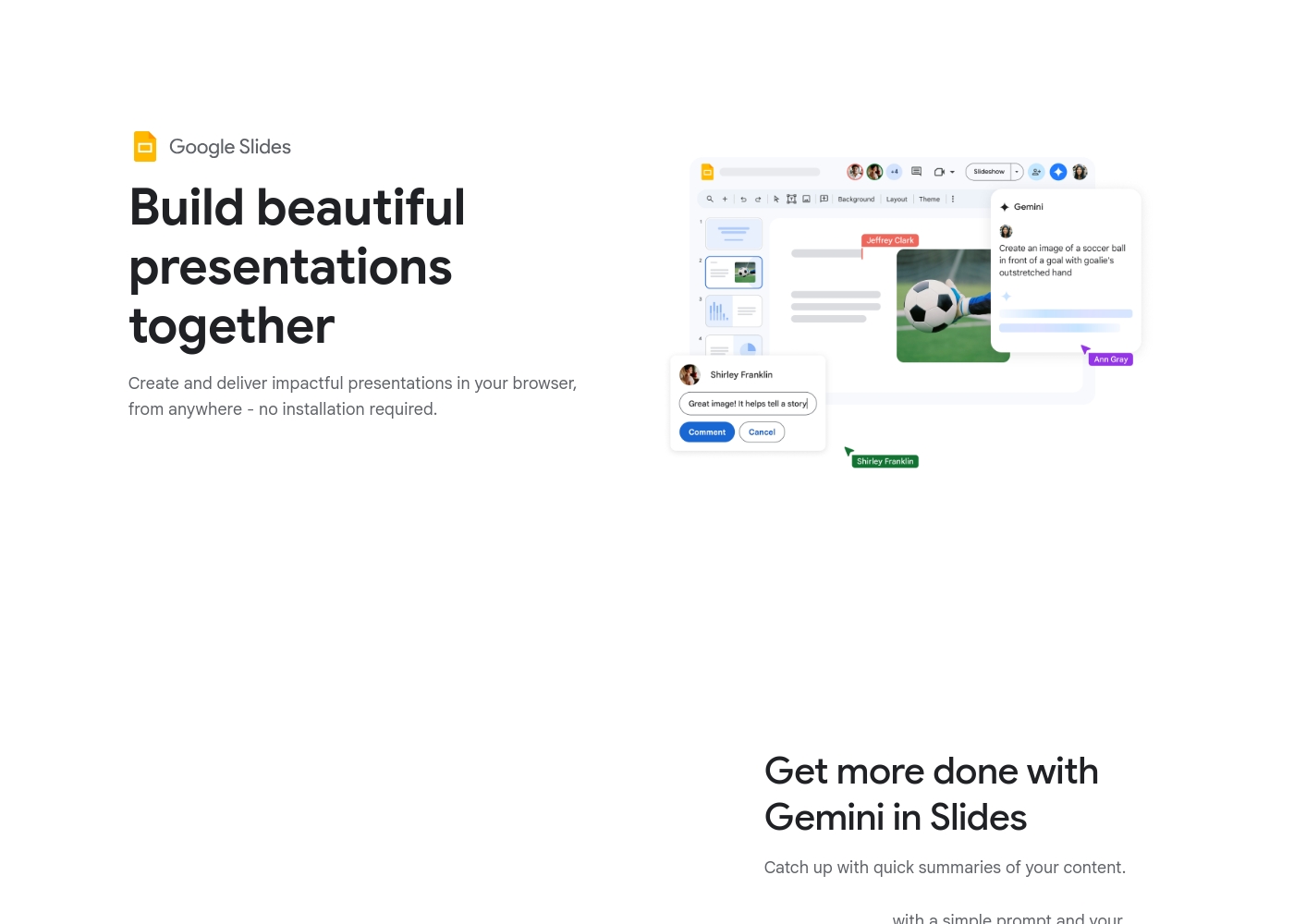
Google Slides offers Gemini AI (premium add-on/plan) to summarize content or generate unique images. This boosts content creation and ideation. Visme features the AI Designer (Beta) which turns a text prompt into an entire design draft. This is done quickly in just a few minutes. Visme’s AI focuses more on generating complete visual layouts and presentation structure. Google Slides fits better for enhancing existing content instead of generating new concepts.
Pricing Clarity & Risk
Google Slides is truly free for core use. Visme users report unexpected required payments upon export.
Google Slides offers a robust core application completely free with a Google Account. This minimizes initial financial risk significantly. Visme also allows free sign-up and creation. However, users report being forced to pay or upgrade unexpectedly when they try to export their finished work. Google Slides Workspace users report severe billing issues and non-transparent cancellation fees. Be extremely cautious regarding potential forced upgrades and hidden costs when using Visme features.
Interactivity
Visme unlocks dynamic, engaging content options. Google Slides offers standard slide-based functionality.
Google Slides provides standard presentation features like basic animations and embedded videos. It is designed for straightforward delivery. Visme excels in dynamic content creation by offering interactive charts and hotspots. You can use hover effects and clickable menus easily. Visme transforms static reports into highly engaging, interactive experiences for stakeholders. Choose Visme if you need reports and presentations that actively capture audience attention.
Offline Access
Google Slides supports editing fully offline. Visme requires continuous internet connectivity.
Google Slides supports full offline creation and editing on both mobile and computer devices. Changes automatically sync the moment you reconnect to the internet. Visme appears to be entirely browser-based, needing an active internet connection to work. There is no explicit mention of offline capability in Visme. Google Slides maximizes flexibility for travel and remote work without reliable Wi-Fi. If reliable offline capability is critical, Google Slides is the essential choice.
Google Slides is available for free with a Google Account, but premium features require a Google Workspace plan.
While this page doesn't show exact dollar amounts, it clearly outlines three paths for accessing Google Slides features. Let’s explore which option might be the best for you.
Basic Access (via Google Account)
Price: Free with standard Google Account Best For: Individuals and casual collaboration Other Features:
- Create and deliver presentations in your browser
- Flexible collaboration with live editing and comments
- Import Microsoft PowerPoint or Canva presentations
- Co-editing functions
- Offline access on mobile
- Create and deliver impactful presentations
- Flexible collaboration with live editing and comments
- Import Microsoft PowerPoint or Canva presentations
- Co-editing functions
- Offline access via mobile/computer
- Includes core features
- Access to some premium features
- Potential access to Gemini A.I. via add-on
- Business-focused tools
- Includes all features
- Stay on brand with domain templates
- Meet directly in documents
- Present from Google Meet with controls
- Speaker spotlight and easy presentation recording
We recognize that you're looking for clear, straightforward pricing. While the exact details of the paid tiers aren't currently visible, we can confirm the availability of a free option to get you started. This lets you explore the core features of the powerful visual communication tool.
Free Plan (Implied)
Price: Free Best For: Individuals, students, or small businesses wanting to test Visme’s core capabilities. Refund Policy: Not applicable Other Features:
- Access to Visme AI Designer (Beta) functionality.
- Tools for designing professional reports, proposals, and white papers.
- Capability to create engaging, interactive pitch decks.
- Access to thousands of customizable templates for various content types.
- Generation of compelling videos and social media graphics.
The Free Plan serves as an excellent entry point for anyone serious about elevating their content design without immediate investment. You get powerful content creation tools, like the AI Designer, right away. This tier is perfect if you want to try out Visme and understand its unique workflow for building beautiful, branded visuals. 🎨
- Access to Visme AI Designer (Beta)
- Create engaging, interactive pitch decks
- Design professional reports and white papers
- Bring data to life with interactive charts and graphs
- Design social media content

Pricing Notes
- Google Slides offers a robust core application entirely free for anyone with a Google Account.
- Premium features in Google Slides require purchasing a Google Workspace subscription (per-user, per-month).
- Visme offers free access to start, but users report being forced to upgrade or pay unexpectedly when attempting to export files.
- Google Slides users report severe billing issues, double-charging, and hidden fees within the Workspace platform.
- Visme’s specific monthly and annual pricing for paid tiers is not transparently listed in the public documentation.
Pricing Head-to-Head
User Reviews
User reviews for the Google Workspace platform, which hosts Google Slides, reveal significant operational concerns, often overshadowing the application's benefits. The dominant theme is the non-existent and unhelpful customer support.
Users repeatedly report hours wasted trying to resolve issues, describing the process as a 'dark web maze' where technicians either fail to read requests or provide circular instructions. A massive source of frustration is the challenging subscription and billing system.
Worst experience ever. It's impossible to cancel your subscription and there is virtually no support available for basic issues. Hands down the most annoying digital ordeal I have ever come across.
Visme receives mixed, but generally positive feedback from external reviewers regarding its core functionality. Users consistently praise the platform's ease of use and intuitive interface, noting that the drag-and-drop feature and wide assortment of templates make it simple to create visually appealing, professional content without needing advanced design skills.
Many also highlight the exceptional customer service, describing the support team as highly responsive and helpful in resolving technical issues quickly, sometimes replying immediately. However, a major recurring concern involves pricing transparency and subscription practices.
The support team was super supportive when I ran into a technical issue. They went the extra mile to help me out, saving me a ton of work and project time. They also generally reply almost immediately to questions.
Our Verdict
This comparison is about design power versus ecosystem efficiency. Google Slides offers unmatched collaboration fluidity and free access for core functions. Visme provides superior design features, advanced branding, and specialized interactive tools. The ultimate decision depends on what friction point you are willing to tolerate. Google Slides is the undisputed champion for seamless team synergy. It facilitates live, simultaneous editing and instant global collaboration. You can import existing PowerPoint and Canva files easily. The core platform is robust and completely free, making Google Slides incredibly accessible and cost-effective. Visme’s core superpower lies in its design automation and specialized content options. The Brand Wizard ensures instant and pixel-perfect brand consistency across every project. Visme handles interactive data visualization, infographics, and diverse content formats better. Crucially, Visme offers responsive, professional customer support, unlike Google Workspace. The essential deciding factor is the administrative experience when you move to paid tiers. Visme provides powerful, specialized features for visual marketers and non-designers. However, paying for premium Google Slides means entering the problematic Workspace billing ecosystem, which users report is frustrating. Choose Google Slides if you need live real-time editing, free access, or reliable offline work. Select Visme if you need design sophistication, the powerful Brand Wizard, or if responsive customer support is a necessity. Both Google Slides and Visme are powerful, but only Visme is built for highly interactive visual content.
Frequently Asked Questions
Which platform is better for overall brand consistency: Google Slides or Visme?
Visme is superior for brand consistency through its Brand Wizard feature. Simply input your website URL to instantly apply your brand assets. Google Slides requires a premium Workspace subscription to enforce brand consistency via domain templates.
Is Visme worth the extra cost over Google Slides?
Visme is worth it if you need advanced interactive designs, data visualization, and the Brand Wizard. Google Slides provides exceptional core collaboration for free. You must decide if Visme’s specialized features justify the reported pricing friction.
Which tool has better team collaboration features?
Google Slides is better for simultaneous, live collaboration and co-editing. Teams can work in the document at the exact same time. Visme collaboration focuses more on centralized asset management and feedback via commenting.
Does Google Slides have better security features than Visme?
Yes, Google Slides prioritizes security with built-in default encryption. It also offers advanced client-side encryption options. Visme does not explicitly detail its security or data governance measures in the provided data.
Can I use Google Slides or Visme if I don't have design experience?
Both are user-friendly, but Visme is designed specifically for non-designers. Visme's AI Designer and large template library make creating professional visuals easier. Google Slides is simple but more limited in design features.
Which tool offers better customer support for paid users?
Visme clearly offers superior customer support. Users frequently praise Visme’s team for being responsive and professional. Google Slides customers within the Workspace ecosystem frequently report support being poor or non-existent.
Ready to Choose?
Both tools have their strengths. Choose based on your specific needs.