Google Slides vs Microsoft PowerPoint
Google Slides and Microsoft PowerPoint are the top presentation apps today, but they prioritize different users. Google Slides champions real-time collaboration and cloud flexibility for teams. Microsoft PowerPoint offers unparalleled desktop power plus advanced AI design and coaching tools.
Best for: Organizations prioritizing live, simultaneous co-editing with strict version control., Teams working across many operating systems (Mac, Windows, ChromeOS) needing universal access.
Best for: Users who already rely on the Microsoft 365 ecosystem (Word, Excel, Outlook)., Professionals who need the full power of a dedicated, robust desktop application.
Stellar collaboration, challenging ecosystem.
We find Google Slides an exceptional tool for real-time collaboration, offering universal access and effortless integration across devices, making presentation creation highly efficient. However, reports detail that paying for premium features means entering the Google Workspace ecosystem, which is plagued by catastrophic billing complexity, non-existent support, and difficult account management on the administrative side. Overall, it's a stellar free application compromised by frustrating administrative overhead in its paid tiers.
Pros
- Free core access for anyone with a Google Account.
- Seamless, live co-editing makes real-time collaboration highly efficient.
- Works universally across all device types (desktop, mobile, tablet).
- Compatibility allows easy importing of PowerPoint and Canva files.
Cons
- Premium presentation features require a paid Google Workspace subscription.
- Paid Workspace users report severe, recurring billing and double-charging issues.
- Customer support for Workspace is frequently described as useless or non-existent.
- Difficult cancellation processes and high administrative fees for paid plans are reported.
Industry standard now with powerful AI.
We find PowerPoint remains the industry-leading presentation tool, offering essential collaboration and cutting-edge AI features like Designer and Speaker Coach. Overall, the powerful application features are unfortunately hampered by reported systemic issues regarding Microsoft's required account management, customer support, and often unpredictable pricing structure.
Pros
- Industry-leading presentation standard with robust cross-platform usability.
- Incorporates advanced AI tools (Copilot, Designer) for quick concept generation and design.
- Speaker Coach feature provides AI-driven feedback for presentation practice and delivery.
- Supports excellent real-time collaboration, sharing, and commenting for teams.
Cons
- Customer support and technical assistance are widely reported as extremely poor or non-existent.
- Users frequently experience frustrating account access issues and difficult authentication processes.
- Unilateral and significant price increases on subscriptions are a common complaint from existing users.
- Bugs, unintuitive design, and forced updates in the broader Microsoft ecosystem cause friction.
AboutGoogle Slides
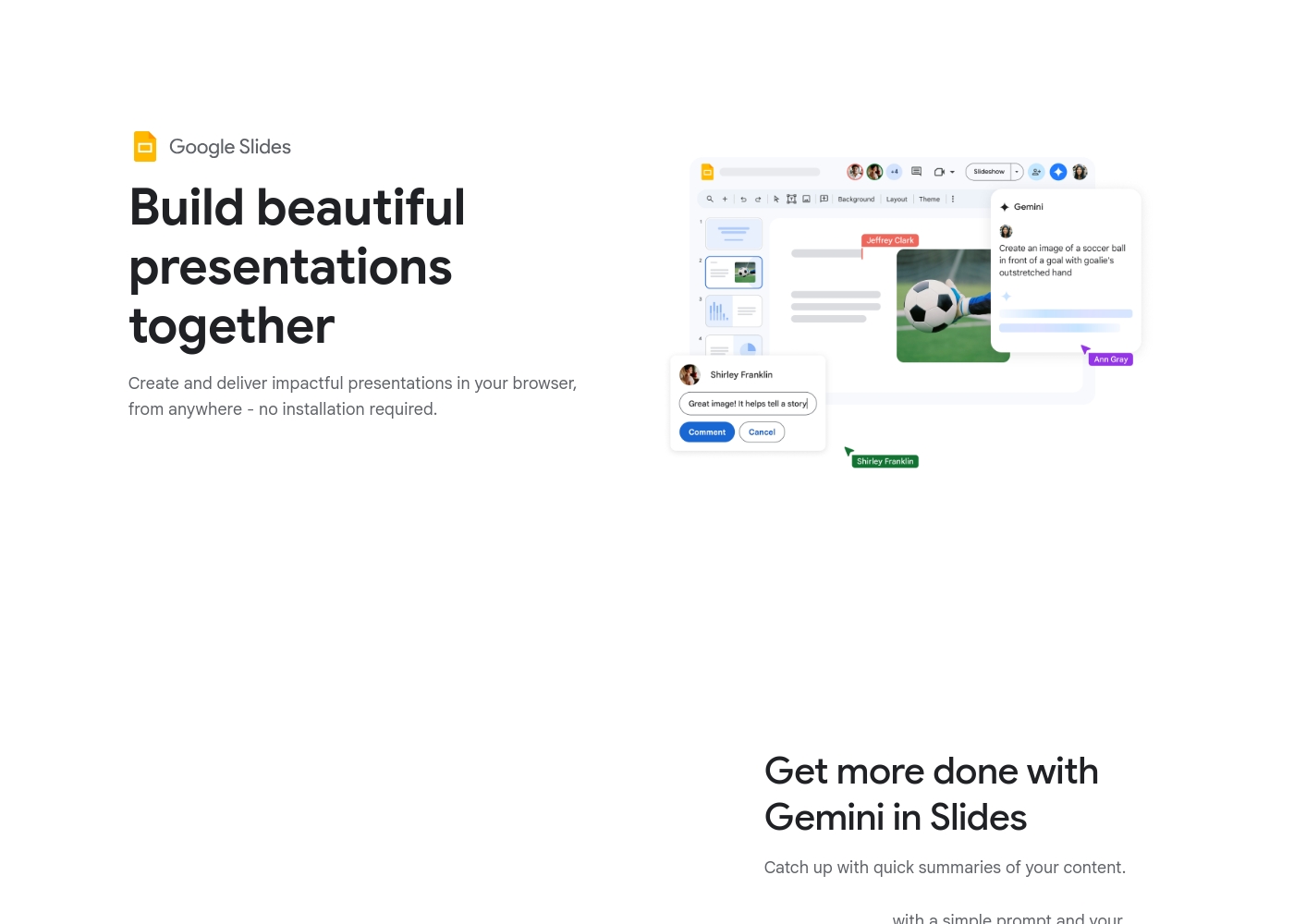
Google Slides is a powerful tool designed to help you create and deliver polished presentations. It operates right in your browser, letting you work from anywhere without needing special software installs. This flexibility extends to mobile devices, as you can view, present, or collaborate on slides using your phone or tablet. Anyone with a Google Account can start creating today.
The platform comes packed with high-quality, pre-designed templates, including different layouts, colors, and fonts. For organizations, it offers premium features like domain templates to ensure consistency across the whole company. You can easily liven up your work with videos, smooth transitions, and even playful GIFs and stickers. 💡
AboutMicrosoft PowerPoint
Microsoft PowerPoint is the essential tool for building dynamic and captivating presentations from any device. It's designed to help you evoke engagement whether you're working alone or with a team. You can easily share your work and collaborate in real time with anyone, even without needing a subscription. PowerPoint is available across PCs, Macs, tablets, and phones, meaning you can always access your slides. 💡
Highlights
Feature Comparison
Features Overview
We highlight the main differences and pick a winner for each feature.
Live Collaboration
Google Slides leads with true real-time editing and live pointer sync for seamless teamwork.
Google Slides defines live co-editing, allowing simultaneous work without version conflict. You can follow along instantly with live pointers during the editing process. Simple sharing controls handle permissions for internal and external partners. Microsoft PowerPoint offers equally strong collaboration with comments and @mentions for targeted feedback. Real-time co-editing requires saving and sharing presentations from OneDrive storage. Collaboration works even if the recipient doesn't have a paid subscription. Google Slides is collaboration native in the browser, offering a smoother sync experience. Microsoft PowerPoint collaboration is reliant on a stable Microsoft 365/OneDrive ecosystem. If your entire workflow is cloud-based, Google Slides offers the superior, most frictionless path to teamwork.
Advanced AI Tools
Microsoft PowerPoint integrates AI for concept drafting and immediate design formatting.
Microsoft PowerPoint embeds Copilot to instantly generate presentation outlines from scratch. Microsoft Designer provides smart AI recommendations for instant, professional slide formatting. These features empower users to focus on content, not design. Google Slides allows users to summarize content or generate unique images using Gemini AI. However, this often requires purchasing a separate, premium Gemini add-on or specific Workspace plans. Microsoft PowerPoint makes its powerful AI features centrally available for core content creation. Google Slides AI is useful but is often an optional, separate purchase. For users wanting the latest productivity boost, Microsoft PowerPoint's embedded AI is immediately more impactful.
Delivery & Practice
Microsoft PowerPoint provides AI-driven tools to practice delivery and enhance presenter confidence.
Microsoft PowerPoint's Speaker Coach acts as your personal rehearsal partner before any presentation. It gives AI-driven feedback on your pace, vocabulary, and delivery effectiveness immediately. The Cameo feature adds a dynamic, personal video touch for pre-recorded presentations. Google Slides focuses on smooth virtual delivery and integration within Google Meet. Premium plans allow direct presenting from Meet with advanced controls and speaker spotlight. You can record the presentation easily for later sharing. Microsoft PowerPoint focuses on improving the user’s presentation performance before the meeting starts. Google Slides focuses on enhancing the technical delivery during the meeting. If practicing your pitch is mission-critical, Microsoft PowerPoint’s Speaker Coach is invaluable.
Access & Offline Use
Google Slides offers reliable, universal offline editing on mobile and desktop devices.
Google Slides is browser-native and requires zero special installation to function. Crucially, you retain full access to view, create, and edit even when completely offline. Your changes sync automatically when connectivity returns. Microsoft PowerPoint’s highest functionality relies on the installed desktop application (Windows/Mac). The free web version (PowerPoint for the web) likely requires an internet connection for usage. The core difference is utility when traveling or without Wi-Fi access. Google Slides is primarily cloud-based, but includes excellent native offline use. For users needing guaranteed productivity regardless of location, Google Slides is the simpler choice.
Desktop Power
Microsoft PowerPoint offers a highly feature-rich, dedicated desktop application experience.
The installed Microsoft PowerPoint desktop application remains the industry standard for complex design. Power users rely on the speed and highly detailed layout tools of the desktop version. It provides the most robust environment for highly-polished, complex visuals. Google Slides is purely browser-native and offers an identical experience on all devices. While fast and flexible, it often lacks the granular design control of a dedicated desktop program. Everything works within your web browser. Choose Microsoft PowerPoint if you need supreme control over visual details. Choose Google Slides if universal access outweighs specialized feature depth. Most enterprise environments still mandate Microsoft PowerPoint for its established feature density.
Pricing Structure
Google Slides provides full core functionality for free; PowerPoint offers clearer tiered subscription costs.
Google Slides core access is free for anyone with a standard Google Account. Premium features like domain templates require a paid, per-user Google Workspace subscription. Specific dollar amounts for Workspace tiers are not published on the page. Microsoft PowerPoint pricing is clearly defined through Microsoft 365 subscriptions, starting at $9.99/month for Personal. Business plans start at $8.25/user/month (paid annually). Microsoft 365 offers a free trial option. Google Slides is powerful, free-first software offering tremendous value starting at $0. Microsoft PowerPoint requires a defined subscription for the full suite experience. If budget is the primary constraint, Google Slides offers the best feature set for zero cost.
Google Slides is available for free with a Google Account, but premium features require a Google Workspace plan.
While this page doesn't show exact dollar amounts, it clearly outlines three paths for accessing Google Slides features. Let’s explore which option might be the best for you.
Basic Access (via Google Account)
Price: Free with standard Google Account Best For: Individuals and casual collaboration Other Features:
- Create and deliver presentations in your browser
- Flexible collaboration with live editing and comments
- Import Microsoft PowerPoint or Canva presentations
- Co-editing functions
- Offline access on mobile
- Create and deliver impactful presentations
- Flexible collaboration with live editing and comments
- Import Microsoft PowerPoint or Canva presentations
- Co-editing functions
- Offline access via mobile/computer
- Includes core features
- Access to some premium features
- Potential access to Gemini A.I. via add-on
- Business-focused tools
- Includes all features
- Stay on brand with domain templates
- Meet directly in documents
- Present from Google Meet with controls
- Speaker spotlight and easy presentation recording
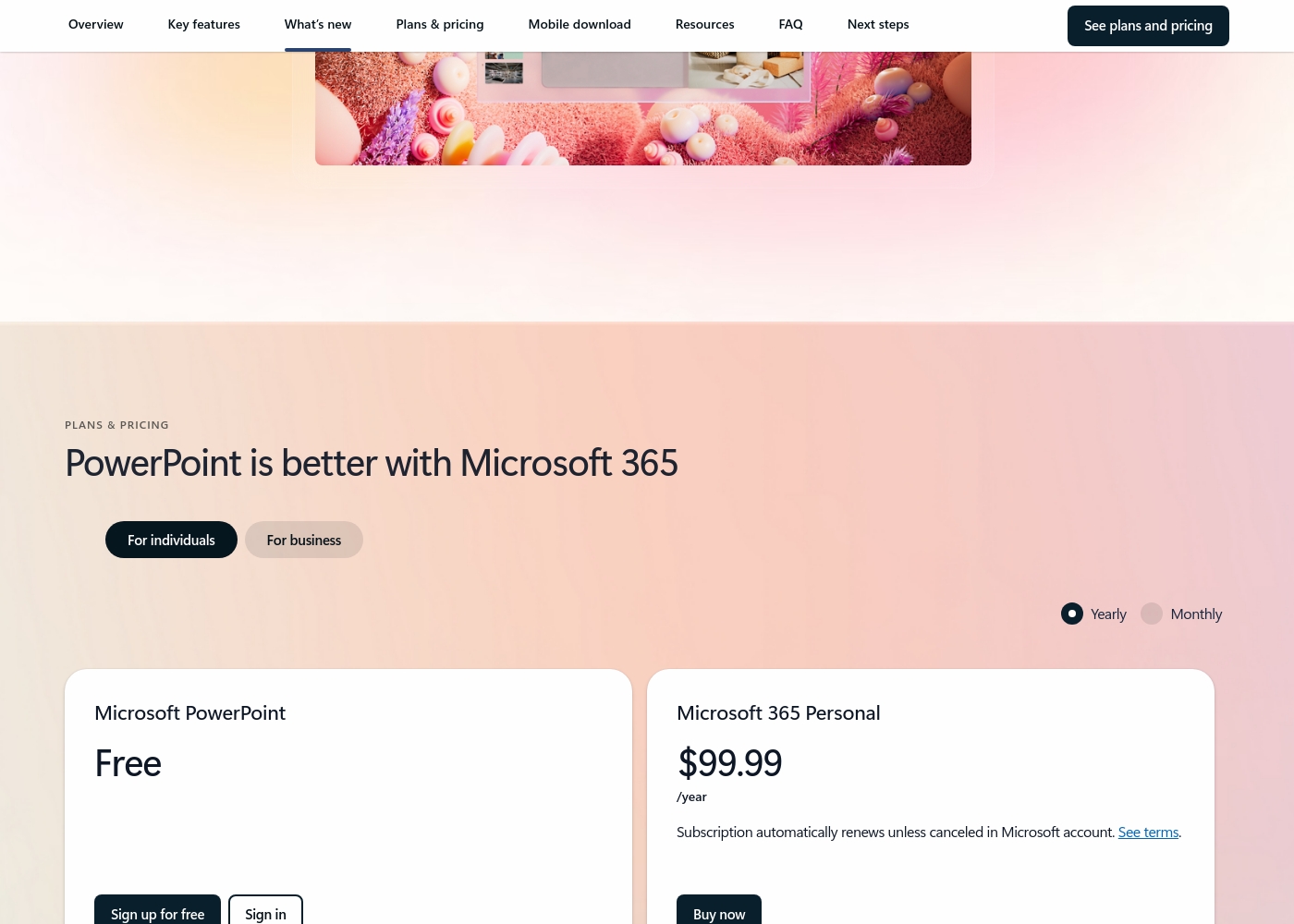
Microsoft PowerPoint costs between $0 and $129.99 per year with 7 primary plans: Free at $0/year, Microsoft 365 Personal at $99.99/year, Microsoft 365 Family at $129.99/year, Microsoft 365 Apps for business at $8.25/user/month (paid yearly), Microsoft 365 Business Standard at $12.50/user/month (paid yearly), Microsoft 365 Business Premium at $22.00/user/month (paid yearly), and business options without Microsoft Teams starting at $10.25/user/month (paid yearly).
Here’s a detailed breakdown of the options provided, starting with choices for individuals and families.
Microsoft PowerPoint Free
Best For: Basic web use and sharing Other Features:
- Web version of PowerPoint (PowerPoint for the web)
- Basic spelling and grammar checks
- 5 GB of secure cloud storage
- Real-time collaboration
- PowerPoint for the web
- Sharing and real-time collaboration
- Basic templates, fonts, icons, and stickers
- Basic spelling and grammar
- Desktop versions of Word, Excel, PowerPoint, Outlook, and OneNote with Copilot
- Microsoft Defender advanced security
- Microsoft Designer (AI-powered image creator)
- Desktop versions of Word, Excel, PowerPoint, Outlook, and OneNote with Copilot
- Up to 6 TB of secure cloud storage (1 TB per person)
- Microsoft Clipchamp video editor with exclusive filters and effects
- Desktop versions of Word, Excel, PowerPoint, and Outlook
- 1 TB of cloud storage per user
- Suitable for up to 300 employees
Pricing Notes
- Google Slides is free for core creation with any Google Account. Premium features are bundled into paid Google Workspace plans.
- Microsoft PowerPoint's pricing through Microsoft 365 is tiered and transparent, starting at $9.99/month for Personal users.
- Microsoft 365 business subscriptions require an annual commitment, but Microsoft PowerPoint offers a 7-day prorated refund if you cancel early.
- Users report significant billing distress and difficult cancellation fees for both Google Workspace and Microsoft 365 paid subscriptions.
Pricing Head-to-Head
User Reviews
User reviews for the Google Workspace platform, which hosts Google Slides, reveal significant operational concerns, often overshadowing the application's benefits. The dominant theme is the non-existent and unhelpful customer support.
Users repeatedly report hours wasted trying to resolve issues, describing the process as a 'dark web maze' where technicians either fail to read requests or provide circular instructions. A massive source of frustration is the challenging subscription and billing system.
Worst experience ever. It's impossible to cancel your subscription and there is virtually no support available for basic issues. Hands down the most annoying digital ordeal I have ever come across.
Trustpilot reviews for Microsoft the company skew heavily toward criticizing the broader ecosystem and support infrastructure rather than specific application performance like PowerPoint. Recurring complaints center on non-existent or drastically delayed customer support, with users citing automated systems that fail to resolve complex issues.
Accountability is a major pain point, as many consumers struggle with account security, frequently being locked out, or facing complicated verification processes that block access to purchased software. Furthermore, many users report issues related to unacceptable pricing practices, including unexpected and significant subscription price increases, sometimes reaching 31% or more, with little to no consultation.
Extremely poor customer service. I don't recall ever experiencing service this bad anywhere else. I bought a business subscription, and nothing has worked for two months, forcing me to waste my evenings.
Our Verdict
Choosing between Google Slides and Microsoft PowerPoint is ultimately about your ecosystem, not just features. Both are highly capable tools, but they excel in fundamentally different areas. Google Slides wins on pure flexibility, accessibility, and real-time teamwork. It offers excellent core presentation tools entirely for free. Live co-editing, with instant viewer pointers, is a true superpower for the Google Slides platform. Conversely, Microsoft PowerPoint is the clear winner for ultimate design power and advanced AI integration. Microsoft PowerPoint features like Copilot draft content fast and Designer ensures presentation polish. Speaker Coach helps you nail every high-stakes delivery, a unique advantage. If you need robust desktop functionality and cutting-edge presentation prep, choose Microsoft PowerPoint. If cross-platform access, external sharing, and smooth cloud collaboration are key, stick with Google Slides. Be warned: many users report painful billing and non-existent support from both Microsoft 365 and Google Workspace. Pick Google Slides for frictionless collaboration and free unlimited access. Choose Microsoft PowerPoint for the most powerful desktop app and advanced AI design tools.
Frequently Asked Questions
Which is better for small teams: Google Slides or Microsoft PowerPoint?
Google Slides is typically better for small teams focused on collaboration. It offers powerful, free core tools and seamless, concurrent editing. Microsoft PowerPoint works great, but collaboration relies more heavily on the OneDrive cloud platform.
Does Google Slides have a Speaker Coach feature like Microsoft PowerPoint?
No, Google Slides does not currently have a dedicated Speaker Coach feature. Microsoft PowerPoint’s Speaker Coach offers unique AI-driven feedback. Google Slides focuses more on integrated delivery controls via Google Meet.
Is Microsoft PowerPoint's free web version equal to Google Slides?
Microsoft PowerPoint for the web provides basic presentation editing and collaboration. Google Slides offers robust, free core features, including reliable offline access. Google Slides is generally seen as the more powerful free option.
Can I use Microsoft PowerPoint files in Google Slides?
Yes, Google Slides features seamless compatibility for existing files. You can import Microsoft PowerPoint presentations and edit them directly. This helps integrate external documents into your collaborative workflow.
Which tool is better for reliable offline work?
Google Slides is better for reliable offline work across different devices. You can edit content on mobile or desktop and sync changes later. Microsoft PowerPoint requires the installed desktop app for robust offline use.
How does the pricing compare between Google Slides and Microsoft PowerPoint?
Google Slides’ core tools are free with a standard Google Account. Microsoft PowerPoint requires a Microsoft 365 subscription for the full desktop suite. Both require paid plans for premium features like domain templates and advanced AI.
Ready to Choose?
Both tools have their strengths. Choose based on your specific needs.