Microsoft PowerPoint

Microsoft PowerPoint

Design captivating presentations and collaborate in real-time.

#4 dans Presentation
2 min read · Updated 10/5/2025
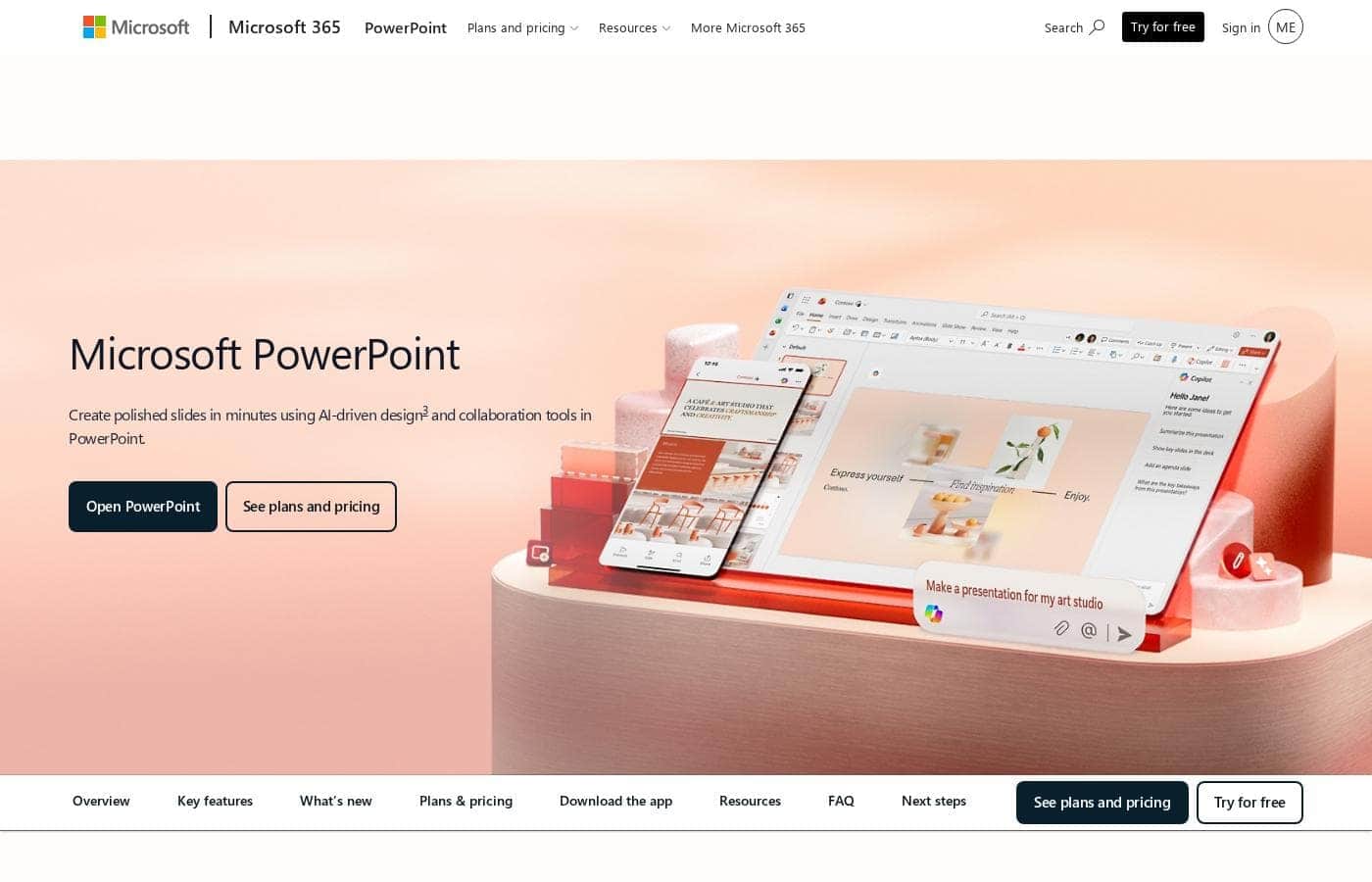
Microsoft PowerPoint homepage screenshot

At a glance

Quick overview for Microsoft PowerPoint: rating, pricing summary, key features, and highlights.

Ciroapp review

3.8
Industry standard now with powerful AI.

We find PowerPoint remains the industry-leading presentation tool, offering essential collaboration and cutting-edge AI features like Designer and Speaker Coach. Overall, the powerful application features are unfortunately hampered by reported systemic issues regarding Microsoft's required account management, customer support, and often unpredictable pricing structure.

Pros

  • Pro:Industry-leading presentation standard with robust cross-platform usability.
  • Pro:Incorporates advanced AI tools (Copilot, Designer) for quick concept generation and design.
  • Pro:Speaker Coach feature provides AI-driven feedback for presentation practice and delivery.
  • Pro:Supports excellent real-time collaboration, sharing, and commenting for teams.

Cons

  • Con:Customer support and technical assistance are widely reported as extremely poor or non-existent.
  • Con:Users frequently experience frustrating account access issues and difficult authentication processes.
  • Con:Unilateral and significant price increases on subscriptions are a common complaint from existing users.
  • Con:Bugs, unintuitive design, and forced updates in the broader Microsoft ecosystem cause friction.
Free trial
Yes
Money-back guarantee
Yes — 7 days
Range: $0–$129.99/yearFree plan, Free trial, Monthly subscription, Yearly subscription, Per seat pricing
This section is a summary. Detailed sections about features, use cases, pricing, and reviews follow below.

Microsoft PowerPoint review, pricing, features, pros & cons

Do you struggle to create polished presentations that truly stand out? Starting a slideshow from a blank screen can feel frustrating. Microsoft PowerPoint solves this by blending creative freedom with powerful AI tools, helping you generate ideas and build engaging content quickly.

What is Microsoft PowerPoint?

Microsoft PowerPoint is the essential tool for building dynamic and captivating presentations from any device. It's designed to help you evoke engagement whether you're working alone or with a team. You can easily share your work and collaborate in real time with anyone, even without needing a subscription.

PowerPoint is available across PCs, Macs, tablets, and phones, meaning you can always access your slides. 💡

Microsoft PowerPoint Key Features

✨ Start Fast with AI Drafting

Don't stare at a blank screen when you start a new project. You can generate a full presentation outline instantly using Copilot in Microsoft 365. This instant start saves significant time and helps overcome creative blocks.

Once the outline is ready, you can continue expanding your ideas directly within the slideshow. Just ask Copilot in PowerPoint for more information or suggest a new relevant slide on your current topic. This intelligent support helps you quickly expand and refine your core message.

✨ Instant Professional Design

Making your slides look polished and visually appealing is easy with Microsoft Designer. This feature formats your text and graphics automatically using smart AI recommendations. You focus on the content, and Designer handles the aesthetics.

If you prefer a solid foundation, start by choosing from thousands of customizable templates. These prebuilt options ensure your slides look professional right from the start. You get beautiful results without needing extensive design expertise.

✨ Rehearse with Confidence

Nail your delivery before you step onto the stage or join the meeting. The powerful Speaker Coach feature acts as your personal rehearsal partner. It gives you instant, AI-driven feedback while you practice your pitch.

This coaching covers crucial aspects of public speaking effectiveness. Speaker Coach reviews your pace, checks your vocabulary, and provides valuable data on other critical elements. You'll enter your presentation feeling fully prepared and certain of your delivery.

✨ Seamless Real-Time Collaboration

PowerPoint is built for teamwork whether you work in the office or remotely. You can easily share your presentation with anyone and work together simultaneously in real time. Collaboration doesn't even require everyone to have a paid subscription.

For smooth communication, you can use comments to discuss changes right on the slides. Use @mentions to specifically tag a collaborator to invite them into the conversation. This keeps feedback streamlined and ensures everyone stays updated effortlessly.

✨ Creative Input Flexibility

You don't have to rely solely on keyboard input to capture your ideas. PowerPoint makes it simple to digitize your unique input directly onto your slides. Just write or draw freehand on the screen to capture sketches and notes quickly.

This digital ink is not stuck as a drawing. The program automatically converts your handwriting or free-form shapes into precise text or polished geometric shapes. This gives you high creative flexibility while maintaining a professional appearance.

✨ Enhanced Delivery and Accessibility

Presentation effectiveness means ensuring your ideas are both engaging and clear for every viewer. You can add a personal, professional touch using the Cameo feature. This allows you to present your slides alongside prerecorded video to enhance engagement.

To ensure maximum clarity, you can use the built-in Accessibility Assistant. This tool gives AI-assisted recommendations that improve readability for all audience members.

Use Cases

✨ Generating an Instant Pitch Deck Outline

Facing a crucial presentation deadline often starts with a blank, intimidating screen. Instead, use Copilot to generate the basic structure instantly. You simply describe your topic, and the AI drafts a complete presentation outline for you.

You can quickly expand your core ideas by asking Copilot to add more detail or generate new slides. This powerful feature eliminates writer’s block and drastically reduces your initial setup time.

🎨 Problem → Seamless Design for Non-Designers

Problem: You need a sharp, professional presentation but lack time or expertise for detailed formatting.

Approach: Choose a customizable template to start strong. As you add content, activate Microsoft Designer. Designer analyzes your text and graphics, providing smart AI recommendations. It automatically beautifies your slides, ensuring proper alignment, visual hierarchy, and polished results.

Expected outcome: Your presentation looks professional and captivating with minimal effort.

🗣️ Rehearsing for High-Stakes Delivery

Before stepping onto the stage, polish your delivery, not just your slides. Use Speaker Coach to practice your pitch in private. This AI-driven tool listens to your rehearsal and provides immediate feedback.

It helps you monitor your pace, improve your vocabulary, and identify filler words. Practicing with real-time analytics builds confidence for any important speech.

🤝 Collaborating on the Final Proposal

When a team needs to finalize a proposal under a tight deadline, real-time collaboration is essential. Multiple team members can work on the same presentation across different devices simultaneously. Use @mentions within comments to tag specific colleagues and request their review or feedback on certain slides immediately. All changes sync instantly, eliminating version control conflicts and ensuring seamless teamwork.

Tip: Documents must be saved in and shared from OneDrive for multi-user real-time collaboration.

📱 Capturing and Refining Ideas Anywhere

You don't always have your laptop when inspiration hits. PowerPoint works across PC, Mac, tablets, and phones. You can create and edit comfortably on your choice of device, ensuring you never lose an idea.

If you sketch a complex chart on your tablet screen, the program will automatically convert that handwriting or drawing into precise digital text or shapes.

🎥 Creating Narrated Training Modules

If you need to create a self-paced training module or a detailed explainer, you can easily add prerecorded video. The Cameo feature lets you present your slides while including a video of yourself explaining the concepts. This adds a personal, dynamic touch to content that needs to be reviewed asynchronously.

Pricing Overview for Microsoft PowerPoint

Pricing range
$0–$129.99/year
Pricing types
Free plan, Free trial, Monthly subscription, Yearly subscription, Per seat pricing
Money-back guarantee
Yes — 7 days

Microsoft PowerPoint is primarily accessed through Microsoft 365 subscriptions, offering flexible options for individuals and businesses starting at $99.99 per year. A free version is also available for basic web-based access and collaboration with limited storage.

Plans & Pricing

Microsoft PowerPoint Free

Monthly0
Yearly0
5 GB of cloud storage, One person max
  • PowerPoint for the web
  • Sharing and real-time collaboration
  • Basic templates, fonts, icons, and stickers
  • Basic spelling and grammar

Microsoft 365 Personal

Monthly$9.99
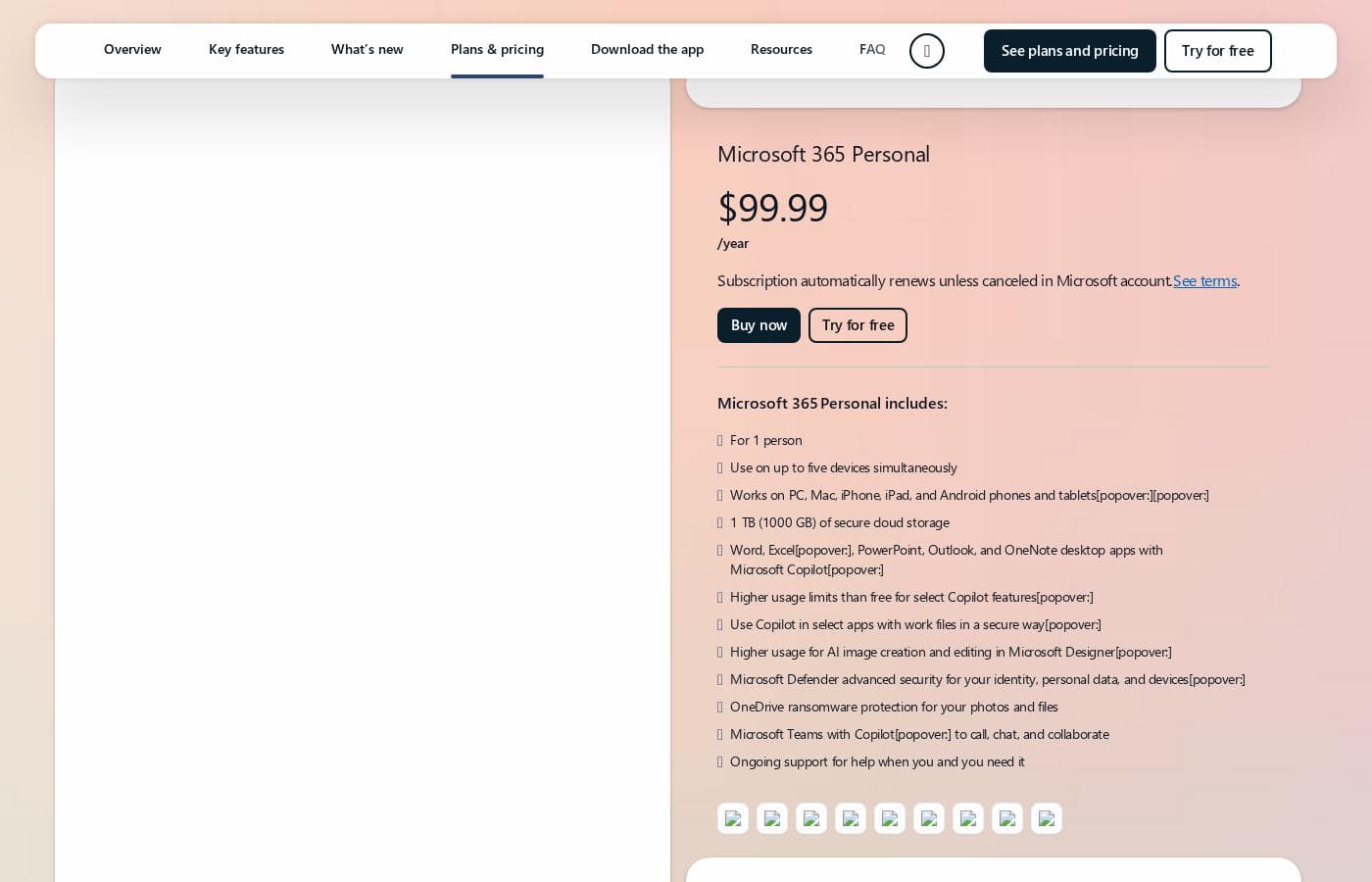
Yearly$99.99
1 person, 1 TB of cloud storage
  • Desktop versions of Word, Excel, PowerPoint, Outlook, and OneNote with Copilot
  • Microsoft Defender advanced security
  • Microsoft Designer (AI-powered image creator)

Microsoft 365 Family

Monthly$12.99
Yearly$129.99
1 to 6 people (users)
  • Desktop versions of Word, Excel, PowerPoint, Outlook, and OneNote with Copilot
  • Up to 6 TB of secure cloud storage (1 TB per person)
  • Microsoft Clipchamp video editor with exclusive filters and effects

Microsoft 365 Apps for business

Monthly$8.25/user (Paid Yearly)
YearlyNot explicitly stated ($99.00/user calculated)
Annual subscription required
  • Desktop versions of Word, Excel, PowerPoint, and Outlook
  • 1 TB of cloud storage per user
  • Suitable for up to 300 employees

Microsoft 365 Business Standard

Monthly$12.50/user (Paid Yearly)
YearlyNot explicitly stated ($150.00/user calculated)
Up to 300 users; Annual subscription required
  • Desktop, web, and mobile versions of core apps, including PowerPoint, Exchange, and SharePoint
  • Custom business email
  • Chat, call, meet, and host webinars with Microsoft Teams

Microsoft 365 Business Premium

Monthly$22.00/user (Paid Yearly)
YearlyNot explicitly stated ($264.00/user calculated)
Up to 300 users; Annual subscription required
  • Enterprise-grade device, cyberthreat, and endpoint protection
  • Advanced identity and access management
  • Includes Windows 11 and Microsoft Purview

Microsoft PowerPoint costs between $0 and $129.99 per year with 7 primary plans: Free at $0/year, Microsoft 365 Personal at $99.99/year, Microsoft 365 Family at $129.99/year, Microsoft 365 Apps for business at $8.25/user/month (paid yearly), Microsoft 365 Business Standard at $12.50/user/month (paid yearly), Microsoft 365 Business Premium at $22.00/user/month (paid yearly), and business options without Microsoft Teams starting at $10.25/user/month (paid yearly).

Here’s a detailed breakdown of the options provided, starting with choices for individuals and families.

Microsoft PowerPoint Free

Price: Not explicitly stated Websites Supported: Not explicitly stated Best For: Basic web use and sharing Refund Policy: Not explicitly stated Other Features:

  • Web version of PowerPoint (PowerPoint for the web)
  • Basic spelling and grammar checks
  • 5 GB of secure cloud storage
  • Real-time collaboration

This free option is great for students or casual users who need to create and edit presentations online without requiring the full desktop suite or advanced features. It’s perfect if you primarily work in a web browser.

Microsoft 365 Personal

Price: $99.99/year (or $9.99/month) Websites Supported: Not explicitly stated Best For: Single user with multiple devices Refund Policy: 7-day prorated refund when canceled Other Features:

  • Use on up to five devices simultaneously
  • 1 TB (1000 GB) of secure cloud storage
  • Desktop versions of Word, Excel, PowerPoint, Outlook, and OneNote
  • Microsoft Defender advanced security

If you're a single professional or student needing premium desktop access to all Microsoft apps, this plan is the clear choice. You get robust security and plenty of cloud storage.

Microsoft 365 Family

Price: $129.99/year (or $12.99/month) Websites Supported: Not explicitly stated Best For: Families or small groups up to six people Refund Policy: 7-day prorated refund when canceled; includes free trial Other Features:

  • Supports 1 to 6 people
  • Up to 6 TB of secure cloud storage (1 TB per person)
  • Desktop apps with Microsoft Copilot features
  • Advanced security for the family’s identity and data

This plan delivers powerful value for households or roommates, allowing up to six people to share the subscription. Everyone gets their own premium apps and massive personal storage space.

Microsoft 365 Apps for business

Price: $8.25/user/month, paid yearly Websites Supported: Not explicitly stated Best For: Businesses needing core apps without email or Teams Refund Policy: 7-day prorated refund when canceled; includes free trial Other Features:

  • Desktop versions of Word, Excel, PowerPoint, and Outlook
  • 1 TB of cloud storage per user
  • Available for up to 300 employees

If your business already handles enterprise email but needs the full installed suite of creativity apps like PowerPoint (plus OneDrive storage), start here.

Microsoft 365 Business Standard

Price: $12.50/user/month, paid yearly Websites Supported: Not explicitly stated Best For: Small to medium businesses needing full productivity, communication, and collaboration tools Refund Policy: 7-day prorated refund when canceled; includes free trial Other Features:

  • Desktop, web, and mobile versions of core apps (including PowerPoint)
  • Custom business email
  • Chat, call, meet, and host webinars with Microsoft Teams
  • 10+ additional apps like Planner and Clipchamp

The Standard plan is a superb all-in-one package for companies that depend on seamless collaboration and professional communication features like Teams and custom email.

Microsoft 365 Business Premium

Price: $22.00/user/month, paid yearly Websites Supported: Not explicitly stated Best For: Businesses requiring maximum security and device management Refund Policy: 7-day prorated refund when canceled; includes free trial Other Features:

  • Enterprise-grade device, cyberthreat, and endpoint protection
  • Advanced identity and access management
  • Custom business email and 1 TB storage
  • Includes Windows 11 and Microsoft Defender capabilities

Choose Business Premium if advanced security, compliance features (like Microsoft Purview), and comprehensive endpoint protection for your team members are essential requirements.

You can always start by signing up for the free web version of PowerPoint right away to test basic functionality. For paid plans, Microsoft offers a one-month free trial on the Family and Business subscriptions before charging your chosen rate. If you decide to cancel after the paid subscription starts, there is a helpful 7-day window for a prorated refund, ensuring you only pay for the time you've used.

User Reviews

Trustpilot reviews for Microsoft the company skew heavily toward criticizing the broader ecosystem and support infrastructure rather than specific application performance like PowerPoint. Recurring complaints center on non-existent or drastically delayed customer support, with users citing automated systems that fail to resolve complex issues.

Accountability is a major pain point, as many consumers struggle with account security, frequently being locked out, or facing complicated verification processes that block access to purchased software. Furthermore, many users report issues related to unacceptable pricing practices, including unexpected and significant subscription price increases, sometimes reaching 31% or more, with little to no consultation.

General product reliability is also questioned, citing bugs, unintuitive features, and poor cross-platform synchronization. Overall, the external sentiment reveals profound dissatisfaction and systemic distrust in the support and billing ecosystem surrounding Microsoft 365 products.

😟

What users say elsewhere

Maria S.
· Trustpilot
1.0 / 5

Extremely poor customer service. I don't recall ever experiencing service this bad anywhere else. I bought a business subscription, and nothing has worked for two months, forcing me to waste my evenings.

Liam K.
· Trustpilot
1.0 / 5

Microsoft 365 suddenly told me they are increasing my annual subscription by 31%. This inconvenient and unacceptable increase was made with no consultation, forcing many users to consider alternatives.

No reviews yet.

Write a Review

Write a Review for Microsoft PowerPoint
0/100 characters
0/2000 characters

Why use Microsoft PowerPoint?

If you need to pump up your presentations and reduce the time spent on design, PowerPoint leverages the latest AI to streamline your entire workflow. The integration of Copilot and Designer means you can focus less on formatting and more on expanding your core ideas. Choose PowerPoint to create professional results and share your ideas with total confidence.

  • Start Fast with AI: Get instant presentation outlines using Copilot, which helps you generate ideas and quickly expand your slideshow on any topic.
  • Beautify Instantly: Use Microsoft Designer to format text and graphics with smart AI recommendations and prebuilt templates, ensuring your slides look professional.
  • 🗣️ Nail the Delivery: Practice your pitch using Speaker Coach, which gives instant AI-driven feedback on your pace, vocabulary, and other critical aspects.
  • 🤝 Collaborate Simply: Easily share your work and include collaborators using @mentions and comments for seamless, real-time teamwork.
  • ✏️ Creative Flexibility: Digitize your handwriting or drawings directly on the slides, and have the program automatically convert them into text or precise shapes.
  • 📱 Work Anywhere: Create and edit comfortably across all your devices, including PC, Mac, iPhone, iPad, and Android phones and tablets.

Ready to transform your workflow with Microsoft PowerPoint?

Frequently Asked Questions

How many devices can I use simultaneously on an individual plan?

Users on the Microsoft 365 Personal plan can actively use the apps on up to five different devices at the same time. This applies across PC, Mac, iPhone, iPad, and Android devices.

What is the typical commitment required for Microsoft 365 business plans?

All business plans require an annual commitment, which means you pay a lower monthly rate but are locked into a yearly subscription term.

If I cancel a paid subscription, can I get a refund?

Yes, you have a seven-day window after your paid subscription begins to cancel and receive a prorated refund. You will only pay for the exact time you used the service.

What happens to my presentation files if I cancel my subscription?

When a Microsoft 365 subscription is canceled, all associated data is deleted. It is essential that you back up any critical files before processing a cancellation.

Do I need a credit card to sign up for a free trial?

Yes, a credit card is required to sign up for the one-month free trial offered for Family and Business subscriptions. Your subscription will automatically convert to a paid plan unless you cancel.

Does everyone I collaborate with need a paid subscription?

No. You can easily share your work and invite collaborators to work in real-time, even if they don't have a subscription. Documents must be saved and shared from OneDrive for this to work.

What security features are included for individual users?

Individual and Family plans include Microsoft Defender advanced security for identity protection. They also offer OneDrive ransomware protection for your files and photos.

Are there limitations on sharing the advanced AI features like Copilot?

Yes. For Personal and Family subscriptions, advanced AI features are only available to the subscription owner. These features cannot be shared with other users on the plan.

What is the key difference between the Business Standard and Business Premium plans?

Business Premium includes everything in Standard plus crucial enterprise-grade security features. This includes advanced endpoint protection, cyberthreat management, and Microsoft Purview for regulation compliance.

What is the maximum number of users supported by the Business plans?

The standard Microsoft 365 Business plans are designed for businesses with a maximum of 300 employees or users. Organizations requiring more seats should look at Microsoft's enterprise options.

What core Microsoft 365 app integrations are useful for presentation design?

PowerPoint directly integrates assistance tools like Microsoft Designer for AI-powered formatting. It also uses Clipchamp for video editing and Copilot for generating new content and outlines.

Can I use the PowerPoint web version offline?

Not explicitly stated on the official site. The free version is described as 'PowerPoint for the web,' implying an internet connection is required for usage.

Ready to try Microsoft PowerPoint? Check out the official site or pricing.