Prezi

Prezi

Better presentations, faster with AI.

#2 dans Presentation
2 min read · Updated 10/5/2025
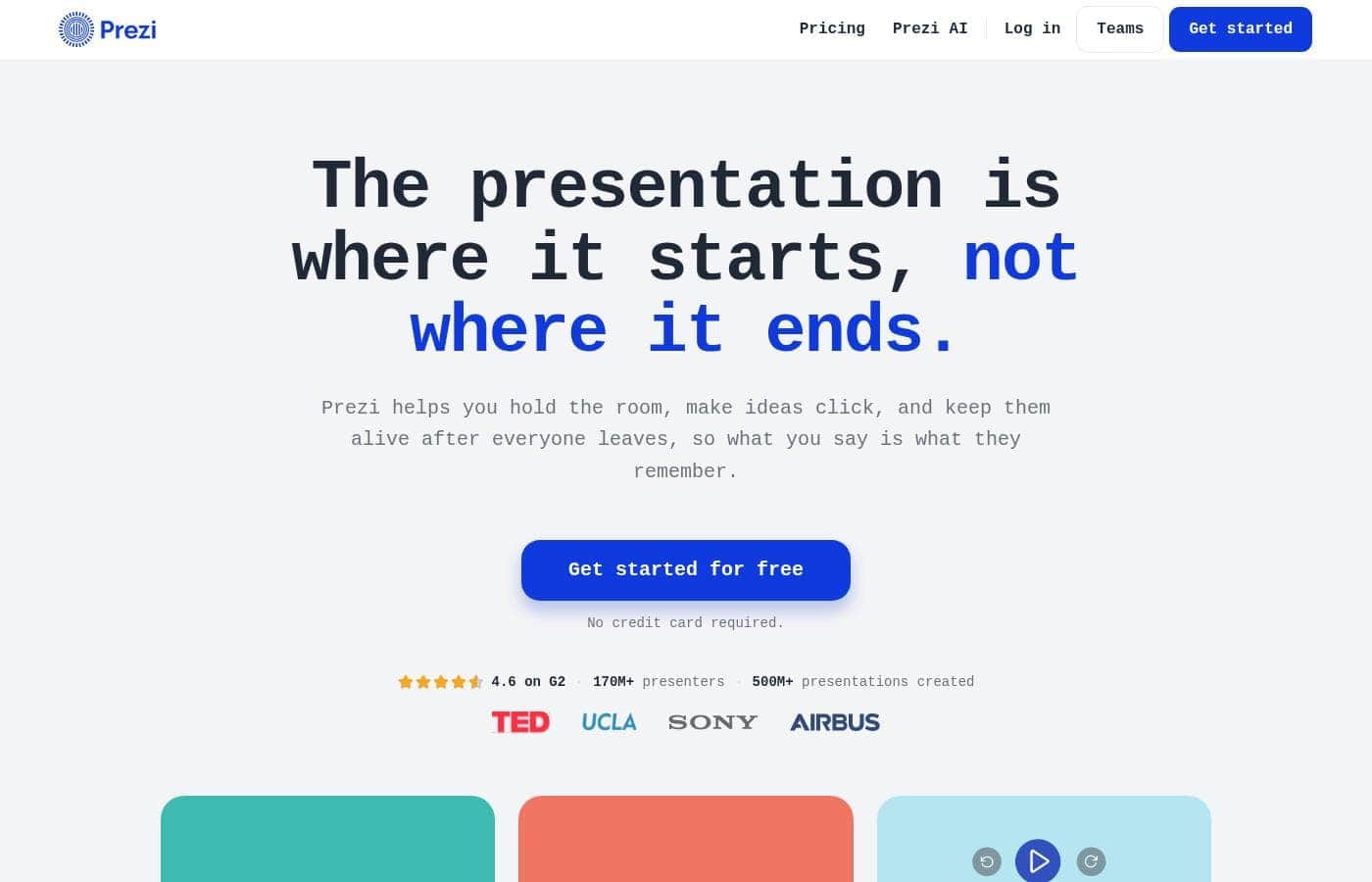
Prezi homepage screenshot

At a glance

Quick overview for Prezi: rating, pricing summary, key features, and highlights.

Ciroapp review

3.9
Dynamic visuals hindered by frustrating pricing.

We found Prezi excels at creating engaging, non-linear visuals that capture audience attention, especially with the integrated AI tools and unique zooming canvas. Overall, while the dynamic presentation style is highly effective, we temper our rating due to recurring customer complaints regarding automatic renewal policies and subscription management issues.

Pros

  • Pro:Provides the strongest visual impact due to its dynamic, non-linear zooming canvas.
  • Pro:New AI integration quickly generates professional, full presentations from simple prompts.
  • Pro:Proven effectiveness; independent studies show Prezi presentations are 40% more memorable.
  • Pro:Prezi Video allows simultaneous display of the speaker and visual content for high engagement.

Cons

  • Con:Frequent issues reported regarding unexpected automatic subscription renewals and cancellation difficulties.
  • Con:Customer service responsiveness is a common point of concern for users.
  • Con:Some long-time users feel Prezi Next offers less creative freedom than the Classic version.
  • Con:The annual subscription price is considered steep by many following the initial free trial.
Free trial
Yes — 14 days
Range: $7–$29/monthFree plan, Free trial, Yearly subscription
This section is a summary. Detailed sections about features, use cases, pricing, and reviews follow below.

Prezi review, pricing, features, pros & cons

Tired of presentation slides that just fall flat? Leaving your audience unengaged is one of the biggest frustrations today. Prezi helps you immediately address this by letting you leave boring slides behind.

It uses AI to redefine how you present, helping you create attention-grabbing visuals and stand out from the crowd. ✨

What is Prezi?

Prezi is a dynamic platform designed specifically for visual storytelling. It has been a trusted presentation partner for over 15 years, relied upon by users in 180+ countries. Currently, Prezi is taking this proven approach and redefining the future of presenting with powerful AI assistance. 💡

It moves beyond sequential slides using a unique open canvas and dynamic movement. This method is effective for various settings, whether you need presentations tailored for business, university, or school audiences. The unique design combined with smart assistance makes creating impressive visuals easier than ever before.

Prezi Key Features

✨ Smart Creation Through AI Assistance

Prezi AI helps you move from an initial idea to a complete presentation without effort. You simply enter a prompt describing your needs. The AI then goes to work, designing a full presentation for you.

Personalized recommendations guide you through the creation process every step of the way. This expert advice ensures your visuals are impactful. You also receive customized AI templates, giving you the perfect start for any project.

If you have text that needs polishing, you can transform and improve it instantly. Just click a button to refine your content. Users on the Plus plan enjoy the freedom of unlimited AI generation credits for both presentations and images, removing caps on your creativity.

✨ Unique Dynamic Movement and Non-Sequential Storytelling

Prezi lets you totally leave those boring, sequential slides behind. It uses a unique open canvas and dynamic movement to capture and hold audience attention. This design ensures you stand out from the crowd.

This platform is engineered for deep audience engagement. Independent university studies confirm Prezi is 25% more effective than traditional slides. It is also 40% more memorable, guaranteeing your key ideas stick with listeners.

Unlike linear presentations, Prezi lets you move fluidly in any order. You can navigate straight to the topics your audience wants to see. This makes your presentations adaptive and responsive to the live conversation.

✨ Comprehensive Visual Assets and Design Tools

You have everything necessary to build exactly what you want inside the platform. Prezi provides numerous layouts and essential assets to make creating easier than ever.

To help you visualize any idea, you get access to a library of over one million images and GIFs. You can also use advanced image editing tools to fine-tune your visuals.

The system includes specific frame designs that look beautiful and make the presentation process smooth. This robust toolkit ensures you can focus on building impressive visuals quickly.

✨ Flexible Presentation Delivery with Prezi Video

Prezi is designed to let you present wherever you need to connect. Prezi Video helps you do this efficiently by putting you and your content together perfectly on the screen.

For professional planning, the Plus plan unlocks critical export and accessibility features. You gain access to a dedicated desktop app, which allows for offline viewing and editing.

Need to share a static version? You can easily download your work or export the presentation as a PDF. Plus, paid plans allow you to present without watermarks, ensuring a fully professional delivery.

💡 Actionable Analytics and Premium Controls

Prezi provides important control features essential for privacy and sharing. You can use manageable share links and integrated privacy controls for distribution. This ensures your content only reaches the intended audience.

For business professionals, the Premium plan adds critical tools to measure performance. You gain access to Presentation Analytics, providing insights into how your audience interacts with your content.

Advanced tier users also benefit from specialized resources, including advanced import integrations, exclusive support, and advanced live training sessions.

Use Cases

🚀 Winning Client Pitches and Engaging Teams

You often need to pitch complex services or deliver high-stakes proposals. Traditional slides fail to deliver the memorable impact you require for these moments. Prezi lets you leave those boring slides behind for better results. The unique open canvas ensures your ideas stand out.

Use the AI tool to define your business audience and tone instantly. Prezi will generate a presentation framework tailored for professional objectives within minutes. The resulting visuals are 25% more effective, ensuring your team or customers engage deeply with the material. This guarantees your core message sticks for 40% longer.

✨ Rapid Visualization and Design (AI Assisted Creation)

Starting new presentations takes significant time away from strategic work. You have a great idea but little bandwidth to handle the design elements. Use Prezi AI to minimize design effort right from the beginning.

Step Flow: From Idea to Full Presentation

  1. Input a simple prompt describing your goal and the intended audience (e.g., School or University).
  2. The AI quickly designs a full presentation structure complete with customized templates.
  3. Instantly improve text clarity and flow with a single click tool.
  4. Access millions of included images, GIFs, and layouts to refine the stunning design. Expected outcome: Go from a concept to a finished visual presentation effortlessly.

🧠 Teaching and Training Complex Concepts

University educators often struggle to make in-depth analyses visually engaging for students. Prezi provides a dynamic structure that visualizes complex concepts better than rigid, sequential slides. You can use the canvas to move fluidly between detailed topics as the class conversation evolves.

This presentation method helps make lessons more exciting for the audience. The unique movement encourages deeper understanding and enhances content retention. Educators can prepare engaging classwork that is easily noticed and remembered by students.

🌐 Presenting Flawlessly in Remote and Hybrid Settings

It is difficult to maintain presence and focus during remote meetings and video calls. When you share content, the audience often loses sight of the speaker, reducing connection. Prezi Video helps resolve this engagement issue immediately.

This feature puts the presenter and the content together perfectly on the screen. You can connect with viewers while visually showcasing data points or examples. This ensures you stay central to the narrative whether you are presenting live or connecting asynchronously with a recorded video.

💼 Managing High-Volume Professional Work (Plus Plan)

As an expert communicator, you create presentations frequently and require robust technical capabilities. The Plus plan caters to high-volume use by removing key constraints. You receive unlimited AI presentation and image generation credits for consistent creation.

Crucially, Plus also unlocks offline freedom and full export control. You can utilize the desktop app for reliable offline access anytime. This lets you download your work and export it watermark-free using PDF export or full presentation download capabilities.

Tip: Use the unlimited PDF/PPT import feature to convert all your existing professional content easily.

Pricing Overview for Prezi

Pricing range
$7–$29/month
Pricing types
Free plan, Free trial, Yearly subscription

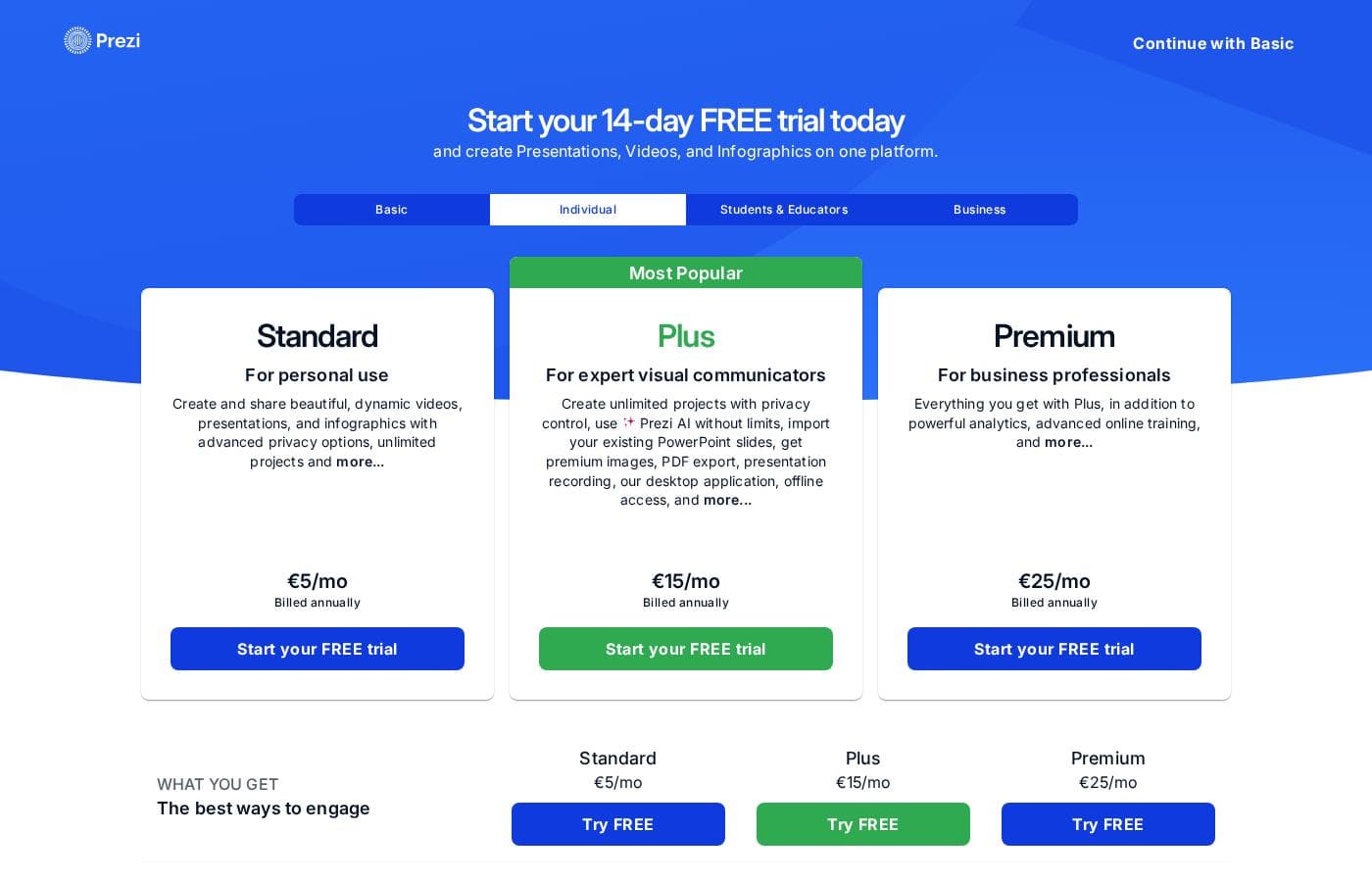
Prezi offers three primary paid subscription levels when billed annually, starting from $7/month for personal use. All paid plans are also available with a 14-day free trial, allowing you to test features before committing.

Plans & Pricing

Basic / Public

Monthly0
Yearly0
Usage and feature limitations apply
  • Essential creation tools
  • Public sharing

Standard

Monthly7
Yearly84
  • AI presentation generation (500 credits)
  • Privacy control
  • 1M+ premium images and visuals
  • Advanced image editing
  • Controllable share links

Plus

Monthly19
Yearly228
  • Unlimited AI presentation generation
  • Unlimited AI image generation
  • Unlimited PDF/PPT import
  • Watermark-free presentations
  • Desktop app / offline access
  • Download / PDF export

Premium

Monthly29
Yearly348
  • Presentation analytics
  • Exclusive support and training
  • Advanced live training
  • Advanced import integrations

Prezi costs between $7 and $29 per month when billed annually, offering three paid plans: Standard at $7/mo, Plus at $19/mo, and Premium at $29/mo.

Here is a detailed breakdown of how Prezi structures its paid subscriptions.

Standard

Price: $7 per month, billed annually Websites Supported: Not explicitly stated Best For: Personal Use Refund Policy: Not explicitly stated Other Features:

  • AI presentation generation (500 credits)
  • Privacy control
  • 1M+ premium images and visuals
  • Advanced image editing
  • Controllable share links

This plan is ideal if you need fundamental features for occasional personal projects. You receive AI assistance with a specific credit limit and essential visual controls. If you only present occasionally and require private sharing options, the Standard plan is a great starting point for you.

Plus (Most Popular)

Price: $19 per month, billed annually Websites Supported: Not explicitly stated Best For: Expert Visual Communicators Refund Policy: Not explicitly stated Other Features:

  • Unlimited AI presentation generation
  • Unlimited AI image generation
  • Unlimited PDF/PPT import
  • Watermark-free presentations
  • Desktop app / offline access
  • Download / PDF export

The Plus plan is Prezi's most popular offering, providing much more freedom. It removes AI limits, giving you unlimited generation and critical features like offline access and download capabilities. We recommend Plus if you frequently create professional, high-volume presentations that require robust export options. ✨

Premium

Price: $29 per month, billed annually Websites Supported: Not explicitly stated Best For: Business Professionals Refund Policy: Not explicitly stated Other Features:

  • Presentation analytics
  • Exclusive support and training
  • Advanced live training
  • Advanced import integrations

For serious business users, Premium provides key professional advantages over lower tiers. These features include detailed presentation insights and high-level support and training resources. It’s the optimal choice when your success relies on advanced analytics and specialized integration capabilities.

Before purchasing a plan, you can start a 14-day free trial of any paid tier to explore the features. While Prezi also offers a basic Public (Free) version, the screenshot details are limited to the paid plans shown above. All plans are billed annually.

User Reviews

Prezi receives generally positive, albeit mixed, feedback across platforms like Trustpilot (3.4/5). Users consistently praise the platform for its dynamic movement and outstanding visual impact, confirming it’s much more engaging than traditional presentation tools.

The user-friendly interface and abundance of creative templates keep users inspired, particularly in educational and training settings. The recent AI integration is a major highlight, frequently noted for its ability to quickly generate professional presentations from simple prompts, saving significant time.

However, great user satisfaction is often severely impacted by billing and administrative issues. Recurring complaints revolve around unexpected automatic renewals, difficulties cancelling subscriptions, and high prices following the free trial.

In addition, some long-time users express disappointment over perceived limitations in functionality in the newer Prezi Next compared to the classic version, and mention struggles with support responsiveness. Despite these administrative frustrations, users agree the core product offers a uniquely powerful and attention-grabbing way to present ideas.

🚀

What users say elsewhere

J. Peterson
· Trustpilot
5.0 / 5

I just tried the AI tool to make a presentation for a job interview. I was very impressed with the presentation that was produced! The AI saved me significant time, and I only had to make minor changes.

M. Torres
· Trustpilot
5.0 / 5

Prezi blows the doors off of stale 2D linear presentations every single time. The way it navigates is so fluid and pleasing to the eye. This nonlinear format makes the material memorable to stakeholders.

No reviews yet.

Write a Review

Write a Review for Prezi
0/100 characters
0/2000 characters

Why use Prezi?

Why choose Prezi for your next presentation? It focuses entirely on deep audience engagement and creation efficiency, providing transformative results confirmed by independent university studies.

Here are compelling reasons to start creating with Prezi:

  • Achieve Proven Effectiveness: Prezi is 25% more effective and 40% more memorable than traditional slides, according to independent studies. That guarantees your ideas stick with the audience.
  • Design with Speed and AI: Go from an idea to a full presentation effortlessly. Enter a prompt, and the AI will design it for you, providing customized templates and expert advice every step of the way.
  • 🚀 Wow Your Audience: Leave traditional designs behind. The unique open canvas and dynamic movement ensures you stand out. You can also move fluidly in any order the conversation requires.
  • 🖼️ Visualize Anything: You have everything necessary to build what you want, including layouts, assets, and over one million images and GIFs. You can also improve your text instantly with the click of a button.
  • 🌐 Present Anywhere: Prezi Video is available to help you present wherever you need to connect. It puts both you and your content together perfectly on the screen.

Ready to transform your workflow with Prezi?

Frequently Asked Questions

How long is the free trial, and should I use a credit card to access it?

You can start a free trial for any paid subscription level, including Standard, Plus, and Premium. This trial lasts for 14 days. The official site notes that the basic free version does not require a credit card.

What happens if I need more AI credits than the Standard plan allows?

The Standard plan provides 500 AI credits for total usage, covering presentation design, image generation, and text transformation. If you need unlimited access to all AI tools, you should upgrade to the Plus or Premium plans.

Can I work on my presentations when I don't have an internet connection?

Yes, but you must subscribe to the Plus or Premium plans. These tiers include access to the desktop application, which allows for crucial offline access and portable presentation features.

What export options are available for my finalized presentations?

If you are on the Plus or Premium plan, you can download your presentations in standard formats. These plans specifically include crucial PDF export capability and general download features.

Does Prezi offer detailed analytics to track audience engagement?

Yes, presentation analytics is a feature geared towards professional users. This capability, which provides insights on performance, is available exclusively on the top-tier Premium plan.

How many collaborators can work with me on a project using the paid plans?

Collaboration is quite limited on the individual subscription levels. The Standard, Plus, and Premium plans all clearly state a strict limit of only two collaborators per project.

Do the listed prices cover a single user license or multiple team members?

The monthly prices are structured for individual licenses, billed annually. Features designed for teams, like centralized billing or admin controls, only appear in higher-tier plans that are not fully detailed here.

What specialized support or training is included with the subscriptions?

Chat support is provided starting with the Plus plan. If you choose Premium, you receive enhanced benefits like exclusive support, advanced live training, and specialized training materials.

What is the difference between the Basic free plan and the Standard paid plan?

The Basic plan only provides essential creation tools and public sharing. The Standard plan adds privacy control, premium visuals, advanced image editing, and limited AI presentation credits.

Does Prezi provide advanced integration features for business use?

The Premium plan is the only tier that offers advanced import integrations. These specifically include capabilities like SQL connectors, iFrame import integrations, and custom map import for specialized data visualization.

How can I manage or cancel my recurring annual subscription payment?

Not explicitly stated on the official site. It is advisable to review the terms and conditions closely during sign-up, as external reviews often note strict automatic renewal policies.

Is there a money-back guarantee if I purchase an annual subscription?

Not explicitly stated on the official site. Pricing details focus on the 14-day free trial as the primary method to evaluate the product before committing to the annual payment.

Ready to try Prezi? Check out the official site or pricing.