GitLab

GitLab review

Code, CI/CD, security, and AI agents in a single DevSecOps platform

GitLab costs from $5/mo · 12 plans · Free plan available

By Ciroapp Editorial Team · Updated Sep 9, 2026

Commission may apply at no extra cost

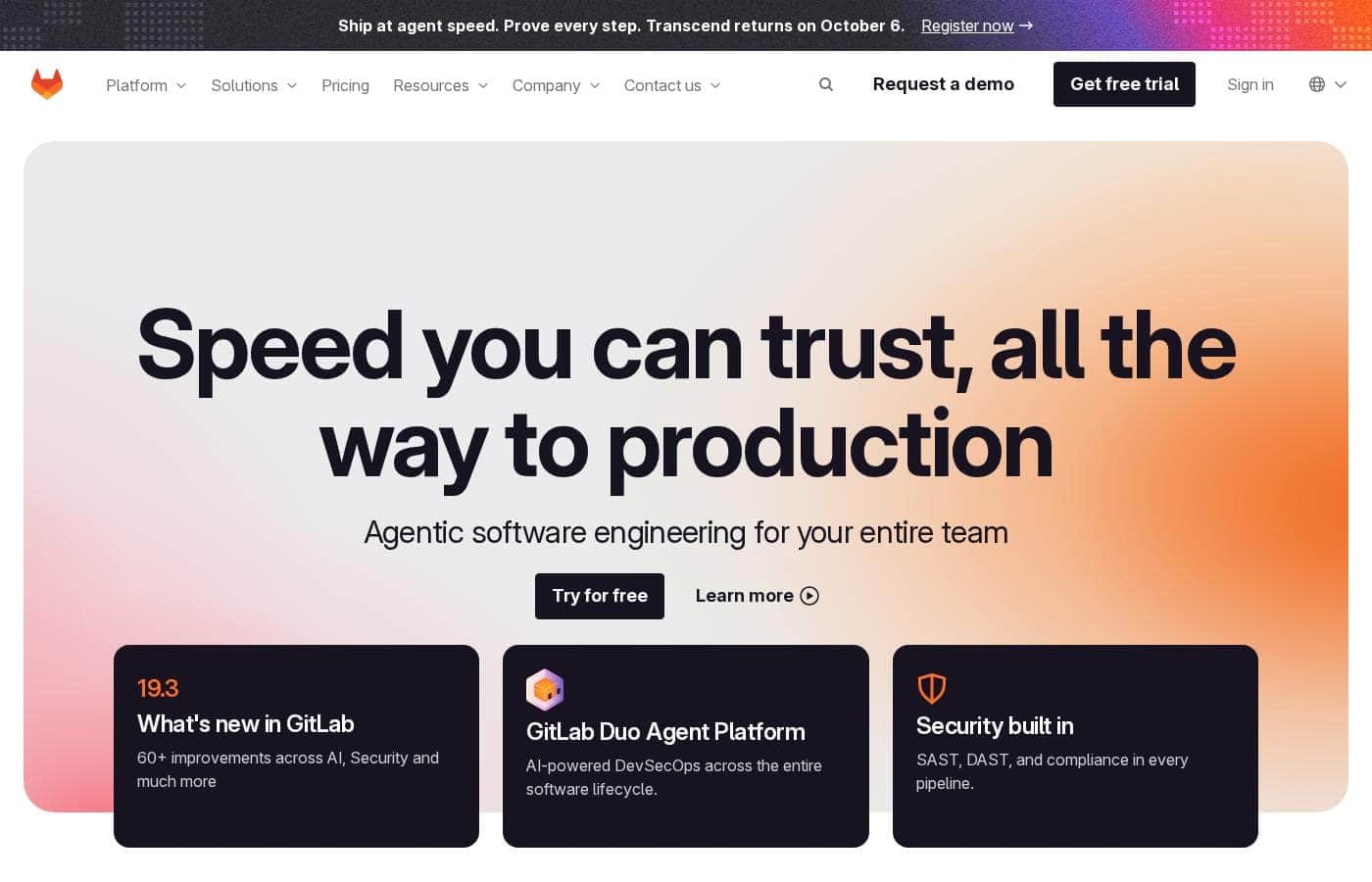
GitLab homepage screenshot

At a glance

Quick overview for GitLab: rating, pricing summary, key features, and highlights.
Vendor page checked Oct 12, 2026

Ciroapp score

4.2/ 5

GitLab brings planning, code, CI/CD, and security onto one platform, with AI agents that handle repetitive work under rules you set. Free and Premium pricing is clear, but Ultimate hides its price and paid plans bill annually only. Overall, it's a strong consolidation bet if you accept the yearly commitment.

Pros

  • Pros:Consolidates planning, source code management, CI/CD, and security scanning onto a single data plane, eliminating the need to stitch together multiple tools that don't share information
  • Pros:Integrates SAST, DAST, SCA, and Secret Detection directly into pipelines, with findings surfaced in merge requests and IDEs so vulnerabilities are caught earlier and cheaper to fix
  • Pros:The Duo Agent Platform automates repetitive work — turning issues into merge requests, remediating vulnerabilities, and reviewing code — within guardrails your team defines

Cons

  • Cons:Ultimate, Dedicated, and GitLab Flex pricing are not published — you must contact sales, making it hard to budget before a sales conversation
  • Cons:Paid plans are billed annually rather than month-to-month, and GitLab Flex is built around a one-year commitment, which limits flexibility for teams wanting shorter terms
  • Cons:No money-back guarantee is advertised, so the free trial is the only way to validate fit before committing
Best for
  • Software teams consolidating code, CI/CD, and security tools into one platform
  • Enterprises in regulated industries like finance, public sector, and aerospace
  • Teams adopting AI agents that need rules and guardrails around automation
Free trial
Yes
This section is a summary. Detailed sections about features, use cases, pricing, and reviews follow below.

What is GitLab?

Juggling separate tools for code, pipelines, and security slows teams down and hides problems until it's too late. GitLab pulls planning, source control, CI/CD, and security scanning into one platform, adds AI agents for repetitive work, and surfaces findings where developers already work.

GitLab is a DevSecOps platform covering the whole software lifecycle — planning, source code management, CI/CD, and application security — on a single data plane. Its Duo Agent Platform adds AI agents that turn issues into merge requests, remediate vulnerabilities, and review code under your rules. It targets teams of every size, from startups to enterprises in regulated industries, with 50+ million people already using it.

Should you choose GitLab?

Quick buyer guidance before you compare plans or click through.

Choose it if

  • Teams of any size, from startups to large enterprises — the site claims 50+ million users
  • DevOps groups wanting planning, source control, and CI/CD on one data plane
  • Security teams that want findings surfaced directly in merge requests and IDEs
  • Organizations needing air-gapped or government-compliant deployment options
  • Companies that want one annual commitment covering both seats and usage credits

Skip it if

  • Buyers who want simple month-to-month billing — GitLab Flex is built around an annual commitment
  • Solo hobbyists needing only basic code hosting; the platform's breadth may be overkill
  • Teams unwilling to plan a migration from their existing pipelines and scanners
  • Shoppers wanting pricing numbers upfront — the homepage links to plans but shows no figures

Next steps before buying

  1. 1Review the pricing page and compare Premium and Ultimate plans against your current tool spend
  2. 2Confirm the integrations and deployment options your team requires, including air-gapped needs if relevant
  3. 3Sign up for the free trial and run one real project through a complete pipeline
  4. 4Read customer case studies in your industry to set realistic expectations for results
  5. 5Check the docs and Trust Center if compliance or data handling is a deciding factor

Ease of use

It does offer a free trial, quick start guides, documentation, University training, and demo series, which points to structured onboarding support. Daily work should involve fewer tool switches once consolidated, but migrating from separate existing tools will take upfront planning.

GitLab Key Features

✨ One platform, one source of truth

Juggling separate tools hides problems until it's too late. GitLab puts planning, source control, and CI/CD on one data plane. Your projects, releases, and code share a single source of truth, so your team and AI agents all work from the same information.

🤖 AI agents that work by your rules

You set the rules; agents do the heavy lifting. With the Duo Agent Platform, teams orchestrate from above the lifecycle while agents execute within it, automating repetitive tasks inside guardrails you define. Agents can:

  • Turn issues into merge requests
  • Remediate vulnerabilities
  • Review code under your standards

✨ Security built in, not bolted on

Security scanning lives where developers already work. GitLab consolidates SAST, DAST, SCA, and Secret Detection into one platform, so you can build secure products with fewer security products. Findings appear directly in merge requests and IDEs, making it easier to fix issues early.

Pipelines also collect audit-ready evidence automatically.

✨ Workflows that fit your team

Your process shouldn't bend around your tools. GitLab lets you customize workflows for development, testing, security, and deployment, so people and agents follow the same path. Leaders also get delivery and security visibility in one place, which makes it easier to keep work moving.

Use Cases

🧰 Consolidate your toolchain

Your team's juggling separate tools for planning, code, and pipelines. GitLab puts them on one data plane, so everyone works from the same source of truth. Fewer handoffs, fewer surprises.

Expected outcome: Faster delivery with less tool-switching.

Tip: Run one real project through a full pipeline during your free trial.

🤖 Let AI agents handle the busywork

With the Duo Agent Platform, agents turn issues into merge requests, fix vulnerabilities, and review code under rules you set. Your developers stay in control while repetitive work gets done.

Expected outcome: More time for meaningful engineering work.

Tip: Define your guardrails first so agents work the way your team does.

🔒 Catch security issues before they ship

Run SAST, DAST, SCA, and Secret Detection in every pipeline. Findings show up right in merge requests and IDEs, so developers fix problems where they already work.

Expected outcome: Vulnerabilities surfaced earlier, when they're cheaper to fix.

Tip: Start with Secret Detection to stop leaked credentials fast.

✅ Meet compliance without slowing down

Working in finance, public sector, or aerospace? Collect audit-ready evidence automatically in every pipeline, apply compliance controls, and deploy air-gapped when required. Speed and governance don't have to compete.

Expected outcome: Audit evidence ready without extra manual work.

Tip: Check the Trust Center if data handling shapes your decision.

GitLab pricing

From$5/mo

  • 12 plans
  • Free plan available

Vendor page checked on Oct 12, 2026; confirm current prices on GitLab's pricing page

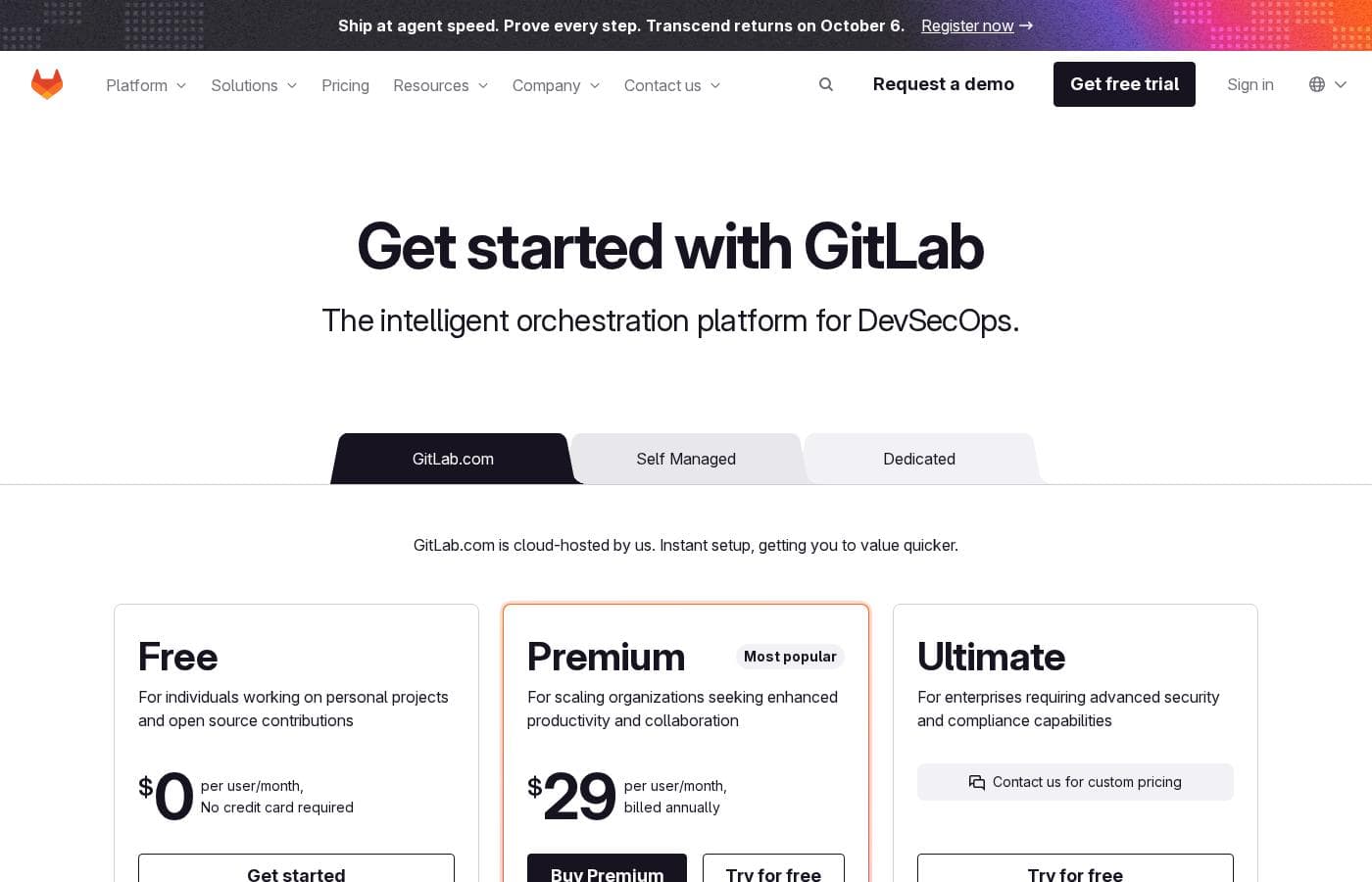
GitLab pricing page screenshotView pricing page screenshot
PlanBilled monthlyBilled annuallyIncludes
Free (GitLab.com)
Free
—
No credit card required. For individuals on personal projects and open source. 5 users per top-level group, 400 compute minutes/month, 10 GiB adjustable storage, SAST.
Premium (GitLab.com)
See vendor page
—
Most popular. Everything from Free plus unlimited licensed users, 10,000 compute minutes/month, Advanced CI/CD, SLA Management, Priority Support.
Ultimate (GitLab.com)
See vendor page
See vendor page
Custom pricing; contact sales. Everything from Premium plus unlimited guest users, 50,000 compute minutes/month, Application Security Testing, Software Supply Chain Security, Compliance and Governance.
Free (Self-Managed)
Free
—
No credit card required. Bring your own storage and runners.
Premium (Self-Managed)
See vendor page
—
Everything from Free plus Advanced CI/CD, Team Project Management, SLA Management, Priority Support.
Ultimate (Self-Managed)
See vendor page
See vendor page
Custom pricing; contact sales. Everything from Premium plus Application Security Testing, Software Supply Chain Security, Vulnerability Management, Value Stream Management, Compliance and Governance.
GitLab Dedicated
See vendor page
See vendor page
Single-tenant SaaS fully managed by GitLab. Includes everything from Ultimate plus data residency, full isolation, and bring-your-own-key encryption. Contact via demo booking.
GitLab Dedicated for Government
See vendor page
See vendor page
For government agencies and highly regulated industries. Includes Ultimate and Dedicated features plus FedRAMP Moderate baseline on AWS GovCloud. Contact sales.
GitLab Credits (add-on)
$1 per GitLab Credit
—
Powers usage-based features including GitLab Duo Agent Platform. Volume discounts available with annual commitment.
Compute Minutes (add-on)
$10 per 1,000 minutes, one time payment
—
Available on all plans.
Storage (add-on)
—
$5/mo
$60 per year
Available for Premium and Ultimate.
Enterprise Agile Planning (add-on)
per user
$15/mo
—
Available for Ultimate; gives PMs and non-technical stakeholders a seat without a full developer license.

Price history

Tracking prices since Sep 9, 2026. No price change detected yet.

Pricing types: Free plan, Free trial, Yearly subscription, Per seat pricing, Usage-based pricing

Pricing notes

GitLab offers Free at $0 per user/month, Premium at $29 per user/month billed annually, and Ultimate at custom pricing on both GitLab.com and Self-Managed. Add-ons include GitLab Credits at $1 per credit, extra compute minutes at $10 per 1,000 minutes, extra storage at $5 per month for 10 GiB, and Enterprise Agile Planning at $15 per user/month.

GitLab costs between $0 and $29 per user/month with three plans: Free at $0, Premium at $29 per user/month billed annually, and Ultimate at custom pricing.

Here's a closer look at each tier, plus the add-ons that can shift your total.

Free

Price: $0 per user/month Best For: Individuals working on personal projects and open source contributions Other Features:

  • 5 users per top-level group on private projects
  • 400 compute minutes per month
  • Source Code Management & CI/CD
  • 10 GiB adjustable storage
  • Static Application Security Testing

No credit card is required, so it's easy to start. The catch is the cap: 5 users, 400 compute minutes, and 10 GiB of storage. If you outgrow those limits, you can buy more minutes or upgrade.

Premium

Price: $29 per user/month, billed annually Best For: Scaling organizations seeking enhanced productivity and collaboration Other Features:

  • Unlimited licensed users
  • 10,000 compute minutes per month
  • Advanced CI/CD, Team Project Management, and SLA Management
  • Priority Support
  • $12 in GitLab Credits per user/month included (limited-time promo)

This is the most popular plan, and it's the natural step once your team passes the free limits. Billing runs annually, so plan for a full-year commitment rather than month-to-month. Keep in mind everyone in your group must be on the same plan.

Ultimate

Price: Custom pricing (contact sales) Best For: Enterprises requiring advanced security and compliance capabilities Other Features:

  • Everything in Premium, plus unlimited guest users
  • 50,000 compute minutes per month
  • Application Security Testing and Software Supply Chain Security
  • Vulnerability Management plus Compliance and Governance
  • Strategic Portfolio Management and Value Stream Management

Big organizations with strict security, audit, and portfolio needs belong here. You'll request a quote, so expect pricing that reflects your size and setup. Teams without compliance demands can usually stay on Premium and save money.

GitLab Dedicated

Best For: Enterprises that need data isolation, residency, and protection Other Features:

  • Everything in Ultimate, fully managed by GitLab
  • Data residency in the region of your choice
  • Full data and source code isolation
  • Bring-your-own-key encryption

This is single-tenant SaaS for companies with serious security requirements. There's also a Dedicated for Government option built on FedRAMP-compliant infrastructure. Pricing comes from a sales conversation, so book a demo to get numbers.

A quick word on add-ons. GitLab Credits power the AI features and cost $1 per credit, with volume discounts on annual commitments. Extra compute minutes run $10 per 1,000, storage is $5 per month per 10 GiB, and Enterprise Agile Planning seats cost $15 per user/month on Ultimate. Larger organizations can also choose GitLab Flex — one annual commitment you can shift between seats and credits — but it's only sold through sales.

Bottom line: You get a genuinely useful free plan, and every paid tier offers a free trial you can start right from the site. The trial length isn't listed on the pricing page, so check the signup flow before committing. No money-back guarantee is advertised, so the trial is your best way to test the fit.
Cost calculator

Estimate what GitLab costs for your team.

Billing

Storage (add-on) has no published price for this billing cycle.

Storage (add-on) has a flat price: the number of seats does not change the total. Estimate based on published list prices, before taxes, add-ons and discounts.

How to pay less for GitLab

  • Start on the free plan and upgrade only when you hit its limits.
  • A free trial is available: test it before you pay.
  • Some plans are priced per user: only pay for seats people actually use.
Start free trial

Email me when GitLab changes price

One email when we detect a price change on the vendor's pricing page. No newsletter, no deals. Unsubscribe in one click.

User Reviews

No reviews yet.

Write a Review

Write a Review for GitLab
0/100 characters
0/2000 characters

Why use GitLab?

If you're tired of stitching together five tools that don't talk to each other, GitLab makes a strong case for consolidation.

  • One source of truth. Projects, releases, and code share one data plane, so your team and AI agents work from the same information.
  • Security built in, not bolted on. SAST, DAST, SCA, and Secret Detection live in one platform, with findings shown directly in merge requests and IDEs.
  • AI with guardrails. The Duo Agent Platform automates repetitive tasks while your team sets the rules and stays in control.
  • Results customers report. HackerOne cites 4 hours saved per engineer weekly, Radio France reports an 82% shorter cycle time, and Lockheed Martin cites 80x faster CI pipeline builds.
  • Flexible spend. GitLab Flex lets you make one annual commitment and shift budget between seats and usage-based credits without re-procurement.
  • Built for regulated work. Air-gapped deployment, compliance controls, and audit-ready evidence collected automatically in every pipeline.

Check the free trial to see how it fits your workflow before committing to a plan.

GitLab alternatives

Other tools in the Enterprise AI Platform category

View all Enterprise AI Platform tools
Pinecone

Pinecone

Enterprise AI Platform4.1/5

Pinecone is the leading vector database for building accurate and performant AI applications at scale in production. Pinecone's mission is to make AI knowledgeable. More than 9,000 customers across various industries have shipped better AI applications faster and more confidently with Pinecone's technology.

MindStudio

MindStudio

Enterprise AI Platform3.9/5

MindStudio is a visual platform for building and deploying AI agents — no coding required, though developers can add JavaScript or Python when needed. Agents can ship as web apps, scheduled automations, browser extensions, email-triggered helpers, or API endpoints. It serves individuals, teams, and enterprises, with customers cited at TikTok, Microsoft, Intel, and Adobe. The company reports 400K+ agents deployed and 1,000+ pre-built integrations.

MongoDB

MongoDB

Enterprise AI Platform4.3/5

MongoDB is a modern data platform built around a document database. Its flagship service, Atlas, is a fully managed cloud database that also handles search, vector search, and stream processing. Prefer to run things yourself? There's a free Community Edition and a supported Enterprise Advanced option. It's built for developers, teams modernizing legacy systems, and companies adding AI features.

BLACKBOX AI

BLACKBOX AI

Enterprise AI Platform4/5

Blackbox AI is an enterprise inference platform. It hosts open-weight models like Nemotron 3 Ultra on dedicated, single-tenant GPUs, and its router connects you to 300+ models through one OpenAI-compatible endpoint. Every connection is end-to-end encrypted, and the gateway enforces zero data retention. It's built for engineering teams and companies running AI in production who can't risk leaking prompts, customer data, or code.

Devs.ai

Devs.ai

Enterprise AI Platform3.6/5

Devs.ai is an AI platform where teams of any size build AI-powered business applications and deploy custom agents - with governance built in from day one. From solo builders and small teams to growing orgs, it is the platform where anyone, regardless of their technical background, can go from AI ambition to AI products: real applications, real agents, running on their own data, inside their own governed environment.

IFTTT

IFTTT

Workflow Management4.1/5

IFTTT is the leading no-code platform designed for powerful automation across both your business and home life. It offers an easy way to connect over 900 different services, including tools like Google Calendar, Spotify, and YouTube, using simple Applets. You can automate from anywhere, anytime, thanks to the dedicated iOS and Android apps, ensuring continuous productivity. It’s built on a massive community of over 27 million users and 900+ brands already using the platform.

Success.co

Success.co

Project Management4/5

The next gen software to run EOS®: modern and fast, deeply integrated and EOS® pure. Success.co isn’t just software - it’s our mission. We’re building something enduring, for teams that are doing the same.

Hive

Hive

Project Management3.8/5

Hive is a cloud-based project management and productivity platform. Teams plan work in flexible layouts — Kanban boards, Gantt charts, calendars, and table views — and manage tasks, files, conversations, and approvals from a single workspace. It runs in the browser and offers desktop and mobile apps for working across devices.

GitLab FAQ

How much does GitLab cost?

GitLab's cheapest paid plan, Storage (add-on), costs $5 per month. Paid plans range from $5 to $15 per month.

Does GitLab have a free plan?

Yes. GitLab has a free plan (Free (GitLab.com)); paid plans start at $5 per month.

Does GitLab offer a free trial or a money-back guarantee?

GitLab offers a free trial.

Has GitLab's price changed recently?

No. We have not detected a price change since we started tracking on Sep 9, 2026.

Can I import my existing projects from GitHub or Bitbucket?

Yes. GitLab supports imports from most existing providers, including GitHub and Bitbucket. Check the import documentation before you migrate to confirm your source tool and project types are covered.

Where is my data hosted?

GitLab.com runs on Google Cloud Platform in the USA. GitLab Dedicated is single-tenant and deploys on AWS in a cloud region you choose, with a few regions excluded — check the supported regions list.

How responsive is GitLab's support?

Paid plans get support, with hours tied to severity. Emergency (Severity 1) issues get 24/7 coverage; other levels get 24/5. Premium and Ultimate add Priority Support, and your chosen support region affects hours.

What happens if I don't renew my subscription?

Your key stops working and GitLab Enterprise Edition becomes non-functional. Self-Managed users can downgrade to GitLab Community Edition, which stays free to use. Weigh that downgrade path against your team's needs before renewal.

Ready to try GitLab? Check out the official site or pricing.

Are you GitLab? Claim this listing · Get the badge