MongoDB

MongoDB review

A unified data platform for apps, search, and AI — deploy in the cloud or on your own.

MongoDB costs from $9/mo · 6 plans

By Ciroapp Editorial Team · Updated Sep 9, 2026

Commission may apply at no extra cost

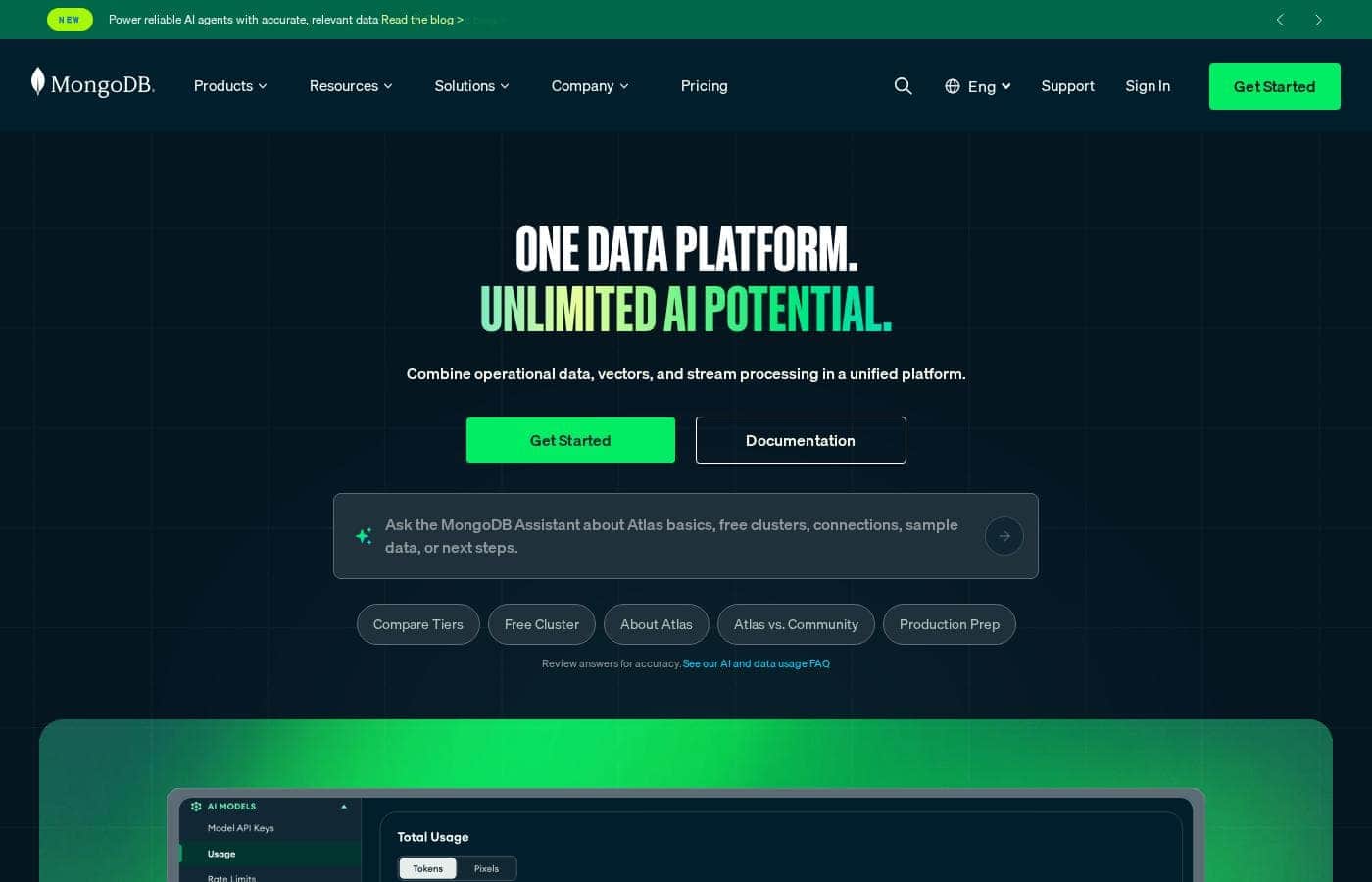
MongoDB homepage screenshot

At a glance

Quick overview for MongoDB: rating, pricing summary, key features, and highlights.
Vendor page checked Oct 13, 2026

Ciroapp score

4.3/ 5

MongoDB bundles database, full-text and vector search, and stream processing into one managed platform, with a genuinely free tier and flexible cloud or self-hosted deployment. Add-ons, separately sold support plans, and Enterprise Advanced's sales-only pricing can inflate costs, though. Overall, it's a solid pick for teams who want one data platform instead of four.

Pros

  • Pros:Consolidates operational data, full-text Search, Vector Search, and stream processing into Atlas, with MongoDB claiming search features ship 30%-50% faster than when running separate tools
  • Pros:Free-forever M0 cluster with 512MB storage lets you prototype at zero cost, and hourly pay-as-you-go billing means you stop all costs by shutting a cluster down
  • Pros:Deployment flexibility is genuine — fully managed Atlas on AWS, Google Cloud, and Azure, or self-managed via free Community Edition or Enterprise Advanced for on-premises and hybrid setups

Cons

  • Cons:Enterprise Advanced has no public pricing — self-managed buyers must contact sales for a quote, which complicates budget planning
  • Cons:Self-managed editions put the full operational burden (running, patching, scaling) on your team, a real risk for small teams without database operations capacity
  • Cons:Add-ons raise the bill beyond the base cluster — Atlas Search nodes from $0.13/hour, stream processors from $0.06/hour, and Atlas SQL/Data Federation at $5 per TB processed
Best for
  • Developers building AI features that need vector search next to operational data
  • Teams modernizing away from legacy relational databases
  • Product teams adding in-app search without running a separate engine
This section is a summary. Detailed sections about features, use cases, pricing, and reviews follow below.

What is MongoDB?

Running a database, a search engine, and a vector store separately slows every release. MongoDB combines operational data, vectors, and stream processing on one platform. You can start with a free Atlas cluster, deploy across clouds, and use a document model that maps to how your app already works.

Less plumbing, more shipping.

MongoDB is a modern data platform built around a document database. Its flagship service, Atlas, is a fully managed cloud database that also handles search, vector search, and stream processing. Prefer to run things yourself?

There's a free Community Edition and a supported Enterprise Advanced option. It's built for developers, teams modernizing legacy systems, and companies adding AI features.

Should you choose MongoDB?

Quick buyer guidance before you compare plans or click through.

Choose it if

  • Developers who want a document model that mirrors application objects
  • Teams on multi-cloud or hybrid infrastructure
  • Organizations that want managed deployments and scalability monitoring handled for them
  • Builders who value strong documentation, tutorials, and certification paths
  • Teams already working with aggregation pipelines or event-driven architectures

Skip it if

  • Buyers who want upfront prices before talking to sales — the homepage lists no numbers, so check the pricing page or contact the team
  • Small teams without operations capacity who choose self-managed editions, since Community Edition requires you to run and manage the database yourself
  • Very simple projects that don't need a full data platform — Atlas may be more than the job requires
  • Shops relying on niche tools — value depends on the 100+ integration ecosystem, so verify your stack is covered first

Next steps before buying

  1. 1Check MongoDB's pricing page for current tiers and confirm what the free cluster includes
  2. 2Sign up for Atlas, create the free cluster, and load sample data to test the basics
  3. 3Browse the integrations ecosystem to confirm your frameworks and services are supported
  4. 4If you'll self-host, compare Community Edition versus Enterprise Advanced support and security tools
  5. 5Work through the documentation or University tutorials, and review any trial terms at signup

Ease of use

MongoDB signals a quick start: a free Atlas cluster 'in minutes,' a desktop GUI (Compass), and an Atlas CLI for local or cloud work. Learning support is strong, with extensive docs, an Atlas Learning Hub, and free University courses. Real ease of use will still depend on your team's database experience — especially if you self-manage.

MongoDB Key Features

✨ One platform, fewer moving parts

MongoDB combines operational data, vector search, and stream processing in one place. Instead of stitching together a database, a search engine, and a sync layer, you get them side by side. MongoDB says that consolidation can deliver search features 30%-50% faster.

Less plumbing means you ship sooner.

✨ A document model that mirrors your app

The document data model maps to how your application already works, so your data and your code stay in sync. You don't give up rigor: multi-document ACID transactions, secondary indexes, and joins support transactional workloads. One query API covers everything from simple lookups to complex aggregation pipelines.

✨ Search and vectors, built in

Atlas includes full-text Search and Vector Search out of the box. Use vectors for semantic search, recommendation engines, Q&A systems, anomaly detection, or context for generative AI apps. Voyage AI adds embedding models and rerankers for retrieval work.

Because search lives next to your operational data, you skip building sync pipelines.

✨ One API, many data shapes

Beyond everyday documents, the same platform handles specialized workloads natively:

  • Graph queries via $graphLookup for recommendations, fraud detection, and network analysis
  • Geospatial queries with GeoJSON and specialized indexes for location-based apps
  • Stream processing using familiar aggregation pipeline stages, including Kafka sources

✨ Deploy where it suits you

Atlas is fully managed and runs on AWS, Google Cloud, and Azure. Prefer to self-host? Community Edition is free, and Enterprise Advanced adds support, security, and ops tooling.

A free Atlas cluster gets you building in minutes, and the Atlas CLI plus Compass GUI make local and cloud work straightforward.

Use Cases

🤖 Build AI features without juggling systems

Developers building AI features keep operational data and vectors together in Atlas. Vector Search powers semantic search, recommendations, Q&A systems, and gen AI apps. Integrations include LangChain and Cohere.

Expected outcome: Ship AI features without running separate vector and operational databases.

Tip: Start on the free M0 cluster — it's free forever with 512MB.

🔍 Add in-app search without a separate engine

Product teams adding in-app search skip the separate engine. MongoDB Search combines database, search, and sync in one place, and MongoDB says that can deliver search features 30%-50% faster.

Expected outcome: Catalog, content, and in-app search shipped from one system.

Tip: Atlas Search nodes start at $0.13/hour.

🔄 Modernize away from legacy databases

Teams modernizing legacy relational databases use the document model and Relational Migrator to move data with confidence. Victoria's Secret migrated 200 databases to Atlas in four months and reports a 240% improvement in API performance.

Expected outcome: Faster releases with less plumbing between systems.

⚡ React to events in real time

Developers processing real-time events use Atlas Stream Processing with familiar aggregation pipeline stages. It handles high-velocity streams from sources like Apache Kafka — handy for payments, fraud detection, and event-driven apps.

Expected outcome: Apps that react and respond in near real time.

MongoDB pricing

From$9/mo

  • 6 plans

Vendor page checked on Oct 13, 2026; confirm current prices on MongoDB's pricing page

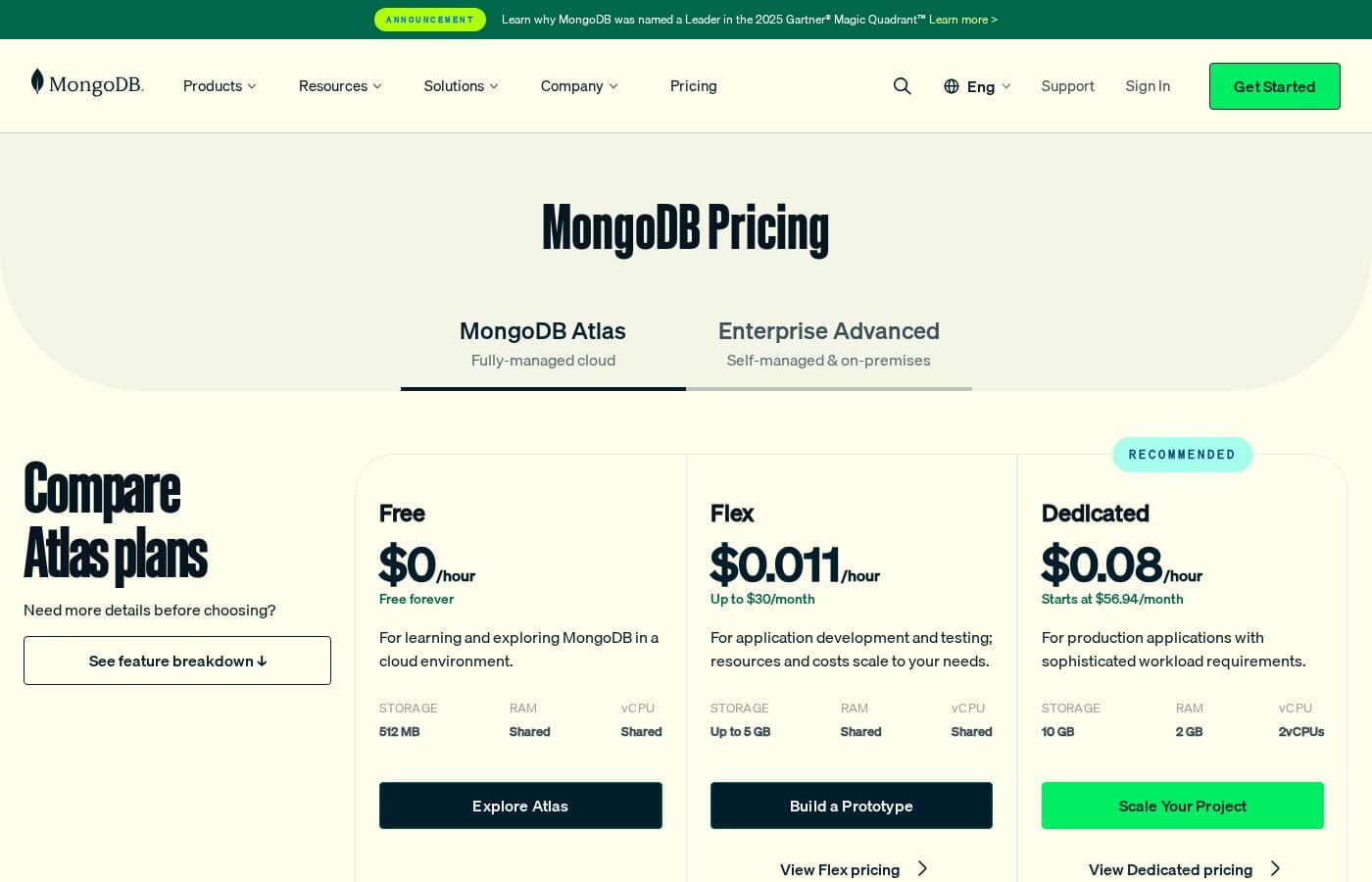
MongoDB pricing page screenshotView pricing page screenshot
PlanBilled monthlyBilled annuallyIncludes
Atlas Free (M0)
$0 per hour
—
Free forever for learning and exploring; 512MB storage, shared RAM, shared vCPU.
Atlas Flex
$0.011 per hour
—
Up to $30/month; usage-based costing $8–$30/month for a month's usage; 5GB storage, shared RAM, shared vCPU.
Atlas Dedicated
$0.08 per hour
—
Starts at $56.94/month; tiers M10–M700 range from $0.08/hr to $33.26/hr; 10GB–4TB storage, 2GB–768GB RAM, 2–96 vCPUs.
Atlas Shared M2
$9/mo
—
2GB storage, shared RAM, shared vCPU.
Atlas Shared M5
$25/mo
—
5GB storage, shared RAM, shared vCPU.
Enterprise Advanced
See vendor page
See vendor page
Self-managed and on-premises plan with commercial license, enterprise security, consultative support; contact sales for pricing.

Price history

Tracking prices since Sep 9, 2026. No price change detected yet.

Pricing types: Free plan, Monthly subscription, Usage-based pricing

Pricing notes

MongoDB Atlas offers a free-forever tier, Flex clusters at $0.011/hour (up to $30/month), and Dedicated clusters starting at $0.08/hour ($56.94/month). Enterprise Advanced is self-managed/on-premises with no public price listed, requiring a sales contact.

MongoDB Atlas costs between $0 and $33.26 per hour with five pricing paths: a free forever M0 cluster, Flex clusters at $8–$30/month, shared clusters at $9–$25/month, dedicated clusters from $0.08–$33.26/hour, and Enterprise Advanced quoted by sales.

Because Atlas bills by usage instead of fixed seats, the right plan depends on the storage, RAM, and compute your app actually needs.

Free Cluster (M0)

Price: Free forever Best For: Learning and exploring MongoDB in a cloud environment Other Features: 512MB storage, shared RAM, shared vCPU

Pick this if you're new to MongoDB or testing an idea. You get a real cloud environment with no bill attached. Upgrades are simple once your app outgrows it.

Flex Cluster

Price: $8–$30 per month, based on usage Best For: App development and testing with unpredictable traffic Other Features: 5GB storage, shared RAM and vCPU, billed hourly with monthly invoices, cost scales with operations per second

Flex is the middle ground between free and dedicated. Your cost moves with your workload, so quiet weeks cost less. It's a smart fit for dev and test environments that spike now and then. 💡

Shared Clusters (M2 and M5)

Price: $9 per month (M2, 2GB) or $25 per month (M5, 5GB) Other Features: shared RAM, shared vCPU, fixed monthly pricing

These simple tiers are easy to budget because the price never changes. M2 doubles the free tier's storage, and M5 doubles that again. They suit small apps and early-stage projects that need more room than M0.

Dedicated Cluster

Price: Billed hourly, from $0.08/hour (M10) to $33.26/hour (M700) Best For: Production applications with sophisticated workload requirements Other Features: 10GB–4TB storage, 2GB–768GB RAM, 2–96 vCPUs, sharded clusters for scaling beyond 4TB, specialized configs like Low-CPU and Local NVMe SSD

Dedicated clusters are built for production workloads with real demands. Thirteen tiers let you match hardware to traffic, and you pay only for the hours your cluster runs. Before committing, try the site's pricing calculator — monthly estimates vary widely across tiers.

MongoDB Enterprise Advanced

Best For: Teams running MongoDB on-premises or in a private cloud Other Features: commercial license, MongoDB Enterprise Server, Ops Manager and Cloud Manager, Kubernetes Operator, enterprise security, BI integration and visualization, consultative support with fast response goals

This self-managed edition bundles the enterprise server with operations tooling and hands-on support. Pricing comes from the sales team, so you'll need a custom quote. It's designed for organizations that must keep data inside their own environment.

The M0 cluster is free forever, and everything on Atlas is pay-as-you-go with monthly invoices, so you can stop costs by shutting clusters down. No trial length or refund policy is listed on the pricing page. Optional add-ons extend costs further: Atlas Search nodes start at $0.13/hour and stream processors at $0.06/hour.
Cost calculator

Estimate what MongoDB costs for your team.

Billing
Per month
$9
Per year
$108

Atlas Shared M2 states no user limit: shown as one price for the whole account. Check the price for 5 users with the vendor. Estimate based on published list prices, before taxes, add-ons and discounts.

How to pay less for MongoDB

  • Cheaper tools in this category start at $5/mo.
Visit MongoDB

Email me when MongoDB changes price

One email when we detect a price change on the vendor's pricing page. No newsletter, no deals. Unsubscribe in one click.

User Reviews

No reviews yet.

Write a Review

Write a Review for MongoDB
0/100 characters
0/2000 characters

Why use MongoDB?

Most teams stitch together three or four data tools before launch day. MongoDB's core promise is consolidation — and its site backs it with specifics:

  • Fewer systems to run. Database, search, vector search, and stream processing live in Atlas. MongoDB says combining these can deliver search features 30%-50% faster than running separate tools.
  • A model that fits your code. The document data model maps to your app's access patterns, and it supports multi-document ACID transactions, secondary indexes, and joins for transactional workloads.
  • Deploy your way. Use fully managed Atlas, or self-manage with Community Edition or Enterprise Advanced — on-premises, in any cloud, or hybrid. Atlas runs on AWS, Google Cloud, and Azure.
  • Proven at scale. Victoria's Secret migrated 200 databases to Atlas in four months and reports a 240% improvement in API performance. Coinbase, Toyota, and Novo Nordisk also appear as customers.
  • A deep ecosystem. MongoDB lists 100+ integrations, including Confluent, Databricks, LangChain, and Datadog. Free docs, University courses, and certifications help your team level up.
  • Low-risk entry. A free Atlas cluster gets you building in minutes, and MongoDB 8.0 is billed as the fastest version ever.

MongoDB alternatives

Other tools in the Enterprise AI Platform category

View all Enterprise AI Platform tools
MindStudio

MindStudio

Enterprise AI Platform3.9/5

MindStudio is a visual platform for building and deploying AI agents — no coding required, though developers can add JavaScript or Python when needed. Agents can ship as web apps, scheduled automations, browser extensions, email-triggered helpers, or API endpoints. It serves individuals, teams, and enterprises, with customers cited at TikTok, Microsoft, Intel, and Adobe. The company reports 400K+ agents deployed and 1,000+ pre-built integrations.

Pinecone

Pinecone

Enterprise AI Platform4.1/5

Pinecone is the leading vector database for building accurate and performant AI applications at scale in production. Pinecone's mission is to make AI knowledgeable. More than 9,000 customers across various industries have shipped better AI applications faster and more confidently with Pinecone's technology.

GitLab

GitLab

Enterprise AI Platform4.2/5From $5/mo

GitLab is a DevSecOps platform covering the whole software lifecycle — planning, source code management, CI/CD, and application security — on a single data plane. Its Duo Agent Platform adds AI agents that turn issues into merge requests, remediate vulnerabilities, and review code under your rules. It targets teams of every size, from startups to enterprises in regulated industries, with 50+ million people already using it.

BLACKBOX AI

BLACKBOX AI

Enterprise AI Platform4/5

Blackbox AI is an enterprise inference platform. It hosts open-weight models like Nemotron 3 Ultra on dedicated, single-tenant GPUs, and its router connects you to 300+ models through one OpenAI-compatible endpoint. Every connection is end-to-end encrypted, and the gateway enforces zero data retention. It's built for engineering teams and companies running AI in production who can't risk leaking prompts, customer data, or code.

Devs.ai

Devs.ai

Enterprise AI Platform3.6/5

Devs.ai is an AI platform where teams of any size build AI-powered business applications and deploy custom agents - with governance built in from day one. From solo builders and small teams to growing orgs, it is the platform where anyone, regardless of their technical background, can go from AI ambition to AI products: real applications, real agents, running on their own data, inside their own governed environment.

DigitalOcean

DigitalOcean

Infrastructure as a Service4.1/5

DigitalOcean provides core infrastructure, focusing on versatile Linux cloud architecture. It’s the right choice for developers who need robust cloud services and specialized platforms. The service supports everything from fundamental system setup, like installing Docker on Ubuntu, to sophisticated deployments. If you're exploring open source AI platforms, or need the muscle of H100 GPUs for models like Ollama, this platform delivers.

SocialBee

SocialBee

Social Media Management4.3/5

SocialBee is an all-in-one social media management platform from WebPros. It covers AI content creation, scheduling, engagement, analytics, and team collaboration across ten networks, including Facebook, Instagram, LinkedIn, TikTok, and Pinterest. Based on the site's customer examples, it serves solopreneurs, small businesses, and agencies — plus nonprofits, schools, and churches. Plans run from $29 to $449 per month, with a 14-day free trial that needs no credit card.

Splunk

Splunk

Business Intelligence4.1/5

Splunk is a data platform that unifies machine data at petabyte scale across security, observability, and networking. Now part of Cisco, it serves enterprises in finance, healthcare, government, retail, and more. Security teams use it to detect and respond to threats. IT teams use it to monitor apps and infrastructure. It's aimed at organizations that need to search huge data volumes in real time and act on them with AI.

MongoDB FAQ

How much does MongoDB cost?

MongoDB's cheapest paid plan, Atlas Shared M2, costs $9 per month. Paid plans range from $9 to $25 per month.

Has MongoDB's price changed recently?

No. We have not detected a price change since we started tracking on Sep 9, 2026.

Does MongoDB work with the tools my team already uses?

MongoDB lists 100+ integrations, including Confluent, Databricks, LangChain, Datadog, and Cohere. Atlas also runs on AWS, Google Cloud, and Azure. Browse the ecosystem page to confirm your stack is covered before you commit.

Can I migrate my existing database to Atlas?

Yes. MongoDB offers a free Relational Migrator for moving off relational databases, and its pricing page promotes zero-downtime migration to Atlas. Docs, tutorials, and free University courses can help you plan the switch.

How does billing work, and can I stop paying?

Atlas is pay-as-you-go: clusters bill hourly with monthly invoices, and the M0 tier is free forever. Shutting a cluster down stops its costs. If refunds matter to you, check the terms before purchase.

What kind of support does MongoDB provide?

Enterprise Advanced includes consultative support with fast initial response goals, rich onboarding, and regular check-ins. Atlas customers can buy separate support plans for expert advice on performance, risk, and cost. Compare plan details at signup.

Ready to try MongoDB? Check out the official site or pricing.

Are you MongoDB? Claim this listing · Get the badge