Filmora 14

Filmora 14

AI Video Editor & Maker for Professional Projects

#9 dans Video editing
2 min read · Updated 11/19/2025
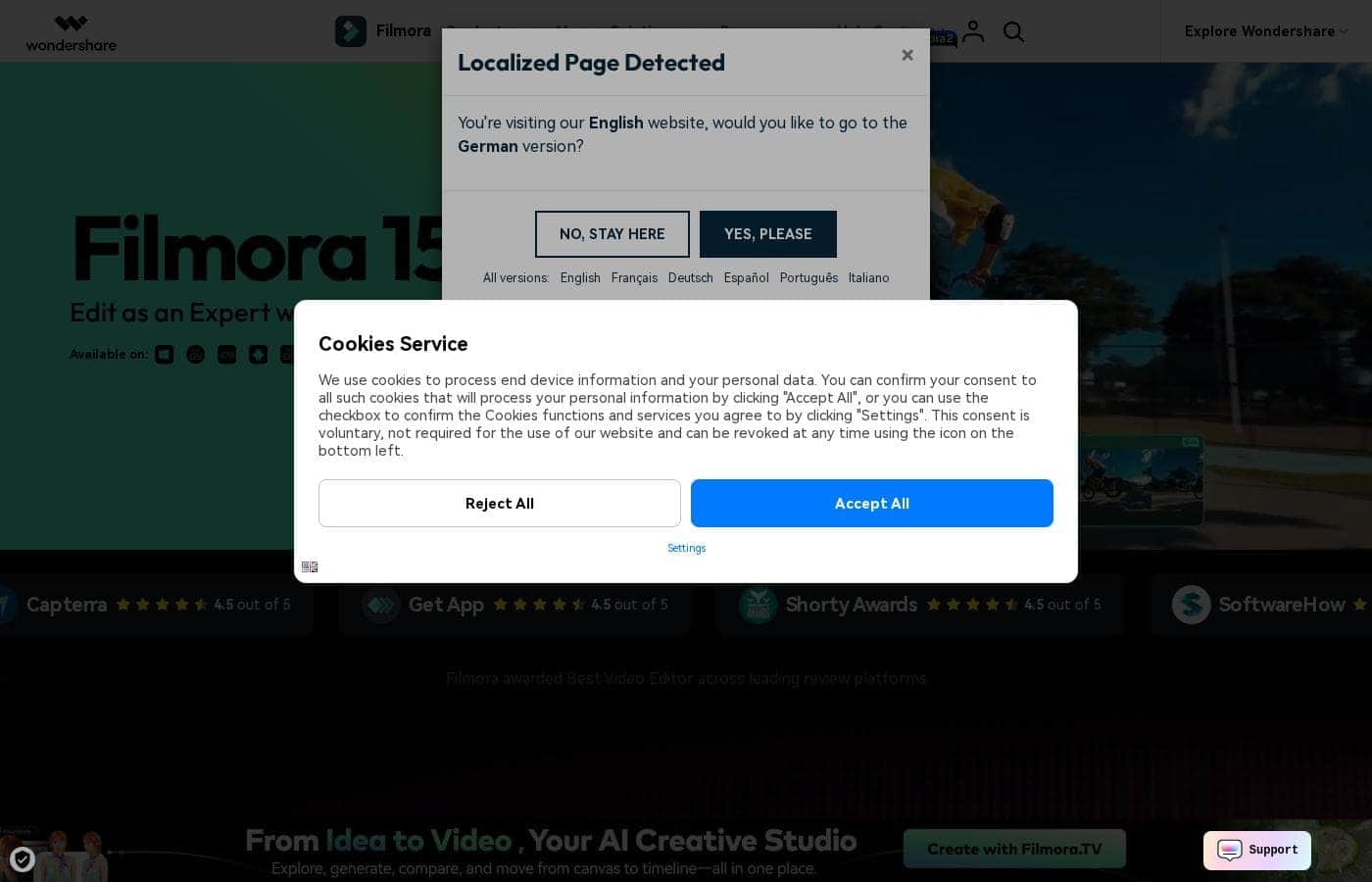
Filmora 14 homepage screenshot

At a glance

Quick overview for Filmora 14: rating, pricing summary, key features, and highlights.

Ciroapp review

3.4
Powerful AI Editor, Buyer Beware.

We find Filmora 14 offers a powerful suite of AI editing tools and an accessible interface perfect for creators across all skill levels. While the feature set and performance are top-tier, we cannot overlook the severe, verified reports of deceptive billing and poor customer support from the vendor. Overall, this is a technically impressive editor marred by critical issues related to trust and operational transparency.

Pros

  • Pro:Exceptionally easy to use interface suitable for all skill levels.
  • Pro:Robust AI feature set simplifies complex edits like object removal and background cutting.
  • Pro:Access to a massive 2.9M+ library of creative assets, music, and templates.
  • Pro:Optimized performance with GPU acceleration, even on modest hardware.

Cons

  • Con:Severe billing issues and reported difficulties canceling auto-renewals.
  • Con:Support is often automated, unresponsive, and unhelpful via chat or email.
  • Con:Lack of transparency regarding hidden costs and AI credit consumption per feature.
  • Con:Perpetual license holders report forced migration to the newest version.
Free trial
Yes — 7 days
Money-back guarantee
Yes — 30 days
Range: US$69.99–US$119.99/yearFree plan, Free trial, Yearly subscription, One-time payment
This section is a summary. Detailed sections about features, use cases, pricing, and reviews follow below.

Filmora 14 review, pricing, features, pros & cons

It's frustrating when complex software slows down your brilliant creative vision. Many editors demand prior professional experience or result in a steep learning curve.

Filmora 15 addresses this challenge by combining professional power and ease of use. It uses powerful AI features to turn your ideas into motion quickly, simplifying complex tasks like background removal and object erasing. ✨

What is Filmora 14?

Filmora 15 is an award-winning video editor designed for both beginners and experts alike. It aims to help you edit as an expert with Filmora AI by streamlining the entire creative process.

The interface is intuitive and clean, making video editing simple even for those without prior experience. You can literally type, drop, or sketch ideas into the platform, and Filmora helps bring them to life with AI-driven effects. The platform provides a connected experience; it's available across desktop, tablet, and mobile, allowing you to create exactly as you wish. 💡

Filmora 14 Key Features

✨ Instant AI Editing Flow

You can streamline your entire project workflow using powerful AI capabilities. Filmora lets you quickly turn a rough idea—typed, dropped, or sketched—into polished motion. This significantly speeds up time-consuming tasks like detailed masking, letting you focus purely on the story.

Complex jobs become easy with AI automation. The platform can flawlessly erase unwanted objects or cut out backgrounds in seconds. You can even enhance your existing footage to ultra clarity with just a few simple clicks, achieving studio quality effortlessly. ✨

✨ Precision Timing and Movement

Gain expert control over how elements move on screen and interact with your visuals. These tools are built for creators who need minute accuracy without unnecessary technical complication. You get sharp, highly styled results every time you edit.

Use the Pen Tool to draw custom motion paths for any object in your scene. You can easily shape every curve and fine-tune speed controls to ensure smooth, natural transitions. Define expert storytelling movements by setting Anchor & Keyframes to adjust depth and precise timing across your visuals.

✨ Dual-Timeline and Project Synchronization

Achieve truly professional editing standards with seamless project integration and perfect synchronization. This system supports advanced editing flows, ensuring you remain in full control of complex scene comparisons and cuts.

Dual-Timeline Editing allows you to preview your source footage and the working sequence together. This makes it simple to compare, cut, and sync every scene with ultimate precision. You can also Import Subprojects to mix shots from different cameras and use AI to match colors automatically, promoting visual harmony in every frame.

✨ Specialized Visual Storytelling

Transform raw data and lengthy dialogue into engaging visual content quickly and clearly. Filmora offers specific tools designed to boost clarity, whether you're creating marketing materials or dynamic social videos. You ensure your audience stays connected from the opening clip to the final frame.

Drop source data into Animated Charts to turn complex numbers into clear, professional, visual components. For dialogue-focused videos, use Dynamic Captions that follow your specific style and enhance your voice with AI. You'll also find the unique Beautify Face tool for polished, natural looks and general video enhancement to improve overall footage quality.

💡 High-Performance Engine and Cross-Platform Access

Filmora guarantees a smooth, efficient editing experience, no matter your hardware or desired output. The software uses robust technology to ensure faster workflow and rendering times. You can create content anytime or anywhere, exactly as you wish, across desktop, tablet, and mobile platforms.

The platform supports powerful performance enhancements, ensuring better playback and efficiency:

✨ The Massive Creative Library

Explore a deep well of inspiration and ready-to-use professional assets right inside the platform. You get immediate access to a vast library, helping you complete projects faster without hunting externally for media. Filmora provides over 2.9 million royalty-free creative assets.

This library includes everything a creator needs to elevate their films immediately. You can find ready-to-use templates, high-quality stock media, fresh effects, and unlimited music and sounds. It's truly a treasure for layering stunning visuals and clear audio onto your project.

Use Cases

📊 Creating Polished Professional-Grade Marketing Videos

You want to create concise marketing videos without hiring a full design team. Filmora 14 allows you to record your screen and turn complex data into clear, compelling content quickly. Just drop your raw numbers into the platform. You'll use Animated Charts to transform data into professional visuals that clearly show strategy and highlight important results.

The large creative asset library instantly provides millions of royalty-free stock media, music, and templates. This speeds up your production flow dramatically. After editing, use the integrated "YouTube Upload" mode and Social Video Planner to schedule your video for timely distribution across platforms.

📐 Achieving Expert Motion and Visual Precision

Achieving complex, custom motion is necessary for expert storytelling. The Pen Tool allows you to draw specific motion paths for elements on screen. You can adjust the rhythm and shape every curve with complete speed control.

Simultaneously, use Anchor & Keyframes to gain precise control over movement, timing, and motion depth. This helps build sophisticated visuals and define expert storytelling on screen.

✨ Cleaning Up Footage and Removing Distractions

Problem: You filmed a great scene, but an unexpected object or messy background is distracting your viewers. Filmora 14 simplifies these complex cleanup tasks using powerful AI features.

Approach: Use AI to erase unwanted objects or cut out backgrounds in just one flow. The AI video enhancement tool also automatically boosts your footage to ultra clarity.

Outcome: The focus stays purely on your narrative, not on technical imperfections. Your videos look cleaner and have studio-quality polish.

🎬 Producing Seamless Multi-Sequence Films

Complex professional projects often require combining footage from multiple cameras or merging various editing sequences. You need precise control over syncing these elements together.

Use Dual-Timeline Editing to preview your source footage and your current sequence together side-by-side. This keeps you in full control for accurate comparison, cutting, and synchronization. You can also import older subprojects and match colors seamlessly using AI to ensure visual harmony across every frame.

💨 Speeding Up Content Creation with AI Automation

Filmora 14 helps you accelerate your creative ideas when you're short on time. You can type, drop, or sketch ideas into the platform, and Filmora turns them into motion quickly. This means less time spent manually editing.

The AI can also generate and apply Dynamic Captions that enhance your voice and follow your chosen style. This makes your message pop and keeps your audience hooked from start to end.

📱 Maintaining a Flexible, Connected Workflow

Inspiration doesn't always strike when you are sitting at your desktop computer. Filmora 14 supports a connected experience across desktop, tablet, and mobile devices. You're empowered to create anytime, anywhere, exactly as you wish.

Start an edit on your mobile device and smoothly transition to your desktop for final precision tasks. This flexibility ensures your creative flow is never interrupted, delivering a seamless editing experience.

Pricing Overview for Filmora 14

Pricing range
US$69.99–US$119.99/year
Pricing types
Free plan, Free trial, Yearly subscription, One-time payment
Money-back guarantee
Yes — 30 days

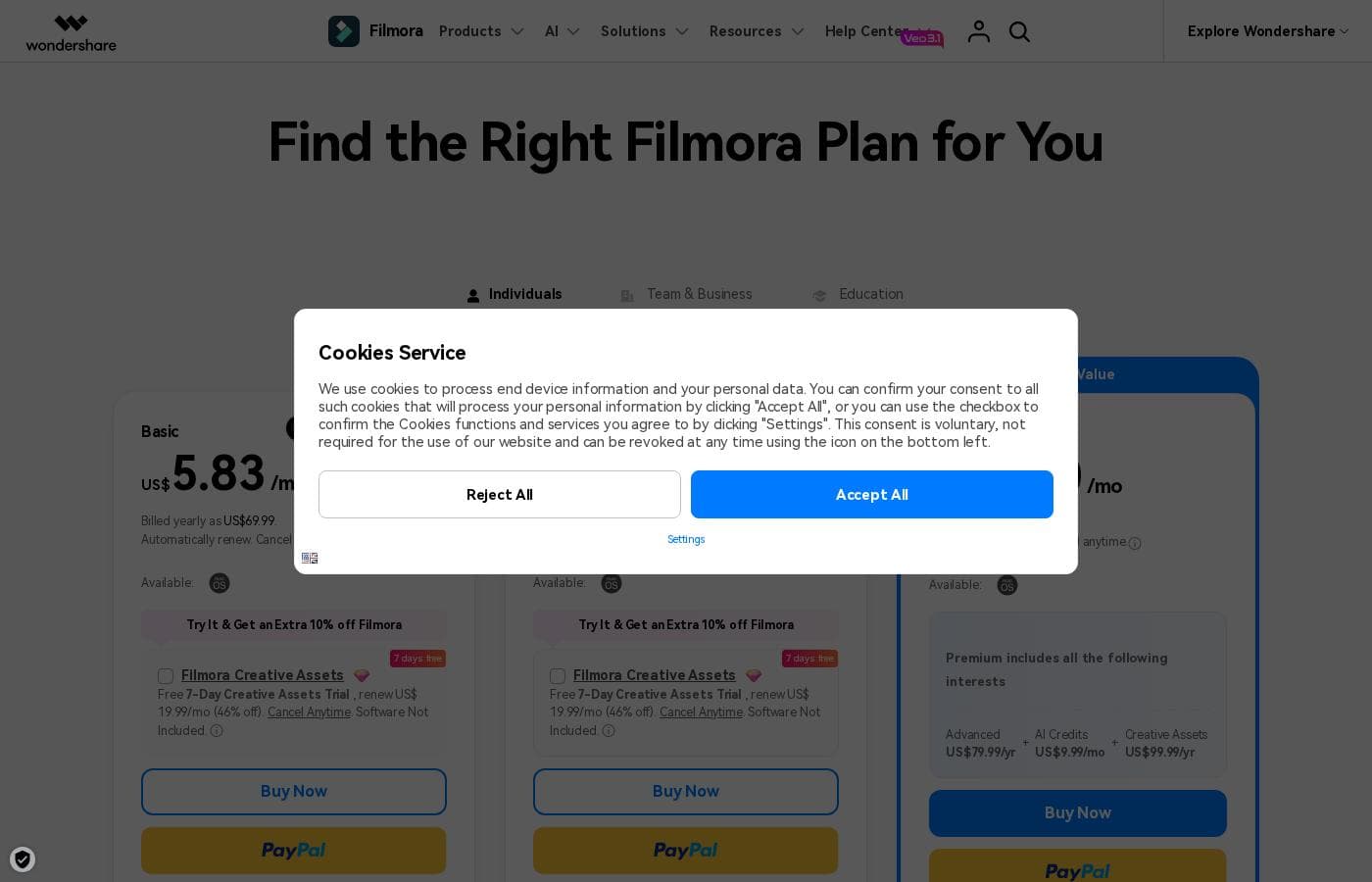
Filmora 14 offers three main annual subscription plans for individuals, ranging from US$69.99 to US$119.99 per year. A Perpetual license is also available for those who prefer a single, one-time payment instead of a recurring subscription.

Plans & Pricing

Basic

MonthlyUS$5.83
YearlyUS$69.99
Only available on Mac OS; no iOS/iPadOS sync; No monthly AI credits.
  • 2.9M+ Filmora Creative Assets
  • 1GB Cloud Storage
  • Continuous Version Upgrades
  • Export without Watermark
  • 4K HD Export
  • 100+ Advanced Video Editing Features

Advanced

MonthlyUS$6.66
YearlyUS$79.99
AI credits are reclaimed if unused after 30 days.
  • All Basic Features
  • Apple Sync: macOS, iOS, iPadOS
  • 10GB Cloud Storage
  • 1000 AI Credits/mo for MacOS
  • 200 AI Credits/mo for iOS and iPadOS
  • Unlock 20+ AI Features

Premium

MonthlyUS$10.00
YearlyUS$119.99
AI credits are reclaimed if unused after 30 days.
  • All Advanced Features
  • 2000 AI Credits/mo for MacOS
  • 400 AI Credits/mo for iOS and iPadOS
  • 100GB Cloud Storage
  • Premium includes advanced bundle and creative assets

Perpetual

Contact for pricing
Does not include future major version upgrades (like Filmora 15).
  • One-time payment structure
  • Enjoy Filmora 14 updates only (no major upgrades)
  • 1,000 Filmora AI Credits (one-time grant)
  • 2.9M+ Filmora Creative Assets
  • 1GB Cloud Storage
  • Export without Watermark

Filmora 14 costs between US$69.99 and US$119.99 per year with three individual annual plans: Basic at US$69.99, Advanced at US$79.99, and Premium at US$119.99.

These individual tiers offer flexible subscription options designed to fit different creator needs, from casual editing to advanced AI-enabled projects. All plans are billed annually and allow you to cancel renewal automatically at any time.

Basic

Price: Billed yearly as US$69.99 (US$5.83/mo) Websites Supported: Not explicitly stated (Implied 1 User/Mac Only) Best For: Not explicitly stated Refund Policy: 30-day money-back guarantee Other Features:

  • 2.9M+ Filmora Creative Assets
  • 1GB Cloud Storage
  • Export without Watermark
  • Continuous Version Upgrades

This plan is ideal if you use a Mac computer and prioritize essential tools and a massive library of creative assets. It gives you watermarked-free exports and ensures you always have the current version updates.

Advanced

Price: Billed yearly as US$79.99 (US$6.66/mo) Websites Supported: Not explicitly stated (Implied 1 User, Mac, iOS, iPadOS Sync) Best For: Not explicitly stated Refund Policy: 30-day money-back guarantee Other Features:

  • 1000 AI Credits/mo for MacOS
  • 200 AI Credits/mo for iOS and iPadOS
  • Unlock 20+ AI Features
  • 10GB Cloud Storage

Choose the Advanced plan if you frequently use AI tools and need the flexibility to sync your workflow across Mac, iPhone, and iPad devices. You get a significant boost in cloud storage and a generous monthly supply of AI credits.

Perpetual

Price: Not explicitly stated (advertised as a One-time payment) Websites Supported: Not explicitly stated Best For: Not explicitly stated Refund Policy: 30-day money-back guarantee Other Features:

  • 1,000 Filmora AI Credits (one-time grant)
  • 2.9M+ Filmora Creative Assets
  • 1GB Cloud Storage
  • Enjoy Filmora 14 updates only

The Perpetual license is perfect for those who want to own their software outright instead of paying a recurring fee. Just note that this license includes continuous updates for Filmora 14, but future major upgrades (like Filmora 15) must be purchased separately.

Premium

Price: Billed yearly as US$119.99 (US$10.00/mo) Websites Supported: Not explicitly stated (Implied 1 User, Mac, iOS, iPadOS Sync) Best For: Not explicitly stated Refund Policy: 30-day money-back guarantee Other Features:

  • 2000 AI Credits/mo for MacOS
  • 400 AI Credits/mo for iOS and iPadOS
  • 100GB Cloud Storage
  • Includes Advanced + AI Credits + Creative Assets bundle

The Premium plan is designed for power creators and professionals requiring maximum resources and the fastest workflow. You receive the highest monthly AI credit allowance and robust 100GB cloud storage, ensuring you can handle even your biggest projects with ease. 🚀

If you are unsure which plan is right for you, remember that Filmora offers a free edition that grants access to all basic editing features. While the free edition exports videos with a watermark, it's a great way to test the core software. Additionally, all paid products come with a firm 30-day money-back guarantee, letting you subscribe with confidence. You can also enjoy a 7-day free trial of Filmora Creative Assets when you purchase any plan.

User Reviews

Users consistently praise Filmora for its excellent ease of use and intuitive, simple interface. Many editors, from hobbyists to long-term users, find the built-in features helpful, noting the software performs well even on modest hardware.

However, external feedback sharply pivots when discussing company operations. A significant volume of criticism focuses intensely on deceptive billing practices and poor customer service.

Users report being charged unexpectedly, facing hidden limitations like unclear AI credit consumption, and finding it nearly impossible to cancel subscriptions or trials, leading to unauthorized auto-renewals. The customer support team is frequently described as using canned responses, being unresponsive, or failing to address complex billing issues effectively.

Furthermore, some perpetual license holders report being forced to upgrade against their wishes. While the editing tool itself is highly favored, pervasive billing and support issues severely detract from the overall user experience.

This lack of operational trust is a major red flag 😡 reported repeatedly by the community.

What users say elsewhere

Jane K.
· Trustpilot
5.0 / 5

I love using Wondershare’s video editor, Filmora! It’s so easy to use and really fun too. This program keeps up with my creativity every step of the way.

Michael G.
· Trustpilot
5.0 / 5

I used this program for a while, even without a cutting-edge computer. With modest hardware resources, I truly got good results from the software. It performed reliably for me.

No reviews yet.

Write a Review

Write a Review for Filmora 14
0/100 characters
0/2000 characters

Why use Filmora 14?

Choose Filmora 15 if you need reliable, studio-quality videos without the deep technical overhead. This software is impressively packed with everything a creator needs, moving far beyond basic editing while maintaining drag-and-drop simplicity.

Here’s why Filmora should be your go-to video editor:

  • Perfect Balance of Power and Ease: The intuitive platform offers advanced tools alongside beginner-friendly features, ensuring high-quality results without a lengthy learning path.
  • Accelerate Clarity with AI: AI capabilities simplify complex tasks like enhancing videos to ultra clarity, erasing unwanted objects, and cutting out backgrounds in one smooth flow.
  • Precision Control for Experts: Utilize advanced features like Dual-Timeline Editing for sequence comparison and syncing, or set Anchor & Keyframes to define precise, expert movements on screen.
  • Massive Creative Library: Get instant access to over 2.9 million royalty-free stock media assets, templates, effects, and music, supporting faster project completion.
  • Optimized Performance: Filmora supports GPU acceleration and offers Metal rendering for Mac users. This means you get significantly improved performance, smoother playback, and faster rendering times.
  • Seamless Publishing Workflow: Export your films in various formats (MP4, MOV, AVI) or use the integrated "YouTube Upload" mode and Social Video Planner to schedule timely video distribution. ✅

Ready to transform your workflow with Filmora 14?

Frequently Asked Questions

If I buy a license, can I use it on both my Mac and Windows PC?

No, licenses are strictly platform-specific and cannot be transferred between operating systems. A Windows license will only work on Windows PCs. A Mac license only works on Mac, iOS, and iPadOS devices, depending on your chosen plan.

Which plans allow me to sync my projects between my Mac, iPhone, and iPad?

You need the Advanced or Premium annual plans to utilize Apple Sync for cross-device workflow. These tiers allow usage and syncing across macOS, iOS, and iPadOS. The Basic and Perpetual plans are limited to Mac desktop use.

How do Filmora's AI credits work, and do unclaimed credits roll over?

AI credits are issued monthly with the Advanced and Premium subscription plans; you receive them every 30 days. Unfortunately, any unused credits from your monthly allotment are reclaimed and do not roll over to the next billing cycle.

What is the key limitation of choosing the Perpetual License over a subscription?

The Perpetual license is a single, one-time payment giving you continuous use of Filmora 14. However, this license only includes updates for Filmora 14, meaning future major version upgrades, like Filmora 15, must be purchased separately.

What is the money-back guarantee policy if I need a refund after my purchase?

Filmora provides a reliable 30-day money-back guarantee for all products purchased directly from them. If you purchased Filmora through a third-party store, like the Apple or Google Store, you must contact those platforms directly for assistance.

How do I stop my annual subscription plan from automatically renewing?

All individual annual subscription plans are set to automatically renew for continuous service. However, the site explicitly states that you can cancel this renewal subscription automatically at any time.

Can I use all of Filmora's assets and AI-generated content for commercial purposes?

No. Non-AI resources labeled 'commercially available' are permitted in commercial projects. However, most AI-generated content, such as AI images, stickers, or sound effects, is currently designated only for non-commercial use.

What response time can I expect if I need customer support?

Filmora commits to prompt service assistance through knowledgeable representatives. Support is available via instant live chat and promises an email response within 24 hours.

Can I share my Advanced or Premium license with my co-worker or team member?

No. The Basic, Advanced, and Premium plans are strictly sold as single-user licenses. They are intended for use by one individual only and cannot be shared among multiple people.

Which languages do the Speech-to-Text (STT) and Text-to-Speech (TTS) features support?

The Speech-to-Text feature supports 27 languages. The Text-to-Speech feature supports 28 languages, offering a wide array of options for local and global content creation.

How does Filmora protect my payment and personal information?

Filmora secures your data by valuing user privacy and protecting financial information. They use advanced encryption methods and advanced fraud protection technology.

What are the key limitations of the free edition of Filmora?

The free edition grants access to all basic editing features, allowing you to try the core software. The primary limitation is that all exported videos will contain a watermark. Cloud storage and the full asset library are also excluded.

Ready to try Filmora 14? Check out the official site or pricing.