Camtasia

Camtasia

AI-powered tools for creating engaging videos faster.

#4 dans Video editing
1 min read · Updated 10/4/2025
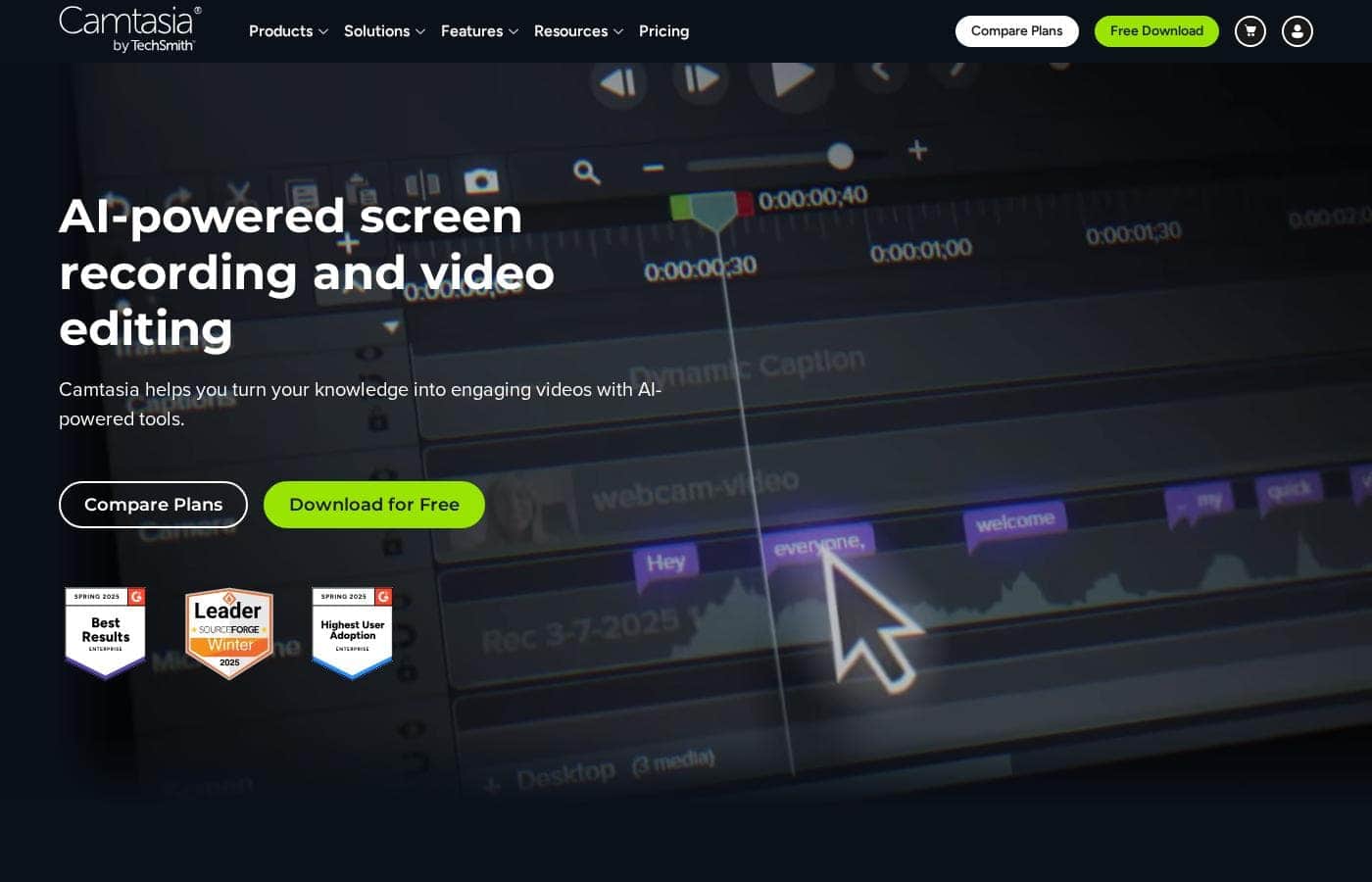
Camtasia homepage screenshot

At a glance

Quick overview for Camtasia: rating, pricing summary, key features, and highlights.

Ciroapp review

4.2
Powerful screen recording, premium price tag.

We find Camtasia to be an extremely capable, industry-standard tool for creating high-quality instructional video content. Its multitrack editing flexibility and AI enhancements effectively streamline complex workflows. Overall, Camtasia excels in core functionality, but its restrictive, mandatory subscription model significantly diminishes the overall value proposition for many loyal users.

Pros

  • Pro:Industry-standard platform for flexible screen recording and tutorial creation.
  • Pro:Significantly simpler and more intuitive interface compared to advanced editors.
  • Pro:Multitrack recording allows independent editing of screen, audio, and camera.
  • Pro:Offers powerful AI features like text-based video editing and audio cleanup.

Cons

  • Con:Mandatory annual subscription model has replaced perpetual licenses.
  • Con:Users are frustrated by restrictive licensing (single-device sign-in limitations).
  • Con:Perceived as overly expensive compared to free or low-cost competitors.
  • Con:Inconsistent customer service experiences, including slow/non-responsive support.
Range: $179.88–$599.00/yearYearly subscription, Per seat pricing
This section is a summary. Detailed sections about features, use cases, pricing, and reviews follow below.

Camtasia review, pricing, features, pros & cons

Are you tired of making recordings that you cannot easily change? Locked-in files severely limit your ability to refine your message. ✨ Camtasia breaks that barrier. It gives you the powerful flexibility to edit and adjust everything after you record.

What is Camtasia?

Camtasia is truly everything you need in one powerful tool. It combines screen recording with full video editing capabilities. This software uses AI-powered tools to simplify the creation process.

It is designed to help you turn your existing knowledge into highly engaging videos. 💡

Camtasia Key Features

🎛️ Unmatched Multitrack Recording Flexibility

Camtasia's core strength is its powerful multitrack recording capability. This feature allows you to escape frustrating locked-in recordings forever. You can record every specific element onto its own separate track within the software. These elements include your screen captures, camera feeds, microphone narration, and even system audio.

Recording this way provides total independence during editing. You can adjust, edit, and refine every single detail without impacting the others. This specialized separation saves significant time and maximizes your creative flexibility after the recording session finishes. It allows you to produce polished, professional content easily.

✨ AI-Powered Creation and Workflow Acceleration

Camtasia seamlessly integrates dedicated AI-powered tools designed to amplify your production speed. These smart features help you turn your existing knowledge into highly engaging videos much faster than traditional methods. The software helps simplify complex processes while you concentrate fully on content delivery.

This valuable assistance ensures you spend less time battling technical complexities and more time conveying important information effectively. These tools are built to help users, whether teaching, training, or communicating complex ideas, to create better videos quickly.

✨ Innovative Text-Based Video Editing

The innovative text-based video editing feature fundamentally changes how you refine recorded content. Instead of tedious timeline scrubbing, you can efficiently edit the video by working directly with speech-to-text transcription. This visual method makes precise cuts and timing adjustments highly intuitive and simple for everyone.

This functionality begins with speech-to-text transcription available in basic plans. If you are starting fresh, advanced plans let you use AI to generate an initial script instantly from a simple prompt. Being able to edit video like a document dramatically accelerates the finalization process.

✨ Achieve Professional Audio Perfection

Ensuring crystal-clear audio is absolutely crucial for training materials and professional communication. Camtasia offers advanced, dedicated audio cleanup tools to polish your soundtrack effectively. These tools automatically remove distracting background noises such as fan noise and static.

They also eliminate common filler words like "uuhms" and "aahs" from your narration instantly, producing clean speech. Furthermore, the software provides access to more than 200 professional voices and styles. This extensive library lets you select the perfect high-quality voiceover for any type of educational or instructional video.

🚀 High-Volume Production and Collaboration

For serious content creators or small teams, the high-tier plans deliver necessary efficiency gains and specialized resources. The platform supports dedicated video review and collaboration features directly within the production workflow. This speeds up the feedback and approval process across your entire organization.

Advanced AI features are also available for localization and marketing support. You can leverage the AI to automatically translate scripts and captions for global audiences. The service helps generate essential video titles, descriptions, and chapters entirely through AI. Finally, you gain access to a massive library of over 100 million premium assets, perfect for supporting high-volume content production.

Use Cases

💻 Creating Flawless Software Demonstrations

Recording a complex software demo often means fighting locked-in files. When your voice and screen are stuck together, one small speaking mistake means re-recording everything. Camtasia solves this frustration entirely.

It records your screen and microphone on separate tracks automatically. This powerful separation gives you supreme flexibility. You simply record your screen action first, and then freely adjust, rerecord, or refine the narration track instantly. It helps you focus entirely on your content delivery, not technical roadblocks.

Expected outcome: Professional tutorials delivered faster.

🎙️ Quickly Refining Narration and Audio

Even the best presenters sometimes use filler words or record near noisy fans. Dealing with distracting audio typically requires extensive manual correction. Camtasia simplifies this chore with AI-powered features.

Use the specialized audio cleanup tools to remove common issues like fan noise or distracting 'uuhms' and 'aahs.' Because your audio is on its own track, you can perfect the sound quality quickly without touching the visual elements. The software transforms complicated knowledge into professional, engaging videos quickly.

Tip: Use speech-to-text transcription to automatically generate accurate captions for accessibility.

📝 Editing Video Based on Transcripts

Problem: You have a long recording and need to shorten it significantly or rearrange the segments. Trying to cut video clips frame-by-frame is time-consuming and inefficient.

Approach: Camtasia uses AI to transcribe what you say. You can then use text-based editing to simplify the process. Simply remove the sentences or phrases you don't need from the transcript.

Outcome: The corresponding video frames are instantly removed from the timeline. This helps you create better videos much faster by editing text rather than timelines.

🤝 Streamlining Team Reviews and Collaboration

When creating content in a team, getting approvals can slow down your workflow. You need a simple way to gather quick feedback and comments on draft videos.

Camtasia allows you to manage video reviews and collaboration directly within the platform. This removes confusion and speeds up the internal approval process. The Pro tier gives serious content teams a high level of efficiency.

This focused approach ensures that your content is finalized faster, ready for deployment or professional use.

🌐 Localizing Content for Global Audiences

If you need to teach or train a global audience, language barriers present a major challenge. Manually translating scripts and re-recording voiceovers is complex and costly.

Using advanced AI tools, Camtasia assists with localization at scale. It offers AI-translated scripts and captions. You can even use AI to generate avatar videos based on existing content. This helps you quickly transform complex ideas into engaging content for anyone, anywhere.

Pricing Overview for Camtasia

Pricing range
$179.88–$599.00/year
Pricing types
Yearly subscription, Per seat pricing

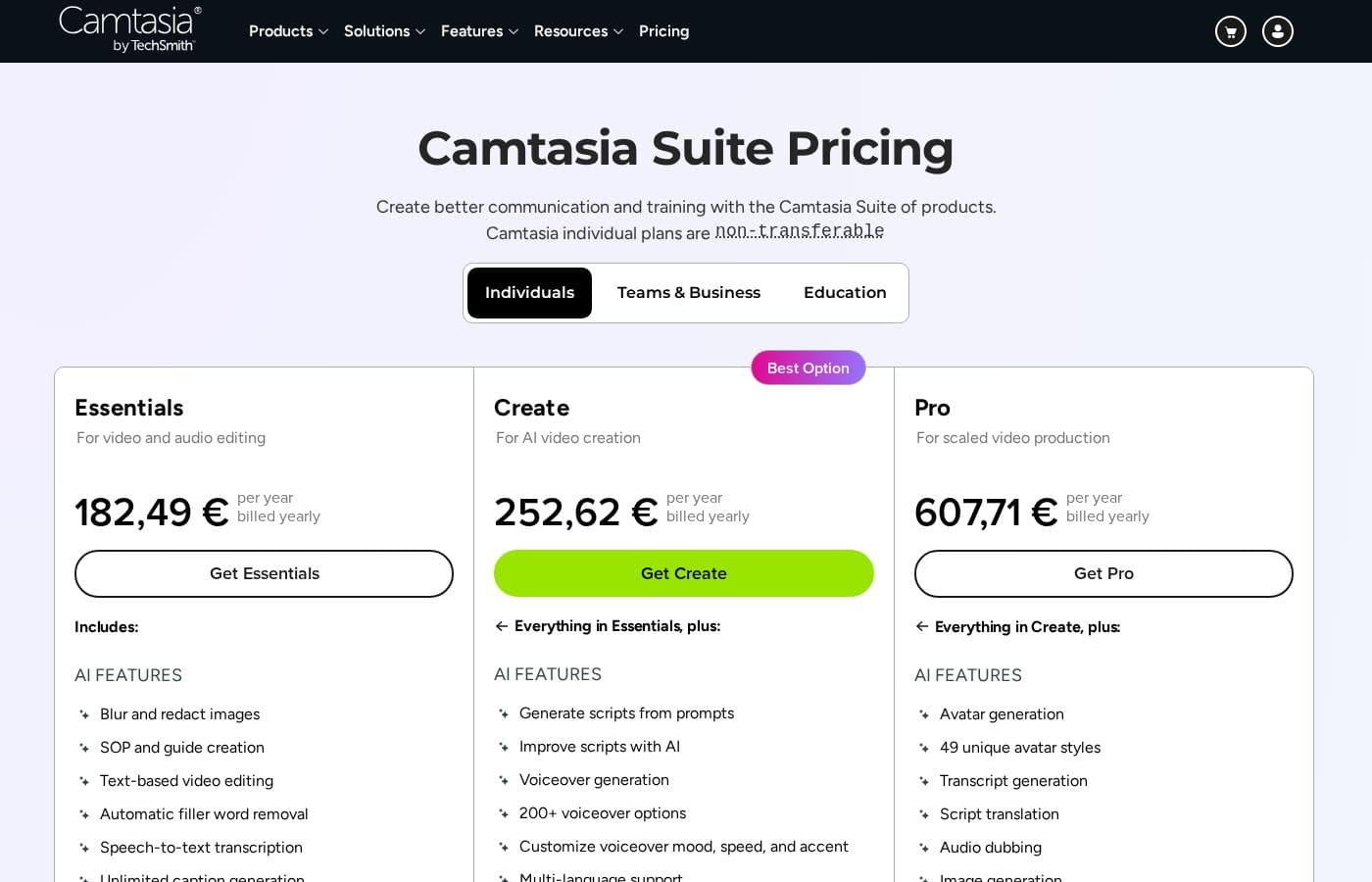
Camtasia offers three distinct annual subscription plans for individuals, ranging from $179.88 to $599.00 per year. All plans are billed yearly and focus on providing non-transferable licenses for video creation and editing.

Plans & Pricing

Essentials

Yearly$179.88
Non-transferable, individual subscription.
  • Screen and camera recording
  • Powerful video editing
  • Speech-to-text transcription

Create

Yearly$249.00
Non-transferable, individual subscription.
  • Everything in Essentials
  • Text-based video editing
  • AI-generated script from a prompt
  • Audio cleanup: remove uuhms, aahs, fan noise
  • 200+ voices and styles

Pro

Yearly$599.00
Non-transferable, individual subscription.
  • Everything in Create
  • Video reviews and collaboration
  • AI-translated scripts and captions
  • AI-generated video titles, descriptions, and chapters
  • AI-generated avatar videos
  • 100M+ premium assets

Camtasia costs between $179.88 and $599.00 per year with 3 plans: Essentials at $179.88, Create at $249.00, and Pro at $599.00. These plans cater to individuals, offering robust video and screen recording tools through an annual subscription model.

Essentials

Price: $179.88 per year billed yearly Websites Supported: Not explicitly stated Best For: Not explicitly stated Refund Policy: Not explicitly stated Other Features:

  • Screen and camera recording
  • Powerful video editing
  • Speech-to-text transcription

The Essentials plan is perfect if you only need foundational tools for recording and editing videos. It provides unlimited screen and camera recording capabilities, which is great for beginners or those with basic needs.

Create

Price: $249.00 per year billed yearly Websites Supported: Not explicitly stated Best For: Not explicitly stated Refund Policy: Not explicitly stated Other Features:

  • Text-based video editing
  • AI-generated script from a prompt
  • Audio cleanup: remove uuhms, aahs, fan noise
  • 200+ voices and styles

The Create plan is labeled as the Best Value and significantly expands on the Essentials features. If you create content professionally and want time-saving AI enhancements and crystal-clear audio cleanup, this is the version to choose. You get full access to modern editing features, like using text to edit video.

Pro

Price: $599.00 per year billed yearly Websites Supported: Not explicitly stated Best For: Not explicitly stated Refund Policy: Not explicitly stated Other Features:

  • Video reviews and collaboration
  • AI-translated scripts and captions
  • AI-generated video titles, descriptions, and chapters
  • AI-generated avatar videos
  • 100M+ premium assets

For serious content creators or small teams needing the highest level of efficiency and resource access, the Pro plan delivers. It includes specialized collaboration tools, extensive AI localization features, and a massive library of 100 million-plus premium assets. This plan fully supports high-volume content production.

All three of these plans are non-transferable, meaning the subscription is just for you as an individual user. There is no information provided about a free trial or money-back guarantee, so check the official website for current details before purchasing.

User Reviews

Camtasia enjoys a long-standing reputation as an industry-standard tool, particularly for screen recording and tutorial creation. Users overwhelmingly praise the core software, noting it is dramatically simpler and more intuitive to use than complex alternatives like Adobe products, while still offering a deep feature set.

However, recent changes to the pricing model and licensing structure have caused significant user frustration. The shift to mandatory annual subscriptions, coupled with new restrictive single-device sign-in limits for individual users, is a major recurring complaint.

Reliability is generally high, although some users report occasional severe bugs or project saving errors that erase hours of work. Customer support is viewed inconsistently: many reviewers highlight quick fixes and excellent staff responsiveness, but others condemn the service as “awful,” citing non-response and confusing, auto-generated replies.

Despite these friction points related to licensing, the product itself remains highly valued for creating professional content quickly. ✅

What users say elsewhere

Martin F.
· Trustpilot
1.0 / 5

The software is great, the developers deserve five stars for the product quality. But management introduced a highly frustrating subscription model. The mandatory sign-in cycle when switching devices significantly harms my workflow.

John M.
· Trustpilot
5.0 / 5

I’ve been relying on Camtasia for almost 20 years, and it is still my go-to tool. Their customer support team is among the best I have ever experienced. The applications do exactly what they promise and they keep improving every year.

No reviews yet.

Write a Review

Write a Review for Camtasia
0/100 characters
0/2000 characters

Why use Camtasia?

If you need to make great videos quickly, Camtasia offers unmatched control and speed. It helps you focus entirely on your content delivery, not technical roadblocks.

Benefit from Total Control

Camtasia's key advantage is its multitrack recording feature. This powerful option allows you to achieve maximum flexibility in your editing. You can finally break free from frustrating locked-in recordings.

  • Record your specific elements on separate tracks for complete independence.
  • It separates your screen, camera, microphone, and even system audio.
  • This separation allows you to adjust, edit, and refine every single detail independently.
  • The combination of these tools helps you create better videos, faster.

For anyone teaching, training, or communicating complex ideas, Camtasia’s powerful flexibility will save significant time. It helps transform complicated knowledge into professional and engaging videos quickly. Ready to stop battling locked-in recordings and start refining every detail? Explore bringing your knowledge to life today. 🚀

Ready to transform your workflow with Camtasia?

Frequently Asked Questions

Does Camtasia offer a free trial or money-back guarantee for annual plans?

Based on the provided pricing data, there is currently no free trial or formal money-back guarantee offered for individual subscriptions. You must confirm the current return policy directly on the official website before purchasing.

Can I transfer my individual license to another user if their needs change?

No, the Essentials, Create, and Pro plans are strictly non-transferable individual subscriptions. If you require the ability to share or reassign licenses, you must look into the separate 'Teams & Business' purchasing options.

Are there any limits on the length or number of videos I can produce?

No, all subscription tiers offer unlimited recording and import capabilities. You won't face any time limits on the video content you create, regardless of the plan you choose.

Which operating systems are compatible with Camtasia?

Camtasia is designed to run on the latest major desktop operating systems. You can use the software on both Windows 10 and 11, as well as macOS 15 and newer versions.

What is the primary benefit of upgrading from the Essentials plan to the Create plan?

The Create plan, labeled 'Best Value,' unlocks powerful AI-driven editing tools. Key additions include text-based video editing and advanced audio cleanup for easily removing uuhms, aahs, and background fan noise.

What kind of resources are included in the Pro plan's asset library?

The premium Pro subscription offers access to an extremely large library of resources. Users gain access to over 100 million premium assets to use in their video productions.

Which plan should I choose if I need collaboration and video review tools?

If you require features for working with others, the Pro plan is necessary. It is the only tier that includes specific tools for video reviews and collaboration.

Does Camtasia provide any official service level agreement (SLA) for support responsiveness?

Not explicitly stated on the official site. While some users report quick fixes from staff, there is no publicly guaranteed response time or service level agreement mentioned in the available documentation.

Are there built-in features for translating video captions or localizing content?

Yes, localization features are available in the top-tier Pro plan. This specific subscription allows you to utilize AI-translated scripts and captions for wider audience reach.

Can I pay for Camtasia monthly, or is it only billed yearly?

All prices shown for the individual Essentials, Create, and Pro plans are annual rates. The subscription must be paid yearly.

Does Camtasia offer integrations with popular external tools or platforms?

Not explicitly stated on the official site. The product information focuses primarily on the internal editing and recording capabilities rather than external software integrations.

Ready to try Camtasia? Check out the official site or pricing.