Invideo

Invideo

Create Videos Without Limits

#2 dans Video editing
3 min read · Updated 10/6/2025
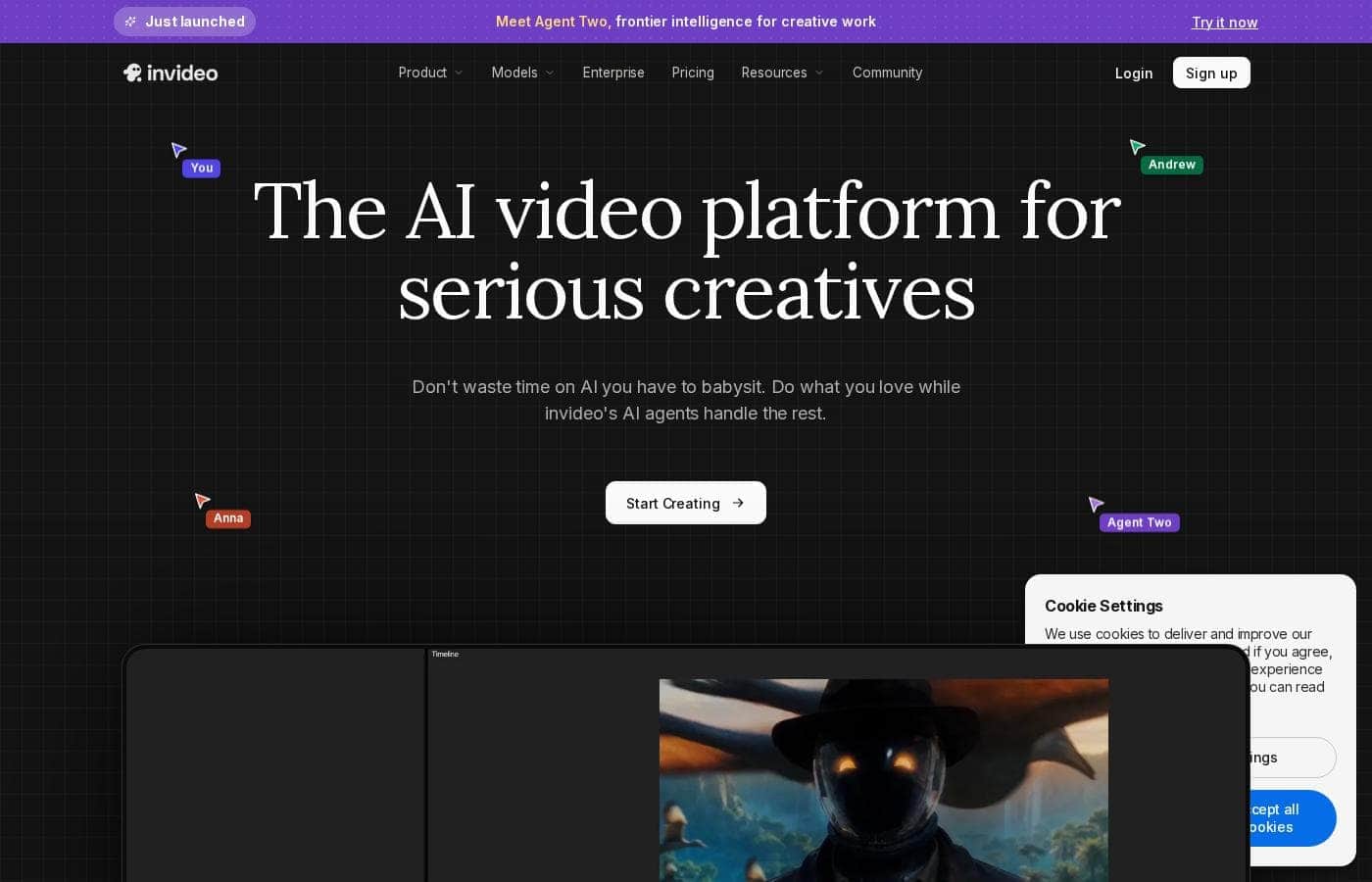
Invideo homepage screenshot

At a glance

Quick overview for Invideo: rating, pricing summary, key features, and highlights.

Ciroapp review

4.5
Rapid AI Video Creation, Backed by Humans.

We found Invideo AI to be exceptionally effective at transforming text prompts into polished videos quickly, enabling users to cut production time significantly. The platform stands out due to its genuinely dedicated, 24/7 customer support, which navigates users past complexity and technical inconsistencies. Overall, Invideo is a powerful AI tool deserving of content creators looking for speed and reliability, especially given the human safety net.

Pros

  • Pro:Exceptional 24/7 customer support delivered by responsive, real humans.
  • Pro:Dramatically reduces video creation time, boosting workflow efficiency.
  • Pro:Highly user-friendly for generating videos from simple text prompts.
  • Pro:Allows sophisticated editing of audio, voice, and captions using natural language.

Cons

  • Con:Occasional inconsistencies or anomalous results in AI-generated content quality.
  • Con:Users report frustration being charged for unsatisfactory generative AI prompts.
  • Con:Generating time can be lengthy when making multiple revisions.
  • Con:The media and video library needs expansion to offer more content variety.
Free trial
Yes
Range: $0–$899/monthFree plan, Monthly subscription, Yearly subscription, Per seat pricing
This section is a summary. Detailed sections about features, use cases, pricing, and reviews follow below.

Invideo review, pricing, features, pros & cons

Struggling to translate your great ideas into polished video content quickly? InVideo helps you overcome this core frustration.

You can turn complex ideas into ready-to-share videos like ads or stories simply by using a text prompt. This significantly reduces the time traditional video editing demands. ✨

What is Invideo?

Invideo is an AI tool designed to give you the power to play and create. It transforms simple text prompts related to your business or casual ideas into cinematic videos, professional promos, and detailed explainers instantly.

This platform is perfect for creators, educators, non-profits, and marketing agencies seeking rapid content creation. Whether you need an engaging UGC ad or a detailed product reel, Invideo handles the complex work. You're empowered to generate and edit content that reaches new customers across various countries, languages, and beliefs worldwide. 💡

Invideo Key Features

✨ Instant Video Creation from Simple Text Prompts

Invideo helps you translate complex ideas into polished video content quickly. You can turn any idea into a ready-to-share video simply by using a text prompt. This significantly reduces the time traditionally spent on video editing.

The platform handles the heavy lifting, delivering finished content like professional promos, detailed explainers, or engaging ads. This feature is perfect for overcoming core frustrations tied to slow production. You gain the power to play and create instantly. ✨

✨ Effortless Editing Using Natural Language

You are empowered to edit like you think, making sophisticated changes easy. Stop struggling with complicated software interfaces. Instead, you perform modifications simply by writing a text instruction.

This intuitive process allows direct adjustments to your existing video components:

✨ Precise Modification of Core Video Elements

The AI understands your text commands across various media layers. You can make specific changes to visual and audio elements without manual timeline adjustments. For instance, you might request:

  • Images (e.g., Replace the cat with a snow leopard)
  • Audio (e.g., Add upbeat background music)
  • Voice (e.g., Change the voiceover to Spanish)
  • Captions (e.g., Add captions to the entire video)

This capability ensures you rapidly achieve the perfect final product using simple commands.

✨ Versatile Content Output for Any Goal

Invideo is designed to handle a wide range of content styles. You can generate anything from educational lessons to highly engaging marketing materials. This versatility makes the tool useful whether you need casual TikTok-style clips or a cinematic product reel.

Specific successful outputs include UGC ads featuring AI actors, polished promos, virtual lookbooks, and detailed documentary-style explainers. It ensures you have the right format ready for any business or creative need.

✨ Dramatic Boost in Content Creation Speed

Use Invideo to make your video creation process faster and smarter. Users benefit from immediate workflow improvements and noticeable efficiency gains. One marketing agency reported that sales doubled once they consistently created content using Invideo.

Reported efficiency improvements show users cutting creation time from half a day down to just 30 minutes. This dramatic speed increase allows businesses and agencies to scale their output significantly.

💡 Building Assets with Global Reach

The platform helps you expand your audience globally and create unique, owned content. You can generate videos that effectively resonate across various countries, languages, and beliefs worldwide. This capability helps you engage a wider customer base quickly.

Furthermore, you create and own valuable lessons and stories that capture attention. This empowers you to move away from relying on borrowed footage and build strong, proprietary assets.

Use Cases

💡 Boosting Marketing Efficiency and Sales

A marketing agency often struggles to produce high volumes of varied content quickly. They need compelling ads and promos ready fast. With Invideo, you start with a simple text prompt, like "Create a UGC ad reviewing our new peanut butter protein bar." The AI handles the complex video assembly immediately.

This dramatically boosts your efficiency, cutting half-day editing sessions down to just 30 minutes. Marketing agencies have reported that this rapid production capability doubled their sales outcomes after transitioning all content creation to the platform.

🌍 Expanding Global Reach and Localization

If you need to engage customers worldwide, you must quickly adapt your content for different regions. Invideo helps you create videos that resonate instantly across various countries and beliefs.

First, you generate your core video asset. Then, effortlessly change elements—like the voiceover—by typing a simple instruction, such as "Change the voiceover to Spanish." This capability empowers travel agencies and global businesses to connect across diverse customer bases quickly.

📚 Creating Valuable Educational Assets

Educators, trainers, and creators need engaging lessons without relying on borrowed footage. Invideo helps you build strong assets that truly hold attention and deliver reliable information. You can generate a documentary-style video or a fast explainer on any topic.

This process empowers organizations to create and own valuable, custom training stories. For example, use a prompt like "I need a 45s onboarding video for new hires, casual tone" to immediately start scaling your internal training.

✍️ Sophisticated Editing via Natural Language

Traditional video editing requires users to navigate difficult software menus for simple changes. Invideo lets you edit using natural language prompts, simplifying the entire workflow. You literally edit like you think.

To personalize a shot, just type the simple command, "Replace the cat with a snow leopard" or "Add upbeat background music." You can immediately perform advanced modifications on images, audio, voice, and even captions. This means complex edits are finished immediately, significantly accelerating your creative process.

🛍️ Generating High-Quality Product Visuals

Businesses selling physical goods need compelling, professional visuals to drive interest and sales. You can instantly create professional product reels and virtual lookbooks. Just input your idea: "Show off our new candle line in an aesthetic product reel."

Approach Flow:

  1. Input idea as text prompt.
  2. AI generates high-quality promo content.
  3. Add captions or modify music using text instructions.

Expected outcome: High-quality UGC ads or detailed product stories designed to boost sales outcomes.

🌱 Non-Profit Storytelling and Advocacy

Non-profit organizations must share their mission effectively to gain critical support. You no longer need to spend limited resources and time on complex production. You can rapidly tell compelling, personalized stories using text prompts.

Simply ask the AI to "Tell my grandmother’s story as a short poetic video" or create content that advocates for your specific cause. This capacity for rapid creation allows non-profits to produce powerful, customized content that builds strong assets and reaches new audiences across the world.

Pricing Overview for Invideo

Pricing range
$0–$899/month
Pricing types
Free plan, Monthly subscription, Yearly subscription, Per seat pricing

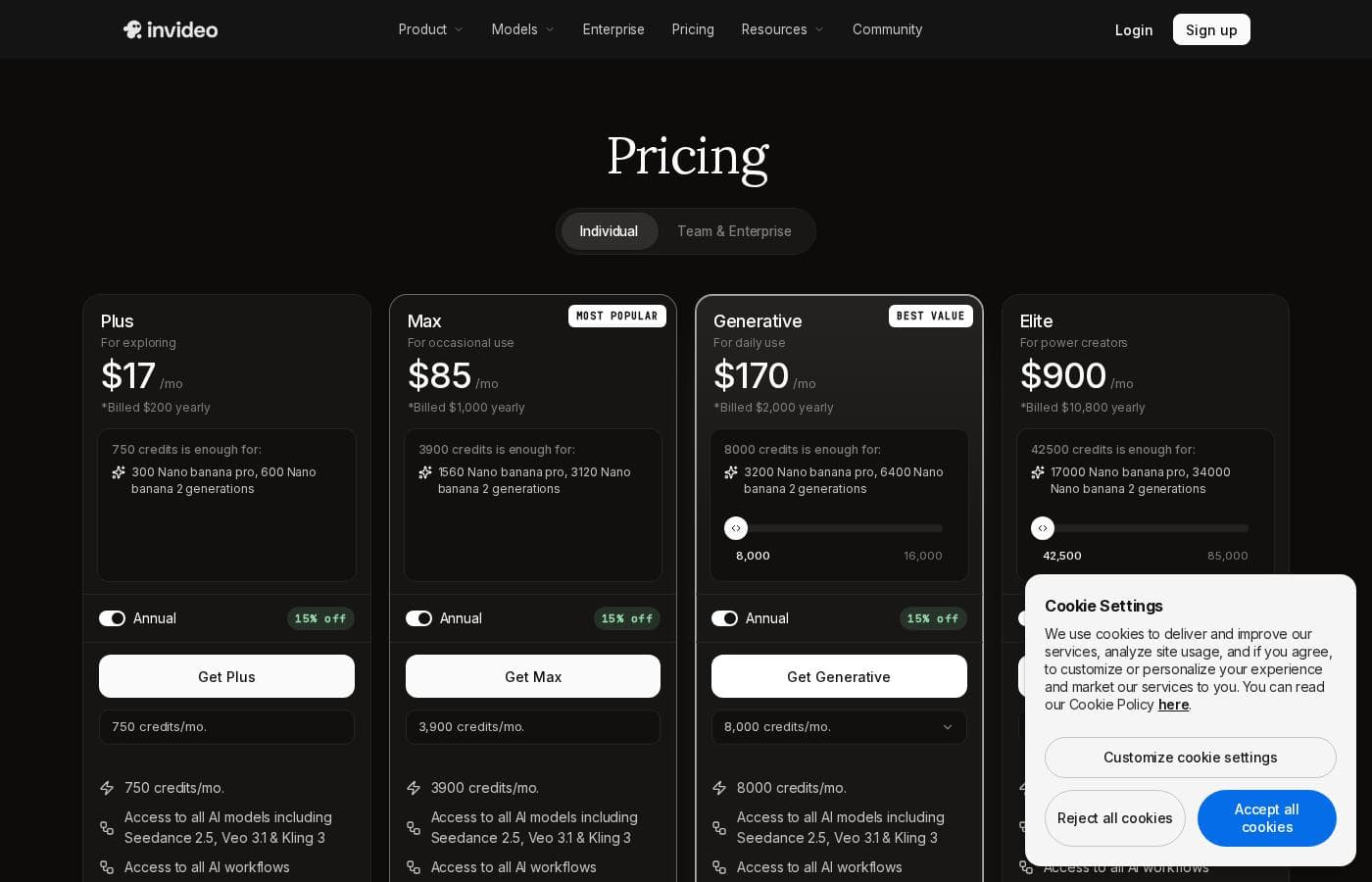
Invideo offers a tiered pricing structure starting with a comprehensive Free plan, scaling up to specialized paid subscriptions, ranging from $28 to $899 per month. All paid plans can be purchased monthly or annually, with annual billing offering savings up to 20%.

Plans & Pricing

Free

Monthly$0
  • 10 Video mins and 1 AI credit per week
  • 1 Express avatar
  • 4 Exports per week with invideo watermark
  • No access to generative features

Plus

Monthly$28
Yearly$336
3 users, 100GB storage
  • 10 Credits ($2.8 per credit)
  • 50 Video mins + 95 iStock
  • 2 UGC product asset ads
  • 30 secs of generative video
  • 2 express clones
  • Unlimited exports

Max

Monthly$50
Yearly$600
3 users, 400GB storage
  • 40 Credits ($1.3 per credit)
  • 200 Video mins + 320 iStock
  • 8 UGC product asset ads
  • 120 secs of generative video
  • 5 express clones
  • Unlimited exports

Generative

Monthly$100
Yearly$1200
3 users, 400GB storage
  • 100 Credits ($1 per credit)
  • 200 Video mins + 320 iStock
  • 5 generative UGC ads
  • 300 secs of generative video
  • 8 express clones
  • Unlimited exports

Team

Monthly$899
Yearly$10788
1 seat, 4TB storage
  • 1000 Credits ($0.9 per credit)
  • 2000 Video mins + 3200 iStock
  • 50 generative UGC ads
  • 50 mins of generative videos
  • 40 express clones
  • Unlimited exports

Enterprise

MonthlyCustom
YearlyCustom
  • Custom solutions for large organizations
  • Advanced security
  • Flexible pricing

Invideo pricing ranges from $0 for the Free plan up to $899 per month for the Team plan, with three intermediate tiers: Plus at $28/month, Max at $50/month, and Generative at $100/month.

Here are the details for the plans available across monthly and yearly billing cycles.

User Reviews

Invideo AI enjoys widely positive reception, particularly for the strength of its customer support. Users frequently highlight the responsiveness and genuine care of the support team, praising specific agents for being patient, kind, and knowledgeable in resolving complex issues like billing errors or login problems.

Reviewers consistently find the platform an invaluable tool that is super easy to use, delivering professional results and saving significant time; some creators even attribute substantial growth in their channels to using the software. However, sentiment isn't universally positive regarding the core AI engine.

Several comments noted occasional inconsistencies in the AI-generated content or defects when using generative edits. A recurring theme is the frustration with the pricing structure, specifically feeling charged for generative AI prompts that result in unsatisfactory or incorrect output.

Despite these technical hiccups and occasional slow generating times when revising, the community generally acknowledges the company's commitment to improvement and the overall quality of the product. ⭐

What users say elsewhere

Patrick F.
· Trustpilot
5.0 / 5

I had made the mistake of removing the email connected to my plan and couldn't understand why I was being charged. Patrick immediately located the account, helped me cancel the subscription, and provided great service. The team is excellent!

Alex D.
· Trustpilot
5.0 / 5

I’ve used this software for three months now, and I’ve gone from 1 YouTube subscriber to over 18,700! This platform truly works. It helps me quickly generate great high-quality videos for elearning courses and my channels.

No reviews yet.

Write a Review

Write a Review for Invideo
0/100 characters
0/2000 characters

Why use Invideo?

Stop spending half your day struggling with complicated editing software. Invideo makes video creation faster, smarter, and simpler because you’re empowered to edit like you think using natural language prompts.

Here’s why Invideo is the right choice for rapid content creation:

  • Achieve speed and efficiency. Users reported cutting video creation time from half a day down to just 30 minutes, dramatically improving workflow.
  • 💡 Boost your business outcomes. One marketing agency reported that sales doubled once they started generating all their content directly in Invideo.
  • 🌍 Expand your global reach. Easily create videos that resonate across languages and countries, quickly engaging a wider customer base.
  • ✍️ Modify videos effortlessly. Perform sophisticated edits on Images, Audio, Voice, and Captions simply by writing a text instruction.
  • 📈 Build strong assets. Create and own valuable lessons and stories that truly hold attention, moving away from relying on borrowed footage.
  • 📊 Start scaling now. Join the 0 M+ users across 190 countries already leveraging this platform to create 0 M+ videos per month.

It’s your turn to create the powerful content you need. 🎉

Ready to transform your workflow with Invideo?

Frequently Asked Questions

Do my unused credits or video minutes roll over to the next month?

No, your monthly quotas do not roll over to the next billing cycle. All included credits, video minutes, iStock usage, and exports will reset and renew every month based on your plan's activation date.

What happens if I run out of my quota before the end of the month?

You can seamlessly upgrade to a higher plan or add more seats at any time. When you upgrade mid-cycle, you will only be charged a prorated amount for the rest of your current billing period.

How many users can access a single paid Invideo account?

The Plus, Max, and Generative plans cap access at three users. The high-volume Team plan is configured for one seat by default, but you can scale your usage by purchasing additional seats as needed.

If I cancel my paid subscription, what happens to my account access and videos?

Once you cancel, you keep the benefits of your current plan until the billing cycle ends. Afterwards, your account is downgraded to the Free plan, but you can still re-download videos exported while you were on a paid plan without a watermark.

How quickly can I expect a response from the customer support team?

The official site guarantees 24/7 access to support staff. While users highly praise the team's responsiveness and care, a specific official Service Level Agreement (SLA) time guarantee is not explicitly stated.

Does Invideo offer a money-back guarantee or a formal refund policy?

Not explicitly stated on the official site. According to the pricing features data, a formalized money-back guarantee is not offered for standard accounts.

How does the pricing structure handle team collaboration and per-seat fees?

Pricing is primarily usage-based, tracked via AI credits. However, access is limited by seats; Plus, Max, and Generative tiers include three users. Higher tiers like Team require separate seat purchases if you need more than the included user slot.

I was an invideo Studio customer. How do I switch to invideo AI?

Invideo AI and Studio are separate platforms with different pricing structures. If you held an active lifetime deal for Studio before August 15, 2023, you will qualify for free AI credits. Watch your email for further notification.

What are the limitations of the free tier?

The Free plan provides 10 video minutes and 1 AI credit per week. You are limited to four exports weekly, and all exported videos include an Invideo watermark. You also cannot access generative features.

Is security included for all paid plans?

Advanced security features are mentioned specifically as a feature of the custom Enterprise plan. Specific security measures for the Plus, Max, and Generative tiers are not explicitly stated on the official site.

Can I create videos in multiple languages for international audiences?

Yes. Invideo is designed to expand your global reach, supporting the creation of videos that resonate across diverse countries, beliefs, and languages worldwide.

Which plan is best suited for marketing agencies needing high volumes of stock footage?

If you primarily rely on stock content, the Plus ($28/mo) or Max ($50/mo) plans are recommended. The Max plan includes 200 video minutes and 320 iStock assets monthly.

Ready to try Invideo? Check out the official site or pricing.