Animaker

Animaker review

Drag-and-drop animation and live-action video creation for teams, marketers, and educators.

Animaker costs from $19/mo · 6 plans · Free plan available · prices checked Oct 12, 2026

By Ciroapp Editorial Team · Updated Sep 17, 2026

Commission may apply at no extra cost

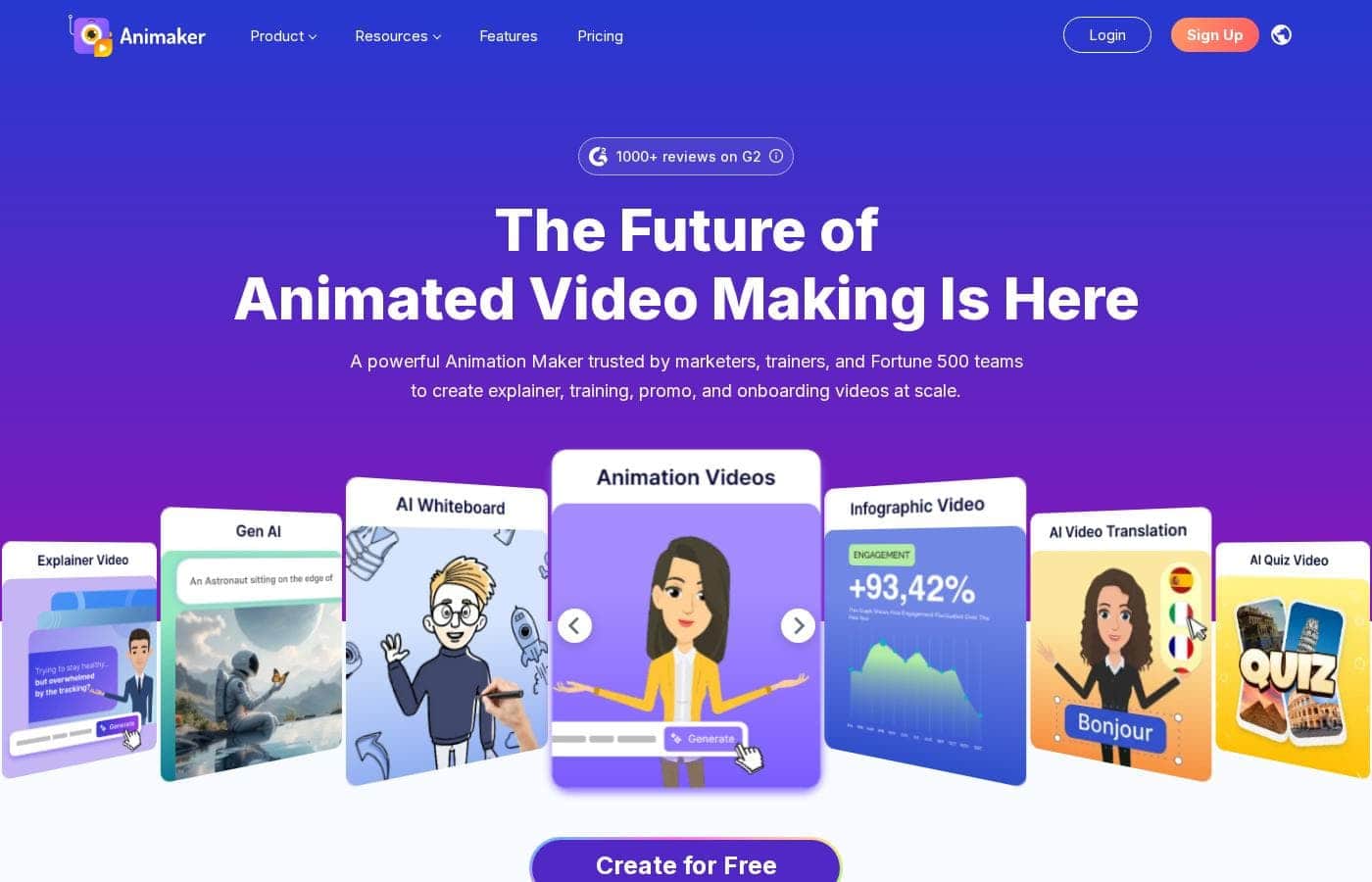
Animaker homepage screenshot

At a glance

Quick overview for Animaker: rating, pricing summary, key features, and highlights.
Pricing verified Oct 12, 2026

Ciroapp score

4.0/ 5

Animaker makes it easy for non-designers to build animated explainers, social clips, and training videos using drag-and-drop tools, lip-synced characters, and ready-made templates, and it can even mix live-action footage with animation. Advanced animators will hit limits, and the free plan carries branding and resolution caps. Overall, it's a practical, budget-friendly pick for everyday marketing and training content.

Pros

  • Pros:Low learning curve — the drag-and-drop editor and templates let non-designers produce finished videos without animation training
  • Pros:Character builder with automatic lip-sync creates branded, talking characters that would otherwise require custom animation work
  • Pros:Combines animation and live-action editing in one browser-based tool, reducing the need for multiple subscriptions

Cons

  • Cons:Experienced animators may find the pre-built animation actions limiting compared to frame-by-frame control in professional suites
  • Cons:Rendering and export of longer or higher-resolution videos can be slower than desktop-based editing software
  • Cons:The best assets, resolutions, and collaboration features are tied to paid tiers, so free-plan users face meaningful restrictions
Best for
  • Small businesses and startups that need explainer and social videos without hiring an animation studio
  • Marketing teams producing regular short-form content for social platforms and ads
  • HR and L&D teams creating onboarding, compliance, and training videos
This section is a summary. Detailed sections about features, use cases, pricing, and reviews follow below.

What is Animaker?

Animaker is a browser-based platform for producing animated and live-action videos without traditional animation skills. It combines a drag-and-drop editor, pre-built templates, and a customizable character system so users can assemble studio-style visuals in hours rather than weeks. With more than 30 million users, it serves everyone from solo founders to large enterprise teams.

Animaker is an online animation and video-making tool that lets users create 2D animations, whiteboard videos, infographics, and live-action-style content through a visual editor. Its core components include a drag-and-drop canvas, a library of characters and props, text-to-speech and lip-sync features, and export options for multiple formats. Because it runs in the browser, teams can collaborate on projects without installing dedicated animation software.
Should you choose Animaker?

Quick buyer guidance before you compare plans or click through.

Choose it if

  • Small businesses and startups that need explainer and social videos without hiring an animation studio
  • Marketing teams producing regular short-form content for social platforms and ads
  • HR and L&D teams creating onboarding, compliance, and training videos
  • Teachers and online course creators who want engaging animated lessons without technical animation skills

Skip it if

  • Professional animators who need frame-by-frame control, custom rigging, or advanced compositing found in dedicated suites
  • Teams producing long-form, film-quality video where desktop NLE performance and advanced color grading are required
  • Users who need fully offline editing, since Animaker is browser-based and depends on an internet connection

Next steps before buying

  1. 1Create a free account on animaker.com to access the editor and explore the template library before committing to a paid plan
  2. 2Pick a template matching your goal (explainer, social post, or infographic) and customize the scenes with your own text, characters, and brand colors
  3. 3Add voiceover using the built-in recorder or text-to-speech, apply lip-sync to your characters, and preview the full timeline
  4. 4Export a draft in the free tier to test quality and workflow, then compare paid plans on the pricing page to unlock the resolution, branding, and collaboration features your team needs

Animaker Key Features

✨ Drag-and-Drop Animation Builder

Animaker's editor uses a drag-and-drop canvas with a scene-based timeline, so users can arrange characters, props, backgrounds, and camera movements without writing keyframes manually. Pre-built actions and animations can be applied to characters with a click, which dramatically shortens the learning curve compared to traditional animation suites.

✨ Character and Asset Customization

The platform includes a character builder that lets users customize facial features, outfits, accessories, and skin tones, then apply auto-generated lip-sync to dialogue. Combined with a large library of stock characters, icons, backgrounds, and music, this makes it possible to produce branded characters without commissioning custom artwork.

✨ Templates for Multiple Video Formats

Animaker ships with templates sized for common use cases, including explainer videos, social media posts, infographics, and presentations. Templates provide a starting structure for scenes, transitions, and text placement, which helps teams maintain consistent quality even when different people produce the videos.

✨ Voice, Text-to-Speech, and Sound Tools

Users can add voiceovers through recording, uploading, or built-in text-to-speech in multiple languages and voice styles. Lip-sync functionality matches character mouth movements to the audio automatically, and a sound-effects and music library covers common background audio needs.

✨ Live-Action Editing and Team Collaboration

Beyond animation, Animaker supports editing live-action footage, letting users mix recorded video with animated elements in a single project. Shared workspaces allow multiple team members to collaborate on assets and projects, which is useful for marketing departments and agencies producing content at volume.

Use Cases

💡 Explainer and Product Videos

Startups and product teams use Animaker to produce explainer videos that walk viewers through a product or service. Templates and animated characters make it straightforward to illustrate workflows and benefits without filming, and videos can be revised quickly as the product evolves.

💡 Social Media and Marketing Content

Marketing teams generate short-form animated content sized for platforms like Instagram, YouTube, and LinkedIn. The template library supports fast turnaround on promotional clips, seasonal campaigns, and ad creative, keeping a steady content calendar manageable with a small team.

💡 Training and Internal Communication

HR and L&D teams use animated videos for onboarding, compliance training, and policy explanations. Animation simplifies abstract or sensitive topics, and the ability to update scenes in the editor means training material can be refreshed without a full reshoot.

💡 Educational Content for Teachers and Course Creators

Educators and online course creators build engaging lesson videos using whiteboard-style animation and characters. Visual storytelling helps hold student attention, and the browser-based editor means lessons can be produced from any computer without specialized hardware.

Animaker pricing

From$19/mo

  • From the vendor's pricing page, checked Oct 12, 2026
  • 6 plans
  • Free plan available
  • Save up to 46% with annual billing

Prices checked on Oct 12, 2026 from Animaker's pricing page

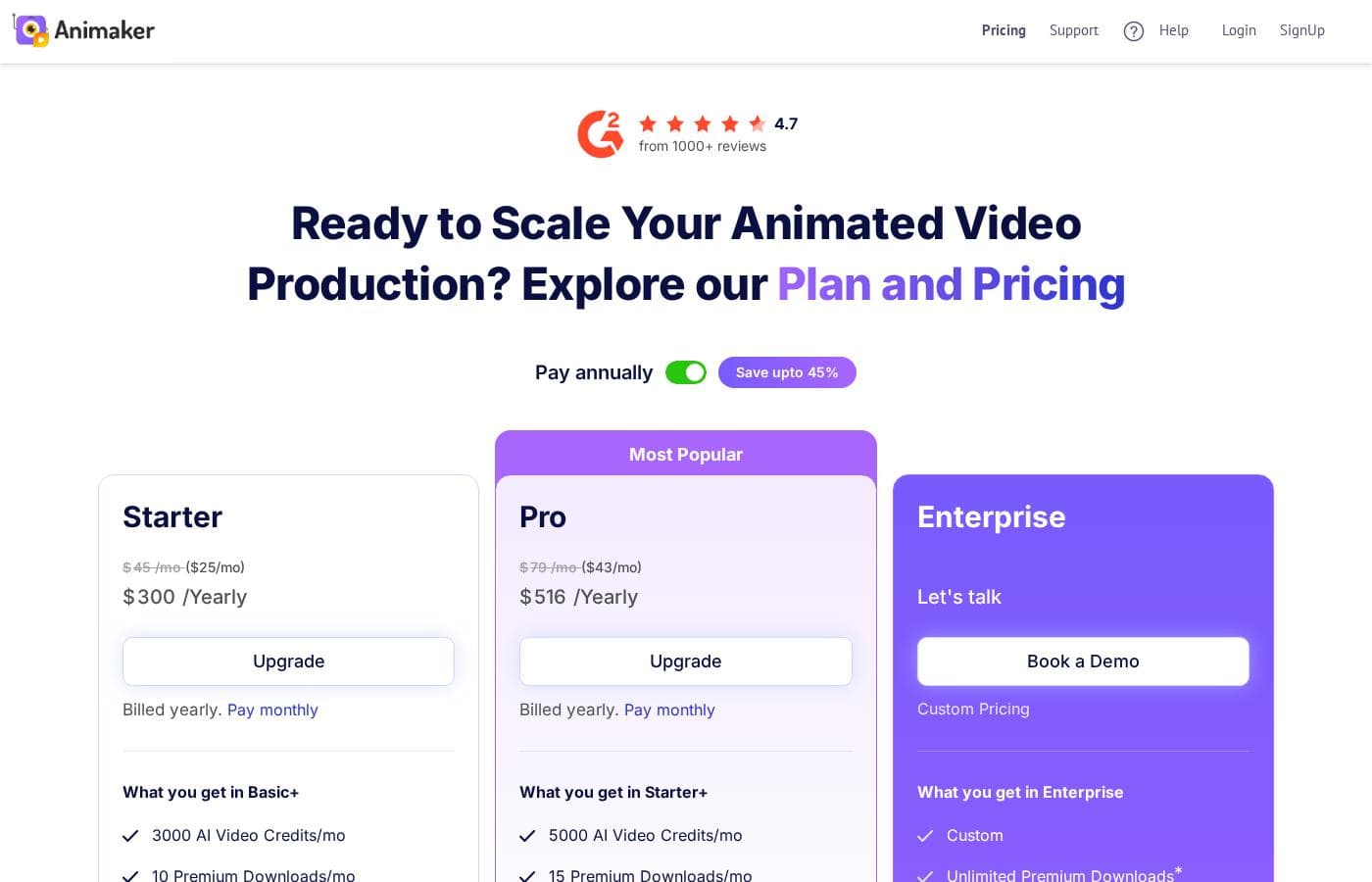
Animaker pricing page screenshotView pricing page screenshot
PlanBilled monthlyBilled annuallyIncludes
Verify Your Code
$35/mo
—
Pro
$80/mo
$43/mo
$516 per year
Save up to 46% with annual billing
Proceed with Generative Image
Free
—
Yearly plan
$19/mo
$19/mo
$228 per year
Monthly plan
$49/mo
$49/mo
$588 per year
Starter
$25/mo
$25/mo
$300 per year

Price history

Tracking prices since Oct 1, 2026. No price change detected yet.

Pricing types: Free plan, Free trial, Monthly subscription, Yearly subscription, Usage-based pricing

Pricing notes

Animaker pricing: Plans from $0/month Billing options: Free plan, Free trial, Monthly subscription, Yearly subscription, Usage-based pricing

Cost calculator

Estimate what Animaker costs for your team.

Billing
Per month
$35
Per year
$420

Verify Your Code states no user limit: shown as one price for the whole account. Check the price for 5 users with the vendor. Estimate based on published list prices, before taxes, add-ons and discounts.

How to pay less for Animaker

  • Pay annually: saves up to 46% compared with monthly billing.
  • Start on the free plan and upgrade only when you hit its limits.
  • Cheaper tools in this category start at $5.83/mo.
Visit Animaker

Email me when Animaker changes price

One email when we detect a price change on the vendor's pricing page. No newsletter, no deals. Unsubscribe in one click.

User Reviews

No reviews yet.

Write a Review

Write a Review for Animaker
0/100 characters
0/2000 characters

Why use Animaker?

Professional animation traditionally requires expensive software and specialized skills, which puts it out of reach for most small businesses and internal marketing teams. Animaker lowers that barrier by providing templates, pre-animated assets, and an intuitive timeline editor that non-designers can learn quickly.

The result is faster video production, lower content costs, and the ability to keep explainer videos, social clips, and training materials consistently on brand.

Animaker alternatives

Other tools in the Video editing category

View all Video editing tools
Filmora 14

Filmora 14

Video editing4/5From $5.83/mo

Filmora 14 is a highly accessible and powerful video editing platform built for efficient results. It’s designed to provide AI-powered efficiency and remarkable simplicity to your everyday editing, making it suitable for both beginners and seasoned experts. This software simplifies the entire process, from pre-processing your footage all the way to finalizing your project. Filmora helps unlock new possibilities for visual storytelling, ensuring your videos stand out with outstanding AI-driven technology. It’s an ideal choice for anyone looking for a fluent and productive editing journey.

Anireel

Anireel

Video editing4/5From $12.42/mo

Anireel is an intuitive solution built to simplify animated video production. It allows anyone, even beginners, to craft high-quality explainer videos quickly. The software is perfect for various needs, supporting marketing, eLearning, and corporate communication efforts. Anireel comes packed with powerful tools like a custom character builder and a sophisticated Text-to-Speech engine. This means you get lip syncing and professional-grade video creation in one easy package.

Powtoon

Powtoon

Video editing3.9/5From $8/mo

Powtoon is an accessible online video maker designed for everyone, regardless of skill level. It helps you easily create amazing videos and presentations. This platform is trusted by over 50 million users, including 96% of Fortune 500 companies. Powtoon focuses on making storytelling simple and impactful. You can use it to transform static documents or fresh ideas into crisp, engaging videos right away. It's often called "the Canva for Video" for its simplicity and power.

Kapwing

Kapwing

Video editing3.8/5From $16/mo

Kapwing is recognized as a powerful, yet incredibly user-friendly, online video service. It’s designed for anyone who needs to be immediately ready to create high-quality content. If you are a social media manager or someone who values speed and collaboration, this tool is described as essential for your bookmark list. Users consistently call it the most user friendly software they have ever used.

Camtasia

Camtasia

Video editing4.2/5

Camtasia is truly everything you need in one powerful tool. It combines screen recording with full video editing capabilities. This software uses AI-powered tools to simplify the creation process. It is designed to help you turn your existing knowledge into highly engaging videos.

VEED

VEED

Video editing4/5

VEED is a complete end-to-end video suite designed for busy teams and creators. It allows you to create, collaborate, and share impressive videos entirely from within your browser. This platform offers seamless workflow consolidation, perfect for everyone from individual content makers to large organizations like the Fortune 500. It includes smart collaboration tools and a dedicated Brand Kit, ensuring your team maintains consistency. Additionally, you access a vast, royalty-free stock library featuring over 2 million video and audio assets.

FlexClip

FlexClip

Video editing3.9/5

FlexClip is an all-in-one online video editing solution designed to make powerful video creation accessible to everyone. It's built for folks who need professional output without needing extensive filmmaking experience. Based on user testimonials, this tool is perfect for educators, marketers, designers, and small business owners alike. It provides flexible editing capabilities right in your browser, helping you produce high-quality clips quickly.

Cheapest Video editing software for 1 to 25 users

Animaker FAQ

How much does Animaker cost?

Animaker's cheapest paid plan, Yearly plan, costs $19 per month. Paid plans range from $19 to $80 per month. Prices checked on Oct 12, 2026 from the vendor's pricing page.

Does Animaker have a free plan?

Yes. Animaker has a free plan (Proceed with Generative Image); paid plans start at $19 per month.

How much do you save with annual billing on Animaker?

Paying annually saves up to 46% compared with monthly billing, based on Animaker's list prices.

Has Animaker's price changed recently?

No. We have not detected a price change since we started tracking on Oct 1, 2026.

Can I use Animaker for free?

Yes. Animaker offers a free plan that lets you build and export videos with basic features, which is enough to learn the editor and produce simple projects. Free-plan exports typically carry branding and resolution limits, so teams producing polished commercial content generally upgrade to a paid subscription.

Do I need animation experience to use Animaker?

No. The platform is designed for non-designers, using a drag-and-drop canvas, pre-animated character actions, and ready-made templates instead of manual keyframing. Most new users can assemble a first video within their initial session, though complex multi-scene projects still benefit from planning and practice.

Does Animaker work for live-action video or only animation?

Animaker supports both. In addition to its animation tools, it includes live-action editing capabilities, so you can combine recorded footage with animated characters, text, and effects in the same project. This makes it a single tool for mixed-format marketing and training content.

Ready to try Animaker? Check out the official site or pricing.

Are you Animaker? Claim this listing · Get the badge