Kapwing

Kapwing

The user-friendly online video editor designed for streamlined creation.

#12 dans Video editing
1 min read · Updated 10/5/2025
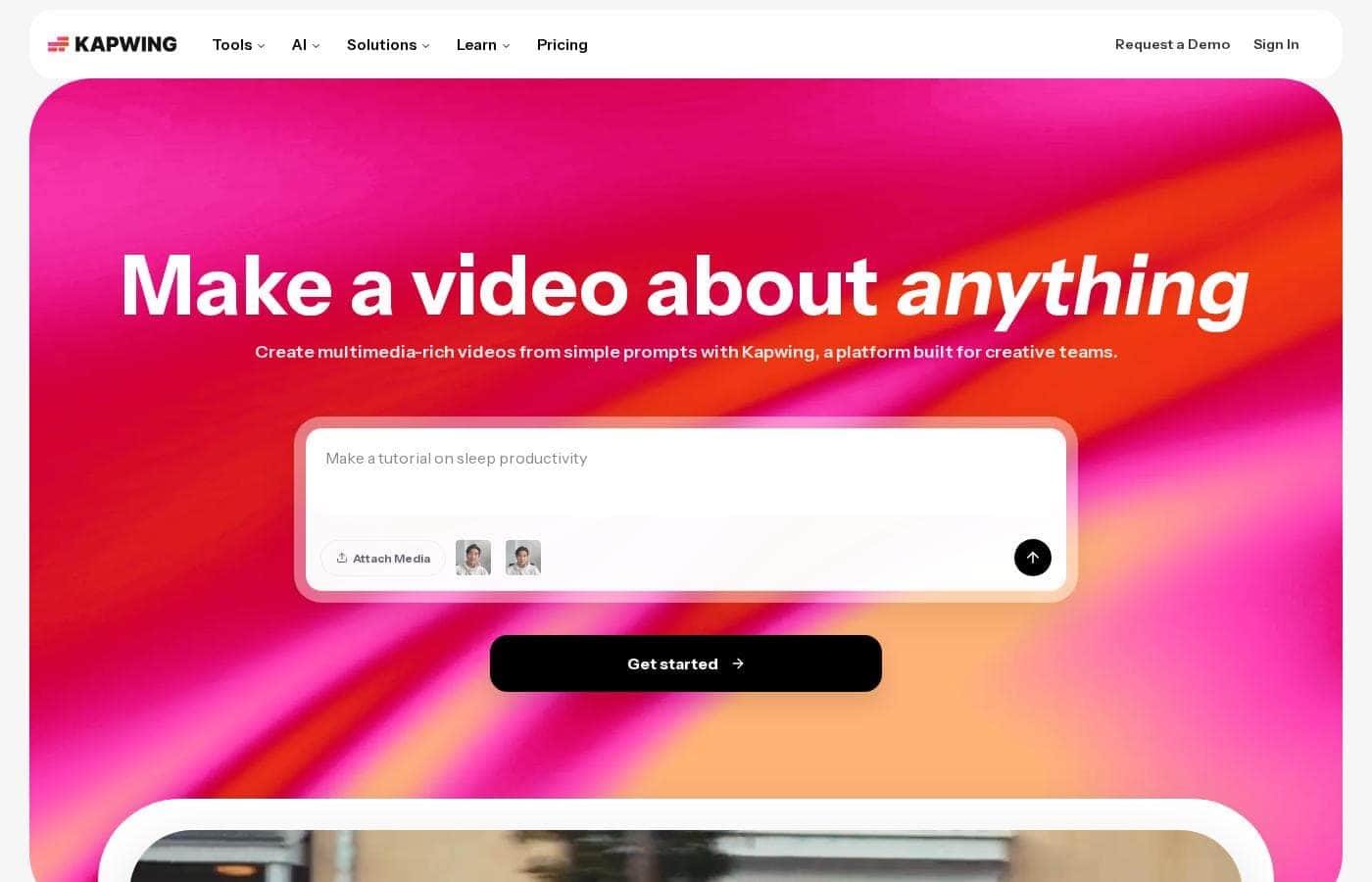
Kapwing homepage screenshot

At a glance

Quick overview for Kapwing: rating, pricing summary, key features, and highlights.

Ciroapp review

2.0
Easy UI, high-risk business policies.

We recognize Kapwing offers a powerful, user-friendly online editor perfect for quick social media content creation, often cited as being simple to figure out. However, serious concerns exist regarding its business model, aggressive paywalling, and unresponsive customer support practices. Overall, we caution users strongly due to predatory billing and an irresponsible user data retention policy that repeatedly results in unexpected, permanent content loss.

Pros

  • Pro:User-friendly and simple interface (easy to figure out quickly).
  • Pro:Browser-based editing requires no software downloads.
  • Pro:Useful tools for repurposing content (e.g., short clips from long videos).
  • Pro:Offers specific powerful timeline controls, including keyframes and custom animations.

Cons

  • Con:Aggressive paywalls make the free version nearly useless for core editing tasks.
  • Con:Irresponsible data retention; projects are reportedly deleted after short payment delays or 30 days.
  • Con:Unresponsive customer service, often hiding behind a strict "no refund policy".
  • Con:Auto-renewal policies sometimes lack proper notification, leading to unexpected charges.
Range: $0–$50/member/monthFree plan, Monthly subscription, Yearly subscription, Per seat pricing
This section is a summary. Detailed sections about features, use cases, pricing, and reviews follow below.

Kapwing review, pricing, features, pros & cons

It’s frustrating when complex software slows down your creative flow. You need simple tools that just work. Kapwing is built to help you spend less time struggling and more time crafting your stories beautifully.

This online service keeps getting better. ✨

What is Kapwing?

Kapwing is recognized as a powerful, yet incredibly user-friendly, online video service. It’s designed for anyone who needs to be immediately ready to create high-quality content. If you are a social media manager or someone who values speed and collaboration, this tool is described as essential for your bookmark list.

Users consistently call it the most user friendly software they have ever used. 💡

Kapwing Key Features

✨ Effortless Online Editing and Speed

Kapwing is recognized as a powerful, yet very user-friendly, online video service. The platform is designed to streamline your entire creative process. This means you skip the steep learning curve required by complex software.

You can start crafting high-quality content immediately and save valuable time. You'll achieve quick results because the platform ensures you are always ready to create. Users consistently call this the most friendly software they have ever used.

🗣️ Powering Accessibility with Subtitles 🗣️

The platform boasts highly effective and excellent subtitling features. These tools are built right into the online editor for easy deployment.

These features impressively aid accessibility for a wider audience. They are particularly valuable for deaf audiences, making Kapwing a vital tool for inclusive content creators.

✨ Essential Utility Tools for Content Repurposing

Your workspace includes comprehensive utilities focused on speed and practical application. Use the Resizer to instantly adjust your video dimensions for different platforms or uses. The Trimmer helps you quickly adjust the overall length of your clips.

For faster editing sessions, the Smart Cut function helps streamline your workflow. These core functions are essential for anyone who needs consistent access and quick productivity.

✨ Next-Level Enhancements for Quality Polish

Kapwing helps you quickly polish your audio and visuals without needing external tools. Utilize the Clean Audio function to refine and clarify your sound quality instantly within your project.

Visually, you can remove backgrounds cleanly using the dedicated Background Remover tool. For precise control during edits, the platform provides access to Waveforms, helping you manage audio intricacies efficiently.

✨ Creative Assets and Templates

Build impressive videos quickly by leveraging Kapwing’s built-in creative resources. You can utilize ready-made Templates to start your project quickly and efficiently.

The editor also grants access to a library of Stock Assets to enhance your visual storytelling. For design flexibility, the platform supports Unlimited Overlays, allowing you to layer elements beautifully over your video.

🤝 Seamless Team Collaboration 🤝

If you work on a team, Kapwing is built to enhance overall productivity. The platform fully supports collaborative editing, ensuring seamless teamwork among your colleagues.

Your team can work together efficiently within the group workspace. This feature is important for social media managers and teams needing to manage content creation together.

Use Cases

🗣️ Optimizing Video Accessibility for All Viewers

Many creators overlook viewers who are deaf or hard-of-hearing. Kapwing offers excellent subtitling features to solve this common problem. You can quickly add captions, ensuring your content is accessible and welcoming to everyone. Users describe the results as being impressive for addressing accessibility needs.

This robust support significantly boosts your audience reach and impact. You spend less time formatting and more time creating valuable content. It is a powerful benefit for any thoughtful content maker.

🎧 Fixing Imperfect Audio Recordings

It’s frustrating when a perfect shot is spoiled by bad background noise. Instead of rerecording, you can use the Clean Audio functionality. This process allows you to polish audio tracks directly within the online workspace.

Step Flow:

  1. Upload your video clip to the Kapwing editor.
  2. Apply the Clean Audio utility feature.
  3. Instantly remove unwanted distortion or noise.
  4. Save the finalized video with clear, professional sound.

🤝 Seamless Collaborative Editing for Teams

Traditional video editing involves burdensome file transfers and version control issues. Kapwing facilitates seamless teamwork by supporting collaborative editing directly online. This shared workspace ensures your team can work together efficiently, enhancing overall productivity. You don't waste time managing heavy software or massive files; everyone jumps in to create.

Teams using Pro or Business plans gain specific features for their shared workspace, keeping projects organized and moving forward fast.

⚡ The Social Media Manager's Quick Turnaround

As a social media manager, you need to react to trends quickly and produce content constantly. You cannot afford to spend hours learning complicated software controls. Kapwing ensures you are always ready to create immediately since it’s incredibly user-friendly. You can use core functions like the Resizer to instantly format vertical clips for Stories or TikTok, saving valuable time.

This speed allows you to spend more time crafting compelling stories and less time struggling with complex tools. It quickly becomes an essential bookmark for consistent creation.

📲 Reformatting Content for Every Platform

Many creators need to share the same video across YouTube, Instagram, and LinkedIn. This requires different dimensions and lengths. The powerful Resizer tool allows you to adapt instantly, ensuring your video looks native on every platform. Use the Smart Cut feature right after resizing to trim unnecessary moments from the start or end swiftly.

Expected outcome: High-quality content optimized for three platforms, created in just minutes.

Tip: Combine the Resizer with the Stock Assets feature to quickly add relevant visuals, ensuring your newly sized clip is engaging.

Pricing Overview for Kapwing

Pricing range
$0–$50/member/month
Pricing types
Free plan, Monthly subscription, Yearly subscription, Per seat pricing

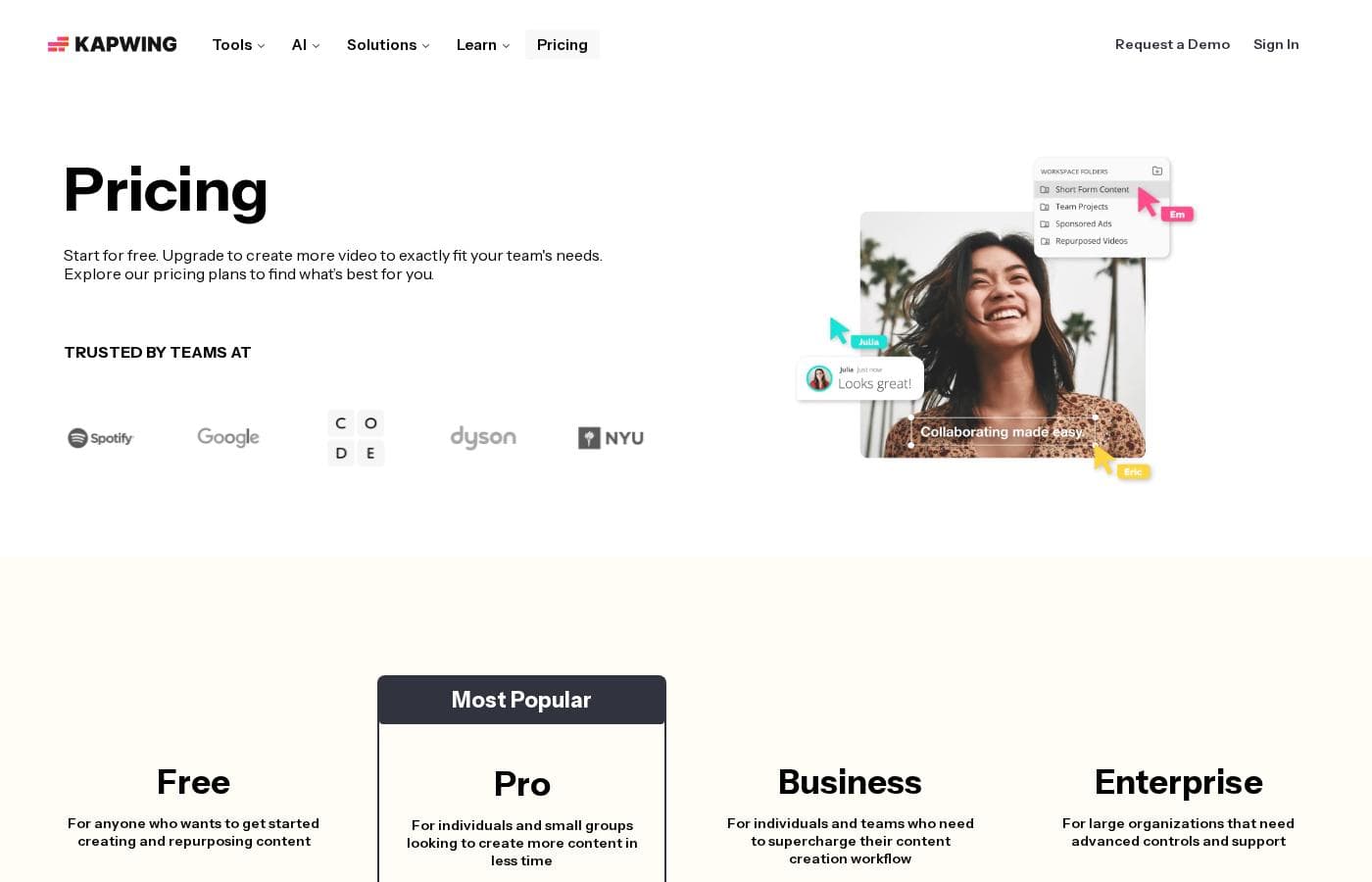
Kapwing offers four tiers, starting with a powerful free plan perfect for beginners, or scaling up via per-member subscriptions for individuals and teams. Choosing annual billing provides significant savings over the monthly rates for the Pro and Business plans.

Plans & Pricing

Free

Monthly$0
Yearly$0
  • Perfect for getting started creating and repurposing content

Pro

Monthly$24
Yearly$16
  • Billed per member, per month
  • For individuals and small groups
  • Everything in Free, plus features for your team workspace

Business

Monthly$64
Yearly$50
  • Billed per member, per month
  • For individuals and teams
  • Everything in Pro, plus features for your team workspace

Enterprise

MonthlyCustom
YearlyCustom
  • For large organizations
  • Advanced controls and support
  • Everything in Business, plus features for your team workspace

Kapwing costs between $0 and $50 per member/month (billed annually) with four plans: Free at $0, Pro at $16/member/month, Business at $50/member/month, and Enterprise (price not explicitly stated).

These plans help you explore Kapwing's full power and create content faster in less time.

FREE

Price: $0 Websites Supported: Not explicitly stated Best For: Anyone who wants to get started creating and repurposing content Refund Policy: Not explicitly stated Other Features:

  • It's free!

This is the perfect starting point if you are just beginning your content creation journey. You can access core tools without spending any money.

PRO

Price: $16 per member, per month (billed annually); $24 billed monthly Websites Supported: Not explicitly stated Best For: Individuals and small groups looking to create more content in less time Refund Policy: Not explicitly stated Other Features:

  • Everything in Free
  • Plus features for your team workspace
  • Most popular plan

The Pro plan is recommended for individuals or smaller teams serious about maximizing their workflow. Choosing the annual option saves you money every month compared to the flexible monthly rate.

BUSINESS

Price: $50 per member, per month (billed annually); $64 billed monthly Websites Supported: Not explicitly stated Best For: Individuals and teams who need to supercharge their content creation workflow Refund Policy: Not explicitly stated Other Features:

  • Everything in Pro
  • Plus additional features for your team workspace

If you are running a larger operation or require advanced features to significantly speed up your content workflow, the Business plan provides the necessary boost. It's designed for established teams that need maximum productivity.

ENTERPRISE

Price: Not explicitly stated Websites Supported: Not explicitly stated Best For: Large organizations that need advanced controls and support Refund Policy: Not explicitly stated Other Features:

  • Everything in Business
  • Advanced controls and support

Organizations requiring a custom setup, tailored controls, and dedicated support should reach out directly to Kapwing for details on Enterprise pricing.

Kapwing fortunately offers a fully functioning Free plan, allowing anyone to start creating and repurposing content right away. Paid plans offer discounted rates if you choose annual billing.

User Reviews

Users often praise Kapwing’s generally simple user interface, noting it’s super easy to use right in the browser without needing complex downloads. They appreciate specific powerful features like detailed timeline controls and the new “Repurpose Video” button for quick short-form content creation.

However, recent external feedback is overwhelmingly negative regarding business practices and high-risk policies. Many users complain they are misled by marketing, finding that nearly all useful tools are locked behind an immediate, expensive paywall, making the free plan useless.

Customer service is frequently deemed unresponsive and poor, often relying on a rigid “no refund policy” even when issues involve billing errors. Most critically, multiple users reported that Kapwing permanently and irresponsibly deleted all their projects—sometimes after just 30 days or a minor billing delay—with no warning or retrieval options.

This punitive data retention policy makes the platform a risky choice for professionals who need reliable content storage. 😥

What users say elsewhere

Julia H.
· Trustpilot
5.0 / 5

Kapwing is such a great tool for editing videos and creating content. It’s super easy to use, so you don’t need to be a pro to figure it out. Everything’s right there in your browser—no downloads needed.

Michael S.
· Trustpilot
1.0 / 5

I lost over a year of work because Kapwing permanently deleted all my projects after just a short billing delay. They wiped everything without warning or a chance to retrieve it. If you value your work, do not rely on Kapwing as your editing platform.

No reviews yet.

Write a Review

Write a Review for Kapwing
0/100 characters
0/2000 characters

Why use Kapwing?

Choosing the right video tool shouldn't be a difficult decision. Kapwing positions itself as the reliable service that streamlines your entire creative process. It allows you to spend less time learning complicated controls and focus entirely on making great videos. Why should Kapwing be your choice for video creation?

  • It just works! ✅ Start crafting immediately without a steep learning curve. You’ll save valuable time and achieve quick results.
  • Always Ready to Create: The platform ensures you are always prepared, which is ideal for anyone who needs consistent access and reliability.
  • Accessibility Focused: The excellent subtitling features make Kapwing an impressive tool for creators, notably aiding accessibility for deaf audiences.
  • Seamless Teamwork: Tools supporting collaborative editing mean your team can work together efficiently, enhancing overall productivity.
  • Comprehensive Utilities: Access core functions like Resizer, Smart Cut, Background Remover, and Clean Audio all within one powerful online workspace. ✨

Ready to transform your workflow with Kapwing?

Frequently Asked Questions

How does Kapwing calculate my subscription cost? Is it per user or based on usage?

Kapwing uses a per-member, per-month subscription model for its paid plans, Pro and Business. Your total cost depends on how many team members you grant access to your workspace.

Does Kapwing offer a free trial or a money-back guarantee for paid plans?

There is no money-back guarantee or formal free trial explicitly stated on the official pricing page. However, you can use the fully functional permanent Free plan to assess the core tools before committing to a paid subscription.

What is Kapwing’s policy regarding project data retention and permanent storage?

The official website documentation does not explicitly detail its project deletion policy. Prospective users should note that external feedback strongly suggests Kapwing may permanently delete user projects without warning after a billing delay or short usage gap.

How can I find out the price for the specific Enterprise plan features I need?

The Enterprise plan pricing is customized for large organizations. You will need to contact the Kapwing sales team directly to request a custom quote and discuss necessary advanced controls and dedicated support.

Are there quotas or limits on the number of videos I can create or the total storage I receive?

The official pricing details do not explicitly state any hard quotas regarding video output, export limits, or total storage capacity available within any of the plan tiers.

How much money can I save by choosing annual billing over monthly billing?

Choosing annual billing provides significant savings over monthly rates. Pro plan members save $8 per person monthly ($24 down to $16), and Business members save $14 per person monthly ($64 down to $50).

Does Kapwing offer dedicated onboarding or migration support?

Dedicated onboarding services are not mentioned for the Pro or Business plans. Teams requiring comprehensive setup or migration assistance should inquire directly when discussing the Enterprise plan.

Who is Kapwing best suited for, based on its features and positioning?

Kapwing is ideal for social media managers and teams who need fast, accessible, browser-based video editing. It is highly praised for its collaborative tools and excellent accessibility features like subtitling.

What kind of customer support or Service Level Agreement (SLA) is included with paid plans?

Basic support policies are not specified for Pro or Business tiers. Only the Enterprise plan explicitly includes advanced controls and dedicated support. External reviews frequently describe generalized customer service as rigid and unresponsive.

Does Kapwing integrate with other external platforms or offer an API for developers?

Specific information regarding official integrations, third-party platform support, or developer API access is not explicitly stated within the provided official website content or pricing documentation.

How can I cancel my subscription, and what are the specific auto-renewal policies?

Detailed cancellation procedures and official auto-renewal policies are not provided in the accessible content. External feedback suggests users should be careful to manage auto-renewal to avoid unexpected charges.

Are Kapwing’s services available in multiple languages or restricted by region?

Details about regional operational limitations or which languages the platform supports for its interface or tools are not explicitly stated on the official site content.

Ready to try Kapwing? Check out the official site or pricing.