Crazyegg

Crazyegg review

See what visitors actually do on your site, then test what fixes it.

Crazyegg costs from $29/mo · 4 plans · prices checked Oct 12, 2026

By Ciroapp Editorial Team · Updated Sep 16, 2026

Commission may apply at no extra cost

Crazyegg homepage screenshot

At a glance

Quick overview for Crazyegg: rating, pricing summary, key features, and highlights.
Pricing verified Oct 12, 2026

Ciroapp score

4.1/ 5

Crazy Egg bundles heatmaps, session recordings, A/B testing, surveys, and popup CTAs in one low-code platform that shows why pages underperform. It's easy for marketers to run, though costs scale with traffic and testing stays basic. Overall, it's a strong pick for teams that want visual behavior insight without enterprise complexity.

Pros

  • Pros:Six tool categories, including heatmaps, recordings, A/B testing, analytics, surveys, and popups, are covered in one subscription, reducing stack sprawl
  • Pros:Free plan and free trial let you validate the platform on real traffic before committing budget
  • Pros:Visual, low-code workflow that marketers can operate without ongoing developer support

Cons

  • Cons:Usage-based pricing scales with traffic, and costs can climb steeply for high-volume sites, with the published range topping out at $81,078/month
  • Cons:A/B testing is geared to simple page-level experiments, so teams needing advanced statistical or server-side testing may outgrow it
  • Cons:Heatmap reports are built from sampled snapshots, so they reflect a subset of visits rather than every visitor
Best for
  • E-commerce stores that need to diagnose checkout friction and product-page drop-off
  • Marketing and CRO teams running landing page experiments and redesigns
  • SaaS and lead-generation sites without a dedicated data team that need visual behavior insight
This section is a summary. Detailed sections about features, use cases, pricing, and reviews follow below.

What is Crazyegg?

Crazy Egg is a website optimization suite used by more than 436,000 sites to understand how visitors actually behave on a page. Instead of guessing why a landing page underperforms, you can watch recordings, read heatmaps, and run tests that confirm what to change. This review covers its features, pricing structure, strengths, and limitations so you can decide whether it fits your workflow.

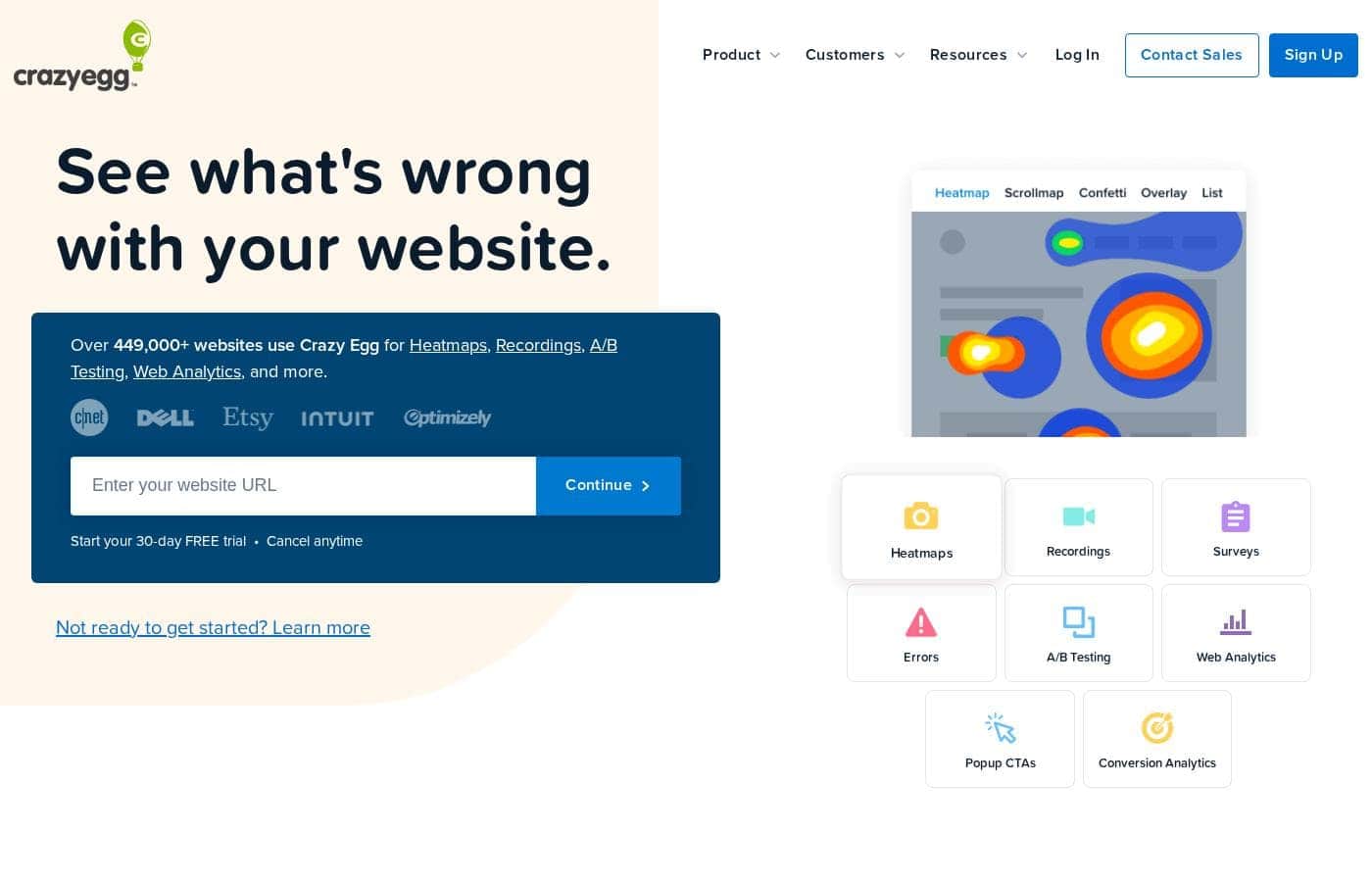
Crazy Egg is a web-based analytics and optimization platform that combines six core capabilities: heatmaps, session recordings, A/B testing, web analytics, surveys, and popup CTAs. Heatmaps show where visitors click, move, and stop scrolling, while recordings capture full sessions so you can watch friction happen in real time. The platform runs alongside your existing site and is aimed primarily at marketers and site owners rather than engineers.
Should you choose Crazyegg?

Quick buyer guidance before you compare plans or click through.

Choose it if

  • E-commerce stores that need to diagnose checkout friction and product-page drop-off
  • Marketing and CRO teams running landing page experiments and redesigns
  • SaaS and lead-generation sites without a dedicated data team that need visual behavior insight
  • Agencies managing optimization across multiple client websites

Skip it if

  • Enterprise experimentation programs that require advanced statistics, server-side testing, or feature-flag workflows
  • Mobile-app-only businesses, since Crazy Egg is built for websites
  • Very high-traffic sites on tight budgets, where usage-based pricing may become expensive

Next steps before buying

  1. 1Sign up at crazyegg.com and start on the free plan or free trial to test it against your actual traffic
  2. 2Install the tracking snippet directly or through a tag manager or platform integration for your CMS or store
  3. 3Create a Snapshot on a key page such as your homepage or a landing page to generate your first heatmap
  4. 4Review session recordings for that page and note two or three concrete friction points
  5. 5Launch a simple A/B test on the highest-impact fix, then add a survey to capture visitor feedback on the change

Crazyegg Key Features

✨ Heatmaps and Scrollmaps

Crazy Egg's signature feature visualizes clicks, mouse movement, and scroll depth on any page. Click maps show which elements draw interaction, while scrollmaps reveal how far visitors read before leaving, which is useful for spotting content that never gets seen. Reports are generated from snapshots of visits, giving you a meaningful sample rather than a single session's noise.

✨ Session Recordings

Recordings replay individual visitor sessions, letting you watch users navigate, hesitate, and abandon. This is often the fastest way to diagnose specific friction points, such as form fields that confuse people or buttons that get ignored. Recordings complement heatmaps by adding the sequence and context that aggregate maps cannot show.

✨ A/B Testing

Built-in A/B testing lets you create page variants and measure which version performs better against your goals. Most layout and copy changes can be made without developer involvement, which shortens the experiment cycle. It suits straightforward page-level tests rather than complex, multi-page experimentation programs.

✨ Web Analytics

The platform includes traffic analytics that connect on-page behavior to sources, devices, and pages. This helps answer the follow-up questions heatmaps raise, such as whether an engaging element performs consistently across traffic segments. It is designed to complement rather than replace general-purpose analytics packages.

✨ Surveys and Popup CTAs

On-site surveys collect direct visitor feedback, adding the reasoning behind observed behavior, while popup CTAs turn insights into action by promoting offers or capturing emails at well-timed moments. Keeping research and activation in the same platform means findings translate into campaigns faster.

Use Cases

💡 Diagnosing Landing Page Underperformance

When a paid or organic landing page converts poorly, heatmaps and scrollmaps show whether visitors see the offer, engage with the CTA, or exit before the key message. Recordings add the sequence of hesitation, and surveys can ask visitors what was missing. Together these reveal whether the problem is messaging, layout, or expectation mismatch.

💡 Reducing Checkout and Form Drop-Off

E-commerce teams use session recordings to pinpoint the exact step where shoppers abandon, whether it is shipping costs, form validation, or trust concerns. Heatmaps on form pages highlight fields that attract repeated clicking, a classic confusion signal. Fixes can then be tested with A/B variants before a full rollout.

💡 Validating Redesigns Before Full Launch

Before committing to a redesign, teams can run A/B tests comparing the new layout against the current one and use scrollmaps to confirm that important content still gets seen. This turns a subjective design debate into an evidence-based decision backed by conversion data.

💡 Prioritizing Conversion Optimization Work

Agencies and in-house teams reviewing many pages use snapshots and analytics to rank opportunities by potential impact. Instead of relying on opinions, the team works from a list of pages with demonstrated friction, which makes roadmap conversations with stakeholders faster and less contentious.

Crazyegg pricing

From$29/mo

  • From the vendor's pricing page, checked Oct 12, 2026
  • 4 plans

Prices checked on Oct 12, 2026 from Crazyegg's pricing page

Crazyegg pricing page screenshotView pricing page screenshot
PlanBilled monthlyBilled annuallyIncludes
Starter
$29/mo
—
Plus
$99/mo
—
Pro
$249/mo
—
Enterprise
$599/mo
—

Price history

Tracking prices since Oct 1, 2026. No price change detected yet.

Pricing types: Free plan, Free trial, Monthly subscription, Usage-based pricing

Pricing notes

Crazyegg pricing: Plans from $0/month Billing options: Free plan, Free trial, Monthly subscription, Usage-based pricing

Cost calculator

Estimate what Crazyegg costs for your team.

Billing
Per month
$29
Per year
$348

Starter states no user limit: shown as one price for the whole account. Check the price for 5 users with the vendor. Estimate based on published list prices, before taxes, add-ons and discounts.

Email me when Crazyegg changes price

One email when we detect a price change on the vendor's pricing page. No newsletter, no deals. Unsubscribe in one click.

User Reviews

No reviews yet.

Write a Review

Write a Review for Crazyegg
0/100 characters
0/2000 characters

Why use Crazyegg?

Most analytics tools tell you what happened, such as traffic dropping or bounce rate rising, but not why. Crazy Egg fills that gap by visualizing on-page behavior so you can see the exact elements that attract or repel attention.

Because testing, feedback collection, and behavioral analysis live in one suite, you can move from insight to validated change without stitching together multiple tools.

Crazyegg alternatives

Other tools in the A/B Testing category

View all A/B Testing tools
Improvely

Improvely

A/B Testing3.8/5

Improvely is an easy-to-use dashboard designed for marketers looking to centralize their results monitoring. It's a comprehensive tool built specifically to optimize your marketing performance. If you need to know exactly where every signup and sale originates—from a specific campaign or any other channel—Improvely delivers that information. It serves individual marketers, remote teams, and agencies working with clients, offering robust team logins and custom-branded client reports. It works everywhere you advertise online.

Zoho PageSense

Zoho PageSense

A/B Testing4/5

Zoho PageSense is the Conversion Optimization and Personalization Platform that tracks and analyzes your website performance and visitor behavior. It's designed for marketers and website owners who want to drive conversions by testing, personalizing, and engaging visitors—without writing code. Take a step forward with tools built to analyze your site's metrics, drive leads that convert, and deploy web pages that perform and do much more, all without you writing a single line of code.

VWO

VWO

A/B Testing3.9/5

VWO is a comprehensive experimentation platform designed to help teams analyze, test, and personalize across websites, mobile apps, and product features. It enables end-to-end optimization of digital journeys, empowering product managers, marketers, UX professionals, and engineers to build a complete optimization program that aligns with business goals. The platform blends user data, qualitative insights, and rigorous testing to validate ideas and deliver tailored experiences.

Proof

Proof

Real-time Website Personalization4.1/5

Proof is a social proof marketing platform built around its flagship product, Proof Pulse. The company says 25,000+ online businesses use it to convert visitors into leads and sales. It targets marketers and online businesses that want website personalization without a heavy technical project. Proof is a Y Combinator Winter '18 graduate based in Austin, Texas, and offers a 14-day free trial of Pulse.

Crazyegg FAQ

How much does Crazyegg cost?

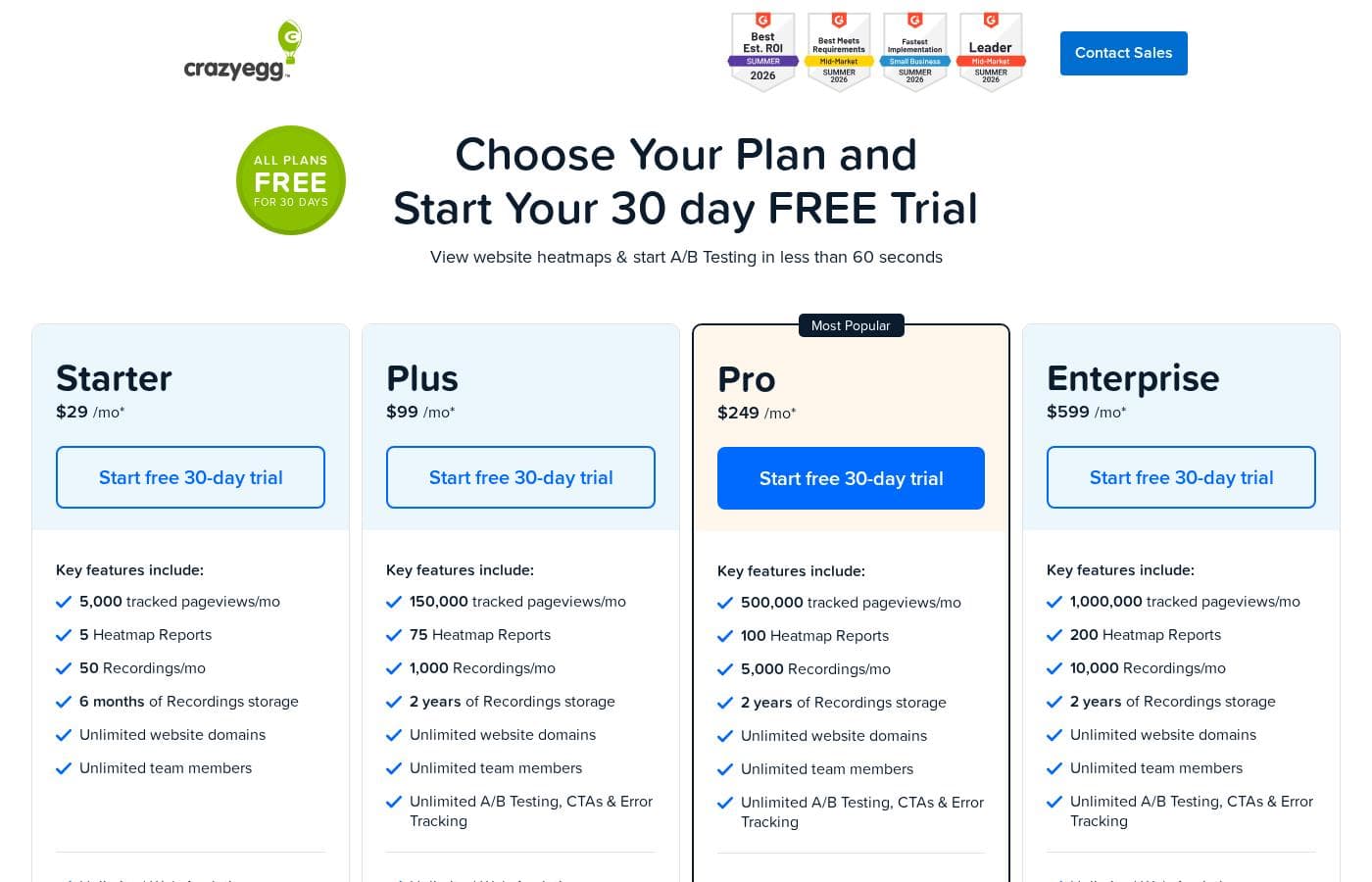
Crazyegg's cheapest paid plan, Starter, costs $29 per month. Paid plans range from $29 to $599 per month. Prices checked on Oct 12, 2026 from the vendor's pricing page.

Has Crazyegg's price changed recently?

No. We have not detected a price change since we started tracking on Oct 1, 2026.

Does Crazy Egg have a free plan?

Yes. Crazy Egg offers a free plan alongside a free trial, monthly subscriptions, and usage-based pricing, so you can evaluate it on real traffic before paying. Paid tiers scale with the volume of traffic you track.

Do I need developer help to install and use Crazy Egg?

Setup requires adding a tracking snippet to your site, which can be done directly or through common integrations and tag managers. After installation, heatmaps, recordings, and reports generate automatically, and simple A/B tests can be built visually.

How is Crazy Egg different from Google Analytics?

Google Analytics reports aggregate traffic metrics such as sessions and sources, while Crazy Egg focuses on on-page behavior, including what visitors click, how far they scroll, and where they struggle. The two tools are typically used together rather than as substitutes.

Ready to try Crazyegg? Check out the official site or pricing.

Are you Crazyegg? Claim this listing · Get the badge