Zoho PageSense

Zoho PageSense

The Conversion Optimization and Personalization Platform

#1 dans A/B Testing
2 min read · Updated 11/17/2025
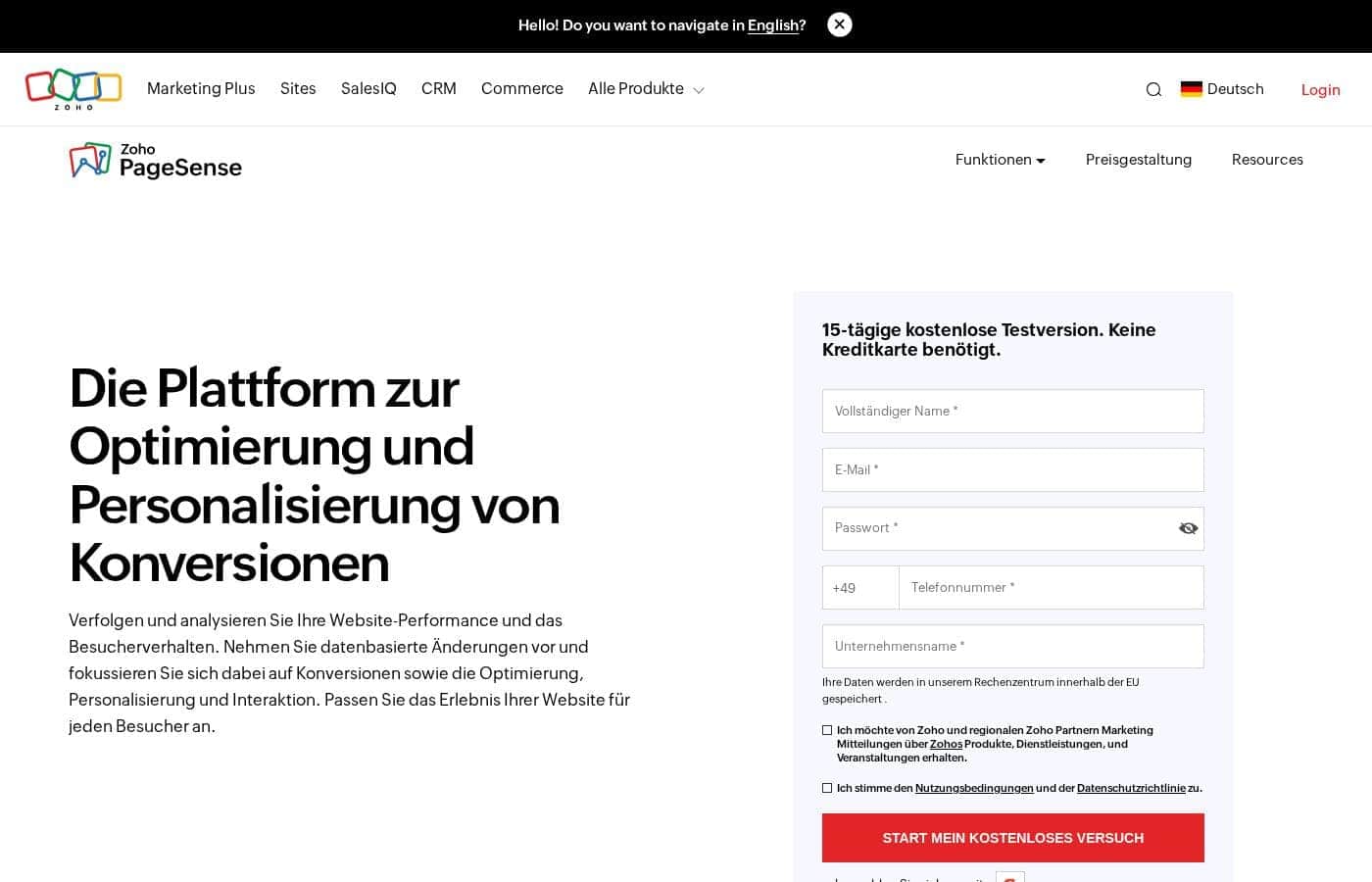
Zoho PageSense homepage screenshot

At a glance

Quick overview for Zoho PageSense: rating, pricing summary, key features, and highlights.

Ciroapp review

4.3
Comprehensive CRO in the Zoho Ecosystem.

Zoho PageSense provides a complete, no-code CRO toolkit ideal for tracking visitor behavior and running complex optimization experiments. We appreciate the flexible, visitor-based pricing and its tight integration into the wider Zoho ecosystem, simplifying workflow management. Overall, this is a powerful and accessible optimization platform well-suited for businesses focused on achieving data-driven growth.

Pros

  • Pro:All-in-one suite for CRO, personalization, and engagement.
  • Pro:Simple, accessible, and requires no code for setup and use.
  • Pro:Pricing is flexible and scales based strictly on visitor volume.
  • Pro:Uses a unified code to prevent slowing down website loading speed.

Cons

  • Con:Exact dollar pricing is determined by visitor volume and is not explicitly published.
  • Con:Running experiments stops automatically if visitor volume limits are exceeded.
  • Con:Some general users report mixed or poor experiences with customer service responsiveness.
  • Con:Potential high risk of account lockouts due to faulty MFA reset processes reported across Zoho.
Free trial
Yes — 15 days
Range: Pricing details depend on visitor volume and are not explicitly stated.Free trial, Monthly subscription, Yearly subscription, Usage-based pricing
This section is a summary. Detailed sections about features, use cases, pricing, and reviews follow below.

Zoho PageSense review, pricing, features, pros & cons

Are you frustrated by website visitors who leave without converting? It's hard to know what stops conversion and where visitors drop off. Zoho PageSense solves this pain.

It helps you track behavior and analyze performance quickly. This allows you to make data-driven changes focused on optimization and engagement. ✨

What is Zoho PageSense?

Zoho PageSense is an all-in-one platform built for maximizing conversions. It’s a powerful tool designed to help you analyze website metrics and deep dive into visitor behavior. You can fully understand visitor patterns without needing technical skills or writing a single line of code.

This platform lets you track, analyze, optimize, personalize, and engage your audience effectively. It serves as a unified solution ideal for target audiences like Ecommerce and B2B Marketers. 💡

Zoho PageSense Key Features

💡 Deep Dive into Visitor Behavior

Stop guessing about how visitors use your website. PageSense lets you directly observe user behavior quickly. Session recording captures every unique visitor journey for you to watch. This allows you to see where visitors struggle, click errors, or drop off without converting.

Heatmaps provide powerful visual insights into site interactions. You can view attention maps and crucial scrollmaps for clear insights into where users focus their time. This data helps you optimize content placement immediately.

Additionally, Form Analytics shows specific interactions within your contact and checkout forms. You’ll find exactly which fields cause people to abandon the process so you can edit those fields for better completion rates.

✨ Conversion Funnel Analysis and Goals

Achieving maximum conversion rates requires accurate, measurable metrics. Web Analytics gives you an in-depth overview of your website’s overall performance. This helps you quickly identify which demographics and channels drive the most revenue.

Funnel Analysis clearly shows which webpages have the most serious drop-off points. Analyzing these patterns helps ensure more users complete the desired journey. You can confidently address key abandonment areas.

You can also set specific key performance indicators using the Goals function. Setting custom Goals for each experiment allows you to track success accurately across all crucial website metrics.

📈 Run Powerful Optimization Experiments

Taking the guesswork out of design changes is crucial for optimization efforts. PageSense provides powerful tools for running controlled experiments. You can run A/B tests to compare different design variations head-to-head. This helps you reliably choose the best version that drives conversion increases.

The platform supports several types of testing needed for complex optimizations. This includes Split URL testing, which lets you test completely different pages against each other. Experiments ensure you only deploy pages that are proven to perform well with real website users.

✨ Deliver Instant Personalized Experiences

Every visitor benefits from a unique and relevant online experience. Zoho PageSense allows you to customize your website instantly for individual users. It uses current visitor data, browsing history, and past behavior to tailor content. This creates a highly relevant experience for every single person accessing your site.

Personalization is a key tool for improving user satisfaction. It helps maximize conversion outcomes by displaying the most appealing message to the right person at the right time.

✨ Proactive Visitor Engagement Tools

Proactive engagement helps capture leads and keep visitors interested in your brand. PageSense includes several tools to communicate directly with your audience. You can use Polls to collect feedback, generate leads, or gather ratings.

The platform also helps you drive immediate engagement using visual elements. This includes:

  • Pre-designed pop-ups
  • Slide-ins
  • Banners

These tools help capture attention and push key messages effectively. You can also re-engage customers efficiently through Push Notifications, even when they’ve left your website.

✨ Effortless Setup and Compliance

Zoho PageSense is built to be simple and accessible for all users. It uses no-code tools and features a very straightforward user interface (UI). Setting up experiments and analysis is effortless, even if you’re not a technical expert.

Experimentation does not have to slow down your site. The platform uses one code for multiple experiments, resulting in no negative impact on crucial page load time. The system also integrates seamlessly with the full Zoho ecosystem and many popular third-party business apps.

Finally, the system ensures your peace of mind with strong privacy compliance. Customer privacy is a top priority, maintaining standards like GDPR compliance and PCI DSS standard certifications.

Use Cases

📈 Fixing Drop-offs in the Checkout Funnel

It's frustrating when potential customers abandon their carts right before buying. You need to know exactly which step in your conversion path is driving people away. Use Funnel Analysis to pinpoint the specific page where the biggest drop-offs occur.

Once the problem page is identified, review Session Recordings from visitors who left. You can literally watch their browsing journey to spot technical errors, confusion in the checkout flow, or slow loading elements. This behavioral data lets you fix conversion blockers based on facts, not guesswork.

✅ Boosting Conversions with A/B Testing

Your marketing team wants to test two new calls-to-action (CTAs) for your main product page. Running controlled experiments helps you compare results accurately. PageSense lets you run A/B testing without technical expertise.

First, set a clear Goal, such as submitting a lead form. Next, create two content variations easily within the platform. Run the test by splitting traffic evenly, and the platform selects the variation that performs best against your conversion goal. You can stop guessing and start running controlled experiments immediately.

💡 Increasing Form Completion Rates

Problem: Visitors are clicking on your quote request form but are leaving before they hit submit. You suspect the form is too long or confusing.

Approach: Deploy Form Analytics to track how visitors interact with every field. The data tells you which specific inquiry fields cause visitors to hesitate, click away, or abandon the form completely.

Expected outcome: You can easily edit or remove the problematic fields to significantly increase form completion rates.

✨ Delivering Personalized Website Experiences

For B2B marketers, delivering highly relevant content instantly increases engagement. You want to greet customers differently based on their past actions, like showing case studies related to the industry they visited last week.

Use PageSense's Personalization features to customize the website instantly based on visitor data and past browsing behavior. This ensures every unique visitor sees the most relevant headlines, images, or offers. You drive better engagement because the website feels tailored just for them.

Tip: Apply personalization to promote timely limited offerings to returning customers.

👀 Optimizing Element Placement with Visual Data

You need to confirm if important elements, like a discounted banner or a specific button, are catching the visitor’s eye. Traditional analytics won't show you visual engagement.

Run Heatmap analysis to see exactly where visitors are clicking, where they are paying attention, and how far they scroll down the page. The scrollmaps tell you if your critical information is below the fold for most users. You can then make data-driven changes to your layout, ensuring key conversion elements are placed in high-visibility areas.

💬 Gathering Direct Customer Feedback Right Away

Sometimes, you need direct answers why someone didn't convert today. Easily launch Polls using templates on specific exit-intent pages or during the browsing journey.

These polls let you quickly gather ratings, qualitative feedback, or essential lead generation details. You gain immediate, actionable insights into visitor sentiment that standard metrics might miss. Use this feedback to fuel your next website optimization experiment.

Pricing Overview for Zoho PageSense

Pricing range
Pricing details depend on visitor volume and are not explicitly stated.
Pricing types
Free trial, Monthly subscription, Yearly subscription, Usage-based pricing

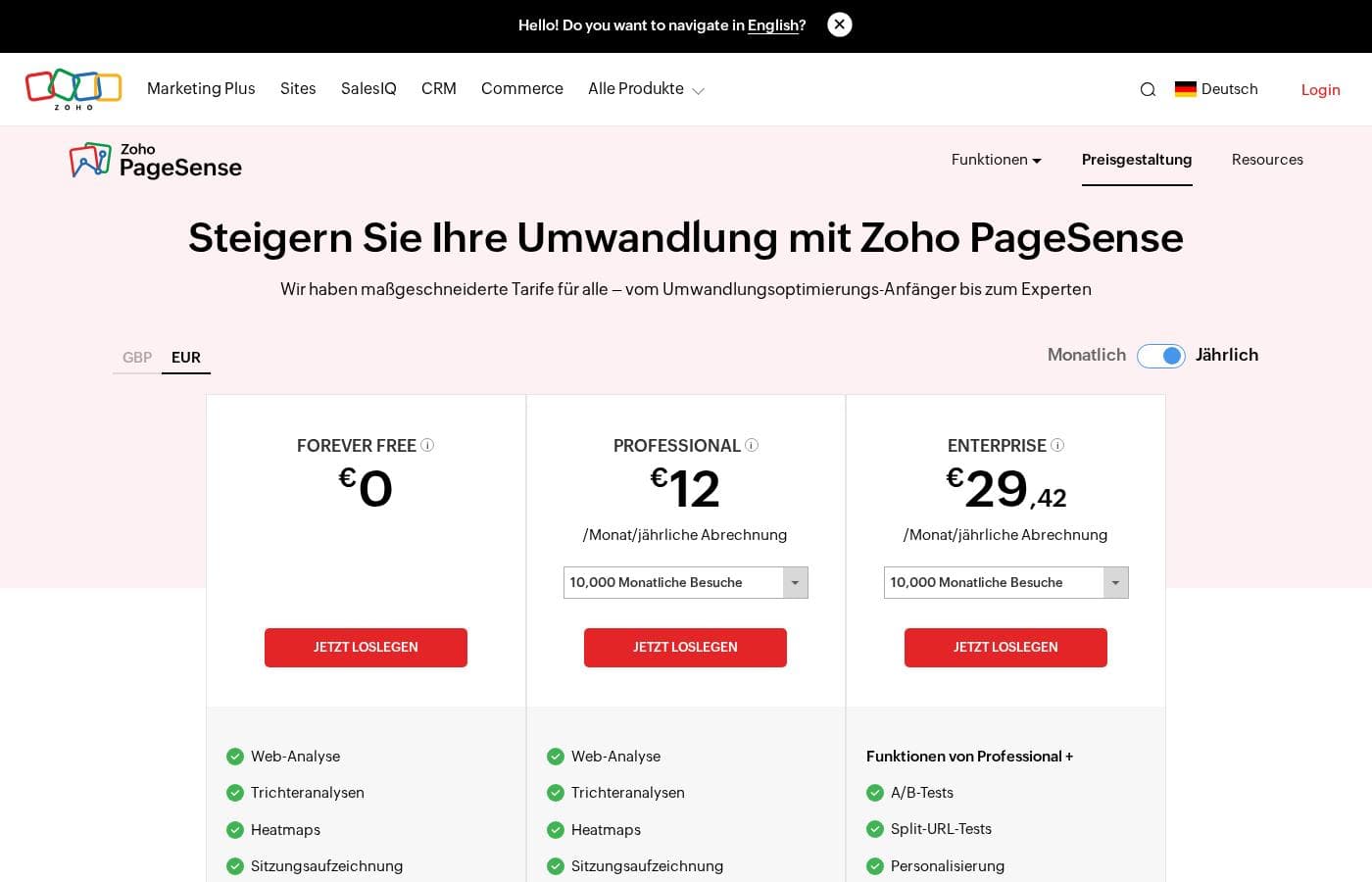
Zoho PageSense pricing is flexible and based on the number of monthly visitors you need to track. While exact dollar amounts are not shown, there are three main tiers—Analyze, Engage, and Optimize—which offer savings for choosing yearly billing.

Plans & Pricing

Analyze

MonthlyNot explicitly stated
YearlyNot explicitly stated (Monthly price - 40%)
Starts at 10,000 Monthly Visitors. Includes 3 Projects, 6 Months data retention, 20 Custom dimensions, and 20 Goals.
  • Web analytics
  • Funnel analysis
  • Heatmaps
  • Session recording
  • Form analytics

Engage

MonthlyNot explicitly stated
YearlyNot explicitly stated (Monthly price - 40%)
Starts at 10,000 Monthly Visitors. Includes 3 Projects, 6 Months data retention, 30 Custom dimensions, and 30 Goals.
  • All Analyze features
  • Polls
  • Push notifications
  • Pop-ups & banners

Optimize

MonthlyNot explicitly stated
YearlyNot explicitly stated (Monthly price - 40%)
Starts at 10,000 Monthly Visitors. Includes 10 Projects, 12 Months data retention, 50 Custom dimensions, and 50 Goals.
  • All Engage features
  • A/B testing
  • Split URL testing
  • Personalization

Zoho PageSense costs between Not explicitly stated and Not explicitly stated per period with 3 plans: Analyze, Engage, and Optimize.

Since pricing is based on the volume of monthly visitors, the exact cost isn't shown here. Let's look at the features and scope included in each plan, based on the foundational 10,000 monthly visitor tier information.

Analyze

Price: Not explicitly stated Websites Supported: Not explicitly stated Best For: Conversion optimization beginners, quick website insights, visitor behavior data. Refund Policy: Not explicitly stated Other Features:

  • Web analytics and Funnel analysis
  • Heatmaps and Session recording
  • Form analytics
  • 3 Projects, 6 Months data retention
  • 20 Custom dimensions and 20 Goals

The Analyze plan is perfect for beginners who need foundational insights into website performance. It gives you quick access to visitor behavior data like heatmaps and crucial session recordings.

Engage

Price: Not explicitly stated Websites Supported: Not explicitly stated Best For: Improve visitor engagement and increase conversion rates. Refund Policy: Not explicitly stated Other Features:

  • Features from Analyze are included
  • Polls
  • Push notifications
  • Pop-ups & banners
  • 3 Projects, 6 Months data retention
  • 30 Custom dimensions and 30 Goals

You should choose Engage if your primary focus is on interacting directly and proactively with your audience. This plan adds important engagement tools like polls and pop-ups to help increase conversions effectively.

Optimize

Price: Not explicitly stated Websites Supported: Not explicitly stated Best For: Run powerful experiments, optimize websites, and deliver personalized experiences. Refund Policy: Not explicitly stated Other Features:

  • Features from Engage are included
  • A/B testing
  • Split URL testing
  • Personalization features
  • 10 Projects, 12 Months data retention
  • 50 Custom dimensions and 50 Goals

The Optimize plan is designed for experts dedicated to running large-scale experimentation and advanced optimization tasks. It unlocks premium functions like A/B testing and crucial personalization capabilities needed for complex user journeys.

Zoho PageSense makes it easy to explore its full capabilities with a 15-day free trial. You get comprehensive access to all features, 5,000 monthly visitors, and 3 Projects, and you don't even need a credit card to sign up. If you choose the yearly plan, you will be billed as a one-time payment based on the total visitor volume selected for the entire year.

User Reviews

Reviewers consistently rate the overall Zoho ecosystem highly, reflecting a 4.1 TrustScore. While specific feedback for PageSense is limited, users generally praise Zoho’s suite products, like Zoho Social, for their user-friendly interfaces and intuitive design.

Many highlight that Zoho tools are affordable and offer comprehensive features, making them excellent, cost-effective alternatives for managing complex tasks in one centralized place. Customers appreciate the clean dashboards and the ability to streamline workflows, saving significant time and effort.

This suggests PageSense adheres to the company's commitment to accessible, powerful utility. However, the feedback isn't entirely positive.

Some users have reported mixed experiences concerning general Zoho customer service, noting difficulties getting in touch with support. A serious recurring technical flaw mentioned is the lack of a proper reset process for the Multifactor Authentication (MFA), which can cause users to be completely locked out of their accounts.

This indicates potential risks concerning high-stakes technical support and account access within the broader Zoho framework. 🌟

What users say elsewhere

Alex S.
· Trustpilot
5.0 / 5

The platform is incredibly user-friendly, with easy management available via web or mobile app. This makes planning and organizing our content straightforward and delightful to update.

Ben H.
· Trustpilot
5.0 / 5

Zoho Social simplified operations dramatically for us. Managing multiple accounts is now seamless, letting us monitor engagement and track performance all in one centralized place.

No reviews yet.

Write a Review

Write a Review for Zoho PageSense
0/100 characters
0/2000 characters

Why use Zoho PageSense?

Achieving maximum conversions requires powerful insights and unified tools. Zoho PageSense provides everything you need under one digital roof. You can stop guessing and start running controlled experiments immediately to drive leads that convert.

Here is why professionals choose this platform:

  • Unified CRO Toolkit: You get a wide range of powerful tools specifically for Conversion Rate Optimization (CRO) right in one place.
  • Simple and Accessible: It features no-code tools and a straightforward user interface (UI). Setting it up is effortless, even if you are not technical.
  • 💡 Performance and Integration: PageSense does not slow down your website. It uses one code for multiple experiments, resulting in no impact on page load time. Plus, it integrates tightly with the larger Zoho ecosystem and other third-party business apps.
  • 📈 Personalized Experiences: Use visitor data and past browsing habits to customize the website experience for every single visitor instantly.
  • 🔒 Trust and Compliance: Customer privacy is a top priority. The platform maintains GDPR compliance and PCI DSS standard certifications, keeping your data secure.

This system allows you to deploy web pages that perform and make crucial data-driven business decisions. Start your free trial today and join the millions tracking visitors with confidence. 🚀

Ready to transform your workflow with Zoho PageSense?

Zoho PageSense Alternatives

Other tools in the A/B Testing category

Frequently Asked Questions

Is the pricing based on the number of users or the volume of visitors?

Pricing scales strictly based on your monthly visitor volume, not on the number of team members or user seats. This usage-based model is consistent across all three available plans.

How does PageSense count a unique monthly visitor?

Visitor tracking is cookie-based. If a visitor comes to your site repeatedly within a month, they are counted just once, provided they do not clear their browser cookies during that time.

What happens if we exceed the monthly visitor limit on our plan?

If you reach your limit, all experiments that are currently running will automatically pause. You can purchase a visitor top-up plan at any time to ensure your optimization efforts continue without interruption.

How does the free trial work, and do I need a credit card to start?

The trial lasts for 15 days and does not require a credit card to sign up. It provides full access to all features, including capacity for 5,000 monthly visitors and 3 projects.

What happens to my ongoing experiments if the 15-day trial expires?

Your active experiments will pause when the trial period ends. You keep access to all existing reports and configurations and can re-launch them immediately upon subscribing to a paid plan.

Does PageSense integrate with other business tools?

Yes, PageSense is designed to integrate seamlessly with the extensive Zoho ecosystem. It also supports integration with various third-party business apps, helping you achieve a 360-degree view of your campaigns.

How does the annual billing cycle work regarding visitors?

When you choose a yearly plan, you pay for the full year upfront in a single payment. Your total annual visitor volume is credited to your account instantly, instead of being added monthly.

What is the policy if I need to cancel or downgrade my subscription?

If you cancel or choose to downgrade, you will still be charged for the entire current billing cycle. However, all paid functionalities will remain available to you until that cycle officially closes.

If I downgrade my plan, will I lose access to historical experiment data?

No, you will always have access to all your past experiment configurations and reports. However, if you have more active projects than your new plan allows, the extra projects will be paused.

What data security and compliance standards does PageSense follow?

Customer privacy is paramount. PageSense is GDPR-compliant and holds PCI DSS standard certifications, supporting security with biometric access control, video monitoring, and advanced network encryption.

How long will my data be saved after I close my account?

Data retention depends on your plan level. Trial data is retained for 90 days. Analyze and Engage plan data is kept for 6 months, while Optimize plan data is retained for 12 months.

What payment methods does Zoho PageSense accept?

We accept major credit cards, including Visa, MasterCard, and American Express, as well as PayPal. For yearly subscriptions, you may also pay through bank transfer or check transfer.

Ready to try Zoho PageSense? Check out the official site or pricing.