NinjaOne

NinjaOne

Unified IT operations platform powered by human-centered AI for smarter endpoint management and autonomous patching.

2 Min. Lesezeit · Aktualisiert 15. Mai 2026
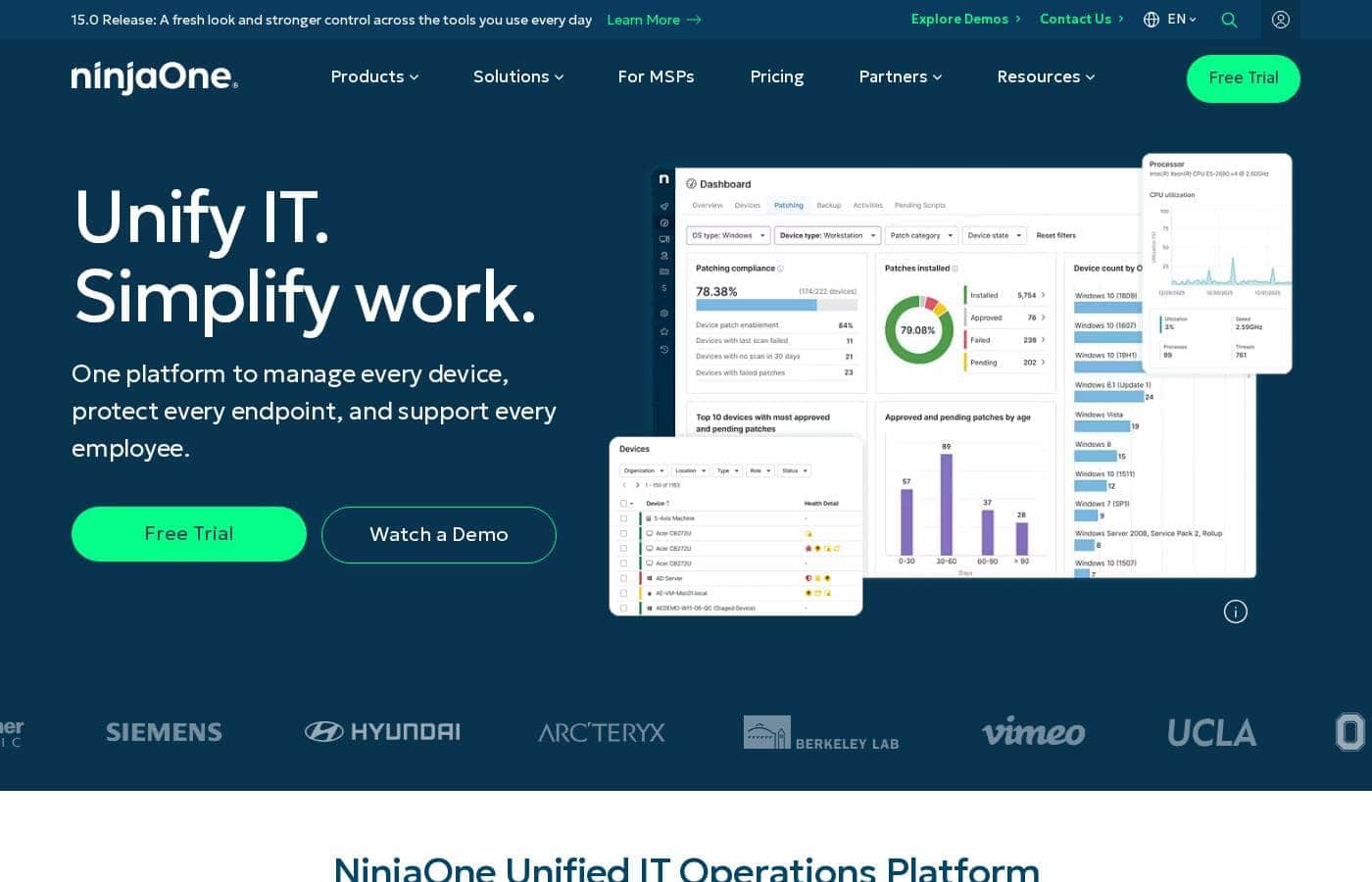
NinjaOne Homepage-Screenshot

At a glance

Quick overview for NinjaOne: rating, pricing summary, key features, and highlights.
Best for
IT teams seeking to consolidate multiple management tools into a single platform.MSPs looking to scale operations with AI-powered automation and unified management.Organizations prioritizing rapid deployment and time-to-value in IT operations.Teams needing to strengthen security through faster, automated patch management and endpoint visibility.
Benutzerfreundlichkeit
The platform emphasizes a user-friendly experience, promising quick deployment and proficiency. It avoids complex proprietary languages and aims for straightforward configuration and operation without dedicated administrators.

Ciroapp review

4.6
Unified, fast, and user-friendly IT ops.

We find NinjaOne excels as a consolidated IT management platform, delivering on its promise of streamlined operations and rapid deployment. Overall, it offers powerful automation and a clean interface, making it a strong choice for teams looking to replace multiple single-purpose tools.

Vorteile

  • Vorteile:Unified console for RMM, patching, backup, and service desk.
  • Vorteile:Rapid deployment and user proficiency, often in under a month.
  • Vorteile:Strong, responsive customer support and free unlimited training.

Nachteile

  • Nachteile:Public pricing requires a sales consultation for exact quotes.
  • Nachteile:Not suitable for on-premise deployment needs.
  • Nachteile:May offer more features than very small teams require.
Kostenlose Testphase
Yes — 14 Tage
Bereich: $1.50 – $3.75 per endpoint/monthFree trial, Monthly subscription, Yearly subscription, Usage-based pricing
This section is a summary. Detailed sections about features, use cases, pricing, and reviews follow below.
Hinweis: Diese Seite kann Affiliate-Links zu NinjaOne enthalten. Wenn Sie auf diese Links klicken und kaufen, kann Ciroapp ohne zusätzliche Kosten für Sie eine Provision erhalten.

NinjaOne Bewertung, Preise, Funktionen, Vor- und Nachteile

Are you juggling a dozen different tools just to manage devices, secure endpoints, and support your team? That complexity costs time and creates security gaps. ✨ NinjaOne brings everything into a single, cloud-native console to reduce friction and let your IT team focus on what matters.

It promises to unify visibility and control, automate critical tasks, and help you support employees faster. The goal is simpler IT operations without the usual headaches.

Was ist NinjaOne?

💡 NinjaOne is a unified IT operations platform designed for IT teams and managed service providers (MSPs). It acts as a central hub to manage all your endpoints, secure devices, automate patching, handle backups, and provide remote support.

The software is built to replace multiple single-purpose tools. It's for organizations that want to streamline device management, improve security compliance, and boost helpdesk efficiency from one place.

Compare NinjaOne with similar tools and browse the full category before choosing.

View all Help Desk tools

Should you choose NinjaOne?

Quick buyer guidance before you compare plans or click through.

Choose it if

  • Buyers who want a cloud-native SaaS solution with no infrastructure to provision.
  • IT leaders aiming to reduce operational complexity and tool fragmentation.
  • Teams that need fast, reliable remote support and a centralized service desk.
  • Organizations evaluating platforms with strong public recognition (e.g., Gartner Magic Quadrant Leader, 5-star CRN rating).

Skip it if

  • Buyers with strict, immediate requirements for specific niche integrations beyond the listed ecosystem.
  • Teams requiring detailed, transparent public pricing without a sales consultation.
  • Organizations looking for an on-premise deployment option; NinjaOne is a cloud-native platform.
  • Very small teams with minimal endpoint counts who may not need the full breadth of unified features.

Next steps before buying

  1. 1Explore the interactive product demos to see the unified interface in action.
  2. 2Request a sales consultation to discuss your specific needs and get detailed pricing.
  3. 3Use the ROI Calculator to estimate potential time and cost savings for your organization.
  4. 4Review the available integrations to ensure it works with your existing security and service tools.
  5. 5Try the free trial to test core functionalities like endpoint management and patching in your own environment.

Benutzerfreundlichkeit

The platform emphasizes a user-friendly experience, promising quick deployment and proficiency. It avoids complex proprietary languages and aims for straightforward configuration and operation without dedicated administrators.

NinjaOne Wichtige Funktionen

💡 Unified Endpoint Management

You're tired of juggling a dozen different tools just to manage devices and secure endpoints. That complexity costs you time and creates security gaps. NinjaOne brings everything into a single, cloud-native console to reduce friction and let your IT team focus on what matters.

It acts as a central hub to manage all your endpoints—computers, servers, and mobile devices. You get one place for visibility and control, which cuts down tool sprawl. The goal is simpler IT operations without the usual headaches.

✨ Autonomous Patch Management

Staying compliant and secure shouldn't require constant manual work. NinjaOne's autonomous patch management accelerates vulnerability remediation with intelligent automation. It's powered by Patch Intelligence AI to prevent bad updates and ensure reliable compliance.

This turns long patch cycles into near-instantaneous fixes. One customer saw their patch cycles cut from 72 hours to minutes. You move from slow, risky processes to fast, automated security.

✨ Fast, Reliable Remote Support

Supporting employees remotely should be fast and effortless. NinjaOne provides reliable, single-click remote access directly from the console. It works across all your operating systems and is significantly faster than previous methods.

Teams report connecting to devices within seconds, a massive improvement over the 10-15 minutes it used to take. This single feature can dramatically improve helpdesk efficiency and employee satisfaction.

✨ Unified Service Desk

You need to streamline support without losing context. The Service Desk extends endpoint management to centralize knowledge and close IT visibility gaps. It includes tools for ticketing and documentation.

NinjaOne Ticketing delivers context-rich, automated ticketing. This is designed to improve resolution times and boost team output. It helps your helpdesk respond and support users faster.

✨ Secure Foundation and Compliance

You need a platform built on a secure, compliant foundation. NinjaOne is designed to meet strict standards like SOC 2, ISO 27001, and FedRAMP. This gives you a trusted base for your operations.

The platform itself is cloud-native, so there's no infrastructure for you to provision or maintain. It's built for your team to configure, operate, and scale without dedicated administrators or proprietary languages.

🚀 Simple Deployment and Operation

Getting started should be fast, not a months-long project. Customers report being fully deployed in under 30 days with operator proficiency in under 10. There's no complex phased rollout to manage.

Your team can configure and operate it without needing dedicated administrators or ongoing vendor professional services. The goal is a platform that's powerful yet easy to use day-to-day.

Anwendungsfälle

🧩 Consolidating a Sprawling IT Toolset

Your IT team is juggling 10-15 different tools for management, security, and support. This creates constant context-switching, security gaps, and operational friction.

With NinjaOne, you bring everything into a single, cloud-native console. One IT director reported going from using 10-15 tools to one. This unification reduces complexity, gives you unified visibility across all devices, and lets your team focus on higher-value work instead of managing multiple systems.

🚀 Accelerating Patch Cycles to Cut Risk

Your current patching process is slow and manual. Identifying vulnerabilities, testing, and deploying patches can take up to 72 hours, leaving your endpoints exposed.

NinjaOne's autonomous patch management, powered by Patch Intelligence AI, changes the game. It accelerates vulnerability remediation to near-instantaneous cycles. One customer saw their patch cycle cut from 72 hours to minutes, dramatically reducing security risk and ensuring compliance.

💻 Supporting Remote Employees Faster

When an employee needs help, your support team struggles with slow, unreliable remote access tools. Connecting to a device can take 10-15 minutes, delaying resolution and hurting productivity.

NinjaOne provides fast, reliable, single-click remote access from its central console. A Head of Infrastructure noted they can now connect to a device within seconds—a 30x improvement. This speed helps you resolve issues quicker and keep your team moving.

🛡️ Protecting Data with Simplified Backup

You need to protect endpoints, servers, and SaaS data, but managing multiple backup solutions is complex and risky. A full network restore might seem like a monumental task.

NinjaOne consolidates device and SaaS backup into one secure platform, with built-in compliance support for Microsoft 365 and Google Workspace. In a real-world crisis, one president stated that NinjaOne Backup saved their business, enabling a full network restore in just four days.

📱 Managing a Hybrid Fleet of Computers and Mobile Devices

Your organization uses a mix of Windows, macOS, and mobile devices (Android and Apple). Managing security policies and visibility across this hybrid fleet from separate systems is inefficient.

NinjaOne's unified platform provides single-pane management for all endpoints. You can manage mobile devices with fast enrollment and policy-based control alongside your computers. This unified approach strengthens security and improves operational efficiency across your entire device landscape.

🎫 Streamlining Helpdesk Operations

Your IT helpdesk is overwhelmed with tickets, and you're lacking context. You need to centralize support, improve ticket resolution times, and close visibility gaps between support and device management.

NinjaOne extends its endpoint management to include a streamlined service desk and ticketing. This provides context-rich, automated ticketing designed for IT teams. One helpdesk coordinator reported that it allows them to respond to and support customers faster, contributing to an estimated six-figure ROI.

⚙️ Deploying and Scaling Without Heavy Overhead

You need an IT platform that your team can configure, operate, and scale without requiring dedicated administrators, proprietary languages, or ongoing vendor professional services. Implementation shouldn't be a multi-quarter project.

NinjaOne is a cloud-native SaaS platform designed for this. Customers report being fully deployed in under 30 days with operator proficiency in under 10. There's no infrastructure to provision, and the platform avoids complex phased rollouts. Your team stays productive without heavy overhead.

Preisübersicht für NinjaOne

Pricing range
$1.50 – $3.75 per endpoint/month
Preistypen
Free trial, Monthly subscription, Yearly subscription, Usage-based pricing

NinjaOne provides a flexible per-device subscription model with pricing ranging from $1.50 to $3.75 per month based on endpoint volume. This unified platform includes free onboarding, support, and training with no hidden fees or implementation costs.

Pläne und Preise

Unified IT Operations

Monthly$1.50–$3.75 per device
Tiered pricing based on volume
  • RMM / Endpoint Management
  • Autonomous Patch Management
  • Mobile Device Management (MDM)
  • Endpoint and SaaS Backup
  • Remote Control & Service Desk
  • Free Unlimited Support and Training
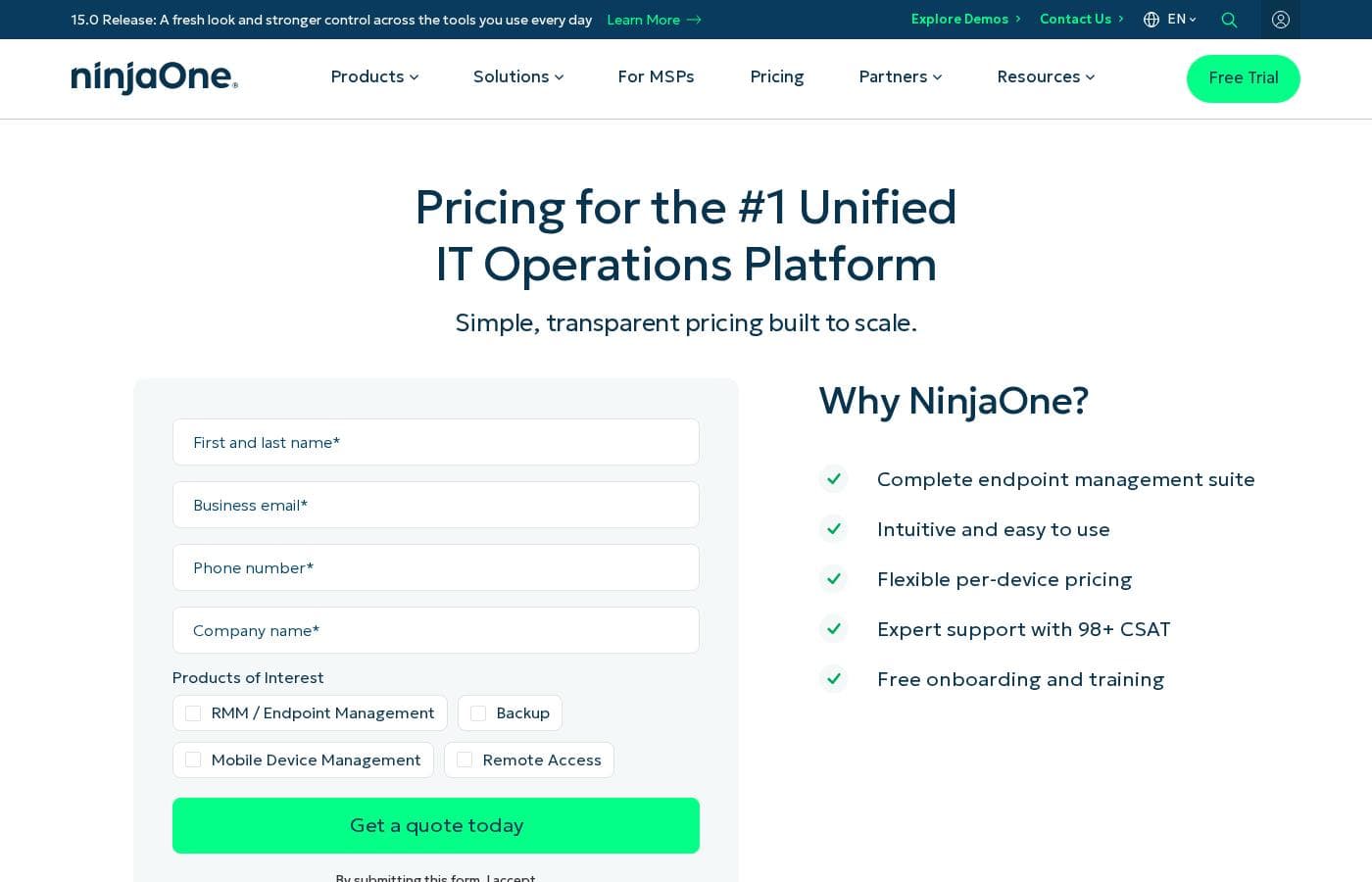
Preisübersicht-Screenshot
Pricing

NinjaOne costs between $1.50 and $3.75 per endpoint each month with one flexible plan that scales based on your device count and specific product needs.

Here is how their pricing model works for your team.

Unified IT Operations

Price: From $1.50 to $3.75 per device monthly Websites Supported: Not explicitly stated Best For: MSPs and IT departments managing multi-OS environments Refund Policy: 60-day cancellation notice Other Features: Remote monitoring and management, autonomous patch management, endpoint security, backup, and free unlimited training.

You should pick this if you want to consolidate RMM, backup, and service desk tools into one window. It's built for teams that need fast setup without the headache of professional service fees or hidden costs.

NinjaOne offers a 14-day free trial so you can test the automation and patching features yourself. If you don't sign a long-term promotional commitment, you can cancel your service by giving 60-days notice. Confirm license limits and device minimums with your account manager before buying.

Nutzerbewertungen

NinjaOne enjoys strong praise on both Trustpilot and Capterra for its intuitive interface and responsive support. 👍 Users consistently highlight the platform's ease of use, noting that the unified console simplifies managing endpoints across multiple operating systems.

The automated patch management is frequently cited as a major time-saver, reducing security risks and manual workloads. Customer support receives high marks for being fast, knowledgeable, and proactive.

Onboarding is generally smooth, though some mention an initial learning curve. Pricing is seen as a good value for the comprehensive feature set, though it's not the cheapest option.

Recurring themes include reliability, efficient remote control, and excellent training resources that help teams get up to speed quickly.

Was anderswo gesagt wird

David R.
Trustpilot

NinjaOne replaced about 10 different tools for us. The interface is clean, and support is always helpful when we need it. Deployment was smoother than we expected.

Sarah K.
Trustpilot

The patch management automation is a game-changer. We went from spending hours on manual updates to having everything handled reliably. The training resources were excellent for getting our team up to speed.

Michael P.
Capterra

Great platform for managing endpoints across Windows, Mac, and Linux. The remote control feature is fast and reliable. Support tickets are always answered quickly.

Jessica L.
Capterra

The unified dashboard saves us so much time. It took a little while to learn all the features, but the onboarding support was very helpful. It's a solid investment for our IT team.

Noch keine Bewertungen.

Bewertung schreiben

Write a Review for NinjaOne
0/100 characters
0/2000 characters

Warum NinjaOne nutzen?

🚀 Why choose NinjaOne? It turns IT chaos into streamlined control.

  • Deploy fast, see value quickly. Customers report being fully deployed in under 30 days with operator proficiency in under 10. There's no infrastructure to build or complex phased rollout to manage.

  • Manage everything from one pane of glass. Unify visibility across all your devices—computers, servers, and mobile—to cut down tool sprawl and improve efficiency. One IT director noted they went from using 10-15 tools to one.

  • Accelerate patching and vulnerability fixes. Move from long patch cycles to near-instantaneous remediation. One user saw patch cycles cut from 72 hours to minutes, dramatically reducing risk.

  • Support employees faster and more effectively. Get reliable, single-click remote access that's significantly faster than previous methods. Extend this to a streamlined service desk to close support tickets quicker.

  • Operate without heavy overhead. The platform is designed for your team to configure, operate, and scale without needing dedicated administrators, proprietary languages, or ongoing vendor professional services.

  • Build on a secure, compliant foundation. It's built to meet strict standards like SOC 2, ISO 27001, and FedRAMP, giving you a trusted base for your operations.

Bereit, Ihren Workflow mit NinjaOne zu transformieren?

Alternativen zu NinjaOne

View all Help Desk tools

Weitere Tools in der Kategorie Help Desk

Beliebte Vergleiche

Typewise
NinjaOne vs Typewise
AI Contact Center
Druva
Druva vs NinjaOne
Managed Security Service
Techinline
NinjaOne vs Techinline
Remote Support

Ähnliche Tools

Typewise
Typewise
AI Contact Center4.3/5

Typewise is an enterprise-grade AI Agent Platform for customer service and sales. It autonomously handles omni-channel customer interactions end-to-end by executing workflows across CRM, ERP, and the entire application stack. Go live in as little as 1 day, backed by rigorous evaluation and testing, enterprise security, admin controls, and analytics.

Druva
Druva
Managed Security Service4.2/5

Cloud-Based Backup SaaS Platform

Techinline
Techinline
Remote Support4.2/5

SetMe by Techinline: a remote desktop solution built for pros who demand reliability, speed, and simplicity. Designed with both IT teams and individuals in mind, SetMe makes remote desktop control seamless, even in low-bandwidth environments.

AOMEI
AOMEI
Backup4.6/5

The AOMEI software platform provides a comprehensive suite of secure data utility tools. It focuses on several key areas, including system backup, partition management, and data cloning. AOMEI serves a massive global audience, supporting over 186 million users across 180 countries. Their tools protect numerous operating systems, including Windows PCs, servers, Mac systems, and the data stored on iPhones. The core goal is to provide accessible, easy-to-use software for anyone needing reliable data protection. They have spent more than 16 years building expertise and trust in this vital technological field. 💡

Häufige Fragen

What integrations does NinjaOne support?

NinjaOne offers deep integrations with tools like CrowdStrike, Microsoft Intune, SentinelOne, and ServiceNow. These sync data and automate workflows within the platform. You can explore the full integration catalog on their site.

How does NinjaOne handle data security and compliance?

The platform is built on a secure foundation and complies with strict standards like SOC 2, ISO 27001, FedRAMP Moderate, and HIPAA. NinjaOne provides a secure, cloud-native environment for your IT operations.

Are there any limits or quotas on the number of devices?

NinjaOne uses a tiered pricing model with volume discounts but has no hard cap on licenses. You can deploy the agent to as many devices as needed.

What is NinjaOne's billing and refund policy?

Billing is available monthly or annually. If you haven't opted into a promotional commitment, you can cancel with 60 days' notice. There is no money-back guarantee.

How does the pricing model work?

NinjaOne uses a per-device subscription model. The price per endpoint ranges from $1.50 to $3.75 per month, decreasing as your endpoint volume increases. You can get a specific quote for your needs.

Is there a free trial, and what does it include?

Yes, NinjaOne offers a 14-day free trial. It allows you to test core functionalities like endpoint management and patching in your own environment.

Does NinjaOne offer a free trial?

Yes, you can start with a 14-day free trial to test the platform's features with your own devices.

How does onboarding and migration work?

NinjaOne includes free onboarding and training. The platform is designed for rapid deployment, with customers typically fully operational in under 30 days.

What level of customer support and SLA can I expect?

NinjaOne provides free, unlimited expert support with a 98+ CSAT rating. Response times are not specified as a formal SLA on the public site.

In which languages and regions is NinjaOne available?

The website is available in multiple languages, including English, German, French, Spanish, and others. Contact sales to confirm service availability in your specific region.

How do I cancel my NinjaOne subscription?

Customers not on a promotional commitment can cancel by giving 60 days' notice. You should confirm the specific terms in your contract before purchase.

Who is NinjaOne best suited for?

NinjaOne is ideal for IT teams and MSPs looking to consolidate multiple tools, accelerate deployment, and automate tasks like patch management from a single console.

Bereit, NinjaOne auszuprobieren? Besuchen Sie die offizielle Website oder sehen Sie sich die Preise an.