WPBakery

WPBakery review

Drag-and-drop WordPress page building with a lifetime license β€” no coding required.

WPBakery costs from $4.92/mo Β· 3 plans

By Ciroapp Editorial Team Β· Updated Sep 16, 2026

Commission may apply at no extra cost

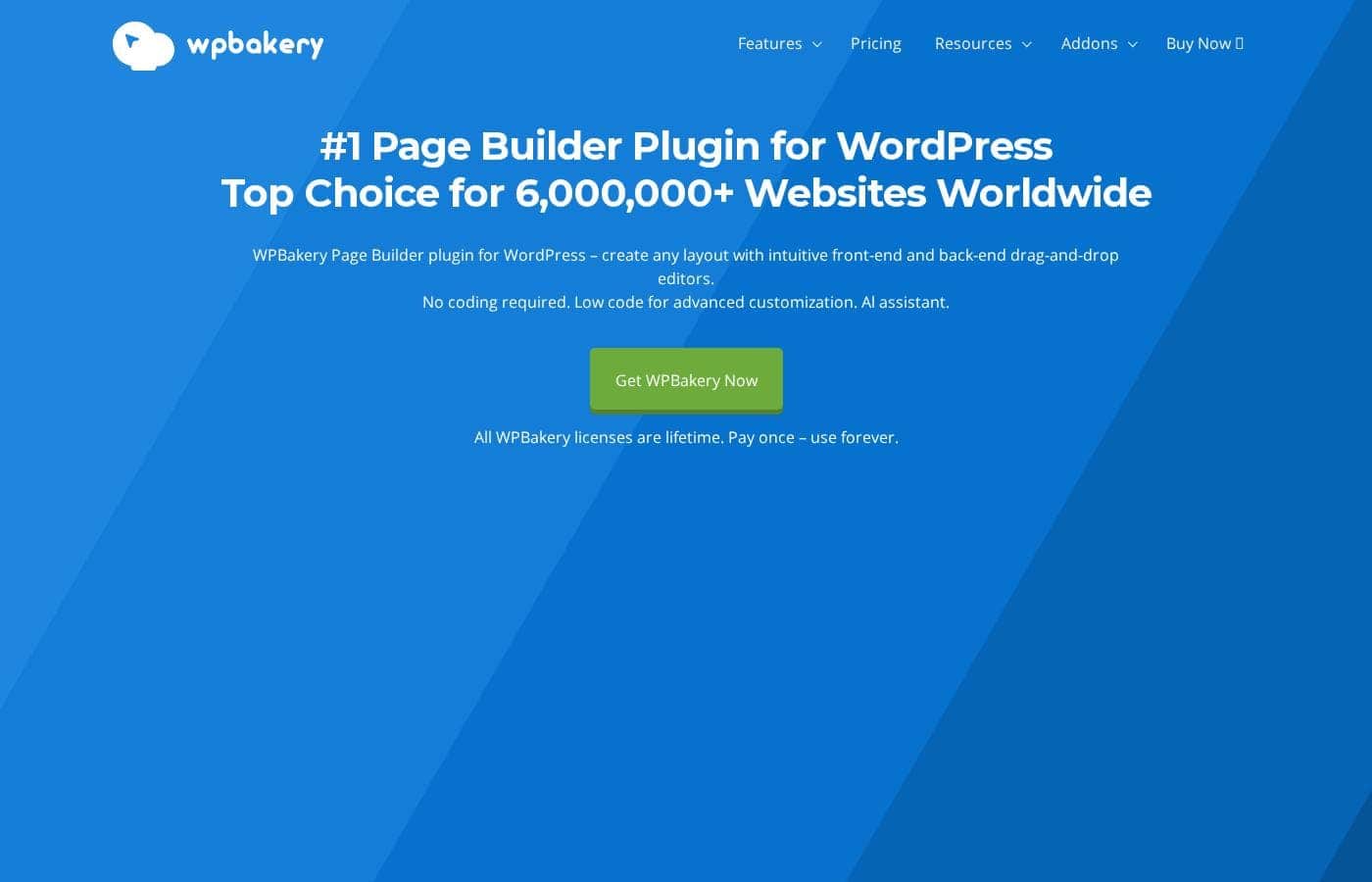
WPBakery homepage screenshot

At a glance

Quick overview for WPBakery: rating, pricing summary, key features, and highlights.
Vendor page checked Oct 12, 2026

Ciroapp score

3.9/ 5

WPBakery packs front-end and back-end drag-and-drop editing, 80-plus layouts, grid builders, and AI tools into a lifetime license that works with any properly coded WordPress theme. The catch is that auto-updates, support, and several features move behind a $59/year renewal after year one. Overall, it's a solid buy for WordPress owners who'd rather pay once than subscribe.

Pros

  • Pros:Lifetime licensing on both plans β€” pay once and manual updates stay free forever, with no subscription required to keep the plugin working.
  • Pros:Integrates with any properly coded WordPress theme, so you can adopt it on an existing site without changing your design.
  • Pros:Two editing modes β€” a front-end editor for live visual building and a back-end editor inside the WordPress dashboard.

Cons

  • Cons:After the included first year, auto-updates, ticket support, the template library, AI, and typography all require Support Plus at $59/year β€” cancel and you keep only manual updates.
  • Cons:Support is ticket-only, available Monday through Saturday, with no published response times; priority handling is reserved for auto-renew subscribers.
  • Cons:The base price of the Regular or Theme Integration licenses isn't disclosed in the reviewed materials, so you'll need to check the pricing page before budgeting.
Best for
  • Solo site owners and small businesses that want to build and maintain WordPress pages themselves, without coding and without a monthly subscription.
  • Freelancers maintaining multiple client WordPress sites who want one builder that works regardless of each client's theme.
  • Theme authors and agencies that need a page builder to integrate into any properly coded WordPress theme via the Theme Integration License.
Free trial
Yes
This section is a summary. Detailed sections about features, use cases, pricing, and reviews follow below.

What is WPBakery?

WPBakery Page Builder has been a fixture of the WordPress ecosystem long enough to power more than 5.8 million websites, and its approach has stayed consistent: drag-and-drop editing that works with any properly coded theme. You get two ways to build β€” a front-end editor where pages take shape live, and a back-end editor inside the WordPress dashboard β€” backed by 50+ content elements and 80+ predefined layouts. Because the license is a one-time lifetime purchase with free manual updates, it appeals to buyers tired of per-month builder pricing.

This review covers what it does well, where it falls short, and who should buy it.

WPBakery is a page builder plugin for WordPress that lets you assemble pages, posts, and post-type layouts through drag and drop instead of code. It ships two editors β€” a front-end view for live visual building and a back-end editor inside wp-admin β€” plus low-code options for deeper customization. The bundled toolkit includes an Advanced Grid Builder that displays any post type in grid or masonry layouts with 40+ predefined styles, a Skin Builder for matching element styling to your brand, and WPBakery AI, which generates text and code from your specifications.

It integrates with WPML, qTranslate, Yoast SEO, WooCommerce, and Toolset, and it's multilingual ready with RTL support. Developer-facing extras round it out: an API for adding custom content elements and exclusive addons like Templatera and Easy Tables.
Should you choose WPBakery?

Quick buyer guidance before you compare plans or click through.

Choose it if

  • Solo site owners and small businesses that want to build and maintain WordPress pages themselves, without coding and without a monthly subscription.
  • Freelancers maintaining multiple client WordPress sites who want one builder that works regardless of each client's theme.
  • Theme authors and agencies that need a page builder to integrate into any properly coded WordPress theme via the Theme Integration License.
  • Content-heavy sites β€” blogs, magazines, portfolios β€” that need polished grid or masonry layouts for posts and custom post types.
  • Budget-conscious buyers who prefer one-time lifetime purchases and can use bulk (20+ license) or student discounts.

Skip it if

  • Anyone who wants auto-updates and active support indefinitely with zero recurring cost β€” after year one those require the $59/year Support Plus.
  • Teams needing guaranteed response times, live chat, or 24/7 support; WPBakery offers ticket-based support Monday through Saturday with no published SLAs.
  • Projects outside WordPress, or teams standardized on the native block editor who don't want a third-party page builder layer.
  • Buyers who depend on the template library, AI, or typography features but plan to cancel Support Plus β€” those features stop when the subscription lapses.

Next steps before buying

  1. 1Open the free online demo and create a personal sandbox to test the front-end and back-end editors before spending anything.
  2. 2Download free premium layout templates from the repository to see how ready-made pages are structured.
  3. 3Choose your license β€” Regular for your own site or Theme Integration for theme and client work β€” and confirm how many sites it covers before checkout.
  4. 4Install and activate the plugin on your WordPress site, open the editor, and start from a predefined layout, dragging elements into place and adjusting styling with the Skin Builder.
  5. 5Set a reminder before your free Support Plus year ends to decide whether the $59/year renewal (manual, or auto-renew for priority support) is worth it for auto-updates, the template library, AI, and typography.

WPBakery Key Features

✨ Build pages with drag and drop

WPBakery gives you two editors: a front-end view where you watch pages take shape, and a back-end editor inside WordPress. Drag elements into place β€” no coding required, with low-code options for advanced tweaks. Every page you build comes out responsive and mobile-ready, with no extra steps.

It's a fit whether you're a beginner or a pro.

✨ Start from templates and ready-made elements

You don't have to start from a blank page. WPBakery ships with ready-made pieces you can drag into any layout, and the online Template Library keeps growing.

  • 50+ content elements, ready to use
  • Premium templates with no download restrictions
  • 80+ predefined layouts and templates

Pick one, swap in your content, and you're done in minutes.

✨ Show off content with the Advanced Grid Builder

Posts, portfolios, and media all need a home. The bundled Advanced Grid Builder displays any post type in a grid or masonry layout, with tons of options and 40+ predefined styles. Reach for it when you want blog listings or portfolio pages that look designed, not defaulted.

Everything stays drag-and-drop simple.

✨ Match any theme, then make it yours

WPBakery works with any WordPress theme, so you're free to keep the design you like. The built-in Skin Builder then tweaks design options and element styling until everything matches your brand identity. It's the right tool when your theme's defaults don't quite fit.

You end up with a consistent look across your whole site.

✨ Draft content and code with WPBakery AI

Stuck on copy or custom code? WPBakery AI acts as a design assistant. You type in your specifications, and it generates text and code for your pages and posts.

It's useful when you're moving fast or need a starting point you can refine. You stay in control β€” the assistant handles the heavy lifting.

Use Cases

πŸ’‘ Launch a small-business site without hiring a developer

A service business needing a homepage, about page, and contact page can start from one of 80+ predefined layouts, swap in its own copy and images, and fine-tune colors and element styling through the Skin Builder β€” no code at any step. Every layout comes out responsive and mobile-ready by default, so the result works on phones without extra configuration. As the business grows, the same editor handles new pages, so the site can expand without a rebuild.

πŸ’‘ Give blogs and portfolios designed grid layouts

Content-driven sites live or die on presentation, and the Advanced Grid Builder is built for exactly that: it displays posts, portfolios, or media β€” any post type β€” in grid or masonry layouts with 40+ predefined styles. A magazine can restyle its category listings while a photographer builds a masonry portfolio from the same tool. Templates from the online library provide starting points, and downloads carry no restrictions.

πŸ’‘ Standardize a builder across client sites and themes

Freelancers and agencies juggling clients with different designs can rely on WPBakery's integration with any properly coded WordPress theme, so one editor skill set covers every project. The Theme Integration License is aimed at this use case, and exclusive addons like Templatera and Easy Tables extend the toolkit. Where the 50+ built-in elements fall short, the developer API supports adding custom content elements.

πŸ’‘ Run a WooCommerce or multilingual store

Stores get direct WooCommerce compatibility when designing product and landing pages, while Yoast SEO support means visually built pages can still be optimized for search without plugin conflicts. For shops selling across languages, WPML and qTranslate compatibility plus RTL readiness keep translated catalogs and layouts consistent. WPBakery AI can draft product descriptions and page copy when content production is the bottleneck.

WPBakery pricing

From$4.92/mo

  • 3 plans

Vendor page checked on Oct 12, 2026; confirm current prices on WPBakery's pricing page

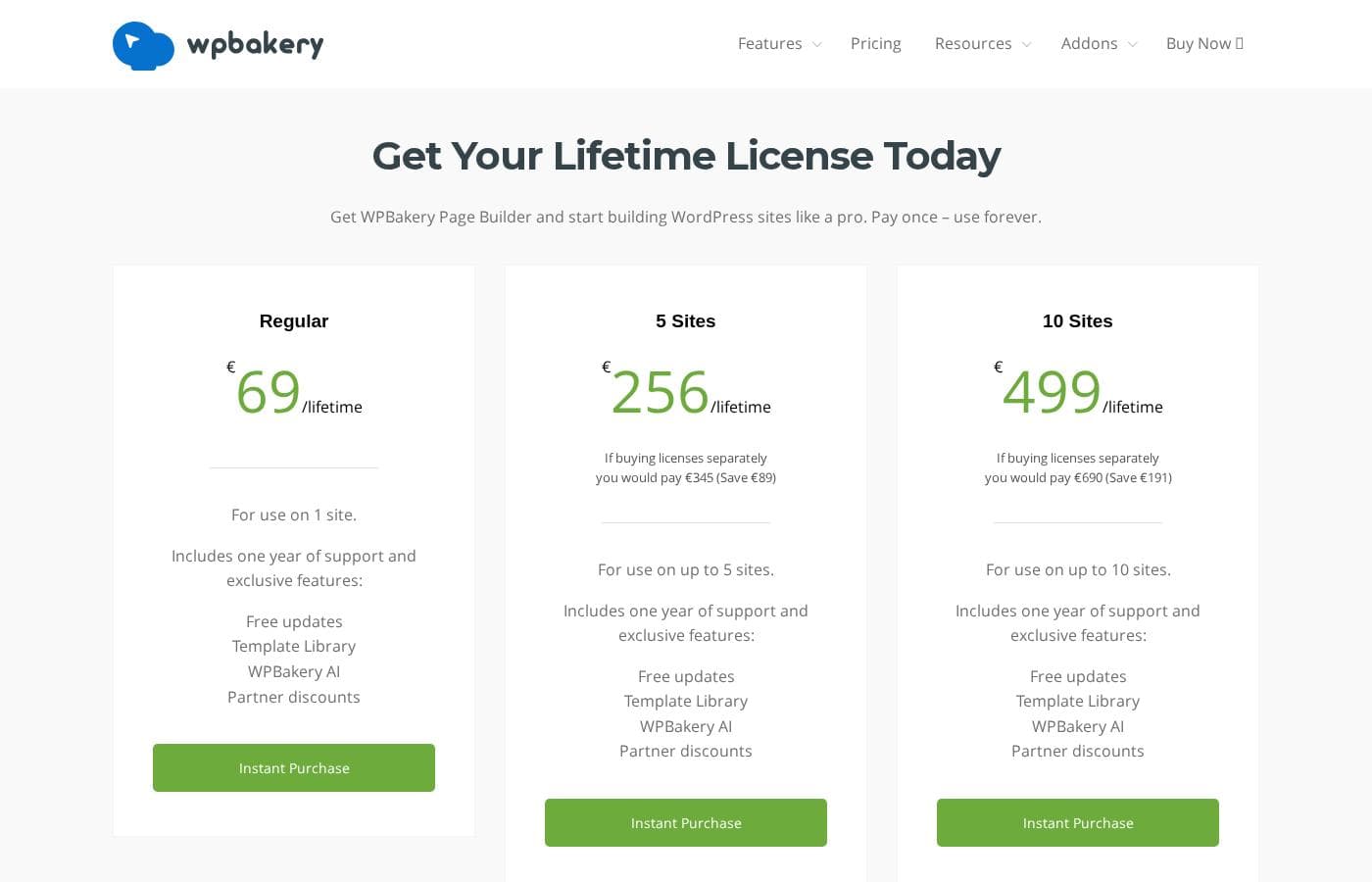
WPBakery pricing page screenshotView pricing page screenshot
PlanBilled monthlyBilled annuallyIncludes
Regular License
See vendor page
See vendor page
  • Lifetime access β€” pay once, use forever
  • 1 year of Support Plus included (ticket support, auto-updates, template library, AI, typography)
  • Free lifetime updates
  • Free premium layout templates
  • Student discount eligible
Theme Integration License
See vendor page
See vendor page
  • Lifetime deal β€” one payment for lifetime access
  • 1 year of Support Plus included free
  • Free lifetime updates
  • Works with any properly coded WordPress theme
Support Plus
β€”
$4.92/mo
$59 per year
Included free for 1 year with every new license
  • Ticket support and auto-updates
  • Template library, AI, and typography features
  • Priority support with auto-renew subscription
  • Loyalty Program: 5% off renewal per consecutive year, up to 50%

Price history

Tracking prices since Oct 1, 2026. No price change detected yet.

Pricing types: Free trial, Yearly subscription, One-time payment, Lifetime deal

Pricing notes

WPBakery uses one-time lifetime licenses β€” pay once for a Regular or Theme Integration license and use it forever. Every new license includes Support Plus free for 1 year, then it's an optional $59/year renewal or auto-renew subscription.

WPBakery is priced as a one-time lifetime purchase: pay once for a Regular or Theme Integration license, keep it forever, and optionally add Support Plus at $59 per year.

Here's how the options break down.

Regular License

Other Features:

  • Lifetime access β€” pay once, use forever
  • 1 year of Support Plus included (ticket support, auto-updates, template library, AI, and typography)
  • Free lifetime updates, with manual updates available even after Support Plus ends
  • Access to free premium layout templates
  • Eligible for student discounts

If you're building your own WordPress site and don't want a recurring bill, this is the straightforward pick. You get a full year of Support Plus free, then decide if the $59 renewal is worth keeping. It's worth confirming how many sites your license covers before you buy.

Theme Integration License

Other Features:

  • Lifetime deal β€” one payment for lifetime access
  • 1 year of Support Plus included free
  • Free lifetime updates
  • Works with any properly coded WordPress theme

This license exists for people working with themes rather than a single personal site. Like the Regular option, it's pay-once, so there's no subscription to maintain. If you want auto-updates and ticket support long term, plan for the optional Support Plus renewal down the road.

Support Plus

Price: $59/year Other Features:

  • Ticket support and auto-updates
  • Template library, AI, and typography features
  • Priority support on the auto-renew subscription
  • Loyalty Program: 5% off your renewal for each consecutive year, up to 50%

Every new license comes with Support Plus free for the first year. After that, you can renew manually for $59 to extend another year, or subscribe for $59/year with auto-renewals and priority support. If manual updates are enough and you rarely need ticket support, you can skip it β€” your license keeps working either way.

You can try WPBakery Page Builder for free through the online demo site, where you create your own personal demo sandbox with no payment required. There's also a repository of free premium layout templates you can download and use. Buying for a team? Bulk discounts start at 20+ licenses, and students can request a discount on Regular licenses from a university email address.

Cost calculator

Estimate what WPBakery costs for your team.

Billing

Support Plus has no published price for this billing cycle.

Support Plus has a flat price: the number of seats does not change the total. Estimate based on published list prices, before taxes, add-ons and discounts.

How to pay less for WPBakery

  • A free trial is available: test it before you pay.
Start free trial

Email me when WPBakery changes price

One email when we detect a price change on the vendor's pricing page. No newsletter, no deals. Unsubscribe in one click.

User Reviews

No reviews yet.

Write a Review

Write a Review for WPBakery
0/100 characters
0/2000 characters

Why use WPBakery?

The strongest reason to choose WPBakery is ownership: both licenses are one-time lifetime deals, and manual updates stay free forever, so the plugin keeps working even if you never renew anything. It's also theme-agnostic, which matters for long-lived sites β€” switch themes and your builder still functions.

For non-developers, the combination of predefined layouts, ready-made elements, and the Skin Builder removes the need to hire help for routine page changes. And when you outgrow visual editing, the developer API and low-code options let the tool scale with your skills instead of capping them.

WPBakery alternatives

Other tools in the Page builder for WordPress category

View all Page builder for WordPress tools
Bricks

Bricks

Page builder for WordPress4.2/5

Bricks is an innovative, community-driven, visual site builder theme specifically for your self-hosted WordPress website. It provides unparalleled customization, flexibility, and maintainability. You can craft your website from header to footer, leveraging powerful features like CSS grid and flexbox layouts. This platform is designed to help you create truly unique web design experiences.

Beaver Builder

Beaver Builder

Page builder for WordPress4.1/5

Beaver Builder is a trusted, powerful website builder designed to simplify WordPress development. Since 2014, it has helped users build professional websites easily, often in minutes instead of months. It serves a wide audience, including agencies needing stability, freelancers aiming for speed, and entrepreneurs who require easy updates without knowing how to code. This visual building method allows you to instantly see changes happen live on the front end of your site. You can start with pre-designed templates or build from scratch, creating any type of site, including blogs, eCommerce stores, and membership portals.

SeedProd

SeedProd

Page builder for WordPress4.1/5

SeedProd is a powerful, yet easy-to-use, drag and drop page builder for WordPress. It’s built for anyone who wants to create beautiful themes, pages, and layouts rapidly. You don't need to be a designer, thanks to the professionally designed pre-built themes. πŸ’‘ The builder helps you get your site up and running in minutes.

Droip

Droip

Page builder for WordPress4/5

Droip is a dynamic, visual tool designed to help you create stunning, responsive websites. It’s built for designers who demand unmatched accuracy and finesse in their work. Instead of battling restrictive interfaces, you gain specialized tools for complex layout structuring. You can experience pure creative freedom while speeding up your overall workflow.

Elementor

Elementor

Page builder for WordPress4.3/5
Otter Blocks

Otter Blocks

Page builder for WordPress4.1/5

Otter Blocks is an effective collection of advanced, dynamic page building blocks designed specifically for the WordPress block editor, Gutenberg. It acts like a powerful upgrade, making the native editor much more flexible and capable. This collection is ideal for anyone looking to achieve impressive layouts quickly and professionally. It is built to be lightweight and simple, ensuring your site remains fast while you gain advanced customization options.

Breakdance

Breakdance

Page builder for WordPress4.1/5

Breakdance is a WordPress visual website builder designed for WooCommerce stores. It offers AI-assisted content, an Advanced Form Builder, and a Built-In Popup Creator, plus Dynamic Data support for anything in the WordPress database. It also includes Element Studio, the world's first built-in element development IDE for WordPress, making it easy to craft custom builder elements. For users coming from Elementor, Breakdance provides a smooth upgrade path and a modern editing experience.

Spectra Pro

Spectra Pro

Page builder for WordPress4.1/5

Spectra Pro is a powerful web design toolkit built specifically for the native WordPress editor. It offers a new, advanced way to build websites that are both stunning and super fast. It focuses heavily on performance, boasting zero bloat and security through clean code written to the latest standards. βœ… Because it works directly inside the familiar WordPress editor, it is instantly easy to learn and use. It’s perfect for creators who want professional results without the complexity of heavy external dependencies or frustrating code.

Cheapest Page builder for WordPress software for 1 to 25 users

WPBakery FAQ

How much does WPBakery cost?

WPBakery's cheapest paid plan, Support Plus, costs $4.92 per month.

Does WPBakery offer a free trial or a money-back guarantee?

WPBakery offers a free trial.

Has WPBakery's price changed recently?

No. We have not detected a price change since we started tracking on Oct 1, 2026.

Which WordPress themes and plugins does WPBakery work with?

It's designed to work with any properly coded WordPress theme. The site lists compatibility with WPML, qTranslate, Yoast SEO, WooCommerce, and Toolset. It's also multilingual ready with RTL support.

What happens if I cancel Support Plus?

Your license keeps working, and manual updates stay free. You lose auto-updates, ticket support, the template library, AI, and typography. Loyalty discounts reset when a subscription ends. Check the refund policy before purchasing.

How responsive is WPBakery's support team?

Support is ticket-based, with a dedicated team available Monday through Saturday. Auto-renew Support Plus subscribers get priority support. Response times aren't published, so plan ahead for urgent projects.

Ready to try WPBakery? Check out the official site or pricing.

Are you WPBakery? Claim this listing Β· Get the badge