Beaver Builder

Beaver Builder

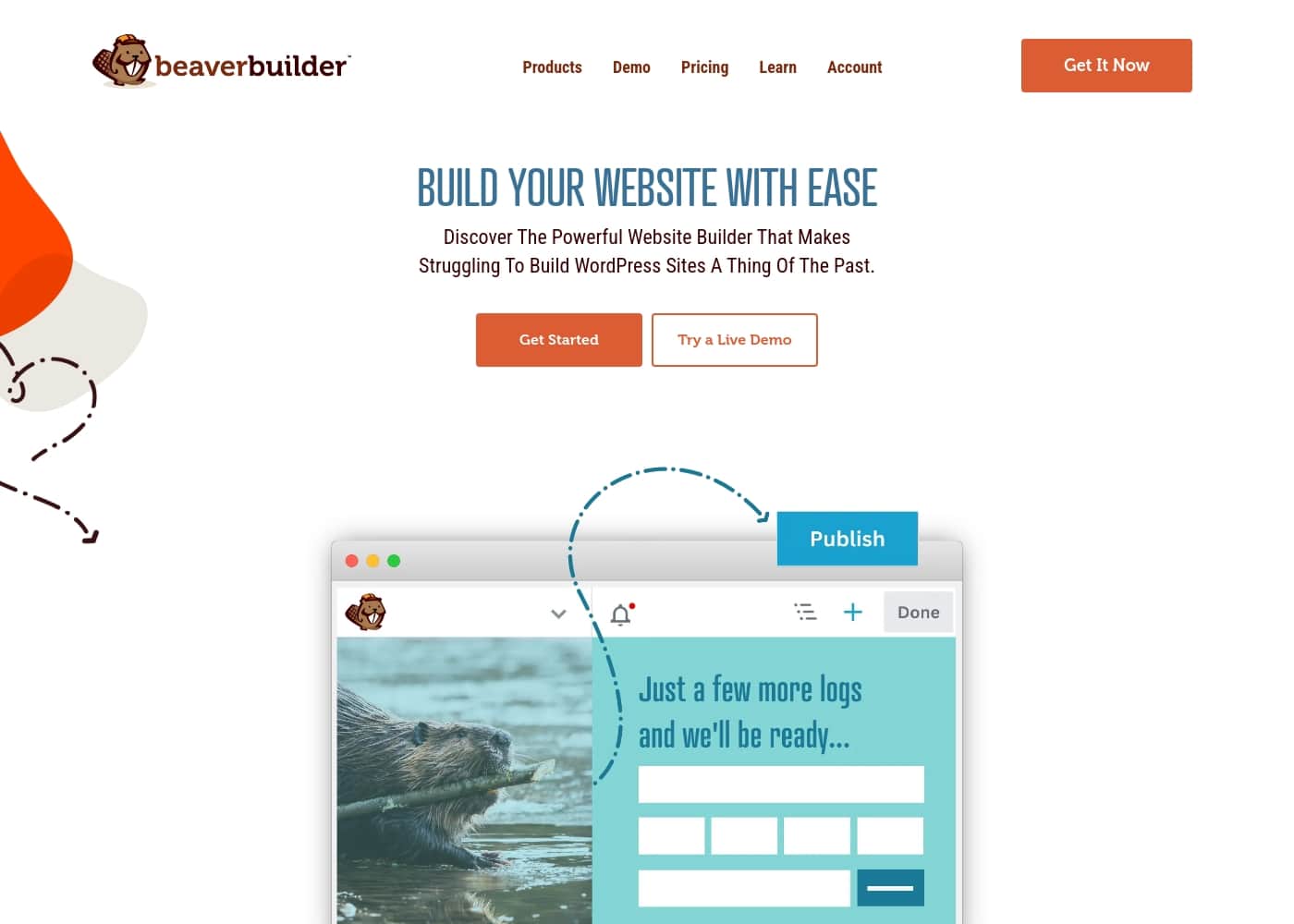
Discover The Powerful Website Builder That Makes Struggling To Build WordPress Sites A Thing Of The Past.

#4 dans Page builder for WordPress
2 min read · Updated 10/5/2025
Beaver Builder homepage screenshot

At a glance

Quick overview for Beaver Builder: rating, pricing summary, key features, and highlights.

Ciroapp review

4.5
Stable, Supported, and Serious Page Building.

We find Beaver Builder to be an extremely stable and robust WordPress solution, suitable for agencies and developers prioritizing reliability over constant feature churn. Overall, its consistently praised support system and clean, extendable code make it a premium, dependable choice for high-volume site production.

Pros

  • Pro:Exceptionally responsive and helpful customer support (often replying within 24 hours).
  • Pro:Stable, dependable, and reliable code base that rarely conflicts with updates (rock solid).
  • Pro:Multisite capable and includes white labeling options for agencies (Professional/Unlimited tiers).
  • Pro:Works seamlessly with almost every existing WordPress theme and plugin.

Cons

  • Con:Users have requested a greater variety of built-in creative modules.
  • Con:Full flexibility often requires pairing the builder with the Beaver Themer extension.
  • Con:Requires an annual subscription starting at $89 (no lifetime option).
Free trial
Yes
Money-back guarantee
Yes — 30 days
Range: $89–$546/yearFree plan, Yearly subscription
This section is a summary. Detailed sections about features, use cases, pricing, and reviews follow below.

Beaver Builder review, pricing, features, pros & cons

Building a WordPress site can often feel overwhelming. If you lack the right tools, you waste time dealing with complicated options or fixing broken pieces after every software update. Stop stressing about coding every last detail.

Beaver Builder removes these frustrations, letting you drag and drop your way to launch projects faster. You get complete design control and save precious time. ✨

What is Beaver Builder?

Beaver Builder is a trusted, powerful website builder designed to simplify WordPress development. Since 2014, it has helped users build professional websites easily, often in minutes instead of months. It serves a wide audience, including agencies needing stability, freelancers aiming for speed, and entrepreneurs who require easy updates without knowing how to code.

This visual building method allows you to instantly see changes happen live on the front end of your site. You can start with pre-designed templates or build from scratch, creating any type of site, including blogs, eCommerce stores, and membership portals. 💡

Beaver Builder Key Features

✨ Intuitive Drag and Drop Visual Editing

Stop struggling with complicated code or frustrated workflows. Beaver Builder removes frustration by using a drag and drop visual design method. You simply add your content and watch the design come together live on the front end of your site.

This method gives you complete design control while eliminating the overwhelm. The instant feedback loop saves time and helps you launch projects faster. You can confidently finalize your website design in minutes instead of months.

✨ Launch Projects Faster with Professional Templates

You never have to start building from scratch or stare at a blank screen again. Beaver Builder provides a collection of premium templates to help you start quickly. Choose a template, customize it for your brand, and publish with ease.

If you prefer to build from scratch, you still have complete control. You can add, remove, and rearrange elements easily using a wide range of styling options. You can also save your custom designs to reuse on future pages or even entire websites.

✨ Universal WordPress Compatibility and Stability

Beaver Builder is designed to work seamlessly within the entire WordPress ecosystem. It works reliably with almost every existing WordPress theme and plugin. This strong compatibility means you benefit from endless design possibilities without integrating messy “duct tape solutions.”

For enhanced control, you can utilize the dedicated Beaver Builder Theme. This theme acts as a framework, controlling the header, footer, and underlying styling. The page builder plugin then handles all the content placement within that framework.

✨ Optimization for Mobile and Search Engines

Your website needs to look great everywhere to capture every potential visitor. Beaver Builder includes robust, built-in responsive design. This ensures that your site scales perfectly on all devices, from large desktop computers to small smartphones.

Furthermore, the builder outputs code that is optimized for search engines (SEO). Creating an optimized site helps to drive organic traffic and improves your crucial online presence.

✨ Developer Friendly and Highly Extensible

Developers appreciate that Beaver Builder is built on a professional foundation with clean, well-documented code. This makes it effortless to customize the platform when you have specific development needs. It helps you unlock full site editing capability and integrate seamlessly with tools you already rely on.

Extending your site functionality is easy using integrations and add-ons. You can enhance your site with solutions for:

✨ Flexible Licensing for Freelancers and Agencies

If you manage multiple clients or many websites, Beaver Builder supports maximum efficiency. Most license plans allow for usage on an unlimited number of websites. You can use your single license key across different servers and hosts without worry.

For power users who maintain large networks, the builder also offers crucial Multisite capabilities within the professional tiers and above. This strong flexibility helps developers, freelancers, and agencies streamline their development workflows across all their projects.

Use Cases

💡 Launching Your First Business Site Quickly

An entrepreneur needs a professional online presence but doesn't have the time to learn complicated coding. Beaver Builder removes this building stress, letting you bypass technical details. You can start with a pre-designed template and skip the blank screen entirely. Then, use the visual drag and drop interface to see your changes live and gain complete design control.

This simple method allows businesses to quickly build and update their website even without designer skills. You spend less time worrying about site maintenance and more time focusing on business growth. It's an ideal choice for individuals launching their very first project.

🚀 Maximizing Client Turnaround Time as a Freelancer

Freelancers managing multiple client websites need speed and stability to get paid sooner. Investing in a tool that works smoothly means you avoid 'cowboy coding' and wasted development days. When you combine the fast drag and drop design with templates, you can launch projects significantly faster.

Beaver Builder offers plans designed for freelancers, supporting up to three sites for increased flexibility. This helps you manage multiple clients efficiently without compromising quality or running into integration headaches.

✅ Ensuring Stability Across Agency Portfolios

Agencies require a reliable foundation for all their client sites to prevent costly repairs after software updates. Beaver Builder's professional foundation uses clean, well-documented code that provides this essential stability.

For large-scale management, Unlimited plans allow a single license key to be used on an unlimited number of websites across different servers. Power users and agencies managing network setups will benefit from the Multisite capabilities included in the Professional and Unlimited tiers. This helps your team streamline development across high volumes of client projects.

🛠️ Customizing Complex WordPress Projects

WordPress professionals need flexibility and tools that integrate cleanly with their existing ecosystem. Since Beaver Builder works seamlessly with most themes and plugins, you gain endless possibilities without unreliable 'duct tape solutions.'

Developers find the clean code easy to understand, making it a breeze to customize the builder for specific project needs. You unlock full site editing and powerful tools designed for integration. This functionality confirms that professional developers can create unique solutions quickly.

⭐ Quickly Deploying New Pages and Landing Pages

Building a new page, like a contact form or a pricing table, should not take hours of design effort. Beaver Builder helps you deploy new content quickly using ready-made assets.

🛒 Creating Custom Online Stores and Membership Sites

Beaver Builder is versatile enough to support any website type required for growing your business. It allows you to build blogs, membership portals, and landing pages with ease. Creating online shops is also simple, thanks to dedicated WooCommerce support.

You can extend site capabilities even further through easy third-party integrations. This allows you to add features like advanced analytics, marketing automation, or live chat to enhance functionality and customer satisfaction.

Pricing Overview for Beaver Builder

Pricing range
$89–$546/year
Pricing types
Free plan, Yearly subscription
Money-back guarantee
Yes — 30 days

Beaver Builder offers four annual subscription plans ranging from $89 to $546 per year. Pricing is primarily tiered based on the number of websites you can use the plugin on and advanced developer features.

Plans & Pricing

Starter

Yearly$89
1 Site
  • Page Builder Plugin, Theme, and Themer
  • WooCommerce Support
  • Unlimited Staging Sites
  • Access to Online Course Library

Plus

Yearly$179
3 Sites
  • Page Builder Plugin, Theme, and Themer
  • WooCommerce Support
  • Unlimited Staging Sites
  • Access to Online Course Library

Professional

Yearly$299
50 Sites
  • Multisite Capable
  • Multisite Network Settings
  • All features from Plus tier
  • Standard Email Support

Unlimited

Yearly$546
Unlimited Sites
  • White Labeling
  • Priority Email Support
  • Advanced Online Courses
  • Cloud Storage (Assistant Pro - 6 Months Free)
  • Multisite Network Settings

Beaver Builder costs between $89 and $546 per year with 4 plans: Starter at $89, Plus at $179, Professional at $299, and Unlimited at $546.

We offer yearly licensing options designed for everyone, from individual bloggers to large agencies. Here is a breakdown of what each great value plan includes.

Starter

Price: $89 per year Websites Supported: 1 Site Best For: Getting Started! Refund Policy: 30-day money-back Other Features: Page Builder Plugin, Beaver Builder Theme, Beaver Themer, Loop Builder, WooCommerce Support

This plan is perfect for beginners and individuals launching their very first website. You get the full drag-and-drop page builder functionality for one project. It provides all the essentials you need to build a professional site instantly. If you just need a reliable foundation for your single WordPress site, start here.

Plus

Price: $179 per year Websites Supported: 3 Sites Best For: Freelancers! Refund Policy: 30-day money-back Other Features: Standard Email Support, Unlimited Staging Sites, Online Course Library, Conditional Logic, Dynamic Content

Designed especially for freelancers beginning their journey or running a few small projects. This option significantly increases your site limit to three, giving you more flexibility. It includes all core features like the Page Builder Plugin, Themer, and WooCommerce integration. Choosing the Plus plan allows you to manage multiple client sites efficiently without overcommitting.

Professional

Price: $299 per year Websites Supported: 50 Sites Best For: Power Users! Refund Policy: 30-day money-back Other Features: Multisite Capable, Multisite Network Settings, 50 Site limit, Full access to Online Course Library

The Professional plan is the best value if you manage many sites (up to 50 installations). This tier unlocks powerful features essential for larger networks, like Multisite Capable support and Network Settings. Power users and developers building numerous client sites will genuinely appreciate these critical management tools. This plan helps streamline your development workflow across many different projects.

Unlimited

Price: $546 per year Websites Supported: Unlimited Sites Best For: Agencies! Refund Policy: 30-day money-back Other Features: White Labeling, Priority Email Support, Advanced Online Courses, 6 Months Free of Assistant Pro Cloud Storage, Multisite Network Settings

This top-tier plan is built for agencies that require maximum flexibility and branding control. It allows unlimited site installations and includes key features like White Labeling. You also benefit from Priority Email Support for faster response times. Plus, you get access to advanced online courses and a six-month free trial of Assistant Pro cloud storage! This robust plan is ideal for established agencies handling a high volume of client websites. 🚀

Beaver Builder offers a risk-free path to starting your project. You can try Beaver Builder for free using the hosted demo site or download the limited lite version on WordPress.org. Every paid plan is protected by a generous 30-day money-back guarantee, ensuring your purchase is completely worry-free. Subscriptions renew automatically after one year, but you can easily disable auto-renewal in your account settings.

User Reviews

Beaver Builder enjoys an overwhelmingly positive reception on Trustpilot, holding an Excellent 4.7-star rating. The feature consistently praised across all reviews is the exceptional customer support.

Users report that the team is highly responsive, often replying within 24 hours, knowledgeable, and frequently goes "above and beyond" to diagnose complex issues. Reliability is a core strength; the builder and the Beaver Themer extension are described as "rock solid" and totally dependable, leading to fast, stable sites with rare bugs.

Agencies and power users rely on this stability for client projects. Users appreciate the simplicity and ease of use, stating the product offers a good balance between developer flexibility and client accessibility.

While satisfaction rates are extremely high regarding the product's core functions and stability, some users mentioned a desire for a greater variety of included modules. Overall, the community cites Beaver Builder's reliable foundation and superior customer service as key differentiators.

What users say elsewhere

Alex D.
· Trustpilot
5.0 / 5

I absolutely love Beaver Builder and use it with Themer for nearly every project. The support has always been great, and I enjoy how simple it makes complex building tasks.

J. K.
· Trustpilot
5.0 / 5

BB and its Themer extension are rock solid and totally dependable. Our sites run fast without compatibility issues. Support is excellent and fixed a complex issue within a couple of hours.

No reviews yet.

Write a Review

Write a Review for Beaver Builder
0/100 characters
0/2000 characters

Why use Beaver Builder?

Why should you choose Beaver Builder? It offers reliable stability, lightning-fast workflows, and endless design possibilities all built into one comprehensive platform. You gain complete control over your design while drastically cutting down build time, allowing you to focus on growing your business.

Here are compelling reasons to switch today:

  • Unmatched Control and Speed: Use the visual drag and drop interface to quickly add, remove, and rearrange elements. You can go from choosing a plan to publishing your site faster and without the overwhelm.
  • Universal Compatibility: Beaver Builder works seamlessly with almost every existing WordPress theme and plugin. You benefit from endless possibilities without encountering messy integration issues.
  • Professional Foundation: The clean code is well-documented, making it a breeze for developers to customize and meet specific needs. This eliminates the need for unreliable “duct tape solutions.”
  • Optimized for Traffic: The builder includes built-in responsive design, ensuring your site looks great on phones and desktops. It's also optimized for search engines, helping your site drive traffic and improve its online presence.
  • Unlimited Usage: For agencies and freelancers managing many clients, you can use your single license key on an unlimited number of websites across different servers and hosts.
  • Strong Support System: You’re never alone in the process. A thriving community, along with free online courses, video tutorials, and a knowledgebase, waits to help you succeed.

If you're a freelancer, agency, or entrepreneur, Beaver Builder delivers the dependable stability and speed you need to launch quickly. Stop wasting time on coding and start building better. ✅ Try a Live Demo and get started today!

Ready to transform your workflow with Beaver Builder?

Frequently Asked Questions

Do staging sites count toward my license installation limit?

No, staging and development sites do not count toward your live website installation limit. You can use your license key on an unlimited number of staging sites for testing purposes.

What are my options for trying Beaver Builder before purchasing a paid plan?

You can try Beaver Builder for free in two ways. You can use the hosted demo site to test the full features live, or you can download the limited lite version available on WordPress.org.

How does subscription auto-renewal work, and can I cancel it easily?

Your yearly subscription automatically renews after 12 months unless you turn it off. You can easily disable this auto-renewal function any time via your account settings page.

If I need a higher site limit later, can I upgrade my plan?

Yes, upgrading your plan is quick and easy from within your account. The system automatically calculates your upgrade cost using a prorated rate.

Which plans allow me to use Beaver Builder across a WordPress Multisite network?

If you manage a multisite network, you need the Professional or Unlimited plan. These tiers unlock the network settings required for configuring Beaver Builder across multiple sites centrally.

Is Beaver Builder licensed per user (seat) or based on the number of websites?

The licensing model is based on the number of distinct website installations. Your single license key covers the site limit for your chosen plan, regardless of how many users are accessing it.

What specific integrations are available for eCommerce or dynamic content?

Beaver Builder is fully integrated with WooCommerce for creating online shops. It also supports dynamic content and conditional logic features across all plans.

Which plan includes the white labeling feature for agencies building client sites?

White labeling is exclusively included in the Unlimited plan. This feature allows you to replace all Beaver Builder branding and logos with your company’s own identity.

Do I need an active license to receive product updates?

Yes, to ensure you receive continuous product updates and technical support, you must maintain an active annual license.

Does Beaver Builder offer advanced support or training resources?

All users get access to the Online Course Library and knowledgebase. The Unlimited plan provides access to Advanced Online Courses and includes Priority Email Support for faster response times.

Are there specialized tools for developers who want to write custom code?

Yes, developers can utilize the clean, well-documented code base. Features include adding custom CSS or JavaScript, creating custom modules, and supporting ACF Blocks for configurable content.

Does Beaver Builder offer any integrated cloud storage or asset management?

The Unlimited plan includes a 6-month free trial of Assistant Pro, which is a cloud storage tool. It helps you organize and share creative assets like templates, images, and SVG artwork.

Ready to try Beaver Builder? Check out the official site or pricing.