SentryPC

SentryPC

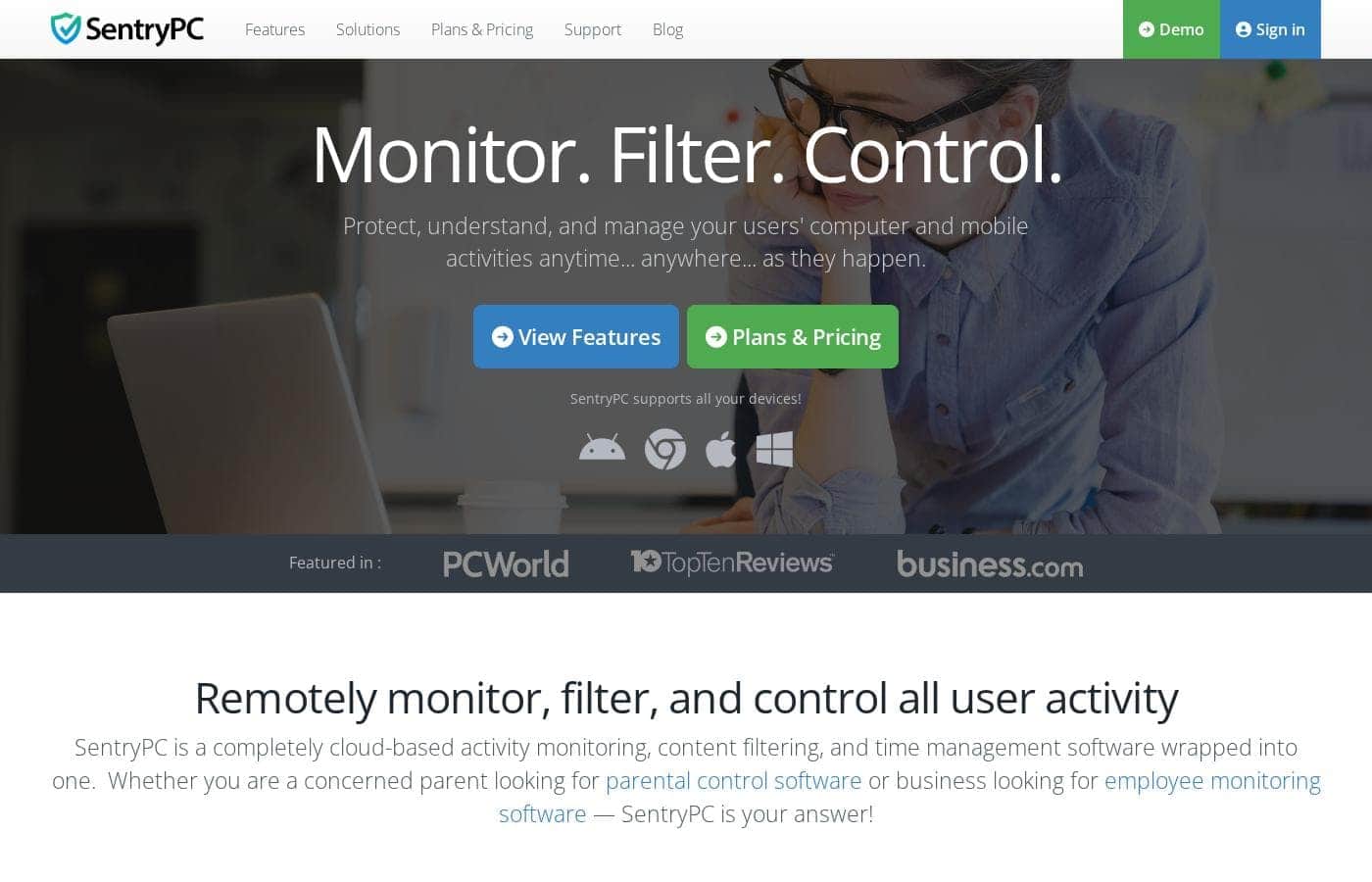
Monitor. Filter. Control.

#7 dans Parental Control
1 min read · Updated 10/3/2025
SentryPC homepage screenshot

At a glance

Quick overview for SentryPC: rating, pricing summary, key features, and highlights.

Ciroapp review

3.8
Stealth Monitoring, Enterprise Ready.

We find SentryPC offers robust, cloud-based activity monitoring and usage scheduling features that scale well from basic home use to large corporate environments. Overall, the comprehensive feature set—including powerful filtering and stealth operation—makes it a viable choice, but potential users should weigh the mixed external feedback regarding long-term reliability and support experience.

Pros

  • Pro:Software described positively as 'mind blowing' by some users.
  • Pro:Comprehensive monitoring and control features are included in all plans.
  • Pro:Scales effectively from single home use to 1,000+ enterprise licenses.
  • Pro:Operates remotely and completely unseen in stealth mode.

Cons

  • Con:Extremely polarized reports on reliability and core functionality.
  • Con:Highly negative feedback reported regarding customer support quality.
  • Con:Requires an annual commitment; no free trial is explicitly offered.
Range: $69.95–$9,995.00/yearYearly subscription, Per seat pricing
This section is a summary. Detailed sections about features, use cases, pricing, and reviews follow below.

SentryPC review, pricing, features, pros & cons

Are you tired of guessing how devices are being used? Many people struggle to protect users or manage productivity effectively. SentryPC solves this by letting you remotely monitor, filter, and control computer and mobile activities.

You now know exactly what they did and when they did it. ✨

What is SentryPC?

SentryPC is a completely cloud-based solution. It seamlessly combines activity monitoring, content filtering, and time management features into one secure platform. If you are a concerned parent or a business looking for employee monitoring, this software is your answer.

SentryPC supports devices running Android, Chromebook, Mac, and Windows, helping you manage all your endpoints. Once installed, every activity is recorded in real-time and handled remotely in your account. 💡

SentryPC Key Features

✨ Comprehensive Activity Recording

You no longer have to guess how devices are being used. SentryPC records every activity performed on the computer or phone in full detail. It operates in real time, meaning you get instant visibility into user actions exactly as they happen.

This robust monitoring ensures you know precisely what the user did and when they did it. All recorded data is handled remotely and stored securely in your cloud account. The software captures extensive data points helpful for understanding true usage patterns and maintaining comprehensive oversight.

SentryPC records activities, including:

  • Websites visited and applications being used.
  • Keystrokes, text messages, and emails sent.
  • Files accessed, print jobs, and screenshots.

✨ Flexible Content and Keyword Filtering

Easily define rules to prevent questionable actions and enforce appropriate content use. You can filter applications, websites, games, and specific keywords for all users. You have the choice to block content entirely or only restrict its access during certain hours you specify. This allows for flexible rules tailored to your unique needs.

The filtering features extend beyond just applications and websites. You can also prevent specific keystrokes or phrases from being typed, such as personal contact information. Optionally, you can receive email alerts whenever a user attempts a filtered activity that you have previously blocked.

✨ Powerful Time Management and Scheduling

Gain total control over device availability by setting clear usage limits. You can create detailed schedules defining exactly when a device can be used throughout the week. Choose specific hours for each day the computer or phone can be accessed.

This feature also lets you set maximum usage limits for either a single day or the entire week. If device usage is being limited, you can easily view how long each user has been active and how much time they have left. This helps enforce effective time restraints for both work and family use.

☁️ Remote Centralized Cloud Control

SentryPC is a completely cloud-based solution. This provides massive flexibility for management. You can log into your secure online account from any web-enabled device to remotely view activity logs and change settings for any user instantly.

Once the software is installed, you never need to physically access the computer or phone again. The centralized management system allows you to manage any number of devices and users, regardless of their physical location or network connection. All activity logs, charts, reports, and settings are accessed from this one spot.

✨ Stealth Operation and Security Restrictions

The software is designed to operate in complete stealth mode. Users usually remain unaware that the monitoring program is running silently in the background. If you prefer transparency, you do have the option to show warning messages to users.

For further control, you can implement various security restrictions. This capability lets you block access to critical system features. You can prevent users from accessing settings like the Control Panel, Network settings, or the Task Manager.

✨ Geofencing for Location Awareness

The Geofencing feature allows you to monitor the device's location actively. You can create a virtual fence around a specific 'home' address or location that you define. You are able to specify the precise distance for this fence.

The geolocation of the computer is constantly updated and you can view it easily in map form within your account. This provides instant visibility into location. The system generates alerts whenever the computer enters or exits the geofence boundary you have created.

Use Cases

💼 Boosting Employee Productivity

Monitoring remote teams is often challenging. Managers need concrete proof of how company devices are being used during work hours. SentryPC helps managers stop guessing and start knowing precisely what happens.

It provides real-time logs of applications, websites, and total time spent working. This detailed oversight helps increase accountability and supports overall productivity for the business.

👨‍👩‍👧‍👦 Establishing Clear Time Constraints for Families

Parents often struggle to manage screen time effectively without arguments. You can use time management features to automatically enforce usage limits. Just create a schedule defining allowed hours for device use on specific days.

You can also set strict maximum usage limits for the day or week. The system then automatically restricts access when the schedule closes or the time limit is reached.

🛑 Step Flow: Blocking Unauthorized Content

Users may try to access games, social media, or other questionable applications while monitoring is active. You must eliminate questionable activities through extensive filtering rules. Here is how you prevent access: 1.

Use Content Filtering to review and categorize all applications and sites. 2. Selectively block specific websites, applications, and sensitive keywords or phrases.

  1. Set rules that block content completely, or allow it only during specific off-hours. 4.

Receive instant email alerts if a user actively attempts to access any filtered content.

☁️ Remote Centralized Management of Devices

Imagine managing many devices spread across various locations and networks. SentryPC centralizes all control into one secure cloud account. You never need to physically access the device once the installation is done.

You can instantly change user settings, view detailed activity logs, and run visual charts from any web-enabled device, anywhere. This centralized approach makes device administration efficient and easy to handle, regardless of where users are located.

📍 Tracking Location and Geofence Alerts

If you need to ensure corporate devices stay within certain boundaries, you can use Geofencing. Set a virtual fence around a specific 'home' address or location and define a distance boundary. The software tracks the computer’s geolocation constantly and updates it on a legible map view.

Alerts are created immediately when the monitored device enters or exits the boundary you created.

🕵️ Investigating Unauthorized Actions

A manager suspects specific policy violations on a company workstation. SentryPC operates in complete stealth mode, ensuring the user remains unaware of the monitoring software running. The manager logs in remotely to review the raw Keystrokes Log, application usage charts, and corresponding detailed Screenshots Logs.

This provides full details of every user action performed, proving exactly what they did and when they did it. > Tip: Use the Top Usage Reports to see in-depth usage statistics detailing what activities are occurring the most and by which users.

Pricing Overview for SentryPC

Pricing range
$69.95–$9,995.00/year
Pricing types
Yearly subscription, Per seat pricing

SentryPC subscriptions are billed yearly and are suitable for home users up to large corporations, starting at $69.95 per year. Pricing scales primarily based on the number of licenses (devices) you need to manage, offering significant discounts at higher business tiers.

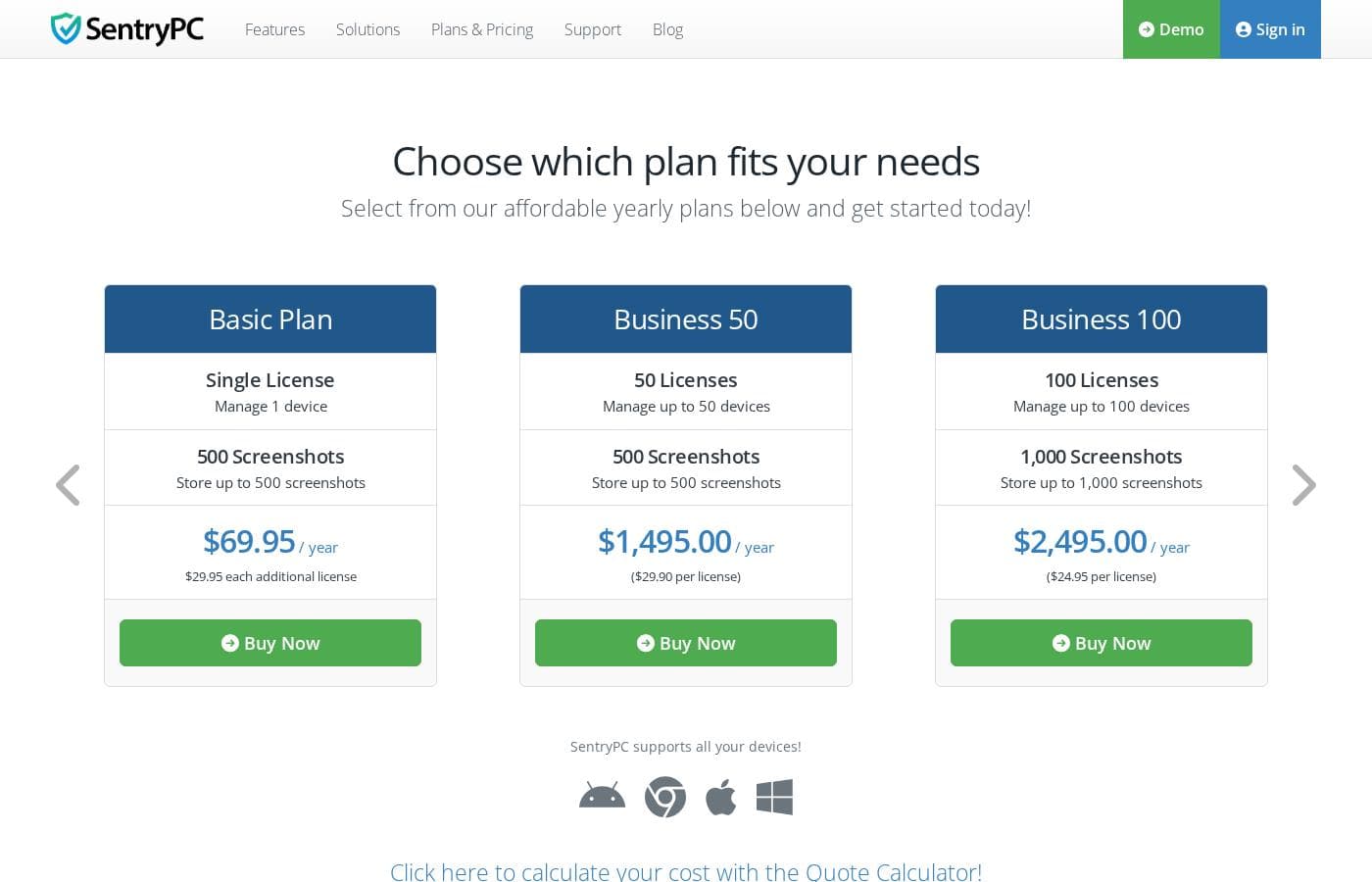
Plans & Pricing

Basic Plan

Yearly$69.95
Additional licenses cost $29.95 each per year.
  • Single License (Manage 1 device)
  • 500 Screenshots storage
  • Free lifetime updates

Business 50

Yearly$1,495.00
$29.90 per license
  • 50 Licenses (Manage up to 50 devices)
  • 500 Screenshots storage
  • Free lifetime updates

Business 100

Yearly$2,495.00
$24.95 per license
  • 100 Licenses (Manage up to 100 devices)
  • 1,000 Screenshots storage
  • Free lifetime updates

Business 250

Yearly$4,995.00
$19.98 per license
  • 250 Licenses (Manage up to 250 devices)
  • 1,000 Screenshots storage
  • Free lifetime updates

Business 500

Yearly$7,495.00
$14.99 per license
  • 500 Licenses (Manage up to 500 devices)
  • 2,000 Screenshots storage
  • Free lifetime updates

Business 1,000

Yearly$9,995.00
$9.99 per license
  • 1,000 Licenses (Manage up to 1,000 devices)
  • 2,000 Screenshots storage
  • Free lifetime updates

SentryPC costs between $69.95 and $9,995.00 per year with 6 plans: Basic Plan at $69.95, Business 50 at $1,495.00, Business 100 at $2,495.00, Business 250 at $4,995.00, Business 500 at $7,495.00, and Business 1,000 at $9,995.00.

SentryPC offers several affordable annual plans designed for both home users and large enterprises. Pricing is based entirely on the number of licenses and required screenshot storage.

Basic Plan

Price: $69.95 / year Websites Supported: Not explicitly stated Best For: Home users Refund Policy: Not explicitly stated Other Features:

  • Single license to manage 1 device
  • Includes 500 screenshots storage
  • Additional licenses available for $29.95 each per year

If you are a parent or individual user needing to monitor just one device, the Basic Plan is your best starting point. You can easily add more devices later if your needs quickly grow.

Business 50

Price: $1,495.00 / year ($29.90 per license) Websites Supported: Not explicitly stated Best For: Small businesses Refund Policy: Not explicitly stated Other Features:

  • Includes 50 licenses
  • Manage up to 50 devices
  • Store up to 500 screenshots

Companies needing comprehensive monitoring for a small team should choose the Business 50 plan. You get 50 licenses, and the per-license cost provides a slight savings compared to buying individual licenses.

Business 100

Price: $2,495.00 / year ($24.95 per license) Websites Supported: Not explicitly stated Best For: Growing businesses Refund Policy: Not explicitly stated Other Features:

  • Includes 100 licenses
  • Manage up to 100 devices
  • Store up to 1,000 screenshots

This tier is ideal for medium organizations that require a larger scope of coverage for their devices. You benefit from a lower per-license price and double the included screenshot storage space.

Business 250

Price: $4,995.00 / year ($19.98 per license) Websites Supported: Not explicitly stated Best For: Mid-sized organizations Refund Policy: Not explicitly stated Other Features:

  • Includes 250 licenses
  • Manage up to 250 devices
  • Store up to 1,000 screenshots

The Business 250 plan offers a significant discount per license, dropping below $20 annually per device. This plan manages substantial device counts while maintaining 1,000 screenshot storage capacity.

Business 500

Price: $7,495.00 / year ($14.99 per license) Websites Supported: Not explicitly stated Best For: Large enterprises with extensive monitoring needs Refund Policy: Not explicitly stated Other Features:

  • Includes 500 licenses
  • Manage up to 500 devices
  • Store up to 2,000 screenshots

Large companies needing 500 device licenses should select this business option. The per-license cost remains competitive, and your included screenshot storage doubles again to 2,000 images.

Business 1,000

Price: $9,995.00 / year ($9.99 per license) Websites Supported: Not explicitly stated Best For: Very large organizations or corporations Refund Policy: Not explicitly stated Other Features:

  • Includes 1,000 licenses
  • Manage up to 1,000 devices
  • Store up to 2,000 screenshots

This top-tier plan provides the best value, with each license costing under $10 per year. It is designed for major organizations requiring monitoring across up to 1,000 devices.

SentryPC does not explicitly offer a free plan or free trial, but all purchases include immediate access to software downloads and free updates for the lifetime of your subscription. Remember that if you need to cancel, your access continues normally until the end of your current yearly subscription period. 👍

User Reviews

SentryPC’s external sentiment is sparse and highly polarized, based solely on the few available reviews. One user described the software as 'mind blowing,' suggesting strong satisfaction with its monitoring capabilities and performance. However, this positive view is sharply contrasted by a critical review claiming severe functionality issues and the 'WORST CUSTOMER SUPPORT EVER.' The negative review specifically mentioned that the product does not work well. The company provided detailed context for this critical feedback, noting a particular scenario where they provided remote installation assistance, issued a full refund upon request, and claimed the reported malfunction was caused by the user sending an uninstall command.

Given the extremely low volume of feedback, it's challenging to establish statistically significant recurring themes regarding ease of use, pricing, or integrations. The available data suggests a dramatic difference in user experience, ranging from total success (accuracy/liking) to fundamental failure (reliability/support). Customers should note the conflict surrounding technical support responsiveness and ultimate operational reliability 🧐 before committing to a subscription plan.

What users say elsewhere

Alex D.
· Trustpilot
5.0 / 5

This software is simply mind blowing. I am currently using SentryPC and I am highly satisfied with its performance and comprehensive monitoring capabilities. It provides full transparency for device usage in real-time.

Mindy K.
· Trustpilot
1.0 / 5

The product absolutely does not work well in actual practice. We experienced significant functionality issues soon after installation. The customer support was terrible; keep far away from this company.

No reviews yet.

Write a Review

Write a Review for SentryPC
0/100 characters
0/2000 characters

Why use SentryPC?

It is time to stop guessing and start knowing precisely how devices are being used. SentryPC provides detailed insights into user activity on computers and phones, empowering you to prevent questionable actions and enforce limits. You gain total control over applications, websites, and usage times, all managed from one spot.

Here are the key advantages users enjoy:

  • Remote, Real-Time Visibility: View user activities instantly, as they happen, right in your secure cloud account from anywhere.
  • Unseen Operation: SentryPC operates in complete stealth mode. Users usually remain unaware that the monitoring software is running.
  • Powerful Usage Scheduling: Easily create clear daily or weekly schedules to control when the device can be used and set maximum usage limits.
  • Centralized Management: Manage any number of devices and users from one secure online account, regardless of their physical location or network.
  • Lifetime Free Updates: All necessary updates are free for the lifetime of your subscription, ensuring you never face upgrade fees or hidden costs.

Ready to transform your workflow with SentryPC?

Frequently Asked Questions

Are there any free trials or money-back guarantees available?

SentryPC does not explicitly offer a free trial period or a formal money-back guarantee. However, all purchases include immediate access to your software download and your secure cloud account.

Does SentryPC bill based on user activity or per device license?

Pricing is based entirely on the number of licenses you require for devices. You need one license for each computer or mobile device you want to monitor, regardless of the number of users.

How long are activity logs stored in my cloud account?

Your account will always maintain the most recent month's worth of detailed activity logs for your review. Logs older than 30 days are purged daily, so we recommend downloading or archiving important data locally.

What is the limit on screenshot storage, and can I increase it later?

The screenshot storage limit depends on your plan, ranging from 500 up to 2,000 images. If you reach your maximum, the oldest screenshots are removed automatically as new ones are taken. You can easily increase your storage capacity for an additional $29.95 per year for every 500 increments.

How do I cancel my subscription, and when does my access stop?

You can cancel the automatic renewal process anytime through your online account management settings. Your software and cloud access will continue functioning normally until the original subscription’s expiration date is reached.

What is the initial process for setting up SentryPC for monitoring?

Setup involves three main steps: immediately download the software after purchase, follow the provided step-by-step installation instructions, and then sign in to your cloud account. Once installed, remote management begins instantly.

If one computer has multiple user accounts, how many licenses are needed?

You only need a single license for that device, regardless of how many individual users are set up on it. SentryPC will monitor activities across all user accounts on the licensed machine.

What are the technical requirements for monitored devices?

Monitored devices require an active internet connection and only 1MB of hard disk space. SentryPC supports Android 7+, Chromebook with Chromium browser, Mac OS X 10.6+, and Windows 7, 8, 10, and 11.

Do the Basic and Business plans include different monitoring features?

No. All plans, whether Basic or Business, contain the exact same comprehensive monitoring, filtering, and control features. The only differences are the scale of licenses and the included screenshot storage capacity.

What kind of customer support is offered with a subscription?

All customers receive complimentary support through our online ticket system. The official site does not explicitly state a guaranteed response time or service level agreement (SLA).

Does SentryPC offer any official application programming interfaces (APIs) or third-party integrations?

Not explicitly stated on the official site. The product is advertised as a stand-alone, cloud-based platform for monitoring and control.

Is the SentryPC service available in languages other than English?

Not explicitly stated on the official site. You should contact their support team directly to confirm availability for multilingual interfaces or regional settings.

Ready to try SentryPC? Check out the official site or pricing.