Qustodio

Qustodio

Parental control and digital wellbeing, trusted by millions.

#13 dans Parental Control
2 min read · Updated 10/6/2025
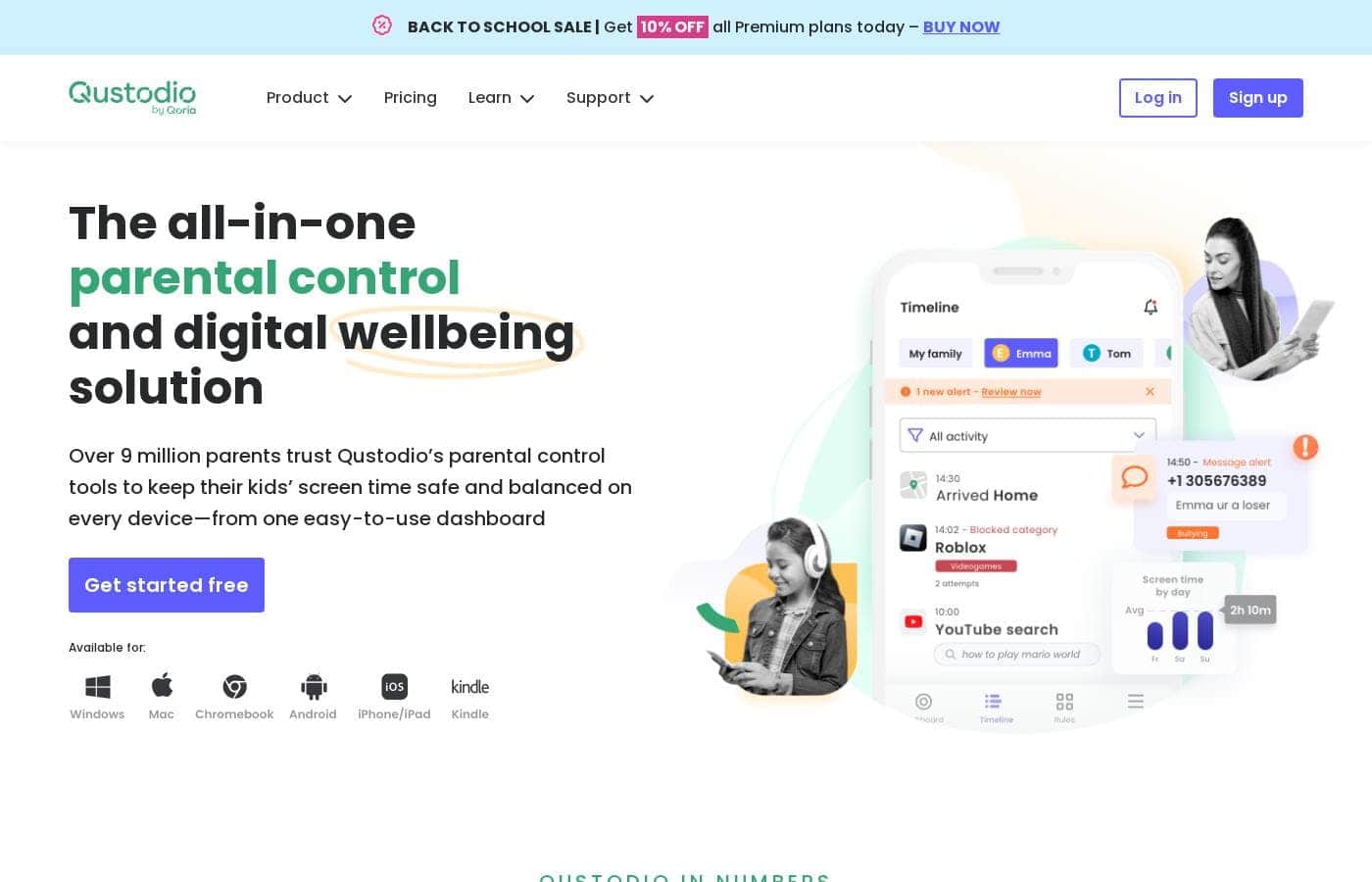
Qustodio homepage screenshot

At a glance

Quick overview for Qustodio: rating, pricing summary, key features, and highlights.

Ciroapp review

3.0
Robust features, unreliable performance, poor support.

We find Qustodio’s feature set impressive, offering tailored control regarding digital wellbeing across unlimited devices with its Complete plan. However, external feedback suggests serious concerns regarding core reliability and customer support responsiveness, especially dealing with technical issues and easy circumvention by children. Overall, we recommend caution due to significant reported performance flaws that undermine its comprehensive approach.

Pros

  • Pro:Comprehensive digital wellbeing tools and detailed activity reports.
  • Pro:The Complete plan offers coverage for an unlimited number of devices.
  • Pro:Features AI-powered real-time alerts for concerning online activity.
  • Pro:Provides unified supervision from a central, easy-to-use dashboard.

Cons

  • Con:Software is easily circumvented, uninstalled, or disabled by children/teens.
  • Con:Core functionality like time limits often fails or provides inaccurate usage reports.
  • Con:Customer support is widely reported as slow, non-existent, or unhelpful for paid users.
  • Con:Can interfere with mobile data and cause connectivity loss due to VPN architecture.
Free trial
Yes
Money-back guarantee
Yes — 30 days
Range: $54.95–$99.95/yearFree plan, Free trial, Yearly subscription
This section is a summary. Detailed sections about features, use cases, pricing, and reviews follow below.

Qustodio review, pricing, features, pros & cons

Are you tired of constantly worrying about what your kids see online? Balancing digital safety with healthy screen time use can feel impossible. Qustodio provides an all-in-one solution.

It helps you keep kids safe and achieve digital wellbeing on every device. ✅

What is Qustodio?

Qustodio is a comprehensive parental control tool designed specifically for modern families. It's an easy-to-use solution trusted by over eight million parents worldwide. The goal is to give parents peace of mind while fostering positive digital habits for their children.

You manage everything from one simple dashboard, allowing supervision the way you want to. Because it's focused on digital wellbeing, it supports creating a risk-free environment for kids as they grow. ✨

Qustodio Key Features

✨ Control Your Kids' Digital Environment

You get powerful tools to manage exactly what your child can see and access online. Qustodio filters websites and blocks inappropriate apps and games instantly. This allows your kids to explore the digital world safely, focusing only on child-friendly websites.

We also give you important insights regarding the apps your children use. This helps you quickly identify any potential risks. You can get suggestions for alternative apps that are better suited for their age, ensuring a balanced and protected online experience. You can even block entire games if needed to ensure better focus.

✨ Flexible Screen Time Protection

It's easy to build positive digital habits and prevent screen addiction with scheduled limits. You can set consistent daily time limits and create custom routines for specific moments like study time or bedtime. This consistency encourages healthier sleep patterns and preserves important family time.

If you need an immediate digital break, you can pause public internet access for your child at the touch of a single button. Use these tools to help your child maintain a healthy balance between being online and enjoying real-life activities.

✨ Real-Time Monitoring and Reporting

Stay fully informed with an easy, real-time view of your child's online activity. You can check their browsing history, track their use of social media, and monitor their YouTube viewing habits from one simple dashboard. Qustodio makes tracking their digital footprint straightforward.

For ongoing awareness, detailed activity reports are sent straight to your email. You receive these comprehensive updates daily or weekly, ensuring you always know where your children spend their time online. This visibility makes supervision simple and manageable.

💬 Communication Safety and Cyberbullying Prevention

Qustodio allows you to closely supervise your child's communication to protect them from online risks. You can track calls and SMS messages on both Android and compatible iOS devices. This means you can see who they are communicating with and read the content of their messages.

This monitoring feature is essential for identifying potential cyberbullying or online predators immediately. For added peace of mind, you can also completely bar calls or messages to and from specific contacts. Note: To track calls and messages on iOS, you will need a Windows or Mac computer setup.

✨ Family Locator and Emergency Alerts

Ensure your family's safety whether they are home or on the go using location tools. The Locate Family feature allows you to check your children's real-time locations on a map and see where they have traveled. You receive immediate alerts upon arrival or departure from saved locations, such as school or a friend's house.

For instant help, Qustodio includes a feature allowing kids to send an SOS signal if they feel unsafe. This instantly notifies you that they need assistance. This important Panic Button functionality is available for Android users.

Use Cases

🛌 Establishing Healthy Bedtime Routines

Excessive screen time before bed can severely disrupt healthy sleep. You can use Qustodio’s scheduling tools to create automatic screen-free moments easily. This helps your child avoid the sleep-disrupting blue light that keeps them awake and promotes better rest.

You can pick from suggested screen-free times or create custom rules specifically for weeknights and weekends. These consistent digital routines help build positive habits, ensuring your kids get the rest they need to thrive, both online and off.

🛑 Quickly Intervening in Cyberbullying Concerns

Worrying about what your child experiences on social media is tough. Qustodio helps by monitoring messages and social media posts for risky communication. The system uses AI-powered tools to identify and alert you to any concerning searches or activities in real time.

This immediate warning allows you to intervene quickly and address the issue directly. By using these controls, you can help catch and block bullies, protecting your children from mental health risks like depression or low self-esteem linked to online harassment.

📚 Reducing Distractions During Study Time

It’s hard for children to focus when games and social media apps are easily available on their devices. Qustodio enables you to manage this challenge by establishing study routines. You can set up custom rules that block distracting apps and games during specific hours.

This ensures your child has access only to sites, apps, and videos necessary for their schoolwork. By reducing these digital distractions, you help them concentrate better. This approach promotes better educational outcomes and ensures online and offline life stays balanced.

⏸️ Instant Screen Time Control

Sometimes, you need an immediate digital break, such as at dinner time or when a family discussion starts. Instead of wrestling the device away, you can pause the internet instantly with Qustodio at the touch of a button.

This powerful feature enforces screen-free time right away, preserving important family moments. Once the dinner or activity is done, simply resume access, making parental control seamless and efficient.

📍 Monitoring Location and Providing Emergency Support

When your children are away from home, you want assurance they are safe. Qustodio allows you to check your family members' current locations easily on a map. For added peace of mind, you can save common destinations like school or a music lesson.

By saving these locations, you receive text alerts when your child arrives at or leaves those points. Additionally, in an emergency, your kids can use the SOS signal feature (available on supported devices) to instantly notify you if they urgently need help.

🛡️ Filtering Content for Younger Kids

You don’t want little ones stumbling across adult or upsetting content while learning how to browse. Qustodio protects them by filtering websites and blocking access to inappropriate content, apps, and games. You tailor the experience so they can only visit child-friendly websites safely.

You also get insights into the app usage and any potential risks. Qustodio even suggests age-appropriate alternatives for apps your kids might be using. This creates a risk-free environment where kids can explore the digital world safely as they grow.

Pricing Overview for Qustodio

Pricing range
$54.95–$99.95/year
Pricing types
Free plan, Free trial, Yearly subscription
Money-back guarantee
Yes — 30 days

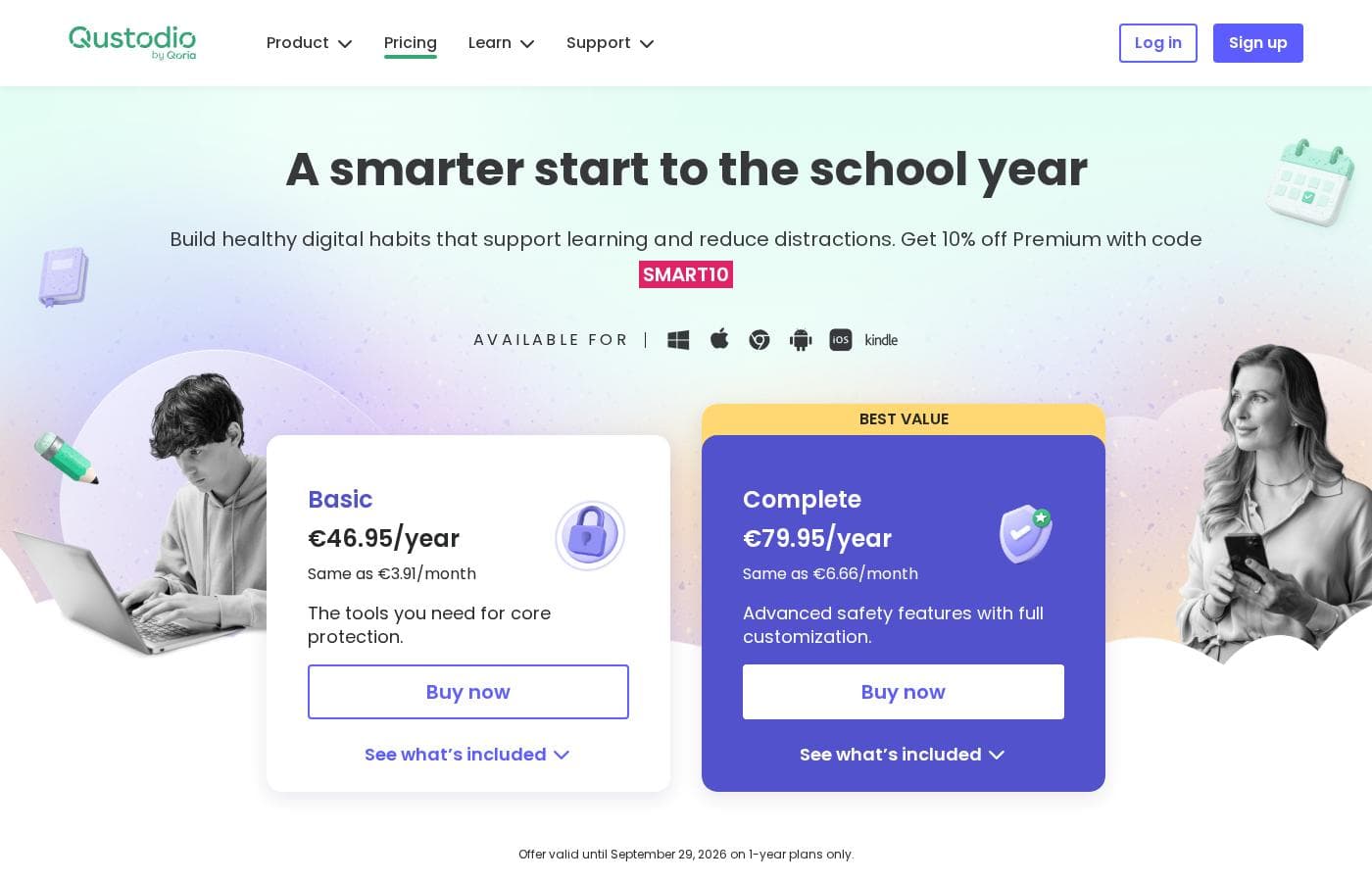
Qustodio offers two annual Premium plans: Basic and Complete. Pricing starts at $54.95 per year for essential protection for up to five devices.

The higher-tier Complete plan provides unlimited device coverage and advanced features, including premium support.

Plans & Pricing

Basic

Monthly$4.58
Yearly$54.95
Up to 5 devices protected. Care Plus sold separately for $12.99.
  • Games & apps blocking
  • Daily time limits
  • Web filtering
  • Location monitoring
  • Pause internet access
  • AI-powered alerts
  • Social monitoring
  • Custom routines
  • + 1 more features

Complete

Monthly$8.33
Yearly$99.95
Unlimited devices protected.
  • All Basic features included
  • Unlimited devices protected
  • Calls & messages monitoring*
  • Care Plus included free (Priority support, check-ins, personalized help)
  • Custom rules for web, apps and games
  • YouTube monitoring

Free

Contact for pricing
Protects a single device only.
  • Basic protection features

Qustodio costs between $54.95 and $99.95 per year with 2 Premium plans: Basic at $54.95/year and Complete at $99.95/year.

Let's look closely at what each Premium plan offers your family.

Basic

Price: $54.95/year (also listed as $67.94/year in some sections) Websites Supported: Not explicitly stated Best For: Core protection or small families Refund Policy: 30-day money-back Other Features:

  • Games & apps blocking
  • Daily time limits
  • Web filtering and location monitoring
  • Pause internet access
  • AI-powered alerts and social monitoring

This plan is ideal for small families needing essential safety functions on only a few devices. The Basic plan protects up to five devices with tools necessary for core protection. You can purchase the Care Plus premium support option for an extra $12.99 if you want personalized help.

Complete

Price: $99.95/year Websites Supported: Not explicitly stated Best For: Advanced safety features with full customization Refund Policy: 30-day money-back Other Features:

  • Unlimited devices protected
  • Care Plus included free (Priority support and ongoing check-ins)
  • Custom rules for web, apps, and games
  • YouTube monitoring
  • Calls & messages monitoring*

The Complete plan is the clear best value if you have many children or need coverage for unlimited devices. This advanced tier includes Care Plus customer support at no extra charge. This option provides the maximum level of feature customization and the broadest coverage for your family’s digital wellbeing.

A free version of Qustodio is available, covering one device with basic protection features. You can also create a free account to enjoy a trial of the Premium features before subscribing. Regardless of your choice, Qustodio offers a 30-day money-back guarantee, so you can safely try the service risk-free.

User Reviews

User feedback on Qustodio is highly polarized, resulting in a low average rating (2.5/5 on Trustpilot). While the platform offers appealing features like comprehensive monitoring and time management, users frequently report major reliability issues.

A recurring critical complaint is that the software is easily disabled or uninstalled by children—sometimes by simply ending the process in Task Manager—rendering the expensive Premium subscription useless. Customers also struggled with core functionality; many noted that screen time limits were often inaccurate or failed to apply correctly, occasionally reporting usage during sleeping hours.

Network connectivity problems due to Qustodio’s VPN-reliant architecture were also a common issue, sometimes causing complete internet loss. Support responsiveness is a significant pain point; many reviewers with paid subscriptions reported getting zero support or only stock replies, and some were refused a full refund even when the product failed immediately.

Users found the setup process clunky and confusing, sometimes requiring duplicate accounts. Ultimately, while the powerful feature set promises peace of mind, frequent bugs and a lack of support undermine user confidence.

🛠️

What users say elsewhere

Alex T.
· Trustpilot
1.0 / 5

Zero customer support despite paying for the premium subscription. It was impossible to recover forgotten passwords. Plus, my 13-year-old son uninstalled the app in 15 seconds, making it useless right away.

Mandy F.
· Trustpilot
1.0 / 5

This program is complete trash. It keeps saying that we are going places on our phones when we are asleep. It simply cannot track anything properly or reliably, which is frustrating for a paid service.

No reviews yet.

Write a Review

Write a Review for Qustodio
0/100 characters
0/2000 characters

Why use Qustodio?

Choosing the right parental control system simplifies daily life tremendously. Qustodio stands out because it offers tailored supervision across all devices, making it easier to build positive digital habits. Over three billion online threats have already been averted using this platform. It’s an effective way to handle the complexity of the digital world. 💡 Here is why Qustodio works for so many families:

  • Achieve Essential Balance: You can use powerful time limits and scheduling features to encourage screen-free moments and avoid online addiction.
  • Specific Risk Management: Monitor messages and social media posts to identify and block cyberbullying, ensuring your child's online privacy is protected.
  • Real-time Visibility: Get detailed daily or weekly activity reports straight to your email. You’ll see browsing history, YouTube views, and location tracking easily.
  • Instant Safety Alarms: Receive AI-powered real-time alerts for concerning activities, searches, or website visits. Kids can even send you an SOS signal if they need help.
  • Address Mental Health: By setting healthy screen limits and monitoring social media, you actively help reduce the risks associated with low self-esteem or developing depression linked to tech overuse.

If you prioritize your child's safety and digital wellbeing, Qustodio offers the comprehensive tools you need. It supports parents who want to manage screen time effectively without sacrificing their child's online independence. You can test all the premium features today with a free trial. Give your family peace of mind while building better digital habits. ➡️

Ready to transform your workflow with Qustodio?

Frequently Asked Questions

How does device coverage differ between the Basic and Complete plans?

The Basic plan limits protection to five devices only. In contrast, the Complete plan provides coverage for an unlimited number of devices for your family. Note that this unlimited coverage does not apply to schools or businesses.

What payment methods does Qustodio accept for premium plans?

Qustodio supports several popular payment options based on your location. You can pay using Visa, Mastercard, American Express, PayPal, Google Pay, and Apple Pay.

What is the exact duration of the free trial for Premium features?

You can create a free account to try out Premium features before subscribing. The exact length of this trial period is not explicitly stated on the official site.

What is required to monitor calls and messages on an iOS device?

To enable call and message monitoring on iOS devices, you must connect the device through a Windows or Mac computer. This functionality is conditional, unlike on Android.

Can I upgrade my Qustodio plan if I decide to cover more devices later?

Yes, you can easily switch to a larger Premium plan as your family needs change. You can find exclusive offers for upgrading your subscription tier on their website.

What kind of support is included with the different plans?

The Complete plan includes Priority phone support via Care Plus free of charge. Basic customers receive standard Premium email support but must purchase Care Plus separately for $12.99 annually to get priority phone help.

Which operating systems and devices are compatible with Qustodio?

Qustodio supports protection for a wide range of devices. It is compatible with Windows, Mac, iOS, Android, and Kindle platforms.

What if I am not happy with the service after purchasing a plan?

All Premium subscriptions are covered by a 30-day money-back guarantee. If you are not satisfied with the product, you can try the service risk-free and receive a refund.

Does Qustodio offer monthly payment options?

Qustodio Premium plans are offered only through annual subscriptions. Any listed monthly rates are simply the annual price divided by twelve months.

Are there any platform restrictions on advanced features like the Panic button?

Yes, specific features are platform-dependent. For instance, the Panic button and Instagram message alerts are exclusively available for devices running Android.

Who benefits the most from choosing the Complete plan?

The Complete plan is best for large families who need coverage for unlimited devices. It is also suitable for parents who want custom rules, full feature customization, and priority phone support.

In what languages is the priority customer support available?

The premium Care Plus support services, including priority phone support and personalized help, are available in both English and Spanish.

Ready to try Qustodio? Check out the official site or pricing.