OurPact

OurPact review

One parental dashboard for every screen your child uses.

By Ciroapp Editorial Team · Updated Sep 16, 2026

Commission may apply at no extra cost

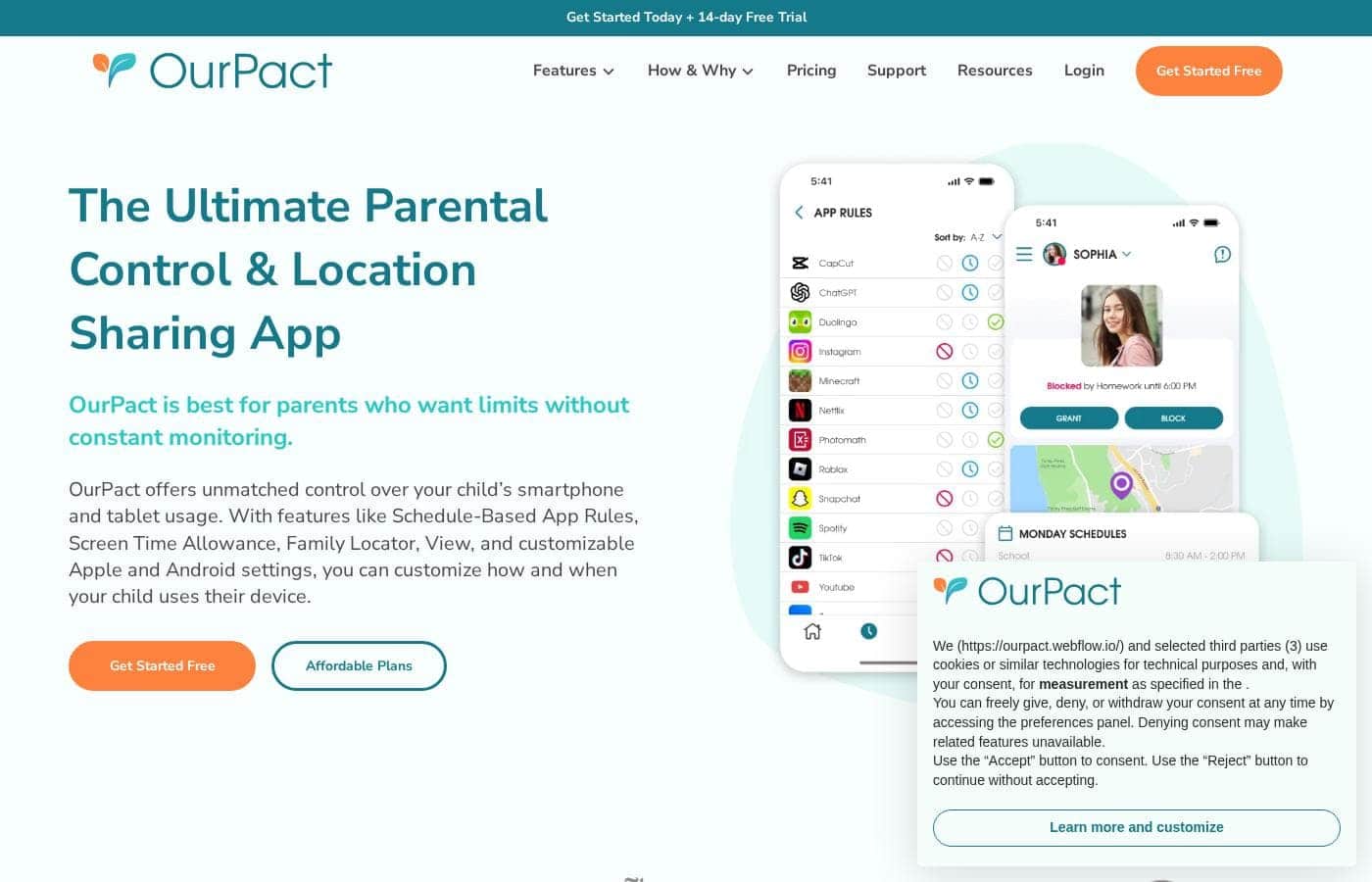
OurPact homepage screenshot

At a glance

Quick overview for OurPact: rating, pricing summary, key features, and highlights.
Vendor page checked Oct 13, 2026

Ciroapp score

3.8/ 5

OurPact manages iPhones, iPads, and Android devices from a single dashboard, with one child profile carrying rules across every paired device. Schedule-based routines fit family rhythms, but the useful controls sit behind a paid subscription and setup takes per-device effort. Overall, it's a smart pick for mixed Apple and Android homes, though single-platform families could pay less elsewhere.

Pros

  • Pros:Genuine cross-platform coverage — iPhones, iPads, Android phones, and Android tablets are all managed from a single parent dashboard
  • Pros:One child profile pairs with multiple devices, so rules persist across a mix of iOS and Android hardware instead of being set per device
  • Pros:A free plan and free trial let families verify device compatibility before committing money

Cons

  • Cons:Setup requires installing the companion app and granting permissions on each child device, and the process differs somewhat between iOS and Android
  • Cons:The free plan is limited; the controls families typically buy parental control software for sit behind a paid subscription
  • Cons:Feature behavior can vary between iOS and Android because the platforms impose different technical constraints, so expectations should be set per device
Best for
  • Parents in households that mix Apple and Android devices and want one tool instead of two
  • Families who want schedule-based screen time routines, such as automatic limits during homework, dinner, and bedtime
  • Parents handing a child their first phone or tablet who want limits established from day one
This section is a summary. Detailed sections about features, use cases, pricing, and reviews follow below.

What is OurPact?

OurPact is a parental control application built for the reality of modern families, where a single child may carry an iPad at home, an Android phone at school, and an old iPhone in the car. Instead of forcing parents to juggle separate tools for each platform, OurPact consolidates management into one dashboard. Its stated mission is to help families build balanced digital routines and keep kids safer online.

OurPact is a cross-platform parental control app that lets parents manage iPhones, iPads, Android phones, and Android tablets from a single place. A child profile can be paired with multiple devices, even when those devices mix iOS and Android. From the parent side, you define schedules, limits, and restrictions once, and they apply across every device tied to that child.
Should you choose OurPact?

Quick buyer guidance before you compare plans or click through.

Choose it if

  • Parents in households that mix Apple and Android devices and want one tool instead of two
  • Families who want schedule-based screen time routines, such as automatic limits during homework, dinner, and bedtime
  • Parents handing a child their first phone or tablet who want limits established from day one
  • Families with multiple children who need separate, age-appropriate rules per child managed from one place

Skip it if

  • Households that are entirely Apple or entirely Android, where a single-platform tool may be simpler and cheaper since OurPact's cross-platform reach is its main premium
  • Buyers who want a permanently free, full-featured solution, since the meaningful controls require a paid subscription
  • Parents unwilling or unable to install a companion app and grant permissions on each child device, which the setup process requires

Next steps before buying

  1. 1Create a parent account at ourpact.com, or download the OurPact parent app, and start on the free plan to test the service risk-free
  2. 2Install the OurPact child app on each device you want to manage, following the platform-specific permission steps for iOS and Android
  3. 3Pair each child's devices to their child profile, mixing iPhone, iPad, and Android hardware under one profile as needed
  4. 4Define your first schedule, such as a bedtime cut-off or homework-hour block, and observe how it behaves across all paired devices for a few days
  5. 5If the free plan does not cover the controls you need, use the free trial to evaluate premium features before committing to a monthly or yearly subscription

OurPact Key Features

✨ Cross-Platform Management from One Dashboard

OurPact's defining feature is unified control across operating systems. Parents manage iPhones, iPads, Android phones, and Android tablets side by side, so rules do not change based on which device a child happens to pick up. This is particularly useful in households that accumulate a mix of hand-me-down and new devices over the years.

✨ Child Profiles That Span Multiple Devices

Rather than configuring each gadget in isolation, OurPact pairs a single child profile with multiple devices. Set bedtime, homework-time, or free-time rules once and they carry across everything that child uses. When a new device enters the household, it gets attached to the existing profile instead of starting from scratch.

✨ Schedule-Based Screen Time Routines

OurPact is oriented around building balanced daily routines rather than pure lock-down. Parents can define when devices are allowed and when they are off-limits, aligning screen time with school hours, meals, homework, and bedtime. The goal, per the company, is a healthier rhythm of use rather than a running battle over every pickup.

✨ Support for a Safer Online Experience

Beyond scheduling, OurPact positions itself as a tool for creating a safer online world for children. Parents retain the ability to restrict access when needed, giving them a practical lever for intervening on problem apps or usage patterns without confiscating hardware.

Use Cases

💡 Mixed Apple and Android Households

Families with, say, a parent on iPhone and a child on a hand-me-down Android tablet often struggle to find one tool that governs both. OurPact is purpose-built for this situation, managing both ecosystems from the same dashboard so nothing depends on which brand of device is in the child's hands.

💡 School-Night Routines and Homework Time

Parents who want devices to disappear automatically during homework hours, dinner, and bedtime can define those windows as recurring schedules. This turns screen-time enforcement from a nightly confrontation into an established household routine the whole family can predict.

💡 A Child's First Phone or Tablet

Handing a young child their first device is a common trigger for parental control software. OurPact lets parents attach that new device to a child profile with limits already defined, establishing healthy habits from day one rather than trying to claw back screen time later.

💡 Families Managing Multiple Children

Because each child has a dedicated profile that spans their devices, parents with several kids can maintain separate, age-appropriate rules for each one. A teenager's freedom and a second-grader's restrictions coexist under the same parent dashboard without interfering with each other.

OurPact pricing

Prices not verified yet — see the vendor page.

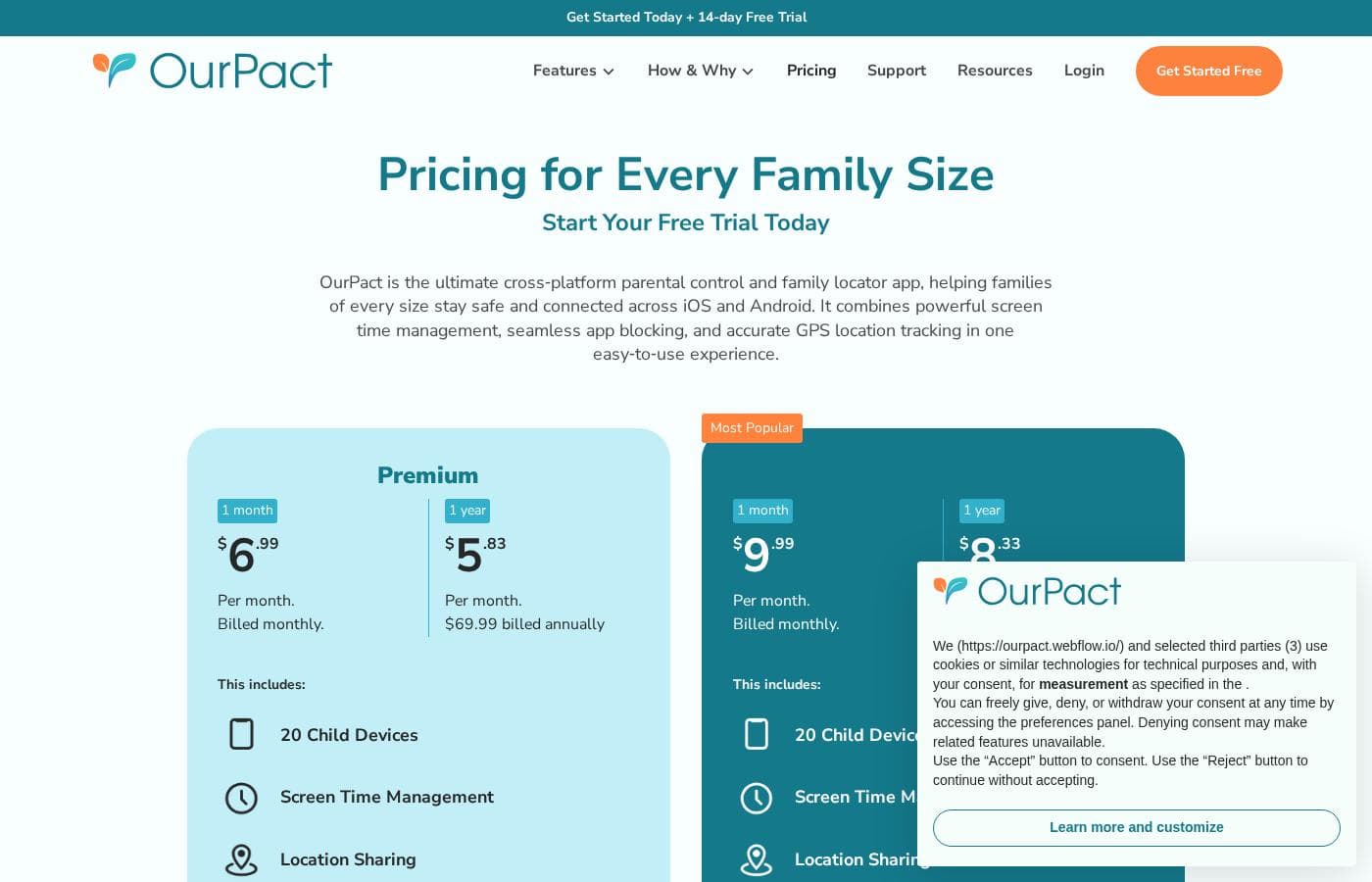
OurPact's pricing page

OurPact pricing page screenshotView pricing page screenshot

Price history

Tracking prices since Oct 1, 2026. No price change detected yet.

Pricing types: Free plan, Free trial, Monthly subscription, Yearly subscription

Pricing notes

OurPact pricing: Plans from $0/month Billing options: Free plan, Free trial, Monthly subscription, Yearly subscription

Email me when OurPact changes price

One email when we detect a price change on the vendor's pricing page. No newsletter, no deals. Unsubscribe in one click.

User Reviews

No reviews yet.

Write a Review

Write a Review for OurPact
0/100 characters
0/2000 characters

Why use OurPact?

Most parental control tools are strong on one platform and weak on the other, which leaves gaps for kids to slip through. OurPact removes that gap by treating all of a child's devices as one managed unit rather than separate problems.

For parents, that means less repeated setup, fewer apps to learn, and rules that follow the child rather than the hardware. For kids, consistent rules across devices are easier to understand and harder to exploit.

OurPact alternatives

Other tools in the Parental Control category

View all Parental Control tools
Qustodio

Qustodio

Parental Control4.1/5

Qustodio is a comprehensive parental control tool designed specifically for modern families. It's an easy-to-use solution trusted by over eight million parents worldwide. The goal is to give parents peace of mind while fostering positive digital habits for their children. You manage everything from one simple dashboard, allowing supervision the way you want to. Because it's focused on digital wellbeing, it supports creating a risk-free environment for kids as they grow.

MMGuardian

MMGuardian

Parental Control4.1/5

MMGuardian is a comprehensive application that allows you to control and monitor your child’s phone remotely from your own device—whether you use an iPhone or Android handset. It removes the stress of phone management by promoting prevention first. This powerful tool offers parents complete visibility and control over web access, app usage, and digital communication. 💡 You can easily set usage limits on apps and screen time to help your child thrive toward a balanced lifestyle.

Net Nanny

Net Nanny

Parental Control4/5

Net Nanny is widely trusted parental control software. It is consistently ranked as the Best Parental Control App. ✅ Millions of parents have trusted this software since 1996. It’s designed to keep your kids safe from adult content when they browse online. The system allows children to use the internet safely while still being protected. It offers the visibility parents need today.

Canopy

Canopy

Parental Control3.9/5

Canopy is a powerful digital parenting app built to keep children safer across their devices. It uses advanced computing technology, including artificial intelligence and machine learning. This technology instantly recognizes and filters out sensitive or pornographic content, even on your child’s smartphone camera. Setting up Canopy is simple: you download the Canopy App to manage settings and install the Shield App on each device you want to protect.

Bark

Bark

Parental Control3.9/5

Bark is an AI-powered safety platform designed for families who want clarity and control over their kids’ online world. It spans multiple products—Bark Phone, Bark Watch, Bark App, and Bark Home—so you can monitor texts, apps, and web activity across devices. Bark uses advanced AI to scan texts, social media, images, videos, and audio for threats like cyberbullying and pornography, ensuring unparalleled safety for your child. In addition to monitoring, Bark helps you manage screen time, block content, and track location.

FamiSafe

FamiSafe

Parental Control3.9/5

FamiSafe is a next-generation parental control application designed by Wondershare. It empowers families to establish positive digital habits together. The platform lets you see and guide your child's activities, balancing freedom with necessary protection. It is built for all parents who want reliable tools to manage screens, monitor device activity, and protect loved ones in real life. You’ll receive detailed reports on daily device usage and app activities effortlessly.

Cheapest Parental Control software for 1 to 25 users

OurPact FAQ

Does OurPact work on both Apple and Android devices?

Yes. OurPact manages iPhones, iPads, Android phones, and Android tablets, and it does so from a single parent dashboard. A single child profile can be paired with multiple devices, even when those devices mix iOS and Android, which is the product's main differentiator over single-platform parental control tools.

Is there a free version of OurPact?

OurPact starts at $0 per month, so there is a free plan you can use to get started. A free trial is also available for evaluating paid capabilities. Beyond the free tier, OurPact is offered as a monthly or yearly subscription, and the advanced management controls are what the paid plans unlock.

How do I manage more than one child with OurPact?

Each child gets their own profile, and that profile can be paired with every device the child uses across iOS and Android. Parents with several children maintain separate profiles with age-appropriate rules for each, all controlled from the same parent dashboard, so a teenager's permissions and a younger sibling's restrictions never conflict.

What is involved in setting OurPact up on a child's device?

Setup involves creating a parent account, installing the OurPact child app on each device you want to manage, and pairing those devices to the relevant child profile. Because iOS and Android impose different technical requirements, the exact permission steps differ slightly by platform, so plan to complete setup on each device individually.

Ready to try OurPact? Check out the official site or pricing.

Are you OurPact? Claim this listing · Get the badge