Pinnacle Studio

Pinnacle Studio

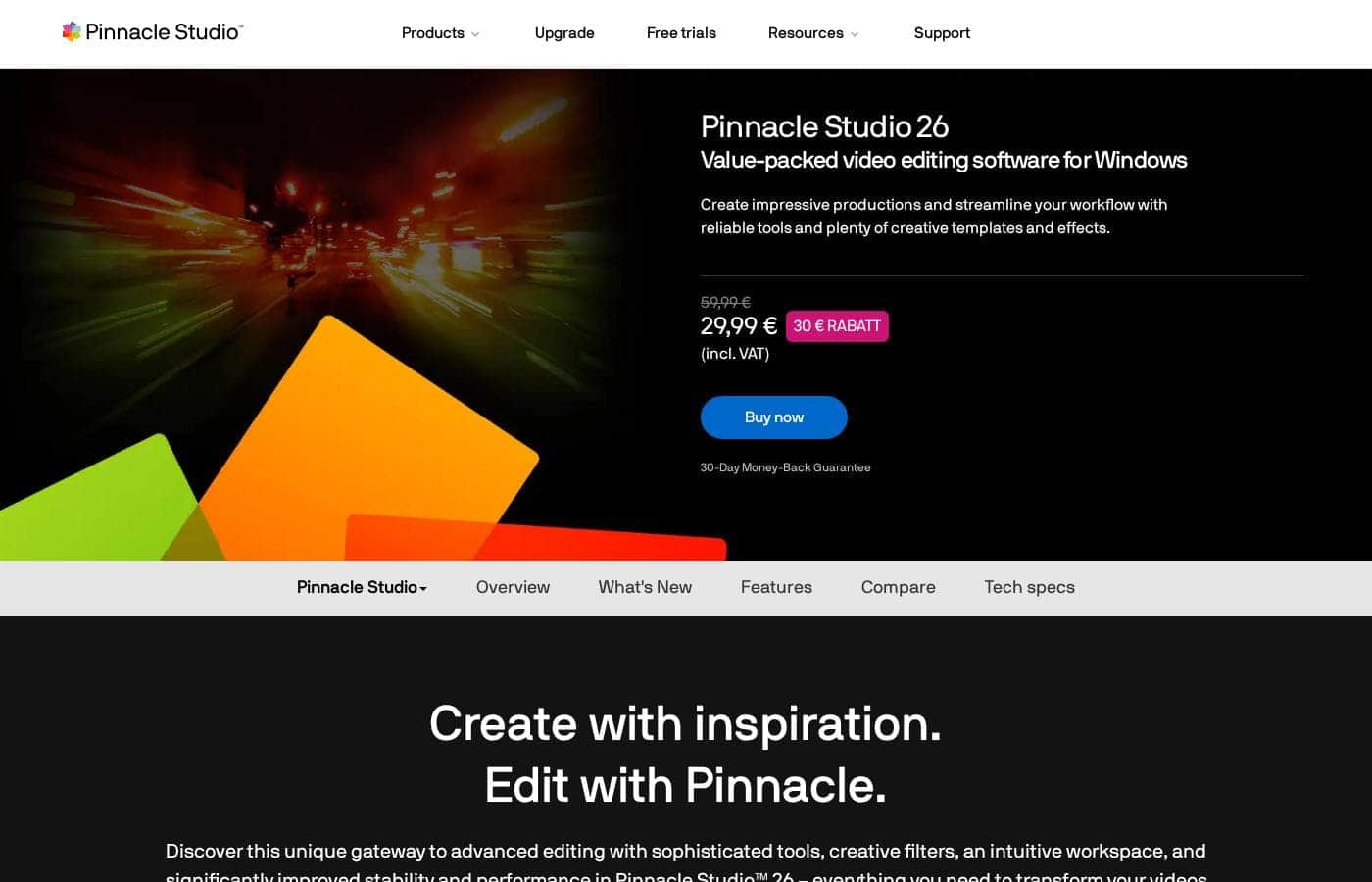
Create with inspiration. Edit with Pinnacle.

#11 dans Video editing
2 min read · Updated 11/17/2025
Pinnacle Studio homepage screenshot

At a glance

Quick overview for Pinnacle Studio: rating, pricing summary, key features, and highlights.

Ciroapp review

2.2
Powerful features, critical flaws.

We found that Pinnacle Studio 26 advertises excellent advanced features like 8K video support and extensive creative bundles, often appealing through affordable one-time pricing. However, overwhelmingly negative user feedback regarding pervasive instability and completely absent customer support casts serious doubt on its usability. Overall, we cannot recommend this software until the severe stability and support issues reported by the user base are definitively addressed.

Pros

  • Pro:Offers sophisticated, multi-track editing features (MultiCam, 8K support).
  • Pro:Pricing model is an affordable one-time purchase (especially upgrade bundles).
  • Pro:Includes comprehensive utility and asset bundles in higher-tier packages.
  • Pro:Interface is considered user-friendly by some long-time users.

Cons

  • Con:Extremely frequent crashing and freezing are reported across multiple versions.
  • Con:Customer support is consistently described as non-existent and unhelpful.
  • Con:Users experience major issues with rendering, artifacts, and export failures.
  • Con:The software can fail to uninstall properly, requiring complex manual steps.
Free trial
Yes — 10 days
Range: $59.99–$79.99One-time payment
This section is a summary. Detailed sections about features, use cases, pricing, and reviews follow below.

Pinnacle Studio review, pricing, features, pros & cons

Are you struggling with video editing software that feels slow or unstable? Dealing with crashes and frustrating performance hinders your creative flow. Pinnacle Studio™ 26 offers a unique gateway to advanced editing.

Now you can enjoy significantly improved stability and performance, letting you focus on creating impressive productions. ✨

What is Pinnacle Studio?

Pinnacle Studio 26 provides a welcoming, intuitive workspace designed for sophisticated video creation. It is a comprehensive tool that includes video editing, screen recording, and DVD authoring capabilities. Whether you are new to video editing or already an experienced producer, this software has a tier that meets your goals.

Use it professionally for vlogging, creating channel content, or powerful business video production. Pinnacle Studio helps you achieve professional results while taking your edits to the next level. 💡

Pinnacle Studio Key Features

✨ Core Performance and Reliability

Pinnacle Studio 26 focuses heavily on providing a stable, reliable editing experience. We know that slow software or crashes can stop your creativity cold. This release targets those problems directly, ensuring smooth editing from the moment you install the program. ✅

Performance improvements are noticeable in several important areas. Launch time is faster, resource utilization is lower, and the interface is much more responsive than before. We also optimized import and export speeds to get your project finished quickly.

To significantly improve playback and preview rendering, the software now implements Apple ProRes as a smart proxy format. We also changed behavioral logic to avoid unnecessary refreshes. These changes mean you'll experience a smoother timeline and reduced rendering delays while you work.

Enjoy the most reliable and stable version to date. You can even choose different project preview quality options to optimize performance instantly based on your computer hardware.

✨ Mastering Multi-Angle and Split Screen Effects

Tell dynamic stories by combining multiple actions and perspectives onto a single screen. Pinnacle Studio provides powerful tools for advanced camera techniques, making complex editing simple.

Use MultiCam Editing to work easily across two camera angles. This lets you deliver different details or perspectives of the same scene, resulting in a professional, dynamic story. The popular Split Screen Video technique lets you combine multiple actions filmed separately on one screen. This is perfect for comparison videos, gaming strategies, or creating engaging promotional content.

You can also capture content seamlessly using enhanced MultiCam Capture 2.0 Lite. This tool records your screen and webcam footage simultaneously, making it an ideal go-to tool for tutorials, vlogging, channel content, or powerful business video production.

✨ Refining and Correcting Your Footage

Raw footage often needs a little tuning before it is ready for the final cut. Pinnacle Studio includes built-in tools to refine and correct common technical defects quickly.

Eliminate shaky footage completely with Video Stabilization. If you were filming an active scene, like skiing or biking, this tool quickly fixes those undesirable bumps and jittery movements. Lens Correction tools ensure your footage looks natural. If you shot with a wide-angle lens, you can easily remove common distortions, like the distracting fisheye effect.

You also get expansive control over the visual atmosphere. Correct underexposed scenes or adjust the white balance instantly. Use Selective Color to highlight a crucial object, drawing the viewer's eye exactly where you want it.

✨ Creative Tools and Visual Storytelling

You choose the story you want to tell, and Pinnacle Studio helps you deliver professional results with precision. You get hundreds of filters and effects to elevate your visual narrative.

Apply special effects to set the exact mood for any scene, whether you want it to feel dramatic, playful, or surreal. You can also manipulate movement directly. Add motion and visual interest by creating fast or slow-motion effects using Time Remapping.

Use Pan and Zoom to highlight points of interest, and apply Motion Blur effects to emphasize movement on the screen. The classic Green Screen feature allows for endless possibilities for effect creation. You can easily composite two video streams together for virtual travel or creative background changes.

✨ Audio and Title Creation

Sound quality is just as important as the visuals in a cinematic production. Get to know the powerful Audio Editor to master your sound quickly. You can easily fade your audio in and out, or detach and mute tracks in a few clicks.

If you need to explain concepts or provide context, you can record your own narration and voiceover using included tools. You also have access to a library of royalty-free music and sound effects, guaranteeing high-quality audio that takes your videos to the next level.

Use the Title Editor to add impactful, frame-accurate text to your video. This is essential for bringing out important details, like business information, compelling captions, or simply adding depth to your content.

✨ Working with High-Quality Formats and Workflow

Producing cutting-edge content requires support for the latest formats and powerful integrated tools. You can import 8K videos directly into Pinnacle Studio. Working with 8K gives you unrivaled quality, delivering significantly higher resolution, greater color depth, and incredible sound for your final production.

Pinnacle Studio is a comprehensive software, consolidating several essential tools into one application. It functions as a comprehensive video editor, a slideshow maker, and a video converter. You also get themed templates and video montages to speed up production.

When you are ready to distribute your finished project, you can use the built-in DVD Authoring capability. New users can also access a 10-day free pass to StudioBacklot tutorials and royalty-free content to start learning immediately.

Use Cases

💡 Creating Professional Tutorials and Webinars

You need to produce engaging educational content for your audience or staff. Use the enhanced MultiCam Capture 2.0 Lite to seamlessly record your screen and capture webcam footage at the same time. You can instantly add audio overlays onto the recording to provide clear narration or commentary.

This simple integration makes Pinnacle Studio your ideal tool for vlogging, creating channel content, or streamlining powerful business video production. You can easily polish the final product using the Title Editor to display important contact or business information.

⛷️ Fixing Imperfect Action Camera Footage

When you record activities like skiing or biking, your raw footage often ends up shaky and distorted. Pinnacle Studio helps you eliminate these technical frustrations quickly. First, use the Video Stabilization tool to completely smooth out shaky video.

Next, explore the built-in Lens Correction tools. These tools allow you to quickly remove common wide-angle distortions, such as the distracting fisheye effect. Your final edited clip will be clean, stable, and ready to share.

🎬 Delivering Cinematic Storytelling and Mood

Your goal is to take your edits to the next level and impress your audience with creative depth. You can apply Selective Color features to draw attention by highlighting one specific object in your entire scene. Next, choose from hundreds of filters and effects to truly set the atmosphere.

Experiment with these special effects to make the mood playful, surreal, or intensely dramatic. You can also create high visual interest by adjusting speeds using Time Remapping for slow-motion or fast-motion effects.

📐 Powering Through Complex Multi-Angle Projects

Whether you are reviewing a product or comparing gaming strategies, sometimes you need to show multiple actions simultaneously. Use Split Screen Video to combine two or more separately filmed actions onto a single screen. This creates dynamic promos or comparison videos.

For more advanced productions, you can master MultiCam Editing. This feature lets you edit your project seamlessly across two different camera angles. You can combine multiple views to provide differing details and perspectives for a truly comprehensive final edit.

✅ Ensuring Reliability in High-Quality Production

Problem: Slow launch times or instability are hindering your creative flow, especially when working with large files. Pinnacle Studio 26 focuses on stability, meaning you get streamlined editing right away. Performance improvements are notable in launch time, resource utilization, and export speed.

Enjoy unrivaled quality by importing 8K videos. This gives you significantly higher resolution, greater color depth, and impressive sound for top-tier content production. The software is reliable and ensures you can focus on creating impressive productions.

✨ Creative World-Building with Specialized Tools

The software includes tools for highly specialized video techniques. You can use Green Screen post-production to composite two video streams, making it seem like you are traveling to a preferred destination without leaving home. You are able to leverage this for incredible creative effects.

Expected outcome: Your animation supports your digital storytelling and brings inanimate objects to life.

Pricing Overview for Pinnacle Studio

Pricing range
$59.99–$79.99
Pricing types
One-time payment

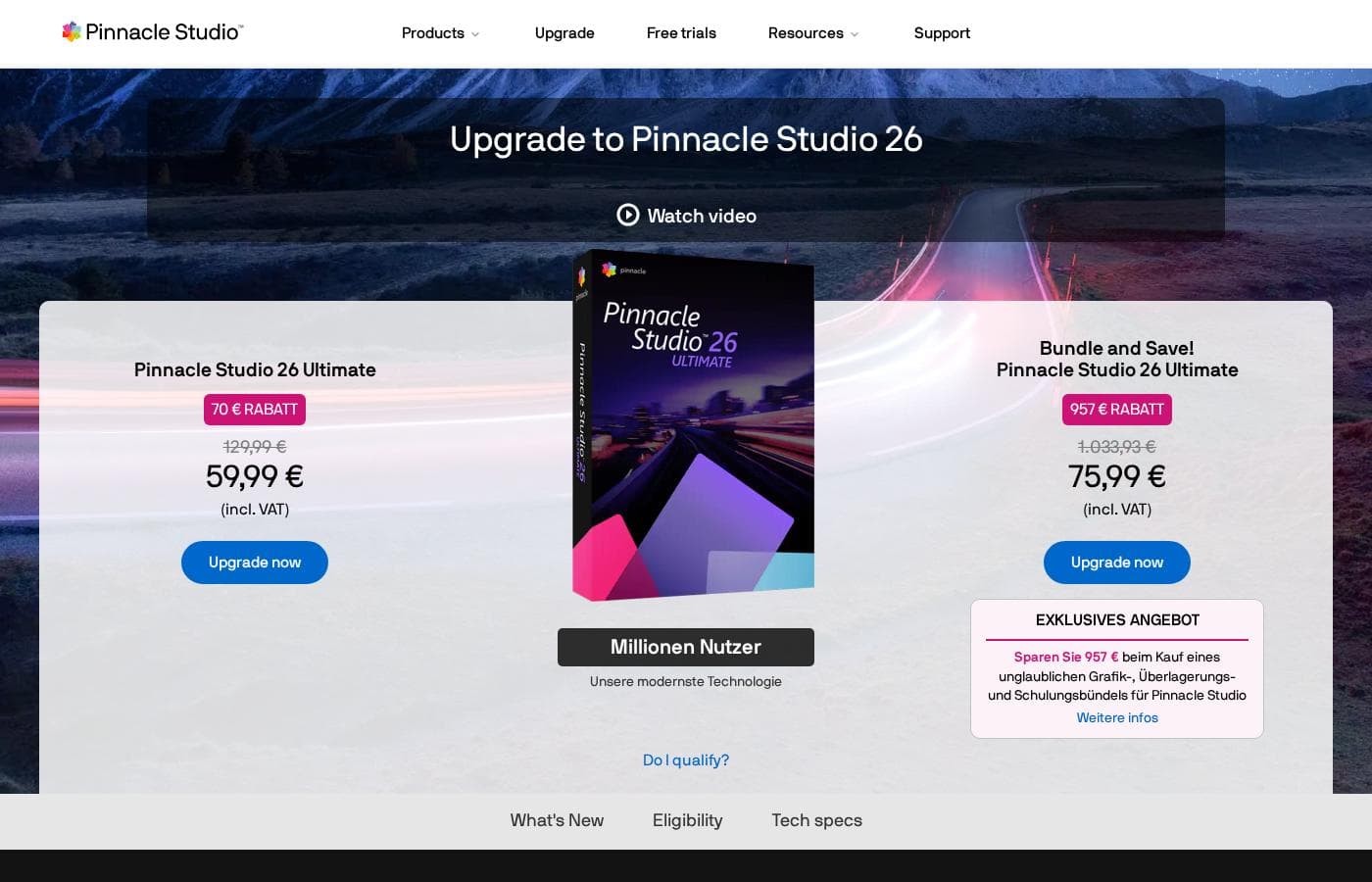
Pinnacle Studio 26 Ultimate is currently offered through special Black Friday upgrade packages, which are one-time purchase payments. Prices range from $59.99 for the software plus five bonus items to $79.99 for a comprehensive creative bundle that includes training and extra assets.

Plans & Pricing

Pinnacle Studio 26 Ultimate

Contact for pricing
Upgrade price only; one-time purchase.
  • One-time price of $59.99 (was $129.99)
  • 5 bonus items included (worth $357.91)
  • Includes WinZip® 29 Pro
  • Includes NewBlue Transitions 5 Flow
  • Includes Pinnacle Studio 26 Blu-ray Plug-in

Bundle and Save! Pinnacle Studio 26 Ultimate

Contact for pricing
Upgrade price only; one-time purchase.
  • One-time price of $79.99 (was $1,165.93)
  • Includes all 5 bonus items (worth $357.91)
  • Includes training, graphics, and overlays bundle
  • Save $1,085 on the total package

Pinnacle Studio 26 Ultimate acquisition costs range between $59.99 and $79.99 as a one-time upgrade purchase, with two main options: Pinnacle Studio 26 Ultimate at $59.99, and the Bundle and Save! version at $79.99.

These prices represent special Black Friday upgrade offers for users looking to access the latest features. Here is how the deals compare:

Pinnacle Studio 26 Ultimate

Price: $59.99 (One-time Upgrade Price) Websites Supported: Not explicitly stated Best For: Current users who want the latest, most stable software version and specific utility tools. Refund Policy: Not explicitly stated Other Features:

  • Saves you $70 off the regular $129.99 price.
  • Includes a total of 5 bonus items worth $357.91.
  • Comes with WinZip® 29 Pro and NewBlue Transitions 5 Flow.
  • Features the Pinnacle Studio 26 Blu-ray Plug-in.
  • Includes the Pinnacle Studio Sample Pack and Animated Video Overlays Bundle V3.

This option is excellent if you are already familiar with Pinnacle Studio and just need the stable, performing software with a few powerful extra creative and productivity tools. You're securing the improved workflow and stability enhancements from version 26 for a very appealing price.

Bundle and Save! Pinnacle Studio 26 Ultimate

Price: $79.99 (One-time Bundle Price) Websites Supported: Not explicitly stated Best For: Users seeking massive value, training, and a deep library of creative assets alongside their software upgrade. Refund Policy: Not explicitly stated Other Features:

  • Saves you $1,085 off the total price of $1,165.93.
  • Includes all 5 bonus items found in the $59.99 plan.
  • Adds an incredible bundle of training, graphics, and overlays.

Go for this choice if you want to maximize your purchase and access extensive learning materials and creative resources immediately. For a modest increase in cost, you get everything you need to start producing cinematic results and learn advanced techniques. It's truly a comprehensive package. 🥳

While this pricing page focuses on existing users upgrading, Pinnacle Studio ensures that new users can get oriented quickly. Anyone interested in learning the platform can claim a 10-day free all-access pass to StudioBacklot. This pass provides built-in tutorials, learning videos, and a library of royalty-free music and content to help you explore the software's full capabilities.

User Reviews

User feedback for Pinnacle Studio is exceptionally poor, primarily focusing on extreme frustrations with the software's reliability and performance. Despite newer versions claiming improved stability, many users report constant crashing, freezing, and issues with rendering, even when using high-spec computers.

This instability leads to lost progress and wasted time. The second overwhelmingly negative theme is customer support.

Reviewers consistently describe support as non-existent, unhelpful, or 'crappy.' Tech support often advises users to buy the latest version rather than fixing current issues, showing contempt for existing customers. While some long-time users appreciate certain features and the user-friendly interface, the prevalent bugs and the inability to receive timely help make the software an expensive and frustrating investment.

Users often advise potential buyers to stick to free alternatives instead, feeling the initial one-time purchase is simply not worth the hassle 😩.

What users say elsewhere

E. W.
· Trustpilot
2.0 / 5

I’ve been using this product for several years because it is user friendly and features many nice tools. However, the tech support when there is an issue is not good at all. I was extremely disappointed and uninstalled the software despite owning it.

D. S.
· Trustpilot
1.0 / 5

I got the latest update because it claimed to improve stability, but Version 26 crashes almost every single time I use it. I'm running it on a high-end desktop, but it still freezes frequently. I have now moved to a free editing software instead.

No reviews yet.

Write a Review

Write a Review for Pinnacle Studio
0/100 characters
0/2000 characters

Why use Pinnacle Studio?

Why settle for limited tools when you can make your story truly cinematic? Pinnacle Studio helps deliver professional results with its breadth of features and precise controls. 🎬

  • Experience Unmatched Reliability and Speed: The software's focus on product stability means streamlined editing from the moment you install it. You will see incredible performance improvements in launch time, resource utilization, and export speed. ✅
  • Eliminate Technical Frustrations: Tackle common video issues easily. Use the Video Stabilization tool to eliminate shaky footage recorded while biking or skiing the slopes. Built-in Lens Correction tools also quickly remove distortions like fisheye effects.
  • Elevate Your Visual Storytelling: Unlock creative power with hundreds of filters and effects. Apply Selective Color to highlight key objects, or use special effects to set a playful, surreal, or dramatic mood in any scene.
  • Power Through Complex Projects: Master advanced video techniques simply. Edit your projects across two camera angles using MultiCam Editing, or combine multiple actions onto one screen with Split Screen Video for dynamic storytelling.
  • Work with High-Quality Formats: Enjoy unrivaled quality by importing 8K videos. This gives you significantly higher resolution, greater color depth, and incredible sound for top-tier content creation.

Ready to transform your workflow with Pinnacle Studio?

Frequently Asked Questions

Is Pinnacle Studio 26 a subscription service, or is the payment one-time?

The current offers are based on a one-time upgrade purchase payment. These prices are part of a special deal for existing users transitioning to the Pinnacle Studio 26 Ultimate version.

Does Pinnacle Studio offer a money-back guarantee or refund policy?

The official site does not explicitly state a money-back guarantee or refund policy for these specific upgrade purchases. You should always check the seller's terms and conditions before finalizing your payment.

How long is the free trial, and what does it grant access to?

Pinnacle Studio offers a 10-day free all-access pass, primarily aimed at new users. This pass grants access to StudioBacklot, providing built-in tutorials, learning videos, and a library of royalty-free content.

Who is the Pinnacle Studio 26 Ultimate upgrade best suited for?

This purchase is primarily intended for current Pinnacle Studio users who want access to the latest features. It’s ideal for creators focusing on performance, improved stability, and advanced tools like MultiCam Editing and 8K import.

What is the key difference between the $59.99 and $79.99 upgrade packages?

The $79.99 'Bundle and Save!' option includes everything from the lower tier plus an extensive bundle of graphics, overlays, and specialized training materials. This offers massive value for those who need extra creative assets right away.

What third-party software comes included with the upgrade purchase?

Both upgrade bundles include WinZip® 29 Pro for file management and NewBlue Transitions 5 Flow for polished video effects. The Pinnacle Studio 26 Blu-ray Plug-in is also included, allowing for disc creation.

What steps were taken to improve the stability of Version 26?

The developers fortified the product structure by implementing Apple ProRes as a smart proxy format. This improves responsiveness during preview, playback, and rendering to deliver a smoother editing experience.

Are there limits on using the advanced features like 8K video import?

Not explicitly stated on the official site. While the software supports 8K video import, achieving high performance with these large files will depend heavily on your computer's specific hardware and processing power.

What training resources are permanently available in the software?

Users can access built-in tutorials, learning videos, the User Guide PDF, and Search Help Files. These materials are designed to help you quickly utilize features like the Title Editor and animated overlays.

Can I use Pinnacle Studio in languages other than English?

Not explicitly stated on the official site. You should verify which languages are supported by Pinnacle Studio before purchasing, especially if you require specific language packs.

Is this a per-user license, and can I install the software on multiple machines?

Not explicitly stated on the official site. Software licenses often cover single users, so you must check the official End User License Agreement (EULA) for specific installation limits.

Ready to try Pinnacle Studio? Check out the official site or pricing.