Emergent

Emergent review

From idea to deployed app, through one conversation with AI agents.

Emergent costs from $20/mo · 5 plans · Free plan available · prices checked Oct 12, 2026

By Ciroapp Editorial Team · Updated Sep 8, 2026

Commission may apply at no extra cost

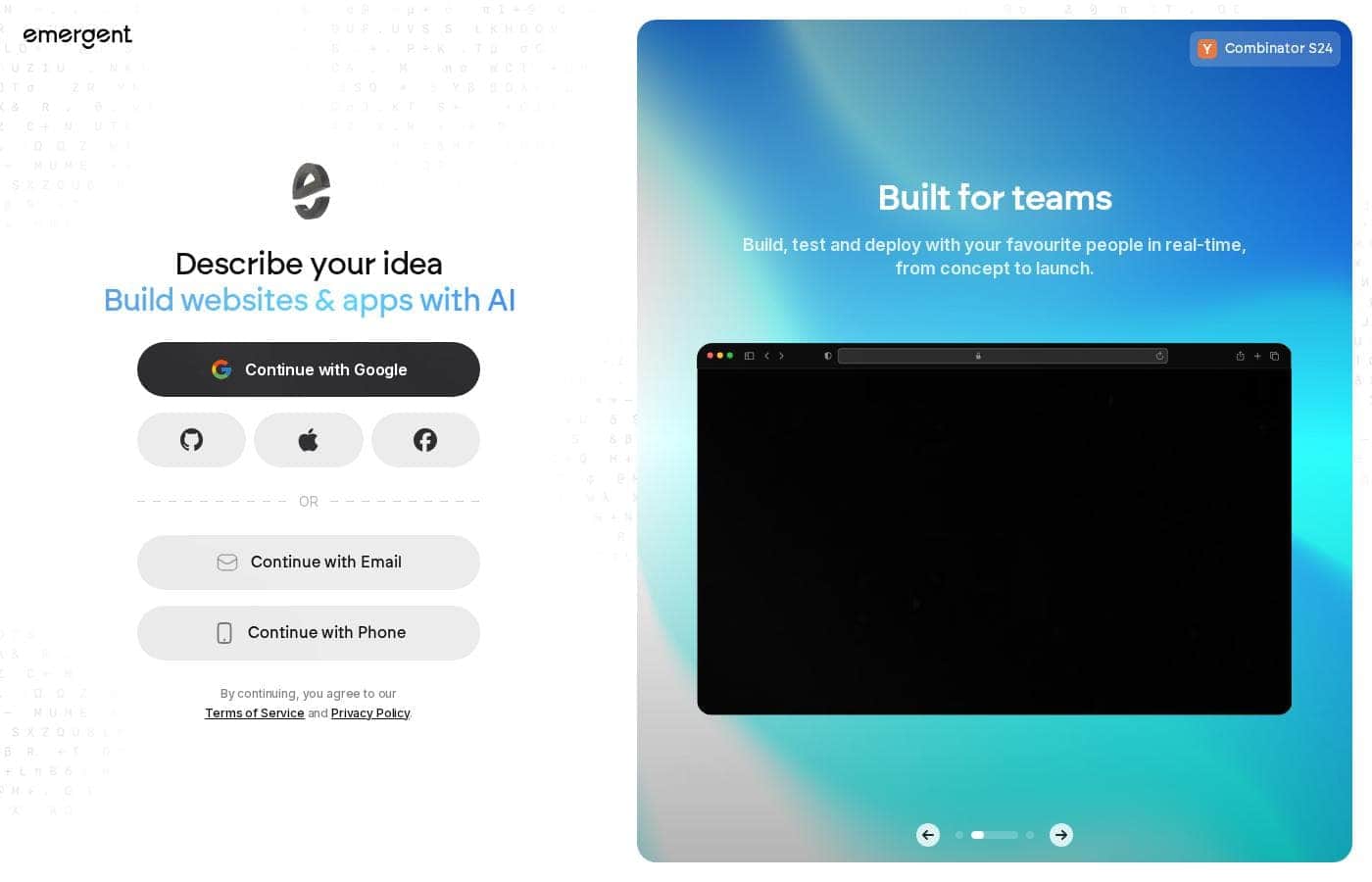
Emergent homepage screenshot

At a glance

Quick overview for Emergent: rating, pricing summary, key features, and highlights.
Pricing verified Oct 12, 2026

Ciroapp score

4.0/ 5

Emergent turns plain-language descriptions into designed, coded, and deployed apps through AI agents, and it backs that up with Y Combinator credentials and a genuinely free plan. Self-serve pricing is clear up to Pro, though there's no published refund policy, higher tiers need a demo, and no independent user reviews exist yet. Overall, it's a promising pick for non-technical builders who should start small and read the billing terms first.

Best for
  • SMB owners who need a site or app without hiring developers
  • IT agencies delivering client projects on tight timelines
  • Product managers prototyping and shipping ideas quickly
This section is a summary. Detailed sections about features, use cases, pricing, and reviews follow below.

What is Emergent?

Turning an app idea into a working product usually means weeks of hiring, coding, and debugging. Emergent takes a different route. You describe what you want, and AI agents design, code, and deploy it for you.

That means faster launches, no dev team required, and software built from a simple chat.

Emergent is an AI app-building platform from EmergentLabs, a Y Combinator S24 startup. Instead of writing code, you chat with AI agents that handle design, development, and deployment from start to finish. Users have created over 10,000 custom agents for research, data analysis, automation, and content generation.

It's aimed at SMB owners, IT agencies, product managers, and operations teams who want working software without a full engineering stack.

Should you choose Emergent?

Quick buyer guidance before you compare plans or click through.

Choose it if

  • You'd rather describe what you want than write or wire code
  • You want design, coding, and deployment handled in one place
  • You need extras like research agents, data dashboards, or scheduled automation
  • You value a support library of docs, tutorials, and case studies
  • You need enterprise options, including SSO sign-in and a dedicated enterprise plan

Skip it if

  • Developers who want full control over hand-written code may find an agent pipeline limiting
  • Public pricing details aren't shown on the site, so budget planning requires extra homework
  • Detailed specs on limits, performance, and data handling aren't published in plain view — review the docs and terms first
  • Workflow automation depends on connecting APIs, so you'll need access to the tools you want integrated
  • If your project needs heavy custom logic beyond what agents generate, results may need outside review

Next steps before buying

  1. 1Check the pricing page for current plans and any trial, credit, or refund terms
  2. 2Review the integrations list to confirm your existing tools connect
  3. 3Skim the docs and tutorials so you know how the build flow works
  4. 4Read case studies for projects similar to yours before committing
  5. 5Compare Emergent against other AI app builders to be sure it fits your budget and needs

Ease of use

Onboarding looks simple: sign in with Google, Facebook, Apple, email, phone, or SSO and start describing your idea. Emergent publishes docs, tutorials, and case studies, which helps first-timers. Because building happens through conversation, the real learning curve is writing clear prompts rather than mastering complex software.

Emergent Key Features

✨ Describe it, and agents build it

You describe your idea in plain language, and AI agents design, code, and deploy the app for you. There's no drag-and-drop canvas or wiring to learn. That makes it a fit when you want a working product fast, but don't have an engineering team.

The distance from idea to live app gets much shorter.

🤖 Meet your ready-made agent team

Emergent isn't limited to app builds. Users have created over 10,000 agents, and three stand out on the site: Research Agent scans the web, compiles insights, and generates professional reports. Data Analyst Agent models trends and turns data into clear dashboards.

Automation Engineer connects APIs, runs workflows, and handles scheduled tasks.

✨ Finished apps, not throwaway prototypes

The platform is built around finished, deployable applications, not throwaway prototypes. Agents handle design, coding, and deployment from start to finish, so what you get is software you can actually ship. Web and mobile builds are both supported.

If you've been sitting on an idea because building felt out of reach, this changes the math.

✨ A gentle learning curve

Getting started doesn't take a setup marathon. Sign in with Google, Facebook, Apple, email, phone, or SSO, then describe your idea. Docs, tutorials, and case studies are available if you want guidance.

Because building happens through conversation, the real skill is writing clear prompts rather than mastering complex software. That keeps the learning curve gentle.

✨ Built to scale with your team

Emergent scales beyond solo builders. Team and enterprise options include SSO, role-based access control, shared workspaces, real-time co-editing, and audit logs. Enterprises can deploy in their own cloud with self-hosted database support.

GitHub integration and custom AI agents support more advanced workflows. Dedicated paths exist for SMB owners, agencies, product managers, and operations teams.

Use Cases

🏪 Build a site or app without a dev team

You're an SMB owner who needs web or mobile software. Describe it in plain language, and agents handle design, coding, and deployment. Expected outcome: a working app from a simple chat, no engineers hired.

🤝 Deliver client projects on tight timelines

IT agencies can turn a client brief into a production-ready build. Describe the scope, let agents code and deploy, then focus on the client relationship. Tip: read the case studies for projects similar to yours first.

⚙️ Automate reports and recurring workflows

Operations teams can connect their APIs and let an automation agent handle scheduled tasks. Pair it with a data analyst agent for dashboards that visualize trends. Expected outcome: less manual number-pulling each week.

🚀 Validate a software idea fast

Non-technical founders and product managers can describe an idea, test it, and iterate — all through conversation. Start on the Free plan's 10 credits before committing. Tip: begin with a small first build.

Emergent pricing

From$20/mo

  • 5 plans
  • Free plan available
  • Save up to 17% with annual billing

Prices checked on Oct 12, 2026 from Emergent's pricing page

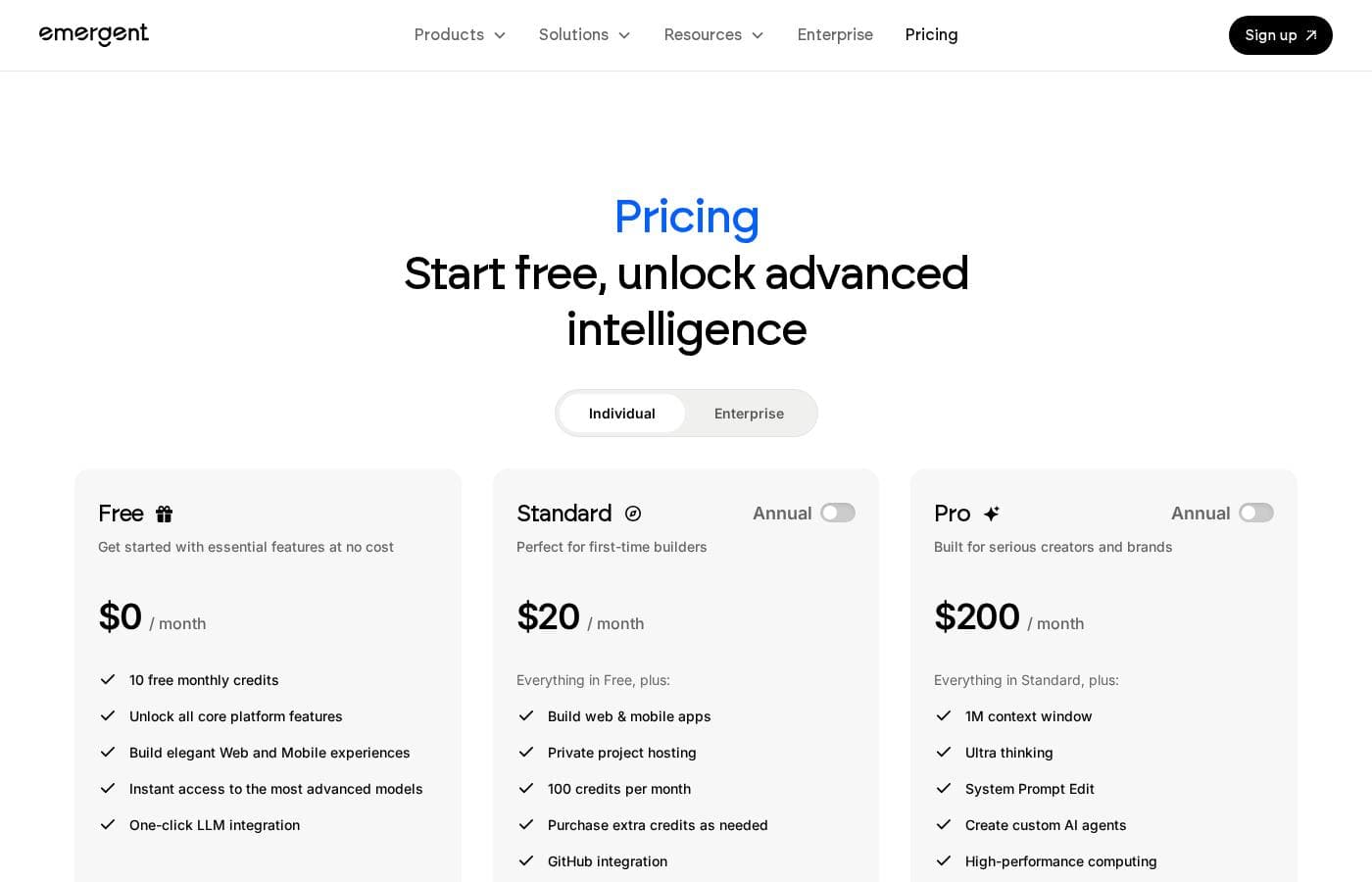
Emergent pricing page screenshotView pricing page screenshot
PlanBilled monthlyBilled annuallyIncludes
Free
Free
—
10 credits per month
  • 10 free monthly credits
  • All core platform features
  • Build web and mobile experiences
  • Instant access to the most advanced models
  • One-click LLM integration
Standard
$20/mo
$17/mo
$204 per year
Save up to 15% with annual billing
100 credits per month
  • Everything in Free
  • 100 credits per month
  • Private project hosting
  • Purchase extra credits as needed
  • GitHub integration and fork tasks
Pro
$200/mo
$167/mo
$2,004 per year
Save up to 17% with annual billing
750 credits per month
  • Everything in Standard
  • 750 monthly credits
  • 1M context window
  • Ultra thinking and system prompt editing
  • Custom AI agents, high-performance computing, and priority support
Business
See vendor page
See vendor page
  • Everything in Pro
  • Role-based access control (RBAC)
  • Single sign-on (SSO)
  • Shared team workspaces
  • Real-time co-editing and coworking
Enterprise
See vendor page
See vendor page
  • Everything in Business
  • User-level credit limits and audit logs
  • Self-hosted database support
  • Priority SLA and support
  • User groups, VPC deployment, and credit usage analytics

Price history

Tracking prices since Oct 1, 2026. No price change detected yet.

Pricing types: Free plan, Monthly subscription, Yearly subscription, Usage-based pricing

Pricing notes

Emergent has a genuinely free plan with 10 monthly credits, plus paid tiers: Standard at $20/month (or $17/month billed annually) and Pro at $200/month (or $167/month billed annually). Business and Enterprise plans use custom pricing for teams that need advanced controls.

Emergent costs between $0 and $167 per month with five plans: Free at $0, Standard at $17 per month, and Pro at $167 per month (billed annually), plus custom-priced Business and Enterprise tiers.

Here's a closer look at what each plan includes.

Free

Price: $0/month Other Features: 10 free monthly credits, all core platform features, web and mobile builds, instant access to advanced models, one-click LLM integration

The Free plan is a real starting point, not a demo. You get core features at no cost, so you can build and test ideas before spending anything. It suits curious newcomers and small personal projects.

Standard

Price: $20/month, or $17/month billed annually (save $36) Best For: First-time builders Other Features: everything in Free, plus 100 credits per month, private project hosting, extra credit purchases, GitHub integration, fork tasks

Standard is the natural next step once your free credits run dry. It keeps everything from Free and adds private hosting, GitHub integration, and a bigger credit allowance. If you're building your first serious app, this tier should cover it.

Pro

Price: $200/month, or $167/month billed annually (save $396) Best For: Serious creators and brands Other Features: everything in Standard, plus 750 monthly credits, 1M context window, ultra thinking, system prompt editing, custom AI agents, high-performance computing, priority support

Pro is made for people shipping real products. Your credit allowance jumps from 100 to 750, and extras like ultra thinking and a 1M context window handle heavier workloads. Teams that keep hitting limits or need custom agents should grow into this plan.

Business

Price: Custom Best For: Businesses with custom needs Other Features: everything in Pro, plus role-based access control (RBAC), single sign-on (SSO), shared team workspaces, real-time co-editing and coworking

Business adds the team layer. RBAC, SSO, and shared workspaces make it a fit for companies where several people build side by side. You'll need to book a demo for pricing, so bring your team size and use case to the call.

Enterprise

Price: Custom Best For: Large organizations Other Features: everything in Business, plus user-level credit limits, audit logs, self-hosted database support, priority SLA and support, user groups, VPC deployment, credit usage reports and analytics

Enterprise targets organizations with strict security and compliance needs. Audit logs, self-hosted database support, and deployment in your own cloud set it apart. Big teams that need granular credit control will get the most value here.

Emergent offers a genuinely free plan with 10 monthly credits, so you can try the platform without paying anything. No refund policy appears on the pricing page, so review the billing terms before locking into an annual commitment. 💡 One tip: estimate how many credits a typical project uses before picking between Standard and Pro, since the gap between them is wide.
Cost calculator

Estimate what Emergent costs for your team.

Billing
Per month
$20
Per year
$240

Standard states no user limit: shown as one price for the whole account. Check the price for 5 users with the vendor. Estimate based on published list prices, before taxes, add-ons and discounts.

How to pay less for Emergent

  • Pay annually: saves up to 17% compared with monthly billing.
  • Start on the free plan and upgrade only when you hit its limits.
  • Cheaper tools in this category start at $15/mo.
Visit Emergent

Email me when Emergent changes price

One email when we detect a price change on the vendor's pricing page. No newsletter, no deals. Unsubscribe in one click.

User Reviews

No reviews yet.

Write a Review

Write a Review for Emergent
0/100 characters
0/2000 characters

Why use Emergent?

Most no-code tools still leave you dragging boxes and wiring logic yourself. Emergent replaces that manual work with conversation, so the distance between idea and live app gets much shorter.

  • Describe it, then ship it — Explain your idea in plain language, and agents take it through design, coding, and deployment.
  • More than app building — The same agent approach covers web research, data dashboards, workflow automation, and content generation.
  • Production-ready focus — The platform is built around finished, deployable applications, not throwaway prototypes.
  • Proven traction — Emergent is Y Combinator S24-backed, with 10,000+ user-created agents already in use.
  • Low-friction signup — Get started with Google, Facebook, Apple, email, phone, or SSO, with docs, tutorials, and case studies when you need help.
  • Built for teams — Dedicated paths exist for enterprises, agencies, SMB owners, product managers, and operations teams.

If you've been sitting on an app idea because building it felt out of reach, Emergent is worth a serious look.

Emergent alternatives

Other tools in the All-in-one No Code Platform category

View all All-in-one No Code Platform tools
Knack

Knack

All-in-one No Code Platform4.1/5From $19/mo

Knack is a powerful no-code web application builder. It lets your team create complex, data-rich solutions quickly. These solutions can be SaaS applications, custom client portals, or internal tools for business processes. Knack handles the technical infrastructure behind the scenes 💡. You can revolutionize your operations and build powerful, flexible workflows. If you need a custom client tracker or a better way to manage inventory, Knack delivers from concept to working application in record time. It avoids the typical six-month IT queue.

Appsmith

Appsmith

All-in-one No Code Platform4.3/5From $15/mo

Appsmith is a developer-first low-code platform. ✅ It allows you to quickly build custom apps with drag-and-drop widgets or code in JavaScript. You can connect to any LLM, database, SaaS tool, or API—even self-hosting for secure access.

Softr

Softr

All-in-one No Code Platform4.1/5

Softr is a no-code platform that lets teams build, customize, and publish their own software—without developers. Start by connecting to your data, then tailor layouts and logic, and publish to launch your tools. It’s ideal for teams who want fast, tailored software that fits their workflows and scales with growth.

Glide

Glide

All-in-one No Code Platform4/5

Glide is a no-code platform for building AI-powered business apps. It's built for teams and businesses that want to move fast, adapt, and unlock data without writing code. 💡 You connect data from Google Sheets, SQL, and more, then manage it in a familiar spreadsheet-like interface.

Caspio

Caspio

All-in-one No Code Platform4/5

Caspio is defined as the pioneering low-code platform that focuses on scaling with your organization. This system is an all-in-one solution for generating smart, data-driven applications without unnecessary technical compromise. 💡 The platform supports two frameworks: the proven Bridge and the visual Flex framework, both included at no extra cost. Caspio aims to be AI-Enhanced, No Code, and completely Enterprise Ready. It’s an ideal choice for organizations needing fast, customizable, high-end applications, evidenced by its trust among 15,000 organizations worldwide.

NiceJob

NiceJob

Review Management4.2/5

NiceJob is reputation marketing automation for busy and budget-conscious home service business owners, helping increase online reviews by 4X and sales by up to 60%. We automate review generation & referrals so owners can focus on running their business.

Wizishop

Wizishop

Website Builder3.9/5

WiziShop is an ecommerce platform designed to help people launch and automate online stores. It emphasizes an intuitive, self-serve setup and AI-powered automation, so you can focus on sales and your customers. It also highlights dropshipping and affiliate-store options for faster starts.

Format

Format

Website Builder4/5

Format is the specialized portfolio builder designed for visual professionals. This includes photographers, filmmakers, illustrators, artists, architects, and designers. It offers all the tools you need to support your creative endeavors in one powerful platform. You will find a professional online portfolio, integrated client management, and robust e-commerce capabilities. Best of all, Format includes hosting and requires absolutely no coding to build your unique vision.

Cheapest All-in-one No Code Platform software for 1 to 25 users

Emergent FAQ

How much does Emergent cost?

Emergent's cheapest paid plan, Standard, costs $20 per month. Paid plans range from $20 to $200 per month. Prices checked on Oct 12, 2026 from the vendor's pricing page.

Does Emergent have a free plan?

Yes. Emergent has a free plan (Free); paid plans start at $20 per month.

How much do you save with annual billing on Emergent?

Paying annually saves up to 17% compared with monthly billing, based on Emergent's list prices.

Has Emergent's price changed recently?

No. We have not detected a price change since we started tracking on Oct 1, 2026.

How do credits work, and what happens if I run out?

Each plan includes monthly credits: 10 on Free, 100 on Standard, and 750 on Pro. Standard users can purchase extra credits as needed. Business and Enterprise plans add user-level credit limits and usage analytics.

Is there a free trial, and can I get a refund?

There's no time-limited trial. Instead, a permanent Free plan gives you 10 monthly credits. No refund policy appears on the pricing page, so review the Terms of Service before committing to annual billing.

How does Emergent handle security and compliance?

Enterprise plans include VPC deployment, self-hosted database support, audit logs, and a priority SLA. The site also publishes a Data Processing Agreement and sub-processor list, and displays SOC and ISO compliance badges.

Which tools does Emergent integrate with?

Every plan, including Free, offers one-click LLM integration. GitHub integration starts at Standard. Automation agents connect other tools through APIs, so check the Integrations page to confirm your apps are supported before building.

Ready to try Emergent? Check out the official site or pricing.

Are you Emergent? Claim this listing · Get the badge