Appsmith

Appsmith

Build the next generation of innovative, accurate, and secure enterprise applications with the leader in open-source low-code development.

#4 dans All-in-one No Code Platform
1 min read · Updated 10/4/2025
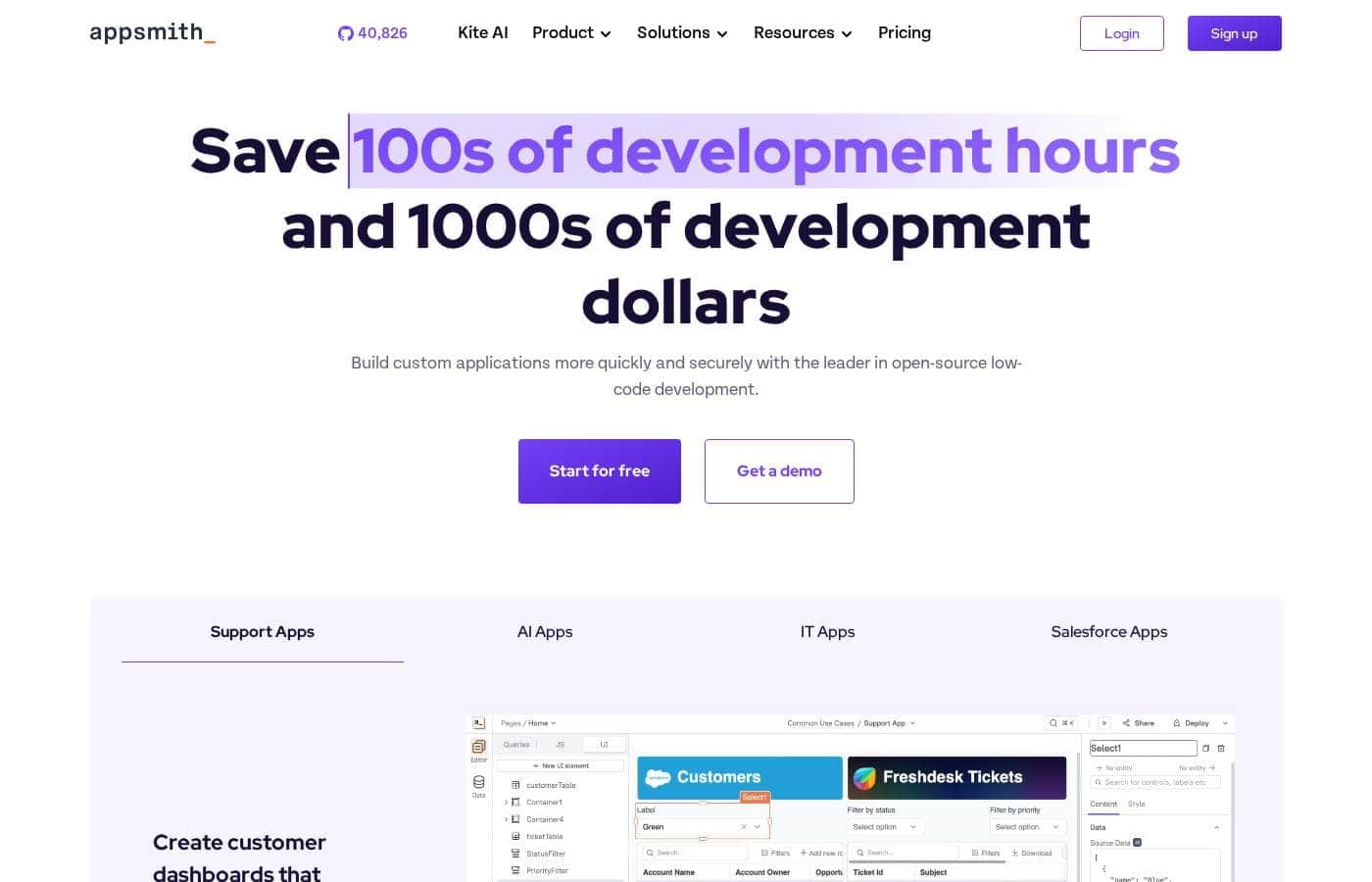
Appsmith homepage screenshot

At a glance

Quick overview for Appsmith: rating, pricing summary, key features, and highlights.

Ciroapp review

3.8
Rapid low-code platform for internal tools.

Appsmith presents a compelling option for accelerating custom application development. Its low-code approach and focus on internal tools can boost team efficiency. Overall, we find it a worthwhile consideration for businesses seeking faster development cycles.

Pros

  • Pro:Rapid application development
  • Pro:Low-code, drag-and-drop interface
  • Pro:Connects to various data sources
  • Pro:Good for internal tool creation

Cons

  • Con:Limited integrations in free tier
  • Con:Enterprise plan is expensive
  • Con:Steep learning curve for no-code beginners
Free trial
Yes — 15 days
Range: $0–$2,500/monthFree plan, Monthly subscription, Per seat pricing
This section is a summary. Detailed sections about features, use cases, pricing, and reviews follow below.

Appsmith review, pricing, features, pros & cons

Are you tired of slow development cycles? 😫 Appsmith helps you build custom AI-powered apps and agents 80% faster. Connect to your data, automate workflows, and deploy with Git. Building anything becomes easy with its low-code approach!

Appsmith is perfect for businesses seeking to improve operations and increase efficiency. From startups to enterprises, it's the go-to for custom application development.

What is Appsmith?

Appsmith is a developer-first low-code platform. ✅ It allows you to quickly build custom apps with drag-and-drop widgets or code in JavaScript. You can connect to any LLM, database, SaaS tool, or API—even self-hosting for secure access.

Appsmith Key Features

✨ Connect to Any Data Source

Appsmith lets you connect to various data sources. Work with LLMs, databases, SaaS tools, and REST/GraphQL APIs. You can even self-host for secure access to internal data.

This flexibility ensures you can integrate with your existing infrastructure.

✨ Build UIs Quickly

Use drag-and-drop widgets to build responsive user interfaces rapidly 🚀. You can prompt widgets in natural language or code them using JavaScript, HTML, and CSS. Appsmith gives you multiple ways to create the UI you need.

✨ Customize with Code or Prompts

You can automate workflows and manipulate the appearance of your apps. Transform data using JavaScript code or natural language prompts. It's also easy to import your own JavaScript libraries.

This allows complete control over functionality and appearance.

✨ Manage Versions with Git

Appsmith integrates with Git for version control. Merge updates and automatically deploy changes from designated environment branches. This ensures a smooth deployment process.

It also allows you to track changes and collaborate effectively.

✨ Centralized IDE

Manage variables, functions, and logic in one place. Instead of scattering code, use a central IDE with auto-complete, multi-line editing, and debugging. Linting helps maintain code quality.

This setup streamlines development and reduces errors.

✨ AI-Powered Copilots

Appsmith's copilots help you generate code with natural language. Create custom widgets and workflow logic easily. Then, customize the generated code for full control.

This combines the speed of AI with the precision of manual coding.

✨ Enterprise-Grade Security

Get the security and governance needed for enterprise teams. Appsmith offers user and access controls, compliance features, and reliable uptime. Choose from various deployment options.

Ensure your applications meet enterprise standards.

✨ Open Source Flexibility

Appsmith is open-source under the Apache 2.0 license. Build with transparency and reduce vendor lock-in. The Community Edition is maintained, supported, and has a public roadmap.

This gives you confidence in the platform's future.

Use Cases

💡 Custom Extensions for Existing Platforms

F22 Labs saved money by building custom extensions to their project management platform with Appsmith. Instead of buying more seat licenses, they built exactly what they needed. This highlights how Appsmith can help you reduce costs by creating custom solutions that integrate with your current tools, saving on expensive subscriptions.

💡 Automated Server Patching

GSK used Appsmith to build an application to patch their Linux servers. The app allowed them to patch their fleet of 3,500 servers in one sprint. This is a great illustration of automating manual processes, freeing up valuable time for your engineering team.

💡 Streamlined Customer Applications

Block processes new customer applications 50% faster. This demonstrates how businesses are improving operations and increasing efficiency by building custom apps on Appsmith.

💡 Modernizing Legacy Campaign Management

HeyJobs enhanced their campaign management and budgeting apps 90% faster by using Appsmith. It’s clear that Appsmith is a useful tool for modernizing legacy applications by adding new features faster.

💡 Internal Tooling for Startups

Many startups need custom tools to manage their unique workflows, but they often don't have the resources for extensive development. Appsmith allows them to quickly build internal dashboards, admin panels, and data management tools.

  1. Connect to your database.
  2. Drag and drop UI components.
  3. Customize the logic with JavaScript.
  4. Deploy and iterate rapidly.

💡 Building AI-Powered Applications

Appsmith facilitates the creation of AI-powered applications by connecting to various LLMs and APIs.

Tip: Use built-in AI actions to simplify development further.

This allows developers to create custom AI agents and integrate AI functionalities into their workflows.

💡 Custom Admin Panels

Problem: Teams need custom admin panels to manage users, content, or data, but building them from scratch is time-consuming.

Approach: With Appsmith, developers can quickly assemble admin panels using pre-built widgets and connect them to their databases or APIs.

Expected outcome: Efficient management of data and users through a tailored admin interface.

Pricing Overview for Appsmith

Pricing range
$0–$2,500/month
Pricing types
Free plan, Monthly subscription, Per seat pricing

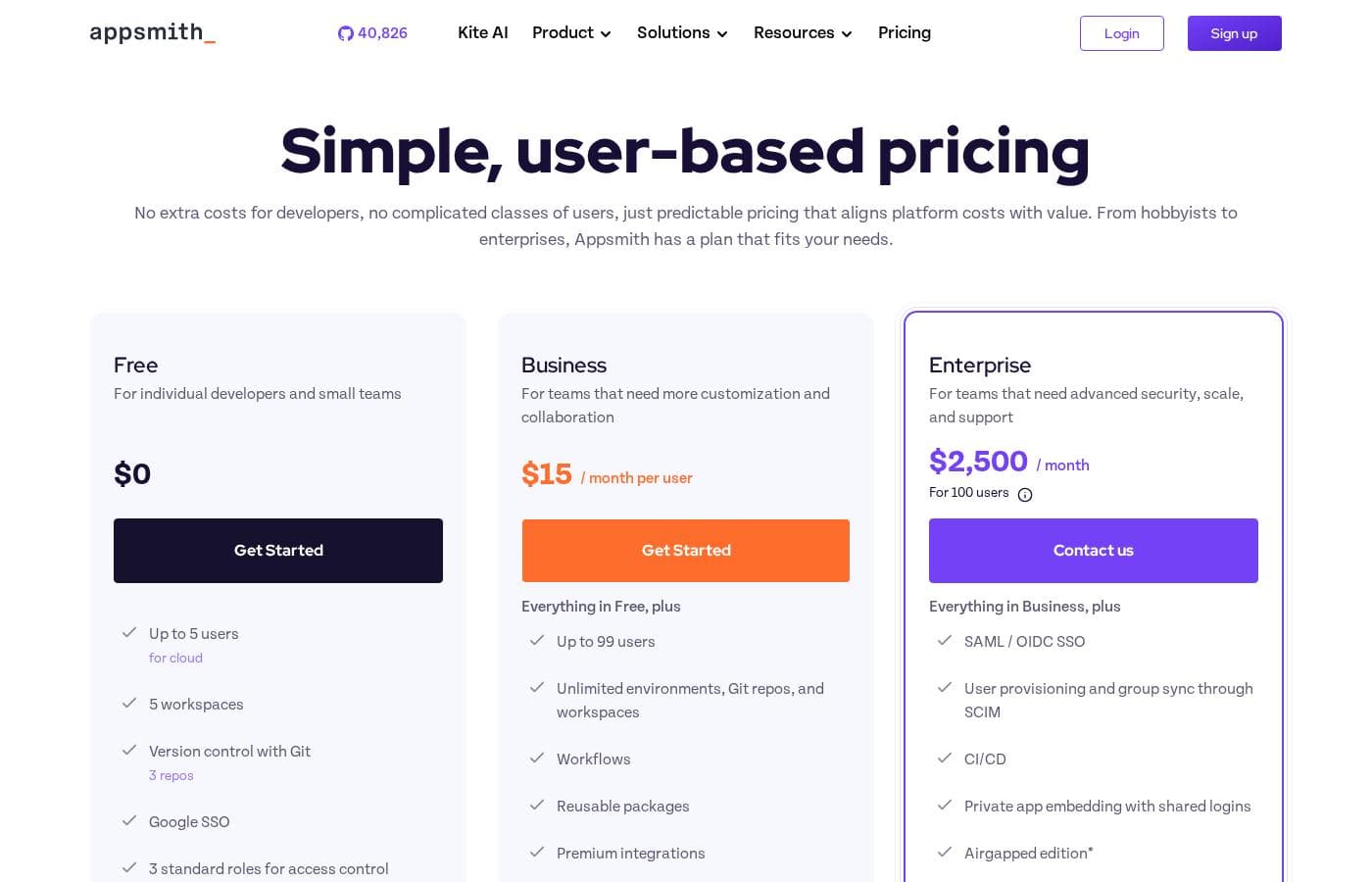
Appsmith provides a range of plans, from a free option for individuals to an enterprise plan for large teams. The Business plan is priced at $15 per month per user, while the Enterprise plan is priced at $2,500 per month for 100 users.

Plans & Pricing

Free

Monthly0
  • Up to 5 users (for cloud)
  • 5 workspaces
  • Version control with Git (3 repos)
  • Google SSO
  • 3 standard roles for access control
  • Public apps
  • Community support

Business

Monthly15 / month per user
  • Up to 99 users
  • Unlimited environments, Git repos, and workspaces
  • Workflows
  • Reusable packages
  • Premium integrations
  • Custom roles and access controls
  • Audit logs
  • Remove “Powered by Appsmith” branding
  • + 1 more features

Enterprise

Monthly2,500 / month
For 100 users
  • SAML / OIDC SSO
  • User provisioning and group sync through SCIM
  • CI/CD
  • Private app embedding with shared logins
  • Airgapped edition
  • Managed hosting
  • Custom integrations
  • Dedicated support and SLAs

Appsmith costs between $0 and $2,500 per month with 3 plans: Free at $0, Business at $15/month per user, and Enterprise at $2,500/month.

Let's explore each plan in detail to help you pick the right one:

Free

Price: $0 Websites Supported: Not explicitly stated Best For: Individual developers and small teams Refund Policy: Not explicitly stated Other Features: Up to 5 users, 5 workspaces, Version control with Git (3 repos), Google SSO, 3 standard roles for access control, Public apps, Community support.

This plan is a great starting point if you're just exploring Appsmith or working on a personal project. It gives you the core functionality to build basic apps. ✨

Business

Price: $15 / month per user Websites Supported: Not explicitly stated Best For: Teams that need more customization and collaboration Refund Policy: Not explicitly stated Other Features: Up to 99 users, Unlimited environments/Git repos/workspaces, Workflows, Reusable packages, Premium integrations, Custom roles and access controls, Audit logs, Remove Appsmith branding, Email/chat support

The Business plan unlocks more advanced features for growing teams. It's perfect if you need to collaborate effectively and want more control over user roles and branding.

Enterprise

Price: $2,500 / Month for 100 users Websites Supported: Not explicitly stated Best For: Teams that need advanced security, scale, and support Refund Policy: Not explicitly stated Other Features: SAML / OIDC SSO, User provisioning and group sync through SCIM, CI/CD, Private app embedding with shared logins, Airgapped edition, Managed hosting, Custom integrations, Dedicated support and SLAs

Consider the Enterprise plan for large organizations needing top-tier security, compliance, and dedicated support. You'll gain access to advanced features like SAML SSO and a dedicated customer solutions engineer.

Appsmith offers a 15-day free trial of the Business plan, so you can test-drive the advanced features. You can also get started with a free, self-hosted account.

User Reviews

Since Trustpilot reviews are unavailable, our summary is based solely on Capterra. Capterra reviews suggest that Appsmith is a capable platform for building internal tools, with users noting its flexibility.

However, without Trustpilot data, a fully balanced, comprehensive review is impossible. We encourage potential users to seek out a wider range of feedback to form a complete evaluation.

💡 Additional user input about specific aspects, such as ease of use, integration capabilities, and customer support responsiveness, would offer a more informative basis for assessment. This is particularly true regarding more nuanced considerations such as app reliability and performance.

More information on these topics is necessary for a balanced conclusion.

No reviews yet.

Write a Review

Write a Review for Appsmith
0/100 characters
0/2000 characters

Why use Appsmith?

Ready to build custom apps faster and smarter? 🚀 Appsmith empowers you to do just that. Here's why you should choose Appsmith:

  • Save Money: Reduce seat licenses by building custom extensions to existing platforms.
  • Automate Processes: Streamline manual tasks and automate workflows, like patching servers in a single sprint.
  • Modernize Legacy Systems: Add new features to existing applications faster, keeping them relevant and efficient.
  • Maintain Control: Enjoy full transparency and code-level control, whether you're prompting or coding.
  • Innovate Securely: Benefit from an open-source solution with enterprise-scale security and governance.
  • Integrate Seamlessly: Sync with Git, manage versions, and deploy with your existing CI/CD processes.

Ready to transform your workflow with Appsmith?

Appsmith Alternatives

Other tools in the All-in-one No Code Platform category

Frequently Asked Questions

What integrations are included in the 'Premium integrations' feature of the Business plan?

Not explicitly stated on the official site. You can contact sales for a detailed feature list or check their documentation pages.

Does Appsmith offer a money-back guarantee?

No, a money-back guarantee is not explicitly mentioned on the official site.

What kind of support response time can Enterprise users expect?

The Enterprise plan includes 24x7 support coverage with response time SLAs.

How are users measured for billing purposes in Appsmith?

A user is counted as any member added to a workspace in your Appsmith instance and will be billed for the full month.

Are there any extra costs for developer seats?

No, there is no additional charge for developers using the Appsmith IDE.

Does Appsmith track user app data to track users?

No, Appsmith does not read app data or any personally identifiable information to track users; it uses a non-identifiable unique ID instead.

Is there a free trial for Appsmith?

Yes, new signups get a 15-day free trial of the Business plan, without needing a credit card.

Can I use the same license key for multiple Appsmith instances?

Yes, you can use the same license key for multiple instances, and Appsmith will aggregate usage across them.

How are Business accounts billed?

Business accounts are billed monthly via the credit card provided when activating your account.

How are Enterprise accounts billed?

Enterprise accounts are typically billed annually based on the terms of a custom agreement.

What type of single sign-on (SSO) options are available?

Google SSO is available on the Free plan. The Business plan offers Google and Github OAuth. The Enterprise plan supports SAML/OIDC SSO, Okta, Auth0, and Active Directory.

What SOC compliance does Appsmith have?

Appsmith has SOC 2 Type II compliance on the Enterprise plan.

What kind of support is offered on the business plan?

Business users get priority email and chat support.

Under what license is the Open Source edition offered?

Appsmith Community Edition is fully maintained under the Apache 2.0 license.

Can I get help migrating apps in Appsmith?

App migration support is available on the Enterprise plan.

Ready to try Appsmith? Check out the official site or pricing.