AVS4YOU

AVS4YOU

Ultimate multimedia editing family for spectacular content creation.

#8 dans Video editing
2 min read · Updated 10/5/2025
AVS4YOU homepage screenshot

At a glance

Quick overview for AVS4YOU: rating, pricing summary, key features, and highlights.

Ciroapp review

3.5
Functional suite with restrictive licensing.

We assessed the AVS4YOU suite as a highly functional and simple solution for diverse multimedia editing and conversion needs. While the array of tools is excellent and priced competitively, we found the single-device licensing policy highly restrictive, especially for the popular “Unlimited Subscription.” Overall, the product delivers quality output but requires clearer communication regarding license portability.

Pros

  • Pro:Excellent value for the comprehensive multimedia software suite.
  • Pro:Software is highly versatile for video, audio, and conversion tasks.
  • Pro:Simple, intuitive, and user-friendly interface design.
  • Pro:Technical support staff is consistently praised for quick responses.

Cons

  • Con:The "Unlimited" license is strictly limited to a single PC/device.
  • Con:License transfer or reactivation is often complex after a computer crash.
  • Con:Software can become slow when processing very large video files.
  • Con:Screen capture feature sometimes records without accompanying audio.
Money-back guarantee
Yes — 30 days
Range: $49.00–$79.00/purchaseYearly subscription, One-time payment
This section is a summary. Detailed sections about features, use cases, pricing, and reviews follow below.

AVS4YOU review, pricing, features, pros & cons

Are you tired of juggling multiple complex programs just to edit a single video or convert a file? 😩 It's frustrating when software limits your creative vision. AVS4YOU cuts through this hassle by offering a complete suite.

It helps you produce spectacular video and audio content without frustrating limitations.

What is AVS4YOU?

AVS4YOU is rightly called the “Ultimate multimedia editing family.” It is a collection of tools designed for anyone looking to produce high-quality video and audio content, and even more. Whether you need to convert files, trim a video, or apply engaging effects like Chroma key, this family of software has you covered. Users consistently highlight that it's very convenient, user friendly, and functional ✨.

AVS4YOU Key Features

✨ Seamless File Conversion and Speed Boost

The AVS Video Converter makes handling various video formats simple. You can effortlessly convert all key video formats, regardless of the corresponding file size. Smart conversion presets are included to streamline your workflow and help you achieve quality results.

If speed is critical, the program utilizes GPU conversion acceleration. This excellent feature drastically speeds up the entire conversion process. You can quickly handle large batches of files and keep your projects moving without unnecessary delay.

✨ Professional Editing with Creative Control

The AVS Video Editor lets you transform raw footage into exciting polished content. You can quickly edit any key video format, performing essential actions like cutting, trimming, and joining files. This toolkit ensures precise modifications are easy to execute.

Enhance your films by adding appealing effects and smooth transitions between clips. You can also enrich your story by adding audio, clear comments, or detailed subtitles right into your video projects. For more advanced creative touches, you have access to powerful specialized tools. Easily use Chroma key (green screen) effects or apply dramatic Slow Motion to specific scenes.

✅ Efficient Non-Recoding Video ReMaker

The AVS Video ReMaker is specifically designed for timeline efficiency and speed. This specialized tool allows you to cut, trim, and join files without requiring a full video reconversion. This non-recoding process saves substantial time, a massive benefit when you are handling large high-definition files.

This application supports all key video formats while maintaining fast editing performance. After finalizing your cuts, you can compile your work into physical media. Easily create functional DVD and Blu-ray discs, including custom menu structures.

✨ Flexible Media Capture and Input

AVS provides multiple practical options for getting source footage into your projects. Both the Video Editor and the Video ReMaker include the robust ability to capture your entire PC screen. This capability is perfect for recording gameplay footage or creating professional software tutorials.

If you work with external physical media, the Video ReMaker also helps you transfer video directly. You can easily pull footage from external camcorders and various video cameras. This ensures you can integrate specialized or older video sources into your modern editing workflow seamlessly.

✨ Complete Multimedia Viewing and Organization

The AVS Media Player serves as your central hub for enjoying all your media. You can use it to open and watch videos in all popular formats quickly and reliably. It's also a perfect tool for listening to and playing your entire music collection easily.

The player handles more than just conventional video and audio content. View your entire image collection as a simple slideshow presentation. Plus, you can organize your content by creating personalized playlists and easily taking sharp visual snapshots from any video that is currently playing.

Use Cases

✅ Converting Files for Universal Use

Your diverse devices often record video in unique formats. This causes frustrating compatibility problems during editing or playback. AVS Video Converter provides the simplest solution for this common issue. It handles all key video formats and even works with large file sizes easily.

To maximize efficiency, utilize the fast and comprehensive conversion features. You can enable GPU conversion acceleration to speed up your workflow tremendously. This quick preparation ensures that all your source materials are uniformly compatible before you start a project.

👩‍🏫 Creating a Professional Online Tutorial

Do you need to teach a process or demonstrate how software works? The suite makes screen capture and editing simple. You can capture your entire desktop screen directly from AVS Video Editor. This captures exactly what your audience needs to see.

Once recorded, easily cut, trim, and join the captured clips. You can add subtitles, audio comments, and smooth transitions to improve clarity. This process helps you turn raw screen footage into a polished, dynamic training video in just minutes.

⏱️ Fast Trimming of Video Clips

Problem: You have raw footage that requires only minor cuts or trims, but loading and re-rendering the whole file takes hours and decreases quality.

Approach: Use AVS Video ReMaker. This specialized tool allows you to cut, trim, and join files that already support key video formats without requiring a full reconversion. This significantly reduces processing time.

Expected outcome: You save substantial time on small edits while preserving the video’s original quality and definition.

🎬 Adding Advanced Cinematic Effects

AVS Video Editor helps you elevate standard footage into impressive, high-quality content. The editor includes powerful features like Chroma key support. This tool lets you easily use green screens to superimpose subjects onto any background you choose.

You can also experiment with dramatic timing changes. Apply Slow Motion effects to highlight important moments or actions. These advanced tools make complex effects accessible for any user, helping you achieve a sophisticated look.

💿 Digitizing and Archiving Memories (Step Flow)

You want to preserve old family videos from analogue sources. The AVS suite provides the necessary steps to capture, edit, and archive.

  1. Use AVS Video ReMaker to transfer video directly from camcorders or video cameras.
  2. Cut out any shaky parts or non-essential clips using the trim feature.
  3. Create custom menus for easy navigation within the content.
  4. Burn the final footage onto durable DVD or Blu-ray discs.

Tip: Use the AVS Media Player to organize these files into personal playlists and review them before finalizing the physical discs.

🖼️ Managing Your Complete Media Library

The suite isn't just for creating; it's also for managing and viewing. AVS Media Player is designed to open and watch videos in all popular formats. You can listen to your favorite music and effortlessly view images as a continuous slideshow.

It’s especially helpful for organizing large collections. Create personalized playlists for different occasions and use the snapshot feature to capture favourite frames. It's a convenient, singular hub for consuming all varieties of multimedia.

Pricing Overview for AVS4YOU

Pricing range
$49.00–$79.00/purchase
Pricing types
Yearly subscription, One-time payment
Money-back guarantee
Yes — 30 days

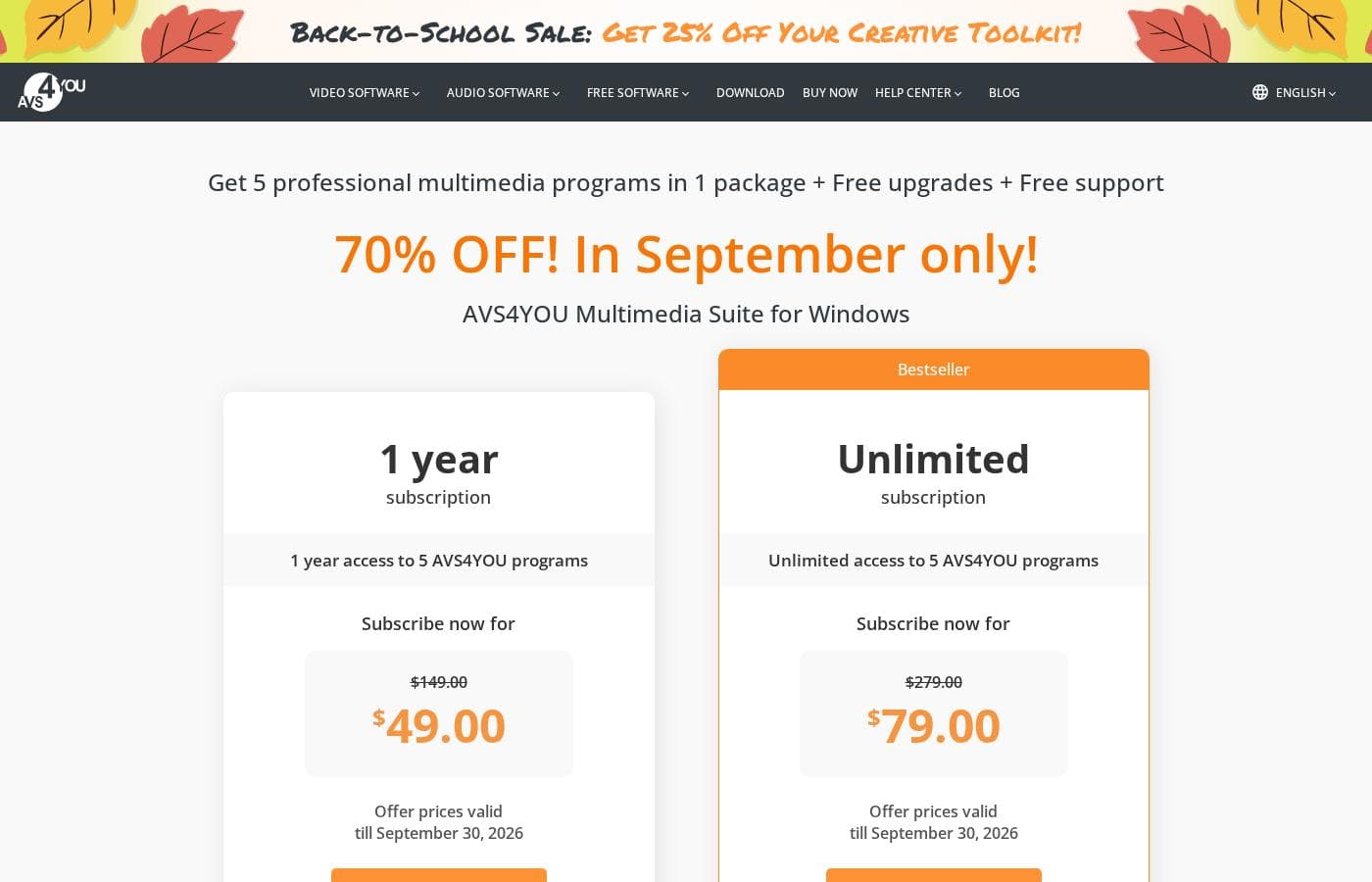
AVS4YOU offers two simple paths to access its Multimedia Suite: a 1-Year Subscription for $49.00 or the long-term Unlimited Subscription for a one-time fee of $79.00. Both plans include five professional programs, free upgrades, and full customer support.

Plans & Pricing

1 Year Subscription

MonthlyNot explicitly stated
Yearly$49.00
Access expires after 1 year; programs become unregistered and output files contain a watermark/voice logo.
  • 1 year access to 5 AVS4YOU programs
  • Free upgrades
  • Free support
  • One license key per computer

Unlimited Subscription

MonthlyNot applicable (One-time payment)
YearlyNot applicable (One-time payment)
One license key per computer.
  • Unlimited lifetime access to 5 AVS4YOU programs
  • One-time payment (no yearly renewals)
  • Free upgrades for programs
  • Free support
  • Bestseller

AVS4YOU costs between $49.00 and $79.00 per purchase with 2 main plans: 1 Year Subscription at $49.00/year and Unlimited Subscription at $79.00 one-time.

The simple pricing structure focuses on giving you total access to the AVS4YOU Multimedia Suite. Here is a breakdown of the two options currently available.

1 Year Subscription

Price: $49.00 per year (discounted from $149.00) Websites Supported: Not explicitly stated (One license per computer) Best For: Users who want flexibility or prefer annual budgeting Refund Policy: 30-day money-back guarantee Other Features:

  • 1 year access to 5 AVS4YOU programs
  • Includes free upgrades and free support
  • No watermark on output files while active

This option is perfect if you want to try out the full suite for a defined period without committing to a lifetime license. Just be aware that after the year expires, the programs become unregistered, and a watermark reappears on your output files.

Unlimited Subscription

Price: $79.00 (One-time payment, discounted from $279.00) Websites Supported: Not explicitly stated (One license per computer) Best For: Long-term users seeking maximum savings and permanent access Refund Policy: 30-day money-back guarantee Other Features:

  • Unlimited lifetime access to 5 AVS4YOU programs
  • One-time payment (no yearly renewals required)
  • Includes free upgrades for all programs
  • Bestseller plan

If you plan on using these editing tools for years to come, this "Unlimited" plan is clearly the best value. As a one-time purchase, you get permanent access and never need to worry about renewal fees. It's the straightforward, long-term choice for power users. 🚀

While there is no explicit free trial for the full suite, the website does offer several free software downloads. Both paid subscription options are protected by a reassuring 30-day money-back guarantee. This guarantee lets you request a full refund if technical issues arise that cannot be solved.

User Reviews

Users generally recommend AVS4YOU for its user-friendly interface and reliable functionality across a comprehensive suite of multimedia tools. Reviewers frequently emphasize the software's excellent versatility for tasks like video editing, audio conversion, and DVD copying, stressing that it offers exceptional value for the price point.

The technical support team also receives high praise for its accessibility, promptness, and effectiveness in quickly resolving various technical issues. Many long-time customers affirm that the company consistently updates its software, honoring its commitments over many years.

However, a significant recurring concern centers on the restrictive licensing policy. The “Unlimited Subscription” is often misunderstood; users report the license is strictly tied to a single, specific computer.

This creates major friction when users upgrade their PC or experience a system crash, often resulting in difficulties reactivating the software. Performance can also be slow at times, especially when handling professional-grade or large video files.

Overall, the software itself is effective, but potential buyers must understand the rigid, single-device licensing limits. 🤔

What users say elsewhere

Gary N.
· Trustpilot
5.0 / 5

I am a long time user of both AVS VIDEO and AUDIO editors. These tools are remarkably easy to use and produce high quality content with minimal effort! I recommend the full suite highly.

Peter M.
· Trustpilot
5.0 / 5

I took out a lifetime subscription to the entire package nearly twenty years ago. AVS4YOU is the only software company that I know of that truly honors its commitment to being updated regularly.

No reviews yet.

Write a Review

Write a Review for AVS4YOU
0/100 characters
0/2000 characters

Why use AVS4YOU?

Why should AVS4YOU be your choice for multimedia creation? Because over 20,000,000 satisfied clients recommend it, praising its ease of use and great value for the price. You can quickly turn your ideas into exciting content.

  • Exceptional Value and Functionality: For the price, customers note that this suite offers great value. Tools like AVS Video Editor and Video Converter are flagged as both excellent and easy to use, yielding quality results 💰.
  • Designed for Ease: This product is engineered to be super easy to download and use. Anyone can master it in just minutes, ensuring the creative process is smooth and accessible.
  • Fast and Comprehensive Conversion: Utilize AVS Video Converter to handle all key video formats and file sizes effortlessly. The feature includes GPU conversion acceleration to speed up your workflow.
  • Smart Video Editing: The Video Editor lets you cut, trim, join files, and apply effects and transitions. You can even capture your PC screen or use advanced tools like Chroma key and Slow Motion.
  • Non-Recoding Editing: Use AVS Video ReMaker to edit specific video files without requiring a full reconversion. This saves significant time when trimming or cutting footage, keeping your projects moving forward ✅.

Ready to transform your workflow with AVS4YOU?

Frequently Asked Questions

Can I use one subscription key on multiple computers or devices?

No. A single license key only activates the software on one computer. If you want to use the software on multiple machines, you must purchase a separate subscription for each device.

Can I transfer my AVS4YOU license key if I upgrade my computer?

The license policy does not allow transferring your key from one computer to another. If you switch devices or if your machine crashes, you will unfortunately need to buy an additional subscription.

How secure is my payment and personal information?

AVS4YOU ensures high security for your data. All transactions are securely processed via the 2Checkout payment gateway, which maintains high standards for online security.

What is the money-back guarantee policy?

AVS4YOU offers a 30-day money-back guarantee. You are eligible for a full refund if technical or other problems arise that the support team cannot solve for you.

Is there a free trial offered for the full Multimedia Suite?

There is no explicit free trial for the full paid suite. However, you can download some free tools to test functionality, and the 30-day money-back guarantee allows for risk-free evaluation.

What happens to the software when my 1 Year Subscription period ends?

Once the year expires, all AVS4YOU programs become unregistered. Any new output files will then have a watermark applied or a voice logo if it is an audio file.

What are the limitations if I use the software without paying?

If you use the unactivated video programs, a watermark will be added to all output files. If you use the audio programs, a voice logo is continuously applied to the output files.

Does the 1 Year Subscription automatically renew?

The official website materials do not explicitly state whether the 1-Year Subscription automatically renews. You should check the specific terms presented during the checkout process for renewal details.

Are future software upgrades included with my purchase?

Yes, both the 1 Year Subscription and the Unlimited Subscription plans include free upgrades for all five programs in the suite.

Who should choose the Unlimited Subscription over the 1 Year plan?

The Unlimited plan is the long-term choice built for maximum value. It provides permanent access via a single, one-time payment, meaning you never worry about renewal fees.

What kind of customer support is included with the purchase?

Free support is included with all subscriptions. Customers frequently praise the support team for being prompt, accessible, and very effective at resolving technical issues quickly.

Is the AVS4YOU suite available for Mac or other operating systems?

The AVS4YOU Multimedia Suite is explicitly marketed as being 'for Windows.' Compatibility with operating systems other than Windows is not specified or supported by the available information.

Does AVS4YOU offer integrations or support professional APIs?

The provided materials focus entirely on the end-user functionality of the desktop suite. Specific details regarding API access, integrations, or professional workflow connections are not available.

How can I get rid of the annoying voice logo and watermark?

You need to purchase an AVS4YOU subscription and activate your software with the license key provided. This will remove all watermarks and voice logos from your output media.

Ready to try AVS4YOU? Check out the official site or pricing.