Airtable

Airtable review

One workspace for AI workflows, apps, and agents—no code required.

Airtable costs from $24/mo · 4 plans · Free plan available · prices checked Oct 20, 2026

By Ciroapp Editorial Team · Updated Sep 17, 2026

Commission may apply at no extra cost

Airtable homepage screenshot

At a glance

Quick overview for Airtable: rating, pricing summary, key features, and highlights.
Pricing verified Oct 20, 2026

Ciroapp score

4.2/ 5

Airtable combines conversational no-code building, AI agents, and serious scale—HyperDB handles hundreds of millions of records. The free plan is genuinely usable, but record caps rise sharply by tier and AI runs on credits. Overall, it's a strong pick for teams that need enterprise-grade tools without waiting on developers.

Pros

  • Build working apps by describing them in plain language—Airtable generates them from no-code components, so non-technical teams ship without an engineering ticket or developer queue
  • AI agents do more than chat — they reason across thousands of records and orchestrate actions across your operation, and you can choose models from OpenAI, Gemini, Llama, Anthropic, and others to avoid provider lock-in
  • Genuine enterprise headroom—HyperDB handles hundreds of millions of records and workflows scale to tens of thousands of users, so the platform you pilot on a small workflow can grow with you

Cons

  • Record, automation, and attachment limits step up sharply by tier—Free caps at 1,000 records per base and even Enterprise Scale tops out at 500,000 per base—so teams hitting ceilings must upgrade rather than just add capacity
  • AI usage is credit-based (e.g., 500 credits per editor monthly on Free, 25,000 on Enterprise Scale at list price), so heavy AI workloads require budgeting for extra credit packs starting at $20/month for 10,000 credits
  • Despite no-code building, enterprise administration—permissions, programmatic provisioning, and AI enablement controls—still requires planned setup effort, and only European and Australian data residency are documented
Best for
  • Operations teams consolidating scattered data into one connected workspace
  • Enterprises that want AI agents working across large record volumes
  • Non-technical teams building internal apps without developers
This section is a summary. Detailed sections about features, use cases, pricing, and reviews follow below.

What is Airtable?

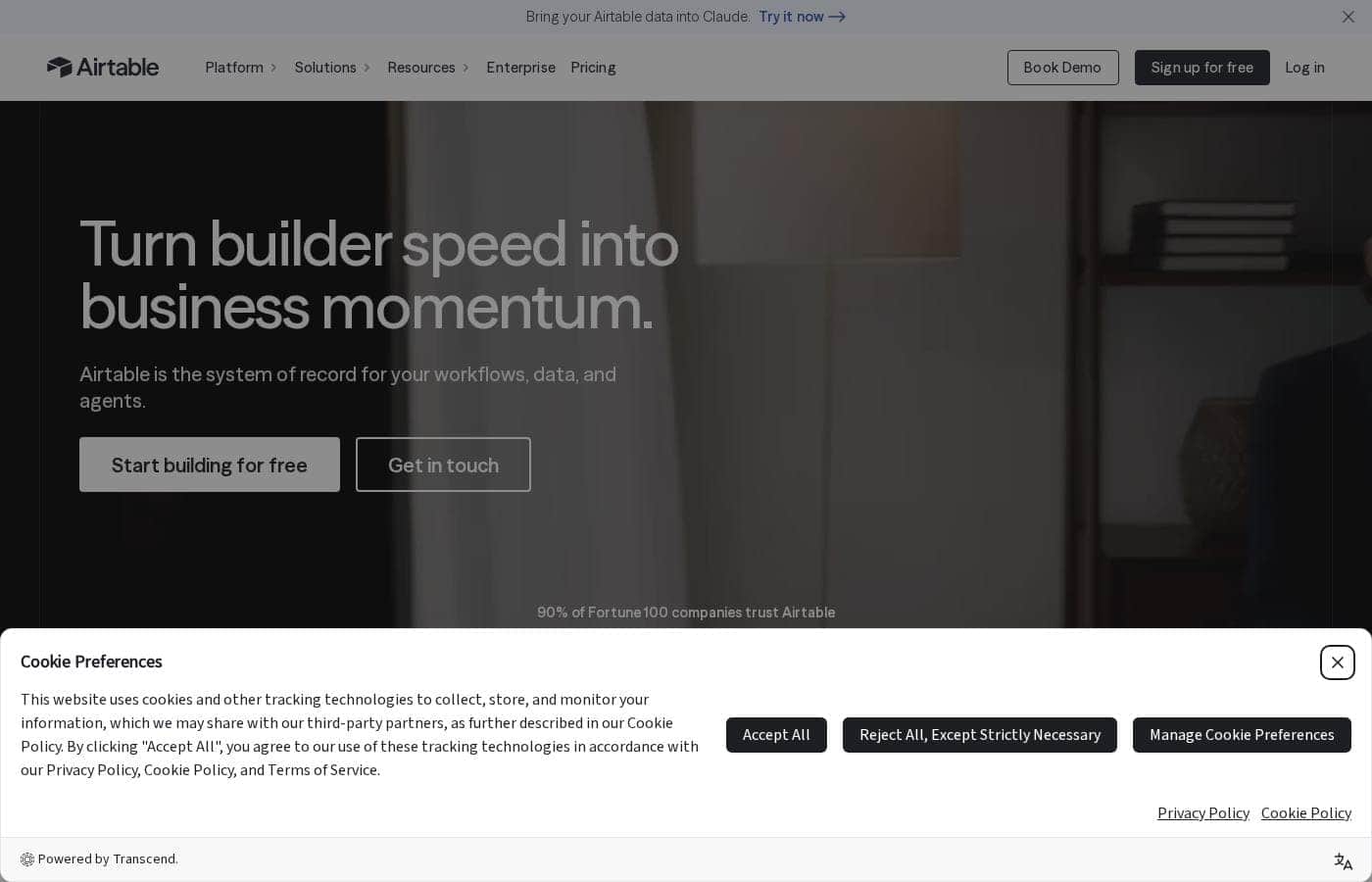
Your team's data lives in too many places, and work stalls because of it. Airtable puts workflows, apps, and AI agents in one shared workspace. You can build without code, connect every team, and let AI act across thousands of records.

Here's what its site tells you before you commit.

Airtable is a no-code platform where teams build AI-powered workflows, apps, and agents in one connected workspace. It targets organizations that want to unify data and collaboration without heavy engineering. Its site says over 500,000 teams use it daily, and the infrastructure is built for enterprise scale—hundreds of millions of records and tens of thousands of users.

Should you choose Airtable?

Quick buyer guidance before you compare plans or click through.

Choose it if

  • You want conversational, no-code app building with no technical expertise
  • You need AI embedded in workflows, not just a chat window
  • Your data volume is large—up to hundreds of millions of records
  • You require admin controls like RBAC and programmatic provisioning
  • You want flexibility across AI providers like OpenAI, Gemini, Llama, and Anthropic

Skip it if

  • Solo users or very small teams may find an enterprise-grade platform more than they need
  • Only European and Australian data residency are mentioned—confirm options if you operate elsewhere
  • Even with no-code building, admins must configure permissions, provisioning, and AI controls, so expect some rollout planning
  • AI depends on third-party model providers, so verify their terms fit your data policies

Next steps before buying

  1. 1Check that your must-have integrations and preferred AI providers are supported on your plan
  2. 2Review the use cases and templates Airtable publishes to see how teams like yours apply AI
  3. 3Compare Airtable against other no-code database and workflow tools before committing
  4. 4Ask about trial or demo terms, and confirm compliance needs like HIPAA and data residency upfront

Ease of use

The site stresses no-code, conversational building and 'no technical expertise required,' which points to a gentle learning curve for makers. Building apps looks approachable, but enterprise admin work—permissions, provisioning, and AI controls—will still need a planned setup.

Airtable Key Features

✨ Build apps by describing them

Describe what you need, and Airtable generates a working app from its no-code components. There's no coding and no engineering ticket. That's how production apps ship in minutes, not months.

It works well when your team needs a real tool now and doesn't have developers to build it.

🤖 AI agents that act, not just chat

Airtable agents don't just answer questions. They think dynamically across thousands of records and orchestrate actions across your entire operation. Because they're embedded in your workflows, AI sits where the work actually happens.

Reach for them when decisions depend on data spread across many teams and records.

✨ Omni: AI app building with your data

Omni is Airtable's AI for building enterprise-grade applications on your own data. You tell it what you need, and it works within the platform's no-code components. When a standard setup doesn't fit your workflow, Omni helps you build the version that does.

✨ Infrastructure built for serious scale

Scale is built in, not bolted on. HyperDB handles record counts in the hundreds of millions, and workflows can support tens of thousands of users. You also pick your AI models—OpenAI, Gemini, Llama, Anthropic, and more—so one provider can't lock you in.

✨ Admin control and compliance built in

Admins get real control. Roles, fine-grained permissions, and programmatic provisioning keep access in check, and you decide where AI is enabled. Security covers the essentials too:

  • ISO, HIPAA, and SOC 2 compliance
  • No customer data retained or used to train AI models
  • European and Australian data residency

Audit logs and data loss prevention round it out.

Use Cases

🗂️ Unify scattered team data

Ops teams pull scattered data into one connected workspace, so everyone works from the same source. No more digging through tools for the latest version.

Expected outcome: Work stops stalling between teams.

Tip: Start on the free plan, then scale as records grow.

🛠️ Build internal apps without developers

Describe what you need, and Airtable generates a working app from no-code components. No engineering ticket, no technical expertise—non-technical teams ship production apps in minutes.

Expected outcome: Ideas become working apps without waiting on a dev queue.

Tip: Pilot one workflow before rolling out team-wide.

🤖 Deploy AI agents that act

Don't just chat with AI—put it to work. Agents think across thousands of records and orchestrate actions across your operation, using models from OpenAI, Gemini, Llama, or Anthropic.

Expected outcome: AI insights reach every team quickly, without complex builds.

🏢 Scale with enterprise-grade control

Roll Airtable out to tens of thousands of users with admin roles, fine-grained RBAC, SAML SSO, and audit logs. ISO, HIPAA, and SOC 2 compliance keeps regulated teams covered.

Tip: Confirm data residency needs—EU and Australia are supported—during your evaluation.

Airtable pricing

From$24/mo

  • 4 plans
  • Free plan available
  • Save up to 17% with annual billing

Prices checked on Oct 20, 2026 from Airtable's pricing page

Airtable pricing page screenshotView pricing page screenshot
PlanBilled monthlyBilled annuallyIncludes
Free
Free
Free
1,000 records per base, up to 5 editors, 1 GB attachments per base, 100 automation runs, 500 AI credits per editor/month
  • Unlimited bases
  • 1,000 records per base
  • Up to 5 editors
  • 500 AI credits per editor each month
  • 100 automation runs
  • +2
Team
per user
$24/mo
$20/mo
$240 per year
Save up to 17% with annual billing
50,000 records per base, 25,000 automation runs, 20 GB attachments per base
  • Everything in Free, plus
  • 15,000 AI credits per paid user each month
  • 50,000 records per base
  • 25,000 automation runs
  • 20 GB of attachments per base
  • +4
Business
per user
$54/mo
$45/mo
$540 per year
Save up to 17% with annual billing
125,000 records per base, 100,000 automation runs, 100 GB attachments per base
  • Everything in Team, plus
  • 20,000 AI credits per paid user each month
  • 125,000 records per base
  • 100,000 automation runs
  • 100 GB of attachments per base
  • +7
Enterprise Scale
See vendor page
See vendor page
500,000 records per base, 500,000 automation runs, 1,000 GB attachments per base
  • Everything in Business, plus
  • 25,000 AI credits per paid user each month at list price
  • 500,000 records per base
  • 500,000 automation runs
  • 1,000 GB of attachments per base
  • +7

Price history

Tracking prices since Oct 1, 2026. No price change detected yet.

Pricing types: Free plan, Monthly subscription, Yearly subscription, Per seat pricing, Usage-based pricing

Pricing notes

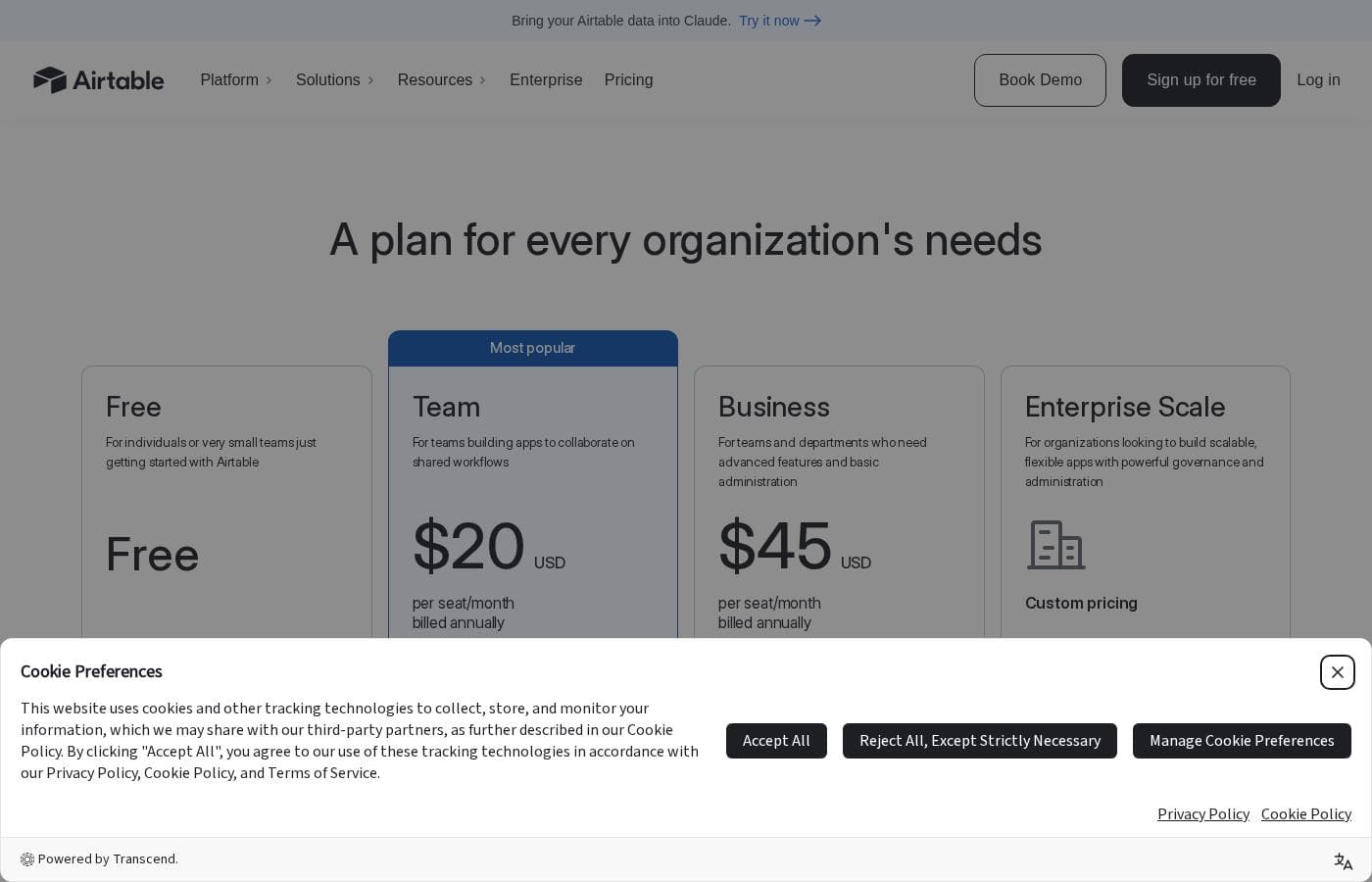
Airtable offers a genuinely free plan for individuals and small teams, with paid plans from $20 to $45 per user/month billed annually. Team costs $24/month and Business $54/month when billed monthly, while Enterprise Scale uses custom pricing.

Airtable costs between $0 and $45 per user/month with 4 plans: Free at $0, Team at $20 per seat/month, Business at $45 per seat/month, and Enterprise Scale at custom pricing. Paid plans are billed annually, with monthly billing available at a higher rate.

Here's what each plan includes.

Free

Price: Free Best For: Individuals or very small teams just getting started with Airtable Other Features:

  • Unlimited bases with 1,000 records per base
  • Up to 5 editors
  • 500 AI credits per editor each month
  • 100 automation runs and 1 GB of attachments per base
  • Interface Designer included

The Free plan is genuinely usable, not just a demo. With unlimited bases and Interface Designer, it works well for personal projects or a small pilot before you commit to anything paid.

Team

Price: $20 per seat/month billed annually ($24 billed monthly) Best For: Teams building apps to collaborate on shared workflows Other Features:

  • 15,000 AI credits per paid user each month
  • 50,000 records per base
  • 25,000 automation runs and 20 GB of attachments per base
  • Extensions, Gantt and timeline view, standard sync integrations
  • Optional Portals add-on from $120/month for 15 guests

This is the sweet spot for most growing teams. Annual billing saves you $4 per seat each month compared to paying monthly, so it's worth the commitment if you're in for the long haul.

Business

Price: $45 per seat/month billed annually ($54 billed monthly) Best For: Teams and departments who need advanced features and basic administration Other Features:

  • 20,000 AI credits per paid user each month
  • 125,000 records per base
  • 100,000 automation runs and 100 GB of attachments per base
  • Two-way sync, verified data, and premium sync integrations
  • Admin panel, SAML-based single sign-on, and App Sandbox

Choose Business when governance matters. SAML SSO, the admin panel, and AI admin controls make sense once several departments share one workspace. If you're a small team that won't touch those tools, Team does the job for less than half the price.

Enterprise Scale

Price: Custom pricing (contact sales) Best For: Organizations that need scalable, flexible apps with powerful governance and administration Other Features:

  • 25,000 AI credits per paid user each month at list price
  • 500,000 records per base
  • 500,000 automation runs and 1,000 GB of attachments per base
  • HyperDB, Enterprise Hub, and enterprise-grade integrations
  • Audit logs, DLP, and enhanced security controls

This tier fits large organizations juggling compliance, security, and scale. If you're not managing thousands of users or sensitive regulated data, Business will almost certainly cover your needs.

A few things worth knowing. Airtable charges for every user with edit permissions on at least one base, while read-only collaborators are free. Charges are prorated, so someone added mid-month is billed only for their active days. If you hit record or attachment limits, your data is never removed — you just can't add more until you upgrade. Team workspaces pay by credit card; Business and Enterprise buyers purchasing through sales can pay by invoice with a PO, ACH, wire, or check.

There's a free plan with no time limit, and extra AI credits are available in packs starting at $20/month for 10,000 credits. Confirm your editor headcount before you buy, since every editor counts toward your bill.

Cost calculator

Estimate what Airtable costs for your team.

Billing
Per month
$120
Per year
$1,440

Team is priced per user: price × 5 seats. Estimate based on published list prices, before taxes, add-ons and discounts.

How to pay less for Airtable

  • Pay annually: saves up to 17% compared with monthly billing.
  • Start on the free plan and upgrade only when you hit its limits.
  • Some plans are priced per user: only pay for seats people actually use.
  • Cheaper tools in this category start at $15/mo.
Visit Airtable

Email me when Airtable changes price

One email when we detect a price change on the vendor's pricing page. No newsletter, no deals. Unsubscribe in one click.

User Reviews

No reviews yet.

Write a Review

Write a Review for Airtable
0/100 characters
0/2000 characters

Why use Airtable?

Most tools make you choose between easy and enterprise-grade. Airtable is built to be both—and that combination is hard to find.

  • Build by conversation. Describe what you need, and Airtable generates working apps from its no-code components—no engineering ticket required.
  • AI that acts, not just chats. Airtable agents think across thousands of records and orchestrate actions across your whole operation.
  • Serious headroom. HyperDB handles record counts in the hundreds of millions, and workflows can scale to tens of thousands of users.
  • Your choice of AI models. Use models from OpenAI, Gemini, Llama, Anthropic, and more, so you're not tied to a single provider.
  • Enterprise control built in. Admin roles, fine-grained RBAC, programmatic provisioning, and synced IDP groups keep large teams in check.
  • Security you can point to. ISO, HIPAA, and SOC 2 compliance, no customer data used to train AI models, plus European and Australian data residency options.

If scattered data is slowing your teams down, that's exactly the problem Airtable is built to solve.

Airtable alternatives

Other tools in the All-in-one No Code Platform category

View all All-in-one No Code Platform tools
Appsmith

Appsmith

All-in-one No Code Platform4.3/5From $15/mo

Appsmith is a developer-first low-code platform. ✅ It allows you to quickly build custom apps with drag-and-drop widgets or code in JavaScript. You can connect to any LLM, database, SaaS tool, or API—even self-hosting for secure access.

Knack

Knack

All-in-one No Code Platform4.1/5From $19/mo

Knack is a powerful no-code web application builder. It lets your team create complex, data-rich solutions quickly. These solutions can be SaaS applications, custom client portals, or internal tools for business processes. Knack handles the technical infrastructure behind the scenes 💡. You can revolutionize your operations and build powerful, flexible workflows. If you need a custom client tracker or a better way to manage inventory, Knack delivers from concept to working application in record time. It avoids the typical six-month IT queue.

Softr

Softr

All-in-one No Code Platform4.1/5

Softr is a no-code platform that lets teams build, customize, and publish their own software—without developers. Start by connecting to your data, then tailor layouts and logic, and publish to launch your tools. It’s ideal for teams who want fast, tailored software that fits their workflows and scales with growth.

Glide

Glide

All-in-one No Code Platform4/5

Glide is a no-code platform for building AI-powered business apps. It's built for teams and businesses that want to move fast, adapt, and unlock data without writing code. 💡 You connect data from Google Sheets, SQL, and more, then manage it in a familiar spreadsheet-like interface.

Caspio

Caspio

All-in-one No Code Platform4/5

Caspio is defined as the pioneering low-code platform that focuses on scaling with your organization. This system is an all-in-one solution for generating smart, data-driven applications without unnecessary technical compromise. 💡 The platform supports two frameworks: the proven Bridge and the visual Flex framework, both included at no extra cost. Caspio aims to be AI-Enhanced, No Code, and completely Enterprise Ready. It’s an ideal choice for organizations needing fast, customizable, high-end applications, evidenced by its trust among 15,000 organizations worldwide.

Emergent

Emergent

All-in-one No Code Platform4/5From $20/mo

Emergent is an AI platform that enables anyone to build full-stack, production-ready web and mobile applications using plain language. Since launching in 2025, Emergent has grown to over 5M users across 190+ countries and surpassed $100M ARR, backed by Khosla Ventures, SoftBank, Lightspeed, YC, and Google’s AI Futures Fund. Partners promote Emergent to founders, builders, and businesses looking to launch software faster without traditional development barriers.

Cheapest All-in-one No Code Platform software for 1 to 25 users

Airtable FAQ

How much does Airtable cost?

Airtable's cheapest paid plan, Team, costs $24 per month. Paid plans range from $24 to $54 per month. Prices checked on Oct 20, 2026 from the vendor's pricing page.

Does Airtable have a free plan?

Yes. Airtable has a free plan (Free); paid plans start at $24 per month.

How much do you save with annual billing on Airtable?

Paying annually saves up to 17% compared with monthly billing, based on Airtable's list prices.

Has Airtable's price changed recently?

No. We have not detected a price change since we started tracking on Oct 1, 2026.

Is Airtable compliant with security standards like HIPAA?

Yes. Airtable holds ISO, HIPAA, and SOC 2 compliance, doesn't use customer data to train AI models, and offers European and Australian data residency. Audit logs and DLP come on Enterprise Scale.

Do read-only collaborators count as paid seats?

No. You're only charged for users with edit permissions on at least one base. Read-only collaborators, form submissions, and share links are free, and mid-month additions are prorated by the day.

What happens when I hit my record or automation limits?

Your data stays safe—Airtable never removes it. You just can't add more records or attachments until you upgrade. Automation runs and API calls are capped at your plan's limit.

What support can I expect as a customer?

Every plan includes the Help Center and Community, with email support listed for paid tiers. Qualified Business and Enterprise Scale customers can also buy professional services packages through Airtable Partners.

Ready to try Airtable? Check out the official site or pricing.

Are you Airtable? Claim this listing · Get the badge