Shopify POS

Shopify POS review

Sell in person and online from one back office. Shopify POS turns any phone or tablet into a checkout that stays in sync with your Shopify store.

By Ciroapp Editorial Team · Updated Sep 16, 2026

Commission may apply at no extra cost

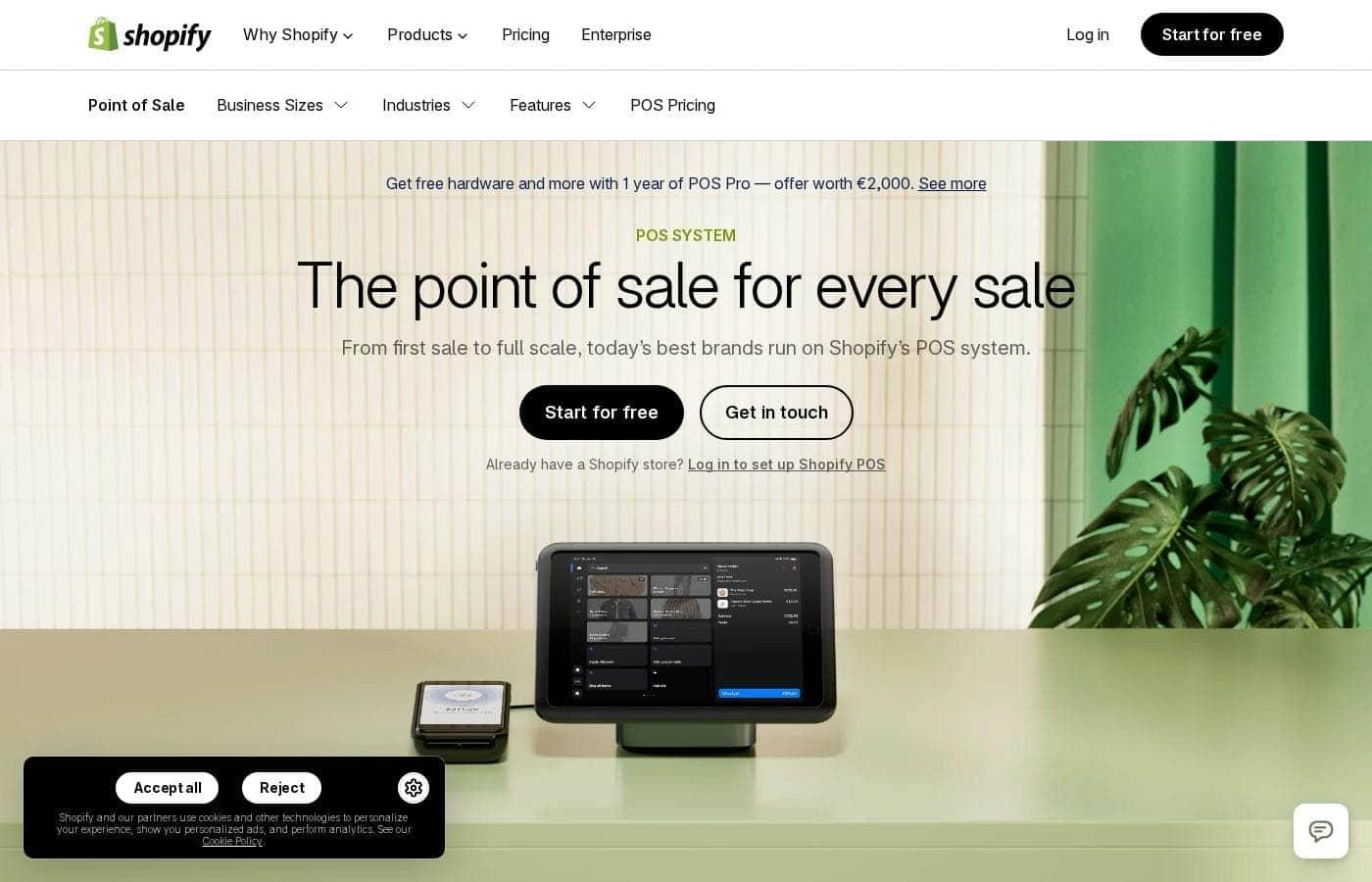
Shopify POS homepage screenshot

At a glance

Quick overview for Shopify POS: rating, pricing summary, key features, and highlights.
Vendor page checked Oct 13, 2026

Ciroapp score

4.2/ 5

Shopify POS shines at keeping online and in-person sales in one place. Stock, orders, and customer details update in real time, and it runs on phones or tablets you already own. It's less suited to restaurants or bars, and costs rise with higher plans and extra hardware. Overall, it's a strong pick if you already sell through Shopify.

Pros

  • Pros:Deep native integration with Shopify ecommerce — products, inventory, orders, and customers live in one back office with no third-party connector required
  • Pros:Scales from a $0/month entry point to multi-location retail on the same platform, so you don't outgrow the system
  • Pros:Flexible hardware approach — runs on your own phone or tablet, or on the dedicated POS Go handheld with printers, scanners, and cash drawers added as needed

Cons

  • Cons:Advanced retail capabilities such as deeper staff permissions and multi-location inventory tools are tied to higher-tier Shopify plans, so total cost rises as you grow
  • Cons:Hardware is sold separately, and a full counter setup (reader, stand, printer, scanner, drawer) adds up quickly
  • Cons:Regional availability matters — POS hardware and card-present payment support vary by country, and the best rates generally require using Shopify Payments
Best for
  • Existing Shopify merchants adding in-person sales to an online store
  • Omnichannel retailers who want online and physical-store operations in one back office
  • Pop-up vendors, market sellers, and event traders who need a portable checkout
This section is a summary. Detailed sections about features, use cases, pricing, and reviews follow below.

What is Shopify POS?

Shopify POS is Shopify's point-of-sale system for taking payments wherever you sell — a fixed counter, a pop-up table, or a customer's doorstep. It pairs Shopify's software with card readers and retail hardware so that in-person transactions land in the same back office as your online orders. This review looks at where it excels, where it falls short, and which sellers will get the most out of it.

Shopify POS is a complete point-of-sale platform combining software and hardware for processing in-person sales. The software runs as an app on iOS and Android devices or on Shopify's dedicated POS Go handheld, while the hardware lineup covers card readers, barcode scanners, receipt printers, and cash drawers. Because it is built by Shopify, the POS shares one product catalog, inventory, and customer database with a Shopify online store, which makes it a true omnichannel system rather than a standalone card reader.
Should you choose Shopify POS?

Quick buyer guidance before you compare plans or click through.

Choose it if

  • Existing Shopify merchants adding in-person sales to an online store
  • Omnichannel retailers who want online and physical-store operations in one back office
  • Pop-up vendors, market sellers, and event traders who need a portable checkout
  • Multi-location retail chains already committed to the Shopify ecosystem

Skip it if

  • Restaurants, cafés, and bars that need table management, course firing, or kitchen display workflows
  • Businesses that want a standalone POS with no connection to the Shopify platform
  • Sellers in countries where Shopify POS hardware or Shopify Payments isn't supported
  • Cash-dominant businesses that only need occasional card acceptance and don't want platform subscription costs

Next steps before buying

  1. 1Create a Shopify account and choose a plan — a free entry point exists, and paid tiers unlock more retail features
  2. 2Download the Shopify POS app from the App Store or Google Play onto your iPhone, iPad, or Android device
  3. 3Order a card reader (plus any additional hardware such as a stand, printer, or scanner) from Shopify's hardware store
  4. 4Import or build your product catalog, set up your selling location, and connect Shopify Payments
  5. 5Configure checkout details like taxes, receipts, tipping, and staff accounts, then run a test transaction before your first real sale

Shopify POS Key Features

✨ Unified online and in-person commerce

Every sale made through Shopify POS writes to the same back office as your online store. Products, inventory levels, orders, and customer profiles stay in sync across channels, so an item sold at a pop-up updates web stock in real time. In-person carts that go unfinished can also feed into Shopify's marketing automations, such as abandoned checkout recovery emails.

✨ Flexible hardware for any counter

The software runs on your existing iPhone, iPad, or Android device, or on Shopify's purpose-built POS Go handheld. Around that core, Shopify sells card readers that accept tap, chip, and swipe payments, plus countertop retail stands, barcode scanners, receipt printers, and cash drawers, letting you build anything from a minimal mobile kit to a full retail counter.

✨ Fast, customizable checkout

The checkout screen uses a configurable smart grid so staff can pin best-sellers, discounts, and common actions like applying notes or custom line items. Tips, partial payments, order notes, and email or printed receipts are handled directly in the app, keeping lines moving during busy periods.

✨ Multi-location retail management

Retailers running more than one storefront can manage inventory per location, track stock counts, and move products between sites from the same admin. Staff accounts with individual PINs and permissions support teams of employees, and sales reporting can be filtered by location and staff member.

✨ Payments that keep working

Shopify POS accepts contactless wallets, chip cards, and magstripe cards, and integrates Shop Pay so returning online customers check out faster in person. An offline mode lets you continue taking card payments during an internet outage, with transactions queued and processed once the connection returns.

Use Cases

💡 Brick-and-mortar retail stores

Shops with a physical counter get barcode scanning, receipt printing, cash drawer support, and per-location inventory. Because the POS is tied to the Shopify catalog, staff ring up products without maintaining a separate item list, and online orders can be handled alongside walk-in traffic from the same device.

💡 Pop-ups, markets, and events

A phone with a small card reader is enough to start selling at a farmers market, craft fair, or temporary pop-up. Inventory and sales flow back to the central store automatically, and the mobile setup packs down between events, which suits sellers who only appear in person occasionally.

💡 Omnichannel brands

Businesses that sell both online and in person benefit most from the shared back office. Buy-online-pickup-in-store, in-store returns for online purchases, and a single customer profile showing both web and in-store purchase history become practical workflows rather than manual workarounds.

💡 Multi-location chains

Retailers expanding beyond a single storefront can add locations, split inventory across sites, and compare performance by store in one dashboard. Centralized product management means a price change or new product reaches every location at once.

Shopify POS pricing

Prices not verified yet — see the vendor page.

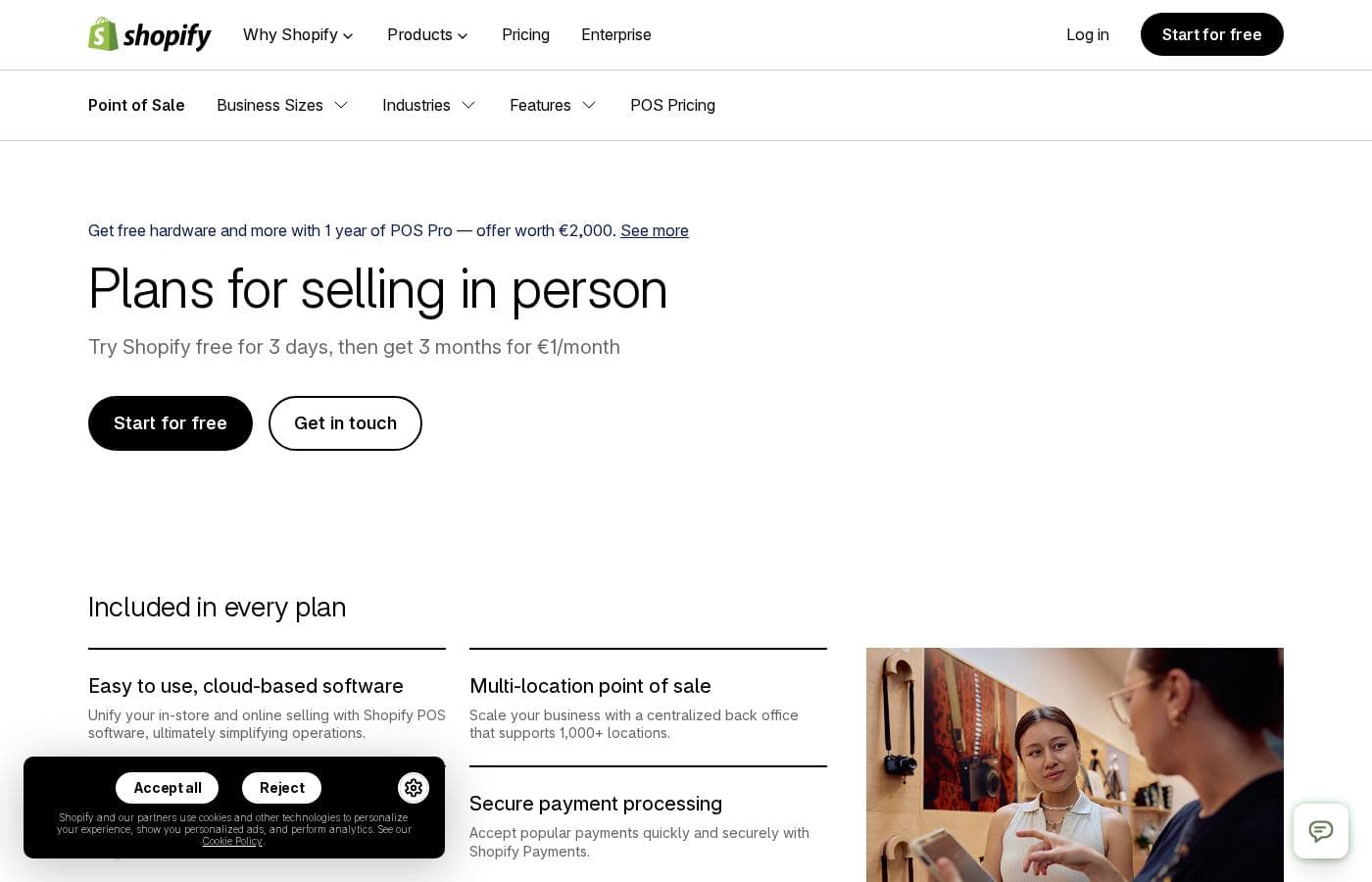
Shopify POS's pricing page

Shopify POS pricing page screenshotView pricing page screenshot

Price history

Tracking prices since Oct 1, 2026. No price change detected yet.

Pricing types: Free plan, Free trial, Monthly subscription, Yearly subscription, One-time payment, Usage-based pricing

Pricing notes

Shopify POS pricing: Plans from $0/month Billing options: Free plan, Free trial, Monthly subscription, Yearly subscription, One-time payment, Usage-based pricing

Email me when Shopify POS changes price

One email when we detect a price change on the vendor's pricing page. No newsletter, no deals. Unsubscribe in one click.

User Reviews

No reviews yet.

Write a Review

Write a Review for Shopify POS
0/100 characters
0/2000 characters

Why use Shopify POS?

The main reason to choose Shopify POS over a standalone reader is unification. Stock counts, orders, and customer profiles update in one place, so an item sold at a market instantly reflects on your website and vice versa — no manual reconciliation at the end of the day.

It also scales with the business: the same system works for a single vendor at a weekend market and for a retailer running several physical locations, with reporting and staff tools managed from one admin.

Shopify POS alternatives

Other tools in the Point of Sale category

View all Point of Sale tools
Square POS

Square POS

Point of Sale4.2/5

Square Point of Sale is a central hub combining essential hardware and software. It enables businesses to streamline operations and accept almost any payment method. This system supports transactions, tracks inventory, and helps analyze sales data from one platform. Square is designed to scale easily, supporting businesses from a single location all the way up to specialized, complex operations. Setting up is easy, and you can be ready to sell in just a few minutes.

Lightspeed

Lightspeed

Point of Sale4.1/5

Lightspeed is a comprehensive commerce platform built specifically for growing businesses. It provides one seamless touchpoint for all your operational needs. Whether you run a retail store, a fast-paced restaurant, or a specialised golf facility, Lightspeed helps you manage crucial tasks better. It’s an innovative, easy-to-use system that combines multilocation tools, integrations, and reports into a single hub. This reliable platform is trusted by businesses in over 100 countries, supporting roughly 144,000 customer locations globally.

Shore

Shore

Point of Sale3.9/5

Shore empowers service and retail businesses to grow — online and in-store. With smart booking, marketing, and an integrated POS system with Shore Pay, Shore offers a flexible all-in-one platform. POS and payment solutions are currently available in DACH region only

SumUp

SumUp

Point of Sale3.8/5

SumUp provides comprehensive payment solutions including Card Readers and POS Systems. This integrated ecosystem is designed to help you run your entire business smoothly. It manages everything from processing orders to full customer acquisition. Over 4 million businesses worldwide have already chosen SumUp to be their partner 💡. You can select products based on your specific needs, including powerful POS tools, Card Readers, and Invoicing capabilities. The platform serves a wide range of entrepreneurs, from coffee shops and fast casual restaurants to barber shops and clothing boutiques. Simply download the free SumUp App to access these business solutions quickly.

Zettle

Zettle

Point of Sale3.7/5

PayPal Point of Sale, formerly Zettle by PayPal, provides modern tools for business owners. It focuses on making every workday easier by combining payment acceptance and sales tracking in one simple place. These products are made specifically to help you handle transactions smoothly and keep reliable records. ✅ A key component is the new PayPal Reader. This reader features a large touchscreen for a professional and smooth checkout experience. You can connect it via Bluetooth or use a stable connection with the included USB-C cable. New, eligible business users can get this card reader starting from £29 (excluding VAT). Additional readers are priced at £69 (excluding VAT).

Clover

Clover

Point of Sale3.6/5

Clover provides essential tools for small businesses seeking better payment solutions. It integrates both a complete POS System and reliable Credit Card Reader technology. If you need a trustworthy platform to handle transactions and processing, Clover is ready to deliver.

Shopify POS FAQ

Does Shopify POS require a Shopify online store subscription?

Shopify POS is built on the Shopify platform, so you create a Shopify account to use it. The POS software has a free entry point (starting at $0/month), while paid Shopify plans unlock more features — and the real value shows when you connect an online store, since inventory, orders, and customers then sync across both channels.

What hardware do I need to start selling in person?

The minimum is the Shopify POS app on an iPhone, iPad, or Android device plus a Shopify card reader for taking tap, chip, and swipe payments. From there you can add a POS Go handheld, countertop stand, barcode scanner, receipt printer, or cash drawer as your counter setup grows. All hardware is purchased separately from the software subscription.

Can I keep taking payments if my internet goes down?

Yes. Shopify POS includes an offline mode that lets you continue accepting card payments during a connection loss; transactions are queued and processed automatically once you're back online. Note that some functionality is limited while offline, and payments taken offline carry the usual risk that a card is later declined.

Is Shopify POS suitable for a business with several physical stores?

Yes. Multi-location retailers can manage inventory per site, transfer stock between locations, and filter sales reports by store and staff member from one admin. The same platform that serves a single pop-up vendor supports retailers operating multiple storefronts.

Ready to try Shopify POS? Check out the official site or pricing.

Are you Shopify POS? Claim this listing · Get the badge