Qwary

Qwary review

A customer experience platform that explains the why behind your survey scores.

Qwary costs from $199/mo · 2 plans · prices checked Oct 12, 2026

By Ciroapp Editorial Team · Updated Sep 16, 2026

Commission may apply at no extra cost

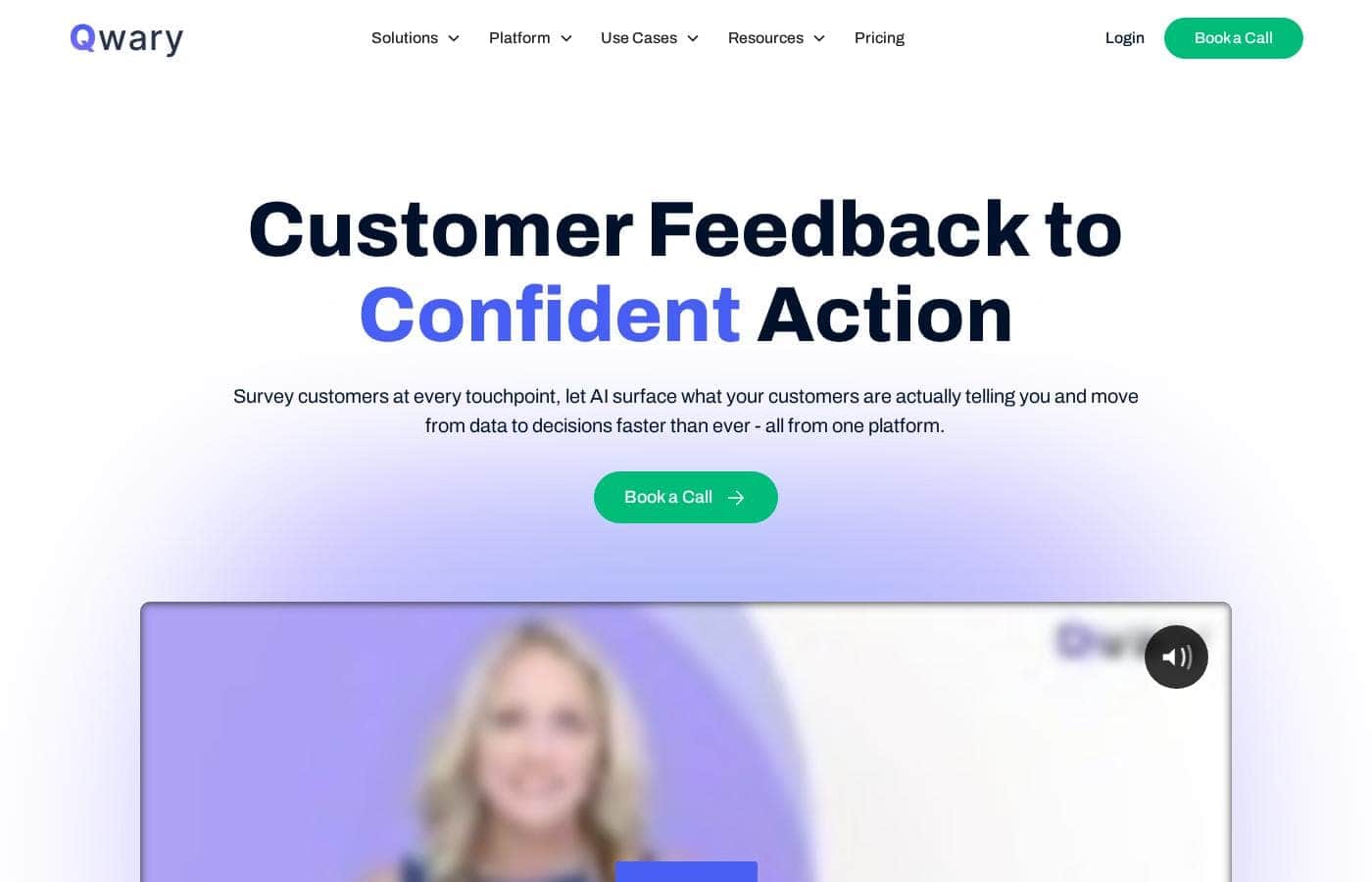
Qwary homepage screenshot

At a glance

Quick overview for Qwary: rating, pricing summary, key features, and highlights.
Pricing verified Oct 12, 2026

Ciroapp score

3.9/ 5

Qwary combines survey building, multi-channel collection, and AI analysis in one CX platform. Its standout strengths are automatic theme tagging, NPS driver analysis, and shareable dashboards, though Starter caps are tight and published pricing conflicts. Overall, it's a solid pick for CX teams that need to understand feedback, not just collect it.

Pros

  • Pros:AI auto-tags every open-text response by theme and sentiment, so teams don't have to read thousands of comments one by one to find actionable patterns.
  • Pros:Key driver analysis identifies which factors actually move NPS, and scores can be sliced by team, region, client, or service line with alerts when numbers drop.
  • Pros:The AI Survey Creator turns a short description into a ready-to-send survey in seconds, with conversational formats and white-label branding designed to lift completion rates.

Cons

  • Cons:Published pricing is inconsistent — the pricing card lists Starter at $199/month billed annually while Qwary's own FAQ quotes $175/month billed yearly, so buyers must confirm the current rate.
  • Cons:Starter plan caps are tight — 1 active Converse AI per month, 2 video feedback sessions, 2 monthly uses each of in-product feedback, website widget, session replay, and banners, and only 3 active digital experiences.
  • Cons:Enterprise pricing is custom-quote only, and the homepage publishes no trial terms, refund policy, or money-back guarantee, forcing a sales conversation before committing.
Best for
  • CX teams that need to understand open-text feedback at scale
  • Companies running serious NPS programs with segmentation by team, region, or client
  • Product teams wanting in-product surveys and session recordings
Free trial
Yes
This section is a summary. Detailed sections about features, use cases, pricing, and reviews follow below.

What is Qwary?

Collecting customer feedback isn't the hard part — knowing what to do with it is. If your team drowns in survey responses but still can't explain why NPS dropped, Qwary aims to fix that. Its AI tags themes, tracks sentiment, and shows which drivers actually move your scores, so decisions come from patterns instead of hunches.

Qwary is a customer experience (CX) and product feedback platform. Based on its website, it combines survey building, multi-channel collection, and AI analysis in one place. Teams use it to run NPS programs, read open-text feedback at scale, and share live dashboards.

It's aimed at CX leaders, product teams, and operations groups that want insight from feedback — not just a place to store it.

Should you choose Qwary?

Quick buyer guidance before you compare plans or click through.

Choose it if

  • CX and voice-of-customer program owners who report regularly to leadership
  • Retail or multi-location businesses measuring KPIs across departments, like the Scelgo example on the site
  • SaaS product teams capturing in-journey feedback, similar to Bitpanda
  • Ops teams replacing multiple point tools with one unified view, like Instabox
  • Anyone who wants AI to surface themes and urgent issues from thousands of comments

Skip it if

  • Buyers who need upfront pricing — the homepage shows no plans, trial terms, or refund policy, so expect a sales conversation
  • Very small teams with basic survey needs, who may not use the full CX analysis suite
  • Teams relying on niche or less common integrations — the site specifically names Salesforce, HubSpot, and Zendesk only, so verify your tools first
  • Organizations unwilling to invest time connecting Qwary across departments, since the cross-team value depends on that setup

Next steps before buying

  1. 1List the channels you need — in-product, website, email, link, or mobile — and confirm Qwary supports your exact setup.
  2. 2Request pricing tiers and ask about any free trial or refund terms, since none are published on the homepage.
  3. 3Verify integrations with your specific tools; Salesforce, HubSpot, and Zendesk are named, but confirm anything else you rely on.
  4. 4Ask for a demo using your own sample data so you can judge the AI tagging and NPS breakdowns on real feedback.
  5. 5Compare Qwary against other CX platforms on your shortlist before committing to a contract.

Ease of use

The website leans hard on speed: AI builds surveys in seconds, dashboards in minutes, and results flow without exports. Those are vendor claims, not hands-on findings, but the emphasis on ready-made reports and default views suggests a low learning curve for day-to-day use. Real setup effort likely depends on your integrations, which aren't detailed publicly.

Qwary Key Features

✨ AI that reads your feedback for you

Open-text comments pile up fast. Qwary's AI reads every response, then tags each one by theme and sentiment. Key driver analysis shows which factors actually move your NPS, and urgent issues get flagged.

Instead of skimming thousands of comments, your team works from patterns it can act on.

✨ NPS that tells you what to fix

A company-wide score doesn't tell you much on its own. Qwary slices NPS by team, client, region, or service line, then tracks trends over time. You can set alerts when scores drop, so you'll know which department is dragging things down before it becomes a bigger problem.

✨ Surveys people actually finish

Describe what you need, and Qwary's AI builds a ready-to-send survey in seconds. Edit it or launch it as-is. Conversational formats feel like dialogue, not a form, and white-label branding keeps everything looking like yours. Feedback comes in through:

  • In-product, website, email, link, and mobile surveys
  • Session recordings of real user behavior
  • Video and audio feedback with real-time emotion analysis

📊 Dashboards that share the whole story

Qwary connects feedback across your organization, so your CX program tells one complete story. Build dashboards in minutes with quick default reports or fully custom layouts. Tag surveys by campaign, filter by department or client, then roll everything into a single portfolio view.

Share live links with leadership, ops, or clients — no exports, no waiting.

✨ Stay ahead of shifting sentiment

Trends AI tracks how customer sentiment changes over time and compares periods, segments, or programs. That helps you spot emerging issues early. When action is needed, integrations with Salesforce, HubSpot, Zendesk, Slack, and Jira route insights into the tools your team already uses.

Use Cases

📊 Diagnose an NPS drop

Scores slip and leadership wants answers. Slice NPS by team, region, client, or service line, track trends, and let key driver analysis show what's pulling numbers up or down. Alerts flag drops early.

📱 Capture in-product feedback

Product teams launch in-product surveys at key journey moments and watch session recordings to spot friction. That's the approach Bitpanda's VP of CX credits for improved satisfaction and retention.

🧠 Read open-text feedback at scale

Thousands of responses pile up? AI tags every one by theme and sentiment, flags urgent issues, and shows which drivers move your scores. No more reading comments one by one.

🔗 Unify reporting across teams and clients

Replace scattered point tools with one survey, tagged by department, client, or program. Roll everything into a portfolio view and share live dashboards — no exports, no waiting.

Qwary pricing

From$199/mo

  • 2 plans

Prices checked on Oct 12, 2026 from Qwary's pricing page

Qwary pricing page screenshotView pricing page screenshot
PlanBilled monthlyBilled annuallyIncludes
Starter
—
$199/mo
$2,388 per year
1 Converse AI per month; 2 per month each for video feedback, in-product feedback, website feedback widget, session replay, and banners
  • 1 active Converse AI per month
  • Unlimited link surveys
  • 2 video feedback sessions per month
  • 3 active digital experiences per month
  • Digital experience analysis
  • +3
Enterprise
See vendor page
See vendor page
Custom limits tailored to your organization
  • Everything in Starter
  • Custom limits
  • Premium integrations
  • API access
  • Workflows and case management
  • +2

Price history

Tracking prices since Oct 9, 2026. No price change detected yet.

Pricing types: Free trial, Yearly subscription

Pricing notes

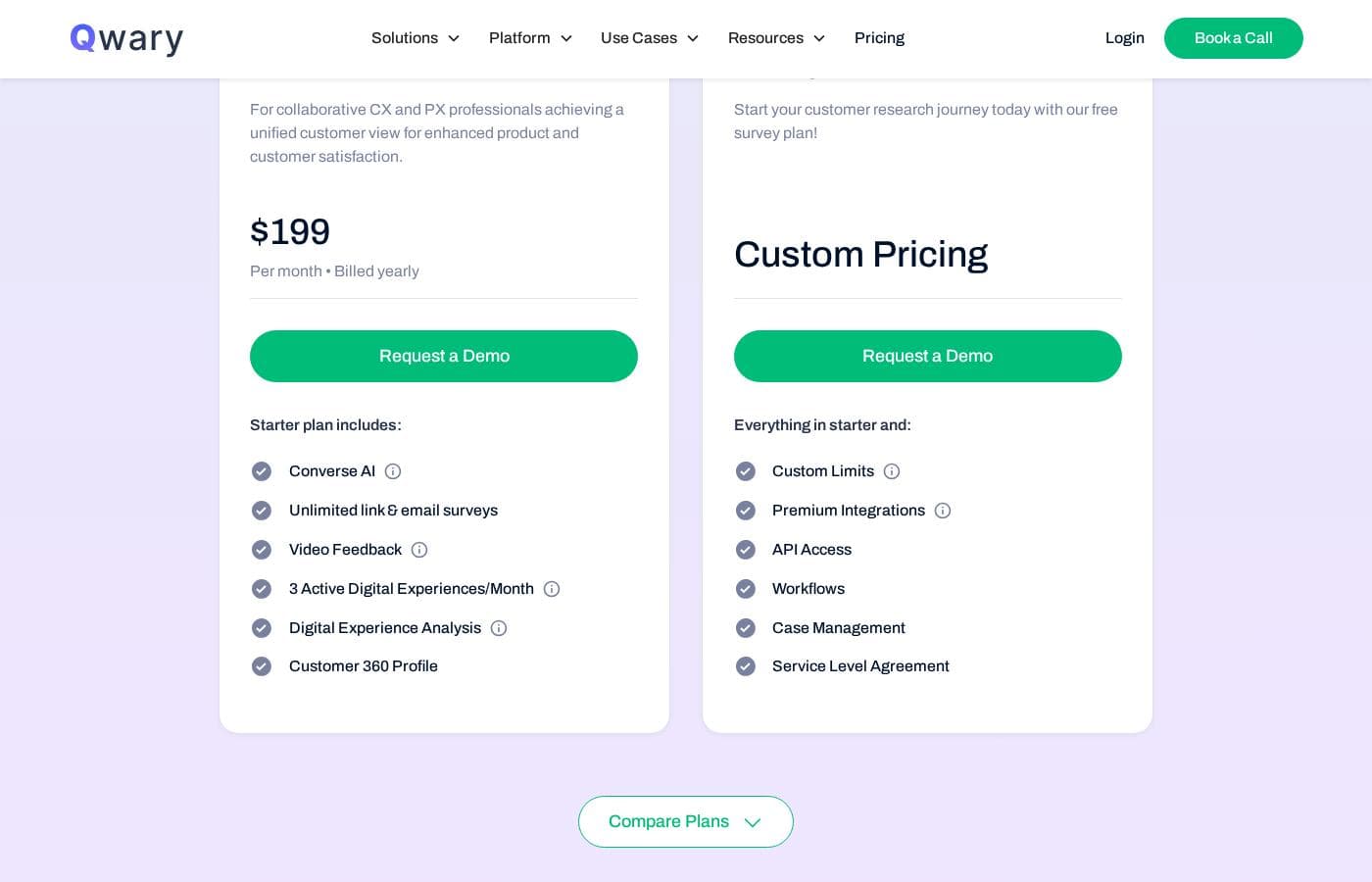
Qwary offers two plans: Starter at $199/month billed annually and Enterprise with custom pricing. Both include unlimited link surveys, and you can try the Starter plan free through a demo request.

Qwary costs between $199 and custom pricing per month across 2 plans: Starter at $199/month (billed annually) and Enterprise at a custom quote.

Here's a closer look at what each plan includes.

Starter

Price: $199/month, billed annually Other Features:

  • 1 active Converse AI per month
  • Unlimited link surveys
  • 2 video feedback sessions per month
  • 3 active digital experiences per month
  • Digital experience analysis and Customer 360 profiles

Starter is where most small and mid-sized teams will feel at home. You get the core toolkit: AI survey creation, NPS, CSAT, CES, and 20+ question types, plus skip logic, branching, and integrations with tools like Slack, Salesforce, and Zendesk. One tip: the pricing card shows $199/month billed annually, while Qwary's FAQ quotes $175/month billed yearly — confirm the current rate before you buy. 😊

Enterprise

Price: Custom pricing Other Features:

  • Everything in Starter, with custom limits
  • Premium integrations and API access
  • Workflows and case management
  • Service level agreement (SLA)
  • 1:1 Slack channel support and training

Enterprise is built for larger organizations that need room to grow. Caps on Converse AI, video feedback, and other digital experiences become custom, so you're not boxed in as volume climbs. If your team depends on API access, advanced workflows, or guaranteed support levels, this is the tier made for you.

Free trial and flexibility: Qwary offers a no-strings-attached trial of its Starter plan — just request a demo to get started. You can also upgrade or downgrade your plan at any time through account settings or support. A money-back guarantee isn't mentioned on the pricing page, so the trial is your best way to test the fit before committing.
Cost calculator

Estimate what Qwary costs for your team.

Billing

Starter has no published price for this billing cycle.

Starter has a flat price: the number of seats does not change the total. Estimate based on published list prices, before taxes, add-ons and discounts.

How to pay less for Qwary

  • A free trial is available: test it before you pay.
  • Cheaper tools in this category start at $49/mo.
Start free trial

Email me when Qwary changes price

One email when we detect a price change on the vendor's pricing page. No newsletter, no deals. Unsubscribe in one click.

User Reviews

No reviews yet.

Write a Review

Write a Review for Qwary
0/100 characters
0/2000 characters

Why use Qwary?

Most tools stop at collecting answers. Qwary's whole pitch, according to its site, is helping you understand them — and that focus shapes everything it does.

  • AI does the reading — Every open-text response is auto-tagged by theme and sentiment, and key driver analysis shows which factors actually move your NPS. No more reading comments one by one.
  • NPS with a diagnosis — Slice scores by team, region, client, or service line, track trends over time, and set alerts when numbers drop. You see what's pulling scores up or down.
  • Surveys people actually finish — The AI Survey Creator builds a ready-to-send survey from a short description, and conversational formats are designed to lift completion rates. White-label branding keeps everything looking like it came from you.
  • Feedback from every touchpoint — Run in-product, website, email, link, and mobile surveys, plus session recordings and video or audio feedback with real-time emotion analysis.
  • One shared story — Live dashboards and portfolio-style CX reports mean no juggling 30 separate files or waiting on manual exports. Leadership, ops, and clients each see what they need.
  • Fits your existing stack — Native connections with Salesforce, HubSpot, and Zendesk route insights to where your team already works.

Qwary alternatives

Other tools in the Survey category

View all Survey tools
Fairing

Fairing

Survey4.1/5From $49/mo

Fairing is an attribution survey platform designed for marketing teams who want to measure marketing beyond clicks. It helps you capture authentic customer insights at the moment of conversion and connect survey data with your existing data stack. Deploy across Shopify post-purchase surveys or custom consumer and B2B apps, with native integrations to tools like TikTok, Klaviyo, Meta, GA4, Google Sheets, and Segment.

QuestionPro

QuestionPro

Survey4/5From $83/mo

QuestionPro is a leading software platform specializing in insights, experiences, and surveys. It’s designed to make online surveys easy for hundreds of busy companies. Whether you are conducting academic research, checking customer satisfaction, or managing community surveys, its tools are professional and intuitive. Since 2005, QuestionPro has been helping users modernize their market research efforts. This highly-regarded platform is recognized as an industry leader in software by groups like Forrester, Gartner, and G2 Crowd.

Survicate

Survicate

Survey3.8/5From $114/mo

Survicate is a customer feedback software designed for teams who want to collect and act on input from customers. It helps you capture feedback, analyze themes, and drive action in one place—across channels.

SurveySparrow

SurveySparrow

Survey3.9/5

SurveySparrow is a unified Voice of Customer (VOC) platform that helps brands listen to customers, collect feedback across emails, social channels, and WhatsApp, and turn it into actionable insights with AI. It's designed for teams that want faster issue resolution, better online reputation, and more meaningful customer experiences.

Qwary FAQ

How much does Qwary cost?

Qwary's cheapest paid plan, Starter, costs $199 per month. Prices checked on Oct 12, 2026 from the vendor's pricing page.

Does Qwary offer a free trial or a money-back guarantee?

Qwary offers a free trial.

Has Qwary's price changed recently?

No. We have not detected a price change since we started tracking on Oct 9, 2026.

Which tools does Qwary integrate with?

Both plans connect with Slack, Salesforce, Zendesk, Freshdesk, Jira, Google Sheets, Snowflake, MailChimp, Google Analytics, and Zapier. Enterprise adds premium integrations plus API access. Check your exact stack during the demo.

What are the usage limits on the Starter plan?

You get 1 active Converse AI per month, unlimited link surveys, 2 video feedback sessions, and 2 monthly uses each of in-product feedback, the website widget, session replay, and banners. Enterprise sets custom limits.

What kind of support can I expect?

Starter includes email and in-app chat support with training. Enterprise adds 1:1 Slack channel support and a service level agreement, so response times are contractually guaranteed.

Ready to try Qwary? Check out the official site or pricing.

Are you Qwary? Claim this listing · Get the badge