QuickSigner

QuickSigner review

Legally binding e-signatures for SMBs — ISO 27001 certified, AATL-sealed, and priced without the enterprise overhead.

QuickSigner costs from $5/mo · 4 plans · Free plan available

By Ciroapp Editorial Team · Updated Oct 1, 2026

Commission may apply at no extra cost

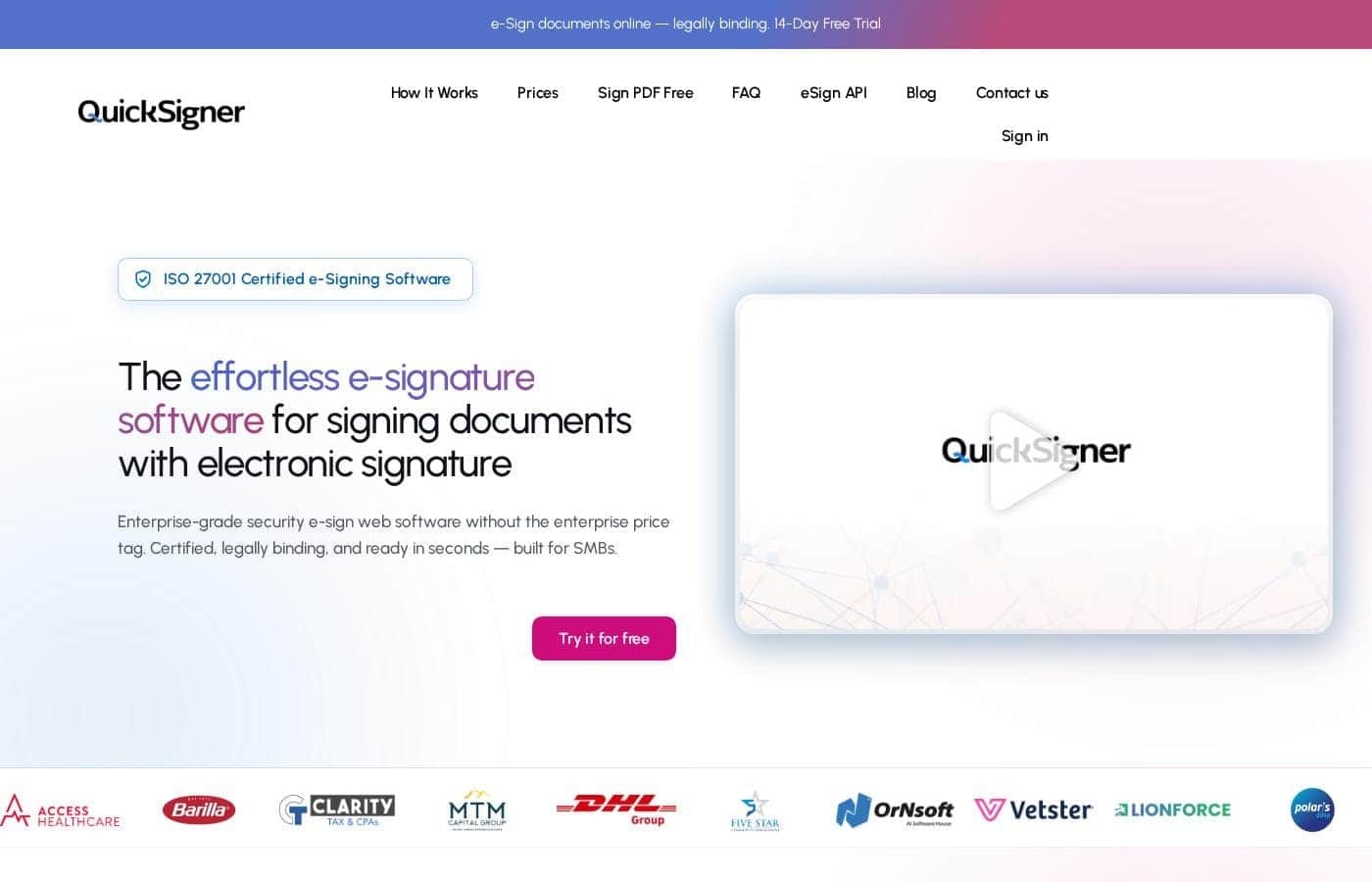
QuickSigner homepage screenshot

At a glance

Quick overview for QuickSigner: rating, pricing summary, key features, and highlights.
Vendor page checked Oct 13, 2026

Ciroapp score

4.1/ 5

E-signing value without envelope caps

QuickSigner pairs legally binding, AATL-sealed signatures with ISO 27001-grade security at prices from $5 per user per month, with unlimited documents on paid plans and a genuinely free tier. Tight file-size caps and a lighter feature set than bigger platforms hold it back. Overall, it's a smart pick for small teams that sign weekly.

Pros

  • Pros:Unlimited documents on every paid plan, starting at $5 per user per month
  • Pros:AATL-sealed, certificate-based signatures that validate automatically in Adobe Reader
  • Pros:ISO/IEC 27001:2022-certified infrastructure with AES-256 encryption and TLS 1.3

Cons

  • Cons:File-size ceilings are tight — 5 MB on Free, 10 MB on Business, and 15 MB on Professional
  • Cons:The free plan is PDF-only and caps volume at 5 documents per month
  • Cons:Bulk sending, OTP verification, and editable sign requests sit behind the $15 Professional plan
Best for
  • Small and mid-sized businesses that send contracts, NDAs, or forms regularly
  • Budget-conscious teams looking for a DocuSign or PandaDoc alternative without envelope caps
  • Freelancers and solo professionals with occasional, low-volume signing needs
Free trial
Yes — 14 days
This section is a summary. Detailed sections about features, use cases, pricing, and reviews follow below.

What is QuickSigner?

QuickSigner is a browser-based electronic signature platform for small and mid-sized businesses. You upload a document, place fields, and send a secure link; recipients sign with a typed or drawn signature from any device — no account needed. Signatures are certificate-based (PAdES, AATL) and validate automatically in Adobe Reader.

There's a free plan for occasional signing, paid plans from $5 per user per month, and an API for embedding signing into your own product.

Verdict

Best for Small and mid-sized businesses that sign documents weekly and want enterprise-grade legal validity without legacy-platform pricing..

QuickSigner stands out on price-per-value: legally binding, AATL-certified signing with ISO 27001-grade security at a fraction of legacy-platform costs. Test the free plan on a real document, then use the 14-day trial to confirm the Business tier fits your signing volume.

Strengths

  • Unlimited documents on every paid plan, starting at $5 per user per month
  • ISO/IEC 27001:2022-certified infrastructure with AES-256 and TLS 1.3 encryption
  • AATL-sealed signatures that validate automatically in Adobe Reader

Watch-outs

  • File-size ceilings: 5 MB on Free, 10 MB on Business, 15 MB on Professional
  • The free plan is PDF-only and caps uploads at 5 documents per month
  • Bulk sending, OTP verification, and editable sign requests are gated to the Professional plan

Pricing trap for QuickSigner: Paid plans are priced per user, and the 20% discount requires annual billing — $48 or $144 per user paid upfront. The free plan's 5-document monthly cap, PDF-only support, and 5 MB size limit make it impractical for anyone signing regularly.

QuickSigner Key Features

✍️ Signatures that hold up when it matters

You get signatures that hold up under scrutiny. Each one is certificate-based, built on PAdES technology and AATL certificates, and validates automatically in Adobe Reader. Any change after signing is instantly detectable, so you can show verifiable, time-stamped proof of who signed what — useful for compliance checks or disputes.

✨ From upload to signed in minutes

Upload a PDF or Word file, add signers, and drop signature, date, or text fields where they're needed. Each signer gets a secure link by email and signs from any device — no account required. You track progress in real time, and the moment everyone signs, the finished document is sealed and ready.

✨ Templates that erase the setup

Send the same contract twice? Make it a template. Turn any contract, NDA, or form you use regularly into a reusable template with signature, date, and text fields already placed, and recipient roles ready to fill in.

Next time, there's no setup at all: - Pick the template - Add the signer's email - Send

🔒 Security you can cite

Your documents are protected in transit and at rest: TLS 1.3 encryption while data moves, AES-256 while it's stored. The platform runs on ISO/IEC 27001:2022-certified infrastructure and is built to meet GDPR requirements. Role-based access controls keep unauthorized eyes out, and a complete audit trail records every action from upload to archive.

✨ Sign anywhere, automate anytime

QuickSigner runs in the browser, so there's nothing to install. Signers tap a secure link and sign on Android, iPhone, iPad, or laptop — same features and security on every screen size. And when you're ready to automate, the e-Sign API lets you embed the same legally valid signatures directly into your own product.

Use Cases

📄 Send Contracts for Signature

Sales teams upload a contract, drop in signature fields, and send a secure link. Signers sign from any device — no account needed. Track progress in real time; the sealed copy lands the moment everyone's done.

📋 Turn Repeat Documents into Templates

Send the same NDA or onboarding form weekly? Save it as a template with signature, date, and text fields pre-placed. Next time, pick it, add the signer's email, and hit send.

Expected outcome: ten-minute setups drop to thirty seconds.

Tip: Business includes 10 reusable templates.

📱 Sign From Anywhere, On Any Device

Clients in the field or on the go tap the secure link and sign from a phone, tablet, or laptop. Nothing to install, no account to create — it all runs in the browser.

Expected outcome: no printing, scanning, or chasing signatures.

🔌 Embed Signing Into Your Product

Product teams use the e-Sign API to add legally valid signing to their own app. You get 50 free credits, then pay $0.30 per document. Higher-volume teams can add bulk sending and OTP verification on Professional.

Expected outcome: signing runs automatically inside your own workflow.

QuickSigner pricing

From$5/mo

  • 4 plans
  • Free plan available
  • Save up to 20% with annual billing

Vendor page checked on Oct 13, 2026; confirm current prices on QuickSigner's pricing page

QuickSigner pricing page screenshotView pricing page screenshot
PlanBilled monthlyBilled annuallyIncludes
Personal eSign Free
Free
—
5 documents per month; up to 3 signers and 1 document per sign request; 5 MB max document size
  • Legally binding electronic signature
  • AATL document sealing
  • AES-256 encryption
  • Signature and stamp fields
  • PDF documents
Business
per user
$5/mo
$4/mo
$48 per year
Save up to 20% with annual billing
Up to 10 signers and 3 documents per sign request; 10 MB max document size
  • Unlimited documents per month
  • 10 document templates
  • Document search, filters, and tagging
  • Checkbox and attachment fields
  • Reminders
  • +3
Professional
per user
$15/mo
$12/mo
$144 per year
Save up to 20% with annual billing
Up to 50 signers and 10 documents per sign request; 15 MB max document size
  • OTP mobile phone verification
  • Editable sign requests
  • e-Sign API with 50 free credits, then $0.30 per document
  • Send in bulk
  • Teams features
  • +2
Tailored Plan
See vendor page
See vendor page
  • Built around your volume, integrations, and approval flows

Price history

Tracking prices since Oct 1, 2026. No price change detected yet.

Pricing types: Free plan, Free trial, Monthly subscription, Yearly subscription, Per seat pricing, Usage-based pricing

Pricing notes

QuickSigner offers a free plan for occasional signing, plus paid tiers from $5 to $15 per user per month ($48–$144 per user per year with annual billing). Both paid plans include a 14-day free trial, and yearly billing saves 20% versus monthly.

QuickSigner costs between $0 and $144 per user per year with three main plans: Personal eSign Free at $0, Business at $48/year ($5/month), and Professional at $144/year ($15/month) — plus a tailored option for custom needs.

Paid tiers are billed per user, and paying yearly takes 20% off the monthly rate. Here's how each plan breaks down.

Personal eSign Free

Price: Free Best For: Occasional e-signing Other Features:

  • 5 documents per month
  • Up to 3 signers and 1 document per sign request
  • 5 MB max document size, PDF only
  • Legally binding e-signatures with AATL document sealing
  • AES-256 encryption, signature and stamp fields

Start here if you sign a handful of documents now and then. You still get legally binding, AATL-sealed signatures and encrypted documents — just with tight caps on volume and file size. For light use, free is tough to beat.

Business

Price: $5 per user/month, or $48 per user/year Best For: Small teams that e-sign every week Other Features:

  • Unlimited documents per month
  • Up to 10 signers and 3 documents per sign request
  • 10 MB max file size with Word document support
  • 10 reusable templates, plus search, filters, and tagging
  • Reminders, sign in order, and saved signatures

Most small teams will feel at home here. Unlimited documents means no envelope math or surprise overage fees, and templates turn repeat contracts into a 30-second task. If signing is a weekly habit for your team, this plan fits.

Professional

Price: $15 per user/month, or $144 per user/year Best For: Higher volume and integrations Other Features:

  • Up to 50 signers and 10 documents per sign request
  • 15 MB max document size
  • OTP mobile phone verification and editable sign requests
  • Bulk sending, teams features, and priority support
  • e-Sign API with 50 free credits, then $0.30 per document

Professional is aimed at busier operations. Bigger signer limits, bulk sending, and the API make sense when you're pushing lots of documents or embedding signatures into your own product. If you don't need the API or 50-signer requests, Business likely covers you — no need to pay for headroom you won't use.

Tailored Plan

Other Features:

  • Built around your volume, integrations, and approval flows
  • Custom pricing based on what you need

Complex approval flows or unusual volumes don't always fit a fixed tier. For those cases, QuickSigner will build a plan around your requirements — just reach out and describe what you're working with.

Both paid plans include a 14-day free trial, and there's a genuinely free plan for light use. Before you choose, compare your typical file sizes and signer counts against each tier's limits — that's the quickest way to find the right fit.
Cost calculator

Estimate what QuickSigner costs for your team.

Billing
Per month
$25
Per year
$300

Business is priced per user: price × 5 seats. Estimate based on published list prices, before taxes, add-ons and discounts.

How to pay less for QuickSigner

  • Pay annually: saves up to 20% compared with monthly billing.
  • Start on the free plan and upgrade only when you hit its limits.
  • Use the 14-day free trial before you pay.
  • Some plans are priced per user: only pay for seats people actually use.
Start free trial

Email me when QuickSigner changes price

One email when we detect a price change on the vendor's pricing page. No newsletter, no deals. Unsubscribe in one click.

User Reviews

No reviews yet.

Write a Review

Write a Review for QuickSigner
0/100 characters
0/2000 characters

Why use QuickSigner?

Envelope math shouldn't decide which e-signature tool you use. QuickSigner's pitch to small businesses is simple: the same legally binding, AATL-certified signing as the big names, with unlimited documents on every paid plan and prices starting at $5 per user per month.

  • No envelope caps — DocuSign's Standard and Business Pro plans cap sending at roughly 100 envelopes per user per year with overage fees; QuickSigner's paid plans include unlimited documents, with no per-seat lock-in.
  • Security credentials you can cite — ISO/IEC 27001:2022-certified infrastructure, TLS 1.3 in transit, AES-256 at rest, role-based access controls, and GDPR-oriented design.
  • Signatures that hold up — every signature is certificate-based (PAdES on AATL certificates), validates automatically in Adobe Reader, and any change after signing is instantly detectable.
  • Zero friction for signers — recipients tap a secure link and sign from any phone, tablet, or laptop. No account, no app, no install.
  • Templates that pay off fast — reusable templates with signature, date, and text fields pre-placed turn repeated ten-minute setups into thirty seconds.
  • Room to automate — the e-Sign API includes 50 free credits, then costs $0.30 per document, so you can embed signing into your own product when you're ready.

QuickSigner alternatives

Other tools in the eSignature category

View all eSignature tools
Foxit esign

Foxit esign

eSignature4/5

Foxit is a global leader in PDF and eSign solutions, trusted by over 700 million users. Our powerful tools PDF Editor and eSign—help individuals and teams create, edit, and sign documents faster. With built-in AI features like summarization, Q&A, rewriting, and translation, Foxit offers a smarter, more affordable alternative to Adobe Acrobat.

Alohi

Alohi

eSignature3.9/5

Send a fax from your browser. Sign a document in seconds. Alohi is a Swiss company behind Fax.Plus and Sign.Plus, trusted digital productivity tools used by over 5 million professionals worldwide. We build for people who need things done right, without outdated tools slowing them down. Partner with us and earn up to $180 per referral.

AirSlate

AirSlate

eSignature3.8/5

AirSlate WorkFlow is a powerful, no-code platform designed to simplify complex document tasks. It provides end-to-end automation for growing teams and enterprises of all sizes. You define your document process visually without needing technical expertise or complicated coding skills. WorkFlow revolutionizes how companies handle their critical document lifecycles. It includes document creation, automatic filling, real-time routing, and eSignatures all in one automated system. It’s easy to use and helps you enhance productivity while achieving seamless workflow automation.

PandaDoc

PandaDoc

eSignature3.7/5

PandaDoc is a 360-degree agreement management platform built for teams that create, send, track, and sign important documents. From creation to signature to payment, PandaDoc streamlines the entire process. It supports a drag-and-drop editor to tailor agreements, and it keeps everyone on the same page with real-time redlining, comments, and approvals. It also brings together CRM integrations, an embeddable API, and automation to speed up workflows while reducing errors. For signing, you can set signing order, verify identities, organize signing groups, and even notarize documents, all in a secure framework.

Blueink

Blueink

eSignature3.6/5

Blueink is a lean eSign platform that blends speed, security, and scalability. It’s designed for teams that need compliant signing at a fair price and easy workflows. The solution supports a range of signing options—SMS delivery, in-person signing, and branded signing experiences—along with reusable templates, tracking, and envelope transparency. It’s built for enterprises and regulated industries, with simple integrations and an API to fit your tech stack.

QuickSigner FAQ

How much does QuickSigner cost?

QuickSigner's cheapest paid plan, Business, costs $5 per month. Paid plans range from $5 to $15 per month.

Does QuickSigner have a free plan?

Yes. QuickSigner has a free plan (Personal eSign Free); paid plans start at $5 per month.

Does QuickSigner offer a free trial or a money-back guarantee?

QuickSigner offers a 14-day free trial.

How much do you save with annual billing on QuickSigner?

Paying annually saves up to 20% compared with monthly billing, based on QuickSigner's list prices.

Has QuickSigner's price changed recently?

No. We have not detected a price change since we started tracking on Oct 1, 2026.

Do I pay for signers, or just for the people sending documents?

Pricing is per seat, and it only counts people who send or manage documents. Signers use a secure link from any device — no account, no app, no fee — so a heavy signer list doesn't raise your bill.

Does QuickSigner integrate with other tools or my own app?

Automation runs through the e-Sign API: you get 50 free credits, then pay $0.30 per document. For deeper integrations like CRMs or custom approval flows, contact the vendor about a tailored plan.

What kind of support can I expect?

Professional includes priority support. Reviews describe the team as quick to respond and willing to add requested features. If you need a formal SLA, raise it with the vendor when discussing a tailored plan.

Ready to try QuickSigner? Check out the official site or pricing.

Are you QuickSigner? Claim this listing · Get the badge