Blueink

Blueink review

Lean eSignature software built for compliant, fast signing without enterprise-level pricing

By Ciroapp Editorial Team · Updated Sep 17, 2026

Commission may apply at no extra cost

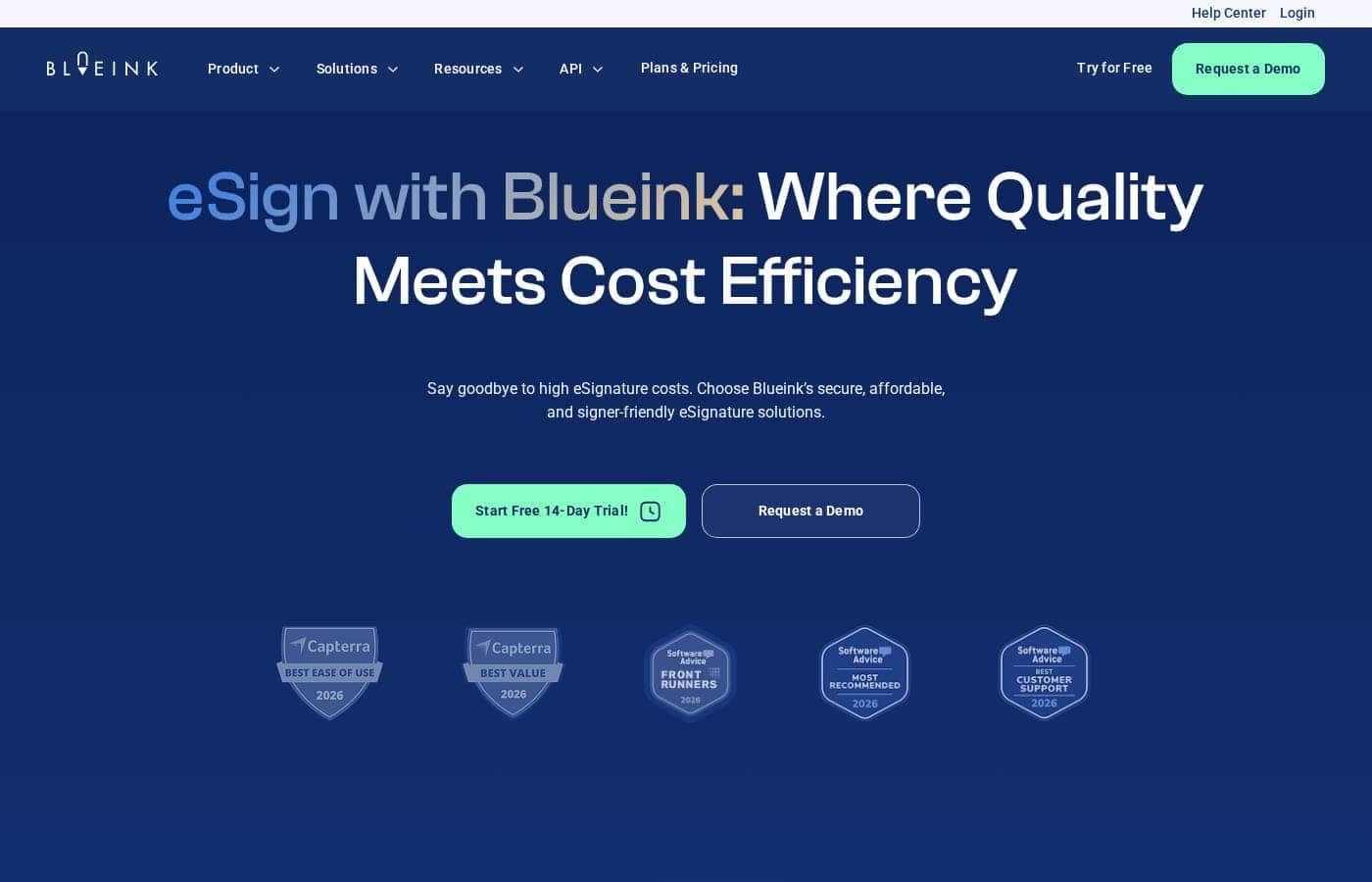
Blueink homepage screenshot

At a glance

Quick overview for Blueink: rating, pricing summary, key features, and highlights.
Vendor page checked Oct 13, 2026

Ciroapp score

3.6/ 5

Blueink covers the eSignature basics well, with SMS and in-person signing, reusable templates, envelope tracking, and an API for embedding signature requests into your own tools. The trade-offs are a very wide pricing range and little third-party review coverage to confirm real-world reliability. Overall, it's a sensible pick for growing teams that verify fit and pricing during the free trial.

Pros

  • Pros:Multiple signing modes, including SMS delivery and in-person signing, cover scenarios where email-only eSignature tools fall short
  • Pros:Envelope transparency and tracking give senders real-time visibility into where each document is, reducing manual follow-up
  • Pros:Reusable templates standardize repeat agreements and cut down preparation errors and turnaround time

Cons

  • Cons:Third-party review coverage is limited, with no substantial G2, Capterra, or Trustpilot feedback available to validate real-world reliability
  • Cons:The published pricing range is extremely wide ($0 to $70,995/month), so buyers need to contact sales or check the pricing page to understand where their usage actually lands
  • Cons:As a leaner platform, it likely lacks some advanced workflow features (such as complex multi-party approval routing) that larger enterprise suites provide, so complex use cases should be validated in a trial
Best for
  • Small to mid-sized teams that need compliant eSignatures at a fair price and are priced out of enterprise suites like DocuSign
  • Field service, retail, and healthcare teams that need in-person or SMS-based signing rather than email-only delivery
  • Product and operations teams that want to embed signature requests into their own applications via an API
This section is a summary. Detailed sections about features, use cases, pricing, and reviews follow below.

What is Blueink?

Blueink is an eSignature platform aimed at teams that need legally compliant document signing without the bulk or cost of larger enterprise suites. It covers the core signing workflow end to end: sending documents, tracking their status, and collecting signatures through SMS delivery, in-person sessions, or branded signing pages. The platform also emphasizes envelope transparency, so senders can see exactly where a document is in the signing process at any time.

Blueink is a cloud-based eSignature solution that lets businesses prepare, send, sign, and track documents electronically. It supports reusable templates for repeat documents, multiple signing modes including in-person and SMS-based delivery, and branded signing experiences so recipients see your identity rather than a generic vendor page. For teams with existing systems, Blueink offers an API and integrations designed to drop signing into your current tech stack rather than forcing users into a separate portal.
Should you choose Blueink?

Quick buyer guidance before you compare plans or click through.

Choose it if

  • Small to mid-sized teams that need compliant eSignatures at a fair price and are priced out of enterprise suites like DocuSign
  • Field service, retail, and healthcare teams that need in-person or SMS-based signing rather than email-only delivery
  • Product and operations teams that want to embed signature requests into their own applications via an API
  • HR and sales teams that send the same documents repeatedly and benefit from reusable templates and status tracking

Skip it if

  • Enterprises that require extensive third-party validation, since Blueink currently has little published review coverage on major platforms like G2 or Capterra
  • Teams with highly complex, multi-party approval workflows who may need the deeper workflow customization of larger enterprise eSignature platforms

Next steps before buying

  1. 1Sign up for the free plan or free trial at blueink.com to test the core signing workflow with your own documents
  2. 2Upload a frequently used agreement (such as an NDA or service contract) and convert it into a reusable template to evaluate the template workflow
  3. 3Test both SMS delivery and in-person signing with a real signer to confirm the delivery modes match how your customers actually sign
  4. 4If you plan to integrate, review the API documentation and run a test signature request from your own application before committing to a paid plan
  5. 5Check the pricing page (go.ciroapp.com/blueink-pricing) to determine which tier fits your signing volume, since the published range is wide

Blueink Key Features

✨ Multiple Signing Modes

Blueink supports several ways to get a document signed: standard remote signing via link, SMS delivery so signers receive documents directly on their phones, and in-person signing for situations where parties are physically together. This flexibility matters for field teams, retail, healthcare front desks, and any workflow where the signer may not be sitting at a desk checking email.

✨ Reusable Templates and Tracking

Teams that send the same agreements repeatedly can build reusable templates once and reuse them for every new signer, reducing setup errors and turnaround time. Combined with document tracking and envelope transparency, senders can see the status of each envelope, who has signed, and where a document is stuck, which replaces the usual back-and-forth of chasing signatures.

✨ Branded Signing Experience

Rather than sending recipients to a generic vendor-branded page, Blueink supports branded signing experiences so documents carry your company's identity. This improves recipient trust, which directly affects completion rates, and keeps the signing flow consistent with the rest of your customer-facing communications.

✨ API and Integrations

Blueink offers an API and integrations intended to fit into an existing tech stack, letting teams trigger signature requests from their own applications rather than manually uploading documents. This is relevant for product teams embedding signing into onboarding flows, CRMs, or internal tools.

✨ Security and Compliance Focus

Blueink is built with enterprises and regulated industries in mind, emphasizing security and compliant signing. Teams in finance, healthcare, legal, and similar sectors can use it to collect enforceable electronic signatures while maintaining the audit-oriented controls those industries expect.

Use Cases

💡 Sales and Contract Turnaround

Sales teams can send agreements via SMS or email the moment a deal is agreed, track envelope status in real time, and follow up only with signers who haven't completed. Branded signing pages reassure prospects that the request is legitimate, improving completion speed.

💡 Field Services and In-Person Signing

Businesses whose staff meet customers on site, such as contractors, logistics, or healthcare intake, can use Blueink's in-person signing mode to collect signatures on the spot rather than sending documents afterward and waiting on returns.

💡 HR Onboarding

HR teams can build reusable templates for offer letters, NDAs, and policy acknowledgments, then send them to new hires with tracking to confirm every document is completed before a start date.

💡 Regulated Industries

Finance, legal, and healthcare organizations that need compliant electronic signatures can use Blueink's security-oriented design and envelope transparency to maintain visibility and enforceable signing records without adopting a heavyweight enterprise contract.

💡 Product and Engineering Teams

Teams building customer onboarding or agreement flows can use the Blueink API to trigger signature requests programmatically from their own applications, keeping signing inside the product experience instead of routing users to an external tool.

Blueink pricing

Prices not verified yet — see the vendor page.

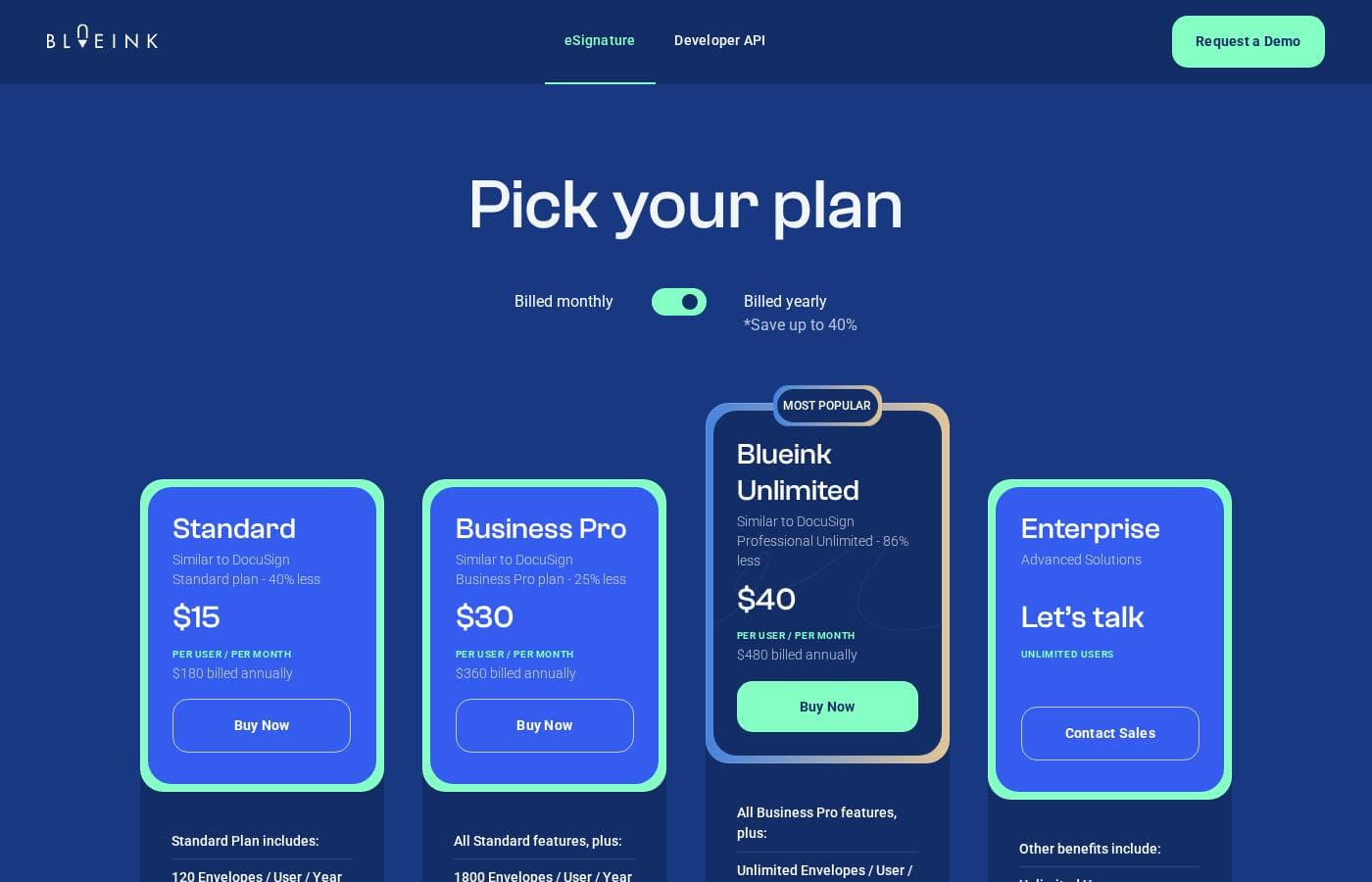
Blueink's pricing page

Blueink pricing page screenshotView pricing page screenshot

Price history

Tracking prices since Oct 1, 2026. No price change detected yet.

Pricing types: Free plan, Free trial, Monthly subscription, Yearly subscription, Per seat pricing

Pricing notes

Blueink pricing: Plans from $0/month Billing options: Free plan, Free trial, Monthly subscription, Yearly subscription, Per seat pricing

Email me when Blueink changes price

One email when we detect a price change on the vendor's pricing page. No newsletter, no deals. Unsubscribe in one click.

User Reviews

No reviews yet.

Write a Review

Write a Review for Blueink
0/100 characters
0/2000 characters

Why use Blueink?

Most teams evaluating eSignature tools are choosing between expensive enterprise contracts and lightweight tools that skip compliance or workflow features. Blueink positions itself in the middle: it advertises enterprise-grade security and compliance-oriented signing at a price point meant to be fair for growing teams.

Practical benefits include faster turnaround on agreements (SMS delivery reaches signers where they already are), fewer errors through reusable templates, and visibility into document status through tracking and envelope transparency instead of chasing signers by email.

Blueink alternatives

Other tools in the eSignature category

View all eSignature tools
QuickSigner

QuickSigner

eSignature4.1/5

QuickSigner delivers everything you need to sign — without the bloat. ISO 27001-certified, legally binding via Adobe's Approved Trust List, with no per-envelope fees and no surprise costs. Recipients sign in seconds, no account required. Send, sign, and collect in one flow. Free to try, effortless to adopt, ready to scale. The complete e-signature solution: simple, fast, and priced for the rest of us — the smarter alternative to enterprise overkill.

Foxit esign

Foxit esign

eSignature4/5

Foxit is a global leader in PDF and eSign solutions, trusted by over 700 million users. Our powerful tools PDF Editor and eSign—help individuals and teams create, edit, and sign documents faster. With built-in AI features like summarization, Q&A, rewriting, and translation, Foxit offers a smarter, more affordable alternative to Adobe Acrobat.

Alohi

Alohi

eSignature3.9/5

Send a fax from your browser. Sign a document in seconds. Alohi is a Swiss company behind Fax.Plus and Sign.Plus, trusted digital productivity tools used by over 5 million professionals worldwide. We build for people who need things done right, without outdated tools slowing them down. Partner with us and earn up to $180 per referral.

AirSlate

AirSlate

eSignature3.8/5

AirSlate WorkFlow is a powerful, no-code platform designed to simplify complex document tasks. It provides end-to-end automation for growing teams and enterprises of all sizes. You define your document process visually without needing technical expertise or complicated coding skills. WorkFlow revolutionizes how companies handle their critical document lifecycles. It includes document creation, automatic filling, real-time routing, and eSignatures all in one automated system. It’s easy to use and helps you enhance productivity while achieving seamless workflow automation.

PandaDoc

PandaDoc

eSignature3.7/5

PandaDoc is a 360-degree agreement management platform built for teams that create, send, track, and sign important documents. From creation to signature to payment, PandaDoc streamlines the entire process. It supports a drag-and-drop editor to tailor agreements, and it keeps everyone on the same page with real-time redlining, comments, and approvals. It also brings together CRM integrations, an embeddable API, and automation to speed up workflows while reducing errors. For signing, you can set signing order, verify identities, organize signing groups, and even notarize documents, all in a secure framework.

Blueink FAQ

Does Blueink have a free plan or free trial?

Yes. Blueink offers a free plan with pricing starting at $0/month, and a free trial is available. This lets individuals and small teams test the core signing workflow, and larger teams can evaluate the platform before moving to a paid subscription, which is offered on monthly and yearly billing with per-seat pricing.

How does Blueink deliver documents to signers?

Blueink supports multiple delivery and signing options beyond standard email links: signers can receive documents via SMS, complete signatures in person (useful for field staff or front-desk scenarios), and sign through a branded signing experience that carries your company's identity. Senders can track each envelope's status throughout the process.

Can Blueink be integrated into our existing software?

Yes. Blueink provides an API and integrations designed to fit your existing tech stack. Teams can trigger signature requests from their own applications, such as a CRM, onboarding flow, or internal tool, rather than manually sending documents through a standalone interface.

Is Blueink suitable for regulated industries?

Blueink is designed with enterprises and regulated industries in mind, emphasizing security and compliant electronic signing. Organizations in sectors like finance, legal, and healthcare should confirm specific compliance certifications and audit requirements against their needs during the free trial.

Ready to try Blueink? Check out the official site or pricing.

Are you Blueink? Claim this listing · Get the badge